

It is a product listing, not just an IFA preview
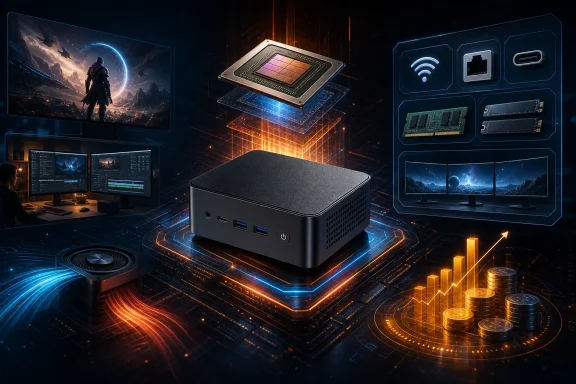
The UM750 Neo appeared on Minisforum’s IFA 2026 material with a concise specification: AMD Z1, 16GB of LPDDR5 memory and two PCIe 4.0 M.2 slots, labeled “Coming Soon.” That label remains relevant for the event page, but it does not describe availability everywhere.
Official regional listings have already supplied considerably more detail. In the United States, Minisforum lists two systems: a 16GB/500GB model at $463 and a 16GB/1TB model at $535. Both had an estimated shipping window of late September as of September 7. In Japan, Minisforum lists a 16GB/500GB configuration at ¥79,999 and says it is scheduled to ship on September 15.
China appears to be further along, at least according to a September 3 report that described sales through JD. The reported configurations were barebones at 2,399 yuan, 16GB/500GB at 2,999 yuan, and 16GB/1TB at 3,599 yuan.
That patchwork matters for prospective buyers. “Coming Soon” on a global promotional page should not be read as a universal launch date, and a price in one region should not be treated as a direct price promise in another. The published U.S. and Japanese figures also represent observed storefront pricing, not proof of a permanent MSRP or of identical availability through third-party sellers. Shipping estimates are estimates, not confirmation that units have reached customers.
The platform: strong connectivity, fixed memory, uneven SSD bandwidth
The basics are better specified than the early announcement suggested. The UM750 Neo carries 16GB of LPDDR5-6400 memory integrated onto the motherboard. For Windows users, “onboard” is the important word: the stated memory configuration should be approached as fixed rather than as an upgradeable SO-DIMM setup. Buyers who know they need more than 16GB for local virtual machines, large creative projects, heavier development environments, or aggressive multitasking should not assume they can solve that limitation later.
For everyday Windows use, 16GB is a credible baseline. It leaves room for a browser, Office-style applications, video calls, background sync utilities and modest creative work. The constraint becomes more meaningful when memory is shared with integrated graphics. A game or GPU-accelerated workload has to coexist with Windows and applications within that same pool, so usable headroom can tighten sooner than it would on a desktop with separate graphics memory.
Storage is one of the more appealing aspects, but it has a qualification that deserves more attention than the phrase “dual PCIe 4.0 M.2” normally receives. Minisforum specifies two M.2 2280 SSD slots, with stated total support up to 8TB—up to 4TB per drive. One slot uses PCIe 4.0 x4, while the other is PCIe 4.0 x2.
That does not make the second slot unhelpful. It remains valuable for separating a Windows installation from a game library, media collection, project files or backup-oriented storage without needing an external drive. But the two slots are not equal. The x2 slot has fewer PCIe lanes, which can constrain peak transfer performance relative to the x4 slot when the SSD and workload can use the additional bandwidth. The sensible build order is therefore straightforward: put the operating system and the most demanding storage workload on the x4 slot, and use the x2 slot for capacity or less performance-sensitive data.
The system’s published connectivity also includes USB4, 2.5GbE networking, Wi-Fi 6E and three display outputs. For a desk-bound Windows setup, these features may matter more than the processor’s handheld origin. USB4 broadens the range of high-speed dock and storage possibilities, 2.5GbE can be useful on a fast local network or NAS, and three display outputs make a compact multi-monitor workstation plausible. Exact experience will still depend on display resolutions, refresh rates, docks, cables, drivers and the workloads being run; the headline count alone does not establish every multi-display combination.
What the regular Ryzen Z1 changes
AMD introduced the Ryzen Z1 family for handheld PC gaming, and AMD classifies the standard Z1’s form factor as handheld. The regular Z1 has six CPU cores and 12 threads, boosts up to 4.9GHz, and contains four RDNA 3 graphics cores.
Those CPU specifications mean it should not automatically be dismissed as a low-end Windows processor. Six modern CPU cores and 12 threads can suit routine desktop computing, web-heavy workloads and many productivity tasks. A mini PC also operates in a fundamentally different physical setting than a battery-powered handheld: it is normally connected to wall power and may have more room for cooling. But neither point tells us how Minisforum configured the UM750 Neo’s power limits, fan profile or sustained clocks.
The graphics side is where comparisons require the greatest care. AMD’s Z1 Extreme carries 12 RDNA 3 graphics cores, triple the four listed for the standard Z1. That is not a minor branding distinction. It is a major reduction in graphics resources, and it creates a clear reason to moderate gaming expectations.
Controlled testing in otherwise comparable ROG Ally handhelds illustrates the scale of the gap. In the tested settings, the Z1 Extreme led the standard Z1 by 42% on battery and 52% on wall power in Dying Light 2. In Resident Evil 4, the reported advantages were 36% on battery and 48% on wall power.
Those results are useful context, not UM750 Neo benchmark results. A mini PC can differ from a handheld in cooling, power delivery, firmware, memory behavior, storage configuration and driver state. The figures cannot responsibly be converted into a promised frame rate for any game on Minisforum’s machine. What they do establish is the direction and potential importance of the product split: graphics-limited games can run materially better on Z1 Extreme hardware than on regular-Z1 hardware under comparable conditions.
A realistic Windows and gaming role
The most defensible early positioning for the UM750 Neo is as a compact general-purpose Windows PC with room for lighter gaming, older titles, esports-oriented games, indie releases and settings compromises where needed. Its dual-drive capacity, wired networking and display support could also make it appealing as a small living-room machine, a compact office desktop or a home lab-adjacent system where 16GB of non-upgradeable memory is enough.
It is less safe to position it as a substitute for a higher-end gaming mini PC solely because it contains a chip from AMD’s handheld line. The regular Z1’s four RDNA 3 graphics cores set a much different expectation from Z1 Extreme systems. Demanding modern games, high resolutions, high settings and ambitious multi-tasking alongside gaming are precisely the areas where prospective buyers should wait for actual UM750 Neo measurements.
There are other unanswered practical questions. No independent hands-on review or benchmark of this specific mini PC was available in the supplied information. That means there is no verified evidence yet on sustained CPU or GPU performance, power limits, operating temperatures, fan noise, SSD compatibility, sleep behavior, Wi-Fi performance or real-world display and USB4 behavior. The compact enclosure could be well tuned, but it could also expose limits that a processor specification cannot reveal.
For buyers who need a quiet PC or who plan to put two high-capacity SSDs inside, those omissions are especially important. A full review should test performance after extended load rather than just short benchmark bursts, compare fan behavior at idle and under gaming load, and verify whether both NVMe slots remain practical under thermal pressure.
The price asks for comparison, not assumptions
At $463 for the 16GB/500GB U.S. configuration and $535 for the 16GB/1TB version, the UM750 Neo is not established as an ultra-cheap mini PC. It may be competitively priced in particular markets or sales periods, but there is no market-wide comparison in the available evidence that supports calling it one of the least expensive mini PCs.
That distinction is important because the processor choice has invited speculation that AMD may be moving leftover Z1 inventory into mini PCs. There is no evidence provided for that claim: no AMD statement, inventory data, shipment data or independent reporting establishes such a motive. It should be treated as conjecture, not an explanation for the product.
Instead, buyers should make a direct comparison against alternatives available in their region at the time of purchase. Prioritize the complete system, not only the processor name: fixed versus upgradeable memory, storage capacity, warranty terms, port selection, networking, noise expectations and independently measured performance all affect value. A lower upfront price can be less attractive if 16GB becomes restrictive and cannot be expanded; conversely, the integrated 16GB may be entirely adequate for a small desktop intended for mainstream Windows work.
Z1 arrives in a newer Z-series landscape
Timing also complicates the appeal. AMD’s current handheld lineup includes newer Z2-family products, including Ryzen Z2 Extreme and Ryzen AI Z2 Extreme, alongside Z1 and Z1 Extreme. AMD announced the Z2 series in January 2025, and the announced Z2 Extreme specification included eight CPU cores, 16 threads and 16 RDNA 3.5 graphics cores.
That makes the UM750 Neo’s Z1 a previous-generation choice within AMD’s handheld-focused stack. It does not make the mini PC obsolete by definition. Product usefulness depends on price, actual implementation and the user’s needs. A compact, connected Windows system does not need to lead a gaming benchmark chart to be worthwhile.
Still, its place in the range is clear: buyers should expect the UM750 Neo to compete on compact design and system features rather than assume that the Z1 label grants it the graphics credentials of newer or Extreme-tier AMD designs. There is also insufficient evidence to make sweeping claims about how widely each Z-series chip has been adopted across the handheld market.
Who should wait and who can consider it
The UM750 Neo is already sufficiently specified for a narrow kind of buyer to take it seriously: someone who wants a very small Windows desktop, accepts 16GB as a permanent memory ceiling, values two internal M.2 slots and fast connectivity, and views gaming as secondary or adjustable rather than as the central requirement.
Buyers seeking the best integrated-graphics performance, a quiet under-load system, flexible memory upgrades, or confidence in demanding game performance should wait for independent UM750 Neo testing. The available handheld comparisons make one point clear without overreaching: the standard Ryzen Z1 is not interchangeable with the Z1 Extreme where graphics performance is the limiting factor.
Minisforum has turned a handheld-class processor into a more expandable desktop-style system. Whether that combination is compelling will depend less on the novelty of the chip and more on the unanswered details: sustained performance, acoustics, thermals, firmware quality and whether regional street pricing brings the machine into line with the modest graphics hardware it contains.
Update: Additional details (September 9, 2026)
Basic Tutorials reports that the UM750 Neo measures 130 × 126 × 47.2 mm and weighs 0.6 kg. Its port list includes HDMI 2.1, DisplayPort 1.4, four USB-A ports and Bluetooth 5.2, alongside the previously listed USB4 and 2.5GbE connectivity. Minisforum also specifies support for up to three simultaneous 4K displays.
According to Basic Tutorials, Minisforum says its PCM cooling design is intended to keep noise below 40 dB under load, though that remains a manufacturer claim pending independent testing. The USB4 port is said to accept 65W to 100W Power Delivery input and provide up to 15W output. The outlet also reports EU pricing of €489 with 500GB storage and €559 with 1TB under a 20% promotion, with late-September shipping, a two-year warranty and free shipping/returns for EU buyers.
References
- Minisforum UM750 Neo: Mini PC with AMD Ryzen Z1 Handheld Chip Unveiled - Basic Tutorials Basic Tutorials · 2026-09-09T02:24:13+00:00
- MINISFORUM UM750 Neo | AMD Ryzen™ Z1 & AMD Radeon Graphics – Minisforum Minisforum US
- AMD Ryzen™ Z1 AMD