

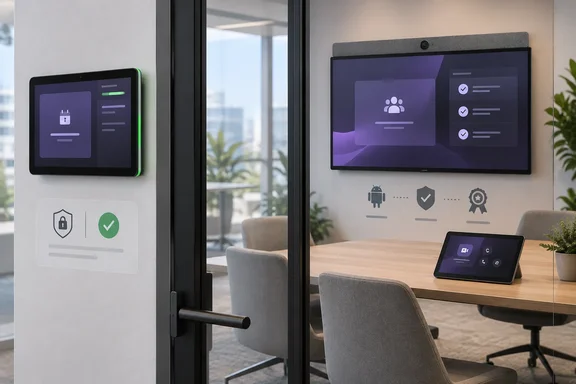
Here is what was announced, what Microsoft's own documentation shows, and what IT teams should confirm before they order.
The announcement in brief
Neat's press release ties the certification to the company joining Microsoft's Android-based device platform. It describes MDEP as Microsoft's Android-based platform engineered to deliver hardened security, simplified manageability, and superior accessibility for enterprise-grade workspace devices. It adds that the move unlocks enhanced security, management, and video collaboration capabilities for users on Neat's 32-inch all-in-one device and popular scheduling panels.
Each company supplied a quote:
- Tormod Ree, Neat's Chief Product and Engineering Officer, called the certification "a win for our shared customers and a testament to our close engineering collaboration with Microsoft".
- Diana Vank, Principal Lead Manager at Microsoft, said that "certifying the Neat Board 32, Neat Pad Pro, and Neat Pad Gen 2 as schedulers for Microsoft Teams is an exciting milestone for our joint ecosystem".
Look closely at Microsoft's wording: schedulers. Neat's release speaks of Teams certification in general terms, while Microsoft's quote names a specific role. That gap is the most important thing in this story for deployment planners, and we come back to it below.
Section summary: Neat says three devices are now Teams-certified and ties that to MDEP. Microsoft's own quote describes them as certified schedulers.
Meet the three devices
Neat Board 32
This is the headline product: a 32-inch all-in-one touchscreen for focus rooms, huddle spaces and personal desks. According to Neat's US product page, it has:
- a 4K (3840 × 2160) capacitive multi-touch display
- a 140-degree wide-angle camera and four beamforming microphones
- automatic people framing
- USB-C with power delivery, so it can double as a laptop display and dock in BYOD mode
- environmental sensors for temperature, humidity, air quality and occupancy
The same page lists pricing from US$3,990.
The Board 32 is also Neat's first MDEP device. When Neat unveiled it last year, the company said it will be Neat's first device for MDEP (Microsoft Device Ecosystem Platform). In a May 2026 first-look video, Neat's Graham Walsh described it as the first Neat device with MDEP (Microsoft Device Ecosystem Platform) for Microsoft Teams, featuring built-in key attestation for security.
Neat Pad Pro
The Pad Pro is Neat's new 10-inch room controller and scheduling display. Community site Empowering.Cloud described it in April as Neat's next-generation control and scheduling device, eight times faster than the current pad, with a premium 10-inch high-resolution display and an industry-first die-cast aluminium enclosure. At that point, MDEP certification [was] in progress for Microsoft Teams.
Neat Pad Generation 2
This is the quiet refresh of the original Pad. According to the release, powered by Neat's P2 platform, Neat Pad Gen 2 retains the familiar form factor and core functionality of Neat Pad Gen 1 while delivering improved performance, enhanced reliability, and long-term platform compatibility.
Section summary: One small-room all-in-one and two touch panels. The Board 32 is the device that marks Neat's move onto MDEP.
How we got here: a certification that was a long time coming
The Board 32's Teams story has been "coming soon" for a while. Neat's support documentation for the device spelled out the dependency clearly: Microsoft Teams certification of any new OEM device is now dependent on the device being MDEP enabled. The same page said Neat MDEP support is pending and Neat Board 32 will be the first MDEP device in the Neat Portfolio. We are working to get Teams certification completed as a fast follow to MDEP support. It also noted that the Neat Board 32 will begin shipping in Q2 2026.
Reseller The Telecom Spot summarized the status at launch this way: as of Neat's June 2026 shipping announcement, Google Meet was certified, Zoom certification was in progress, and Microsoft Teams on MDEP was coming soon. In the meantime, Neat Support also notes Teams customers can use BYOD until native Teams certification is complete.
So Teams shops that bought the Board 32 early have been running it as a laptop-driven BYOD display. The announcement suggests native Teams is now on the way. The important question is whether it covers native Teams Rooms, a scheduling-panel role, or both.
The wider point: Microsoft has made MDEP a requirement for new Android Teams devices. If you buy next-generation Android room hardware from any vendor, this is the platform it will run on.
The fine print: what Microsoft's own list shows
Microsoft keeps a public list of certified Teams Rooms on Android devices. As published on Microsoft Learn when this story was prepared, that list includes the Neat Pad Pro Touch Console (model nf25j1) with:
- firmware NFJ2.20260318.0053
- Android 15
- a certification end date of October 15, 2030
- listed compatibility with Neat Bar Gen 2, Neat Bar Pro, Neat Board 50 and Neat Board Pro
The Board 32 is not on that compatibility list. Neither Neat Board 32 nor Neat Pad Generation 2 appeared in the certified-device entries we could see. Microsoft's firmware release table also shows Pad Pro builds delivered through Teams Admin Center on June 25 and August 11, 2026. In other words, the Pad Pro was already Teams-certified as a touch console before this announcement.
Microsoft runs separate Android certification programs for Teams Rooms for Android (including touch consoles) and Teams panels. They are different device types with different jobs:
| Role | What it does | Where it sits |
|---|---|---|
| Touch console / controller | Starts and controls meetings for a Teams Rooms system | Inside the room, on the table |
| Teams panel / scheduler | Shows room availability and handles bookings | Outside the door |
| Teams Rooms on Android device | Runs the meeting itself: camera, mics, display | Front of the room |
The release's wording (Neat brings its simple, open, and AI-powered video technology directly into the Teams Rooms and panels ecosystem) covers both worlds. Microsoft's quote names only the scheduler role. Until Microsoft's lists show each model in a specific category, treat role-specific claims as unconfirmed. That applies especially to anyone expecting the Board 32 to act as a native, standalone Teams Rooms on Android system.
This is not an accusation. Certification lists often lag announcements. But a "Teams-certified" sticker is not a purchase order justification on its own.
Lifecycle math worth doing now
Microsoft's Android support policy ties certification end dates to the Android version a device runs when it enters the program:
- Android 13: certification ends August 15, 2028; Microsoft support ends August 15, 2030.
- Android 15: certification ends October 15, 2030; support ends October 15, 2032.
After certification expires, Microsoft says it will keep supporting the latest Teams device apps for two more years. The Pad Pro's Android 15 listing puts it in the longer bracket. The Board 32 and Pad Gen 2 have no published Microsoft entries yet, so their end dates are unknown. Don't assume them.
Microsoft also treats Android Teams devices as appliances. The OEM owns the OS and firmware, and firmware installed through OEM services must be certified by Microsoft and available in Teams Admin Center or the Teams Rooms Pro Management portal. Otherwise, the device may not be eligible for support on Microsoft app defects. Neat offers its own management tool, Neat Pulse, but that does not replace Microsoft's certified update channel.
A practical checklist before you deploy
- Match the exact model to Microsoft's list. Check the Teams Rooms on Android and Teams panels lists for the model number, not just the product name.
- Confirm the role. Controller, scheduler, or full Teams Rooms system? Get it in writing from Neat or your reseller.
- Check pairing compatibility. For example, Microsoft's Pad Pro entry doesn't list the Board 32 as a paired device.
- Verify firmware delivery. Make sure certified builds for your device show up in Teams Admin Center or the Pro Management portal.
- Plan for Intune and Conditional Access. Microsoft's deployment guidance says Android Teams devices need Intune enrollment when Conditional Access applies to Teams services. Enrollment happens at sign-in if the device account is licensed.
- Keep BYOD as a fallback. If native Teams isn't listed yet for a Board 32, laptop-driven BYOD still works.
The verdict
The Board 32 is Neat's first device on MDEP, which Microsoft now requires for new OEM Teams devices, so this announcement means Neat has cleared that bar. It is good news for organizations that like Neat's hardware and want to standardize on Teams. Still, the press release promises more than Microsoft's public lists currently show. Microsoft's own quote says "schedulers," and only the Pad Pro has a visible entry, as a touch console. Enthusiasm is fine, but check the certification lists before you sign a purchase order. Keep an eye on Microsoft's certified-device pages over the coming weeks: that is where this announcement will either be confirmed, one model at a time, or quietly narrowed.
References
- Neat Board 32, Neat Pad Pro, and Neat Pad Generation 2 Achieve Microsoft Teams Certification - 01net 01net · 2026-09-28T17:00:00+00:00
- First Look at the Neat Board 32 Microsoft Teams Rooms With MDEP empowering.cloud
- FIRST LOOK: Neat Board 32 & Neat Pad Pro - Devices for Every Meeting Room empowering.cloud