

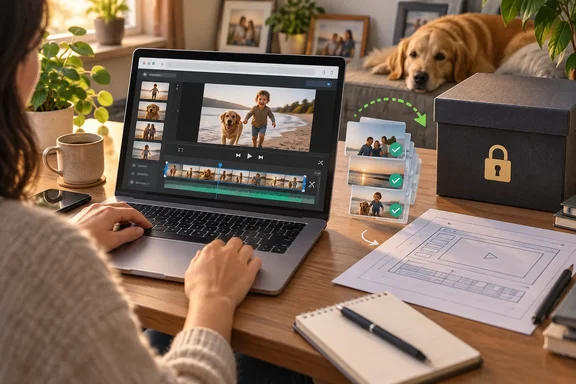
OpenCut offers Premiere Pro users a browser editor with no subscription
The XDA writer makes a modest argument. Premiere Pro is powerful, but its dozens of panels, menus and effects are built for people who work on timelines all day. Their own editing is joining a few clips, the odd social media post, and family footage. By their account, OpenCut covers all of that in an interface they call one of the most intuitive they've used, and it costs nothing.
The project's own framing matches that audience. The original OpenCut README lists three aims: keeping videos on the user's device, offering basic editing features without a paywall, and staying simple. The team points to CapCut as proof that people want easy editors, and complains that most of CapCut's basic features are now paywalled. The OpenCut homepage calls it a simple but powerful editor that works on any platform, and still labels the browser app an early beta.
Because OpenCut runs in the browser, a Windows PC has nothing to install. The XDA author used it on a Mac. The editor does depend on the browser's capabilities: OpenCut's changelog says the app now shows a notice if your browser doesn't support GPU-accelerated rendering and suggests trying a different browser. So which browser you pick on Windows matters more than which OS version you run.
The writer is clear about the limits. They don't claim OpenCut beats Premiere. They note it's still in early beta and say advanced audio editing, elaborate effects and anything needing fine control still call for something like Premiere. Their verdict is about fit, not features.
What OpenCut 0.3.0 can actually do on a timeline
The XDA account sticks to basics: importing and trimming footage, adjusting audio tracks, adding simple effects, and exporting. The writer says export offers MP4 or WebM, four quality levels (Low, Medium, High and Very High), and a choice over whether to include video. Those menu options come from their hands-on use. OpenCut's official pages don't list every export setting, and one developer-focused explainer from CoddyKit describes MP4 with H.264 as the main export format, with MP4, WebM and MOV accepted as input.
The changelog shows more capability than "stringing clips together" implies. Across three releases in early 2026, the project added:
- Version 0.1.0 (February 23, 2026) rebuilt the properties panel, added a colour picker with an eyedropper, let you move, scale and rotate elements directly in the preview, added blend modes for text, and increased the font selection from 7 to more than 1,000.
- Version 0.2.0 (March 1, 2026) brought a keyframe animation system, a new effects system with blur as its first effect, and a ripple editing mode.
- Version 0.3.0 (April 15, 2026) added masks in several shapes, a graph editor for keyframe easing curves, volume control, speed control with a maintain-pitch option, custom canvas sizes, preview zoom, canvas backgrounds, stickers, and importing transcript files to generate captions.
The same changelog is candid about how young the software is. Version 0.3.0 says playback used to "slow to a crawl" and audio stuttered when you interacted with elements mid-play. It also says auto-generated captions were sometimes inaccurate, and MP4 exports with audio failed in Firefox. All three are listed as fixed. These are past problems, not current ones, but they show what beta means in practice here: basic features are still being made reliable release by release.
Some of the under-the-hood work is aimed at precision more than new features. OpenCut moved from floating-point seconds to an integer time format running at 120,000 ticks per second, chosen because it divides evenly by standard frame rates, including drop-frame rates such as 23.976 and 29.97. The previous approach built up rounding errors and made frame alignment imprecise. The team also replaced its WebGL renderer with a Rust compositor compiled to WebAssembly.
OpenCut's local-processing promise, and where your projects actually live
Privacy is the XDA writer's second big reason. Most of what they edit is family video, and they don't want it on a server they don't trust. OpenCut's About page says all editing happens locally and that the service doesn't upload videos, track activity or sell data.
The March 15, 2026 privacy policy supports this. It says all editing and processing happens on your device, that OpenCut never uploads, stores or has access to your video or audio files, and that AI features such as auto captions run in the browser using on-device models. OpenCut has no accounts, login or Google sign-in, so it collects no account emails or identity data.
"Local" doesn't mean the site uses no outside services. The policy names Vercel for hosting and content delivery and Databuddy for anonymised visitor counts. It says it doesn't track clicks, interactions or how you use the editor. Your footage stays on your machine, but loading the editor still means fetching it from a hosted website like any other web app.
The bigger practical point is where your projects are stored. Project data, including names, thumbnails and creation dates, lives in the browser's IndexedDB storage, with local storage used for preferences and app state. The policy notes that clearing local storage removes all saved projects. Your browser profile is your project archive, so clearing site data, resetting the browser or cleaning up a profile can wipe your work. The 0.3.0 changelog also admits projects could disappear when disk space ran low, and says OpenCut now asks the browser to protect them. The safe habit is to export finished videos rather than leave them as projects in the browser.
OpenCut also has no watermark, which the XDA writer says sets it apart from some free editors. The project's terms say it's free for personal and commercial use, with no OpenCut-imposed watermark or licensing restriction on exports. That covers OpenCut's own terms only. Rights to any music, footage or fonts you add are still your responsibility. The terms also provide the service "as is," with no guarantee it will always be available.
OpenCut's rewrite splits the project in two
The XDA article leaves this out. On May 17, 2026, the maintainers archived the original repository, now called "OpenCut (Legacy)," and made it read-only. Its README says the codebase is being rewritten from the ground up.
The main project README confirms the split. It points to the classic repository as the one to reach for today, says opencut.app still runs the classic version, and says the rewrite will live at new.opencut.app until it's ready to take over. So the editor the XDA writer praised is the classic line. It's still online and usable, but its code is no longer maintained.
The rewrite plans are ambitious and mostly aimed at developers. The official README lists an Editor API, first-class third-party plugins, desktop, mobile and browser apps from one Rust codebase, an MCP server for AI agents, headless mode for automation and batch rendering, and a scripting tab in the editor. Coverage on DEV Community says the rewrite is not yet production-ready but will eventually replace the classic version. An August roundup on OpenSourceAlternatives.to says the Editor API and headless mode are not yet released. As of July, according to an explainer by developer Mervin Praison, the public roadmap showed a native app not yet started—aligned with the rewrite still being scaffold-level.
For everyday editors, this cuts both ways. The classic browser editor still works, and nothing suggests it's about to go offline. But bugs you hit in it probably won't be fixed in that codebase, because development effort has moved to the rewrite. The rewrite may also change the interface or project format when it takes over. The sources don't say whether projects saved in the classic editor's browser storage will carry across. That's the main reason to treat exported video files, not OpenCut projects, as your real archive.
One practical tip: use the domains the project names itself. The official README lists opencut.app for the classic editor and new.opencut.app for the rewrite. Other OpenCut-branded sites show up in search results, and those two are the ones the maintainers point to.
Browser editing performance rests on one MacBook account
The XDA writer says OpenCut kept their ageing MacBook from "begging for mercy," while Premiere felt heavy on the same machine. They also note that RAM still matters, that machines with less memory may struggle, and that performance dropped noticeably during background tasks such as rendering captions.
That's one person's impression, not a benchmark. The article gives no MacBook model, memory size, browser, footage resolution or project length, and it doesn't compare render times. It doesn't show that a browser editor uses fewer resources than Premiere on every machine, or that OpenCut will run smoothly on any particular Windows laptop.
OpenCut's own records point in the same direction as the writer's experience without measuring it. The 0.3.0 release says playback performance is "dramatically better" and that the new audio waveforms only render what's visible so they don't slow things down. The move to a WebAssembly compositor is also meant to do the heavy lifting in faster compiled code. None of this amounts to published system requirements, so the only reliable test is to run your own footage on your own PC.
What this means for you: test OpenCut on real footage and keep exports
If you edit a few times a month, mostly short clips for social media or the family, OpenCut is worth trying before you pay for Creative Cloud. Nothing to install, no account, and an export is a quick way to see whether it fits. If you're a professional or you need a workflow you can rely on, stay with Premiere Pro or another established editor for now. The XDA writer comes to the same conclusion for advanced audio, complex effects and fine control, and the code behind the live editor is no longer maintained.
For Windows users, the browser matters most. OpenCut warns you if GPU-accelerated rendering isn't available, and the Firefox export bug shows that behaviour has differed between browsers. Before starting a real project, make a short test edit and export it in the browser you plan to use.
- OpenCut runs in the browser at opencut.app. It's free and MIT-licensed, needs no account, and OpenCut adds no watermark to exports.
- The live editor is the classic codebase. Its repository was archived on May 17, 2026, and the rewrite is being developed separately at new.opencut.app with no firm release date.
- Projects are stored in your browser's IndexedDB storage, so clearing site data can delete them. Export finished videos promptly and keep the files.
- Version 0.3.0 (April 15, 2026) added masks, keyframe easing curves, speed and volume control, and caption import from transcript files, so it can do more than basic cuts.
- Video processing and auto captions run on your device under OpenCut's privacy policy, while the site itself is hosted on Vercel and uses Databuddy for anonymised visitor counts.
- Performance claims so far come from one user's MacBook, so test your own footage length and resolution before committing a project.
OpenCut gives casual editors a free, local-processing way to cut family videos and social clips without a Premiere Pro subscription, and for that job the XDA writer's switch makes sense. The editor they switched to is now in maintenance limbo, with its replacement still being built at new.opencut.app. If you adopt it now, keep your finished work as exported files, and look again at your choice when the rewrite takes over opencut.app.
References
- I replaced Premiere Pro with a free and open-source tool built for everyday editors and not studios XDA · 2026-09-23T10:00:16+00:00
- Changelog - OpenCut opencut.app
- OpenCut (Legacy) github.com