

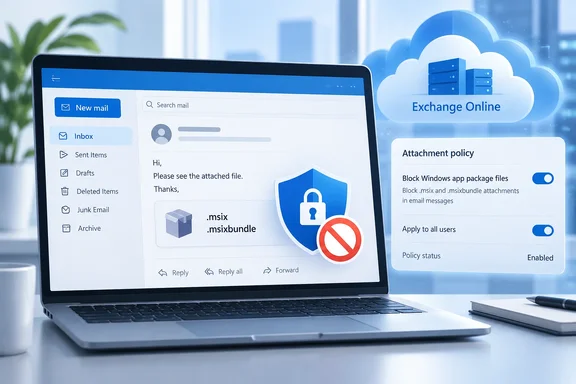
.msix and .msixbundle files will be added to the BlockedFileTypes list in every Outlook on the web (OWA) mailbox policy. The change covers Outlook on the web and the new Outlook for Windows, which is now just called "Outlook". Once it lands, people who send or receive these files in either client won't be able to open or download them.If your organisation sends Windows app packages by email, you have about a month to act. Microsoft expects most tenants to notice nothing at all.
What's changing, and when
The notice, which Microsoft labels a "Major change", sets out this scope:
- New blocked extensions:
.msixand.msixbundle - Policies affected: the default OWA mailbox policy and every custom OWA mailbox policy in the tenant
- Clients and services: Outlook on the web, the new Outlook for Windows, and Exchange Online
- Who's affected: Exchange Online admins who manage OWA mailbox policies, and users who send or receive these attachments in the two clients
- Clouds: Worldwide, GCC, GCC High and DoD
- Schedule: rollout starts in early November 2026 and should finish by mid-November 2026
Microsoft says it made the change to protect organisations from potentially unsafe attachments. It also says these file types are rarely used, so most organisations shouldn't be affected. The notice lists no compliance issues.
Neowin, which first reported the notice, expects the block to be in place everywhere by early December, since rollouts can run late. That's Neowin's estimate, not Microsoft's timeline.
What the notice doesn't say: it doesn't say Exchange Online will stop delivering messages that carry these files. It doesn't cover classic Outlook for Windows. And it doesn't stop you distributing MSIX packages through other channels. The change only controls what users can open or save in the two named clients.
In short: two extensions are being added to every OWA policy in your tenant in November, across all major Microsoft 365 clouds.
Why block MSIX in email?
MSIX is Microsoft's modern packaging format for Windows apps. It offers cleaner installs and uninstalls, automatic updates, and access to Windows features that need package identity. Microsoft Store, Intune and Configuration Manager all use it to deliver apps.
That's also the problem. An MSIX attachment is an installable application. Outlook on the web already blocks a long list of executable and script formats, including .exe, .msi, .ps1, .js and .vbs. Microsoft's current documentation also lists .appx in the default block list, but not .msix, the format that replaced it. This change closes that gap.
MSIX has been abused before. Microsoft's Windows app distribution documentation says the ms-appinstaller:?source= protocol let a webpage start an App Installer install without the user downloading the file first. Microsoft turned that protocol off by default in App Installer version 1.21.3421.0, released December 12, 2023, after the Emotet malware campaign abused it (the CVE-2021-43890 exploitation pattern). IT can still turn it back on through Group Policy.
Since then, users generally have to download a package before installing it, which gives local antivirus a chance to scan it. Email attachments are the next obvious delivery route to tighten.
To be fair to Microsoft, nothing it has published ties MC1488841 to a specific new incident. MSIX packages aren't malicious by nature, either; signed MSIX is one of the cleaner ways to ship Windows software. This is preventive hardening, like the June 2025 update that added .search-ms and .library-ms to the same block list. Both extensions now appear in Microsoft's documented default BlockedFileTypes list.
In short: an installable app package arriving by email is a social-engineering risk, and this change matches how Microsoft has handled MSIX installs since 2023.
Admin playbook: what to do before November
If nobody in your organisation emails MSIX packages, you don't need to do anything. If someone does (an internal dev team, a vendor sending line-of-business builds, a test group), Microsoft recommends adding both extensions to the AllowedFileTypes property of the relevant OWA mailbox policies before the rollout starts.
Which setting wins: Allow or Block?
You'll end up with .msix in both lists, so it helps to know which one takes priority. Microsoft's Exchange documentation has long set out the precedence like this. A 2016 EduGeek forum post quotes that guidance: "The Allow list overrides the Block list and the Force Save list." It continues: "The Block list overrides the Force Save list and is overridden by the Allow list. The Force Save list is overridden by the Allow list and Block list".
That ordering is why Microsoft's advice works: an allow entry should override the new default block. Still, check how your own tenant behaves rather than relying on a quote from 2016.
Step by step
- Find out who uses these files. Ask app owners, packaging teams and helpdesk staff whether MSIX builds go out by email. If they don't, you're finished.
- List your policies. In Exchange Online PowerShell, run
Get-OwaMailboxPolicyto see every policy in the tenant. In Exchange Online, the default one is calledOwaMailboxPolicy-Default. The block will be added to all of them, so check each policy assigned to affected users. - Add the extensions without wiping the existing list. This step can do real damage if you get it wrong. If you pass a plain list of values, the cmdlet overwrites everything already there. One EduGeek admin found that a basic
Setcommand "removed all the other file types only leaving .xml!" Use the documented add syntax instead. A version for this change would look like:
Set-OwaMailboxPolicy -Identity OwaMailboxPolicy-Default -AllowedFileTypes @{Add=".msix",".msixbundle"}
Repeat for each custom policy that needs the exception, with the policy name in-Identity. - Give it time. Microsoft says changes to OWA mailbox policies can take up to 60 minutes to take effect.
- Test. Send a test package to a pilot user on that policy and confirm it opens in both Outlook on the web and the new Outlook. Test again after the rollout reaches your tenant.
For reference, Microsoft's documented default AllowedFileTypes list is: .avi, .bmp, .doc, .docm, .docx, .gif, .jpg, .mp3, .one, .pdf, .png, .ppsm, .ppsx, .ppt, .pptm, .pptx, .pub, .rpmsg, .rtf, .tif, .tiff, .txt, .vsd, .wav, .wma, .wmv, .xls, .xlsb, .xlsm, .xlsx, .zip. If your list looks very different after a change, you probably overwrote it.
In short: if you need MSIX by email, allow-list it on each policy using @{Add=...}, then test it.
Should you keep the exception at all?
Before you add the allow entry, ask whether email is the right way to ship app packages in the first place.
- Intune and Configuration Manager already handle MSIX deployment centrally, with targeting and reporting.
- Microsoft Store distribution avoids the protocol and download issues completely. Microsoft's distribution guidance recommends it as an alternative to the disabled
ms-appinstallerroute. - A link to an
.appinstallerfile that users download and double-click still works, and Microsoft recommends it for non-enterprise scenarios.
If you do keep the exception, apply it only to a custom OWA policy assigned to the people who need it, such as a packaging team, rather than to the default policy for everyone. That keeps the protection in place for the rest of the organisation.
Bottom line
MC1488841 is a small change to Exchange Online defaults with a hard deadline. From mid-November 2026, .msix and .msixbundle attachments won't open or download in Outlook on the web or the new Outlook for Windows, across Worldwide, GCC, GCC High and DoD. Most organisations won't notice. Organisations that email app packages should add the extensions to AllowedFileTypes on the right policies now, use the add syntax so the existing list survives, and test before and after the rollout. Admins can read the original notice in the Microsoft 365 admin center under ID MC1488841.
References
- Microsoft to soon block more email attachments in New Windows Outlook and web - Neowin Neowin · 2026-10-06T07:00:01+00:00
- MC1488841 - Microsoft Outlook: Update to default blocked file types in OwaMailboxPolicy | Microsoft 365 Message Center Archive message.cengizyilmaz.net
- Microsoft Outlook to block MSIX attachments starting November BleepingComputer · 2026-10-07T11:44:22-04:00