

What shipped, and when
Enreach's announcement, dated September 30, 2026, calls Swyx 15 the latest major release of its unified communications solution. Enreach's support documentation shows it was available earlier. Enreach says the release focuses on expanding Microsoft Teams integration, broadening the Yealink device portfolio, and improving things for administrators and developers. The Enreach Service Center article on Swyx 15 was last updated on August 17, 2026. It says the release is in General Availability for on-premises installations, as Compact for Data Center Edition, and on SwyxON. Enreach's German-language press page for the release also appears to predate the English announcement.
Swyx Direct for Microsoft Teams
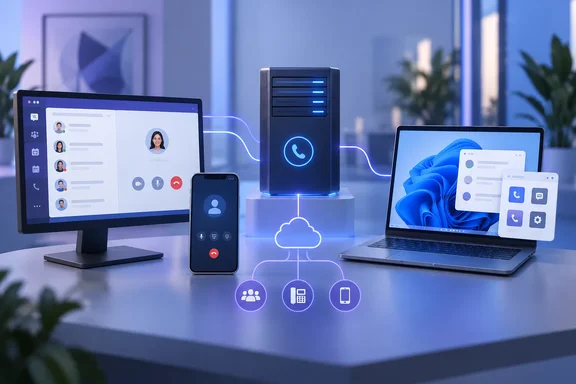
Swyx Direct connects Teams to Swyx telephony through Microsoft Teams' Direct Routing feature. Teams users can make internal calls and calls over the public telephone network, while Swyx stays the central telephony platform in the background. Supported environments are the Teams desktop app (Windows and Mac), the Teams mobile app (iOS and Android), and the Swyx Desktop Client for advanced PBX functions.
In its announcement, Enreach says Teams acts as an endpoint. It says users keep Swyx features such as intelligent call routing, support for different endpoints, CRM integrations, and call handling within user groups. Enreach also stresses that this is one of several Teams integration paths Swyx offers. It is not meant to replace the others.
A German Enreach product sheet puts the same idea in practical terms. Numbers, extensions, locations, groups and call flows continue to be controlled centrally in Swyx. That makes it an alternative to moving telephony into Microsoft's own calling stack. It is not Microsoft's Teams Phone with a different label.
Prerequisites
Enreach's Control Center help page lists the requirements. In summary:
- Swyx licensing: Online licensing through Swyx Flex or SwyxON, plus purchased Swyx Direct for MS Teams licenses for the number of users.
- Identity: Federated services configured with Entra ID, and Teams presence synchronization.
- Per user: An assigned public phone number, a federated Entra ID identity, calling permission, and a Swyx Direct license.
- Microsoft licensing: Each user needs an Office 365 license that includes Direct Routing for Teams and Teams Phone. For automatic DNS provisioning, the documentation lists example accounts. These include Office 365 E1/E3/E5/A3/A5, Office 365 F1/F3, Microsoft 365 E3/E5/A3/A5, Microsoft 365 F1/F3, and Microsoft 365 Business Basic/Standard/Premium with G3/G5 plans. It also lists Teams Shared Devices licenses and Teams Phone Resource Account licenses for resource accounts.
Enreach's support article adds a caveat: additional Microsoft licensing may be required. Treat the list above as Enreach's setup examples. It does not mean every plan includes the telephony entitlements. The German product sheet gives Microsoft 365 E5, or E3 with Teams Phone, as examples of Direct-Routing-capable licenses.
Setup sequence
Enreach documents three steps, and says not to move on until the previous one is complete:
- In PowerShell, register the Swyx Direct for MS Teams app in the Azure portal.
- In Swyx Control Center, request the Swyx Direct connection from Swyx Support.
- In Control Center, assign the Swyx Direct feature to the chosen users.
Before rollout, an administrator should check four things:
- Entra federation works.
- Presence sync is running.
- Numbers are assigned.
- Calling rights are set.
Step 2 depends on Swyx Support, so build that into your project timeline.
SwyxIt! web extensions
Swyx 15 adds a web SDK for SwyxIt! Web Extensions. Enreach's announcement says web-based applications such as customer information or dashboards can be added as widgets on the SwyxIt! home screen. The support article goes further and names CRM, helpdesk and custom business apps as examples. It lists three layouts: a compact home-screen widget, a full-screen view from the navigation menu, and a static mode with a permanently visible area. Extensions are configured centrally in Control Center and can be assigned to users or groups.
Related client changes include a configurable column count on the home screen, with areas spanning up to four columns. There is also a built-in voicemail player. The number of visible line keys now follows the user's configured lines, up to 256.
An extension is only as good as the web app behind it. Enreach's material describes the mechanism. It does not say how extensions are sandboxed or vetted. Administrators should review whatever sites they put inside a telephony client.
Windows 11 ARM64 preview
For Windows users, the most notable item is a preview of SwyxIt! for Windows on ARM. Swyx 15 ships a dedicated SwyxIt! ARM MSI installer as a preview for Windows 11 ARM. The client already ran through x86/x64 emulation on Windows 11 ARM. Enreach says the best performance is on Qualcomm Snapdragon X devices.
The documented preview limits:
- Supported: SwyxIt! Modern and Classic, the graphical script editor, Swyx Meeting, Visual Contacts, DATEV support, the Swyx Connector for Microsoft Teams, Auth0 authentication, and Jabra headsets.
- Not available (the list is "among others"): the fax client, TAPI Service Provider, Outlook add-in, Microsoft Office UC support, TeamViewer Collaboration plug-in, and Notes add-in.
- Status: Enreach says validation on ARM hardware is limited and it should not yet be used for all production scenarios.
- Migration: Switching from an existing x64 installation requires uninstalling it first.
Anyone planning Copilot+ PC or Snapdragon laptop rollouts should pilot this first. If a team depends on the Outlook add-in or TAPI integration, the native ARM build won't cover it yet.
Other changes in the release notes
The Enreach support article lists several smaller items:
- Remote Desktop Services: A new Remote Connector Client Service for Windows. It provides a shared tunnel so several SwyxIt! clients on one RDS server can connect to a SwyxServer or SwyxON tenant.
- SwyxIt! installer: It no longer bundles the Visual C++ Redistributable. It checks for a compatible runtime during setup and prompts if one is missing. A suitable package is in the full Swyx 15 download.
- Auth0: Federated login now uses an installed Chromium-based browser only. Sessions from a regular Google Chrome browser are not carried over. This affects only environments that use Auth0 as the identity provider.
- SQL Server: Swyx now supports SQL Server 2025 for new installs and upgrades.
- Control Center: A central area for administrator notes, a warning when an emergency number is about to be assigned to a user, and an optional show-password toggle at login. Repeated failed logins are now delayed progressively, which is a modest brute-force defense.
- Devices: Added Yealink models include the T87W, T85W, T77U, T74U, T73U, T74W and T73W, plus the EXP55 expansion module.
- Discontinuations: Enreach says there are none in this version.
Claims that need context
- Apple CarPlay and Android Auto: Enreach says Swyx supports both. The announcement gives no details on supported functions, devices or setup, so don't assume specifics.
- BSI C5: Enreach says SwyxON completed an independent audit against the BSI C5 catalogue in 2025. That is the company's statement about the cloud product. It is not a blanket certification covering Swyx 15 or on-premises installs.
- AI: The conversational-AI offerings are part of Enreach's wider portfolio. The release notes list no AI feature in Swyx 15 itself.
- Netherlands and Italy: Enreach says it is expanding Swyx activity there with local sales resources, but it gives no figures.
Bottom line
Swyx Direct will interest organizations that have standardized on Teams for chat and meetings but want to keep a Swyx PBX for routing, devices and contact-center features. The practical cost is complexity on the Microsoft side: Entra federation, an Azure app registration, Direct Routing-capable licensing, and a Support-assisted activation step. Test the licensing math before you commit. The ARM client is a preview with documented gaps, and the extension SDK gives partners a way to build custom workflows.
References
- Enreach launches Swyx 15 with new Microsoft Teams integration and custom web extensions - Telecom Reseller / Technology Reseller News Telecom Reseller / Technology Reseller News · 2026-10-02T17:40:15+00:00
- Set Up Swyx Direct for Microsoft Teams help.enreach.com
- TEAMS-TELEFONIE NUTZEN MIT SWYX DIRECT FÜR MICROSOFT TEAMS enreach.de