

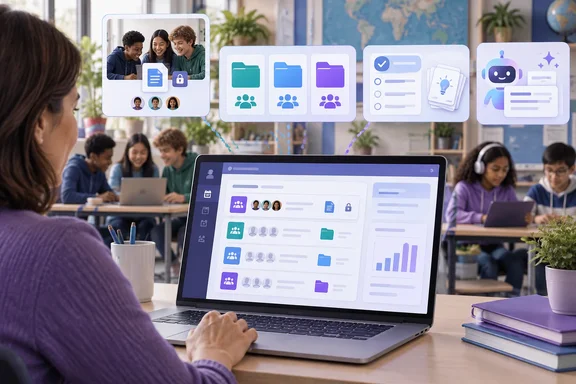
Geeky Gadgets highlighted six Teams for Education updates in a September 17 explainer built around a Mike Tholfsen video. Microsoft’s own support documentation and Education Blog confirm the central group-assignment changes: reusable Collaboration Groups, Learning Groups for differentiated resources, and tighter integration of Learning Activities into Teams Assignments. The company had outlined several of these developments months earlier, so this is better understood as a back-to-school availability and workflow update, rather than six entirely new September launches.
The useful news for educators and Microsoft 365 administrators is that Teams Assignments is becoming a more capable delivery surface for tailored coursework. The complication is that the features behave differently enough that teachers who select the wrong group type can create avoidable grading, privacy, and roster-management problems.
Collaboration Groups reuse a shared-submission model
Collaboration Groups are for assignments where students work together and submit a single shared piece of work. Microsoft says teachers can create those groups manually, randomly, or by reusing the full structure and student membership from an earlier assignment. A teacher running the same lab teams, debate groups, or semester-long project teams no longer has to rebuild the roster every time a new assignment is posted.
That reuse option is the practical centerpiece of the update. It saves setup time, but it also standardizes group membership across assignments—which may be useful for a multi-week project and undesirable for a class where groups need regular rotation. Reusing a past assignment copies its complete group structure, meaning teachers should review names and membership before publishing rather than treating the previous configuration as a neutral template.
Microsoft’s support guidance also sets a meaningful restriction: each student can belong to only one Collaboration Group in an assignment. More significantly, membership becomes locked after any student in a collaboration group turns in work. Teachers can move students between groups after publishing only before submissions begin.
That limitation is absent from the broad “save time” framing in Geeky Gadgets’ report, but it affects real classroom administration. A teacher who knows a student may join late, switch classes, or require a different team should resolve that change before the first submission. Otherwise, the group structure is fixed for that assignment, preserving the connection between the shared work and the group that submitted it.
The lock is sensible from an audit and grading standpoint. Without it, moving a student after a shared submission could muddy who was responsible for the work and which group record should receive the grade. But it means Teams has not eliminated the need for roster planning; it has moved that planning earlier in the process.
Learning Groups differentiate resources without exposing membership
Learning Groups are a separate assignment mode with a different purpose. Rather than having students produce one group submission, teachers can send different files, links, and resources to selected groups while keeping individual completion, turn-in, and grading. Microsoft says group names and memberships are visible only to educators; students and parents do not see them.
This distinction deserves more attention than it usually gets. Collaboration Groups organize joint work. Learning Groups organize targeted instruction. A reading teacher can distribute support material to one group, extension work to another, and common instructions to the entire class without creating multiple near-identical assignments or announcing which students are receiving which level of material.
Microsoft announced the differentiated-content capability as coming in August in its ISTE 2026 education update, and its current support documentation describes the feature as available. That provides stronger confirmation than the video-derived summaries circulating this week. It also shows that “reuse groups” and “Learning Groups” should not be treated as interchangeable names for one system.
Administrators should make that distinction explicit in staff training. If a teacher chooses Collaboration Groups when the goal is differentiation, students are put into a shared-submission workflow they may not need. If the teacher chooses Learning Groups for a collaborative project, each student will instead submit and be graded separately. Teams offers both models, but the assignment author must choose the one that matches the assessment method.
The privacy design is particularly relevant for schools using tiered supports. Hidden group membership can prevent an assignment view from revealing that students have been placed in a remedial, language-support, or enrichment set. It does not remove the need for sound instructional policy, but it avoids turning assignment distribution itself into a visible label.
Learning Activities have been developing throughout 2026
The Geeky Gadgets account includes AI-generated flashcards, matching exercises, fill-in-the-blank work, quizzes, and student-created practice activities among the six fall updates. Microsoft has independently been building out this Learning Activities layer across its education products for much of 2026.
In January, Microsoft said that Fill in the Blanks, Matching, and Quizzes were coming to Teams for Education and other education tools. By July, Microsoft was directing educators preparing for the new school year to Learning Activities in Teams Assignments and Classwork. The September coverage therefore captures a feature set reaching more teachers through the normal fall rollout cycle, not an isolated new product announced this week.
The strategic change is that practice material is moving into the assignment workflow rather than remaining an optional resource in a separate app. Teachers can attach or generate interactive work alongside instructions and source material; students can use that material in the same place where they receive and submit assignments.
That can reduce friction, but it also increases the value of review before publishing. AI-generated flashcards and matching exercises are useful only when the source material, reading level, terminology, and correct answers are accurate. Microsoft has positioned Copilot and related tools as editable aids rather than autonomous teaching systems. Schools should preserve that division of responsibility: the platform can draft practice material, while the teacher remains accountable for whether it matches the lesson.
Geeky Gadgets also reports that students can create their own flashcards and quizzes from teacher-provided material, with those activities collected in a Learning Activities app. Microsoft has publicized Learning Activities for both educators and students, but the company’s documentation is less specific about the exact fall rollout status and administrative controls for every student-generation option described in the report. Districts should test the feature in a pilot class before presenting it as universally enabled across every tenant and grade level.
Copilot creation tools bring governance into the assignment screen
The AI portion of the update is not limited to student practice. Microsoft has been embedding Copilot-assisted lesson planning, assignment instructions, rubrics, and resource creation into Teams and its broader education tools. Its June education material said those AI suggestions are editable and that student data remains within the Microsoft 365 education boundary rather than being used to train AI models.
For IT teams, that is the important policy boundary—not the marketing promise that AI will save teachers time. Tenant licensing, Copilot availability, school AI policy, age-appropriate use, and teacher training will determine whether the tools are actually usable. A district can have the updated Assignments interface while still restricting the Copilot capabilities that generate or modify content.
Microsoft has also added Student AI Guidelines to the assignment-creation experience, allowing teachers to declare the permitted level of AI use for a particular task. That companion feature matters when AI-created materials and AI-assisted student work increasingly share the same assignment system. An assignment can now carry both generated practice resources and an explicit rule about whether students may use AI to complete the work.
This is a more workable approach than treating every Teams assignment as either “AI allowed” or “AI banned.” But the settings still require local governance. Schools need consistent language for teachers, students, and parents, especially where submitted work may include material produced with external generative-AI services outside Microsoft’s education boundary.
Turn-in controls need careful confirmation
Geeky Gadgets identifies “Disable Undo Turn-In” as the final feature in its six-update list, describing a control that prevents students from retracting a submitted assignment. That would be a consequential change for deadline management, especially for exams, timed work, and assignments where teachers start grading immediately after turn-in.
However, Microsoft’s current public support material for group assignments and its recent Education Blog updates do not provide the same detailed confirmation of that feature’s behavior, availability, or scope. The report should therefore not be read as evidence that every Teams for Education tenant now has a universal post-submission lock.
Even if broadly available, disabling undo would be a policy decision rather than a default best practice. Teachers may want finality for a quiz or formal assessment, but ordinary coursework often requires students to correct upload mistakes or replace an accidentally submitted draft. A school that enables or promotes the control should spell out when staff are expected to use it and what exception process exists for legitimate errors.
The fall changes make Teams Assignments more useful for structured group work and differentiated delivery, but they also make its configuration choices more consequential. Teachers who establish reusable groups early, choose the correct submission model, preview each Learning Group’s materials, and verify the available turn-in controls in their own tenant will get the benefit. Everyone else risks discovering the new rules only after students have begun submitting work.
References
- 6 New Fall 2026 Updates Hit Microsoft Teams for Education - Geeky Gadgets Geeky Gadgets · 2026-09-17T06:47:00+00:00