

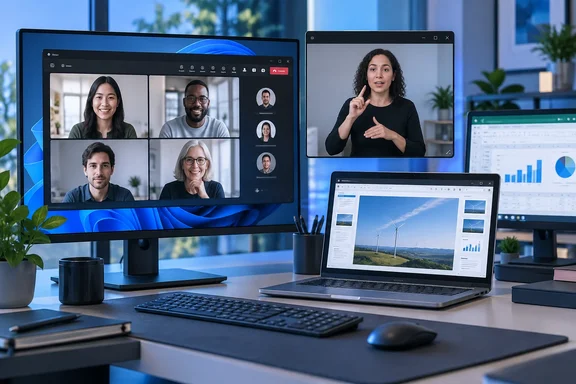
The practical change is more consequential than the short roadmap description suggests. Teams already lets users pin an interpreter’s video and gives its Sign language mode special treatment for identified signers and interpreters. But those controls still operate inside the main meeting canvas, where shared content, speaker changes, gallery layouts, chat, and the meeting’s own minimized presenter window compete for room. A separate participant-video window would let a user keep the interpreter at a stable size and location while the main Teams window handles everything else.
Microsoft has not published interface details, a client version requirement, licensing information, or an administrator control for the feature. Organizations should therefore treat December 2026 as a rollout target, rather than a date on which every managed Windows PC and Mac will necessarily have the option.
The missing piece in Teams’ current sign-language view
Microsoft’s current Teams support documentation says Sign language mode can identify a participant as a signer or sign language interpreter, add Sign language view as the default view, prioritize those participants even while someone shares content, and apply higher-quality video handling for signer feeds. That is useful meeting-aware behavior: Teams knows which videos should receive prominence.
The limitation is persistence outside the meeting layout. A pinned participant remains tied to the meeting window and its available space. When a viewer needs to inspect a spreadsheet, edit a document, follow PowerPoint Live, or move between a browser and a line-of-business application, the interpreter video is still subject to Teams’ arrangement of the meeting surface.
Microsoft’s roadmap wording specifically says the popped-out video will persist across monitors and apps. In effect, Teams is separating two activities that often need to happen at the same time: following a visual language feed and working with the material being discussed. A user with two displays could keep the interpreter video at a consistent, readable size on one screen and place shared content or work applications on the other. A user with one display could position a smaller interpreter window alongside the relevant document instead of repeatedly switching views.
The roadmap also covers “any participant’s video,” which makes the feature broader than accessibility alone. An attendee could keep a project lead, presenter, customer, training instructor, or remote technician visible while using a different meeting layout in the primary window. Yet the feature’s value will be most immediate for Deaf and Hard of Hearing users whose meeting participation depends on continuously seeing a human interpreter’s signing rather than merely locating that person again after Teams rearranges the meeting.
Existing pop-outs do not solve the same problem
Teams has already accumulated several window-management features, which makes the distinction important for IT teams fielding user questions. The desktop client can open shared content in a separate window, allowing a participant to enlarge a presentation or screen share. Teams can also run a meeting in a separate window from the main Teams app, and presenters see a smaller meeting window while they are sharing their display.
Those are adjacent features, but none is a dedicated pop-out for another attendee’s live camera feed. Popping out content makes a deck or screen share easier to read; it does not keep the interpreter video independent of the meeting layout. Opening the meeting itself in a separate window also leaves the participant-video arrangement under Teams’ control.
Microsoft’s own accessibility guidance currently advises users to pin an interpreter so the video stays visible regardless of who is speaking. The newly announced capability appears intended to address the remaining workflow problem: visible is not necessarily usefully visible when that feed must share space with live content, meeting controls, participant thumbnails, and whatever application the attendee needs to use during the call.
This also explains why a resizable separate window matters. Sign language is visual and depends on more than a face remaining somewhere on screen; hand shapes, movement, placement, and facial expression need enough space to be discerned. The roadmap does not specify allowed minimum or maximum video sizes, whether the window will preserve its location between meetings, or how it behaves when two interpreters rotate. Those details will determine whether the feature is a genuine continuity tool or simply another floating Teams panel.
What Teams administrators should verify before rollout
The roadmap entry names desktop and Mac platforms. It does not list Teams on the web, iOS, Android, Teams Rooms, or VDI environments. Administrators should avoid promising those users equivalent behavior until Microsoft publishes supported-client documentation.
There is also no indication that the pop-out requires Sign language mode, interpreter role identification, a particular meeting policy, or a premium license. The apparent intent is that any participant’s video can be detached, while Sign language mode provides the existing mechanisms to identify and prioritize signers and interpreters. Until Microsoft documents the workflow, it would be premature to build a help-desk procedure around a specific menu path or policy setting.
There are, however, several current checks worth making now for organizations that regularly use interpreters:
- Confirm that the Teams meeting policy permits IP video, because Microsoft’s Teams administration guidance identifies that setting as necessary for interpreters to share video during meetings.
- Confirm that guest-access and lobby policies let contracted interpreters join meetings reliably, particularly where interpreters are external to the tenant.
- Ask users who rely on interpreters to enable and test the current Sign language mode, including the signer and interpreter roles, before a high-stakes meeting rather than during it.
- Keep live captions or CART captioning available as a complementary accommodation, since Microsoft notes that human interpretation and captions serve different needs and captions can help with jargon, accents, and post-meeting review.
The pop-out itself looks like an attendee-side viewing control, not a new way to broadcast, spotlight, record, or elevate an interpreter for everyone else. Microsoft has not said whether an organizer can force or recommend a particular pop-out arrangement, whether the window is included in screen-sharing exclusion logic, or whether it will appear in recordings. Those are operational questions for training, compliance, and support teams — and they remain unanswered in the roadmap entry.
December is a target, not a deployment plan
Microsoft lists both Targeted Release and General Availability in the roadmap metadata, suggesting the feature will be staged rather than appear across every tenant simultaneously. The company’s stated availability is “Worldwide (Standard Multi-Tenant),” which excludes any confirmed commitment for government cloud environments or specialized sovereign offerings.
For Windows and Mac users, the immediate takeaway is straightforward: pinning will remain the current fallback through at least the development period, while separate content windows can help when presentation material is the thing that needs more space. Neither workaround produces the independent interpreter-video window Microsoft has now described.
When Teams begins shipping the feature, the first meaningful validation will be a real accessibility workflow: identify an interpreter in Sign language mode, pop that video out, share or open content, change meeting layouts, and move between displays and applications. If the detached video remains stable through those actions, Teams will have removed a recurring point of friction from meetings where losing sight of an interpreter means losing the conversation.
Update: Microsoft adds government-cloud availability (September 22, 2026)
Microsoft’s updated roadmap entry now lists GCC, GCC High, and DoD alongside Worldwide (Standard Multi-Tenant) for the planned Teams participant-video pop-out. The feature remains in development for Teams desktop clients on Windows and Mac, with a December 2026 general-availability target.
That expands the stated cloud scope beyond commercial multi-tenant tenants. U.S. government organizations and contractors using those Microsoft 365 environments can now treat the capability as planned for their platforms, though rollout timing, client-version requirements, and any policy controls have still not been specified.
References
- Microsoft Teams: Pop out sign language interpreter meeting video for continuous visibility Microsoft AI at Work Roadmap · 2026-10-20T23:00:34.027704Z