

Not everything in the announcement is GA, though. Two of the most interesting pieces, the supervisor dashboard in the Queues app and custom Copilot Studio voice agents, are still in preview. Billing is also usage-based, so "available" is not the same as "free." This guide covers what shipped, what is still in preview, and how to set it up without causing problems for your callers.
From Frontier experiment to production feature
Teams Phone Agent has been in testing for a while. In June, Microsoft announced it on the Teams Blog together with the ability to bring custom voice agents your organization builds in Microsoft Copilot Studio to Microsoft Teams Phone, and both were initially available only through the Frontier early-access program. The Learn change log shows the steps from there to GA:
- June 15, 2026: Entered Frontier Public Preview
- July 20, 2026: Historical reporting became available
- August 12, 2026: Spam detection, AI disclaimer customization and maximum call length became configurable through PowerShell
- August 17, 2026: Automatic Recording became configurable through PowerShell
- August 31, 2026: The AI disclaimer and maximum call length came to the Teams admin center
- September 1, 2026: Appointments integration with Microsoft Bookings
- September 29, 2026: Historical reporting updated
- September 30, 2026: General availability, plus admin center support for Automatic Recording and a configurable disconnect message, and daily refreshes of Questions and Answers URLs
One caveat: some Microsoft Learn pages may still carry the old preview banner. Search-indexed versions of related pages still state that Teams Phone Agent is currently only available to customers in the Frontier Public Preview program. The current setup page has the GA notice. Treat the old banner as documentation lag, not a sign the launch was pulled.
Summary: About three and a half months in Frontier preview, then GA on September 30, 2026.
What the GA version actually does
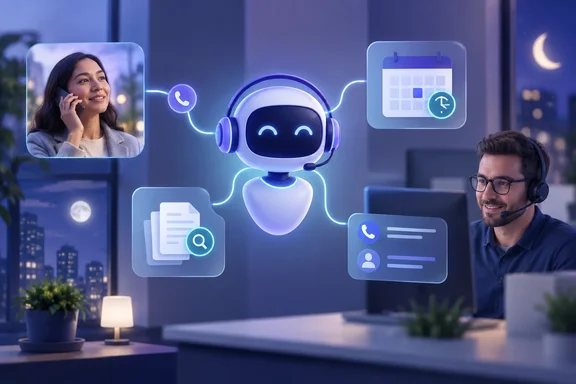
Microsoft says Teams Phone Agent brings conversational AI to the customer-facing Teams Phone service lines and call flows that organizations already use. Callers can simply say what they need instead of navigating a cumbersome phone menu. The generally available features are:
- Questions and answers: Callers can ask about business hours, locations, policies or services. Answers are based on FAQ files and URLs your organization provides, and Learn says those URLs are now refreshed daily.
- Appointment self-service: Callers can book, reschedule, cancel or review appointments through integrations the organization sets up. Microsoft Bookings integration arrived on September 1.
- Routing with context: The agent can find the right employee or department, transfer the caller, and pass along AI-generated notes about the conversation. Microsoft says this may save callers from repeating themselves. That is a hedge, not a promise.
- Multiple languages: Microsoft advertises natural conversation in more than 60 languages and locales.
- After-hours service: The agent can handle common requests at night and on weekends.
Employees who receive the transferred calls see the context directly. Microsoft Learn says the information in the toast contains the name or number of the caller, the display name of the resource account assigned to the Teams Phone Agent that answered the call, and the caller's intent. Receiving these calls is supported in the Microsoft Teams Windows client (32-bit and 64-bit versions), the Mac client, and the iPhone and Android apps. One requirement: The Teams client is only supported with a coexistence mode of Teams Only. If you still run in an Islands or Skype for Business coexistence mode, sort that out first.
Microsoft's hotel, auto-shop, city hall and retailer examples are illustrations, not documented customer deployments. The demo video is labeled as not an actual customer conversation. No real-world performance figures have been published yet.
Summary: Q&A, appointments, routing with context, multiple languages and after-hours handling are GA. Receiving calls requires Teams Only mode.
What is still in preview
| Capability | Status | Notes |
|---|---|---|
| Core Teams Phone Agent (Q&A, appointments, routing, after hours) | Generally available | Billed through Copilot Credits |
| Queues app supervisor dashboard integration | Public preview | The Queues app is part of Teams Premium |
| Custom Copilot Studio voice agents with Teams Phone Agent and Teams Phone | Frontier preview | Billed separately under Copilot Studio consumption |
The dashboard integration lets supervisors track call volume and metrics such as average time callers spend with the agent. It is a preview feature and requires Teams Premium, so don't build your launch reporting around it yet.
Custom voice agents are for workflows the built-in receptionist can't handle, such as checking an invoice balance or the status of a purchase order. Microsoft says Teams Phone Agent can hand off a caller when a specialized workflow is needed, or the Copilot Studio voice agent can be assigned to a Teams Phone resource account so callers can dial it directly. Access is restricted: This feature is gated. Your tenant must be explicitly enabled by Microsoft support before the Teams Phone channel option appears in your environment. You also need a Copilot Studio tenant license, a Copilot Studio user license and the right Teams Phone licensing. Microsoft says preview pricing, availability and service limits may change.
Summary: Plan around the GA receptionist. The dashboard and custom agents are optional preview features with their own requirements.
Setting it up in the Teams admin center
According to Microsoft Learn, this is how setup works:
- Build the pieces first. Setup assumes your Questions and Answers tools, Appointment tools, and any Copilot Studio agents and queues already exist.
- Create the agent. In the Teams admin center, expand Voice, select Auto attendants, and then select Add. Quick setup can't be used to configure Teams Phone Agent. Select Advanced setup.
- Choose how callers reach it. Use a resource account. The voice-app option (no resource account needed) is not currently available for Teams Phone Agent.
- Set language and time zone. The language you choose is the fallback for the disclaimer, and it is used when the agent can't recognize or speak the caller's language. The time zone is used to calculate business hours.
- Define business hours, after-hours and holiday call flows. If you don't change the hours, business hours default to 9:00 AM to 5:00 PM every day.
- Configure the greeting and disclaimer. You can type a greeting, in several languages if needed. Audio-file greetings are not supported. The default AI disclaimer, "I'm a virtual assistant. How can I help you today?", can be kept, changed or turned off.
- Choose a routing mode. "Redirect call" sends callers on without the AI engaging. "Play menu options" engages the agent. For each menu option you set a dial key, a voice command, a description the agent uses to decide when to choose it, and a destination. Typed and audio announcements are not supported.
- Optional steps: Automatic Recording templates, dial scope and authorized users.
About the disclaimer: Microsoft Learn warns that if you disable the built-in notifications about recording, transcription and AI interaction, you are responsible for informing callers in real time as the law requires. Talk to your legal team before you turn that off.
Summary: Use Advanced setup, attach a resource account, prepare your knowledge sources beforehand, and expect text-only greetings.
Common problems and known issues
From the Learn known-issues list:
- Calls end at four minutes. The default maximum call length is 4 minutes. When the limit is reached, the caller hears a disconnect message and the call ends. Both the limit and the message can be configured. Test this with your longest realistic call, such as a complicated appointment change.
- Transcripts in the wrong language. Transcription currently defaults to English (United States) whatever language the agent is set to. Microsoft says a fix is in development.
- Adding a recording template fails during creation. Workaround: save the agent first, then edit it and add the Automatic Recording template.
- SharePoint permission errors. To assign a recording template, the Teams admin must also be a SharePoint site administrator for the site the template uses. Renaming files or changing the site structure can break recording.
- Overlapping prompts. Transfers from one Teams Phone Agent to another with Automatic Recording enabled can cause the greeting, disclaimer and recording prompts to play over each other.
- Transfers to a person fail. The person you route calls to must be voice-enabled.
- Spam calls get dropped. The agent automatically disconnects calls it identifies as spam. You can override this with a Spam Detection template, but if no Operator is configured, the call is disconnected.
- The agent never answers. Run the Teams Phone Agent / Auto Attendant diagnostic in the Microsoft 365 admin center with the resource account. It checks for tenant, policy and resource-account problems that stop calls from arriving.
Some options, including spam detection and the Bookings appointment flow, can only be configured with PowerShell. The Bookings flow uses New-CsMainlineAttendantAppointmentBookingFlow.
Summary: Watch the four-minute call limit, the English-only transcription bug and SharePoint permissions.
The cost question
Teams Phone Agent is billed by usage through Copilot Credits. Consumption depends on call length and the capabilities used during each call. Microsoft gives no fixed per-call price in the announcement and points customers to its Copilot Credits Guide for estimates. You also need Teams Phone licensing, a properly configured resource account and a billing or spending policy. Custom Copilot Studio agents are billed separately.
In practice, the per-minute model and the four-minute call limit affect each other. A longer limit may help callers, but it also allows more spending. The case for a conversational receptionist is clear if your phone menu frustrates callers. Whether it is cheaper than a well-designed traditional menu depends on your call volume, and Microsoft hasn't published data either way.
Summary: Set a spending policy, estimate your call volume, and pilot one line before rolling it out widely.
Bottom line
For organizations already on Teams Phone, the GA release makes AI call answering a standard option within the familiar auto attendant workflow. It is not a separate contact-center product. Start with a single after-hours line, prepare clean FAQ sources, keep the disclaimer on unless your legal team approves otherwise, and treat the dashboard and Copilot Studio features as preview until Microsoft says otherwise.
References
- Help your customers get answers and support with Teams Phone Agent Microsoft Teams Blog · 2026-09-30T15:00:00+00:00
- Setup - Teams Phone Agent - Agents and Queues - Microsoft Teams learn.microsoft.com
- Setup - Teams Phone Agent - Microsoft Teams learn.microsoft.com