

For IT departments, the important detail is what Microsoft has not announced. Roadmap 80239 promises simultaneous streams, but gives no supported client version, no meeting-policy setting, no bandwidth guidance, no tenant-admin control, and no description of how recordings, compliance capture, Teams Rooms, VDI sessions, mobile clients, or accessibility features will handle the second feed. November is a target date rather than a release commitment, and the roadmap currently limits the stated availability to Microsoft’s worldwide standard multi-tenant cloud.
The current workaround problem
Today, Teams users can have more than one person assigned the Presenter meeting role, but the standard meeting experience has treated active screen or window sharing as a single-content operation. Microsoft’s current Teams support material explains that participants can open another presenter’s shared content in a separate window, yet it does not document an option for two independently shared content feeds to stay active together in the meeting stage.
That gap has produced awkward workarounds in technical reviews, training sessions, incident calls, and design walkthroughs. A developer demonstrating a failing build while an administrator needs to show an Intune policy, for example, has generally had to take turns, share a composite desktop, use a second meeting, or route content through a third-party capture tool. Each workaround adds delay and can make it harder to tell which participant owns the material on screen.
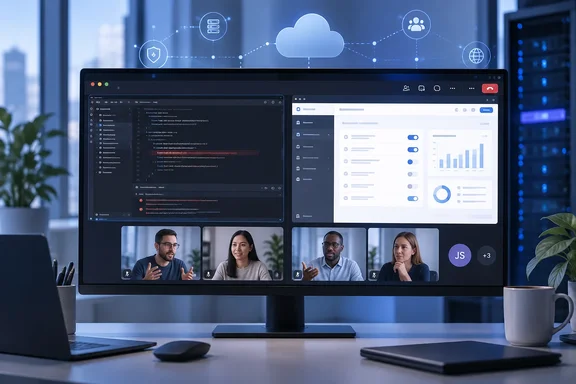
The distinction in Microsoft’s roadmap wording matters. This is not simply a revised gallery layout showing two webcams alongside one presentation. The feature is described as allowing “two presenters” to share a “screen or window” simultaneously and allowing attendees to see both shared content streams. If delivered as described, Teams will move from a handoff model to a two-source collaboration model for ordinary meetings.
A useful change for technical meetings — with real display limits
The obvious beneficiaries are teams that compare two live sources: help desks reviewing a user’s error beside an administrator’s remediation steps; software teams comparing a design specification with an implementation; security operations staff matching a dashboard against a host console; and finance or project groups reconciling two spreadsheets without repeatedly stopping and restarting shares.
The feature should also reduce the incentive to share an entire desktop solely to combine two applications or two presenters’ work. Window sharing can be safer than full-desktop sharing when it is configured correctly, because it limits accidental exposure of notifications, credentials, chat messages, file names, or other unrelated material. Two independent window shares could let each presenter control precisely what the meeting sees.
But simultaneous sharing does not eliminate the usability tradeoff. Two 16:9 desktop feeds squeezed into a typical laptop display will make small text, dense spreadsheets, IDE panes, and monitoring dashboards harder to read. Microsoft has not said whether attendees will be able to enlarge one stream, pin a source, reorder the two feeds, open both into separate windows, or choose a preferred layout. Those details will determine whether the feature is genuinely useful for technical work or merely a split-screen view that works best on large monitors.
For presenters, organizations should expect to revise meeting etiquette as much as technology. Two people sharing at once is valuable when the streams are related and one person remains responsible for narration. It can be counterproductive when presenters independently scroll, switch windows, or move cursors at the same time. Teams that routinely run support bridges or engineering reviews may want a simple convention: one presenter drives the explanation, the second keeps a reference screen stable, and both use clearly named windows before sharing begins.
The roadmap leaves administrators without deployment answers
Microsoft lists both General Availability and Targeted Release in the roadmap entry, suggesting the feature may appear in preview rings before broader deployment. Yet the entry does not identify a rollout sequence, a Message Center post, or a Teams client build. Administrators should therefore treat November 2026 as a planning marker, not a date for updating training documentation or promising the capability to users.
The roadmap also says desktop and web are in scope. It does not list iOS, Android, Teams Rooms on Windows, Teams Rooms on Android, VDI, or the government cloud environments. That omission is significant for mixed-device organizations. Even if two desktop presenters can transmit content at once, a mobile participant may receive a constrained layout, a room system may show only one source, or a virtual desktop deployment may encounter greater rendering or network demands. Microsoft has provided no answer yet.
There is a policy question as well. Teams administrators can already control who may present in meetings through meeting options, templates, and related policies. Roadmap 80239 does not say whether simultaneous sharing will require two participants to hold the Presenter role, whether organizers can disable the capability, or whether it will respect existing controls without new configuration. The most likely outcome is that ordinary presenter permissions will govern access, but Microsoft has not confirmed that, so admins should not assume a new policy toggle will exist.
Recording, audit, and support workflows need verification
For regulated organizations, the second stream creates a more consequential unknown: what happens after the meeting. Teams recordings currently have established expectations around shared content, speaker video, transcription, retention, eDiscovery, and review. A dual-content meeting needs an intelligible answer to whether recordings preserve both streams, how they are positioned in playback, whether a viewer can focus on one feed, and whether the recording captures both at their native legibility.
Microsoft’s roadmap entry does not address any of those questions. Nor does it say how live captions, meeting transcripts, PowerPoint Live, whiteboard sessions, remote control, annotations, or Copilot features that analyze meeting content will interact with two shared streams. The omission does not mean those scenarios will be unsupported; it means there is no published basis to build a compliance or operational workflow around them yet.
Support teams should be especially cautious about remote-assistance calls. Dual sharing can make a troubleshooting session more transparent when an agent and end user each show a relevant application. It does not replace remote-control tooling, endpoint-management controls, or privileged-access procedures. A second shared screen is still a visual feed, not an administrative session, and it may expose sensitive data if users share broad desktops rather than narrowly selected windows.
What organizations can do before November
There is no deployment action available while the feature remains in development, but administrators can prepare without overcommitting to Microsoft’s timing.
- Review the meeting templates and presenter-role practices used for help desk, engineering, training, and incident-response meetings, since those are the groups most likely to request dual sharing first.
- Identify workflows that currently depend on a second meeting, a screen-compositing utility, or full-desktop sharing, then test whether the new capability removes those workarounds when it reaches Targeted Release.
- Keep existing controls around external participants, recording, data classification, and information-sharing in place until Microsoft publishes how dual streams behave in recordings and cross-tenant meetings.
- Test the feature on the actual device mix in use, including web clients, managed Windows desktops, room systems, VDI environments, and mobile attendee devices, rather than validating only two well-equipped desktop presenters.
Microsoft has announced a practical improvement, but Roadmap 80239 is still a promise with a broad feature description rather than a finished operational specification. The concrete milestone is November 2026: until Teams publishes the client builds, policy behavior, and recording treatment, administrators should plan for a new collaboration option—not yet a new standard procedure.