

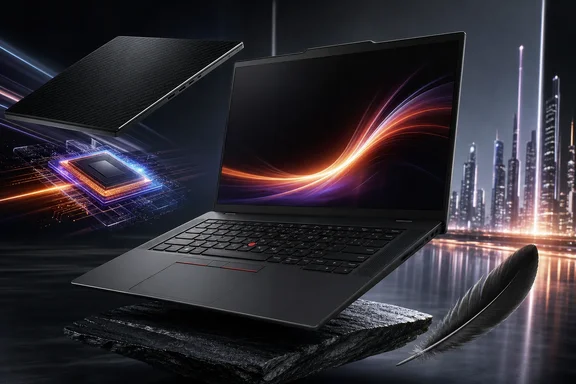
But the catchy idea that it is “almost an X1 Carbon for a lot less” needs more discipline. The T14s does bring the T-series closer to Lenovo’s flagship in size and weight, yet the available starting-price figures show only a $120 difference between the compared models. It is also a machine full of consequential configuration choices: display type, touch support, mobile broadband, memory capacity and battery priorities all change the ownership experience.
What the T14s Gen 7 AMD actually is
Lenovo announced the AMD ThinkPad T14s Gen 7 with availability beginning in April 2026. At the high end, it is configurable with AMD’s Ryzen AI 7 PRO 450, an eight-core, 16-thread chip listed with Radeon 860M integrated graphics. An independently tested configuration combined that processor with 64GB of RAM, a 512GB SSD and a matte IPS touch display.
Those details are worth separating because they correct several easy misconceptions:
- The processor’s full name is Ryzen AI 7 PRO 450, not a shortened “Ryzen 7 Pro 450.”
- 64GB is supported, but it is soldered LPDDR5X memory. There are no memory slots, so it cannot be upgraded later.
- 512GB is an available SSD configuration, not an established maximum storage limit for the product line.
- The battery is 58Wh, not 57Wh.
For Windows professionals, 64GB in a compact machine can be genuinely useful. It provides more headroom for multiple demanding applications, local development work, virtual machines and large datasets than the capacities often associated with ultralight laptops. The catch is permanence: buyers must choose their memory requirement at purchase. A configuration that feels generous today may be less comfortable several years into a corporate deployment or a changing workflow, and the machine offers no RAM upgrade path to solve that later.
Display choice is not a minor checkbox
The T14s Gen 7 AMD is not one fixed-screen laptop. Lenovo lists different panel families with notably different priorities.
The IPS options are WUXGA touch panels with 100% sRGB color coverage. That makes the IPS route the choice for people who need touch input, conventional business-laptop resolution and sRGB-oriented work. The independently tested unit used this type of matte IPS touchscreen.
The alternative is a matte 2.8K OLED panel with a 120Hz variable refresh rate and 100% DCI-P3 coverage. On paper, that option targets sharper imagery, wider color coverage and smoother motion, but it is specifically a non-touch configuration. Buyers should not assume they can combine every attractive screen specification in a single panel: touch IPS and high-resolution OLED are distinct choices.
That distinction matters in Windows purchasing. A user who annotates documents or prefers touch navigation may reasonably prioritize the WUXGA IPS version. A user focused on visual work, color range or a high-refresh display may prefer the OLED option, provided touch is not essential. Organizations standardizing fleets should specify the panel rather than simply ordering “a T14s,” since screen selection changes the practical experience every working day.
Camera hardware is similarly configurable. Optional 5MP-plus-IR camera setups are available and include a privacy shutter. Because this is optional equipment, prospective buyers should check the exact build rather than presuming every T14s includes it.
Ports: a capable layout, with important limits
The physical connection mix is strong for a thin business system, but some descriptions of it have overstated the specifications. The standard port list includes:
- One USB-A port at 5Gbps
- One USB-C port at 5Gbps
- Two Thunderbolt 4 ports
- HDMI 2.1
- Audio
The USB-A connection should not be described as a faster 10Gbps USB 3.2 Gen 2 port. For users connecting a fast external SSD directly to the USB-A port, that difference can matter. The two Thunderbolt 4 ports remain the more flexible connections for high-bandwidth peripherals and desk setups, while HDMI 2.1 provides a direct display option.
A Nano-SIM slot is optional, as is a smart-card reader. Neither should be treated as universal hardware. Mobile-connected workers and businesses with smart-card authentication requirements should make those items explicit in their purchasing configuration and confirm that the selected model supports the necessary options.
Battery life: promising results, not a blanket guarantee
The 58Wh battery produced a strong result in independent Wi-Fi web-browsing testing: 17 hours and 22 minutes. At maximum brightness, the same test recorded 11 hours and 31 minutes. Those figures make the T14s a plausible all-day Windows work machine under favorable conditions, particularly for web and productivity-oriented use.
Still, they should not be turned into a simple “17.5-hour battery life” promise. The 17-hour, 22-minute result belongs to a specific Ryzen AI 7 PRO 450, Radeon 860M and 58Wh test unit. The available test record does not establish the exact brightness calibration behind the standard Wi-Fi result, so a claim that it was measured at 150 nits is not verified. Screen selection, brightness, wireless conditions, software load and power settings can all affect what an individual owner sees.
The comparison with the X1 Carbon also complicates the “near flagship” story. An IPS X1 Carbon Gen 14 test unit with a 58Wh battery recorded 23 hours and 13 minutes in the same kind of Wi-Fi browsing test, compared with 17 hours and 22 minutes for the T14s AMD. That does not prove that one model will always last longer for every user: the systems had different processors and configurations. It does show, however, that a similarly sized battery does not erase the X1 Carbon’s tested endurance advantage.
T14s versus T14: portability against serviceability
The more consequential internal competition may be Lenovo’s own ThinkPad T14 Gen 7 AMD. The T14s is the lighter machine, beginning at 1.09kg, while the regular T14 begins at 1.28kg with its 60Wh battery. That approximately 190g starting-weight gap is meaningful for people carrying a laptop between meetings, client sites and home.
The T14, however, supplies the flexibility the T14s gives up. It has two DDR5 SODIMM slots and supports up to 96GB of memory. It also offers 60Wh and 75Wh battery choices. The 75Wh version starts at 1.32kg, illustrating the familiar business-laptop trade-off: more runtime potential comes with more mass.
This makes the product choice clearer than marketing labels often suggest:
- Choose the T14s Gen 7 AMD if lower carry weight and a slim chassis matter more than future memory expansion, and if 64GB is sufficient for the machine’s expected life.
- Choose the T14 Gen 7 AMD if replaceable memory, a 96GB ceiling or the 75Wh battery option has greater practical value than the lighter design.
For IT departments, this is also a lifecycle decision. Soldered memory simplifies the T14s’ thin construction but restricts remediation when workload requirements rise. The T14’s SODIMM slots provide an expansion path that can make it the more conservative long-term purchase for memory-intensive roles.
Is it really an X1 Carbon for less?
There is a legitimate basis for the comparison. The AMD T14s is close to the X1 Carbon in footprint and weight. An independently tested T14s was only about 60g heavier than an IPS X1 Carbon Gen 14 test unit, which weighed 1.14kg. In everyday transport, that is a relatively narrow separation, and the T14s’ 64GB configuration is a notable capability in this class.
The price claim is much weaker. Reported direct-Lenovo starting prices were $2,129 for the T14s Gen 7 AMD and $2,249 for the X1 Carbon Gen 14. That is a $120 gap, not evidence of a dramatic base-price discount. More importantly, starting configurations are not like-for-like systems. Processor choice, memory, storage, display, optional mobile connectivity and changing retailer or Lenovo discounts can substantially alter what buyers actually pay.
It is therefore reasonable to call the T14s a close physical alternative with its own strengths, rather than an automatic bargain substitute. Its T-series identity does not mean it is merely a budget X1 Carbon, and its compact design does not make it categorically the better 14-inch ThinkPad. The X1 Carbon’s tested endurance was higher; the regular T14 has better memory serviceability and a higher RAM ceiling; the T14s makes the strongest case for those who want substantial factory-configured memory in a notably lighter system.
The purchase decision for Windows users
The ThinkPad T14s Gen 7 AMD looks most compelling when bought as a deliberately specified machine, not as a generic model name. Start with memory: 32GB may suit ordinary office workloads, but users who know they need 64GB should select it upfront because no later upgrade is available. Then choose between touch-enabled WUXGA IPS and the non-touch 2.8K OLED based on actual workflow rather than assuming one is universally superior.
Next, verify optional hardware that affects how the laptop will be used away from a desk, especially 5MP-plus-IR camera availability, Nano-SIM support and smart-card capability. Finally, compare dated, like-for-like prices rather than relying on an X1 Carbon discount narrative that the available starting prices do not support.
The result is not “an X1 Carbon for a lot less” as a settled fact. It is a high-end, lightweight T-series ThinkPad that narrows the gap to Lenovo’s flagship while retaining its own compromises. For a Windows user who values low weight, Thunderbolt 4 connectivity, a 58Wh battery and up to 64GB of factory-fitted memory, that can be an excellent balance. For anyone who prioritizes expansion, the longest tested battery life or a decisive price saving, the comparison requires much closer scrutiny.