

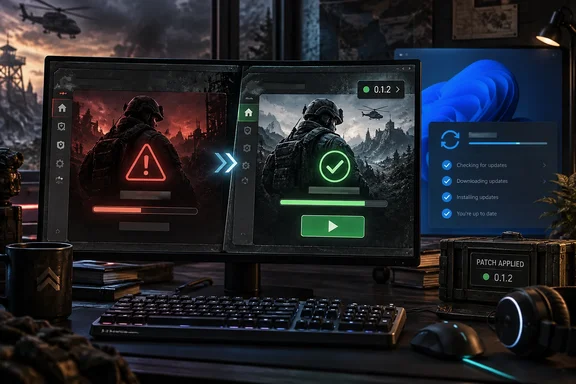
The Windows fix is the main story for most readers, so here is what KB5124010 is, why the timing matters, and what to do now.
What KB5124010 actually is
KB5124010 is not a Patch Tuesday security update. BleepingComputer reports that Microsoft released the KB5124010 September 2026 non-security preview update for Windows 11 24H2 and 25H2, with 46 changes including Bluetooth improvements and the ability to remap the Copilot key. Prajwal Desai dates the release to September 22, 2026.
Several details from the coverage help explain the WARDOGS problem:
- Builds: Once installed, this optional non-security update will upgrade Windows 11 25H2 and 24H2 devices to builds 26200.9550 and 26100.9550, respectively. A player on the WARDOGS Steam forum listed these same build numbers when describing the update they uninstalled.
- No security fixes: BleepingComputer notes that unlike regular cumulative updates, monthly optional updates like KB5124010 provide only quality improvements and don't include security fixes.
- How it got onto PCs: Windows Latest says the optional update will download automatically in the background if you've turned on the "Get latest updates…" toggle on the Windows Update page. That fits forum posts from players who didn't remember choosing to install anything.
- Last preview for 24H2: Notebookcheck reports that KB5124010 is also the final non-security preview update for Windows 11 24H2, which reaches end of support in October.
Section summary: KB5124010 is an optional preview update with no security content. It moves Windows 11 to builds 26200.9550 and 26100.9550, and it can install itself on PCs that have opted in to early updates.
Why the timing matters more than it looks
Rolling back a preview update might seem like a safe fix. It only lasts a few weeks, though. BleepingComputer explains that preview updates let users test fixes and features before they become generally available during next month's Patch Tuesday release. Pureinfotech says the October rollout will be available starting October 13, 2026.
My read, based on how Windows servicing usually works: the changes in KB5124010 will likely arrive on every mainstream Windows 11 24H2 and 25H2 PC with the October cumulative update, not just on early adopters. Uninstalling the preview would then only postpone the problem, and blocking the October update would mean missing security fixes. A fix on the game's side is the only lasting answer, which is what Team17 has now shipped.
How Team17 handled the problem
According to Team17 posts on the WARDOGS Steam forum:
- September 22: A support account said players were seeing several launch and crash errors, including WD-L004, WD-L006, WD-L007, WD-L010, WD-L014 and WD-L020. It suggested general steps such as updating GPU drivers, closing overlays and recording software, and temporarily turning off DLSS, FSR, frame generation, HAGS and Windows Game Optimizations. Several players replied that none of these helped.
- Same day: Players found the likely cause themselves. They uninstalled the non-security Windows update installed that day and reported the WD launcher error stopped.
- September 23: Team17 pinned a notice. It said a preliminary investigation had found a potential compatibility issue with KB5124010, and it described the update as a preview rather than a regular security update. Team17 called uninstalling it optional and at the user's own risk, and said its normal advice is to keep Windows fully up to date.
- September 30: The 0.1.2 notes list the WD-L020 crash triggered by KB5124010 as resolved.
Neither the patch notes nor the forum posts explain the technical cause. They don't say whether it involved the game's anti-cheat, launcher checks, or something else. Treat any theory you see online as a guess.
What to do now
If you never uninstalled KB5124010:
- Let Steam install WARDOGS 0.1.2. If it doesn't start, check the game's Updates status in your Steam Library.
- Launch the game and check that WD-L020 is gone.
- Leave Windows Update alone.
If you uninstalled KB5124010 to keep playing:
- Install WARDOGS 0.1.2 first.
- Reinstall Windows updates normally, or just wait for the October Patch Tuesday update.
- Launch the game again to confirm it works on the newer build.
If you're weighing a rollback anyway: the path Team17 gave earlier was Start > Settings > Windows Update > Update history > Uninstall updates. Find KB5124010, uninstall it, and restart. That was a stopgap from before the patch. It is not the fix in 0.1.2, and it's hard to recommend now that a real fix exists.
Not everyone may be sorted yet. The Steam forum's related-discussions list already includes a thread titled "Can't launch after recent patch 0.1.2." I couldn't tell from the available evidence whether that thread is about WD-L020 or a different error code. If the game still won't start after the patch, send Team17 the full error string, such as WD-L020 followed by a suffix, rather than removing Windows updates.
Section summary: Update the game, not Windows. The rollback was only ever a temporary workaround.
The exploit crackdown
Most of the rest of the patch deals with cheating the economy:
- Revive validity checks now run entirely on the server, so revives can't be triggered from across the map.
- The vehicle "fly-through" exploit is fixed, and reward caps limit payouts.
- Rewards for destroying buildables now depend on how far construction has progressed, so wrecking a freshly placed schematic no longer pays the full amount.
- Dropping pallets into a FOB from outside its zone now gives smaller rewards.
The enforcement policy has also changed. Team17 says players caught using cash or XP exploits, including real-money trading, have had their cash and progression reset and could be banned permanently. First-time offenders were treated more leniently during Season 01, and that has ended. Repeat abuse can now bring a permanent ban without warning. The notes don't give cap values or reward amounts, and they don't describe an appeals process.
Server browser and privacy changes
The new DEPLOY flow separates Official, Community, Infantry Mode and Low-Level servers, so modded community servers are easier to find. Other changes:
- Advanced Filters are back on the Official server list.
- Hovering over a long server name shows it in full.
- Pressing Join shows connection status, then your queue position when there is one.
- The region selector shows how many regions you've picked.
- The DEPLOY screen supports gamepads.
- Anonymous mode now hides server names on loading screens, as Streamer mode already did, and names stay hidden in the pause menu unless you choose to show them.
Changes for community server admins
For people running servers, these are the most practical changes:
| Change | What it does |
|---|---|
| Scheduled Restarts | Sets a daily restart time, in UTC |
| RCON AllowedHosts | Limits which hosts can reach RCON |
| RCON message limits | Caps the length of RCON messages and broadcasts |
| RCON response detail | Default changes from Full to Standard |
| Configuration security | Configuration responses no longer reveal internal server information |
| ServerImageURL validation | The URL is checked when the configuration loads |
The notes don't include configuration syntax, the exact length limits, or the rules for valid URLs. Check the game's current server documentation before editing config files.
My general advice as an admin: if your RCON port is reachable from the internet, set AllowedHosts to your management IPs as soon as possible. Restricting remote console access this way is a basic step, and it's good that it's now built in. Also note the change to Standard response detail. Scripts that relied on Full output could break without any obvious error.
Everything else
Grenades, smoke grenades and C4 can no longer be used from enclosed vehicle seats. The adaptive crosshair now disappears properly when aiming down sights. Buildable critical-hit spots no longer reappear where they were just hit or jump into corners or to the far side of a structure, and they now favor spots you can reach from where you stand. A Havoc bug that made 20mm and 30mm cannon fire do extra damage is fixed. Localization is improved, and the notes mention several server stability hotfixes and security hardening without listing each one.
Season 02 is planned as a larger content update with new map conditions, more equipment, balance reworks and further gameplay features. No release date has been announced.
The bottom line
A small game patch and a routine optional Windows update show a familiar pattern: when a preview update breaks an app, uninstalling it is only a stopgap, because the same changes arrive with Patch Tuesday a few weeks later. For WARDOGS on Windows 11, the fix is to install 0.1.2, keep Windows updated, and report the exact error code to Team17 if the game still won't launch.
Update: Additional details (September 30, 2026)
MP1st reports that WARDOGS 0.1.2 was deployed during scheduled server maintenance beginning at 8:00 a.m. UTC on September 30. The outage was expected to last about one hour, meaning players could see connection failures or be removed from active games while the rollout completed.
References
- Wardogs Update 0.1.2 Patch Notes (September 30, 2026) - UpdateCrazy UpdateCrazy · 2026-09-30T08:46:26+00:00
- Wardogs Update 0.1.2 Deployed on September 30 as Servers Go Down - mp1st.com mp1st.com · 2026-09-30T08:05:39+00:00
- KB5124010 (build 26200.9550) for Windows 11 drops as part of the October 2026 update (preview) - Pureinfotech pureinfotech.com