

The report comes from one person's investigation. Microsoft hasn't acknowledged it, and nothing shows the named updates caused the problem. For anyone digitizing old media, though, it's practical and fairly specific.
What the tester reports
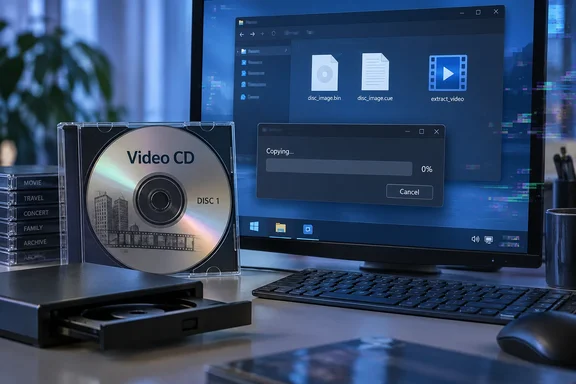
The write-up was posted in August 2026 on the blog Clyde's Notes. It opens by saying there is an odd bug in Windows related to Video CDs. The steps are simple. Insert a VCD, open Explorer, and copy the Video CD contents to the PC (you can copy just the MPEGAV folder, which contains the big multimedia files).
According to the author, the typical outcome is that at some point the copying speed drops to zero and it stays there. The worse part is what happens next. Closing the copy dialog and ejecting the disc doesn't fix things. The blog says new files and folders are not visible without manually refreshing the view, some parts of the Windows UI become glitchy and the Windows Explorer process can't be restarted.
GIGAZINE adds that a normal restart may hang on the "Restarting" screen. In that case you have to use the reset or power button.
Summary of symptoms reported:
- The copy speed drops to zero partway through and never recovers
- New files and folders don't show up in Explorer until you refresh manually
- Parts of the Windows UI display incorrectly
- Explorer can't be restarted
- A normal restart may hang, so you may need a hard power cycle
The 2023 update link, and what Microsoft's records confirm
GIGAZINE says the tester used virtual machines to narrow down when the behavior started. It first appeared on Windows 11 after KB5023706 (March 2023) and on Windows 10 after KB5025221 (April 2023). Clean, unpatched installs of Windows 10 and Windows 11 22H2 didn't show it.
Microsoft's own records confirm what those packages are:
| Update | Release date | Platform | OS builds (per Microsoft) |
|---|---|---|---|
| KB5023706 | March 14, 2023 | Windows 11 version 22H2, all editions | 22621.1413 |
| KB5025221 | April 11, 2023 | Windows 10 20H2, 21H2, 22H2 | 19042.2846, 19044.2846, 19045.2846 |
Neither support page lists a VCD or Explorer-stability problem. The KB5023706 page does list other known issues. One of them was an intermittent failure when saving or copying files with 32-bit, large-address-aware apps that use the CopyFile API, mostly on managed PCs running certain security software. Microsoft says KB5027231 fixed it. That issue has a different scope from the VCD report, and nothing ties the two together. I'm noting it only as a reminder that file-copy regressions from updates are not unheard of.
The blog's own wording is careful. The author says only that a Windows update in early 2023 changed something that affects copying those files. Showing that a bug appears after a specific update is useful narrowing. It doesn't prove what the root cause is.
The author told GIGAZINE they filed a report with Microsoft in late 2025. By the August 2026 post there had been no response and no fix. That's the author's account, and I couldn't find a Microsoft statement either way.
Why VCDs confuse Explorer
VCDs look like ordinary data discs, but they aren't. GIGAZINE explains that a VCD uses what looks like an ISO 9660 file system. Some of the file entries don't hold the video itself. They act as entry points for reading the video tracks on the disc. So the big .DAT file you see in Explorer isn't a normal file, and Windows has to read it in a special way.
That has a second consequence besides the freeze. The blog says that even if you successfully copy the .dat files several times without triggering the bug, the resulting files are not identical, probably because there's no error detection and error correction like on a typical data disc. A copy that finishes may still not be a faithful one.
A Hacker News thread on the post reached a similar conclusion. One commenter called VCD a gross format, but added that Microsoft still shouldn't leave the Explorer crash unfixed.
Intermittent, and more likely on physical discs
The bug doesn't show up every time. GIGAZINE says it has been seen in several environments, but how often it reproduces varies. It sometimes appears with a VCD image mounted as a virtual drive, but it's easier to trigger with a real disc. The tester's theory is that a longer copy gives the bug more chances to hit. That's a guess, not a proven cause, but it would fit with slow optical reads making things worse.
Things that reportedly did not trigger the bug:
- Playing the VCD in Windows Media Player
- Extracting the video with VCDGear
- Copying with FastCopy or TeraCopy
The pattern points to Windows' standard copy path rather than the disc itself. It's also only one tester's results, not a guarantee across all versions and configurations.
What to do if you're archiving VCDs
The blog suggests two approaches. It says that to rip a Video CD properly, it's therefore better to use dedicated software, such as VCDGear, which will extract the AV content and try to fix the mpeg stream errors. Alternatively, clone the whole VCD with imaging software to a bin+cue image.
In practice:
- Don't drag and drop from Explorer. It can freeze, and even a finished copy may not be reliable.
- To get playable video, use a dedicated extraction tool like VCDGear.
- To keep a complete archive copy, image the whole disc to BIN+CUE. You can extract from the image later.
- If you want to test the bug yourself, use a disc you don't care about, on a machine where a forced power-off won't lose work. A VM is even better.
- Don't uninstall security updates over this. The link to KB5023706 and KB5025221 isn't proven. Both were security updates, and later cumulative updates include their changes anyway, so removing them wouldn't be a real fix.
Windows 10 users have one more thing to weigh. Microsoft says Windows 10 reached end of support on October 14, 2025. Only PCs enrolled in the paid Extended Security Updates program still get security updates. If Microsoft ever fixes this, Windows 11 and ESU-enrolled machines are the most likely to get it.
The bigger picture
This is an unusual bug. VCD was always an awkward format, it has been obsolete for years, and few people will ever run into this. Still, the user wasn't doing anything wrong. As the blog notes, many people were doing that, because the UI says it's possible and it more or less worked fine. The author asks for something reasonable: a fix that either restores the old behavior or just prevents copying VCD files and redirects users to alternative ways.
Either fix would be better than what happens now, where Explorer offers to copy files it can't handle and then leaves the shell broken. A file manager should fail cleanly. A stuck copy of 1990s MPEG-1 video shouldn't require a hard reboot.
The bottom line: Treat VCDs as specialized media, not ordinary data discs, and use VCDGear or a BIN+CUE image to preserve them. Also keep in mind that the 2023 update link is one careful tester's finding, not a confirmed Microsoft defect.
References
- Reports indicate that old 'Video CDs' can corrupt Windows Explorer. - GIGAZINE GIGAZINE · 2026-09-28T12:00:00+00:00
- March 14, 2023—KB5023706 (OS Build 22621.1413) | Microsoft Support support.microsoft.com
- Video CDs break Windows Explorer clydesnotes.blogspot.com