

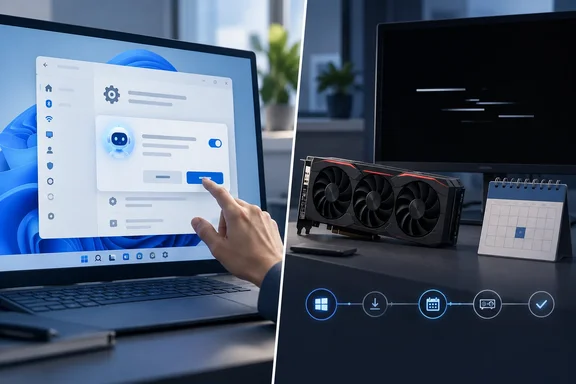
tbreak examined a Respawn First report that put the AI additions and the graphics-driver failures in one story and told readers to pause updates or roll Windows back. tbreak pointed out that the Respawn First piece didn't link to any crash reports and didn't name GPU models, driver versions or test results. Below is what Microsoft's documentation and other outlets actually support.
What 26H2 actually is
Microsoft announced general availability of Windows 11 version 26H2, the Windows 11 2026 Update, on September 29, 2026. It arrives as an enablement package for eligible PCs running version 24H2 or 25H2.
According to Microsoft, all three versions share a servicing branch and codebase. Most of 26H2's parts were already installed through monthly updates, and the enablement package simply switches them on. Microsoft's Release Preview announcement from August 27 made the same point: many 26H2 features "might already be familiar" because they arrived gradually through monthly updates.
For troubleshooting, the takeaway is simple: a feature or bug you notice after moving to 26H2 wasn't necessarily introduced by 26H2. A few other rollout details:
- Staged rollout: Microsoft is releasing 26H2 through a controlled feature rollout and may place safeguard holds on PCs with known compatibility issues.
- Getting it early: Go to Settings > Windows Update and turn on "Get the latest updates as soon as they're available."
- Support clock: Installing 26H2 resets support to 24 months for Home and Pro and 36 months for Enterprise and Education.
- Commercial defaults: Some features that shipped disabled by default in 25H2 are enabled by default in 26H2.
In short: 26H2 is mostly a switch that turns on code already delivered, so "it showed up after the upgrade" doesn't prove "the upgrade caused it."
The Settings agent: it suggests, you decide
The agent in Settings is real, but it isn't new. Microsoft's admin documentation says it has been available since Windows 11 version 24H2 with KB5062660. It runs a small on-device language model called Settings Mu, which was fine-tuned on Settings data. It reads natural-language questions typed into the Settings search box and matches them to existing settings. If it can't confidently match a query, you get ordinary search results.
The documentation doesn't describe an agent that roams around changing things. Microsoft says the agent only suggests settings and makes no changes automatically. You have to explicitly ask it to make a change. With your permission it can carry that change out, and you can undo it. So it can act, but only when asked.
The requirements are also narrow. Microsoft lists:
| Requirement | What Microsoft specifies |
|---|---|
| OS | Windows 11 version 24H2 with KB5062660 or later |
| Hardware | A Copilot+ PC |
| Policy | The temporary enterprise feature-control policy setting must be enabled |
| Languages | English, French, German, Hindi, Italian, Japanese, Korean, Portuguese, Spanish, Simplified Chinese |
| Geography | All countries except China |
As tbreak noted, Arabic isn't on the language list. A PC in the UAE isn't blocked by geography, but one running an Arabic interface won't qualify, and the hardware and policy conditions still apply everywhere.
For admins: turning it off
Microsoft provides a Disable Settings Agent policy in three forms:
- Intune: Create a Settings catalog policy, go to the Windows AI category and set Disable Settings Agent.
- Policy CSP: OMA-URI
./Vendor/MSFT/Policy/Config/WindowsAI/DisableSettingsAgent(Integer).0(default) leaves the agent on;1turns it off. - Group Policy: Computer Configuration > Administrative Templates > Windows Components > Windows AI > Disable Settings Agent.
The logic is inverted, which regularly trips people up: enabling the policy disables the agent. Search then falls back to statically indexed and semantic results.
Task Manager: a meter, not an agent
The Task Manager change is the least dramatic item, and probably the most useful for enthusiasts. On August 19, Microsoft's Windows IT Pro Blog said Task Manager now shows AI workloads in more detail. Before that, the Processes tab didn't show per-process activity for the NPU or the GPU's neural engine.
tbreak adds more specific claims that I couldn't confirm independently against Microsoft release notes, so treat them as tbreak's reporting:
- A May 2026 update added optional NPU and NPU Engine columns on the Processes, Users and Details pages.
- The Details page also gained NPU dedicated and shared memory columns.
- Neural engines inside a GPU appear on the Performance page.
- The taskbar can show progress for agents launched from Microsoft and third-party apps, with Researcher in Microsoft 365 Copilot named as the first app to use it.
Availability depends on hardware. You won't get NPU graphs without an NPU.
Respawn First also claimed that always-on AI processes hurt CPU and NPU performance. tbreak found no measurements behind that claim, and Microsoft's feature notes don't put a number on any gaming slowdown. If you suspect AI processes are eating your frame rate, the new Task Manager columns are a better place to check than a headline.
The agents that do act are off by default
Microsoft does build Windows agents that can do real work. At Ignite 2025 it described agent accounts, an agent workspace and connectors for File Explorer and System Settings, the last of which let agents make changes such as switching to dark mode. Microsoft's developer blog says all of these are disabled by default and only turn on if you enable Settings > System > AI components > Agent tools > Experimental agentic features.
Microsoft also says agents in that framework:
- Run under their own accounts, separate from the user's
- Start with minimal permissions
- Can't change the device without authorization
- Must ask for consent the first time they access sensitive files or apps
This is a separate system from the Settings search agent and from Task Manager's monitoring. The fact that experimental agents exist doesn't mean the Settings agent quietly flips switches.
In short: Everything in the "AI agents taking over" story is either a search helper that needs your approval, a monitoring feature, or an opt-in experiment that ships switched off.
The Radeon crashes: real reports, wrong culprit
Now the graphics problem. The reports appeared soon after Microsoft's September 8 Patch Tuesday update, KB5124008. Microsoft's support page lists that update as OS builds 26100.9445 for 24H2 and 26200.9445 for 25H2. That was three weeks before 26H2 went public.
A thread on the Linus Tech Tips forum, posted September 12, described driver timeouts, black screen, display going missing and system freeze on some PCs with AMD Radeon cards, reportedly across several models from several generations. tbreak says Windows Latest reported similar symptoms on September 15, and that Windows Latest's follow-up found Microsoft's mid-September emergency update didn't fix the GPU errors. TechSpot also covered the reports.
Neowin and Windows Report filled in the details that Respawn First left out:
- Hardware: One affected PC uses a Radeon 7800 XT and Ryzen 7 7800X3D, while the affected user's own PC has a Radeon 7900 XTX and Ryzen 9 7900X3D.
- Two updates named: The report named both KB5124008 and the KB5126052 .NET update.
- Driver versions: The problem reportedly occurred with multiple AMD graphics driver versions, including 26.7.1 and 26.6.4, suggesting that simply switching driver versions did not solve the problem.
- Clean reinstall didn't help: The user first tried using DDU (Display Driver Uninstaller) to remove the graphics drivers before installing AMD's latest drivers again. However, the system reportedly started timing out within seconds.
- Partial workaround: Disabling AMD audio drivers reportedly stopped the systems from crashing completely, but it did not resolve the underlying instability.
Windows Report added an important caveat at the time: this currently appears to be an isolated report, and Microsoft has not confirmed that either update causes the problem.
Microsoft's own KB5124008 page supports that caution. Its known-issues list covers:
- Credential Guard machine accounts losing trust with on-premises domains
- Plan9 host folder shares failing in Hyper-V-based Linux VMs, including WSL
- Remote Desktop Services instability, fixed from September 14 onward
- File History breaking, fixed in updates from September 22 such as KB5124010
Radeon timeouts aren't on the list. That silence doesn't disprove what users are seeing, but it means there is no Microsoft diagnosis to rely on.
Could 26H2 carry the bug forward?
In principle, yes. Because 24H2, 25H2 and 26H2 share code, an unfixed flaw in shared components could survive the move to 26H2. That is a possibility, not a finding. Nobody has shown that the Radeon reports come from shared Windows code, that 26H2 is affected, or that 26H2 fixes anything.
tbreak also warns against mixing two different problems. Windows Update replacing a manually installed GPU driver with an older OEM version is known, documented behavior. A Timeout Detection and Recovery (TDR) event with a black screen is a different symptom, and one shouldn't be taken as proof of the other.
What Radeon owners should do
Don't blindly pause security updates or roll Windows back. There's also a deadline that makes rollback advice risky: Microsoft says Windows 11 24H2 Home and Pro stop receiving updates on October 13, 2026. Moving a home PC back to 24H2 now means moving toward an unsupported build.
Instead:
- Check your build. Open Settings > System > About. Build 26100.9445 (24H2) or 26200.9445 (25H2) means KB5124008 is installed. That confirms the update is present, not that it caused your crash.
- Record your driver version in AMD Software and note when the symptoms started.
- Compare your case with Microsoft's Windows release health hub and AMD's driver release notes.
- Rule out common causes first. A guide from TechFuel recommends a clean driver reinstall in Safe Mode, then every overclock and undervolt back to stock, then XMP or EXPO off. Keep the timing in mind, though: in the reported cases, a clean reinstall alone didn't help.
- Report it through Feedback Hub and AMD's bug report tool, with your build and driver details. Detailed reports are how an "isolated case" becomes an acknowledged known issue.
The bottom line
The real 26H2 story is less dramatic than the headlines:
- Settings agent: Launched with 24H2, needs a Copilot+ PC and a supported language, and changes nothing without your explicit request.
- Task Manager: The AI addition is a monitoring feature.
- Autonomous agents: They exist, but ship switched off behind an experimental toggle.
- Radeon crashes: Worth watching, but they are linked to the September 24H2/25H2 update and remain unconfirmed by Microsoft. 26H2 didn't create them.
The evidence supports keeping an eye on the September update, not rolling your PC back.
References
- Windows 11 26H2 AI features: agent and driver claims - tbreak.com tbreak.com · 2026-09-30T17:34:17+00:00
- Windows 11 KB5124008, KB5126052 may be breaking AMD PCs with the easiest fix not working - Neowin neowin.net
- September 8, 2026—KB5124008 (OS Builds 26200.9445 and 26100.9445) | Microsoft Support support.microsoft.com