

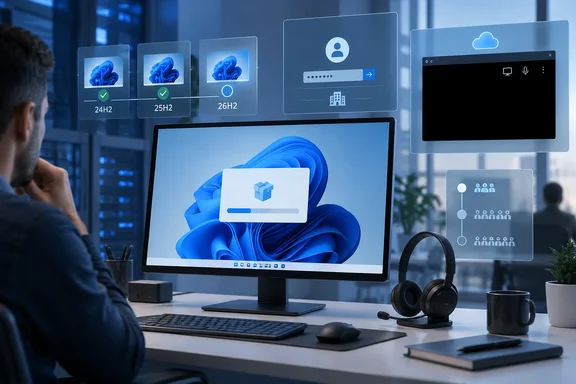
Here's what Microsoft has documented, who it actually affects, and what you can do about it.
What 26H2 is (and why it barely counts as an upgrade)
Microsoft announced the Windows 11 2026 Update on September 29, 2026. Eligible PCs on 24H2 or 25H2 get it as an enablement package (eKB). Microsoft's announcement calls it a lightweight update that switches on features already delivered through monthly updates. For most people that means a small download and one restart.
Microsoft's release health page says 26H2 has reached general availability and contains all the recently announced features in Windows 11, versions 25H2 and 24H2 and will be delivered using servicing technology, providing a fast installation experience. The rollout is phased and will expand over the next few months.
In August, the Windows Insider team said 26H2 would ship as an eKB, meaning 24H2, 25H2 and 26H2 use a shared servicing branch and get the same features and improvements. So the new version is mostly a new label on code you already have. Windows Latest quotes a Microsoft document it obtained saying an issue that affects 26H2 also affects 25H2, and the same update fixes both.
That's the key point: a shared codebase means shared fixes, but also shared bugs. Moving to 26H2 doesn't add new bugs, and staying put doesn't protect you from the existing ones.
Section summary: 26H2 is an enablement package on the same code as 24H2 and 25H2. Bugs and fixes are shared across all three.
Issue 1: USB Audio Class 1.0 devices go silent
This is the one most likely to hit home users. Microsoft's documentation ties it to the September 8, 2026 security update, not to 26H2 specifically. After that update, some USB Audio Class 1.0 devices might fail to start or produce no sound. Symptoms Microsoft lists:
- Device Manager shows "This device cannot start (Code 10)."
- No audio output.
- Volume controls don't respond or stay at zero.
- Sound settings are unresponsive or unavailable.
Microsoft says the issue is limited to USB Audio Class 1.0 devices, not every headset or DAC. Some devices worked in stereo but failed in multichannel modes such as 8-channel or 3D audio. Microsoft notes some customers got sound back by switching to 2-channel mode.
The fix is only partial so far. The out-of-band update KB5129195 (September 14, 2026) fixed the 8-channel and 3D audio failures. Microsoft says the other symptoms are still being worked on. IT admins who need a workaround now can contact Microsoft Support for Business.
Practical takeaway: if you have a USB headset, mic or interface and September's update left it working fine, 26H2 shouldn't change that, because it's the same code. If it's already broken, skipping 26H2 won't fix it. You need Microsoft's upcoming patch.
Issue 2: Domain sign-in failures from Machine Identity Isolation
This one is for businesses. Microsoft says that after the September 8, 2026 security update (KB5124008) or later updates, some Credential Guard-protected machine accounts may lose their secure channel with an on-premises Active Directory domain. Users then can't sign in with valid domain credentials and may see a message that the trust relationship between the device and the domain failed. Cached credentials may still work offline. AD replication and domain controller services aren't affected.
The cause is subtle. The update doesn't turn on Machine Identity Isolation enforcement itself. It makes Windows start obeying any enforcement settings that were already configured or pushed by policy. Microsoft supports the feature only where domain controllers run at Windows Server 2025 Domain Functional Level or higher. Devices configured for it without those domain controllers will break.
Microsoft's workaround for admins
Turn Machine Identity Isolation off using the same method that turned it on:
- Intune: disable it through Intune policy.
- Group Policy: disable it through Group Policy.
- Set directly in the registry: back up the registry first, then check these two keys:
HKLM\SYSTEM\CurrentControlSet\Control\Lsa\MachineIdentityIsolationHKLM\SOFTWARE\Policies\Microsoft\Windows\DeviceGuard\MachineIdentityIsolation
Wherever MachineIdentityIsolation is set to 2, change it to 0.
- Restart the device.
- Reset the secure channel in PowerShell:
Test-ComputerSecureChannel -Repair -Credential (Get-Credential)
How to tell it worked: interactive domain sign-in works again and the trust-relationship error is gone.
Microsoft plans a future update that will temporarily block Machine Identity Isolation enforcement while it improves the feature. It hasn't given a date. Home users who have never heard of Machine Identity Isolation can skip this section.
Issue 3: Black screens on Azure Virtual Desktop
This is the only one of the three that Microsoft lists directly against 26H2. Its release health page says that after installing Windows 11, version 26H2, and subsequent updates, some devices might experience desktop loading issues. This issue has been primarily observed on Azure Virtual Desktop (AVD) hosts, using FSLogix.
Microsoft's hotpatch documentation traces it back to the August 2026 non-security preview update, KB5120998. It shows up more often with some existing user profiles. After sign-in, users may get a black screen instead of a desktop, may need to start the session manually, and may see Windows Explorer crashes in the application event log.
Two mitigations
- Quick fix for users: press Ctrl+Shift+Esc to open Task Manager, choose Run new task, type
explorer.exeand click OK. - Proper fix for managed fleets: deploy the Known Issue Rollback (KIR) Group Policy. Microsoft lists it for 24H2 and 25H2 as "KB5124010 260924_20021 Known Issue Rollback." It's found under Computer Configuration > Administrative Templates after you install it, and devices need a restart to apply it.
A permanent fix is promised in a future Windows update. Regular home PCs aren't the target here. This is a pooled-desktop and profile-container problem.
Section summary: Two of the three issues are enterprise-only. The audio bug is the one consumers should check against their own hardware.
Issues that are already fixed
September also brought other problems on this branch, and Microsoft's notes show several are resolved:
- Remote Desktop Services hangs: fixed in updates from September 14 onward, including KB5129195.
- Plan9 host folder shares in Hyper-V Linux VMs (Microsoft names WSL as affected): fixed in KB5129195.
- File History failing to back up: fixed in updates from September 22 onward, such as KB5124010.
So should you skip 26H2?
For most people, no. The more useful question is whether you should stay on your current version, and for one group the answer is changing soon.
Microsoft's KB notes say Windows 11 version 24H2 Home and Pro stop getting updates on October 13, 2026. After that date, those PCs get no security patches, fixes or technical support. Enterprise and Education editions on 24H2 are supported until October 12, 2027. If you're on 24H2 Home or Pro, "skipping" is a two-week plan at best.
Moving up also resets your support clock. According to Microsoft's announcement, installing 26H2 gives Home and Pro editions 24 months of support and Enterprise and Education editions 36 months.
| Your situation | What the evidence suggests |
|---|---|
| Home/Pro on 24H2 | Move to 25H2 or 26H2 before October 13, 2026 |
| USB Audio Class 1.0 device already broken | 26H2 won't fix or worsen it; wait for Microsoft's patch |
| Domain-joined with Machine Identity Isolation configured | Fix the configuration first, whatever version you run |
| AVD hosts with FSLogix | Deploy KIR or the explorer.exe workaround, then validate |
| Typical home PC with none of the above | No documented reason to hold off |
Microsoft is also rolling this out carefully. It says it may place safeguard holds on devices where we detect a known compatibility issue that could impact the update experience. For businesses, it says it recommend that commercial and education customers begin targeted deployments to validate applications, devices, and business-critical workflows before expanding deployment more broadly. A small download doesn't mean zero risk. It's still a version change and deserves a pilot ring.
What changes after the upgrade
Microsoft says some features that shipped turned off by default in 25H2 will be on by default in 26H2. For commercial devices, the Insider team named Windows settings backup, app-specific actions from the taskbar, and some File Explorer improvements. Windows Latest also reports that consumers who missed gradual rollouts may finally get options like a smaller Start menu or moving the taskbar. Microsoft's announcement doesn't list those specific features, so don't count on them.
How to get it
Microsoft says 26H2 is available now for eligible 24H2 and 25H2 PCs that have that setting turned on. If it doesn't show up, your device may be under a safeguard hold or simply not reached yet in the staged rollout.
Microsoft's 26H2 update history page currently says the company is not currently aware of any issues with this update and points users to the release health hub. That page is where you'll see new issues, the audio fix and the Machine Identity Isolation change when they arrive. On a shared branch, the fix you're waiting for will reach 24H2, 25H2 and 26H2 in the same package.
Update: Newer Windows builds still list USB audio failures (October 2, 2026)
A newer report from TechBarrista says Microsoft’s September 22 preview-update documentation still lists USB Audio Class 1.0 failures, including Code 10 errors, missing sound, and unresponsive volume controls. That suggests the September 14 out-of-band fix remains limited to multichannel audio problems; the broader symptoms described above have not yet been resolved.
TechBarrista also reports that Microsoft lists the issue on Windows 11 23H2 and 26H1, as well as 24H2, 25H2, and 26H2. For users, the practical takeaway is unchanged: installing the multichannel fix may not restore sound if a USB Audio Class 1.0 device has stopped working entirely.
Update: AC-3 decoding crashes reported after KB5124010 (October 3, 2026)
According to Neowin’s October 3 report, Microsoft has confirmed another issue affecting Windows 11 24H2, 25H2 and 26H2: legacy applications that depend on Windows’ built-in AC-3 audio decoding can unexpectedly crash after installing the September 22 update, KB5124010. This adds a separate application-compatibility concern to the issues covered above; it is not the USB Audio Class 1.0 device failure.
Neowin reports that affected software can include older productivity applications, media tools and games using legacy Dolby Digital processing components. Symptoms reportedly include failed launches, sudden application closures or crashes when particular playback features are triggered. Applications that supply their own decoders are reportedly expected to avoid this specific problem, so the report does not suggest that every media application is affected.
According to Neowin, Microsoft has not provided a workaround and plans a fix in a future Windows update, without a release date. For IT teams, the immediate implication is to include legacy applications with AC-3 playback in deployment testing rather than checking audio hardware alone. Neowin suggests uninstalling KB5124010 if essential software becomes unusable, but that is a rollback option—not a confirmed Microsoft workaround or a permanent fix.
References
- KB5124010 Windows update crashes legacy apps requiring AC-3 audio decoding Neowin · 2026-10-03T08:20:02+00:00
- Windows 11 September 2026 Update Is Still Breaking PC Audio - techbarrista.com techbarrista.com · 2026-10-02T00:00:00+00:00
- September 8, 2026—KB5124008 (OS Builds 26200.9445 and 26100.9445) | Microsoft Support support.microsoft.com