

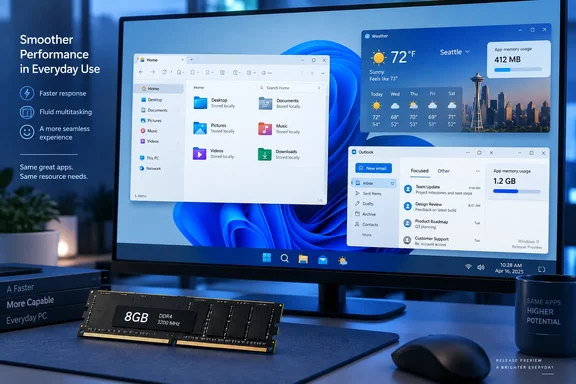
Microsoft’s own Windows-quality update provides the strongest evidence that this work extends beyond cosmetic changes. It also makes clear that the company is pursuing several performance approaches, including improving WebView2, rather than promising to replace every web-based application with a native one.
Windows 11 26H2 brings progress, not a universal app-performance fix
Microsoft announced Windows 11 version 26H2 for the Release Preview Channel on August 27, identifying the preview as Build 26300.9278 and placing general availability later in 2026. That announcement does not support the suggestion that the update is already about to arrive on everyone’s computer. Release Preview availability and a broadly deployed feature update are different milestones.
The delivery mechanism also changes how readers should understand the release. Microsoft says 26H2 uses an enablement package, sharing a servicing branch with Windows 11 versions 24H2 and 25H2. Many associated features and enhancements have therefore been arriving through monthly updates, rather than waiting for one large annual upgrade.
For commercial devices, Microsoft identifies a more specific transition: 26H2 enables several experiences introduced earlier but not previously enabled by default for those devices. Examples include Windows settings backup, app-specific taskbar actions, and some File Explorer enhancements. That is a documented change in availability, not evidence that every Microsoft application has been rewritten.
Microsoft’s July 31 quality update describes work on File Explorer launch and navigation, Start, Search, boot and logon, and other everyday interactions. It also describes taskbar and Start customization previews and says improvements will begin rolling out more broadly in the fall. These are Microsoft’s accounts of its engineering progress; they are not independent measurements of the speed increase a particular PC will receive.
The practical consequence is that 26H2 is not a blanket app-performance guarantee. A more responsive File Explorer can improve daily use without demonstrating any change in Outlook’s memory consumption. Equally, a demanding application does not erase a genuine improvement to the Windows shell—the desktop interfaces through which users launch and manage their work.
Weather and Outlook expose a measurement gap
MakeUseOf reports Weather consuming more than 1GB of RAM in some cases and describes new Outlook as typically using 600–750MB. Those figures give the complaint substance, but they should remain attributed observations, not become universal specifications for either application.
The account does not establish a reproducible benchmark with application versions, a defined workload, a measurement interval, or a clearly identified memory metric. Its discussion of an 8GB Windows 11 system also says startup applications were disabled and the named first-party applications were not being used. That experience may describe an uncomfortable baseline, but it does not isolate how much Weather, Outlook, or Teams contributed to that system’s behavior.
Other technology commentary reflects the same dissatisfaction. Windows Central’s August 24 piece argues that improvements to Windows 11’s speed and interface will be undermined if Microsoft’s applications remain sluggish web wrappers. That corroborates the existence of the criticism, not MakeUseOf’s particular memory figures. No independent reproduction of those figures is established in the reporting available here.
The distinction matters most when moving from an observation to a purchasing recommendation. Roughly 1GB is a substantial share of an 8GB machine’s capacity, but that arithmetic does not demonstrate that first-party applications collectively consume “nearly all” available memory before work begins. Nor does one application’s reading prove that the Windows shell is a smaller contributor across all configurations.
There is still a useful lesson: assess the applications you actually need alongside Windows. For someone whose work depends on Outlook and Teams, a lean desktop with those applications closed is an incomplete basis for deciding whether a PC has sufficient capacity. Conversely, an occasional Weather reading should not become a reason to declare every 8GB Windows computer unusable.
WebView2 explains the architecture, not the entire memory bill
Microsoft describes WebView2 as a way to embed web content inside Windows applications using a shared, automatically updated runtime. Its Windows Developer Blog explains that the runtime provides web-platform features and security updates alongside Microsoft Edge, with sharing intended to reduce disk footprint and runtime costs across applications.
That supports the broad description of an application displaying web content within a desktop window. It does not support treating every WebView2 application as a complete, separately installed browser, or assuming that the framework alone explains a particular memory reading.
The trade-off is more concrete than “web bad, native good.” WebView2 gives developers an embedded web platform and a maintained runtime. Whether a particular application makes economical use of that platform is a separate question—and one that the Weather and Outlook observations do not resolve by identifying the framework.
Microsoft’s July quality update is especially relevant here. The company says it is pursuing efficiencies in Chromium and WebView2 components used by Windows, alongside a more efficient memory allocator and continued WinUI 3 tuning. An allocator is the software responsible for managing memory allocation; Microsoft says its changes are intended to reduce overhead across applications and components.
In other words, Microsoft’s documented performance strategy includes improving the web technology that remains in Windows. It is broader than replacing interface frameworks, and the announcement does not attach a quantified memory saving to Weather or Outlook.
WinUI 3 and K2 need a delivery boundary
WinUI 3 is Microsoft’s native desktop interface framework, available through the Windows App SDK. Microsoft’s developer documentation describes it as a way to build Windows applications using C# or C++. Its July quality update says the company has strengthened WinUI 3 and extended it into more of the Windows shell, including Widgets and the new Run experience.
That provides an official foundation for the native-interface direction. Microsoft also identifies Autoplay and additional File/Folder Properties dialogs as upcoming work for Windows Insider Preview Experimental builds. Those are named components with stated preview boundaries.
MakeUseOf goes further, reporting that a dedicated engineering team led by Microsoft Partner Architect Rudy Huyn will address first-party applications as part of an initiative called K2. It associates that work with a move toward WinUI 3, while acknowledging uncertainty about whether Teams, Copilot, and OneDrive would be included. The official announcements examined here do not independently confirm that team’s complete app portfolio or an application-by-application migration schedule.
Readers should therefore distinguish three things: Microsoft’s documented WinUI 3 investment, MakeUseOf’s account of the K2 organization, and speculation about delivery dates. They are not interchangeable evidence.
The same boundary applies to the suggestion that app improvements might arrive with Windows 11 “27H1.” Neither the July quality update nor the 26H2 announcement establishes that milestone. It would be premature to plan a deployment or hardware purchase around it.
A framework migration would also need to demonstrate results. Microsoft’s continuing work to reduce WinUI 3 memory use shows that native interfaces themselves require optimization. A “rebuilt with WinUI 3” announcement would identify an architectural change; lower resource consumption and faster everyday operation would still need supporting measurements.
Choose Windows 11 hardware and updates around today’s workload
For an 8GB PC purchase or deployment, decide on the basis of the required applications today rather than anticipated savings from K2. Microsoft’s July statement explicitly names “memory optimization for 8GB and above” as an expanding area of work. That is a commitment to improvement, not a guarantee that every combination of applications will run comfortably within 8GB.
Administrators also have a separate support decision that should not be delayed by the application debate. Microsoft’s 26H2 announcement states that Windows 11 24H2 Home and Pro reach the end of updates on October 13, 2026, while Enterprise and Education remain supported until October 12, 2027. Those edition boundaries matter more to servicing plans than an unconfirmed date for a Weather or Outlook rebuild.
The evidence points to five practical takeaways:
- Treat Windows 11 26H2’s Release Preview announcement as a preview milestone, not proof of availability on every PC.
- Evaluate an 8GB configuration with the applications needed for ordinary work, rather than judging it only with startup applications disabled and productivity tools closed.
- Treat MakeUseOf’s Weather and Outlook memory figures as reported observations, not expected consumption on every installation.
- Keep Windows shell improvements separate from application improvements when assessing whether an update addresses a performance complaint.
- Base organizational upgrade schedules on the support dates for the installed Windows edition, without waiting for an unconfirmed K2 or “27H1” app release.
Windows 11’s quality work has a documented direction: better shell responsiveness, lower memory overhead, and improvements to both native and web-based components. Microsoft’s applications deserve the same scrutiny, but the useful standard is measured behavior in the work people actually do. Until app-specific releases establish those gains, 26H2 should be evaluated for its documented changes—not purchased or deployed as a promise that every Microsoft app will become lighter.
References
- Windows 11 is starting to look better but Microsoft’s apps are letting it down - MakeUseOf MakeUseOf · 2026-09-21T18:00:14+00:00
- Releasing Windows 11, version 26H2 to the Release Preview Channel | Windows Insider Blog blogs.windows.com
- A faster OS and UI fixes won't save Windows 11 if Microsoft's apps remain laggy web wrappers | Windows Central windowscentral.com