

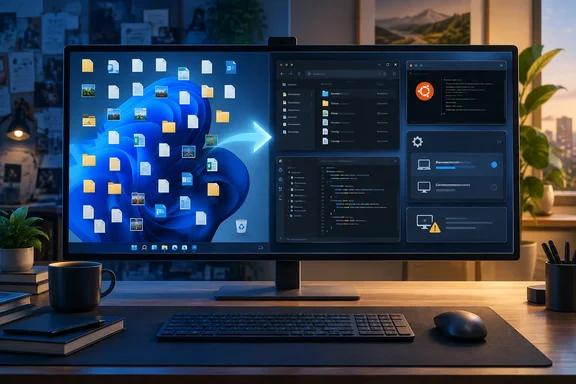
What Project Zenith actually is
Microsoft announced Project Zenith on September 4, 2026, in a Windows Developer Blog post by Logan Iyer, Corporate Vice President for Windows Platform + Developer. The company calls it a "ready-to-code distraction-free Windows experience" for developer-class PCs with at least 64 GB of unified memory and 250+ GB/s of memory bandwidth. It arrives first on AMD's Ryzen AI Halo, with other OEM devices promised in the coming months. The announcement also says Zenith "represents Windows at its best", and that's the line Hoffman objects to.
It isn't a new Windows edition. Microsoft presents it as an experience on new developer-class devices, not a separate Windows edition or a general upgrade for existing PCs. Windows Latest reports that Project Zenith runs the same Home/Pro SKU of Windows 11, but Microsoft has enabled certain features by default and removed a few things. The big memory requirement is there so these machines can run local AI models. Microsoft says they can run models with 30 billion or more parameters on-device. That's the company's claim, not an independent benchmark.
Microsoft's blog post lists the Zenith defaults:
- File Explorer: file extensions, hidden files and the full path shown, details pane on, long-path support enabled
- Cleanup: recently used files and folders and sync-provider tips turned off
- Start and Search: Command Palette enabled, Start menu tips and account notifications off
- Taskbar: Windows Terminal and Visual Studio Code pinned by default
Section summary: Zenith is regular Windows 11 with tidier defaults and a developer toolkit, sold on hardware with a lot of memory.
The script behind it
The software side comes from Windows Developer Configurations, which Microsoft announced as generally available at Build on June 2, 2026. Microsoft's Build post describes it as one command that sets up a distraction-free dev environment "on any Windows 11 device." That matters, because PCMag says Microsoft intends the script for PCs with over 64GB of RAM. Microsoft's own wording says any Windows 11 PC. Windows Developer Configurations and Coreutils for Windows were already generally available months before Zenith hardware was announced.
PCMag's list of what the script changes is the reason the column exists. It turns off Bing search in Start, suppresses the Edge first-run sign-in and sync prompts, sets Edge's new tab page to blank instead of MSN headlines, enables dark mode, removes the Widgets button, turns on Do Not Disturb, installs PowerToys and shows file extensions. Hoffman calls it effectively "Microsoft's version of a debloating tool." He says it configures Windows much the way he would himself.
Other outlets have said the same. SecurityOnline reports that once configured, it differs little from Project Zenith. WinBuzzer adds a caveat: the public configuration is not proof that the public configuration exactly matches a future factory image, and applying it does not give an existing PC Zenith's memory capacity or bandwidth.
Standard vs. Full: the detail the column skips
Microsoft's GitHub repository (microsoft/WindowsDeveloperConfig) offers two tiers of Windows Dev Config. Some of the changes Hoffman likes most are only in the larger one.
| Tier | What the current repository README says it includes |
|---|---|
| Standard | Windows Terminal, PowerShell 7, Git, GitHub CLI, GitHub Copilot CLI, VS Code, .NET SDK 10, Python 3.14 + uv, Node.js LTS + nvm, Coreutils for Windows, Windows App CLI, Oh My Posh, PowerToys; dark theme, long paths, File Explorer defaults, Start/Search settings, Do Not Disturb; WSL + Ubuntu |
| Full | Everything in Standard, plus Developer Mode, Sudo, widgets off, Edge policies, extra Start/Search/System Tray settings, and Remote Desktop enabled with firewall settings changed |
So if you want the Widgets button gone and Edge's MSN feed replaced, the README puts both in Full. Full also enables Remote Desktop and changes firewall settings, which you may not want on a family laptop. That's a real tradeoff for anyone treating this as a "debloat" button.
The tool list also differs slightly from PCMag's. The column says the script installs Java and Rust tooling. In the README as it stands now, Java (Microsoft Build of OpenJDK 25 LTS) and Rust (via rustup) are separate single-language workloads, each installed with its own command. The repository changes often, so the contents may have shifted between Hoffman's testing and now.
Section summary: "Run the script" covers two different options. Standard is lighter but leaves some of the most-requested cleanups out.
How to run it, and what to expect
If you still want to try it, here's the procedure from the repository README:
- Check prerequisites. You need Windows 11, admin rights for the elevation prompts, a decent internet connection and free disk space. Windows Latest advises you to make sure you have at least 15GB of free space.
- Make sure virtualization is on. WSL needs hardware virtualization. If
wsl --installfails with exit code -1, the README says to enable VT-x/AMD-V in your BIOS/UEFI. Inside a Hyper-V VM, turn on nested virtualization from the host withSet-VMProcessor -VMName <VM_NAME> -ExposeVirtualizationExtensions $truewhile the guest is powered off. - Save your work. The script restarts the PC once to enable WSL, with a 10-second warning.
- Open any PowerShell window (it doesn't need to be elevated) and run one of these:
irm [[CmdletBinding()]](https://aka.ms/devconfig/standard/setup.ps1) | iex
irm [[CmdletBinding()]](https://aka.ms/devconfig/full/setup.ps1) | iex
- Sign back in after the reboot and accept the UAC prompt. A scheduled task called
WindowsDevConfigResumerestarts the setup about 30 seconds later and finishes installing WSL.
What success looks like: a dark theme, PowerShell 7 as the default Windows Terminal profile with Oh My Posh in the prompt, file extensions visible in Explorer, and Ubuntu installed under WSL. Microsoft puts the whole run at about half an hour, and Hoffman says his experience matched that.
If it looks stuck after the reboot: the README says to wait a couple of minutes, then run the same command again. The script is idempotent, so a rerun skips anything already done. Microsoft signs the release scripts, but that tells you who wrote them, not what they change. Read the repository's detailed "what it changes" documentation before running it on your main or a work-managed PC. Trying it in a VM first is a good idea.
Is Hoffman right?
Mostly, yes. It is awkward that Microsoft's own nicest version of Windows 11 is a developer feature. Hoffman doesn't argue that developers don't need a focused setup. His point is that everyone else wants one too. Windows Latest made a similar point weeks earlier: Microsoft already lets you achieve the same experience on Windows 11 via a new open-source script it made, but it isn't loudly talking about it.
There's a counterargument. Microsoft's Zenith post says the company has spent 2026 making baseline Windows 11 "faster, calmer, and more polished," and Hoffman agrees that many long-standing annoyances were fixed this year. Defaults are also personal. Dark mode, global Do Not Disturb and Remote Desktop aren't right for every user, and Microsoft's ad-supported features are tied to real business interests. A one-size-fits-all quiet switch would still need someone to decide what counts as clutter.
Hoffman's suggestion is simple: offer a version of the script that keeps the experience changes and skips the compilers, or put a "distraction-free" toggle in Settings next to the already confusingly named Developer Mode. He says a Microsoft representative told him at Build that the company would consider bringing these settings into the Settings app. That's his account of a conversation. We found no public Microsoft commitment or roadmap item confirming it.
Bottom line for Windows users
- Developers get a free, official, rerunnable setup that works on any Windows 11 PC. You don't need a Zenith machine unless you want to run large AI models locally.
- Everyone else can run Standard, but you'll take on about 15GB of dev tools you may never use. Full adds the Widgets and Edge cleanups but also enables Remote Desktop.
- IT admins should note that the Full tier applies Edge policies and enables Remote Desktop, so test it before letting it near managed devices.
Hoffman ends by pointing back to Microsoft's Signature Edition PCs from about a decade ago, which came with clean Windows out of the box. Microsoft has now published, in its own repository, its idea of a cleaner Windows. For most people, though, getting it still means installing developer tools they don't need.
References
- Microsoft Built the Best Version of Windows 11...and Put It Behind a Wall of Code - PCMag PCMag · 2026-10-06T12:00:00+00:00
- Microsoft’s Project Zenith Promises Ready-to-Code Windows PCs winbuzzer.com
- Windows Developer Config github.com