

Everything below that concerns this one PC, including counts, filenames and outcomes, is the author's account. It isn't independently verified, and it won't necessarily match your machine.
The setup: 750 events and a very long month
The author says Event Viewer showed about 750 Critical, Error and Warning events over 30 days. That is enough to make any healthy PC look like it needs an exorcist.
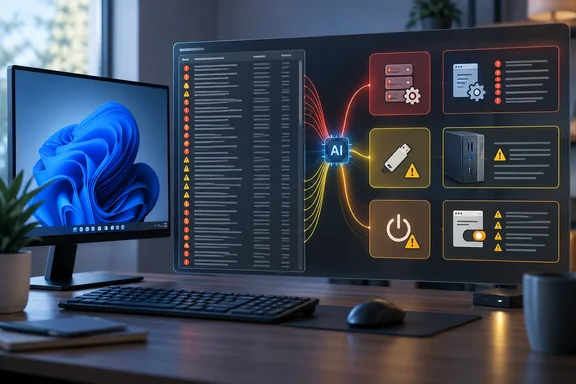
The author exported the System log as a CSV and uploaded it to Claude Sonnet 5.5. The prompt asked for an analysis of "what's wrong with my PC", not for changes to be made. Claude only read the exported file. It didn't touch the machine, and the author applied the fixes.
Finding 1: Most of the "errors" were DCOM 10016
The biggest pile, by the author's count, was 452 DCOM Event 10016 entries. That is roughly 60% of the total. The author also lists 14 Microsoft Store installation failures. They attribute those to Windows trying to update apps that were still open.
Microsoft's documentation backs the general point about 10016. Microsoft Learn says these events are logged when Microsoft components try to reach DCOM components without the required permissions, and that this behavior is expected and by design. Microsoft's guidance is to leave the permissions alone. Modifying DCOM permissions to silence the events can have unintended side effects. Advanced users can instead filter the events out of the Event Viewer display with a custom XML query.
There is a caveat. Microsoft's page documents specific cases, identified by particular component IDs. A log full of 10016 entries is probably benign, but the entries are worth grouping by component before you decide they all are. The author's claim that all 452 were identical is unverified.
Finding 2: A case-mounted display that kept misbehaving
The second cluster was a Lian Li 8.8-inch universal screen mounted inside the case. The author reports four symptoms in the logs:
- The display driver DLL crashed seven times, including five times within 23 seconds on one day.
- The Lian Li software service terminated unexpectedly five times.
- A Kernel-PnP warning about the USB device failing to load appeared 30 times, on nearly every boot.
- The screen came up at 30 Hz on every boot, and the author had been setting it back to 60 Hz by hand.
The author's explanation is that the driver's entry routine never ran at startup. Windows then fell back to a generic USB handler that didn't know the panel's native timing. That is a plausible reading, but it is the author's interpretation, not a confirmed diagnosis.
The fix was simple. The vendor's utility had an unnoticed update prompt on its dashboard. The article gives no version numbers and no before-and-after log counts. So the update is the reported fix, but it isn't proven to have cleared every warning.
The lesson carries over. When repeated device errors line up with a symptom you can see, check the maker's own utility or support page for an update. Then confirm that both the symptom and the log entries stop.
Finding 3: Thirteen "crashes" that weren't all crashes
The scariest line item was 13 Kernel-Power Event 41 entries, each marked Critical. The author had noticed no crashes. Claude pointed out that eight of the 13 occurred within seconds of a Kernel-Boot entry saying Fast Startup had failed.
The author's reading is that Windows tried to resume from its saved Fast Startup state and failed. It then did a normal boot and recorded the previous session as unclean. Microsoft's documentation is more careful about what Event 41 means:
- Windows logs Event ID 41 the next time the computer starts after an unexpected shutdown.
- It might reflect a power interruption or a Stop error.
- On its own, it may not hold enough information to say what happened.
- The event data fields help. A non-zero bugcheck code points to a Stop error. A non-zero power button timestamp points to a forced power-off. All zeros can point toward power or hardware problems.
So Event 41 is a symptom, not a verdict. The Fast Startup correlation explains eight of the 13 entries on this PC. It doesn't make Event 41 harmless in general. The other five entries remain unexplained in the report.
Should you turn off Fast Startup?
The author did, because the feature was failing every few days anyway. Many troubleshooting guides suggest it as a first step for Kernel-Power 41 entries. Those guides are mostly third-party, and the claims are anecdotal. A Microsoft Q&A answer says some users have resolved the issue by disabling Fast Startup. I found no Microsoft documentation presenting it as a universal cure.
If you want to try it, the usual steps are:
- Open Control Panel and go to Power Options.
- Select "Choose what the power buttons do".
- Select "Change settings that are currently unavailable".
- Under Shutdown settings, clear "Turn on fast startup (recommended)".
- Select Save changes and restart.
The expected cost is a slightly slower boot. Success means the Kernel-Boot failure entries and the matching Event 41 entries stop appearing. If Event 41 keeps appearing with bugcheck codes or zeroed fields, you have a real stability problem. Look at the power supply, memory, temperatures and overclocking settings, as Microsoft's guidance suggests.
How to use an AI on your own logs
This is a sensible triage workflow, with some guardrails.
- Bound the export. Use a defined date range and only Critical, Error and Warning levels, as the author did.
- Ask for structure. Request grouping by source and event ID, timing clusters, a split between likely-benign patterns and items to investigate, and the log fields behind each conclusion.
- Cross-check. Verify event IDs against Microsoft documentation and device-specific claims against the vendor's documentation.
- Compare with symptoms. Line up timestamps with what you actually saw, such as restarts, updates and the display defaulting to 30 Hz.
- Don't clean up blindly. Don't edit DCOM permissions or clear registry values just to make warnings disappear.
- Mind privacy. Exported logs can contain machine names, account details and device identifiers. Review and trim them before uploading to any external service. Check that service's current data-handling terms. The source doesn't cover privacy.
What to make of it
The strongest point is how Claude cut the problem down. Hundreds of repeated entries became three stories, and one of them pointed to a fix the author wouldn't have found alone. A log that big is a pattern-matching job, and that is where language models tend to help.
The weaker points are that this is a single anecdote and the causal explanations aren't independently confirmed. The article's claim that the model is free to use also isn't something I could verify. Anthropic's announcement of Sonnet 5.5 was not part of my search, so I can't confirm the model's availability terms. Treat the AI's output as a lead to check, not a set of instructions.
The practical takeaway is simple. A pile of red icons in Event Viewer is usually not a dying PC. Count the entries and group them before you worry. Then check Microsoft's documentation and your device makers' tools for the few that matter.
References
- Event ID 10016 is logged in Windows - Windows Client | Microsoft Learn learn.microsoft.com
- I had Claude look into my Windows 11 PC, and it revealed problems I didn’t know I had XDA · 2026-10-06T16:30:21+00:00
- Event ID 41 The system has rebooted without cleanly shutting down first - Windows Client | Microsoft Learn learn.microsoft.com