

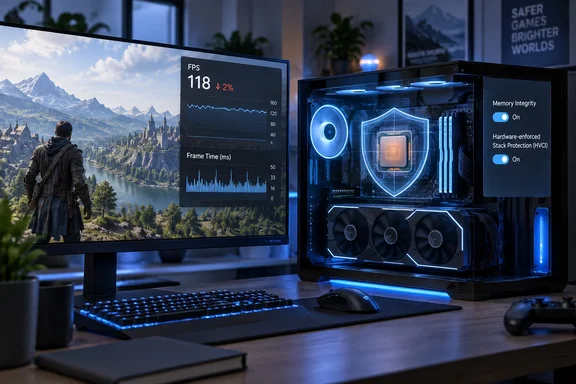
XDA's Memory Integrity benchmarks show a 2% average-FPS cost on a Ryzen 5 7600X
XDA's Abhinav Raj tested two groups of games with Memory Integrity on and off. The CPU-bound group ran at 1080p on the Low preset. The GPU-bound group ran at 1440p on the High preset with ray tracing. The test bench paired an AMD Ryzen 5 7600X with an Nvidia GeForce RTX 4070 Ti Super. These are the author's own measurements. The published piece gives no run count, Windows build, GPU driver version, or benchmark sequence, and no other outlet has reproduced the results.
| Game and settings | Avg FPS, MI on | Avg FPS, MI off | 1% low, MI on | 1% low, MI off |
|---|---|---|---|---|
| Counter-Strike 2 (1080p Low) | 398.2 | 404.8 | 167.3 | 158.6 |
| Cyberpunk 2077 (1080p Low) | 183.1 | 186.5 | 116.8 | 124.5 |
| Marvel's Spider-Man 2 (1440p High + RT) | 75.3 | 77.2 | 66.9 | 69.0 |
| Resident Evil Requiem (1440p High + RT) | 81.9 | 83.8 | 68.2 | 70.9 |
Raj puts the average-frame-rate loss at 1.7% to 2.5%. Working from the published figures, Counter-Strike 2 lost about 1.6% (6.6 FPS out of 404.8), Cyberpunk 2077 about 1.8%, Resident Evil Requiem about 2.3%, and Spider-Man 2 about 2.5%. The Counter-Strike 2 figure falls just below the stated floor, most likely because of rounding. It doesn't change the overall picture.
The GPU-bound titles lost the most, which surprised the author. He had expected CPU-heavy games to suffer more, because Memory Integrity's checks and the hypervisor underneath them use CPU time, not GPU time. He still argues that more CPU-bound games could take a bigger hit. On this system, though, the cost was roughly the same across both groups.
The 1% low numbers in XDA's Memory Integrity test are mixed
XDA's framing leans on 1% lows. That figure is the frame rate of the slowest 1% of frames, a common stand-in for stutter. Raj writes that his average frame rates "barely move" while the 1% lows tell a different story. The table only partly backs this up.
Three of the four games had lower 1% lows with Memory Integrity on. Cyberpunk 2077 dropped about 6% (124.5 to 116.8 FPS), Resident Evil Requiem about 4%, and Spider-Man 2 about 3%. Counter-Strike 2 went the other way: its 1% low was about 5.5% higher with Memory Integrity on (167.3 versus 158.6 FPS). That is the esports game, the one case where the author says turning the feature off might be justified.
Without a run count or variance data, it's impossible to tell whether the Counter-Strike 2 result reflects something about the game or ordinary run-to-run noise. Either way, a reader can't use this data to say Memory Integrity reliably worsens frame pacing in competitive shooters. On this one PC, it lowered averages a little and 1% lows by a few percent in most titles, with one exception pointing the other way.
The results also depend on the hardware. Microsoft's deployment documentation says Memory Integrity runs better on Intel Kaby Lake and newer processors with Mode-Based Execution Control, and on AMD Zen 2 and newer processors with Guest Mode Execute Trap. Older chips fall back on an emulation called Restricted User Mode, which Microsoft says has a bigger performance impact. The Zen 4-based 7600X sits well inside the supported range. Owners of pre-Kaby Lake Intel or pre-Zen 2 AMD systems should not assume their overhead will be as small as XDA's.
How HVCI earns its overhead inside the Windows hypervisor
Memory Integrity is a virtualization-based security (VBS) feature. VBS uses the Windows hypervisor to create an isolated virtual environment that Microsoft describes as the root of trust for the operating system. It is designed on the assumption that the regular Windows kernel could be compromised. HVCI runs kernel-mode code-integrity checks inside that isolated environment instead of in the kernel it is protecting.
Microsoft's driver documentation explains the core rule: kernel memory pages become executable only after passing code-integrity checks in the secure environment, and executable pages are never writable. That rule is what stops an attacker from writing code into kernel memory and running it. Microsoft's consumer support page says the feature makes it harder for malicious programs to use low-level drivers to hijack a PC. It compares the arrangement to a security guard in a locked booth, which an attacker can't tamper with the way they could with a guard standing in the open.
Raj explains why this matters. Once malicious code reaches the kernel, it has the same privileges as the security software trying to find it, so a scan from inside the OS can't guarantee a clean result. HVCI tries to stop that code from running in the first place. One correction: XDA names WannaCry as an example of the kernel-level attacks HVCI blocks. Microsoft's own descriptions of Memory Integrity don't use that example, and the claim should be read as XDA's alone.
Memory Integrity also affects other protections. Microsoft's support documentation says turning on Memory Integrity also turns on the Microsoft vulnerable driver blocklist, which blocks drivers with known vulnerabilities or drivers signed with certificates used for malware. Kernel-mode Hardware-enforced Stack Protection also requires Memory Integrity to be on. Turning off Memory Integrity may therefore switch off more than one setting.
The feature is also not guaranteed to be running on a given PC. Microsoft says it is on by default on clean installs of Windows 11 on compatible hardware and on Windows 10 in S mode. Other systems may not meet the requirements for automatic enablement and need to be opted in. Hardware virtualization must be enabled in UEFI/BIOS for it to work at all. Two gamers with similar hardware can have different defaults depending on how Windows was installed.
Microsoft's 2022 gaming advice for Memory Integrity still circulates
The debate over whether gamers should disable this setting started with Microsoft. In a support page published in October 2022, the company explained that gamers may want to disable Memory Integrity and the Virtual Machine Platform (VMP) to improve performance in games, as Thurrott.com reported at the time. Microsoft wrote that "in some scenarios and some configurations of gaming devices there may be a performance impact with Memory Integrity and VMP on."
Microsoft attached a clear warning to that advice. Its guidance said "Gamers who want to prioritize performance have the option to turn off these features while gaming and turn them back on when finished playing. However, if turned off, the device may be vulnerable to threats." Thurrott.com also noted that Microsoft said the performance impact caused by Memory Integrity and VMP may not be noticeable in all games. PC makers repeated the advice. MSI's support FAQ, for example, says that enabling these features might cause potential tradeoffs between maximum gaming performance under specific scenarios and these security setups.
XDA reports that this widely cited Microsoft Support page has since been taken down, so it's unclear whether the advice is still Microsoft's official position. The idea hasn't gone away, though. Answers posted on Microsoft's Q&A forum in 2026 still tell gamers that memory integrity and Virtual Machine Platform (VMP) can impact frame rates and cause stuttering in certain games and configurations, and suggest turning them off while testing. These are community-forum answers, not official documentation. Microsoft's current documentation takes a firmer line: starting with Windows 11 22H2, Windows Security shows a warning when Memory Integrity is off, including on the taskbar icon and in the Notification Center.
XDA's data puts rough numbers on the 2022 advice. On one modern Zen 4 system, the cost was about 2% of average FPS. Raj argues that a well-tuned Curve Optimizer offset (AMD's per-core voltage-tuning feature) could likely recover that much performance without giving up any security. Independent tests have not always found a cost at all. A Yahoo Tech roundup noted there have been instances where games performed better with Memory Integrity enabled rather than disabled, citing a YouTube tester's Assassin's Creed Origins results.
Check Memory Integrity and anti-cheat compatibility before turning it off
Frame rate isn't the only reason gamers end up on the Core isolation page. Microsoft's driver documentation lists anti-cheat software as one of the categories where it has seen Memory Integrity incompatibilities. Other examples include third-party input methods and third-party banking password protection. Incompatibilities can make software or devices malfunction and, rarely, cause a blue-screen boot failure. If an app misbehaves, Microsoft advises checking for an update to that specific app and version before turning Memory Integrity off.
Confirming the current state
- Open Windows Security, then go to Device security and select Core isolation details. The Memory integrity toggle shows whether it is on. Microsoft notes that the options on this page vary by Windows version and hardware.
- For a more reliable check, run System Information (msinfo32). Near the bottom of System Summary, "Virtualization-based security Services Running" should list "Hypervisor enforced Code Integrity" if the feature is actually running.
- Administrators and scripters can query an elevated PowerShell session with
Get-CimInstance -ClassName Win32_DeviceGuard -Namespace root\Microsoft\Windows\DeviceGuard. A value of 2 in SecurityServicesRunning means Memory Integrity is running.
If you plan to benchmark it yourself
Run the same game, scene, resolution, and preset several times with the toggle in each position. Restart after each change, since Windows may prompt for a reboot before the new setting takes effect. Compare both average FPS and 1% lows across several runs, not a single pass. XDA's Counter-Strike 2 result shows that one run can point in a surprising direction.
When Windows reports an incompatible driver
Microsoft's support page says that if Memory Integrity won't turn on because of an incompatible driver, check with the device maker for an updated driver. If there isn't one, you may be able to remove the device or app that uses it. Windows Update and Device Manager are also places to look for driver updates. If a system becomes unstable or won't boot after Memory Integrity is turned on, Microsoft's documented recovery is to boot into the Windows Recovery Environment and set the Enabled value under HKLM\SYSTEM\CurrentControlSet\Control\DeviceGuard\Scenarios\HypervisorEnforcedCodeIntegrity to 0. On managed machines, first disable any policy that enforces the setting.
On work or school PCs
Memory Integrity can be enforced through Intune, Group Policy, or App Control for Business. If it was enabled with a UEFI lock, it can't be turned off from inside Windows or by a policy change. Disabling it requires access to the firmware menu. If the toggle is grayed out with "This setting is managed by your administrator," that is intentional. A gaming session is not a reason to work around it.
What this means for you
For most home gamers, the decision is to leave Memory Integrity on. Only look at the toggle if you have a specific, measured problem, such as an anti-cheat conflict, an incompatible driver, or a CPU-bound competitive game where you've confirmed a difference on your own PC. Owners of older processors without MBEC or GMET support have the strongest case for testing, because Microsoft says the emulated fallback costs more.
- XDA measured roughly a 1.6% to 2.5% average-FPS loss with Memory Integrity on, on one Ryzen 5 7600X and RTX 4070 Ti Super system, across four games.
- The 1% lows were mixed: three games were 3% to 6% lower with the feature on, while Counter-Strike 2 was about 5.5% higher.
- Turning off Memory Integrity removes kernel code-integrity isolation and can also turn off the vulnerable driver blocklist and Kernel-mode Hardware-enforced Stack Protection.
- If an anti-cheat tool or peripheral fails with Memory Integrity on, update that app or driver first. Microsoft lists this as the first step before disabling the feature.
- Use msinfo32 or the Win32_DeviceGuard WMI class to confirm whether HVCI is actually running, because defaults vary by installation and hardware.
- On work- or school-managed PCs, the setting may be enforced by policy or UEFI lock and should be left alone.
Microsoft's 2022 advice to turn Memory Integrity off for gaming came from a time when the trade-off was less clear. XDA's September 2026 numbers suggest that on current Zen 4-class hardware, the cost is about as much as a modest CPU tune can recover. Microsoft is also pushing the other way: since 22H2, Windows 11 flags a disabled Memory Integrity as a security warning. On modern hardware, the cost of keeping it on is now small enough that disabling it makes sense only as a last resort for competitive players who have measured a real gain on their own machines.