

That distinction matters. Hidden assets can reveal what a product team is exploring, but they do not establish the final interface, the supported hardware, an Insider rollout, or a public availability date. For now, Windows users should treat this as an unfinished possibility rather than a feature to expect in the next update.
What has actually been reported
The report published on September 7 says that recent Windows 11 preview builds contain strings and assets for a battery-status widget. The reported destinations are the Widgets Board and the lock screen. Crucially, the report also says the feature does not appear to work yet.
That is meaningful evidence of development activity, but it is not the same thing as a working preview feature. A functional Insider rollout normally gives users something they can test and gives Microsoft an opportunity to document requirements, known issues, and feedback channels. In this case, the evidence described is at the asset-and-string stage. The precise build or branch containing the material, the feature identifiers involved, and whether an implementation can be enabled have not been independently established in the supplied material.
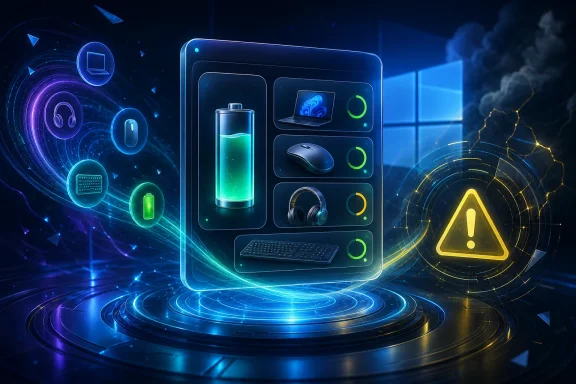
The visual concept described by the report is straightforward: one compact view for the computer and connected wireless devices. It would reportedly identify each device and show a battery percentage, with indicators for charging and Energy Saver. Light and dark visual treatments have also been described.
Those interface details remain unconfirmed. They should be understood as a reading of unfinished assets rather than a documented Microsoft specification. There is no verified compatibility list defining what counts as a supported wireless peripheral, whether Bluetooth accessories would all qualify, or how the layout would behave when many devices are paired.
Why a multi-device battery view would be useful
The appeal is easy to understand. Windows can expose battery information in several places today, but that information is not necessarily gathered into one glanceable surface. A notebook’s own charge is routinely important; peripheral charge can be just as disruptive when a mouse, keyboard, headset, or other accessory runs flat during work or a meeting.
A system-level widget could reduce that friction if it reliably combines the data. Placement on the lock screen would offer a quick status check before sign-in, while the Widgets Board could provide an at-a-glance dashboard once Windows is in use. These are different use cases, and the reported availability in both locations suggests an attempt to make the information visible without sending people into Settings.
Still, usefulness depends on accuracy more than on presentation. Battery telemetry for wireless devices is supplied through device hardware, firmware, drivers, and the relevant connection stack. Not every accessory reports charge in the same way, and a percentage alone can give a false sense of precision if updates are delayed or missing. The dossier notes that Microsoft has previously investigated cases in preview software where Bluetooth-device battery levels did not appear for some Insiders. That history does not prove the reported widget would have the same problem, but it illustrates the technical constraint such a feature must overcome.
For users, that means an eventual widget should not be assumed to replace a manufacturer’s app, particularly for peripherals that report advanced charging, case battery, left-and-right earbud levels, or firmware-specific health information. The strongest version of a Windows implementation would be a reliable common baseline, not a promise of identical detail across every device.
The evidence does not confirm a rollout
The central caution is Microsoft’s own approach to preview features. Features tested with Windows Insiders can change, be removed, or never progress beyond the Insider program. That policy is especially relevant where a feature is not publicly documented and is reportedly not usable.
The latest public Beta and Experimental build notes reviewed for this topic were updated on September 2. They describe a more focused lock-screen-widget experience, with Weather as the primary widget, but do not announce a battery-status widget. The omission does not disprove the reported strings and assets. Microsoft may keep early experiments undocumented, and public release notes are not an exhaustive catalogue of every resource in a build.
However, it does rule out a stronger claim that this particular widget has already been formally introduced to Insiders. There is no confirmed Insider channel, Windows 11 version, regional scope, hardware requirement, peripheral support list, or general-release schedule. Nor is there a confirmed indication that users can turn it on through a normal Windows setting.
It is also unwise to attach significance to the alleged first sighting of the feature. The report links a Discord message as a discovery source, but that message could not be independently inspected in the reviewed material. Its author, date, attached evidence, and cited build therefore cannot be treated as corroborated facts. The visible report and its description of embedded assets are the usable basis for the story; the claimed discovery trail is not.
Do not confuse it with Phone Link’s battery display
Windows already has a separate, officially described Phone Link experience in the Start menu for eligible Windows Insiders. That feature can show the battery status and connectivity of a connected phone.
It is relevant context because it shows that Microsoft has already placed device-status information near the Start experience. Yet it does not verify the new report’s wider premise. Phone Link concerns a connected phone and its relationship with the PC; the reported widget is said to cover the PC and wireless peripherals and to appear in the Widgets Board and on the lock screen.
The distinction has practical consequences. A user who can see a phone battery reading through Phone Link should not infer that their Bluetooth keyboard or headphones will appear in a future widget. Conversely, a future peripheral dashboard, if it ships, would not necessarily match Phone Link’s requirements or depend on the same setup.
What Windows users should do now
There is no action ordinary users need to take. Because the reported capability is nonfunctional and unannounced, attempting to force-enable undocumented components would not be a sensible route to a dependable battery monitor. It could also produce an incomplete interface, inaccurate status, or instability associated with preview work.
Users who need better peripheral battery visibility today can take more immediate, low-risk steps:
- Check the battery pages and status indicators already available in Windows for the devices Windows recognizes.
- Use a peripheral maker’s supported software when accurate accessory-specific charge reporting is important.
- Keep wireless-device firmware and relevant drivers current through the vendor’s supported channels, especially when battery status is absent or stale.
- Treat a missing percentage as a compatibility or reporting limitation rather than evidence that a device battery is necessarily empty.
- Avoid making purchase or upgrade decisions based on this reported widget until Microsoft documents a supported release.
For organizations, the same restraint applies. A single battery panel could eventually make fleet support easier, particularly where staff use standardized Bluetooth accessories. But there is not enough evidence to plan deployment policy around it. IT teams would need to know the supported device classes, management behavior, privacy implications of lock-screen display, and how Windows handles devices that cannot report a battery level. None of that is confirmed here.
Lock-screen placement creates a privacy trade-off
If a battery widget does reach the lock screen, convenience will need to be balanced with information exposure. A lock screen is intentionally visible before authentication, sometimes to other people nearby. Showing the PC’s charge level is usually harmless, but device names can reveal something about a user’s equipment or work setup depending on how Windows presents them.
The report does not establish what customization or privacy controls this specific widget would offer. Any eventual release should be judged not only on whether it shows battery data but also on whether users can choose its visibility, remove it easily, and control which device information appears before sign-in. These questions are particularly important on shared household machines and managed work devices.
The sensible reading of the leak
The report is credible enough to put a multi-device battery surface on the Windows 11 watch list. References and assets for a feature that is reportedly aimed at the Widgets Board and lock screen are stronger than a vague rumor. They suggest that a battery overview has at least been considered in Windows development.
But the current evidence stops there. It does not prove the final design, broad peripheral support, dependable readings, or any public shipment. The official preview context reviewed does not announce it, and the feature is reportedly not functional. Microsoft’s preview policy leaves open the possibility that the work will change substantially or never ship.
For now, the most accurate expectation is conditional: Windows 11 may eventually gain a more unified battery-status view for the PC and connected wireless accessories. Until Microsoft documents and enables it, users should regard the reported widget as an unfinished experiment—not a promised Windows 11 upgrade.