

AI chat assistants are no longer a curiosity — in 2026 they are a central piece of how we work, write, research, and even socialize — and the conversation about “best alternatives to ChatGPT” has shifted from curiosity to practical procurement. The short guide you uploaded offered a helpful inventory of contenders and use cases, but the real story in 2026 is deeper: platform strategies have diverged, trust and privacy are now core buying criteria, and specialty assistants (from marketing agents to companion bots) often beat generalists for real workflows. AI landscape that once centered on a handful of general-purpose chat models has expanded into an ecosystem of specialist assistants, multi-model platforms, and open-source projects. Two simultaneous forces drove that shift: (1) product teams embedding large language models into existing productivity and vertical apps (so the assistant becomes part of your calendar, documents, or ticketing system), and (2) a market appetite for privacy, provenance, and domain customization that mass-market generalists can’t always deliver.
This article unpacks the best ChatGPT alternatives in 2026, verifies major platform claims against vendor and independent reporting, and gives practical advice for selecting the right assistant for individual, creative, and enterprise use. I verified vendor claims and market-facing product changes against public announcements, platform documentation, and recent reporting to flag where claims are solid and where they’re still promises.
Source: vocal.media Best ChatGPT Alternatives in 2026
This article unpacks the best ChatGPT alternatives in 2026, verifies major platform claims against vendor and independent reporting, and gives practical advice for selecting the right assistant for individual, creative, and enterprise use. I verified vendor claims and market-facing product changes against public announcements, platform documentation, and recent reporting to flag where claims are solid and where they’re still promises.
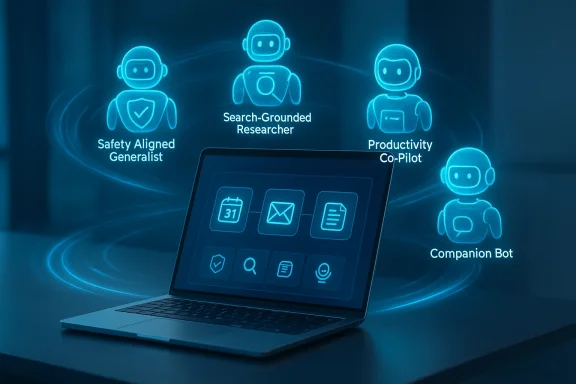 What changed since “one model fits all”
- Real-time grounding: Several competitors now offer direct search or enterprise-data grounding so answers can cite recent facts or internal docs. This reduces the need to treat every output as “speculative.”
- Multi-modal becomes mainstream: Text plus images, audio, and lightweight video capabilities are common in consumer tiers and expected in enterprise plans.
- Enterprise contracts and governance matter: “No default training on customer data,” audit logs, retention policies, and SAML/SCIM integration are now checklist items in procurement.
- Specialization trumps generality for many teams: marketing-focused agents, research assistants with citation-first workflows, and companion bots for wellness each carve repeated, sticky use cases.
Overview of the leading alternatives (what they are and why they matter)
Below I cover the major alternatives most readers encounter in 2026, grouped by their primary value proposition: safe & aligned generalists, search‑grounded models, productivity-integrated copilots, creator/marketing tools, research/citation-first tools, roleplay/companion experiences, and open-source/customizable projects.Claude (Anthropic) — safety, customization, and an aggressive free tier
Claude from Anthropic positions itself as the “safety-first” assistant with features that emphasize non-toxic outputs and policy guardrails.- Strengths:
- Strong safety and alignment posture, with models tuned to avoid risky or harmful outputs.
- Rapid push toward enabling advanced features (file creation, connectors, “Skills”) even for free users in recent rollouts. Independent reporting confirms Anthropic expanded free capabilities such as file generation and connectors, distinguishing Claude’s consumer experience from competitors moving to ad-supported models.
- Practical long-conversation tooling (compaction, skills) that reduces friction for multi-turn tasks.
- Risks / caveats:
- Feature parity across plans still shifts rapidly; free-user quotas remain a gating factor for heavy workflows.
- Enterprises should vet model versions (Sonnet vs. Opus/Pro tiers) for nuance/accuracy needs.
- Best for:
- Professionals who need safer outputs, teams that prioritize non-advertised, ad-free chat, and creators who want long-context reliability without paying immediately.
Google Gemini / Bard — search and product integration at scale
Google’s Gemini models (branded across Bard, Search, and product experiences) double-down on real-time grounding and “personal intelligence” features that pull from your connected Google apps when you opt in.- Strengths:
- Superior web grounding and integrated retrieval across Google apps — ideal when you need up-to-the-minute facts and integrated workflows. Google’s product updates have explicitly added Personal Intelligence and deeper Gemini integrations across Gmail, Search, and more.
- Large-scale multimodal improvements (Gemini 3 and Pro/Ultra model tiers) aimed at high-fidelity reasoning and image/video generation.
- Risks / caveats:
- Integration with Google ecosystem is a double-edged sword: great for users who live in Gmail/Drive, less attractive if you care about vendor lock-in or third‑party governance.
- Real-world grounding is opt‑in; data governance controls and contractual guarantees are essential for regulated use cases.
- Best for:
- Research that needs fresh web facts, product teams building search‑backed agents, and users who accept opt-in data connections for better personalization.
Microsoft Copilot — the productivity-first assistant
Microsoft integrated Copilot directly inside Word, Excel, PowerPoint, Teams, and now even into the Windows out‑of‑box setup experience, turning the assistant into a daily workplace feature rather than a separate app. Recent Microsoft docs and product announcements show fast rollouts of Agent Mode, document generation inside chat, and administrative controls for enterprises.- Strengths:
- Native access to your documents, calendar, and organization graph (with tenant controls), making it uniquely effective for workflow automation.
- Developer/external extensibility: Copilot Studio and retrieval APIs make it possible to build grounded agents for tenant data.
- Risks / caveats:
- Adoption vs. actual paid usage remains an open question — Microsoft’s scale is massive, but paid Copilot penetration is still growing and feature exposure varies by license. Independent reporting notes low percentage uptake of paid Copilot among Microsoft 365 customers, raising questions about ROI for some buyers.
- For regulated industries, insist on enterprise contract clauses around training, retention, and SLAs.
- Best for:
- Enterprises and knowledge-workers who want the assistant directly within Office apps and require governance and tenancy management.
Jasper, Writesonic, Chatsonic — creator & marketing AI agents
These platforms are optimized for content workflows: generating SEO-friendly pages, ad copy, social posts, and campaign assets. Jasper and Writesonic focus on templates, brand voice enforcement, and connectors to CMS and marketing tools; Chatsonic (from Writesonic) layers real-time search and multi-model access for marketers who need fast, current content. Jasper’s pricing and product pages emphasize team and brand controls. Chatsonic’s docs show multi-model access and marketing integrations.- Strengths:
- Purpose-built workflows for content creation, SEO templates, brand voice enforcement, and CMS integration.
- Often less expensive and faster for marketing teams than generalist assistants that require extensive prompt engineering.
- Risks / caveats:
- Quality depends heavily on prompt design and editorial oversight — these tools accelerate drafts but don’t remove the need for human review.
- License and commercial-use terms for outputs should be checked when publishing at scale.
- Best for:
- Marketing teams, freelance copywriters, and small businesses that need frequent, consistent content at scale.
Perplexity — citation-first research and evidence-based answers
Perplexity prioritizes concise answers with source citations and has expanded product offerings including Comet (AI browser) and enterprise-priced assistants (e.g., Email Assistant and Max tiers). The Verge covered Perplexity’s browser expansion and WindowsCentral reported Perplexity’s higher-end “Email Assistant” product.- Strengths:
- Citation-forward outputs that are designed for fact-checking and fast research.
- Tools like Comet deliver an integrated browsing + AI experience for investigative workflows.
- Risks / caveats:
- Recent changes to rate limits and subscription mechanics have led to user complaints about shifts in the product value proposition; verify current limits before committing to a paid plan. Community feedback and Reddit threads have surfaced around sudden plan changes.
- Best for:
- Researchers, students, and analysts who require sources and evidence for every claim.
Character.AI, Replika, Pi — roleplay, companion, and persona-first assistants
Character.AI is optimized for persona-driven conversations and interactive storytelling; Replika offers companion and mental‑wellness interactions; Pi and other personal assistants focus on day-to-day advice and personalization. Character.AI has adjusted safety policies and product features for minors following incidents and introduced more guided “Stories” for younger users. Replika’s founder transition and company changes were covered in recent reporting.- Strengths:
- Highly engaging character experiences and deep personalization for companionship or roleplay.
- Distinctly different product goals than productivity assistants — these are about long-term interaction design and bonding.
- Risks / caveats:
- Safety and moderation are real concerns; Character.AI and Replika have had to change minor-facing features and governance after public controversies.
- Use for therapy or medical advice is inappropriate without professional oversight.
- Best for:
- Entertainment, interactive storytelling, learning companions, and casual companionship.
OpenAssistant and open-source options — transparency and self-hosting
Open-source projects like OpenAssistant (LAION and community work) still matter for researchers and organizations that favor transparency and the ability to run models locally or fine-tune on proprietary data. The OpenAssistant project completed its dataset and continues to be a resource for open training corpora and community models.- Strengths:
- Full transparency over data and model code; customization and local deployments are possible.
- No vendor lock-in and strong community support for experimental workflows.
- Risks / caveats:
- Operational and security burden of self-hosting: you’re responsible for updates, safety mitigations, and compliance.
- Open models often lag behind the largest proprietary models in raw capability, though they can be fine‑tuned for domain advantage.
- Best for:
- Researchers, privacy-sensitive teams, and dev shops that need full control.
QuillBot and specialized writing assistants — paraphrasing and editing
QuillBot and similar tools focus on paraphrase, summarization, grammar, and editing rather than open-ended dialog. They’re efficient for drafting and refining prose, with clear pricing tiers for heavy users. Independent reviews show QuillBot’s feature set and common usage patterns.- Strengths:
- Fast, deterministic editing and paraphrasing with productivity integrations.
- Clear cost models for heavy usage.
- Risks / caveats:
- Limited as a conversational assistant — they complement chatbots rather than replace them.
How I verified claims and what to watch for
When assessing vendor claims I followed three verification steps:- Product documentation and vendor announcements: product blogs, pricing pages, and “what’s new” docs provided the canonical feature lists and roadmap items (e.g., Google AI and Microsoft docs for Gemini and Copilot).
- Independent reporting: Tech outlets like TechRadar, The Verge, WindowsCentral, and MacRumors provided scrutiny, rollout context, and coverage of user adoption or contention points. Where a platform announced expanded free tiers or advertising changes, outlets corroborated those claims.
- Community signals and friction points: user forums, Reddit, and threads flagged changes to subscription terms and limits that vendors either didn’t highlight or changed post-purchase — a reminder to test paid plans before long-term commitment.
- “Unlimited” in marketing copy often has fair-use caveats. Always check explicit quotas and throttling.
- Free-tier feature expansions can be rescinded or limited by rate caps that undermine heavy workflows.
- Enterprise assurances like “no training on customer data” require contractual language — platform policies alone are not a substitute for enterprise contracts.
Choosing the right assistant — practical decision framework
Ask these questions before choosing:- Primary use case
- Writing/marketing: Jasper, Writesonic, Chatsonic.
- Research/provenance: Perplexity, Gemini (with Search), citation-focused tools.
- Productivity / document automation: Microsoft Copilot.
- Safety-aligned responses: Claude (Anthropic).
- Companionship or roleplay: Character.AI, Replika.
- Custom deployment or privacy-critical: OpenAssistant and open-source stacks.
- Data governance needs
- Is it acceptable for the vendor to use your content for model improvement?
- Do you require explicit “no-training” contractual terms and audit logs?
- Integration surface
- Does the assistant need to connect to Gmail, Office, Slack, or internal knowledge bases?
- Prefer vendors that support connectors, REST APIs, or retrieval APIs.
- Budget and scale
- Evaluate monthly active user quotas, per-seat pricing, and add-on costs (agent frameworks, browsing, email assistants).
- Verification & provenance
- For factual outputs, prefer grounding (search or internal docs) and citation-first platforms.
- Create a short pilot plan (2–4 tasks that reflect your real workflow).
- Test free/pilot tiers for those tasks and record limits and latency.
- Validate outputs with human review for factual and compliance checks.
- Confirm contractual protections for enterprise usage (training, retention, indemnities).
- Plan a fallback strategy (alternate provider or local model) for business‑critical workflows.
The tradeoffs — what you gain and what you risk
- Speed vs. accuracy: Many assistants boost speed and ideation, but hallucinations and factual errors remain possible. Use evidence-first assistants for anything that needs verification.
- Convenience vs. governance: Deep integration into productivity apps delivers huge convenience — at the price of vendor and ecosystem lock-in.
- Free features vs. sustainability: Vendors expanding free capabilities (Anthropic is a recent example) may use the move to win mindshare; however, long-term product economics and tier changes can alter the cost/value equation.
- Open-source control vs. maintenance: Running open models gives you control and auditability but requires engineering investment.
Five realistic recommendations for different user types
- Individual creator (blogging, social posts): Start with a marketing-focused agent (Writesonic or Jasper) for rapid, structured outputs and an editor workflow. Add a citation tool (Perplexity) when research is needed.
- Freelancer / consultant (client work): Use Claude or paid Copilot for client drafts, but never deliver unchecked facts. Contract terms on data training and retention are essential.
- Small business: Chatsonic gives a marketing-first stack with multi-model optio useful where real-time facts and CMS publishing collide. Pilot with limited budgets and measure output quality.
- Research teams: Perplexity’s citation-forward model and Comet browser are designed for evidence-based workflows — pair it with an enterprise retrieval pipeline for internal knowledge. Confirm quota and refund policies before scaling.
- Enterprise IT / regulated industry: Microsoft 365 Copilot (with Purview integration) or enterprise-tier Claude/Gemini contracts that specify data handling, SLAs, and audit capabilities are necessary. Have legal negotiate explicit non‑training clauses where required.
Final verdict — the 2026 AI assistant marketplace in one paragraph
The 2026 assistant market is mature enough that “the best” is context-dependent: Claude has carved a reputation for safety and increasingly generous free tooling; Gemini’s integration with Google’s data and Search remains unmatched for fresh facts; Microsoft Copilot is the obvious choice where Office-integration and tenant governance matter; Perplexity and research-first tools win where citations are essential; and creator platforms like Jasper and Writesonic deliver faster, templated outputs for marketing. Open-source projects give you control but demand engineering heft. The practical winner for any team is the assistant that matches your workflow constraints, governance needs, and verification practices — not the one with the flashiest demo.How this piece was constructed and what to double-check before you buy
I cross-checked vendor product pages and recent vendor announcements for model and feature claims, used independent reporting to validate rollout context and adoption signals, and examined community feedback for friction in billing or rate-limit changes. Key product claims and feature launches cited above were verified against vendor blogs and independent outlets; still, the market is fast-moving and you should re-run short pilots prior to wide adoption. Representative vendor and reporting sources used during verification include product blogs and reputable outlets that tracked recent changes to free tiers, enterprise capabilities, and new agent features.Closing — an operational playbook to get started this week
- Pick two candidates (one generalist and one specialist) that match the top two needs in your workflow.
- Spend one day creating three test prompts that represent real tasks (e.g., draft a client proposal; produce a three-slide deck outline; summarize five internal docs).
- Measure:
- Accuracy: verify facts and citations.
- Throughput: how many prompts per day before hitting limits.
- Integration: ease of hooking up Google Drive/Office/Slack.
- Governance: available admin and contract controls.
- If you scale to team use, negotiate an enterprise trial with contractual assurances on training, retention, and auditability.
- Keep a “verification layer” in your workflow: any factual output used in external or regulated contexts must be checked by a human or an evidence-first tool.
Source: vocal.media Best ChatGPT Alternatives in 2026
