Microsoft has added a Windows 11 policy called “Remove Microsoft Copilot app” that lets administrators uninstall the consumer Copilot app through Group Policy, MDM policy, or an equivalent Registry value on supported editions including Pro, Enterprise, Education, and IoT Enterprise/LTSC. The change arrived quietly in the spring 2026 Windows 11 policy stack, and it says more about Microsoft’s AI course correction than any keynote could. Copilot is not being evicted from Windows; it is being made governable. That distinction matters because Windows users have spent the last two years objecting less to AI itself than to Microsoft’s habit of treating the desktop as a distribution channel.

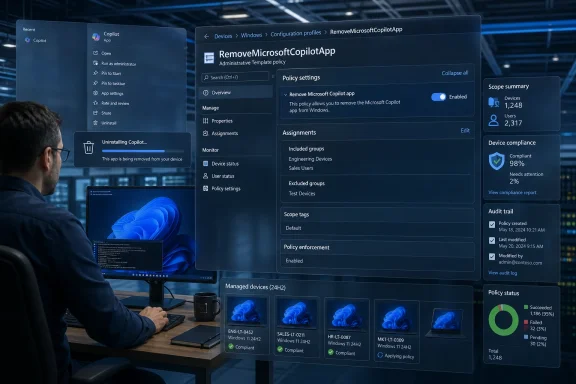
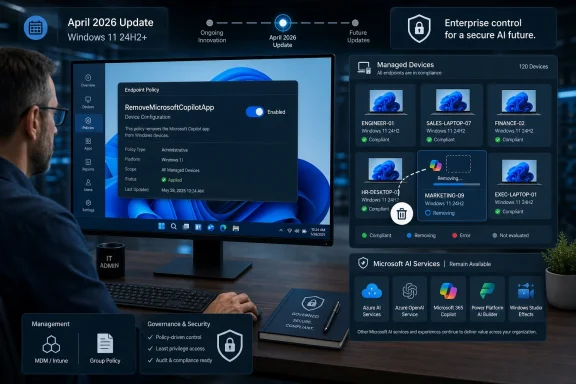
Man reviews a Windows AI policy to remove the Copilot app after 28 days of device inactivity.Microsoft Discovers That Control Is a Feature​

The new policy sits under Windows Components > Windows AI, which is exactly where it belongs. It is not a cosmetic setting, not a taskbar preference, and not another toggle buried in Settings after the fact. It is an administrative control for an operating-system component that Microsoft has spent years presenting as inevitable.
That inevitability has been the problem. Copilot arrived in Windows 11 as branding, button, sidebar, web app, Store app, keyboard key, and marketing thesis all at once. Microsoft could argue that each piece was technically removable or ignorable, but users experienced the whole campaign as pressure. The machine they bought for work, games, study, coding, or administration kept finding new ways to ask whether they wanted to talk to an assistant.
The “Remove Microsoft Copilot app” policy is therefore not just a new Group Policy setting. It is an admission that the old posture was unsustainable. Windows has always been tolerated in business because it can be managed; the moment Microsoft’s AI push looked less manageable than Edge, OneDrive, Teams, or Store apps, the Copilot rollout started to collide with the expectations that keep Windows entrenched.
The policy’s name is blunt in a way Microsoft’s AI messaging usually is not. It does not say “hide,” “deprioritize,” “optimize,” or “personalize.” It says remove. For administrators who have been watching Copilot reappear after updates, image refreshes, or app provisioning changes, that word is the whole story.

The New Policy Is Narrow, but the Signal Is Wide​

The policy reportedly applies when Microsoft Copilot and Microsoft 365 Copilot are both present, when the user did not install the consumer Copilot app manually, and when the app has not been launched in the last 28 days. That last condition is important. Microsoft is not giving administrators a universal kill switch that rips Copilot away from active users; it is creating a removal path for unused, Microsoft-provisioned Copilot installations.
That makes the feature both more cautious and more revealing. Microsoft is trying to distinguish between a user who actually chose the app and a system that simply inherited it. This is a more defensible line than the company’s earlier “AI everywhere” approach, but it also shows how confused the product boundary has become. If an app needs a 28-day inactivity test to decide whether it was wanted, Microsoft already knows it has an adoption problem.
The policy can be configured through Group Policy on supported Windows editions, and the underlying WindowsAI policy path also exposes a management channel for device and user targeting. On Windows 11 Home, where Group Policy Editor is not part of the supported administrative experience, users can attempt the equivalent Registry value under the WindowsAI policy key. That Registry path is useful for enthusiasts, but it should not be confused with a contractual guarantee that Home will behave like Pro.
That distinction is classic Windows. The registry often gives power users a way to express intent, while policy support tells administrators what Microsoft is actually willing to stand behind. If you are managing a fleet, Group Policy, Intune, or another MDM route is the real control plane. If you are a home user trying to keep your Start menu and app list clean, the Registry workaround may help, but it lives in the gray zone between supported configuration and Windows tinkering.
The supported editions list is also telling. Pro is included, which means this is not being reserved only for large enterprise tenants with compliance departments and licensing leverage. Microsoft knows small businesses, consultants, labs, schools, kiosk maintainers, and advanced home users buy Pro precisely because they want policy-level control. Giving them a Copilot removal policy is a quiet concession to that audience.

Copilot’s Problem Was Never Just the App​

The consumer Copilot app is only one piece of Microsoft’s AI sprawl. There is Microsoft 365 Copilot, Copilot Chat, Copilot in Edge, Copilot-branded features in Windows apps, AI tools in Paint and Photos, Recall on Copilot+ PCs, Click to Do, and the physical Copilot key on newer keyboards. Some of those features are cloud services, some are local experiences, some are app integrations, and some are just branding wrapped around existing software.
That mess is why users have reacted so sharply. Microsoft often talks about Copilot as if it were a single coherent assistant. On the desktop, it has felt more like a weather system: sometimes an app, sometimes a button, sometimes a web view, sometimes a feature name, sometimes a shortcut to something that is not quite the same thing as the last Copilot shortcut.
The new removal policy does not solve that confusion. It removes the Microsoft Copilot app under defined conditions. It does not mean every AI feature disappears from Windows 11, and it does not mean Microsoft has abandoned AI as the operating system’s organizing theme. Paint can still have generative features, Settings can still gain natural-language search, and Microsoft 365 can still surface Copilot where licensing permits.
But the policy creates a precedent. Once Microsoft admits that Copilot belongs under administrative governance, users and IT departments will expect the same treatment for the rest of the AI layer. The question will not be whether Microsoft can ship AI features. It will be whether every AI feature has a clear deployment state, a documented policy, a data boundary, and a removal or disablement path.
That is a healthier argument. It moves the debate away from culture-war shouting about whether AI is good or bad and toward the practical questions Windows customers actually need answered. What runs locally? What talks to Microsoft’s cloud? What stores data? What appears for new users? What comes back after a cumulative update? What can be audited?

The 28-Day Rule Turns Usage Into Consent, Awkwardly​

Microsoft’s reported 28-day inactivity condition is probably designed to avoid yanking Copilot from people who have adopted it. On paper, that is reasonable. If a user regularly launches the app, an administrator may want a different policy conversation than if the app is sitting unused on thousands of devices.
In practice, usage is a messy proxy for consent. A user may open Copilot once out of curiosity, by accident, or because Windows placed it prominently enough to invite a click. Does that count as adoption? Microsoft’s policy logic appears to say, at least temporarily, yes.
This reflects a deeper tension in modern Windows. The operating system increasingly observes user behavior to decide what to promote, retain, recommend, or remove. That can make the system feel adaptive, but it can also make administration feel probabilistic. Administrators prefer desired state: this app is installed, this one is blocked, this feature is enabled, this one is disabled.
A policy that says “remove only if unused for 28 days” is less clean than a conventional uninstall rule. It is Microsoft trying to protect engagement while still offering administrators relief from unwanted provisioning. That compromise may be politically necessary inside Microsoft, but it will frustrate some IT shops that want certainty more than nuance.
Still, the direction is better than the alternative. A conditional removal policy is not as strong as a hard block, but it beats an ecosystem where Copilot keeps returning like a sponsored app with a security clearance. It gives administrators a documented handle, and in Windows management, a documented handle is often the difference between a nuisance and a supportable configuration.

Microsoft Is Rebranding Retreat as Responsiveness​

The company’s broader Copilot posture has shifted noticeably. After a long period of aggressive placement, Microsoft has been trimming or renaming some Copilot entry points, especially where the branding seemed more irritating than useful. The message is no longer simply “Copilot everywhere.” It is closer to “Copilot where it makes sense,” with a growing emphasis on user choice, app-level framing, and manageability.
That is not altruism. Microsoft has invested too much in AI infrastructure, Office integration, Azure consumption, and new PC marketing to back away from Copilot as a strategic platform. The company still wants AI to be a reason to buy new hardware, subscribe to Microsoft 365, use Edge, search with Bing, and stay inside the Microsoft account ecosystem.
But Microsoft also knows that Windows has a different social contract than a web app. Users expect websites to change under them. They expect SaaS dashboards to grow new buttons. They do not expect the operating system to behave like an ad surface for whatever strategic initiative is currently most important in Redmond.
That is the line Copilot kept crossing. The assistant was not simply offered; it was positioned as the future of the PC before many users had a reason to invite it into their workflows. The result was predictable: enthusiasts disabled it, admins hunted for policies, privacy-conscious users distrusted it, and ordinary users learned to ignore yet another Microsoft prompt.
The removal policy is Microsoft’s attempt to convert annoyance into governability. It lets the company keep saying Copilot is part of Windows while giving administrators a way to say, “Not on these machines, not for these users, not under these conditions.” That is how Windows survives strategic overreach: by burying the escape hatch just deep enough for IT to find it.

The Registry Path Is a Power-User Escape Hatch, Not a Promise​

The reported Registry approach is straightforward in the way most Windows policy tweaks are straightforward. Create or use the WindowsAI policy key under the current user’s policies path, add a 32-bit DWORD named RemoveMicrosoftCopilotApp, set it to 1, and restart or sign out. That mirrors the way many Group Policy settings ultimately express themselves on disk.
But the existence of a Registry value does not mean Windows Home users have full parity with supported policy editions. Microsoft’s documentation and policy tables matter here. A setting can exist in code, appear in ADMX files, and still be formally supported only on certain SKUs or management channels.
For Windows enthusiasts, that ambiguity is familiar territory. Half of Windows customization culture lives in the space between “unsupported” and “works today.” If you are configuring your own machine, that may be acceptable. If you are responsible for a school lab, medical workstation, point-of-sale estate, or regulated office, “it worked on my laptop” is not a management strategy.
The Home edition problem also exposes Microsoft’s long-running segmentation dilemma. Home users are often the people most irritated by forced-feeling consumer experiences, but they are given the fewest first-class tools to govern them. Pro users get Group Policy. Enterprise users get MDM and compliance controls. Home users get Settings, uninstall buttons, and folklore.
If Microsoft truly wants to win back users, it cannot treat “remove the thing I did not ask for” as an advanced administrative scenario forever. There is a reason resentment accumulates around preinstalled apps and recurring prompts. Users understand the difference between a capability they can choose and a campaign they are expected to endure.

Enterprise IT Will See a Compliance Story, Not a Culture War​

For many administrators, the Copilot question is not ideological. It is about data handling, identity boundaries, support cost, procurement policy, and predictable images. Consumer Copilot does not belong everywhere simply because it ships from Microsoft, and Microsoft 365 Copilot is not automatically appropriate for every tenant, department, or role.
The consumer-versus-commercial split is especially important. Microsoft’s own product family now contains multiple Copilot experiences with different authentication models, licensing assumptions, and data boundaries. A user signing into the wrong Copilot surface with the wrong identity is not just an annoyance; it is a governance failure waiting to happen.
This is where the new removal policy becomes genuinely useful. An organization can decide that consumer Copilot should not be present on managed Windows desktops, while Microsoft 365 Copilot or Copilot Chat remains available through approved channels. That is not anti-AI. It is the same distinction IT already makes between personal OneDrive and OneDrive for Business, consumer Skype and Teams, personal Microsoft accounts and Entra ID.
Microsoft should lean into that distinction instead of blurring it. The company’s strongest argument to enterprise customers is not that Copilot is magical. It is that Microsoft can make AI fit the identity, compliance, data-loss-prevention, audit, and management frameworks those customers already use. Every unmanaged Copilot entry point weakens that argument.
The irony is that a removal policy may make Copilot more acceptable, not less. Administrators are more willing to tolerate new platform features when they know they can disable, phase, pilot, or remove them. Control builds trust. Lack of control turns even useful features into liabilities.

Windows 11’s AI Layer Is Becoming a Policy Surface​

The placement under Windows AI is not accidental. Microsoft is building a policy surface for AI experiences just as it previously built policy surfaces for browsers, app stores, search, telemetry, and security features. That is the quiet maturation phase after the marketing blast.
Recall, Click to Do, Paint’s generative tools, Copilot key behavior, and Copilot app removal now sit in a growing constellation of AI-related controls. Some apply to Pro, some are limited to Enterprise and Education, and some depend on Windows version or hardware capability. The result is messy, but it is recognizably Windows: a feature wave becomes real only when it becomes configurable.
That matters for Copilot+ PCs as well. Microsoft and its hardware partners need a story for why new NPUs and AI-branded machines are worth buying. But if AI features are perceived as invasive or unmanageable, they become a reason to delay refresh cycles, not accelerate them. The enterprise PC market does not buy vibes; it buys predictable deployment stories.
The consumer market is different but not immune. A user may appreciate AI image editing in Paint, summarization in a browser, or better search in Settings. The same user may still resent a Copilot app that arrives uninvited, sits in the app list, reappears after updates, and seems tied to a Microsoft account strategy they never opted into.
This is the paradox Microsoft now has to manage. AI features must be visible enough to justify the investment, but not so visible that they trigger rejection. They must feel native without feeling inescapable. They must be easy to discover and easy to remove. Windows has rarely been elegant at that balance.

Winning Back Users Requires Less Ambush Marketing​

The Windows Latest framing — that Microsoft is trying to win back users — is plausible because the change fits a pattern. Microsoft appears to be learning that users do not reward forced proximity. If Copilot is useful, people will return to it. If it is not useful, pinning it more aggressively only teaches them where the disable controls are.
The problem is that Microsoft spent the early Copilot period behaving as if distribution would solve product-market fit. Put it in the taskbar. Put it in Edge. Put it on the keyboard. Put it in apps. Put it in Windows setup flows. Put it in Microsoft 365. Eventually, the thinking seemed to go, the habit would form.
That strategy underestimated Windows users. The Windows audience includes people who have spent decades removing OEM trialware, disabling startup apps, managing services, editing policy, and defending clean images from vendor enthusiasm. A new AI assistant was never going to be exempt from that scrutiny just because Microsoft called it the future.
The better path is earned integration. Copilot should appear where it does something distinctly useful, where the data model is clear, and where the user’s next action makes sense. A button that summarizes a document inside a productivity app has a clearer value proposition than a generic assistant icon watching from the edge of the desktop.
Microsoft also needs to stop confusing branding with capability. If a feature is simply a writing tool, call it a writing tool. If it is search, call it search. If it is a cloud chatbot, call it a cloud chatbot. Slapping “Copilot” on every assistive feature made the brand feel larger, but it also made the backlash larger.

The Hardware Key Still Symbolizes the Overreach​

The Copilot key remains one of the strangest artifacts of the AI PC push. Microsoft and PC makers placed a dedicated AI key on new keyboards before many users had a stable reason to press it. That may make sense as ecosystem signaling, but it also turned a software adoption bet into a piece of physical hardware.
To Microsoft’s credit, Windows policy now includes controls for what the Copilot key opens. That matters because a key is different from an app icon. Users can uninstall an app, hide a taskbar button, or ignore a Start menu entry, but a hardware key is a constant reminder that someone else made an assumption about how the PC should be used.
The removal policy does not erase that assumption. It does, however, help complete the management story. If an organization can remove the consumer Copilot app and redirect or control the Copilot key, the physical key becomes less of a compliance embarrassment and more of a remappable input.
For enthusiasts, the key is still a symbol. It represents the moment when Microsoft decided AI was not merely a feature but a category of PC interaction deserving keyboard real estate. If Copilot had landed as indispensable, the key would look prescient. Because adoption has been uneven and the branding overexposed, it instead looks premature.
That does not mean AI keys will disappear. The Windows ecosystem has a long memory for hardware decisions, and OEMs like marketing differentiators. But it does mean Microsoft must make the key useful on the user’s terms. Otherwise, it risks joining a long list of special buttons that shipped with ambition and ended as remapping targets.

The Copilot Retreat Gives Administrators a Rare Clean Win​

The practical result is simple enough: administrators now have a cleaner way to remove Microsoft’s consumer Copilot app from supported Windows 11 environments when the policy conditions are met. That will not satisfy everyone, and it will not eliminate every AI surface in Windows. But it is a concrete improvement over relying on manual uninstall steps, provisioning cleanup scripts, or post-update whack-a-mole.
For WindowsForum readers, the lesson is to treat this as part of a broader AI management baseline, not a one-off tweak.
  • The new “Remove Microsoft Copilot app” policy targets the consumer Copilot app, not every AI feature in Windows 11.
  • The policy is most useful for managed Pro, Enterprise, Education, and IoT Enterprise/LTSC deployments where Group Policy or MDM can enforce a desired state.
  • The reported 28-day launch condition means the removal behavior may not be immediate or universal across every user profile.
  • The Registry value gives power users a possible path on unsupported editions, but it should not be treated as equivalent to supported policy management.
  • Organizations should separate consumer Copilot removal from decisions about Microsoft 365 Copilot, Copilot Chat, Recall, Click to Do, and app-specific AI features.
  • Microsoft’s willingness to expose AI controls is a sign that customer resistance has become a product-management constraint, not just online noise.
The smart move now is to document your organization’s AI posture before Microsoft’s next feature wave arrives. Decide which Copilot experiences are allowed, which identities may use them, which data classes are off-limits, and which Windows AI policies belong in your baseline. Waiting until a feature appears after Patch Tuesday is how temporary annoyance becomes permanent drift.
Microsoft has not surrendered its AI ambitions in Windows 11; it has merely rediscovered the oldest rule of the Windows platform, which is that serious users will accept almost anything if they can manage it. The new Copilot removal policy is a small control with a large message: the future of AI on the PC will not be decided only by demos, accelerators, and branding campaigns, but by whether users and administrators believe the machine still belongs to them.
References​

  1. Primary source: Windows Latest
    Published: Sat, 23 May 2026 19:48:01 GMT
  2. Official source: learn.microsoft.com
  3. Related coverage: windowsreport.com
  4. Related coverage: windowscentral.com
  5. Related coverage: tomshardware.com
  6. Related coverage: tomsguide.com
 

Microsoft has added a Windows 11 policy called “Remove Microsoft Copilot app” for managed PCs, giving administrators a supported way to uninstall the consumer Copilot app when Microsoft 365 Copilot is also present and specific usage conditions are met. The change matters less because it removes one app than because it admits a larger truth: Copilot is now a fleet-management problem, not just a taskbar icon. Microsoft is no longer merely asking users to try AI in Windows; it is forcing IT departments to define where Copilot belongs, which Copilot they mean, and how much of it should survive the next update cycle.
For the last two years, Copilot has been treated as both a product and a destiny. It appeared in Windows, Edge, Microsoft 365, keyboards, Start menu surfaces, and inbox app experiences with the inevitability of a feature Microsoft had already decided would become infrastructure. The new removal policy is therefore not a retreat from AI. It is a concession that unmanaged enthusiasm does not scale across managed desktops.

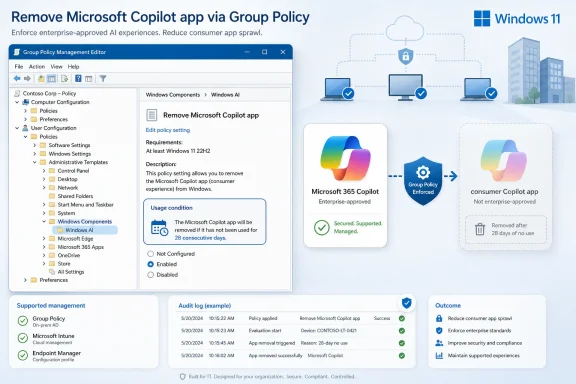
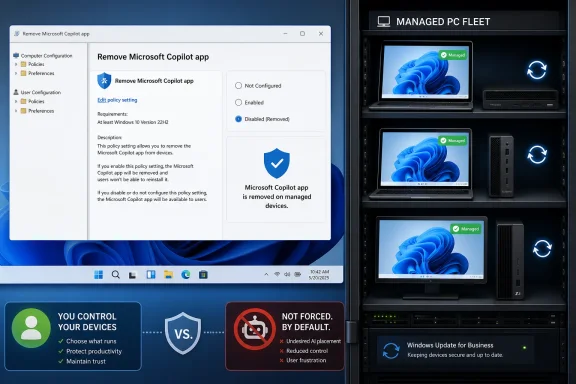
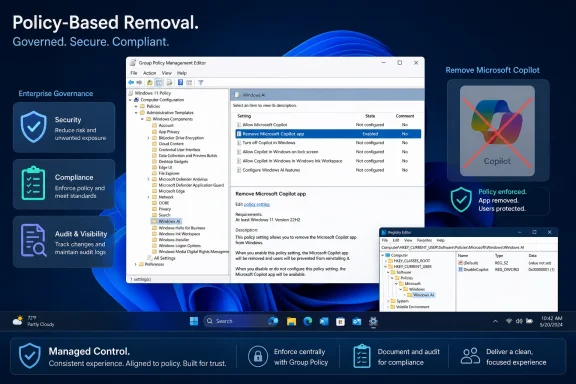
Screenshot showing Windows 11 Group Policy editor removing the Microsoft Copilot app and enforcing enterprise standards.Microsoft Turns Copilot From Branding Into Policy​

The new Group Policy is named “Remove Microsoft Copilot app” and appears under User Configuration → Administrative Templates → Windows Components → Windows AI. Its corresponding policy name is RemoveMicrosoftCopilotApp, and Microsoft also exposes it through the WindowsAI Policy CSP for modern management tools.
That placement is revealing. Copilot is no longer being handled as a stray consumer app or a convenience feature bolted to the shell. It sits in the same administrative neighborhood as other Windows AI controls, which means Microsoft increasingly sees AI experiences as part of the operating system’s policy surface.
The policy’s scope is also deliberately narrow. According to Microsoft’s documented behavior, it applies only when Microsoft 365 Copilot and the consumer Microsoft Copilot app are both installed, when the consumer Copilot app was not installed by the user, and when that app has not been launched in the previous 28 days. If those conditions are met and the policy is enabled, Windows can remove the consumer Copilot app.
That is not the same as a universal “delete Copilot from Windows” switch. It is closer to a cleanup rule for duplicate, unused, Microsoft-seeded Copilot entry points. Microsoft’s argument is implicit: if the enterprise already has the Microsoft 365 Copilot experience and the user has ignored the consumer app for four weeks, removing the redundant app is not disruptive.
For administrators, that is useful. For skeptics, it is also frustrating. The policy does not say, “We heard you; here is one master kill switch.” It says, “Here is one sanctioned path through a maze we created.”

The 28-Day Clock Says More Than the Toggle​

The most interesting part of RemoveMicrosoftCopilotApp is not the word remove. It is the 28-day usage condition.
Microsoft is trying to avoid the appearance, and the operational reality, of ripping away an app that a user has chosen to use. If the consumer Copilot app was manually installed by the user, the policy does not target it. If the app has been opened recently, the policy does not target it. If only one Copilot flavor is installed, the intended cleanup scenario may not exist.
That makes the policy less like classic software restriction and more like telemetry-aware housekeeping. Microsoft is distinguishing between user intent, administrative intent, and vendor-driven installation. In practical terms, it is saying that an app Microsoft placed on the system can be removed by policy if the user has not expressed interest in it.
This is a defensible design, but it also reveals how awkward the Copilot rollout has become. A clean enterprise product strategy would not require Windows to infer whether a duplicated AI app is wanted based on launch history. It would give organizations an explicit deployment model before the app lands, not a conditional removal mechanism after the fact.
The 28-day rule also creates a subtle administrative wrinkle. Help desks will need to understand why the same policy removes Copilot for one user but not another. A user who clicked the app out of curiosity three weeks ago may keep it, while a neighboring user who never opened it may lose it. That is not necessarily a bug, but it is the kind of condition that turns a simple control into a support note.

The Old Copilot Controls Were Always a Patchwork​

Before this new policy, administrators and power users relied on a familiar mix of Group Policy, registry edits, Intune settings, AppLocker rules, and PowerShell commands. Each worked on a slice of the problem, but none fully answered the question most users were really asking: “How do I make Copilot stay gone?”
The older “Turn off Windows Copilot” policy and its registry equivalent under HKEY_LOCAL_MACHINE\SOFTWARE\Policies\Microsoft\Windows\WindowsCopilot with a TurnOffWindowsCopilot DWORD could disable the Windows Copilot experience and hide visible entry points in supported builds. Intune administrators could push the same idea through the Settings Catalog. These controls were useful, especially when Copilot was primarily understood as a shell feature.
But the Copilot product changed underneath those controls. The Windows Copilot pane gave way to app-based experiences. Microsoft 365 Copilot gained its own presence. Edge, Office, Notepad, Paint, Photos, and other surfaces developed their own AI affordances. The result was a management distinction that ordinary users rarely care about but IT departments cannot ignore: disabling one Copilot surface does not necessarily disable all Copilot-branded functionality.
That is why AppLocker packaged app rules became part of the administrator playbook. Blocking packages such as Microsoft.Copilot can prevent execution or installation paths more forcefully than hiding a button. PowerShell removal commands can uninstall an Appx package in the current context. But those methods are brittle in the way Windows customization often is: they may work today, then be undone by a feature update, a Store update, or a provisioning change.
The community reports about Copilot returning after Windows updates fit a long-standing Windows pattern. Manual removals are often treated as local state, while Microsoft’s servicing model continues to enforce the desired baseline for a given edition, region, account type, or update channel. Unless a removal is backed by a supported policy, administrators are fighting the installer rather than instructing it.

Copilot Has Become a Naming Problem With Administrative Consequences​

One reason the new policy matters is that “Copilot” no longer means one thing.
There is the consumer Copilot app, which behaves like a general-purpose AI assistant. There is Microsoft 365 Copilot, tied to organizational identity, enterprise data boundaries, and licensing. There are Copilot-branded controls inside Microsoft 365 apps. There are Windows-level AI features that may or may not carry the Copilot name. There are hardware keys on new PCs that users reasonably assume should open something called Copilot, unless an admin or user remaps them.
This is branding strategy colliding with systems administration. Microsoft wants Copilot to be the common name for AI assistance across its stack. IT wants each component to have a distinct package name, policy path, data boundary, update cadence, and audit story. Those goals are not mutually exclusive, but they are in tension.
RemoveMicrosoftCopilotApp is aimed at one precise slice of that tension: the consumer Copilot app on devices where Microsoft 365 Copilot is also installed. That distinction matters because organizations generally prefer enterprise-governed AI experiences over consumer ones on corporate hardware. A company may be comfortable with Microsoft 365 Copilot under its tenant controls while still wanting to remove the consumer app from managed desktops.
For users, the distinction can look absurd. They see two Copilots, or a Copilot key that opens the wrong Copilot, or a Copilot feature in an app after the Copilot app has been removed. For administrators, the distinction is the difference between a compliant deployment and a data-governance headache.
Microsoft’s challenge is that it has trained the market to see Copilot as a single umbrella while asking admins to manage it as a collection of separate objects. The new policy helps, but it also confirms that the umbrella is getting heavy.

The Enterprise Win Is Real, but It Is Narrow​

For managed organizations, the new policy is good news. It gives IT a supported mechanism to remove a redundant consumer-facing app without relying on one-off scripts or unsupported cleanup jobs. It also aligns with a more rational enterprise posture: if Microsoft 365 Copilot is the approved assistant, the consumer app should not be cluttering corporate devices by default.
The policy’s supported-management angle is important. In large environments, the difference between “a PowerShell command that works in testing” and “a Microsoft-documented policy surface” is enormous. The former is a workaround. The latter can be assigned, audited, explained, and defended during change control.
Still, the narrowness matters. This is not a privacy master switch. It does not disable every AI feature in Windows. It does not remove Copilot from Edge, eliminate Copilot functionality in Microsoft 365 apps, or guarantee that future Windows features branded with Copilot will obey the same setting. It removes a particular app under particular conditions.
That is why the best administrative strategy remains layered. Organizations that want a low-Copilot or no-consumer-Copilot environment should combine the new removal policy with existing controls: Intune configuration, legacy Copilot disablement where still applicable, AppLocker or App Control rules, Microsoft 365 admin settings, and clear user communication.
The risk is not that RemoveMicrosoftCopilotApp fails to do what it says. The risk is that its name sounds broader than its actual scope. Admins who treat it as the one Copilot control to rule them all will likely be disappointed.

Home Users Are Still Stuck in the Workaround Economy​

The new policy is most meaningful for managed Windows environments. Home users, meanwhile, remain in the familiar position of searching for registry edits, PowerShell commands, Store uninstall options, and third-party guides.
Some users can uninstall the Copilot app through Settings if the app appears as a normal installed package. Others can remove it with PowerShell commands such as Get-AppxPackage followed by Remove-AppxPackage. Some can disable visible Copilot entry points through registry policy values, depending on edition and build. Windows 11 Pro users have more Group Policy access than Windows 11 Home users, though registry-backed policies can sometimes achieve similar effects.
But the problem for home users is persistence. Removing an inbox or provisioned app does not always mean it stays removed forever. Windows feature updates, Store app updates, Microsoft account experiences, and region-specific rollout changes can all reintroduce components. The result is the same maintenance burden that power users have faced for years with consumer features they regard as bloat.
This is where Microsoft’s enterprise-first cleanup path may irritate enthusiasts. The company has created a supported mechanism for admins to remove the consumer Copilot app when Microsoft 365 Copilot is present, but individual users who simply do not want Copilot at all are still left assembling their own toolkit. The power user gets more control than the average user, but less certainty than the enterprise admin.
That asymmetry is not new. Windows has long given organizations deeper policy hooks than consumers. But AI makes the gap feel sharper because Copilot is not just another suggested app. It is a cloud-connected assistant with branding that appears across productivity, search, chat, and operating-system surfaces.

Microsoft Is Learning That AI Needs an Off-Ramp​

The broader story is not that Microsoft has suddenly soured on Copilot. It has not. The company continues to build AI into Windows and Microsoft 365 because it sees AI as the next platform layer, a way to defend Office, modernize Windows, and keep users inside Microsoft’s cloud.
What has changed is the administrative maturity of the rollout. Early Copilot deployment often felt like marketing outrunning management. Buttons appeared before policies were fully understood. App experiences shifted faster than documentation. The same name attached itself to separate technical products. Enthusiasts complained about bloat; administrators complained about ambiguity.
The new removal policy is part of Microsoft’s adjustment. It acknowledges that AI assistants need lifecycle controls just like browsers, sync clients, consumer apps, and security agents. They need installation logic, removal logic, disablement logic, and exceptions for user intent. They need to respect the difference between a personally owned laptop and a regulated corporate endpoint.
The catch is that Microsoft is trying to add those controls while still pushing Copilot forward aggressively. That creates a two-track experience. On one track, Microsoft tells customers that Copilot is central to the future of Windows. On the other, it quietly adds policies to remove or suppress Copilot surfaces when they become operationally messy.
That is not hypocrisy so much as platform politics. Microsoft wants Copilot everywhere that helps adoption, but not so everywhere that it triggers enterprise resistance. The new policy is a pressure valve.

The Practical Reading for Windows Admins Is Smaller Than the Headline​

The headline version is simple: Windows 11 is getting a policy to remove the Copilot app. The operational version is more constrained and more useful.
This is a targeted cleanup control for environments where Microsoft’s consumer Copilot app and Microsoft 365 Copilot coexist. It is not a universal AI-disablement framework. It does not replace tenant-level Microsoft 365 Copilot governance, app control, Edge policies, or user education. It is one more instrument in a growing Windows AI policy set.
Administrators should also treat build availability carefully. Reporting around the feature points to recent Windows 11 preview builds, and Microsoft documentation now describes the policy in the WindowsAI Policy CSP. As always with Windows policy work, the difference between Insider builds, general availability builds, ADMX availability, and MDM support can matter in the field.
For cautious IT teams, the right move is not to rip out existing Copilot controls immediately. It is to test RemoveMicrosoftCopilotApp in a pilot ring, confirm which devices meet the removal conditions, document what remains after the policy applies, and decide whether additional controls are needed for Edge, Microsoft 365 apps, Store packages, or Windows AI features.
The policy should also be understood as user-scoped as well as device-aware. In shared-device or multi-user scenarios, launch history and installation origin may vary by user. That makes validation more important than assumption.

Redmond’s Copilot Cleanup Leaves a Manageable, Uneven Map​

The useful facts for WindowsForum readers are concrete, but the implication is broader: Microsoft has begun turning Copilot backlash into policy plumbing rather than press statements.
  • The new RemoveMicrosoftCopilotApp policy is designed to uninstall the consumer Microsoft Copilot app only when Microsoft 365 Copilot is also installed and the consumer app appears unused and Microsoft-installed.
  • The older TurnOffWindowsCopilot policy and registry value remain relevant in some scenarios, but Microsoft’s newer app-based Copilot direction means they should not be treated as complete removal tools.
  • AppLocker or App Control rules remain important when organizations want to prevent Copilot packages from running or returning through normal app channels.
  • PowerShell removal can work for individual machines or remediation scripts, but community experience suggests that unsupported removals may not survive every Windows update or provisioning path.
  • Home users still have fewer clean options than managed organizations, especially on Windows 11 Home, where Group Policy tooling is limited and update-driven reinstalls can undermine manual cleanup.
  • The biggest administrative task is now classification: deciding which Copilot experiences are approved, which are redundant, and which must be blocked for governance or usability reasons.
The new Windows 11 Copilot removal policy is not Microsoft waving a white flag in the AI wars; it is Microsoft discovering that every platform feature eventually needs an uninstall story. For enterprises, that story is finally becoming more official, if still narrower than many admins would like. For enthusiasts, it is another reminder that Windows is increasingly managed through policy even when the machine belongs to one person. The next phase of Copilot in Windows will not be decided only by how clever the assistant becomes, but by whether Microsoft can make its AI ambitions feel optional, governable, and quiet enough to trust.

References​

  1. Primary source: Let's Data Science
    Published: 2026-05-23T19:50:08.156034
  2. Related coverage: windowscentral.com
  3. Official source: learn.microsoft.com
  4. Related coverage: tomshardware.com
  5. Related coverage: tweakers.net
  6. Related coverage: technobezz.com
 

Microsoft now documents a Windows 11 policy called RemoveMicrosoftCopilotApp that lets administrators uninstall the Microsoft Copilot app on managed Windows 11 version 24H2 devices, a change surfaced in May 2026 as part of Microsoft’s broader retreat from putting Copilot everywhere in the operating system. The policy does not mean Microsoft is abandoning AI in Windows. It means Redmond has finally accepted that an assistant promoted as the future of computing cannot keep behaving like an app users and admins are not allowed to decline. For WindowsForum readers, the story is not that Copilot can be removed; it is that Microsoft has had to turn removal itself into an enterprise feature.

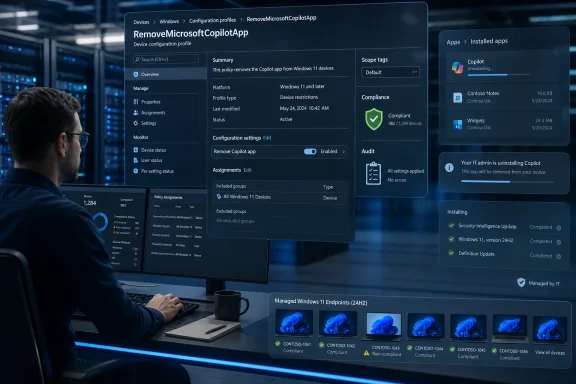
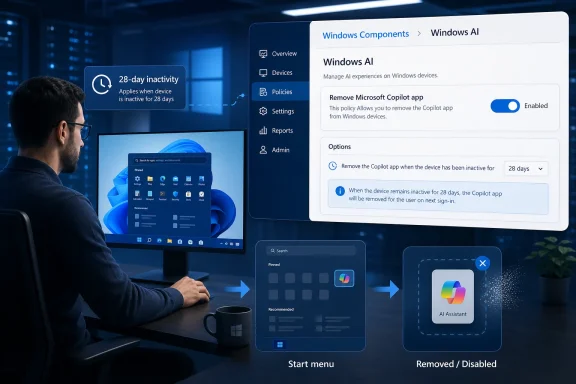
IT admin monitors Microsoft Copilot app removal via Windows configuration profile dashboard on a server console.Microsoft Discovers That Consent Scales Better Than Persistence​

The new policy lands after two years of Copilot expansion that often felt less like product design and more like territorial marking. Copilot appeared on the taskbar, acquired a keyboard key on new PCs, surfaced through Edge, spread into Microsoft 365, and became a recurring presence in inboxes, app chrome, and Windows settings conversations. Microsoft’s message was clear: AI was no longer an optional destination; it was part of the road.
That strategy was always going to collide with the way Windows is actually used. Windows is not just a consumer gadget interface. It is a fleet operating system, a regulated-workplace endpoint, a lab machine, a classroom desktop, a point-of-sale terminal, a developer workstation, and a family PC inherited through years of local habits and grudges.
For those environments, the difference between “you can ignore it” and “you can remove it” is not semantic. Ignored software still creates support tickets, policy questions, privacy reviews, user confusion, update drift, and audit concerns. Uninstalled software, at least in theory, goes away.
Microsoft’s new Group Policy and Policy CSP route is therefore a concession to operational reality. A button in Settings is fine for one PC. A policy is what matters when someone has 5,000 PCs, a compliance deadline, and a security team asking why a consumer AI app is present on devices used for sensitive work.

The Copilot App Was Never Just Another App​

On paper, the Copilot app has already been removable like ordinary Store-delivered Windows software. Users could uninstall it from the Start menu or from Installed Apps, and administrators could use familiar package-removal tools. That made the presence of a new dedicated policy look minor at first glance.
But the complaint was never only that Copilot existed. The complaint was that it kept returning, changing shape, and appearing through multiple product channels. Windows users have long distinguished between software they install and software Microsoft reintroduces after feature updates, app updates, provisioning changes, or account-driven setup flows.
The documented RemoveMicrosoftCopilotApp policy formalizes a distinction Microsoft previously blurred. It tells administrators: this is not merely a shortcut, a taskbar icon, or a pane. It is a package whose lifecycle can be governed.
That matters because Copilot’s Windows identity has been confusing from the start. Microsoft has used “Copilot” to describe a consumer web assistant, a Windows feature, a Microsoft 365 work assistant, a sidebar in Edge, a key on keyboards, and branded AI affordances inside built-in apps. Even technically literate users have struggled to know whether disabling one Copilot experience disables another.
The new policy does not solve all of that naming chaos. It does, however, give administrators a clearer tool for the app layer. In a world where “Copilot” can mean five different things before lunch, even one clean boundary is useful.

The Fine Print Shows Microsoft Is Still Protecting the Funnel​

The policy is not a universal kill switch. Microsoft’s documentation says it applies to Windows 11 version 24H2 and later, supports device and user scope, and is intended for Enterprise, Education, IoT Enterprise, and related managed editions. The same documentation describes conditions that narrow when the app is removed, including whether Microsoft Copilot and Microsoft 365 Copilot are installed, whether the user installed the Copilot app, and whether the app has been launched recently.
That is classic Microsoft compromise language. The company is giving IT a supported path while avoiding a blunt mechanism that strips Copilot from every machine under every circumstance. If a user deliberately installed and used the app, Microsoft is less eager to have policy rip it away.
There is a defensible version of that argument. Enterprises do need to distinguish between removing unwanted default software and deleting user-intended tools. A policy that respects some evidence of user choice is not inherently unreasonable.
Still, the restrictions reveal the tension. Microsoft wants to say admins are in control, but it also wants to preserve Copilot’s route back onto the desktop where it can. Users can reportedly reinstall the app, and the policy appears designed around targeted removal rather than permanent eradication of every AI surface in Windows.
That is why this should be read as a recalibration, not a surrender. Microsoft is not retreating from Copilot. It is retreating from the idea that Copilot should be impossible to administer like everything else.

Windows AI Is Becoming a Policy Surface, Not a Feature Toggle​

The larger significance is the emergence of “Windows AI” as a first-class policy category. Copilot removal now sits alongside policy controls for Recall, Click to Do, Paint AI features, Copilot hardware key behavior, and other AI-adjacent components. That is a quiet architectural admission: AI features are not decorative extras anymore. They are managed endpoint capabilities.
For sysadmins, this is the correct direction. If Windows is going to include screenshot analysis, generative tools, cloud-connected assistants, semantic search, and agent-like behaviors, those features need administrative surfaces as boring and explicit as BitLocker, Defender, AppLocker, and Windows Update for Business. AI cannot live permanently in the uncanny valley between consumer convenience and enterprise infrastructure.
Microsoft’s previous Copilot posture often treated AI as a marketing layer. The Windows experience was peppered with Copilot entry points, as though the operating system needed to keep reminding users that the AI era had arrived. That may help a product launch. It is a poor long-term management model.
The policy sprawl now forming around Windows AI is less flashy but more important. It says the real future of AI on Windows will be decided not by keynote demos but by defaults, administrative templates, CSP nodes, registry values, edition gates, and whether a help desk can explain what changed after Patch Tuesday.
That is not cynicism. That is how Windows becomes durable. Every major Windows feature that survives the hype cycle eventually has to become governable.

The April 2026 Clean-Up Is Damage Control With a Roadmap​

This Copilot removal option also fits into a broader 2026 Windows clean-up effort. Microsoft has been trimming unnecessary Copilot entry points in built-in apps and responding to long-running criticism that Windows 11 feels too cluttered, too promotional, and too quick to prioritize Microsoft’s business goals over the user’s task.
The company’s defenders will argue that this is normal iteration. Microsoft pushed aggressively, listened to feedback, and refined the experience. There is some truth there. Large software platforms routinely overbuild during strategic transitions and then sand down the rough edges.
But Windows users are justified in seeing something more pointed. Copilot’s rollout often felt like Microsoft was spending user trust as launch capital. When an AI icon appears where a user expected a clean utility, or a web-connected assistant shows up in a workplace image that went through review, the cost is not just annoyance. It is another small reminder that the PC owner and the platform owner do not always have the same priorities.
The clean-up therefore reads as damage control because it is damage control. Microsoft is trying to preserve the AI strategy while reducing the visible irritants that made users suspicious of the strategy in the first place. Removing Copilot branding from some places, exposing policies in others, and giving admins more knobs are all ways of saying: the assistant will remain, but perhaps it does not need to wave at you from every corner.
That is a healthier posture. It also should have been the launch posture.

Home Users Still Get the Messier Version of Choice​

The enterprise story is relatively clean: use Group Policy, MDM, Intune, or another management stack, and the Copilot app becomes part of endpoint configuration. The Home user story remains more improvisational. Windows Home does not include the full Group Policy Editor experience, so users chasing the same outcome usually end up in Registry Editor, PowerShell, winget, Store package commands, or third-party debloating scripts.
That gap is not new, but AI makes it more visible. Microsoft tends to reserve the cleanest management controls for business editions, while consumers get Settings toggles when Microsoft chooses to expose them. For ordinary users who simply do not want AI assistants on the desktop, that can feel like a two-tier version of ownership.
The problem is not that every Home user needs a corporate policy console. The problem is that Windows increasingly ships features with enterprise-grade implications and consumer-grade controls. An assistant that can connect to cloud services, account identity, workplace documents, browser flows, and system surfaces should not require folklore to disable cleanly.
There is also a trust issue in the registry workaround culture. When a user has to create keys under WindowsAI or run AppxPackage commands copied from a forum, Microsoft has already lost the product-design argument. The user may succeed technically, but the operating system has taught them that control lives behind a hidden door.
If Microsoft is serious about “user choice” as more than a blog-post phrase, the consumer-facing controls need to become less coy. The average Windows user should not have to learn the difference between the Copilot app, Microsoft 365 Copilot, Copilot in Edge, Copilot branding in Notepad, and a deprecated Windows Copilot policy just to make the desktop feel like theirs.

IT Departments Asked for Governance, Not Vibes​

For organizations, the central issue is not whether Copilot is useful. Some employees will benefit from AI-assisted summarization, drafting, search, and workflow automation. Some departments may standardize on Microsoft 365 Copilot because it fits their licensing, compliance, and data-governance model.
The issue is uncontrolled variance. An enterprise cannot have consumer Copilot, work Copilot, Edge Copilot, Office Copilot, and Windows Copilot all appearing through different channels with different authentication paths and different administrative controls. That is how shadow IT becomes a first-party feature.
Microsoft’s own documentation distinguishes consumer and commercial Copilot experiences, including differences around Entra authentication and enterprise data protection. That distinction matters. A workplace may be comfortable with Microsoft 365 Copilot under tenant controls and retention policies while rejecting the consumer Copilot app on managed devices.
This is where the removal policy becomes more than cosmetic. It helps administrators separate an approved AI deployment from a default consumer assistant. In regulated sectors, that difference is not philosophical; it can affect risk assessments, user training, procurement language, and incident response.
The irony is that Microsoft understands this better than almost anyone. The company built its enterprise empire on manageability. Windows succeeded in business not because every default was beloved, but because administrators could eventually bend the platform to fit organizational rules. Copilot now has to pass through that same gate.

The Old Disable Policy Is a Warning From the Recent Past​

One reason the new removal policy matters is that the older “Turn off Windows Copilot” policy has become a kind of historical artifact. Microsoft’s documentation now treats it as deprecated and warns that it does not apply cleanly to the newer Copilot app experience. That is a revealing footnote in the Windows AI rollout.
The original Windows Copilot was presented as an integrated feature. Then Microsoft shifted toward a more app-like Copilot experience. Policies built for the first model did not map neatly onto the second. Administrators who thought they had disabled Copilot could discover that a different Copilot had arrived through another mechanism.
This is precisely the kind of churn that makes IT departments wary of platform AI. It is not that admins fear new technology. They fear ambiguous scope, renamed features, overlapping controls, and settings that work until the product team changes the implementation.
The new RemoveMicrosoftCopilotApp policy is therefore also a repair job. It acknowledges that the old control plane was insufficient for the new packaging model. Microsoft is not just adding a feature; it is cleaning up after its own product evolution.
That clean-up needs to continue. If Windows AI keeps expanding into agents, Recall providers, semantic settings search, and app actions, the management model must be stable enough that policies do not become obsolete every time Microsoft rebrands an experience.

Copilot’s Real Problem Is That Windows Users Know This Pattern​

The backlash to Copilot is not happening in a vacuum. Windows users have lived through years of Start menu promotions, Edge nudges, OneDrive prompts, Teams auto-installs, Microsoft account pressure, recommended content, widgets, and shifting defaults. Copilot arrived carrying all that baggage.
That history makes users less willing to give Microsoft the benefit of the doubt. An AI assistant that might otherwise be judged on utility is instead judged through the lens of platform coercion. Is this here because it helps me, or because Microsoft needs engagement? Will it stay disabled, or return after the next cumulative update? Is this a local feature, a cloud service, or another path into Microsoft’s subscription economy?
Those questions are not paranoid. They are the predictable result of repeated boundary testing. Microsoft has often treated Windows as both an operating system and a distribution channel, and users have learned to notice when the second role crowds out the first.
The Copilot removal policy is valuable because it addresses one concrete symptom of that mistrust. But it does not erase the underlying pattern. Microsoft will have to prove, over multiple releases, that user and administrator choices persist.
That proof cannot come from marketing language. It has to come from the boring experience of setting a policy, applying an update, rebooting six months later, and finding that Windows still did what it was told.

AI on Windows Needs Fewer Entrances and Better Contracts​

There is a good version of Microsoft’s AI future on Windows. It is not hard to imagine an assistant that helps users find settings, summarize local documents with clear consent, automate repetitive actions, explain system errors, and bridge the gap between scattered Microsoft services. For many users, that could be genuinely useful.
But the good version requires contracts. Users need to know what data is used, where processing happens, which account identity is involved, what is stored, what can be audited, and how to turn the feature off. Administrators need deployment controls, reporting, update predictability, and clean separation between consumer and enterprise experiences.
The bad version is what Microsoft seemed tempted by in the early Copilot push: brand saturation as adoption strategy. Put the icon everywhere, wire it into every app, dedicate a keyboard key to it, and assume familiarity will become dependence. That may work for short-term visibility, but it is brittle. Users do not develop trust in a tool by being chased around the desktop by its logo.
The current reversal suggests Microsoft has understood at least part of that. Removing unnecessary entry points and documenting removal policies is a shift from exposure to governance. It is less exciting than a demo where an AI agent books your travel and rewrites your spreadsheet, but it is far more important for Windows as a platform.
If Copilot is useful, people will bring it back. If it is not, forcing it to linger only turns it into another symbol of Windows bloat.

The Copilot Key Becomes a Symbol of the Bet​

No part of this story captures Microsoft’s confidence better than the Copilot key. Adding a new hardware key to Windows PCs was a loud statement: AI was important enough to deserve physical real estate. It was also a risky bet because hardware symbols age poorly when software strategies change.
Microsoft has added policy support for configuring what the Copilot key opens, which is another sign that the company knows the default cannot be sacred. A key that launches an unwanted assistant is a daily irritation. A key that can be redirected is at least a programmable affordance.
For enterprises, that matters because hardware fleets outlive marketing campaigns. A laptop purchased in 2024 or 2025 may remain in service long after Microsoft has renamed, repackaged, or reprioritized parts of Copilot. The key cannot be unprinted from the keyboard. The software behavior can be managed.
That is the broader lesson of the Copilot app removal policy. Microsoft can promote AI as the next era of Windows, but physical buttons, default apps, and built-in experiences still need escape hatches. Otherwise, every ambitious feature becomes technical debt the moment user sentiment shifts.
The more Microsoft insists AI is foundational, the more important those escape hatches become. Foundational does not mean mandatory in every context. In Windows, foundational features are precisely the ones that need the strongest controls.

The Small Policy That Says the Quiet Part Out Loud​

This policy says something Microsoft would probably prefer to frame delicately: Copilot’s default presence became a liability in enough environments that removal needed official support. That is not the same as failure. Many successful enterprise technologies require opt-out controls, staged deployment, and strict governance.
But it punctures the inevitability narrative. Microsoft has spent immense energy presenting Copilot as the natural next layer of computing. The new policy reminds us that platforms do not become inevitable by declaration. They become accepted when users decide the trade-offs are worth it.
For Windows enthusiasts, this is a familiar cycle. Microsoft pushes. Users object. Enterprises demand controls. Microsoft adds policy. The final product becomes less pure from a strategy standpoint but more usable in the real world.
The difference this time is that AI raises the stakes. A bundled media app or chat client can be annoying. An AI assistant connected to accounts, documents, cloud services, screenshots, and workplace workflows triggers a different level of scrutiny. Microsoft cannot treat Copilot like another promotional tile.
That is why the removal policy deserves attention out of proportion to its apparent size. It is not just a way to uninstall an app. It is a signal that Windows AI is entering the same governance negotiations that define the rest of the operating system.

The Practical Meaning for WindowsForum Readers Is Control, With Caveats​

The immediate lesson is straightforward: Windows 11 administrators now have a more official path to remove the Copilot app from eligible managed devices, but this is not a universal AI-off switch and should not be mistaken for one. Copilot remains a family of experiences, and Microsoft’s AI work in Windows is continuing.
  • Administrators should treat RemoveMicrosoftCopilotApp as an app-lifecycle policy, not as a complete shutdown of every Copilot-branded or AI-powered surface in Windows.
  • The policy is most relevant to managed Windows 11 version 24H2 environments where Group Policy, MDM, Intune, or similar tools are already part of endpoint governance.
  • Organizations that approve Microsoft 365 Copilot may still want to remove the consumer Microsoft Copilot app to avoid user confusion and data-protection ambiguity.
  • Home users may be able to approximate the result through registry or package-removal methods, but Microsoft still has not made consumer AI removal as clean as it should be.
  • The older Turn off Windows Copilot policy should not be assumed to control the newer Copilot app experience, especially as Microsoft continues changing Copilot’s packaging and entry points.
  • The real test will be whether Copilot removal choices survive future Windows updates without administrators having to fight the same battle again.
Microsoft’s AI strategy for Windows is not shrinking so much as maturing under pressure, and that is probably the best outcome users could realistically expect in 2026. Copilot will keep spreading into places where Microsoft believes it can add value, but the company is learning that Windows users and administrators will not accept usefulness as something imposed by default and negotiated afterward. The next phase of AI on Windows will be judged less by how many surfaces display the Copilot logo and more by whether Microsoft can make its most ambitious features feel optional, governable, and trustworthy before the backlash forces another clean-up.

References​

  1. Primary source: Digital Trends
    Published: Mon, 25 May 2026 12:10:54 GMT
  2. Related coverage: windowscentral.com
  3. Related coverage: windowslatest.com
  4. Related coverage: techspot.com
  5. Related coverage: techcrunch.com
  6. Related coverage: es.digitaltrends.com
 

Attachments

  • windowsforum-windows-11-24h2-copilot-app-removal-policy-removemicrosoftcopilotapp-for-it-cont...webp
    windowsforum-windows-11-24h2-copilot-app-removal-policy-removemicrosoftcopilotapp-for-it-cont...webp
    167.9 KB · Views: 0
Microsoft has added a Windows 11 policy called “Remove Microsoft Copilot app” in the April 2026 update, giving administrators a supported way to uninstall Copilot from managed PCs and reduce the chance that future Windows servicing will quietly put it back. That is the practical news, but not the whole story. The more interesting shift is strategic: Microsoft is learning, slowly and under pressure, that AI in Windows cannot be treated like a shell feature, a search box, or a browser shortcut. Copilot may be the company’s chosen interface for the next era of computing, but Windows remains the place where users expect ownership to mean something.

Windows policy screen showing Microsoft Copilot app removed from managed PCs in a device management dashboard.Microsoft Turns a Retreat Into a Management Feature​

For the past few years, Microsoft’s Copilot strategy has been defined by placement. Copilot appeared in the taskbar, in Edge, in Microsoft 365, in Windows settings, in app ribbons, in sidebars, and in the marketing language wrapped around nearly every new PC. The logic was obvious enough: if AI is the next platform shift, then Microsoft wanted its assistant to be impossible to miss.
The problem is that Windows is not a social app, a search engine homepage, or a freemium productivity service. It is the operating system underneath hospitals, schools, government desktops, developer workstations, factory kiosks, gaming rigs, and home laptops bought by people who may never once ask a chatbot to summarize a PDF. When a feature becomes omnipresent in that environment, it stops looking like innovation and starts looking like policy.
The new “Remove Microsoft Copilot app” setting is therefore more than a tidy administrative convenience. It is Microsoft acknowledging that Copilot’s presence on Windows PCs has become an operational question, not merely a product preference. If an organization does not want the app present, the answer can no longer be a brittle script, a registry tweak passed around in admin forums, or a ritual uninstall after every feature update.
This is how Microsoft often concedes ground without sounding like it is conceding ground. The company rarely says, “We overreached.” It adds a management surface, documents a setting, exposes a Policy CSP, and lets the enterprise channel translate the retreat into compliance language. That may be unsatisfying for home users who simply want an obvious uninstall button that stays obeyed, but it is how Windows changes when enough friction accumulates.

The App Was Removable, But Trust Was Not​

Copilot’s defenders could fairly argue that the app was not a welded-in kernel component. Users have had ways to remove or disable pieces of it, and Microsoft has been moving Copilot toward a more app-like model rather than the original Windows-integrated sidebar concept. On paper, that sounds like the right direction.
But the complaint was never only that Copilot existed. It was that Windows users could not tell whether their decision would persist. An uninstall that survives until the next cumulative update is not an uninstall in the way most people understand the word. A disabled entry point that reappears after Microsoft changes branding or package behavior is not user choice; it is a temporary ceasefire.
That distinction matters because Windows servicing already asks users and administrators to accept a great deal. Monthly updates can change drivers, defaults, taskbar behavior, inbox apps, notification prompts, account nudges, and cloud integration surfaces. Most of those changes are defensible in isolation. Together, they create the sense that the PC is being renegotiated with every reboot.
Copilot landed directly inside that trust gap. Even users interested in AI could object to the way Microsoft treated visibility as consent. Enterprises, meanwhile, had to consider the messier realities: data governance, user training, support tickets, licensing confusion, and the distinction between consumer Copilot, Microsoft 365 Copilot, Copilot Chat, and Windows-level entry points that look similar but behave differently.
The new policy tries to answer one narrow version of that problem. It gives administrators a cleaner mechanism to remove the Copilot app from managed Windows 11 environments. That is useful. But its importance comes from what it says about the previous state of affairs: the existing tools were not good enough for a feature Microsoft had decided to make highly visible.

Enterprise IT Forced the Distinction Microsoft Blurred​

Microsoft’s AI branding has had a persistent ambiguity problem. “Copilot” can mean a consumer chatbot, a Windows app, a Microsoft 365 assistant, a GitHub coding tool, an Edge sidebar, a security product, or a paid productivity layer embedded in Word, Excel, PowerPoint, Outlook, and Teams. The brand coherence works in advertising. It works much less well in a change advisory board.
An IT administrator cannot govern a slogan. They need to know what package is installed, what identity is used, what data boundary applies, what license enables which feature, what network endpoints are contacted, and what happens when a user clicks a shiny icon with a name that also appears in half a dozen other Microsoft products. Copilot’s brand unification created real administrative fragmentation.
That is why the Group Policy setting matters most in professional Windows editions. It moves at least one piece of the Copilot sprawl into familiar administrative territory. Group Policy and mobile device management are not glamorous, but they are the language Windows administrators use to convert vendor ambition into enforceable boundaries.
The reported details also suggest Microsoft is trying to avoid treating every Copilot installation the same way. The policy appears aimed at managed devices and app instances Microsoft installed or provisioned, not necessarily at a user who deliberately installed Copilot for themselves. That distinction is sensible in enterprise terms, even if it may frustrate administrators who would prefer an absolute kill switch.
The deeper point is that Microsoft is being forced to separate availability from default presence. Enterprises may accept AI tools as optional, licensed, logged, and governed services. They are far less likely to accept them as ambient extras that arrive because Windows Update decided the desktop needed one more assistant.

Windows AI Becomes a Control Plane, Not Just a Marketing Layer​

The location of the setting inside Windows AI administrative controls is itself revealing. Microsoft is not merely adding a one-off Copilot cleanup switch; it is building the early machinery for governing AI features as a class of operating system behavior. That is where Windows is headed, whether users like Copilot or not.
For decades, Windows management has revolved around familiar categories: security, networking, app deployment, browser behavior, device restrictions, account policies, and update cadence. AI cuts across all of them. It can touch local files, cloud services, identity, search, telemetry, productivity content, accessibility tools, and user prompts. Treating it as just another app category was never going to work.
The April 2026 policy therefore looks like a small example of a larger transition. Microsoft will keep shipping AI features into Windows, including capabilities that rely on cloud processing and, on Copilot+ PCs, local neural processing hardware. Administrators will increasingly demand controls that define where AI appears, what it can access, when it can run, and whether it is allowed to participate in workflows by default.
That future will be messy because Microsoft has two conflicting incentives. It wants Copilot to become habitual, which requires prominent placement and low friction. It also wants Windows to remain acceptable in regulated, conservative, and high-control environments, which requires switches, logs, documentation, and the ability to say no.
The new removal policy is Microsoft choosing survivability over purity. Copilot does not need to be present on every managed desktop to remain strategically important. In fact, forcing it onto every desktop may have made some organizations more resistant to the very AI adoption Microsoft wants.

The Home User Still Gets the Lesser Version of Choice​

The most obvious weakness in the change is that it primarily speaks to administrators. Windows Pro, Enterprise, and Education users have a clearer path through Group Policy or management tooling. Windows Home users, as usual, are left closer to the consumer end of Microsoft’s trust model: settings if Microsoft exposes them, workarounds if it does not, and registry edits if they are willing to assume the risk.
That split has long been part of Windows, but Copilot makes it feel more pointed. AI assistants raise questions that ordinary inbox apps do not. Users may object for privacy reasons, because they dislike cloud-connected features, because they do not want background processes tied to an assistant, because they are conserving system resources, or simply because they do not want their operating system to advertise a product at them.
A home user’s objection is not inherently less valid than an enterprise administrator’s objection. It is just less legible to Microsoft’s management stack. Enterprises speak in policies, compliance, procurement, and licensing. Consumers speak in forum posts, Reddit complaints, support tickets, and uninstall attempts. The former gets a Group Policy setting; the latter often gets a toggle after enough bad press.
There are reportedly ways to approximate the same result through Registry Editor or PowerShell, but that is not the same as a first-class consumer control. A registry path is not consent UX. A PowerShell command is not a durable promise. If Microsoft wants ordinary users to believe Copilot is optional, the option needs to live somewhere ordinary users can find it and trust it.
The company has made progress by moving away from the impression that Copilot is a permanent part of the Windows shell. But it has not fully solved the consumer trust problem until removal, hiding, disabling, and reinstalling are all plain-language choices inside Settings, with no surprise resurrection after updates.

The Copilot Backlash Was About More Than AI​

It is tempting to frame the Copilot removal policy as part of a broader anti-AI backlash, and there is certainly some of that. Many users are tired of seeing generative AI inserted into products that worked perfectly well without it. Others have specific concerns about hallucinations, data handling, energy use, intellectual property, or the cultural exhaustion of being told every interface now needs a chat box.
But Windows users have a more specific grievance: Microsoft keeps confusing its desktop monopoly with a product feedback mechanism. The company can put new services in front of hundreds of millions of users by altering defaults and entry points. That reach is powerful, but it also makes every unwanted addition feel coercive.
Copilot inherited the baggage of other Microsoft pushes. Edge prompts, Bing defaults, account sign-in nudges, OneDrive backup messaging, Teams auto-start behavior, Start menu recommendations, and Store app provisioning all created a pattern users recognized immediately. Copilot may be technically different, but emotionally it entered the same category: something Microsoft wanted on the desktop more than many users did.
That is why a removal policy resonates. It is not just about reclaiming a few megabytes or hiding an icon. It is about whether Windows behaves like a platform the user controls or a distribution channel Microsoft controls. The distinction is old, but AI has made it sharper because AI features are more personal, more data-adjacent, and more likely to intrude into creative and professional workflows.
Microsoft’s challenge is that Copilot needs trust more than previous bundled features did. A browser can win on performance. A cloud storage client can win on convenience. An AI assistant has to win permission. If the user starts from the assumption that the assistant was smuggled in and will come back after removal, that permission is already damaged.

Microsoft Is Learning That AI Defaults Need an Escape Hatch​

The company’s broader AI posture has not changed. Microsoft remains deeply invested in Copilot across Windows, Microsoft 365, Azure, GitHub, security, and developer tooling. Its partnership with OpenAI remains central to the strategy, and its hardware messaging around Copilot+ PCs still treats AI acceleration as a defining feature of the next Windows generation.
What is changing is the packaging. Microsoft appears to be realizing that AI everywhere is not the same thing as AI for everyone. The more Copilot shows up across the product line, the more important it becomes to define where it can be removed, where it can be hidden, where it is licensed, and where it is merely an entry point to something else.
This is a familiar maturation curve. New platform features often begin as aggressive defaults because vendors want usage, telemetry, and developer momentum. Then enterprise customers push back, regulators ask questions, consumers complain, and the feature becomes configurable. The setting arrives after the argument, not before it.
The risk for Microsoft is that the argument may have cost it goodwill it did not need to spend. Copilot would likely have been better received if the company had treated it from the start as powerful but optional: easy to discover, easy to install, easy to remove, and transparent about what it does. Instead, Microsoft’s first instinct was to make it feel inevitable.
The April 2026 policy does not erase that history. It does, however, suggest Microsoft is adjusting to the limits of inevitability. Even if Copilot becomes a major interface layer, it cannot be allowed to feel like an infestation on machines whose owners did not ask for it.

Administrators Get a Cleaner Lever, But Not a Free Pass​

For IT departments, the new policy should reduce some of the scripting and post-update cleanup that has surrounded Copilot management. A supported Group Policy or MDM setting is easier to document, easier to audit, and easier to defend internally than a custom removal script copied from a blog post. It also gives help desks a clearer explanation when users ask why the app is missing from managed devices.
Still, administrators should be careful not to treat the setting as the entire AI governance plan. Removing the Windows Copilot app does not necessarily settle Microsoft 365 Copilot availability, Edge sidebar behavior, web-based Copilot access, Office ribbon controls, Teams integrations, or third-party AI tools users can reach in a browser. The desktop app is one surface in a much larger AI estate.
The better reading is that Microsoft has provided a useful building block. Organizations still need to decide whether they are blocking Copilot outright, delaying adoption, limiting access to licensed users, permitting web chat but not work-content grounding, or separating consumer and enterprise AI identities. Those decisions involve data classification and user training as much as Windows configuration.
There is also a support consideration. If users can reinstall Copilot from the Store or access it elsewhere, administrators need policy clarity rather than relying on absence as enforcement. A missing Start menu app is not the same as a blocked service. In regulated environments, that distinction can matter a great deal.
Even so, the operational benefit is real. Windows administrators have spent years asking Microsoft to make built-in app governance less like whack-a-mole. A Copilot-specific removal policy is not a complete cure, but it is a meaningful acknowledgement that AI features need predictable lifecycle management.

The Real Test Comes After the Next Feature Update​

The credibility of this change will not be established on the day administrators flip the policy. It will be established months later, after cumulative updates, feature enablement packages, Store updates, app provisioning changes, and whatever branding adjustment Microsoft decides Copilot needs next. Windows users have learned to judge Microsoft’s controls by whether they survive contact with servicing.
That is where “Remove Microsoft Copilot app” must prove itself. If the policy reliably prevents reprovisioning on managed devices, it will become a quiet win for admins and a sign that Microsoft is serious about respecting enterprise boundaries. If Copilot reappears through another package, renamed entry point, web component, or Microsoft 365 shortcut, the policy will be seen as cosmetic.
Microsoft’s track record here is mixed. The company is capable of building robust administrative controls when enterprise customers demand them. It is also capable of finding new surfaces for promoted services after old ones become controversial. The Copilot brand’s sprawl makes that second tendency especially easy.
The April 2026 update also arrives in a broader period of Windows cleanup. Microsoft has been trimming or renaming some Copilot entry points and adjusting how AI features are presented in inbox apps. That could indicate a genuine course correction: fewer gratuitous buttons, clearer app boundaries, and more respect for user context.
Or it could mean Microsoft has learned that the word “Copilot” itself can become a liability when overused. Removing a logo from a button while preserving the underlying AI feature is not the same as reducing AI integration. Users and administrators will notice the difference.

A Small Policy Carries a Large Warning​

The concrete lesson from this episode is not that Copilot is doomed. It is that Microsoft cannot use Windows as if it were merely a launchpad for whatever strategic priority Redmond has this fiscal year. Windows is too important, too widely deployed, and too personal for that.
The new removal control gives Microsoft a better answer to one class of complaint, but it also exposes the cost of not offering that answer earlier. Users who distrust Copilot now may not be won back by a policy they never see. Administrators who spent months building workarounds will welcome the setting, but they will also remember why they needed it.
The healthiest version of Copilot on Windows is one that earns its place. It should be installable for users who want it, governable for organizations that need it, and removable for those who do not. That sounds obvious, but much of the Windows AI rollout has behaved as though obvious consent mechanics were secondary to distribution.
Microsoft has the technical capacity to fix this. It can make AI features modular. It can separate consumer and enterprise identities more clearly. It can expose plain Settings controls for home users and durable policies for administrators. It can stop treating reappearance after updates as an acceptable side effect of progress.

The Copilot Button Finally Meets the Admin Console​

The practical reading for WindowsForum readers is simple: this is a welcome change, but it is not a revolution. It is Microsoft giving administrators a cleaner lever after discovering that enthusiasm for AI does not cancel the need for control.
  • The April 2026 Windows 11 update adds a supported policy path for removing the Microsoft Copilot app from managed devices.
  • The setting is most useful for organizations that need predictable behavior across fleets rather than one-off manual uninstall steps.
  • The change does not mean Microsoft is backing away from Copilot as a product or from AI as a Windows strategy.
  • Home users still appear to have a weaker version of the same choice, often relying on less friendly tools if Group Policy is unavailable.
  • Administrators should treat Copilot app removal as one part of broader AI governance, not as a complete block on Microsoft’s AI ecosystem.
  • Microsoft’s real test will be whether the policy keeps working after future Windows updates and app provisioning changes.
The lesson Microsoft should take from the Copilot removal policy is not that users hate AI, or that Windows must freeze itself in place to avoid controversy. The lesson is that choice has to be designed into the rollout, not patched in after resistance hardens. Copilot may still become a useful layer across Windows and Microsoft 365, but its long-term acceptance will depend less on how many icons Microsoft can place in front of users and more on whether Windows once again feels like a system that takes “no” for an answer.

References​

  1. Primary source: channelnews.com.au
    Published: 2026-05-25T23:20:08.251513
  2. Related coverage: windowslatest.com
  3. Related coverage: windowsreport.com
  4. Related coverage: digitaltrends.com
  5. Related coverage: bleepingcomputer.com
  6. Related coverage: hendryadrian.com
 

Microsoft has added a Windows 11 policy that lets administrators remove the Microsoft Copilot app from managed PCs, with the setting appearing after the April 2026 update and documented under Windows AI policy controls for Windows 11 version 24H2 and later. The change is small in the user interface and large in symbolism. After years of turning Copilot into a fixture of the Windows experience, Microsoft is now conceding that AI must be governed like any other enterprise workload. The lesson is not that Copilot has failed; it is that Windows users and administrators never accepted AI as something that should be installed beyond their consent.

IT admin manages Windows 11 April 2026 update policy, removing Microsoft Copilot across 120 devices securely.Microsoft Turns an AI Mandate Into an Admin Choice​

For much of the Copilot era, Microsoft behaved as if distribution would solve adoption. Put the icon on the taskbar, put the app in the Start menu, put the key on new keyboards, and eventually users would normalize the idea that Windows was no longer just an operating system but an AI client. That strategy may have worked for browser search boxes and cloud sign-in prompts, but Copilot has always carried heavier baggage.
The new policy, known in Microsoft’s management stack as RemoveMicrosoftCopilotApp, changes the posture. Instead of merely hiding an icon or disabling an entry point, it allows administrators to uninstall the consumer Microsoft Copilot app in a targeted way. That matters because the enterprise complaint was never only visual clutter; it was lifecycle control.
The policy is not a universal kill switch for all Microsoft AI. It does not erase Microsoft 365 Copilot from Office, remove every AI-powered feature in Windows apps, or stop Microsoft from building future agents into the shell. But it gives IT a supported mechanism to say that this particular app should not be present on a managed Windows device.
That is the difference between tolerance and governance. Microsoft is not abandoning Copilot. It is admitting that Copilot cannot be treated like wallpaper.

The Old Disable Button Was Not Enough​

Windows administrators have had ways to suppress Copilot before, but suppression is not the same thing as removal. A disabled feature can still sit inside an image, reappear after servicing, confuse users, generate help-desk tickets, or fall into the gray zone between “not supported here” and “why is this on my machine?” For organizations with strict software inventories, that ambiguity is expensive.
The legacy “Turn off Windows Copilot” policy belonged to an earlier version of the feature, when Copilot in Windows was more of a side pane and taskbar experience. Microsoft’s own documentation now treats that older control as deprecated or headed in that direction. The newer Copilot app model requires a newer management model.
That distinction explains why this change drew attention even though users could already uninstall Copilot in some circumstances. A consumer uninstall path is not the same as an enterprise guarantee. When a built-in or promoted app comes back after an update, an OS refresh, or a provisioning cycle, the user experiences it as annoyance; the administrator experiences it as drift.
The new policy is Microsoft saying, in effect, that Copilot’s presence can be governed as state. If the policy says the app should be gone and the device qualifies, it should be removed. For Windows admins, that is the language that matters.

The Fine Print Shows Microsoft Still Wants a Managed Exit​

There is a temptation to frame this as Microsoft finally letting everyone delete Copilot forever. The reality is narrower. The policy applies under specific conditions, and Microsoft’s documentation makes clear that it is designed for managed environments rather than as a philosophical surrender to local-PC minimalism.
The Microsoft policy documentation says the removal mechanism applies to Windows 11 version 24H2 and later, and it appears in the Windows AI policy area for device and user scope. It is aimed at Enterprise, Education, IoT Enterprise, and, according to the policy text, Professional client SKUs in the relevant management context. The app is removed when the policy is enabled and the device or user meets Microsoft’s defined criteria.
Those criteria matter. Microsoft describes conditions involving both Microsoft 365 Copilot and Microsoft Copilot being installed, the Copilot app not having been installed by the user, and the app not having been launched in the last 28 days. In other words, this is not a brute-force ripper for every possible Copilot footprint. It is a cleanup policy for a particular deployment state.
That is classic Microsoft compromise. The company is offering enterprises a supported off-ramp, but not turning Windows into a blank slate. Copilot remains available through reinstall paths, Microsoft 365 channels, Edge, Bing, and other product surfaces where Microsoft believes AI belongs.

The Real Story Is Trust, Not Disk Space​

The Copilot app itself is not the biggest storage offender on a Windows PC. Most users are not enraged because a few app packages exist on disk. They are irritated because Windows increasingly behaves as if Microsoft’s product roadmap has higher priority than the owner’s preferences.
That is why the “Copilot keeps coming back” complaint has had staying power. The technical details vary from build to build and deployment to deployment, but the emotional pattern is familiar: a user removes something, Windows Update or Microsoft Store provisioning puts it back, and the operating system feels less like a tool than a sales channel. The same dynamic has powered backlash against Edge prompts, Start menu recommendations, Teams auto-installs, and Microsoft account nudges.
For businesses, trust has an even sharper edge. Administrators need to know what software is on endpoints, what services it talks to, what data handling rules apply, and what happens during updates. An AI assistant, even a consumer one, raises governance questions that a weather widget does not.
Microsoft has spent years telling customers that Copilot is enterprise-ready, secure, and central to the future of productivity. But the more central a tool becomes, the more important it is that organizations can say no. A platform that cannot accept refusal does not look confident; it looks insecure.

Windows Is Being Cleaned Up Because Users Noticed the Mess​

The Copilot removal policy lands amid a broader Windows 11 cleanup mood. Microsoft has been trimming some Copilot branding and entry points from built-in apps, adjusting policies around bundled apps, and giving administrators more control over what ships in managed images. The company’s public language tends to describe this as refinement, but the timing suggests something more defensive.
Windows 11 has reached the stage where every forced feature is interpreted through a decade of accumulated resentment. Users remember Candy Crush tiles, consumer Teams confusion, Widgets that wanted MSN engagement, and Edge pleading for another chance. Copilot arrived into that climate, not into a vacuum.
That does not mean every Copilot feature is useless. Some AI tools in Windows can be genuinely helpful, especially for accessibility, summarization, search, image work, and repetitive administrative tasks. But usefulness is not the same as entitlement to default presence.
The cleanup is Microsoft discovering that AI does not get a special exemption from old Windows politics. If anything, it gets more scrutiny because users understand that AI features may imply cloud processing, telemetry, licensing complexity, and data-boundary questions. The icon is small; the implications are not.

Enterprise IT Wanted a Policy, Not a Debate​

The strongest case for the new removal control comes from managed fleets. A school district, hospital, law firm, factory, or government agency does not want each endpoint to become a referendum on Microsoft’s AI roadmap. It wants a standard baseline, predictable servicing, and a clear answer when auditors ask what applications are present.
Group Policy and Policy CSP support are therefore more important than the app uninstall button in Settings. Settings is a user gesture. Policy is an operational contract. When Intune, Configuration Manager, Group Policy, or another management layer can enforce the state, Copilot becomes part of the normal machinery of endpoint administration.
That also helps Microsoft. Shadow scripts, registry hacks, Store-blocking workarounds, and improvised provisioning removals are bad for everyone. They create brittle environments and support cases where no one can tell whether Windows is broken, customized, or merely resisting a customization. A first-party policy is cleaner than a thousand forum posts telling admins to rip out app packages with PowerShell.
Still, Microsoft should not overclaim the victory. The existence of this policy is evidence that the original deployment strategy created friction. Enterprise customers did not ask for a ceremonial way to remove a harmless app; they asked because the app’s persistence had become a governance problem.

The Consumer Story Is Less Complete​

For individual Windows 11 users, the situation is messier. Many can uninstall the Copilot app through Settings like a normal application, and Microsoft’s newer app-based model makes Copilot feel less fused to the shell than the earliest Windows Copilot experiments did. But the most robust controls remain administrative.
A home user on Windows 11 Home is not living in the same policy world as an enterprise admin. Local Group Policy Editor is not generally available there, and the most supported removal workflows are not written for someone managing a single family laptop. That leaves consumers relying on app uninstall behavior, Store settings, regional defaults, and whatever Microsoft decides to push next.
The deeper consumer concern is recurrence. If a user removes Copilot today, will a future feature update, Store update, Microsoft 365 change, or Windows “experience” package bring it back in another form? The new policy improves the answer for managed PCs. It does not settle the question for every Windows installation.
This is where Microsoft’s language will matter. If the company says users are in control, it should make that control obvious, durable, and reversible without requiring registry spelunking. Windows users have long memories for features that return after being dismissed.

Copilot Is Becoming Many Things at Once​

Part of the confusion comes from the name itself. “Copilot” now spans consumer chat, Microsoft 365 productivity features, Edge integrations, Bing experiences, Windows app affordances, developer tooling, security products, and hardware branding. Removing the Microsoft Copilot app from Windows does not remove the Copilot concept from Microsoft’s ecosystem.
That naming sprawl creates real administrative risk. A user may think Copilot is gone because the Start menu app disappeared. An admin may disable one Copilot surface while another remains available through Microsoft 365 or Edge. A compliance officer may ask whether “Copilot” is enabled and receive five technically accurate but incomplete answers.
Microsoft’s policy documentation tries to separate the consumer Copilot app from Microsoft 365 Copilot and Copilot Chat experiences, but the branding works against that clarity. The company wants one AI umbrella for marketing purposes and many distinct products for licensing and administration. That tension is now landing on IT desks.
The new uninstall policy is useful precisely because it narrows the object. It says: this app, this package, this managed removal behavior. In a product family increasingly built from overlapping AI surfaces, specificity is a feature.

The Security Argument Is Subtler Than the Outrage​

Some reactions to Copilot’s presence treat the app as if it is automatically a security breach. That is too blunt. Microsoft’s enterprise AI strategy is heavily wrapped in permissions, tenant boundaries, compliance claims, and management promises. A properly configured Microsoft 365 Copilot deployment is not the same thing as an unmanaged chatbot pasted into a browser tab.
But security teams do not need to prove catastrophe to justify minimization. If an app is not approved, not licensed, not trained for, or not part of a documented workflow, removing it is a rational control. The principle is mundane: reduce unnecessary software, reduce ambiguity, reduce support surface.
AI makes that principle more urgent because the user interface invites broad questions. “Summarize this.” “Read that.” “Help me with this file.” “Open this app.” Even when a particular Copilot surface cannot access everything a user imagines, the ambiguity itself becomes a training and policy problem.
The new removal setting lets organizations avoid that ambiguity where they do not want the consumer Copilot app present. It does not solve AI governance. It gives governance teams one fewer loose end.

Microsoft Is Learning the Wrong Lesson Slowly but Usefully​

The obvious lesson would be that users dislike AI. That is not quite right. Users dislike being drafted into someone else’s AI adoption metric. They dislike when operating systems become growth funnels. They dislike when dismissal is temporary and consent feels ornamental.
Microsoft’s better lesson is that AI has to earn placement. If Copilot is valuable, people will pin it, launch it, subscribe to it, and ask for it in workflows where it saves time. If it must be repeatedly injected into Windows to be noticed, the product problem is not solved by more injection.
This is especially important because Microsoft is still betting heavily on AI PCs and agentic workflows. Copilot+ PCs, neural processing units, Recall-like experiences, local models, cloud agents, and Microsoft 365 automation all point toward a Windows future in which AI is not a single app but a layer. That layer will require trust long before it requires another button.
Giving admins a removal policy is a useful step because it restores some agency. It tells customers that Microsoft can promote AI without pretending every device must carry the same assistant in the same way. The company should apply that logic more broadly.

The Copilot Cleanup Leaves a Practical Checklist Behind​

The immediate change is not dramatic for every user, but it is concrete enough that Windows administrators should pay attention. The policy gives IT a cleaner supported option than ad hoc removal scripts, while reminding everyone else that “Copilot” is not one switch with one meaning.
  • Organizations running managed Windows 11 fleets should review whether the new Windows AI policy is available in their Group Policy or MDM tooling after updating administrative templates and policy catalogs.
  • Administrators should distinguish the consumer Microsoft Copilot app from Microsoft 365 Copilot, Copilot Chat, Edge Copilot, and AI features embedded in individual Windows applications.
  • The removal policy should be tested on pilot devices before broad deployment, because Microsoft’s eligibility conditions affect when the Copilot app is actually removed.
  • Consumer users can still use normal app uninstall paths where available, but enterprise-grade persistence control is strongest through policy management.
  • Security and compliance teams should treat this as one part of AI governance rather than as a complete answer to AI exposure on Windows endpoints.
Microsoft’s decision to allow supported Copilot removal is best understood as a correction, not a retreat. The company still wants AI woven through Windows, Office, Edge, and the hardware ecosystem, but it has been forced to acknowledge that permanence without consent is not a product strategy; it is a trust problem waiting to become a deployment blocker. If the next phase of Windows is going to be defined by AI, Microsoft will need more controls like this one: visible, documented, enforceable, and respectful of the people who actually own and manage the machines.

References​

  1. Primary source: Tech Times
    Published: Tue, 26 May 2026 02:45:23 GMT
  2. Related coverage: windowslatest.com
  3. Related coverage: windowsreport.com
  4. Related coverage: tomshardware.com
  5. Related coverage: digitaltrends.com
  6. Related coverage: windowsforum.com
 

Microsoft has added a Windows 11 policy called “Remove Microsoft Copilot app,” reportedly introduced with the April 2026 update and surfaced in Group Policy under User Configuration, Administrative Templates, Windows Components, Windows AI. The setting gives Pro, Enterprise, Education, and related managed editions a supported way to remove Copilot and keep it from casually returning after servicing. For Windows users who have spent two years watching AI buttons appear faster than opt-outs, the important word is not “remove.” It is policy.
That distinction matters because Microsoft is not abandoning Copilot, and it is not suddenly recasting Windows 11 as an AI-free operating system. What it appears to be doing is acknowledging that the operating system needs a more serious consent model than “we put the button there and you can hide it later.” The new control is less a white flag in the AI wars than a grudging admission that Windows is still infrastructure, and infrastructure has to be governable.

Windows 11 Group Policy editor screens show policy enforcement to remove Microsoft Copilot.Microsoft Discovers That an Assistant Needs an Exit Door​

For most of 2024 and 2025, Copilot’s Windows story was defined by placement. It appeared in the taskbar, in Edge, in Microsoft 365, in consumer apps, and eventually on keyboards through a dedicated Copilot key. The message was unmistakable: Microsoft wanted Copilot to become part of the muscle memory of PC use.
That strategy always had a weak point. Windows users are not a captive audience in the same way phone users often are, and sysadmins are even less forgiving. A feature that feels like a helpful assistant to one person can feel like an unmanaged cloud surface, a licensing ambiguity, or an unwanted workflow interruption to another.
The new Group Policy setting lands in that context. According to reporting from Windows Latest and amplified by XDA, the policy is called “Remove Microsoft Copilot app” and appears under the Windows AI branch of Group Policy. It is said to remove the desktop Copilot app and also affect Microsoft 365 Copilot app exposure, depending on how the apps were installed and used.
That is a sharp change from the earlier pattern. Microsoft previously allowed users to hide buttons, disable entry points, or remove some app-level integrations, but those controls often felt fragmented. A taskbar toggle did not settle the Microsoft 365 ribbon. A Copilot uninstall did not guarantee a future update would not put something back. A legacy “turn off” policy did not necessarily match the newer app-based Copilot model.
A proper removal policy says something different. It tells administrators that Copilot is not a sacred system component. It is an app experience that can be governed like other app experiences.

The Old Copilot Toggle Was Built for a Different Copilot​

Part of the confusion around Copilot comes from the fact that Microsoft has used the same brand name for several related but technically different experiences. There was the early Windows Copilot sidebar. There is the Microsoft Copilot consumer app. There is Microsoft 365 Copilot Chat. There are Copilot-branded controls inside Office apps. There are AI features in tools such as Paint, Notepad, Photos, Snipping Tool, and Windows Search. There is the Copilot key.
That branding sprawl created a management problem. A user might say “remove Copilot” and mean the taskbar icon. A security team might mean the consumer Copilot app that does not authenticate with Entra ID. A CIO might mean generative AI access inside Office apps. A privacy officer might mean any cloud-backed AI feature that can receive user content.
Microsoft’s older controls were never clean enough for that reality. The legacy “Turn off Windows Copilot” policy was aimed at a particular Windows Copilot experience, not the full collection of app packages and cloud-connected AI entry points Microsoft later assembled. Microsoft’s own documentation has warned that some older Copilot policy approaches are not suited to the newer Copilot experience and are headed toward near-term deprecation.
That makes the new policy more than a convenience. It is a recognition that Copilot has become an estate-management issue. The question is no longer whether Microsoft can inject an AI surface into Windows. The question is whether IT can inventory, remove, block, reinstall, and audit it with the same confidence it expects for other managed software.
Windows has been here before. Internet Explorer, OneDrive, Teams, Widgets, consumer Teams, and Outlook for Windows have all gone through variations of the same cycle: aggressive bundling first, administrative clarity later. Copilot is merely the latest product to discover that being “part of Windows” is a privilege, not a loophole.

The April Policy Is a Concession, Not a Retreat​

It would be easy to read this as Microsoft backing away from AI in Windows. That would be too simple. Microsoft is still building Windows around AI PCs, Copilot+ hardware, Recall, semantic search, natural-language controls, and agentic workflows. The company’s strategic direction has not changed because one Group Policy setting appeared.
What has changed is the packaging of inevitability. Microsoft spent much of the early Copilot era treating AI presence as a default user interface condition. Buttons appeared because Microsoft believed exposure would create habit, habit would create engagement, and engagement would justify the platform investment.
The backlash showed the limit of that theory. Users did not merely dislike Copilot in the abstract. They disliked its arrival in places where it felt unrelated to the task at hand. A Copilot prompt in a writing app may be defensible. A Copilot button in a utility app whose appeal is speed and simplicity is a harder sell. The more Microsoft spread the brand, the more the brand risked becoming visual clutter.
That is why the policy matters even if it is imperfect. It gives organizations a supported path to say no at scale. It turns Copilot from an assumption into a deployment choice. For a company that has spent years presenting Copilot as the next interface layer for work, that is a meaningful shift.
Still, this is not Microsoft giving every Windows user a friendly Settings switch labeled “Remove Copilot everywhere.” The Group Policy route is aimed at managed or more technical environments. Windows 11 Home users remain outside the normal Group Policy experience, though registry edits may approximate the same behavior. That split says plenty about Microsoft’s priorities: governance for IT first, consumer simplicity later, if ever.

Why Administrators Will Care More Than Enthusiasts​

Enthusiasts may cheer the policy because it lets them de-bloat a PC. Administrators will care because it gives them a defensible control surface. Those are not the same thing.
For home users, Copilot is often an annoyance, a privacy concern, or a symbol of Microsoft’s tendency to reconfigure the desktop around corporate strategy. For IT departments, Copilot is a risk-management object. It touches authentication boundaries, data-handling rules, user training, licensing expectations, help-desk documentation, and regulatory review.
The consumer Copilot app is especially awkward in business environments because it is not the same thing as Microsoft 365 Copilot governed through an organization’s tenant. Microsoft has drawn distinctions between consumer and commercial experiences, including authentication behavior and intended entry points. That distinction is obvious to licensing specialists and security architects. It is not obvious to an employee who sees a Copilot icon and assumes it is approved for work documents.
That creates the classic enterprise problem: user interface ambiguity becomes compliance ambiguity. If a user pastes customer information into the wrong AI surface, the issue is not solved by saying the product name was technically different. The desktop trained the user to trust a brand, and the organization inherits the consequence.
A removal policy helps administrators close that gap. They can deploy Microsoft 365 Copilot where it is licensed, governed, and explained, while removing the consumer app from managed devices. That does not solve every AI governance problem, but it gives IT a cleaner baseline.

Windows Home Still Gets the Least Elegant Answer​

The awkward part of this story is Windows 11 Home. Home users do not get the Local Group Policy Editor in the normal way, which means Microsoft’s cleanest control is not exposed to the audience most likely to be frustrated by unwanted consumer-facing AI features. XDA’s summary points to the familiar workaround: create a WindowsAI key under the current user’s policies path in the Registry, add a DWORD named RemoveMicrosoftCopilotApp, set it to 1, then restart or sign out.
That approach may work, but it is not the same as a proper Settings toggle. The Registry is powerful precisely because it is not designed as a consumer preference panel. It is easy to mistype, easy to misunderstand, and easy to forget after the next round of troubleshooting.
Microsoft knows this. The company has spent years moving more configuration into Settings, reducing reliance on Control Panel, and presenting Windows as a cleaner consumer product. When the opt-out for a heavily promoted AI app requires registry surgery on Home editions, the message is not “choice.” It is “choice if you know where we buried it.”
There is also a trust issue. If users have learned that an app can come back after an update, a manual uninstall does not feel final. A registry flag may be more durable, but it remains unofficial-feeling to the average person. The right answer for consumer Windows is not a scavenger hunt through policy paths. It is a visible, reversible, plain-English control.
That does not mean Microsoft will provide one. Copilot remains central to the company’s consumer AI ambitions, and every additional opt-out risks reducing usage. But the policy’s existence makes the absence of a Home-friendly toggle harder to defend. If Copilot can be removed safely by policy, it can be removed safely by preference.

The Real Fight Is Over Reinstallation​

The most practical detail in this story is not the first uninstall. It is what happens later.
Windows users have long complained that Microsoft apps and defaults can reappear after feature updates, account transitions, new profiles, repair installs, or Store-driven provisioning. Sometimes that behavior is intentional. Sometimes it is the side effect of how modern Windows app packages are staged and provisioned. Either way, the user experience is the same: “I removed this. Why is it back?”
A policy-based removal changes that dynamic. It can tell Windows not merely to remove an app now, but to treat its presence as contrary to configuration. That is a different class of control. It moves Copilot from a one-time uninstall action to an ongoing compliance state.
For enterprises, that is the only version that matters. IT does not want to remove Copilot from 10,000 PCs today and then rediscover it after the next enablement package. It wants to define a standard image, enforce a policy, and have deviations corrected without desk-side heroics.
This is why Microsoft’s broader policy-based app removal work is relevant. The company has been building mechanisms for removing default Microsoft Store packages through policy, with timing tied to provisioning, sign-in, and OS update events. Those mechanisms are not always instantaneous, and they can vary by edition, app type, and management channel. But the direction is clear: Windows app presence is increasingly managed as policy state rather than static image composition.
Copilot is a perfect test case. If Microsoft can make its most strategically important app removable and keep it removed when policy says so, that is a win for Windows manageability. If Copilot keeps reappearing through other channels, the policy will be seen as theater.

Microsoft’s AI Retrenchment Is Really Interface Triage​

The new removal policy arrives alongside a broader softening of Copilot’s most intrusive Windows placements. Recent reporting has described Microsoft reducing or renaming Copilot entry points in apps such as Notepad and Snipping Tool, while keeping underlying AI capabilities in some places. Microsoft has also adjusted how Copilot appears in Microsoft 365, including giving users and organizations more ways to manage visible buttons and prompts.
That pattern is not an abandonment of AI. It is interface triage. Microsoft is trying to preserve the AI platform while reducing the visible friction that made users resent it.
This is a familiar product-management move. When a feature generates backlash, the first retreat is rarely architectural. Companies do not rip out the backend, cancel the roadmap, and apologize in a changelog. They change labels, move buttons, add toggles, and refine defaults. The product remains; the imposition gets sanded down.
The question is whether sanding is enough. For some users, the problem was never the Copilot icon. It was the sense that Windows was becoming a distribution channel for Microsoft’s AI services rather than a stable operating environment. Removing a button does not answer that objection. A genuine policy framework gets closer because it acknowledges that different users and organizations have different acceptable levels of AI integration.
There is a lesson here for Microsoft. AI features that are clearly useful can survive opt-outs. Features that depend on forced visibility to gain traction probably were not strong enough in the first place.

Copilot’s Branding Problem Is Now a Windows Problem​

Microsoft’s biggest Copilot mistake may have been using the brand too broadly. Copilot can mean a chat app, a sidebar, a key, a web service, an Office assistant, a coding tool, a search companion, or a general AI label slapped onto a feature that does not behave like a copilot at all. That breadth is useful for marketing and miserable for management.
Users experience brands as promises. If “Copilot” means one thing in Word, another in Windows, another in Edge, and another in the Microsoft Store, the brand stops clarifying. It becomes a warning label for “something AI-related will happen here.”
That is especially dangerous in Windows because Windows has to serve contradictory audiences. It runs gaming rigs, school laptops, regulated workstations, kiosks, developer machines, government desktops, and elderly relatives’ PCs. A feature that delights one group may create ticket volume for another. The more universal Microsoft makes the Copilot label, the more it has to provide universal controls.
The new policy is one answer, but it is not the whole answer. It handles a defined app experience. It does not necessarily remove every AI model, every cloud call, every Copilot-branded feature, or every future agentic surface. Microsoft will need to be much clearer about what each policy controls and what remains.
Otherwise, administrators will continue to treat Copilot as a moving target. And when IT cannot clearly map product branding to technical behavior, it tends to choose the safer path: block first, evaluate later.

The Copilot Key Becomes a Symbol of the Overreach​

No part of the Copilot rollout captured Microsoft’s ambition quite like the hardware key. A physical keyboard key is not a normal app promotion. It is a bet that a service deserves permanent real estate alongside Ctrl, Alt, and the Windows key.
That bet may still pay off in workplaces that fully adopt Microsoft 365 Copilot. A dedicated key that opens a tenant-governed assistant could be useful if the assistant is deeply integrated, fast, and trusted. But on many PCs, the key arrived before the trust did.
Microsoft has since moved toward more flexible behavior, including remapping options and different commercial experiences. That was inevitable. Hardware outlives campaigns. A laptop sold in 2024 or 2025 may still be in service in 2029, long after Copilot’s UX has changed several more times. Locking a key to a contested service was always going to collide with the slower reality of PC lifecycles.
The removal policy adds another wrinkle. If an organization removes Copilot, what should the Copilot key do? Launch Microsoft 365 Copilot? Open Search? Do nothing? Trigger a custom app? The answer may vary by estate, which is precisely why policy matters.
The key is a reminder that Microsoft’s AI push was not merely software distribution. It tried to reshape the physical and cognitive map of the PC. Rolling that back, or even making it manageable, is harder than removing an app package.

The Privacy Argument Is Not Going Away​

Microsoft often frames Copilot as a productivity layer, but many users experience cloud AI as a data boundary question. What is sent? Where is it processed? Which identity is used? Is the content retained? Is it grounded in work data? Does tenant policy apply? Can the organization audit it?
Those questions are answerable in specific Microsoft 365 Copilot configurations, but the Windows desktop does not always make the boundaries obvious. A consumer-facing Copilot app sitting next to corporate apps invites confusion. Even if Microsoft’s documentation explains the distinction, the interface has to do some of that work too.
This is where opt-outs become part of security hygiene. Removing an app is not an anti-AI position. It can be a way of ensuring that users access AI only through approved, logged, licensed, and governed channels. A company may want Copilot in Word for licensed users but not a consumer Copilot app available to everyone with a Start menu.
The same is true for schools, public-sector organizations, healthcare environments, law firms, and contractors working with sensitive material. These groups do not necessarily oppose AI. They oppose ambiguity. A policy that removes the ambiguous surface is a practical compromise.
Microsoft should lean into that framing instead of treating removal as failure. Mature platforms do not measure success by how difficult they make themselves to disable. They measure success by how safely they can be adopted.

This Is Also About Windows’ Reputation​

The emotional force behind the Copilot backlash is not only about AI. It is about Windows users feeling that the operating system keeps changing for Microsoft’s benefit rather than theirs.
Every extra prompt, widget, ad-like recommendation, account nudge, OneDrive upsell, Edge preference reset, and Copilot button contributes to that perception. Individually, many of these things are defensible. Collectively, they make Windows feel less like a personal computer and more like a storefront with a kernel.
That reputation problem is dangerous because Windows 11 is already fighting inertia. Many users remain comfortable on Windows 10-era workflows, enterprises migrate slowly, and enthusiasts have become increasingly vocal about telemetry, bloat, and unwanted defaults. Copilot did not create that frustration, but it became a convenient symbol for it.
A removal policy is not enough to reverse the mood. But it is the kind of concrete concession that can help. Windows users are more tolerant of ambitious features when they believe they remain in control. They are less tolerant when the system behaves like a marketing funnel.
Microsoft’s challenge is to prove that Copilot can be part of Windows without making Windows feel subordinate to Copilot. That requires restraint, not just engineering.

The Registry Workaround Is a Symptom of a Larger Design Failure​

Power users will share registry files. Forum posts will circulate scripts. YouTube tutorials will show people how to create the WindowsAI key and set RemoveMicrosoftCopilotApp to 1. That is how Windows culture works.
But the need for those workarounds reveals a design failure. If a feature is significant enough to receive a keyboard key, a taskbar presence, Microsoft 365 integration, and OS-level policy, it is significant enough to deserve a first-class consumer control. Microsoft cannot plausibly argue that Copilot is central to the Windows experience and then hide meaningful removal behind administrative tooling.
There is also a support cost. Registry edits performed by consumers can create inconsistent states. A user may remove Copilot, forget how, and later wonder why a Microsoft 365 feature behaves differently. Another may copy a script from a forum without understanding whether it applies to their edition or build. Support agents then inherit the mess.
A Settings toggle would not eliminate complexity, but it would make the consent model legible. It could explain what gets removed, what remains, and how to restore the app. It could distinguish between consumer Copilot, Microsoft 365 Copilot, the Copilot key, and app-specific AI features. Most importantly, it would make Microsoft look less evasive.
The irony is that Microsoft already understands this in enterprise management. Administrators get named policies because ambiguity does not scale. Consumers deserve the same clarity, even if they manage only one PC.

Where the Policy May Fall Short​

There are reasons to be cautious about the new setting. Reporting suggests conditions may apply, including whether Copilot was preinstalled, whether the user installed it manually, and whether it has been used recently. If accurate, those conditions could limit how cleanly the policy behaves in the real world.
That would not be unusual. Windows app provisioning is messy because apps can exist as installed packages, provisioned packages, Store-delivered updates, user-profile packages, and enterprise-managed deployments. Removing something for one user is not the same as removing it from the image. Preventing reinstallation is not the same as uninstalling an app that is already active.
There is also the naming issue. “Remove Microsoft Copilot app” sounds comprehensive, but the word “app” does a lot of work. It may not mean every Copilot-branded feature in Windows, every AI capability in bundled apps, or every Microsoft 365 ribbon control. Users expecting a global AI kill switch may be disappointed.
That is why Microsoft needs to document the policy in exact terms. Which package names are affected? Which editions support it? Does it apply to Windows 10 as well as Windows 11 where the new app experience appears? Does it remove Microsoft 365 Copilot app shortcuts or only the consumer app? How does it interact with AppLocker, Intune, Store policy, app package removal, and the legacy TurnOffWindowsCopilot setting?
Without that precision, administrators will test it themselves, and community lore will become the documentation. That is never ideal for a feature this politically charged.

The Practical Win Is Smaller Than the Symbolic One​

For all the heat around Copilot, the immediate practical result is modest. Windows 11 Pro and enterprise-adjacent users gain a policy path. Home users get a registry route if they are comfortable using it. Organizations get another tool in the broader project of governing AI surfaces.
The symbolic result is larger. Microsoft is implicitly acknowledging that Copilot’s presence should not be treated as inevitable. That is the concession users have been asking for, even if they would prefer it in a friendlier package.
The lesson for WindowsForum readers is not that Copilot is gone. It is that Microsoft is being forced to make AI manageable in the same way it had to make browsers, cloud storage, app packages, widgets, and consumer experiences manageable. That process is slow, uneven, and often reactive, but it is how Windows absorbs controversial defaults without breaking the trust of its professional audience.

The Admin Console Is Becoming the Real AI Battleground​

The next phase of Windows AI will not be decided only by model quality or chat-window cleverness. It will be decided in policy catalogs, Intune profiles, security baselines, procurement reviews, and user-training decks. If Copilot is to become ordinary enterprise software, it has to behave like ordinary enterprise software.
That means predictable deployment. It means clear edition support. It means separation between consumer and commercial identity. It means logs, controls, rollback paths, and documentation that does not require spelunking through half-renamed features. It means Microsoft accepting that “AI everywhere” is not a deployment strategy.
The new Group Policy setting is a small but telling move in that direction. It gives administrators a way to turn enthusiasm into governance. It also gives skeptics a cleaner way to say no without resorting to unsupported hacks.
Microsoft may not enjoy that tradeoff, but it should. An AI feature that can survive being optional is stronger than one that depends on being unavoidable.

The Copilot Cleanup Leaves Windows Users With a Clearer Map​

The immediate advice is simple, but the broader meaning is more important. Copilot is no longer just a button to hide; it is a managed app experience with removal paths, edition differences, and policy implications. Anyone responsible for Windows devices should treat this as part of a larger AI governance review, not a one-off tweak.
  • Windows 11 Pro, Enterprise, Education, and related managed editions reportedly now expose a “Remove Microsoft Copilot app” policy under the Windows AI branch of Group Policy.
  • Windows 11 Home users do not get the normal Group Policy interface, but registry configuration may reproduce the policy behavior if Microsoft does not block it on that SKU.
  • A manual uninstall is less durable than policy-based removal because Windows servicing and app provisioning can reintroduce packages under some conditions.
  • Organizations should distinguish the consumer Microsoft Copilot app from Microsoft 365 Copilot experiences that are governed through tenant identity, licensing, and compliance controls.
  • The policy should not be assumed to remove every AI feature in Windows, because app-specific AI tools and Copilot-branded entry points may be controlled separately.
  • The safest enterprise posture is to document which AI surfaces are approved, remove the ones that are not, and avoid leaving users to infer policy from whatever icons appear after an update.
Microsoft’s quiet Copilot removal policy is not the end of AI in Windows; it is the beginning of a more honest phase, where AI features have to earn their place not just in demos but in managed fleets, regulated workflows, and ordinary desktops whose owners still expect the PC to answer to them.

References​

  1. Primary source: XDA
    Published: Tue, 26 May 2026 04:01:40 GMT
  2. Related coverage: windowscentral.com
  3. Related coverage: windowslatest.com
  4. Related coverage: techtimes.com
  5. Related coverage: windowsreport.com
  6. Related coverage: windowsforum.com
 

Back
Top