

Microsoft is testing a unified Windows 11 update experience in Insider Experimental Preview Build 26300.8687 that coordinates driver, .NET, and firmware updates with the monthly quality update so PCs should need fewer separate restarts each month. It is a small sentence in a release note with an outsized promise: Windows Update may finally become less of a recurring interruption and more of a predictable maintenance event. The catch is that Microsoft is not eliminating patching pain; it is trying to schedule that pain better. For Windows users and IT departments, that distinction matters.
The most annoying thing about Windows Update has never been the existence of updates. Users understand, at least in theory, that operating systems need security fixes, driver repairs, firmware patches, and framework updates. The resentment comes from the feeling that Windows asks for attention in fragments: a cumulative update today, a driver tomorrow, a firmware restart when you were sure the machine had already finished.
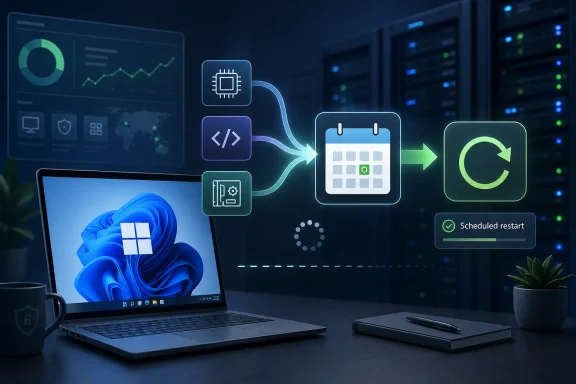
Microsoft’s new approach is a bid to collapse those fragments into a single monthly restart. The company says it is beginning by aligning driver, .NET, and firmware updates with the monthly quality update, which is the familiar Patch Tuesday-era servicing rhythm that underpins modern Windows. That does not mean every PC will reboot exactly once, forever. It means Windows Update is being redesigned around a more coherent promise: if components must restart the machine, they should try to do it together.
That is not a glamorous Windows feature. It does not demo well next to AI search, Copilot integrations, or redesigned Settings pages. But for people who use Windows all day, and especially for administrators who manage fleets of devices, fewer surprise restarts can matter more than another visual refresh.
The move also acknowledges a truth Microsoft has spent years trying to soften with language about “active hours,” “quality updates,” and “getting things ready.” Windows Update is one of the most visible parts of the OS precisely because it appears when the user wants to be doing something else. If Microsoft can make the update pipeline feel less scattered, it may repair more trust than a dozen Start menu tweaks.
Still, Experimental builds are not meaningless toys. They show where Microsoft is investing engineering effort and how the company wants Windows to feel in the next release cycle. In this case, the signal is clear: Microsoft wants Windows servicing to look less like a series of disconnected chores.
The company’s recent Windows Update messaging has been moving in this direction for months. Microsoft has already talked about simplified update names, clearer power menu behavior, skipping updates during first-run setup in some cases, and giving users more predictable control over restarts. The unified update experience fits that same pattern. It is not just a backend change; it is part of an attempt to make Windows Update legible again.
That legibility problem is real. A typical Windows user does not care whether a pending restart was triggered by the operating system, a .NET servicing package, a UEFI firmware update, or a device driver. They see one thing: the PC wants to restart again. Microsoft’s new plan tries to organize the system around the user’s perception rather than the internal taxonomy of Windows servicing.
Driver updates come from hardware vendors and Microsoft’s own compatibility machinery. Firmware updates can involve the deepest levels of a device’s boot and hardware initialization path. .NET updates may affect applications, developer workloads, enterprise software, and server-adjacent components. Each category has legitimate reasons to move on its own timeline.
That is why the reboot problem is harder than it looks. Microsoft cannot simply decree that every update in the Windows ecosystem will wait for the same calendar slot without considering security emergencies, hardware breakage, compliance needs, and vendor publishing windows. A graphics driver fix may be urgent for one class of machines and irrelevant to another. A firmware update may be critical on a specific laptop model but risky if rushed across a large enterprise.
The new unified model is therefore best understood as coordination, not consolidation. Microsoft is trying to line up update trains that previously arrived at different platforms. That should reduce repeated restarts in ordinary months, but it will not remove the need for out-of-band fixes when something is actively being exploited or badly broken.
That nuance is where expectations need to be managed. If users hear “single monthly restart” as an absolute promise, they will be angry the first time a security emergency breaks the rule. If they hear it as a default target, the change is more credible. Windows Update can become less annoying without becoming invisible.
Enterprise patching is a balancing act between security exposure and operational disruption. Admins want machines patched quickly, but they also want predictable maintenance windows, clean reporting, minimized help desk calls, and fewer interrupted workflows. Every extra restart creates another chance for a user to delay, ignore, complain, or run into a BitLocker recovery prompt at the worst possible moment.
Aligning more updates with the monthly quality update could simplify that operational rhythm. It gives administrators a cleaner story to tell users: patches arrive, the device restarts once, and the machine returns to service. That matters in organizations where update fatigue becomes its own security problem. Users who feel ambushed by updates are more likely to postpone them.
There is also a compliance angle. Many organizations measure patch success against deadlines and service-level targets. If Windows, drivers, firmware, and .NET updates continue to report and install as separate events, admins may still need detailed telemetry. But if the disruptive part of the process clusters around one restart, the human cost of compliance goes down.
The challenge is that enterprises will want knobs. A consumer-friendly unified update experience is not enough for a fleet with hardware diversity, change-control boards, staged deployment rings, and rollback procedures. Microsoft will need to ensure that Windows Update for Business, Intune, Autopatch, WSUS-adjacent workflows, and reporting tools expose enough detail to keep administrators in control.
Coordinating firmware with monthly Windows updates could make the overall experience feel less chaotic. Instead of a laptop asking to restart for Windows one day and then again for a BIOS or UEFI update later, the machine could present a single maintenance event. For modern laptops, tablets, and business PCs, that is a meaningful quality-of-life improvement.
But firmware also raises the stakes. A failed firmware update can be more serious than a failed application patch. Even when recovery mechanisms are good, the perception of risk is higher. If Microsoft folds firmware into a broader monthly restart event, the progress messaging and recovery path need to be exceptionally clear.
This is where the company’s other update-experience changes become relevant. Unified spinner behavior, clearer restart states, and better setup choices may sound cosmetic, but they are part of the psychological contract. When a PC is updating firmware, users need to know not to force power off. When Windows is staging multiple update types, users need to trust that “working on updates” is not a black box with no plan.
The best version of this future is not merely fewer reboots. It is fewer reboots with better explanations when the reboot is unavoidable.
File Explorer also receives accessibility and scaling improvements, including better screen reader announcements in file conflict dialogs and more work on high text scaling. These are not flashy changes, but they are the kind of polish that determines whether Windows feels robust outside the default 100 percent scaling, single-monitor, able-bodied demo environment.
Search is getting more forgiving, too. Microsoft says app search should better handle typos, missing letters, extra letters, and partial words. The example is simple: typing something like “utlook” should still find Outlook. That is exactly the sort of imperfection-tolerant behavior users already expect from phones, browsers, and web search engines.
Windows Search has long suffered from a gap between user expectation and system behavior. People do not think in exact filenames, package names, or Settings strings. They type the word they remember, often misspelled, and expect the OS to infer intent. Better ranking for Settings results is part of the same correction: the system should understand the user’s goal, not merely match a token.
These features do not carry the strategic weight of update unification, but they point to a common theme. Microsoft is trying to sand down the parts of Windows that feel needlessly literal. The OS should be more tolerant of human behavior, whether that behavior is mistyping an app name or wanting all restart-required maintenance to happen at once.
This build illustrates the tradeoff. Experimental users get the first crack at meaningful changes like the unified update experience, but they also get the instability that comes with unfinished work. The same release notes that advertise improvements also list fixes for freezes, audio failures, Settings reliability problems, mouse cursor behavior on portrait secondary monitors, and taskbar visual issues.
That is not a criticism; it is the point of the channel. Experimental builds are where Windows can be messy in public. The problem arises when features seen in these builds are treated as imminent promises for everyone. Microsoft’s own phased rollout language is a reminder that Windows development is now more fluid than the old service-pack era.
For WindowsForum readers, the practical advice is straightforward: test these builds if you enjoy being part of the pipeline, not if you need your main PC to behave predictably. The update improvements are interesting enough to watch, but no one should install an Experimental build on a production machine just to chase fewer reboots.
There is a deeper question here about Microsoft’s confidence. By putting update-experience changes into Insider builds, the company is inviting feedback on one of the most complained-about parts of Windows. That is healthy. It also means the company knows the old answer — “updates are necessary, please wait” — is no longer enough.
This is why update coordination may matter more than many headline features. A new app or visual tweak can be ignored. A restart cannot. It stops the user’s work, closes their context, and forces them into Microsoft’s schedule unless the OS provides enough flexibility to negotiate.
Microsoft has improved this over the years. Active hours became smarter. Update packages became more efficient. Windows got better at staging work before and after restarts. But the perception problem lingered because the update experience remained fragmented. Users could do everything “right” and still feel like another component had arrived late to the party.
The unified update model tries to make Windows behave like a better houseguest. If it must interrupt, it should interrupt once, at a predictable time, and for a reason that makes sense. That is a modest ambition, but modest ambitions are often what operating systems need most.
The company should not oversell it. There will still be monthly patches. There will still be emergency fixes. There will still be machines that take longer than expected, particularly when firmware is involved. But a system that reduces needless repeat restarts is meaningfully better than one that treats every servicing stream as the user’s scheduling problem.
Drivers alone complicate the story. Some driver updates are optional. Some are automatically delivered. Some are held back around operating system release windows. Some are urgent because a device is malfunctioning. Others are better deferred because a “newer” driver is not always the safest driver for a specific environment.
.NET updates add another layer. They can be routine for consumers but meaningful for line-of-business applications. Administrators may want to test them before broad deployment. Developers may care about runtime versions and compatibility in ways ordinary users never see.
Firmware is more sensitive still. OEM practices vary, devices have different update mechanisms, and the cost of a bad firmware update is high enough that organizations often approach it with extra caution. If Microsoft coordinates firmware restarts more aggressively, it must still respect policies that allow managed environments to stage, defer, or block firmware deployment.
That is the unavoidable tension in Windows servicing. The consumer wants simplicity. The administrator wants control. The security team wants speed. The hardware vendor wants a safe release window. Microsoft has to satisfy all of them through one interface that most users only notice when it gets in the way.
None of these will sell a Windows release. All of them matter to the people who live in the OS. Windows is mature software, and mature software wins or loses user goodwill through accumulation. A tooltip in the wrong place, a Settings page that crashes, a search box that cannot tolerate a typo, and a restart prompt that appears twice in a week all contribute to the same feeling: the computer is making the user manage the operating system instead of the other way around.
The parental control messaging during Windows setup is another example. Microsoft says it is improving information about parental controls and their availability during setup so families can make informed choices from the beginning. In isolation, that is a setup-screen tweak. In context, it is part of Microsoft’s effort to front-load decisions that used to be discovered only after something went wrong.
The emoji panel’s switch to GIPHY as the GIF provider is lighter fare, but even that reflects maintenance reality. Third-party services change, integrations age out, and Windows has to keep updating the connective tissue that makes small features work. An OS is not only a kernel and shell; it is a bundle of dependencies, policies, services, and user expectations.
That is why update coordination is so symbolically important. Windows is too broad and too interconnected to stop changing. The best Microsoft can do is make that change feel less like random noise.
Windows cannot fully copy that model. It supports too much hardware, too much legacy software, and too many administrative scenarios. The PC remains a general-purpose machine in ways that mobile devices and managed cloud endpoints often are not. That flexibility is one reason Windows persists, but it is also why servicing is hard.
Still, user patience has changed. People expect devices to be available when opened, especially laptops that function as work terminals, gaming systems, family machines, and travel companions. A repeated restart request is no longer seen as normal maintenance. It is seen as bad product behavior.
Microsoft appears to understand that the reboot itself has become a scarce resource. Ask for it too often and users stop cooperating. They defer updates, close lids at the wrong time, or search for ways to disable servicing entirely. That creates worse security outcomes, which then forces Microsoft to become more insistent, which further annoys users.
A single monthly restart target is an attempt to break that cycle. It says: Windows will still patch, but it will spend the user’s attention more carefully. That is the right direction.
If users still see multiple restart prompts, the feature will be dismissed as another Microsoft wording exercise. If managed devices lose visibility into which component required which restart, administrators will resist it. If firmware updates make the monthly restart feel longer or scarier, some users may decide fewer interruptions came at the cost of more stressful ones.
Microsoft can mitigate that with transparency. Windows should make clear when multiple update types are being applied together. It should distinguish routine monthly work from emergency out-of-band updates. It should give administrators reporting that shows what was bundled, what was deferred, what failed, and what still requires action.
There is also a messaging challenge around optional updates. Many enthusiasts manually check Windows Update and install previews, drivers, and optional packages as soon as they appear. Those users may still experience more churn because they are pulling updates ahead of the coordinated schedule. Microsoft will need to make the default path calmer without hiding the advanced path from people who want it.
For most users, however, the ideal update experience is boring. The PC patches once, restarts when expected, and does not bring the topic up again unless something exceptional happens. If Build 26300.8687 is a step toward that world, it is more important than its modest release-note placement suggests.
That makes it a harder feature for Microsoft to market, but a better one for Windows. Too much of the modern Windows conversation is dominated by features users must react to: Copilot buttons, promoted content, account nudges, redesigned defaults, and cloud-connected experiences. Update coordination is different. It is a feature that gives time back.
The best Windows improvements often look like restraint. A search result that appears despite a typo. A File Explorer tab that opens the way a user expects. A dark-mode dialog that no longer flashes like a leftover utility from another era. A monthly patch cycle that asks for one restart instead of several.
Those changes do not reinvent Windows. They make Windows less exhausting. For an operating system that remains the default workbench for hundreds of millions of people, that may be the more urgent mission.
 Microsoft Is Attacking the Reboot, Not the Update
The most annoying thing about Windows Update has never been the existence of updates. Users understand, at least in theory, that operating systems need security fixes, driver repairs, firmware patches, and framework updates. The resentment comes from the feeling that Windows asks for attention in fragments: a cumulative update today, a driver tomorrow, a firmware restart when you were sure the machine had already finished.Microsoft’s new approach is a bid to collapse those fragments into a single monthly restart. The company says it is beginning by aligning driver, .NET, and firmware updates with the monthly quality update, which is the familiar Patch Tuesday-era servicing rhythm that underpins modern Windows. That does not mean every PC will reboot exactly once, forever. It means Windows Update is being redesigned around a more coherent promise: if components must restart the machine, they should try to do it together.
That is not a glamorous Windows feature. It does not demo well next to AI search, Copilot integrations, or redesigned Settings pages. But for people who use Windows all day, and especially for administrators who manage fleets of devices, fewer surprise restarts can matter more than another visual refresh.
The move also acknowledges a truth Microsoft has spent years trying to soften with language about “active hours,” “quality updates,” and “getting things ready.” Windows Update is one of the most visible parts of the OS precisely because it appears when the user wants to be doing something else. If Microsoft can make the update pipeline feel less scattered, it may repair more trust than a dozen Start menu tweaks.
The Insider Build Is a Test Balloon for a Bigger Servicing Shift
Build 26300.8687 landed in the Experimental channel, which is where Microsoft now places work that is early, uneven, or being evaluated before it moves down the Insider pipeline. That placement is important. This is not a broad consumer rollout, and nobody should treat it as a guarantee that every public Windows 11 installation will immediately behave differently.Still, Experimental builds are not meaningless toys. They show where Microsoft is investing engineering effort and how the company wants Windows to feel in the next release cycle. In this case, the signal is clear: Microsoft wants Windows servicing to look less like a series of disconnected chores.
The company’s recent Windows Update messaging has been moving in this direction for months. Microsoft has already talked about simplified update names, clearer power menu behavior, skipping updates during first-run setup in some cases, and giving users more predictable control over restarts. The unified update experience fits that same pattern. It is not just a backend change; it is part of an attempt to make Windows Update legible again.
That legibility problem is real. A typical Windows user does not care whether a pending restart was triggered by the operating system, a .NET servicing package, a UEFI firmware update, or a device driver. They see one thing: the PC wants to restart again. Microsoft’s new plan tries to organize the system around the user’s perception rather than the internal taxonomy of Windows servicing.
Windows Update Has Too Many Masters
The reason this problem has survived for so long is that “Windows Update” is not one thing. It is an experience layer sitting on top of many different servicing streams, each with its own ownership, cadence, risk profile, and testing requirements. Windows quality updates are only the most visible piece.Driver updates come from hardware vendors and Microsoft’s own compatibility machinery. Firmware updates can involve the deepest levels of a device’s boot and hardware initialization path. .NET updates may affect applications, developer workloads, enterprise software, and server-adjacent components. Each category has legitimate reasons to move on its own timeline.
That is why the reboot problem is harder than it looks. Microsoft cannot simply decree that every update in the Windows ecosystem will wait for the same calendar slot without considering security emergencies, hardware breakage, compliance needs, and vendor publishing windows. A graphics driver fix may be urgent for one class of machines and irrelevant to another. A firmware update may be critical on a specific laptop model but risky if rushed across a large enterprise.
The new unified model is therefore best understood as coordination, not consolidation. Microsoft is trying to line up update trains that previously arrived at different platforms. That should reduce repeated restarts in ordinary months, but it will not remove the need for out-of-band fixes when something is actively being exploited or badly broken.
That nuance is where expectations need to be managed. If users hear “single monthly restart” as an absolute promise, they will be angry the first time a security emergency breaks the rule. If they hear it as a default target, the change is more credible. Windows Update can become less annoying without becoming invisible.
The Real Audience Is Not Just Home Users
It is tempting to frame this as a win for consumers who hate watching the spinning dots before a meeting. That audience matters, but the bigger implications are in managed environments. For IT departments, reboot coordination is not a convenience feature. It is a risk-control feature.Enterprise patching is a balancing act between security exposure and operational disruption. Admins want machines patched quickly, but they also want predictable maintenance windows, clean reporting, minimized help desk calls, and fewer interrupted workflows. Every extra restart creates another chance for a user to delay, ignore, complain, or run into a BitLocker recovery prompt at the worst possible moment.
Aligning more updates with the monthly quality update could simplify that operational rhythm. It gives administrators a cleaner story to tell users: patches arrive, the device restarts once, and the machine returns to service. That matters in organizations where update fatigue becomes its own security problem. Users who feel ambushed by updates are more likely to postpone them.
There is also a compliance angle. Many organizations measure patch success against deadlines and service-level targets. If Windows, drivers, firmware, and .NET updates continue to report and install as separate events, admins may still need detailed telemetry. But if the disruptive part of the process clusters around one restart, the human cost of compliance goes down.
The challenge is that enterprises will want knobs. A consumer-friendly unified update experience is not enough for a fleet with hardware diversity, change-control boards, staged deployment rings, and rollback procedures. Microsoft will need to ensure that Windows Update for Business, Intune, Autopatch, WSUS-adjacent workflows, and reporting tools expose enough detail to keep administrators in control.
Firmware Makes the Promise Harder and More Important
The inclusion of firmware is the most consequential part of Microsoft’s statement. Firmware updates are among the most disruptive and nerve-racking patches a normal Windows device receives. They often require restarts, sometimes show vendor-specific update screens, and can trigger anxiety because users understand, vaguely but correctly, that firmware sits closer to the hardware than a normal app update.Coordinating firmware with monthly Windows updates could make the overall experience feel less chaotic. Instead of a laptop asking to restart for Windows one day and then again for a BIOS or UEFI update later, the machine could present a single maintenance event. For modern laptops, tablets, and business PCs, that is a meaningful quality-of-life improvement.
But firmware also raises the stakes. A failed firmware update can be more serious than a failed application patch. Even when recovery mechanisms are good, the perception of risk is higher. If Microsoft folds firmware into a broader monthly restart event, the progress messaging and recovery path need to be exceptionally clear.
This is where the company’s other update-experience changes become relevant. Unified spinner behavior, clearer restart states, and better setup choices may sound cosmetic, but they are part of the psychological contract. When a PC is updating firmware, users need to know not to force power off. When Windows is staging multiple update types, users need to trust that “working on updates” is not a black box with no plan.
The best version of this future is not merely fewer reboots. It is fewer reboots with better explanations when the reboot is unavoidable.
File Explorer and Search Get the Kind of Polish Windows Needs
The unified update work is the headline, but Build 26300.8687 also includes the familiar mix of Windows Insider refinements. File Explorer gains support for middle-clicking folders in the Address Bar and Home page to open them in new tabs. That is a small feature, but it reflects the way many power users actually navigate: quickly, spatially, and with muscle memory borrowed from web browsers.File Explorer also receives accessibility and scaling improvements, including better screen reader announcements in file conflict dialogs and more work on high text scaling. These are not flashy changes, but they are the kind of polish that determines whether Windows feels robust outside the default 100 percent scaling, single-monitor, able-bodied demo environment.
Search is getting more forgiving, too. Microsoft says app search should better handle typos, missing letters, extra letters, and partial words. The example is simple: typing something like “utlook” should still find Outlook. That is exactly the sort of imperfection-tolerant behavior users already expect from phones, browsers, and web search engines.
Windows Search has long suffered from a gap between user expectation and system behavior. People do not think in exact filenames, package names, or Settings strings. They type the word they remember, often misspelled, and expect the OS to infer intent. Better ranking for Settings results is part of the same correction: the system should understand the user’s goal, not merely match a token.
These features do not carry the strategic weight of update unification, but they point to a common theme. Microsoft is trying to sand down the parts of Windows that feel needlessly literal. The OS should be more tolerant of human behavior, whether that behavior is mistyping an app name or wanting all restart-required maintenance to happen at once.
The Experimental Channel Is Becoming Microsoft’s Pressure Valve
The revamped Insider structure matters because it changes how Windows features surface. Microsoft has been moving toward a more linear model, with Experimental acting as the earliest public proving ground and Beta channels representing later-stage validation. That structure can help users understand where a feature sits in the pipeline, even if Microsoft’s gradual rollout system still means two Insiders on the same channel may not see identical behavior.This build illustrates the tradeoff. Experimental users get the first crack at meaningful changes like the unified update experience, but they also get the instability that comes with unfinished work. The same release notes that advertise improvements also list fixes for freezes, audio failures, Settings reliability problems, mouse cursor behavior on portrait secondary monitors, and taskbar visual issues.
That is not a criticism; it is the point of the channel. Experimental builds are where Windows can be messy in public. The problem arises when features seen in these builds are treated as imminent promises for everyone. Microsoft’s own phased rollout language is a reminder that Windows development is now more fluid than the old service-pack era.
For WindowsForum readers, the practical advice is straightforward: test these builds if you enjoy being part of the pipeline, not if you need your main PC to behave predictably. The update improvements are interesting enough to watch, but no one should install an Experimental build on a production machine just to chase fewer reboots.
There is a deeper question here about Microsoft’s confidence. By putting update-experience changes into Insider builds, the company is inviting feedback on one of the most complained-about parts of Windows. That is healthy. It also means the company knows the old answer — “updates are necessary, please wait” — is no longer enough.
The Update Problem Is Also a Trust Problem
Windows Update is technically a servicing system, but emotionally it is a trust interface. When users click “restart,” they are handing control of the machine to Microsoft and hoping the device returns quickly, cleanly, and without surprises. Every unnecessary reboot chips away at that trust.This is why update coordination may matter more than many headline features. A new app or visual tweak can be ignored. A restart cannot. It stops the user’s work, closes their context, and forces them into Microsoft’s schedule unless the OS provides enough flexibility to negotiate.
Microsoft has improved this over the years. Active hours became smarter. Update packages became more efficient. Windows got better at staging work before and after restarts. But the perception problem lingered because the update experience remained fragmented. Users could do everything “right” and still feel like another component had arrived late to the party.
The unified update model tries to make Windows behave like a better houseguest. If it must interrupt, it should interrupt once, at a predictable time, and for a reason that makes sense. That is a modest ambition, but modest ambitions are often what operating systems need most.
The company should not oversell it. There will still be monthly patches. There will still be emergency fixes. There will still be machines that take longer than expected, particularly when firmware is involved. But a system that reduces needless repeat restarts is meaningfully better than one that treats every servicing stream as the user’s scheduling problem.
Microsoft’s Language Is Careful Because the Edge Cases Are Real
The phrasing around the new experience is cautious: Microsoft is “starting” by coordinating certain update types, and the goal is to reduce the update experience to a single monthly restart. That language leaves room for exceptions, and it should. Windows runs on an enormous variety of hardware, in homes, schools, factories, hospitals, offices, and cloud-managed fleets.Drivers alone complicate the story. Some driver updates are optional. Some are automatically delivered. Some are held back around operating system release windows. Some are urgent because a device is malfunctioning. Others are better deferred because a “newer” driver is not always the safest driver for a specific environment.
.NET updates add another layer. They can be routine for consumers but meaningful for line-of-business applications. Administrators may want to test them before broad deployment. Developers may care about runtime versions and compatibility in ways ordinary users never see.
Firmware is more sensitive still. OEM practices vary, devices have different update mechanisms, and the cost of a bad firmware update is high enough that organizations often approach it with extra caution. If Microsoft coordinates firmware restarts more aggressively, it must still respect policies that allow managed environments to stage, defer, or block firmware deployment.
That is the unavoidable tension in Windows servicing. The consumer wants simplicity. The administrator wants control. The security team wants speed. The hardware vendor wants a safe release window. Microsoft has to satisfy all of them through one interface that most users only notice when it gets in the way.
The Small Fixes Tell the Same Story as the Big One
The rest of Build 26300.8687 reads like a tour of everyday Windows friction. The taskbar system tray gets reliability improvements. Tooltips are fixed when the taskbar is positioned differently or uses small icons. The Run new task dialog from Task Manager now respects dark mode. Audio failures from earlier flights are addressed. Settings reliability in Installed Apps gets a fix.None of these will sell a Windows release. All of them matter to the people who live in the OS. Windows is mature software, and mature software wins or loses user goodwill through accumulation. A tooltip in the wrong place, a Settings page that crashes, a search box that cannot tolerate a typo, and a restart prompt that appears twice in a week all contribute to the same feeling: the computer is making the user manage the operating system instead of the other way around.
The parental control messaging during Windows setup is another example. Microsoft says it is improving information about parental controls and their availability during setup so families can make informed choices from the beginning. In isolation, that is a setup-screen tweak. In context, it is part of Microsoft’s effort to front-load decisions that used to be discovered only after something went wrong.
The emoji panel’s switch to GIPHY as the GIF provider is lighter fare, but even that reflects maintenance reality. Third-party services change, integrations age out, and Windows has to keep updating the connective tissue that makes small features work. An OS is not only a kernel and shell; it is a bundle of dependencies, policies, services, and user expectations.
That is why update coordination is so symbolically important. Windows is too broad and too interconnected to stop changing. The best Microsoft can do is make that change feel less like random noise.
The Reboot Economy Has Changed
A decade ago, a reboot was annoying but often accepted as part of owning a PC. Today, it competes with a different computing norm. Phones update overnight. Browsers silently refresh. Cloud services change constantly without asking users to schedule downtime. Even when those systems have their own problems, they have reset expectations.Windows cannot fully copy that model. It supports too much hardware, too much legacy software, and too many administrative scenarios. The PC remains a general-purpose machine in ways that mobile devices and managed cloud endpoints often are not. That flexibility is one reason Windows persists, but it is also why servicing is hard.
Still, user patience has changed. People expect devices to be available when opened, especially laptops that function as work terminals, gaming systems, family machines, and travel companions. A repeated restart request is no longer seen as normal maintenance. It is seen as bad product behavior.
Microsoft appears to understand that the reboot itself has become a scarce resource. Ask for it too often and users stop cooperating. They defer updates, close lids at the wrong time, or search for ways to disable servicing entirely. That creates worse security outcomes, which then forces Microsoft to become more insistent, which further annoys users.
A single monthly restart target is an attempt to break that cycle. It says: Windows will still patch, but it will spend the user’s attention more carefully. That is the right direction.
The Promise Lives or Dies in the Public Rollout
The danger is that Insider optimism does not always survive general availability. Windows history is full of good ideas that became muddy once they hit the full complexity of the installed base. A unified update experience will be judged not by release notes but by what happens on ordinary machines over several months.If users still see multiple restart prompts, the feature will be dismissed as another Microsoft wording exercise. If managed devices lose visibility into which component required which restart, administrators will resist it. If firmware updates make the monthly restart feel longer or scarier, some users may decide fewer interruptions came at the cost of more stressful ones.
Microsoft can mitigate that with transparency. Windows should make clear when multiple update types are being applied together. It should distinguish routine monthly work from emergency out-of-band updates. It should give administrators reporting that shows what was bundled, what was deferred, what failed, and what still requires action.
There is also a messaging challenge around optional updates. Many enthusiasts manually check Windows Update and install previews, drivers, and optional packages as soon as they appear. Those users may still experience more churn because they are pulling updates ahead of the coordinated schedule. Microsoft will need to make the default path calmer without hiding the advanced path from people who want it.
For most users, however, the ideal update experience is boring. The PC patches once, restarts when expected, and does not bring the topic up again unless something exceptional happens. If Build 26300.8687 is a step toward that world, it is more important than its modest release-note placement suggests.
This Is the Windows Feature Users Will Notice by Not Noticing
The irony of a successful unified update experience is that it should disappear. Nobody celebrates the restart prompt that never appeared. Nobody writes a thank-you note because a driver and .NET patch rode along with the monthly cumulative update. The reward for this engineering work is silence.That makes it a harder feature for Microsoft to market, but a better one for Windows. Too much of the modern Windows conversation is dominated by features users must react to: Copilot buttons, promoted content, account nudges, redesigned defaults, and cloud-connected experiences. Update coordination is different. It is a feature that gives time back.
The best Windows improvements often look like restraint. A search result that appears despite a typo. A File Explorer tab that opens the way a user expects. A dark-mode dialog that no longer flashes like a leftover utility from another era. A monthly patch cycle that asks for one restart instead of several.
Those changes do not reinvent Windows. They make Windows less exhausting. For an operating system that remains the default workbench for hundreds of millions of people, that may be the more urgent mission.
The One-Restart Windows Month Is Now the Bar to Clear
Microsoft has not solved Windows Update with one Insider build, but it has set a measurable expectation. If the company wants credit for fixing one of Windows 11’s most persistent annoyances, the public rollout will need to prove itself in ordinary use, not just in controlled release notes.- Windows 11 Insider Experimental Preview Build 26300.8687 begins testing coordination of driver, .NET, and firmware updates with the monthly quality update.
- The goal is fewer separate restart events, not the elimination of Windows updates or emergency out-of-band patches.
- The change matters most for managed PCs, where predictable restarts reduce user disruption, help desk noise, and patch-compliance friction.
- Firmware coordination is valuable but risky, because those updates are more sensitive and need especially clear progress and recovery messaging.
- File Explorer, Search, taskbar, setup, input, audio, Settings, and reliability fixes in the same build show Microsoft focusing on everyday friction rather than only marquee features.
- Experimental channel availability means the feature is promising but not yet a guarantee for stable Windows 11 installations.
References
- Primary source: Windows Central
Published: Fri, 12 Jun 2026 18:09:32 GMT

Windows Insiders get first crack at a less annoying Windows 11 update process | Windows Central
Microsoft is laying the groundwork to bundle driver, .NET, and firmware updates together so you only have to reboot your PC once a month.www.windowscentral.com - Official source: blogs.windows.com

Your Windows update experience just got updated
Hey Windows Insiders, Today, we’re excited to share some improvements to the Windows Update experience that are now starting to roll out. These improvements are the direct result of your feedback. We are continually reading the feedback submittedblogs.windows.com - Official source: learn.microsoft.com

Driver Ship Room Release Cadence Windows - Windows drivers | Microsoft Learn
This article provides information about the operation schedule for Windows driver ship room. In order to provide the best experience for Windows users, there are certain times where aspects of publication operations are suspended.learn.microsoft.com - Official source: devblogs.microsoft.com

Introducing the .NET Framework Monthly Rollup - .NET Blog
We are making an important change to .NET Framework updates to align with the Windows Monthly Rollup, also announced today. Beginning October 2016, you will be able to install a new update release called the .NET Framework Monthly Rollup. The rollup will update the .NET Framework with the latest...devblogs.microsoft.com - Official source: support.microsoft.com

Get Windows updates as soon as they're available for your device - Microsoft Support
Learn how you can get the latest available features and enhancements if you have Windows 11, version 22H2 or later.support.microsoft.com - Related coverage: pcworld.com

Microsoft tells Windows Update to chill after years of complaints | PCWorld
Tired of being hit with an unexpected Windows update? Microsoft is tweaking the Windows Update service to minimize reboots, and to allow users to even delay 'mandatory' updates.www.pcworld.com
- Related coverage: pcgamer.com
- Official source: microsoft.com

Microsoft Transforms Windows Patching Internally
Learn how Microsoft is using Windows Update for Business to provide a streamlined, more secure Windows patching experience for its employees.www.microsoft.com - Related coverage: windowslatest.com

Microsoft is finally giving you full control over Windows 11 updates (hands on)
Microsoft is overhauling Windows 11 updates with options to pause indefinitely, skip updates during setup, and restart without installing. www.windowslatest.com
- Related coverage: windowsforum.com

Windows Update “More Control” Explained: Calendar Pauses, Setup Skips, Clear Restarts | Windows Forum
When Microsoft says it is giving Windows users “more control” over updates, it is touching one of the oldest fault lines in the Windows ecosystem. The...windowsforum.com - Official source: download.microsoft.com

