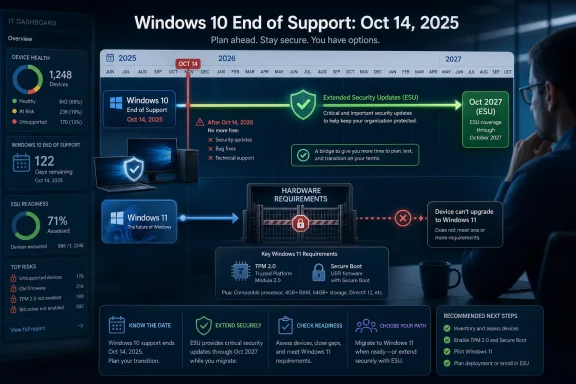
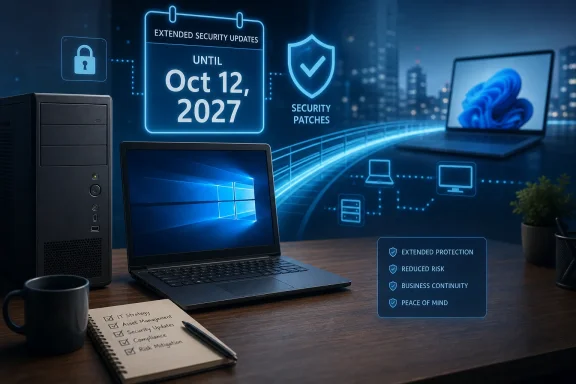
Microsoft has quietly extended Windows 10’s consumer Extended Security Updates program to October 12, 2027, giving eligible personal PCs an extra year of critical and important security patches after normal support for the decade-old operating system ended on October 14, 2025. The move does not revive Windows 10 as a mainstream platform, but it does acknowledge the obvious: Microsoft’s migration calendar has collided with the installed base. Windows 11 may be the strategic destination, yet Windows 10 remains too common, too useful, and too hardware-constrained to be treated like a rounding error.
The notable thing about this change is not merely the extra year. It is the way Microsoft appears to have made it: not with a triumphant keynote, not with a big Windows blog campaign, but through updated support language and an editor’s note on earlier ESU material. For a company that usually knows how to turn lifecycle policy into messaging, the quietness is part of the story.
Windows 10 was supposed to be deep into retirement by now. The last regular security updates for mainstream Windows 10 Home and Pro systems landed in October 2025, and Microsoft had already spent years telling users that Windows 11 was the supported path forward. The original consumer ESU offer softened that deadline by giving personal users a way to keep receiving security fixes through October 2026.
Now the consumer off-ramp stretches to October 2027. That does not mean Windows 10 gets new features, design changes, broad technical support, or a return to normal servicing. ESU is a narrower promise: security updates, primarily for critical and important vulnerabilities, for enrolled devices that remain on Windows 10 version 22H2.
That distinction matters, but so does the precedent. Microsoft has effectively admitted that the Windows 10 retirement curve is not behaving like the Windows 7 retirement curve, and that the company cannot simply declare the platform obsolete while millions of usable PCs continue to sit outside the Windows 11 eligibility line.
That is the central contradiction Microsoft has been living with since Windows 11 launched. The company framed the new OS as a safer, more modern foundation, and there is a reasonable technical case for that position. But users experience the requirement not as an abstract security model, but as a message saying their still-functional PC is too old for the next version of Windows.
For enthusiasts, the workaround culture has become almost a rite of passage. Registry edits, Rufus-created installers, unsupported upgrade paths, and community documentation have all helped technically confident users get Windows 11 onto systems Microsoft would rather leave behind. But those paths are not a real migration strategy for families, small businesses, nonprofits, schools, or lightly managed fleets.
The ESU extension therefore reads less like generosity than damage control. Microsoft can keep saying Windows 11 is the future while avoiding the optics of leaving a massive Windows 10 population exposed. It buys time for replacement cycles, but it also delays the moment when users must decide whether Windows 11 is compelling enough to justify new hardware.
The program is closer to a firebreak. Its purpose is to reduce the risk that unpatched Windows 10 machines become soft targets for malware campaigns, botnets, ransomware operators, and opportunistic attackers. That is a public-interest goal as much as a customer-retention goal, because compromised consumer PCs rarely harm only their owners.
The difference between “secure enough to keep using” and “fully supported” is important for anyone advising less technical users. A Windows 10 PC enrolled in ESU after October 2025 is not equivalent to a Windows 11 PC receiving regular servicing. It is a legacy platform receiving a limited stream of security patches while the vendor continues to point users elsewhere.
That still has real value. In practice, many Windows 10 holdouts are not asking for new features. They want the machine in the kitchen, office, workshop, dorm room, or small business front desk to keep doing what it already does without becoming a security liability. For those users, an extra year of patches is not glamorous, but it is meaningful.
That scale changes the lifecycle math. An operating system used by a tiny remnant can be cut loose with warnings and a paid support path. An operating system used by hundreds of millions of people becomes a security ecosystem problem. Microsoft may own Windows, but it does not fully control how quickly households, public institutions, and small organizations replace working hardware.
The company also has to worry about the reputational cost of a hard stop. If Windows 10 machines become visibly unsafe in large numbers, Microsoft will not be able to hide behind a lifecycle chart. Users will see “Windows” being attacked, not a carefully segmented distinction between supported and unsupported releases.
That is why the quiet extension is so revealing. Microsoft likely does not want to encourage complacency, but it also cannot pretend the installed base has obediently marched to Windows 11. The result is a policy that says two things at once: please leave Windows 10, but we will keep patching it a little longer because too many of you have not left.
Windows 10 has changed that posture. Microsoft first opened consumer ESU options after the October 2025 end-of-support date, including free enrollment routes for personal devices under certain conditions. The newly extended date reinforces the idea that consumer Windows lifecycle policy is no longer just a matter of telling people to upgrade and moving on.
There is a practical reason for that shift. Consumer PCs are part of the broader internet threat surface. A neglected home PC can host credential theft, spam infrastructure, remote-access malware, or lateral movement into a small business network. The line between consumer and professional risk has been eroded by remote work, bring-your-own-device habits, and the fact that many tiny businesses run on consumer-grade machines.
Microsoft also knows that pushing too hard can backfire. If users feel forced to replace good hardware, they may not all buy new Windows 11 PCs. Some will keep running Windows 10 without updates. Some will move to tablets, Chromebooks, Macs, or Linux. Some will simply defer the decision until something breaks.
The extra ESU year is therefore both a retention mechanism and a security concession. It keeps reluctant Windows users inside Microsoft’s patching perimeter while the company continues nudging them toward Windows 11 hardware.
That perception is not always fair in technical terms. Windows 11 has made real improvements in security posture, windowing, gaming features, HDR support, virtualization-based protections, and hardware integration on newer systems. On a modern laptop designed for it, Windows 11 can be a polished, stable daily environment.
But upgrade decisions are emotional as well as technical. Windows 10 became the “good enough” operating system for a large population because it was familiar, compatible, and comparatively predictable. After the Windows 8 backlash, Windows 10 restored trust by feeling like a correction. Windows 11, by contrast, arrived as a new set of conditions.
The ESU extension exposes the gap between Microsoft’s definition of progress and the user’s definition of value. Microsoft wants a more secure, AI-ready, hardware-modern Windows base. Many users want their existing PC to keep running Office, Steam, Chrome, Photoshop, QuickBooks, Discord, printer software, and a decade of accumulated habits.
The commercial ESU story remains more structured than the consumer one, with paid annual coverage, activation requirements, and a maximum support window for eligible devices. Organizations still need to distinguish between mainstream Windows 10 releases, LTSC variants, IoT editions, and special cases such as cloud-hosted or virtualized access scenarios. The consumer headline should not be mistaken for a universal licensing simplification.
The biggest operational risk is inventory complacency. Many fleets still contain machines that are “known” only because they check into an endpoint management console every so often. An extra ESU year can become an excuse to leave those systems alone, especially if they run obscure software or sit in low-visibility roles.
That is exactly where security teams should resist the easy interpretation. ESU is a bridge for reducing exposure during migration, not a retirement home for unmanaged endpoints. If an organization uses the extension well, October 2027 becomes a deadline with a plan. If it uses the extension badly, October 2027 becomes the next avoidable scramble.
Still, ESU does not eliminate the risk premium of aging platforms. Windows 10 will continue to receive a smaller category of fixes than a fully supported OS, and the surrounding software stack may age unevenly. Drivers, firmware, management agents, VPN clients, endpoint detection tools, and business applications all have their own lifecycle clocks.
The best response is not panic, but segmentation. Windows 10 systems that must remain in service should be treated as legacy assets, even if they are still receiving ESU patches. They should be inventoried, monitored, backed up, and constrained where possible.
That means reducing local admin use, reviewing exposed services, hardening browsers, ensuring endpoint protection is current, and moving irreplaceable data off fragile single machines. For small businesses without formal IT staff, the practical advice is even simpler: enroll eligible PCs, keep backups, avoid unsupported browsers and plugins, and make a replacement plan before the calendar makes one for you.
Microsoft’s extension lowers the chance of immediate mass exposure. It does not make old endpoints young again.
Not every old PC deserves indefinite life. Hardware ages, batteries fail, firmware stops receiving updates, and ancient systems can be inefficient or insecure. But the Windows 11 cutoff has always swept in machines that, by user experience alone, do not feel obsolete. A four-core desktop with an SSD and enough memory can still be useful for browsing, documents, media, light gaming, coding, and household administration.
The ESU extension implicitly recognizes that throwing those machines overboard in 2026 would be a poor look. It gives owners another year to extract value, hand machines down, repurpose them, or migrate gradually. It also gives alternative operating systems more time to pitch themselves as the refuge for hardware Windows no longer wants.
That last point should concern Microsoft. Every additional year Windows 10 remains alive is also a year in which users can compare the cost of staying in the Windows ecosystem against the cost of leaving it. Some will eventually buy new Windows 11 PCs. Others may discover that their computing needs are less Windows-bound than they assumed.
That balancing act is harder in 2026 than it was in previous Windows transitions because the PC market itself has changed. Users replace PCs more slowly. Web apps have reduced dependence on OS-specific upgrades. Economic pressure makes forced hardware refreshes less palatable. At the same time, attackers have grown more sophisticated, and unsupported Windows machines remain attractive targets.
The old lifecycle script assumed that enough users would upgrade because the next version of Windows was both compatible and desirable. Windows 11 complicated that script by making compatibility a policy choice, not merely a technical continuum. That may be defensible from a security architecture standpoint, but it has consequences.
The extra ESU year is one of those consequences. Microsoft has not abandoned the Windows 11 strategy. It has simply adjusted to the reality that operating system migrations happen in the world of budgets, habits, supply chains, and working hardware — not just in product planning decks.
But the new date should not become a sedative. October 12, 2027 is close enough that organizations should already be mapping replacement paths, and far enough away that they can do it intelligently. The worst outcome would be to spend the extra year arguing about whether Windows 10 should still exist rather than deciding what happens to the machines that still run it.
The concrete read is simple:
 Microsoft Extends the Runway It Wanted Users to Leave Behind
The notable thing about this change is not merely the extra year. It is the way Microsoft appears to have made it: not with a triumphant keynote, not with a big Windows blog campaign, but through updated support language and an editor’s note on earlier ESU material. For a company that usually knows how to turn lifecycle policy into messaging, the quietness is part of the story.Windows 10 was supposed to be deep into retirement by now. The last regular security updates for mainstream Windows 10 Home and Pro systems landed in October 2025, and Microsoft had already spent years telling users that Windows 11 was the supported path forward. The original consumer ESU offer softened that deadline by giving personal users a way to keep receiving security fixes through October 2026.
Now the consumer off-ramp stretches to October 2027. That does not mean Windows 10 gets new features, design changes, broad technical support, or a return to normal servicing. ESU is a narrower promise: security updates, primarily for critical and important vulnerabilities, for enrolled devices that remain on Windows 10 version 22H2.
That distinction matters, but so does the precedent. Microsoft has effectively admitted that the Windows 10 retirement curve is not behaving like the Windows 7 retirement curve, and that the company cannot simply declare the platform obsolete while millions of usable PCs continue to sit outside the Windows 11 eligibility line.
The Hardware Wall Was Always the Real Migration Problem
Windows 11’s adoption challenge has never been only about user stubbornness. It has been about Microsoft’s own hardware requirements, especially TPM 2.0, Secure Boot, supported CPUs, and the general tightening of the baseline around modern security features. Those requirements gave Windows 11 a cleaner security story, but they also cut off a large population of machines that still run Windows 10 perfectly well.That is the central contradiction Microsoft has been living with since Windows 11 launched. The company framed the new OS as a safer, more modern foundation, and there is a reasonable technical case for that position. But users experience the requirement not as an abstract security model, but as a message saying their still-functional PC is too old for the next version of Windows.
For enthusiasts, the workaround culture has become almost a rite of passage. Registry edits, Rufus-created installers, unsupported upgrade paths, and community documentation have all helped technically confident users get Windows 11 onto systems Microsoft would rather leave behind. But those paths are not a real migration strategy for families, small businesses, nonprofits, schools, or lightly managed fleets.
The ESU extension therefore reads less like generosity than damage control. Microsoft can keep saying Windows 11 is the future while avoiding the optics of leaving a massive Windows 10 population exposed. It buys time for replacement cycles, but it also delays the moment when users must decide whether Windows 11 is compelling enough to justify new hardware.
A Free Security Patch Is Not a Feature Update in Disguise
It is tempting to treat the October 2027 date as “Windows 10 support extended,” but that phrasing can mislead. ESU does not mean Windows 10 is back on the normal release train. It does not mean Copilot-era features are coming to the old OS, nor does it mean Microsoft will keep polishing the shell, fixing every annoyance, or supporting every consumer issue.The program is closer to a firebreak. Its purpose is to reduce the risk that unpatched Windows 10 machines become soft targets for malware campaigns, botnets, ransomware operators, and opportunistic attackers. That is a public-interest goal as much as a customer-retention goal, because compromised consumer PCs rarely harm only their owners.
The difference between “secure enough to keep using” and “fully supported” is important for anyone advising less technical users. A Windows 10 PC enrolled in ESU after October 2025 is not equivalent to a Windows 11 PC receiving regular servicing. It is a legacy platform receiving a limited stream of security patches while the vendor continues to point users elsewhere.
That still has real value. In practice, many Windows 10 holdouts are not asking for new features. They want the machine in the kitchen, office, workshop, dorm room, or small business front desk to keep doing what it already does without becoming a security liability. For those users, an extra year of patches is not glamorous, but it is meaningful.
The Numbers Make Microsoft’s Silence Understandable
The extension makes more sense when viewed against Windows usage trends. Reporting around the change notes that Windows 11 had only recently moved ahead of Windows 10 when Windows 10’s regular support ended, and that roughly a quarter of PCs were still running the older operating system. Even allowing for measurement differences across analytics providers, the broad shape is clear: Windows 10 remains a huge platform.That scale changes the lifecycle math. An operating system used by a tiny remnant can be cut loose with warnings and a paid support path. An operating system used by hundreds of millions of people becomes a security ecosystem problem. Microsoft may own Windows, but it does not fully control how quickly households, public institutions, and small organizations replace working hardware.
The company also has to worry about the reputational cost of a hard stop. If Windows 10 machines become visibly unsafe in large numbers, Microsoft will not be able to hide behind a lifecycle chart. Users will see “Windows” being attacked, not a carefully segmented distinction between supported and unsupported releases.
That is why the quiet extension is so revealing. Microsoft likely does not want to encourage complacency, but it also cannot pretend the installed base has obediently marched to Windows 11. The result is a policy that says two things at once: please leave Windows 10, but we will keep patching it a little longer because too many of you have not left.
The Consumer Offer Blurs a Traditionally Enterprise Line
Extended Security Updates used to feel like an enterprise instrument. They were expensive, bureaucratic, and clearly framed as a temporary bridge for organizations with legacy dependencies. The Windows 7 ESU program, for example, was not designed as a friendly consumer safety net.Windows 10 has changed that posture. Microsoft first opened consumer ESU options after the October 2025 end-of-support date, including free enrollment routes for personal devices under certain conditions. The newly extended date reinforces the idea that consumer Windows lifecycle policy is no longer just a matter of telling people to upgrade and moving on.
There is a practical reason for that shift. Consumer PCs are part of the broader internet threat surface. A neglected home PC can host credential theft, spam infrastructure, remote-access malware, or lateral movement into a small business network. The line between consumer and professional risk has been eroded by remote work, bring-your-own-device habits, and the fact that many tiny businesses run on consumer-grade machines.
Microsoft also knows that pushing too hard can backfire. If users feel forced to replace good hardware, they may not all buy new Windows 11 PCs. Some will keep running Windows 10 without updates. Some will move to tablets, Chromebooks, Macs, or Linux. Some will simply defer the decision until something breaks.
The extra ESU year is therefore both a retention mechanism and a security concession. It keeps reluctant Windows users inside Microsoft’s patching perimeter while the company continues nudging them toward Windows 11 hardware.
Windows 11 Still Has a Persuasion Problem
If Windows 11 were an obvious upgrade for every Windows 10 user, Microsoft would not need to keep lengthening the runway. The issue is not that Windows 11 is unusable; it is that many users still see it as a trade they did not ask to make. The interface changes, hardware restrictions, account pressure, telemetry concerns, advertising surfaces, and Copilot-era positioning have all fed a perception that Windows 11 serves Microsoft’s strategy more clearly than it serves the user’s immediate needs.That perception is not always fair in technical terms. Windows 11 has made real improvements in security posture, windowing, gaming features, HDR support, virtualization-based protections, and hardware integration on newer systems. On a modern laptop designed for it, Windows 11 can be a polished, stable daily environment.
But upgrade decisions are emotional as well as technical. Windows 10 became the “good enough” operating system for a large population because it was familiar, compatible, and comparatively predictable. After the Windows 8 backlash, Windows 10 restored trust by feeling like a correction. Windows 11, by contrast, arrived as a new set of conditions.
The ESU extension exposes the gap between Microsoft’s definition of progress and the user’s definition of value. Microsoft wants a more secure, AI-ready, hardware-modern Windows base. Many users want their existing PC to keep running Office, Steam, Chrome, Photoshop, QuickBooks, Discord, printer software, and a decade of accumulated habits.
Administrators Get Time, Not Permission to Drift
For IT departments, the extra year is useful but dangerous if misread. It gives organizations more room to finish hardware refreshes, validate applications, deal with procurement delays, and clean up forgotten Windows 10 endpoints. It does not justify treating Windows 10 as a stable long-term tier for general-purpose workstations.The commercial ESU story remains more structured than the consumer one, with paid annual coverage, activation requirements, and a maximum support window for eligible devices. Organizations still need to distinguish between mainstream Windows 10 releases, LTSC variants, IoT editions, and special cases such as cloud-hosted or virtualized access scenarios. The consumer headline should not be mistaken for a universal licensing simplification.
The biggest operational risk is inventory complacency. Many fleets still contain machines that are “known” only because they check into an endpoint management console every so often. An extra ESU year can become an excuse to leave those systems alone, especially if they run obscure software or sit in low-visibility roles.
That is exactly where security teams should resist the easy interpretation. ESU is a bridge for reducing exposure during migration, not a retirement home for unmanaged endpoints. If an organization uses the extension well, October 2027 becomes a deadline with a plan. If it uses the extension badly, October 2027 becomes the next avoidable scramble.
Security Teams Should Welcome the Patch, Then Narrow the Blast Radius
From a security perspective, the extension is good news in the narrowest and most important sense: patched systems are better than unpatched systems. Attackers do not care whether a vulnerability exists on an operating system Microsoft would prefer users to leave behind. They care whether the machine is reachable, valuable, and exploitable.Still, ESU does not eliminate the risk premium of aging platforms. Windows 10 will continue to receive a smaller category of fixes than a fully supported OS, and the surrounding software stack may age unevenly. Drivers, firmware, management agents, VPN clients, endpoint detection tools, and business applications all have their own lifecycle clocks.
The best response is not panic, but segmentation. Windows 10 systems that must remain in service should be treated as legacy assets, even if they are still receiving ESU patches. They should be inventoried, monitored, backed up, and constrained where possible.
That means reducing local admin use, reviewing exposed services, hardening browsers, ensuring endpoint protection is current, and moving irreplaceable data off fragile single machines. For small businesses without formal IT staff, the practical advice is even simpler: enroll eligible PCs, keep backups, avoid unsupported browsers and plugins, and make a replacement plan before the calendar makes one for you.
Microsoft’s extension lowers the chance of immediate mass exposure. It does not make old endpoints young again.
The Environmental Argument Is Now Harder to Ignore
There is also a sustainability angle Microsoft cannot fully escape. A hard Windows 10 cutoff would have accelerated replacement of hardware that is often still physically functional. The more Microsoft ties Windows 11 to newer silicon, the more its lifecycle policy intersects with e-waste, affordability, and the right-to-repair debate.Not every old PC deserves indefinite life. Hardware ages, batteries fail, firmware stops receiving updates, and ancient systems can be inefficient or insecure. But the Windows 11 cutoff has always swept in machines that, by user experience alone, do not feel obsolete. A four-core desktop with an SSD and enough memory can still be useful for browsing, documents, media, light gaming, coding, and household administration.
The ESU extension implicitly recognizes that throwing those machines overboard in 2026 would be a poor look. It gives owners another year to extract value, hand machines down, repurpose them, or migrate gradually. It also gives alternative operating systems more time to pitch themselves as the refuge for hardware Windows no longer wants.
That last point should concern Microsoft. Every additional year Windows 10 remains alive is also a year in which users can compare the cost of staying in the Windows ecosystem against the cost of leaving it. Some will eventually buy new Windows 11 PCs. Others may discover that their computing needs are less Windows-bound than they assumed.
The Quiet Update Says More Than a Launch Event Would
Microsoft’s understated handling of the change suggests a company trying to balance competing incentives. It needs to reassure current Windows 10 users without weakening the push toward Windows 11. It needs to protect the Windows ecosystem without rewarding indefinite delay. It needs to serve consumers without undermining commercial licensing discipline.That balancing act is harder in 2026 than it was in previous Windows transitions because the PC market itself has changed. Users replace PCs more slowly. Web apps have reduced dependence on OS-specific upgrades. Economic pressure makes forced hardware refreshes less palatable. At the same time, attackers have grown more sophisticated, and unsupported Windows machines remain attractive targets.
The old lifecycle script assumed that enough users would upgrade because the next version of Windows was both compatible and desirable. Windows 11 complicated that script by making compatibility a policy choice, not merely a technical continuum. That may be defensible from a security architecture standpoint, but it has consequences.
The extra ESU year is one of those consequences. Microsoft has not abandoned the Windows 11 strategy. It has simply adjusted to the reality that operating system migrations happen in the world of budgets, habits, supply chains, and working hardware — not just in product planning decks.
The New Deadline Is a Gift With a Warning Label
For Windows enthusiasts, the extension is a chance to stop treating October 2026 as a cliff. For administrators, it is a chance to make the migration less chaotic. For Microsoft, it is a chance to keep a huge legacy population patched while the Windows 11 installed base continues to grow.But the new date should not become a sedative. October 12, 2027 is close enough that organizations should already be mapping replacement paths, and far enough away that they can do it intelligently. The worst outcome would be to spend the extra year arguing about whether Windows 10 should still exist rather than deciding what happens to the machines that still run it.
The concrete read is simple:
- Windows 10 consumer ESU coverage has been extended to October 12, 2027 for eligible personal devices.
- The extension applies to security updates, not new features, normal quality updates, or a revival of full support.
- Windows 10 version 22H2 remains the relevant mainstream release for ESU eligibility.
- Windows 11 remains Microsoft’s preferred destination, especially for newer hardware and managed environments.
- The extra year should be used to inventory devices, reduce risk, and plan replacements rather than to postpone the migration conversation again.
- Users with unsupported Windows 11 hardware now have more time, but not an indefinite reprieve.
References
- Primary source: Ars Technica
Published: 2026-06-25T21:20:40.415404
Classic Preview - Ars Technica
 arstechnica.com