

CVE-2026-57984 is a Microsoft Edge (Chromium-based) remote code execution vulnerability listed by Microsoft’s Security Response Center in its Security Update Guide, affecting the browser line that ships with Windows and updates through Edge’s own release channel rather than the monthly Windows cumulative update alone. The important part is not merely that Edge has another RCE entry; Chromium-class browser bugs are now among the fastest-moving pieces of enterprise risk. Microsoft’s advisory framing, including the CVSS Report Confidence language supplied in the Security Update Guide, tells administrators something subtler: this is a vulnerability Microsoft is treating as real, vendor-acknowledged, and operationally actionable even if the public technical narrative remains thin. For Windows shops, that makes the patching question less about curiosity and more about how quickly Edge can be driven to a fixed build everywhere it runs.
The old mental model of “Windows security update” does not map cleanly onto Edge anymore. Microsoft Edge is a Microsoft product, deeply integrated into Windows, used by Microsoft 365, management consoles, authentication flows, and countless corporate web apps. But the browser’s security heartbeat is tied to Chromium, where fixes can arrive outside the familiar Patch Tuesday cadence.
That distinction matters because browser remote code execution vulnerabilities live in one of the most exposed places on the endpoint. Users do not need to install strange software to interact with hostile content; the browser is designed to parse hostile input all day. It ingests HTML, JavaScript, images, media streams, fonts, documents, extensions, web assembly, GPU commands, and authentication redirects from places the enterprise does not fully control.
Microsoft’s Security Update Guide is therefore doing two jobs at once. It is recording a Microsoft vulnerability for compliance and audit purposes, while also translating the faster-moving Chromium security stream into the language Windows administrators use: CVE, severity, impact, remediation state, exploitability assessment, and CVSS metrics. CVE-2026-57984 sits squarely in that translation layer.
The public advisory surface for this CVE, as presented through MSRC, is sparse in the way many browser advisories are sparse. That is not an accident. Browser vendors routinely limit detail until enough users have updated, because a concise root-cause description can become a roadmap for exploit developers. The result is an uncomfortable but common state for defenders: enough information to justify urgency, not enough information to satisfy curiosity.
That distinction is more than academic. A vulnerability with uncertain details may deserve monitoring, but a vulnerability acknowledged by the vendor of the affected technology has crossed a different threshold. Microsoft’s own Security Update Guide exists because MSRC has investigated the issue sufficiently to publish a CVE entry and provide remediation guidance.
For defenders, Report Confidence helps separate noisy vulnerability feeds from actionable risk. Security teams are flooded with scanner output, threat-intelligence digests, recycled CVE summaries, and AI-generated vulnerability blurbs of wildly varying quality. A Microsoft-published Edge RCE advisory carries a different operational weight than an unconfirmed third-party claim.
That does not mean every confirmed CVE is being exploited, nor does it mean exploitation is trivial. It means the vulnerability is real enough that the vendor has attached its name, its update machinery, and its remediation guidance to the issue. In a browser context, that is usually enough to move from “watch” to “patch.”
The word “remote” can be misleading if read too narrowly. It does not necessarily mean an attacker can reach across the internet and compromise a machine with no user involvement at all. Many browser RCEs still require a user to visit or render attacker-controlled content. But that is a low bar in a world where users live inside web apps, SSO portals, SaaS dashboards, and embedded browser components.
The Chromium security model does provide layers of defense. Site isolation, sandboxing, memory safety mitigations, exploit hardening, and process separation all exist to keep a renderer bug from becoming full system compromise. But attackers do not need every bug to be a one-shot takeover. A browser RCE can be paired with a sandbox escape, credential theft, session hijacking, extension abuse, or social engineering to produce a useful intrusion path.
That is why administrators should resist the temptation to downgrade concern just because the advisory is short. Short advisories are normal in browser security. The question is not whether the public knows every technical primitive; the question is whether the affected browser build remains present in the environment after a fix is available.
That creates an asset-management trap. Security teams may patch Chrome aggressively because users identify it as “the browser,” while Edge sits in the background as “part of Windows.” The distinction is dangerous. If Edge is installed and reachable, it is part of the attack surface, whether or not it is the corporate default.
Edge also matters because some enterprise workflows open links in the system default browser, some management tools invoke embedded web flows, and some users fall back to Edge when another browser misbehaves. Attackers do not care whether Edge is the preferred browser in a policy document. They care whether vulnerable code exists on the endpoint and can be induced to process malicious content.
The operational answer is straightforward but often poorly executed: Edge needs its own update visibility. Windows Update compliance alone is not sufficient if the browser updates through a separate channel or if update policies, network controls, VDI images, kiosk modes, or application control rules interfere with Edge’s normal servicing path.
This is not a Microsoft-only problem. Google Chrome, Microsoft Edge, Brave, Opera, Vivaldi, and other Chromium-based browsers all live with the same basic reality: when a serious Chromium vulnerability is found, vendors must ingest, adapt, validate, and ship fixes quickly. The competitive advantage is not the absence of bugs; it is the speed and reliability of response.
Microsoft’s role is complicated by Windows integration. Edge is not merely a rebadged Chromium build. It includes Microsoft account integration, enterprise policy handling, Defender SmartScreen features, sync, update plumbing, and management hooks. That means Microsoft must track both upstream Chromium issues and Edge-specific exposure.
For IT pros, the lesson is that browser security is now a supply-chain discipline. You are not just asking, “Did Microsoft patch this?” You are asking, “Which Edge channel is deployed, which build is fixed, how quickly do endpoints receive browser updates, and do our controls prove it?”
A confirmed browser RCE with a vendor advisory is a useful signal even without a public proof of concept. It tells exploit developers that something worth studying changed between builds. They can diff patches, inspect Chromium commits, analyze crash reports, compare binaries, and watch for researchers discussing adjacent issues. In the browser world, the gap between “fixed in source” and “weaponized by someone sufficiently motivated” can be narrow.
This is why quiet advisories can still be urgent. The absence of public exploit code is good news, but it is not a defensive strategy. Once a fix ships, the patch itself can become a clue. Attackers who specialize in patch diffing are not waiting for a friendly blog post to explain the bug.
Enterprise defenders should therefore treat confirmed browser RCE advisories as time-sensitive even when exploitation is not publicly reported. The clock starts when the fixed build becomes available, not when someone posts exploit code to a repository.
That creates a paradox. The browser may be one of the easiest applications to update technically, but one of the hardest to update consistently across a managed estate. The problem is not downloading a patch. The problem is knowing every place Edge exists, every channel in use, every system where updates are blocked, and every exception created for business convenience.
Edge also appears in places that do not look like standard desktops. Kiosks, shared workstations, lab machines, conference-room systems, jump boxes, developer workstations, and test VMs often lag behind. These machines may not show up in executive patch dashboards, but they still browse, authenticate, and touch internal resources.
For CVE-2026-57984, the practical question is not whether Microsoft has published an advisory. It is whether an organization can prove that vulnerable Edge builds are gone. That proof requires inventory, telemetry, and policy enforcement rather than faith in automatic updates.
Browser vulnerabilities are context-sensitive. A high-severity Edge RCE on a locked-down kiosk that can browse only one internal site is not the same as the same vulnerability on a developer workstation with access to source code, cloud consoles, secrets, and production deployment systems. The CVE is identical; the business risk is not.
Report Confidence is especially valuable because it tells defenders how much trust to place in the underlying advisory. But confidence in existence is not the same as confidence in exploitability in your environment. A confirmed vulnerability may still require user interaction, a certain component path, a specific platform, or additional exploit primitives.
The right approach is layered. Use Microsoft’s advisory to establish that the issue is real and patchable. Use enterprise context to decide how aggressively to chase stragglers. Use telemetry to confirm that the remediation actually landed.
Stable should be the default for managed production environments because it balances security updates with deployment predictability. Beta and Dev can be valuable for testing compatibility with upcoming changes, but they should not quietly become everyday browsers for privileged users. Canary is useful for experimentation, not for routine enterprise work.
A CVE like CVE-2026-57984 should prompt administrators to check channel sprawl. If a fixed Stable build exists but a subset of users is running an unmanaged channel, compliance reporting can become misleading. The organization may think “Edge is patched” while some endpoints are outside the policy path being measured.
This is where browser governance increasingly resembles operating-system governance. Standardize channels, enforce update policies, monitor versions, and make exceptions visible. The browser has become too important to be managed by assumption.
The most dangerous period is often after the initial advisory but before the organization has completed remediation. During that window, defenders may still be treating the CVE as routine while attackers are learning from the patch. If public technical details emerge, the urgency changes.
Security operations teams should therefore monitor more than the original advisory. They should watch MSRC updates, Chromium release notes, CISA’s Known Exploited Vulnerabilities catalog, endpoint detection telemetry, browser crash anomalies, and threat-intelligence reporting from vendors that track exploit kit and malvertising activity. The point is not to panic at every mention. It is to detect when a routine patching issue becomes an active defense issue.
For Edge RCEs, the operational pivot is simple: if exploitation is reported, straggler remediation becomes incident response adjacent. Machines that remain vulnerable are no longer just noncompliant. They are plausible entry points.
Administrators should be able to answer three questions quickly. Which Edge versions are deployed? Which endpoints are blocked from updating? Which users or systems continue to run vulnerable builds after the deadline? If those answers require manual sampling, the browser update process is not mature enough for the threat model.
Microsoft Intune, Group Policy, enterprise update controls, Defender for Endpoint inventory, vulnerability management platforms, and configuration management tools can all contribute to the answer. None of them helps if the organization has not decided that browser version compliance is a first-class metric.
The other overlooked piece is restart behavior. Browser updates often stage quietly but require a browser restart to complete. Users who keep sessions open for days can remain exposed longer than dashboards imply. Enterprises need policies that balance user disruption against security reality, especially when an RCE is involved.
That makes browser compromise more valuable than ever. An attacker who gains code execution in or around a browser process may not need kernel-level persistence to do damage. Session cookies, OAuth tokens, cached credentials, autofill data, password manager interactions, and authenticated admin portals are all within the broader orbit of browser risk.
Microsoft’s own ecosystem reinforces this shift. Windows management, identity, productivity, and security dashboards increasingly assume a web-first control plane. That is good for deployment speed and cross-platform access, but it also raises the stakes for browser vulnerabilities.
CVE-2026-57984 should therefore be read not as an isolated Edge flaw, but as another reminder that the browser is a privileged workbench in modern IT. Protecting it means patching it quickly, hardening it sensibly, and limiting what a compromised browsing session can reach.
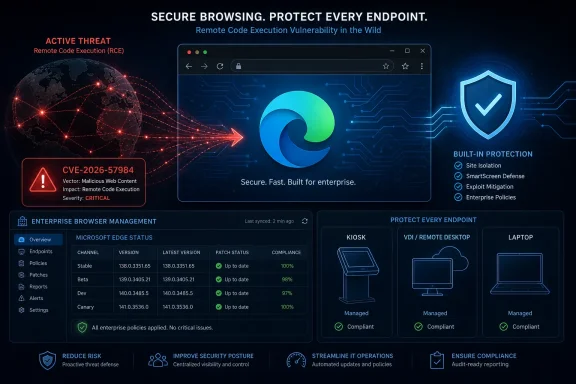 Microsoft’s Browser Security Story Now Runs on Chromium Time
The old mental model of “Windows security update” does not map cleanly onto Edge anymore. Microsoft Edge is a Microsoft product, deeply integrated into Windows, used by Microsoft 365, management consoles, authentication flows, and countless corporate web apps. But the browser’s security heartbeat is tied to Chromium, where fixes can arrive outside the familiar Patch Tuesday cadence.That distinction matters because browser remote code execution vulnerabilities live in one of the most exposed places on the endpoint. Users do not need to install strange software to interact with hostile content; the browser is designed to parse hostile input all day. It ingests HTML, JavaScript, images, media streams, fonts, documents, extensions, web assembly, GPU commands, and authentication redirects from places the enterprise does not fully control.
Microsoft’s Security Update Guide is therefore doing two jobs at once. It is recording a Microsoft vulnerability for compliance and audit purposes, while also translating the faster-moving Chromium security stream into the language Windows administrators use: CVE, severity, impact, remediation state, exploitability assessment, and CVSS metrics. CVE-2026-57984 sits squarely in that translation layer.
The public advisory surface for this CVE, as presented through MSRC, is sparse in the way many browser advisories are sparse. That is not an accident. Browser vendors routinely limit detail until enough users have updated, because a concise root-cause description can become a roadmap for exploit developers. The result is an uncomfortable but common state for defenders: enough information to justify urgency, not enough information to satisfy curiosity.
Report Confidence Is Not Bureaucratic Filler
The user-supplied MSRC text focuses on Report Confidence, a CVSS temporal metric that measures how much confidence exists in the vulnerability’s reality and in the credibility of known technical details. In plainer language: is this a rumor, a plausible but not fully verified finding, or a vendor-confirmed bug?That distinction is more than academic. A vulnerability with uncertain details may deserve monitoring, but a vulnerability acknowledged by the vendor of the affected technology has crossed a different threshold. Microsoft’s own Security Update Guide exists because MSRC has investigated the issue sufficiently to publish a CVE entry and provide remediation guidance.
For defenders, Report Confidence helps separate noisy vulnerability feeds from actionable risk. Security teams are flooded with scanner output, threat-intelligence digests, recycled CVE summaries, and AI-generated vulnerability blurbs of wildly varying quality. A Microsoft-published Edge RCE advisory carries a different operational weight than an unconfirmed third-party claim.
That does not mean every confirmed CVE is being exploited, nor does it mean exploitation is trivial. It means the vulnerability is real enough that the vendor has attached its name, its update machinery, and its remediation guidance to the issue. In a browser context, that is usually enough to move from “watch” to “patch.”
The RCE Label Still Deserves Respect, Even When the Details Are Quiet
Remote code execution is one of the few vulnerability impacts that still cuts through alert fatigue. The term means that, under the right conditions, an attacker can cause code of their choosing to run in a context they should not control. In browsers, the practical path often begins with a crafted web page, a compromised legitimate site, a malicious advertisement, a poisoned redirect, or content delivered through a messaging or collaboration workflow.The word “remote” can be misleading if read too narrowly. It does not necessarily mean an attacker can reach across the internet and compromise a machine with no user involvement at all. Many browser RCEs still require a user to visit or render attacker-controlled content. But that is a low bar in a world where users live inside web apps, SSO portals, SaaS dashboards, and embedded browser components.
The Chromium security model does provide layers of defense. Site isolation, sandboxing, memory safety mitigations, exploit hardening, and process separation all exist to keep a renderer bug from becoming full system compromise. But attackers do not need every bug to be a one-shot takeover. A browser RCE can be paired with a sandbox escape, credential theft, session hijacking, extension abuse, or social engineering to produce a useful intrusion path.
That is why administrators should resist the temptation to downgrade concern just because the advisory is short. Short advisories are normal in browser security. The question is not whether the public knows every technical primitive; the question is whether the affected browser build remains present in the environment after a fix is available.
Edge Is Both an App and an Attack Surface Windows Cannot Ignore
Microsoft has spent years making Edge feel less like a removable browser and more like a core Windows component. It is the default browser on many systems, the rendering endpoint for Microsoft services, and the path through which many users authenticate to cloud workloads. Even organizations that officially standardize on another browser often find Edge installed, updateable, and occasionally used.That creates an asset-management trap. Security teams may patch Chrome aggressively because users identify it as “the browser,” while Edge sits in the background as “part of Windows.” The distinction is dangerous. If Edge is installed and reachable, it is part of the attack surface, whether or not it is the corporate default.
Edge also matters because some enterprise workflows open links in the system default browser, some management tools invoke embedded web flows, and some users fall back to Edge when another browser misbehaves. Attackers do not care whether Edge is the preferred browser in a policy document. They care whether vulnerable code exists on the endpoint and can be induced to process malicious content.
The operational answer is straightforward but often poorly executed: Edge needs its own update visibility. Windows Update compliance alone is not sufficient if the browser updates through a separate channel or if update policies, network controls, VDI images, kiosk modes, or application control rules interfere with Edge’s normal servicing path.
The Chromium Supply Chain Makes Microsoft a Downstream Defender
Edge’s Chromium base is a strength and a dependency. Microsoft benefits from the enormous security research, fuzzing, and engineering investment behind Chromium. It also inherits a stream of vulnerabilities from a codebase whose scale and complexity are unmatched in consumer and enterprise software.This is not a Microsoft-only problem. Google Chrome, Microsoft Edge, Brave, Opera, Vivaldi, and other Chromium-based browsers all live with the same basic reality: when a serious Chromium vulnerability is found, vendors must ingest, adapt, validate, and ship fixes quickly. The competitive advantage is not the absence of bugs; it is the speed and reliability of response.
Microsoft’s role is complicated by Windows integration. Edge is not merely a rebadged Chromium build. It includes Microsoft account integration, enterprise policy handling, Defender SmartScreen features, sync, update plumbing, and management hooks. That means Microsoft must track both upstream Chromium issues and Edge-specific exposure.
For IT pros, the lesson is that browser security is now a supply-chain discipline. You are not just asking, “Did Microsoft patch this?” You are asking, “Which Edge channel is deployed, which build is fixed, how quickly do endpoints receive browser updates, and do our controls prove it?”
Attackers Read Advisory Metadata Too
The user-supplied description correctly notes that Report Confidence also hints at the level of technical knowledge available to would-be attackers. That point deserves emphasis. Public vulnerability metadata is not consumed only by defenders; attackers mine it for prioritization.A confirmed browser RCE with a vendor advisory is a useful signal even without a public proof of concept. It tells exploit developers that something worth studying changed between builds. They can diff patches, inspect Chromium commits, analyze crash reports, compare binaries, and watch for researchers discussing adjacent issues. In the browser world, the gap between “fixed in source” and “weaponized by someone sufficiently motivated” can be narrow.
This is why quiet advisories can still be urgent. The absence of public exploit code is good news, but it is not a defensive strategy. Once a fix ships, the patch itself can become a clue. Attackers who specialize in patch diffing are not waiting for a friendly blog post to explain the bug.
Enterprise defenders should therefore treat confirmed browser RCE advisories as time-sensitive even when exploitation is not publicly reported. The clock starts when the fixed build becomes available, not when someone posts exploit code to a repository.
The Real Patch Gap Is Usually Policy, Not Bandwidth
Modern browsers update quickly on unmanaged consumer machines. In enterprises, the story is messier. Update deferrals, frozen gold images, nonpersistent VDI pools, offline networks, change-control windows, proxy restrictions, and tightly controlled endpoints can all slow browser remediation.That creates a paradox. The browser may be one of the easiest applications to update technically, but one of the hardest to update consistently across a managed estate. The problem is not downloading a patch. The problem is knowing every place Edge exists, every channel in use, every system where updates are blocked, and every exception created for business convenience.
Edge also appears in places that do not look like standard desktops. Kiosks, shared workstations, lab machines, conference-room systems, jump boxes, developer workstations, and test VMs often lag behind. These machines may not show up in executive patch dashboards, but they still browse, authenticate, and touch internal resources.
For CVE-2026-57984, the practical question is not whether Microsoft has published an advisory. It is whether an organization can prove that vulnerable Edge builds are gone. That proof requires inventory, telemetry, and policy enforcement rather than faith in automatic updates.
Vulnerability Scoring Helps, but It Does Not Replace Context
CVSS metrics are useful because they force structure onto vulnerability discussion. Attack vector, complexity, privileges required, user interaction, impact, exploit maturity, remediation level, and report confidence each capture a dimension of risk. The problem begins when organizations treat the score as the whole story.Browser vulnerabilities are context-sensitive. A high-severity Edge RCE on a locked-down kiosk that can browse only one internal site is not the same as the same vulnerability on a developer workstation with access to source code, cloud consoles, secrets, and production deployment systems. The CVE is identical; the business risk is not.
Report Confidence is especially valuable because it tells defenders how much trust to place in the underlying advisory. But confidence in existence is not the same as confidence in exploitability in your environment. A confirmed vulnerability may still require user interaction, a certain component path, a specific platform, or additional exploit primitives.
The right approach is layered. Use Microsoft’s advisory to establish that the issue is real and patchable. Use enterprise context to decide how aggressively to chase stragglers. Use telemetry to confirm that the remediation actually landed.
Edge Channels Can Turn Into a Governance Problem
Many organizations forget that Edge is not a single thing. Stable, Beta, Dev, and Canary channels may exist in different corners of the enterprise, especially among developers, testers, and power users. Each channel has a different purpose and risk profile.Stable should be the default for managed production environments because it balances security updates with deployment predictability. Beta and Dev can be valuable for testing compatibility with upcoming changes, but they should not quietly become everyday browsers for privileged users. Canary is useful for experimentation, not for routine enterprise work.
A CVE like CVE-2026-57984 should prompt administrators to check channel sprawl. If a fixed Stable build exists but a subset of users is running an unmanaged channel, compliance reporting can become misleading. The organization may think “Edge is patched” while some endpoints are outside the policy path being measured.
This is where browser governance increasingly resembles operating-system governance. Standardize channels, enforce update policies, monitor versions, and make exceptions visible. The browser has become too important to be managed by assumption.
Security Teams Should Watch for the Exploitability Pivot
Microsoft advisories often include exploitability assessments at publication, such as whether exploitation has been detected or whether exploitation is considered more or less likely. Those fields are snapshots. They can change as researchers publish analysis, attackers adopt a bug, or telemetry reveals abuse.The most dangerous period is often after the initial advisory but before the organization has completed remediation. During that window, defenders may still be treating the CVE as routine while attackers are learning from the patch. If public technical details emerge, the urgency changes.
Security operations teams should therefore monitor more than the original advisory. They should watch MSRC updates, Chromium release notes, CISA’s Known Exploited Vulnerabilities catalog, endpoint detection telemetry, browser crash anomalies, and threat-intelligence reporting from vendors that track exploit kit and malvertising activity. The point is not to panic at every mention. It is to detect when a routine patching issue becomes an active defense issue.
For Edge RCEs, the operational pivot is simple: if exploitation is reported, straggler remediation becomes incident response adjacent. Machines that remain vulnerable are no longer just noncompliant. They are plausible entry points.
The Fix Is Usually Simple; Proving It Is Not
For most Edge vulnerabilities, remediation means updating to the fixed version provided by Microsoft. That sounds easy, and on a single machine it usually is. At enterprise scale, the hard part is verification.Administrators should be able to answer three questions quickly. Which Edge versions are deployed? Which endpoints are blocked from updating? Which users or systems continue to run vulnerable builds after the deadline? If those answers require manual sampling, the browser update process is not mature enough for the threat model.
Microsoft Intune, Group Policy, enterprise update controls, Defender for Endpoint inventory, vulnerability management platforms, and configuration management tools can all contribute to the answer. None of them helps if the organization has not decided that browser version compliance is a first-class metric.
The other overlooked piece is restart behavior. Browser updates often stage quietly but require a browser restart to complete. Users who keep sessions open for days can remain exposed longer than dashboards imply. Enterprises need policies that balance user disruption against security reality, especially when an RCE is involved.
The Browser Is Now a Privileged Workbench
The traditional endpoint hierarchy placed browsers in the “user app” bucket and administrative tools in the “privileged” bucket. That separation has collapsed. The browser is now where administrators access Azure, Microsoft 365, Entra ID, GitHub, CI/CD systems, SaaS finance platforms, ticketing queues, password vaults, and remote management consoles.That makes browser compromise more valuable than ever. An attacker who gains code execution in or around a browser process may not need kernel-level persistence to do damage. Session cookies, OAuth tokens, cached credentials, autofill data, password manager interactions, and authenticated admin portals are all within the broader orbit of browser risk.
Microsoft’s own ecosystem reinforces this shift. Windows management, identity, productivity, and security dashboards increasingly assume a web-first control plane. That is good for deployment speed and cross-platform access, but it also raises the stakes for browser vulnerabilities.
CVE-2026-57984 should therefore be read not as an isolated Edge flaw, but as another reminder that the browser is a privileged workbench in modern IT. Protecting it means patching it quickly, hardening it sensibly, and limiting what a compromised browsing session can reach.
The Edge Advisory Leaves Administrators With a Short Checklist
The useful response to CVE-2026-57984 is not drama; it is discipline. Microsoft’s MSRC listing establishes the vulnerability as a real Edge security issue, and the remote code execution impact makes delayed remediation difficult to justify. The remaining work is the familiar but stubborn work of enterprise hygiene.- Administrators should verify the fixed Microsoft Edge build from the Security Update Guide or Edge release information and confirm that every managed channel has moved past the vulnerable version.
- Security teams should treat Report Confidence as a signal that the issue is vendor-confirmed, not as a guarantee that public exploit details are available or absent.
- Endpoint owners should validate Edge versions directly rather than relying only on Windows cumulative update compliance.
- Organizations should look for unmanaged Edge channels, stale VDI images, kiosks, lab systems, and shared machines that often fall outside normal browser update reporting.
- Operations teams should monitor MSRC, Chromium-related reporting, and CISA exploited-vulnerability updates in case the advisory’s exploitability picture changes after publication.
- Privileged users should be prioritized because a browser RCE on an administrator’s workstation carries more business risk than the same bug on a tightly restricted endpoint.
References
- Primary source: MSRC
Published: 2026-07-03T07:00:00-07:00
Security Update Guide - Microsoft Security Response Center
 msrc.microsoft.com
- Related coverage: threats.kaspersky.com
Kaspersky Threats — KLA88448
threats.kaspersky.com
- Related coverage: sentinelone.com
CVE-2026-45495: Microsoft Edge Chromium RCE Vulnerability
CVE-2026-45495 is a remote code execution vulnerability in Microsoft Edge Chromium. Learn about its impact, affected versions, and mitigation methods.www.sentinelone.com
- Related coverage: cve.circl.lu
Vulnerability-Lookup
Vulnerability-Lookup - Fast vulnerability lookup correlation from different sources.cve.circl.lu - Related coverage: dbugs.ptsecurity.com
CVE-2026-45495 — Remote Code Execution in Microsoft Edge | dbugs
Details on CVE-2026-45495: Remote Code Execution in Microsoft Edge. Includes CVSS score, affected versions, and references.dbugs.ptsecurity.com - Related coverage: stack.watch

- Related coverage: www2.gov.bc.ca
- Related coverage: aha.org
h isac tlp white microsoft edge addresses exploited zero day vulnerability cve 2024 7971 8 23 2024
PDF documentwww.aha.org
- Related coverage: mphasis.com
- Official source: microsoft.com
MSRC - Microsoft Security Response Center
The Microsoft Security Response Center is part of the defender community and on the front line of security response evolution. For over twenty years, we have been engaged with security researchers working to protect customers and the broader ecosystem.www.microsoft.com
- Related coverage: wiz.io
CVE-2024-57984 Impact, Exploitability, and Mitigation Steps | Wiz
Understand the critical aspects of CVE-2024-57984 with a detailed vulnerability assessment, exploitation potential, affected technologies, and remediation guidance.www.wiz.io - Official source: learn.microsoft.com
Security Advisories and Bulletins | Microsoft Learn
learn.microsoft.com - Related coverage: stackoverflow.com
security - Python Error while Scraping Microsoft CVE Webpage - Stack Overflow
So, I read the question below. The answer provides some codes for further testing.
How can I scrape through the Microsoft CVE Webpage that assigns its content dynamically (preferably using Python)?...stackoverflow.com
- Related coverage: vulnerabilities.ncsc.nl
- Related coverage: sra.io
- Related coverage: cert.gov.vu
Advisory 141 CVE 2026 42897 Microsoft Exchange Server Cross Site Scripting Vulnerability
PDF documentcert.gov.vu