

Microsoft Teams was the most downloaded Microsoft-published mobile app in 2025 to date, with Eastleigh Voice’s AppMagic-sourced ranking putting it at about 90 million installs across iOS and Google Play, ahead of Microsoft Authenticator, Word, Outlook, Edge, and Excel. The order matters more than the trophy. It shows that Microsoft’s mobile empire is no longer just Office documents in your pocket; it is work chat, identity, security, browser control, cloud files, AI entry points, and Xbox leisure, all orbiting the same account system. For Windows users and IT departments, the download chart reads less like a popularity contest than a map of Microsoft’s real platform strategy.
The striking thing about Teams leading Microsoft’s mobile downloads is not that the app is popular. It is that Teams has become a default endpoint for so many institutional routines that downloading it is often less a personal choice than a condition of participation. Work meetings, school classes, parent-teacher calls, volunteer boards, customer support queues, and hybrid office rituals all funnel people toward the same purple icon.
Eastleigh Voice’s ranking, citing AppMagic data, puts Teams at roughly 90 million installs for 2025 to date. That number should be treated as app-store download intelligence, not as a clean proxy for active users or paid seats. A user can download an app more than once, switch devices, reinstall after a reset, or install it without becoming a durable daily user.
Still, the direction is unmistakable. Teams has survived the pandemic comedown not by remaining a video-call app, but by becoming Microsoft’s collaboration shell. It is the place where meetings happen, files are shared, chats persist, apps are embedded, calendars intrude, and Copilot increasingly tries to summarize the whole mess.
That is why Teams is the lead character in this chart. Microsoft’s most downloaded app is not Word, the old symbol of productivity, or Excel, the immortal business machine. It is the coordination layer sitting above them.
That is the shift enterprise security teams have wanted for years. Multifactor authentication used to be framed as an extra burden, the kind of thing users tolerated only after a breach or compliance mandate. In 2025, Authenticator sitting just behind Teams suggests that identity protection has moved from policy memo to daily muscle memory.
Microsoft’s own Entra documentation explains why the app has strategic weight. Authenticator is not merely a six-digit-code generator; Microsoft positions it for MFA notifications, passwordless phone sign-in, and passkey-based authentication on Android and iOS. In Microsoft’s current identity model, the phone becomes a security token, a biometric prompt, and a bridge into cloud services.
That also explains why Authenticator’s download count should matter to Windows admins. The Windows desktop may still be the place where work is done, but the phone is increasingly where work is allowed. Conditional access, number matching, device-bound credentials, passkeys, and account recovery all make the mobile identity app part of the Windows security perimeter.
The irony is obvious. Microsoft spent decades trying to make Windows the center of personal computing. In modern enterprise security, a Windows sign-in is often only as trustworthy as the mobile device that approves it.
That inversion captures Microsoft’s broader repositioning. The company no longer sells productivity as a set of standalone tools. It sells an environment: identity, storage, collaboration, compliance, device management, AI assistance, and familiar document apps wrapped together.
Word’s mobile downloads also carry a different meaning from Teams installs. Many users install Word because they need to open, review, lightly edit, or share a document on the go. Fewer people are writing 40-page reports on a phone screen. Mobile Word is less a replacement for desktop Word than a continuity layer between devices.
For WindowsForum readers, this is the practical takeaway: the classic Office apps are still strong, but they are no longer the only gravitational center. The Microsoft 365 account has become the product. Word is one star in that system, not the sun.
Outlook on mobile also benefits from Microsoft’s enterprise lock-in. If an organization standardizes on Exchange Online, Microsoft 365, Intune, and Entra policies, Outlook is often the blessed client. That gives the app a built-in advantage that consumer email rivals do not always have in managed environments.
Edge, listed by Eastleigh Voice as “Microsoft Edge AI browser” at about 42.5 million downloads, is the more complicated entry. On Windows, Edge benefits from being preinstalled and deeply promoted. On mobile, users must actively install it, which makes its appearance near the top of the Microsoft chart more meaningful.
The browser has become Microsoft’s preferred consumer and enterprise funnel for AI features, Bing integration, account sync, shopping tools, security controls, and Microsoft 365 access. Whether users love Edge or simply need it for work profile consistency, mobile adoption helps Microsoft extend a Windows-adjacent browsing experience onto iOS and Android.
That is why Edge’s ranking should not be dismissed as a browser footnote. Microsoft lost the smartphone operating-system war, but it can still compete for the browser, identity, and AI layers on other companies’ mobile platforms.
Spreadsheets are spatial. They depend on big screens, precise selection, visible columns, keyboard shortcuts, formulas, and a tolerance for complexity that mobile interfaces naturally compress. Excel on a phone is useful for checking a figure, making a small edit, approving a budget, or viewing a dashboard. It is rarely where serious spreadsheet work begins.
That distinction matters when reading download rankings. Mobile installs measure reach, not depth. Excel can be less downloaded than Teams while still being more critical to finance departments, analysts, operations teams, and small businesses.
The deeper point is that Microsoft’s mobile chart favors workflow triggers. People install Teams to join a meeting now. They install Authenticator to sign in now. They install Outlook to read mail now. Excel’s highest-value work often waits until the user is back at a laptop, a monitor, and a real keyboard.
But Copilot’s presence should be interpreted carefully. Downloads can signal curiosity, bundling, promotion, or experimentation. They do not necessarily prove that users have made AI assistance a daily habit in the same way they have made messaging, email, and MFA routine.
That is the central tension in Microsoft’s AI push. The company has distribution power almost no one else can match: Windows, Microsoft 365, Teams, Edge, Outlook, GitHub, Azure, and Xbox. What remains harder is proving that Copilot is not just another button in the chrome, but a tool users seek out because it reliably saves time.
The download chart hints at both promise and uncertainty. Copilot is present, but it is not yet the anchor. Teams and Authenticator are not glamorous, but they are compulsory. Copilot is still fighting to become necessary.
For everyday users, Link to Windows is about notifications, messages, photos, calls, and continuity. For Microsoft, it is about reducing the penalty of not owning the handset. If the PC can become the command center for a user’s phone activity, Windows retains relevance even as daily computing sprawls across devices.
The app’s importance is especially clear in a world where Apple’s ecosystem remains a competitive benchmark. iPhone users get tight Mac integration by default. Microsoft has to build a bridge over someone else’s moat, and Link to Windows is one of the more visible planks.
It also speaks to a broader truth behind the ranking. Microsoft’s mobile apps are not isolated products. They are adapters. Each one connects a non-Microsoft mobile platform back to Microsoft identity, Microsoft cloud services, Microsoft documents, Microsoft gaming, or the Windows PC.
OneDrive is the quieter of the two, but arguably the more strategic. Cloud storage is sticky because it becomes invisible once configured. Camera uploads, document sync, Windows backup prompts, shared folders, and Microsoft 365 subscriptions all push OneDrive into the background plumbing of personal computing.
Xbox, by contrast, is a brand with cultural pull. The mobile app supports messaging, clips, remote features, social activity, and console-adjacent engagement. It does not need to replace the console to matter; it needs to keep the Xbox identity alive when the user is away from the living room.
Together, these apps show why Microsoft’s mobile footprint is broader than Office. The company’s consumer challenge is not awareness. It is coherence. Users may have Teams for work, Authenticator for security, OneDrive for files, Xbox for gaming, Edge for browsing, and Copilot for AI, but they may not experience that as one elegant ecosystem.
Microsoft is unusually strong in all four categories. It has genuine demand for Office, Outlook, Teams, Xbox, and OneDrive. It has enterprise compulsion through IT policy and Microsoft 365 standardization. It benefits from replacement cycles and reinstall behavior. And it has unmatched ability to promote apps across Windows, the web, Microsoft accounts, and admin-managed environments.
That does not make the numbers meaningless. It makes them more interesting. A Microsoft app download is often a trace of a workflow, not a fan vote.
For admins, this is the distinction that matters. If Teams and Authenticator are the highest-volume mobile endpoints, they deserve the same operational seriousness as desktop Office once did. Policies, training, support scripts, conditional access, backup methods, device enrollment, and user offboarding all need to reflect that reality.
For users, the chart explains why Microsoft can feel omnipresent even on a phone made by Apple or running Google’s Android. The operating system may not be Microsoft’s, but the workday often is.
Teams pulls users into Microsoft’s collaboration layer. Authenticator secures the account that unlocks the rest. Word, Excel, PowerPoint, Outlook, and OneDrive keep the productivity suite alive beyond the PC. Edge and Copilot try to shape browsing and AI behavior. Xbox preserves a consumer identity that is not tied to spreadsheets and meetings.
This is a less romantic mobile strategy than owning the platform outright, but it is also more realistic. Microsoft does not need to win the home screen if it can own enough of the tasks behind it. It does not need to control the phone if the phone must repeatedly call back to Microsoft services.
The risk is fragmentation. Microsoft’s app portfolio can feel like a constellation or a junk drawer, depending on the user. The same breadth that makes the company powerful can also make its experience confusing, duplicative, and administratively heavy.
That is where 2025’s ranking becomes a challenge to Microsoft, not just a victory lap. Distribution is not the same as delight. Being installed is not the same as being trusted. Being required is not the same as being loved.
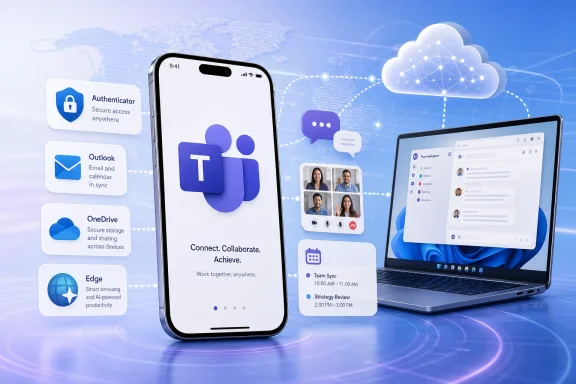 Teams Wins Because Work Has Become the Operating System
The striking thing about Teams leading Microsoft’s mobile downloads is not that the app is popular. It is that Teams has become a default endpoint for so many institutional routines that downloading it is often less a personal choice than a condition of participation. Work meetings, school classes, parent-teacher calls, volunteer boards, customer support queues, and hybrid office rituals all funnel people toward the same purple icon.Eastleigh Voice’s ranking, citing AppMagic data, puts Teams at roughly 90 million installs for 2025 to date. That number should be treated as app-store download intelligence, not as a clean proxy for active users or paid seats. A user can download an app more than once, switch devices, reinstall after a reset, or install it without becoming a durable daily user.
Still, the direction is unmistakable. Teams has survived the pandemic comedown not by remaining a video-call app, but by becoming Microsoft’s collaboration shell. It is the place where meetings happen, files are shared, chats persist, apps are embedded, calendars intrude, and Copilot increasingly tries to summarize the whole mess.
That is why Teams is the lead character in this chart. Microsoft’s most downloaded app is not Word, the old symbol of productivity, or Excel, the immortal business machine. It is the coordination layer sitting above them.
Authenticator’s Second Place Is the Quiet Security Story
Microsoft Authenticator ranking second, at nearly 59 million downloads in Eastleigh Voice’s summary, may be the more revealing statistic. Nobody downloads an authenticator app for fun. People download it because a bank, employer, school, cloud tenant, or Microsoft account flow has made stronger sign-in unavoidable.That is the shift enterprise security teams have wanted for years. Multifactor authentication used to be framed as an extra burden, the kind of thing users tolerated only after a breach or compliance mandate. In 2025, Authenticator sitting just behind Teams suggests that identity protection has moved from policy memo to daily muscle memory.
Microsoft’s own Entra documentation explains why the app has strategic weight. Authenticator is not merely a six-digit-code generator; Microsoft positions it for MFA notifications, passwordless phone sign-in, and passkey-based authentication on Android and iOS. In Microsoft’s current identity model, the phone becomes a security token, a biometric prompt, and a bridge into cloud services.
That also explains why Authenticator’s download count should matter to Windows admins. The Windows desktop may still be the place where work is done, but the phone is increasingly where work is allowed. Conditional access, number matching, device-bound credentials, passkeys, and account recovery all make the mobile identity app part of the Windows security perimeter.
The irony is obvious. Microsoft spent decades trying to make Windows the center of personal computing. In modern enterprise security, a Windows sign-in is often only as trustworthy as the mobile device that approves it.
Word Still Matters, But It No Longer Defines Microsoft
Microsoft Word taking third place, with close to 55 million downloads, is both impressive and a little symbolic. Word remains one of the most recognizable software brands on Earth, and it still anchors school assignments, legal drafts, business proposals, grant applications, and bureaucratic life. But in this ranking, it trails the collaboration app and the authentication app.That inversion captures Microsoft’s broader repositioning. The company no longer sells productivity as a set of standalone tools. It sells an environment: identity, storage, collaboration, compliance, device management, AI assistance, and familiar document apps wrapped together.
Word’s mobile downloads also carry a different meaning from Teams installs. Many users install Word because they need to open, review, lightly edit, or share a document on the go. Fewer people are writing 40-page reports on a phone screen. Mobile Word is less a replacement for desktop Word than a continuity layer between devices.
For WindowsForum readers, this is the practical takeaway: the classic Office apps are still strong, but they are no longer the only gravitational center. The Microsoft 365 account has become the product. Word is one star in that system, not the sun.
Outlook and Edge Show the Battle for Daily Defaults
Outlook’s reported 45.9 million downloads are not surprising, but they are strategically important. Email refuses to die because organizations keep using it as the universal audit trail. Chat may be faster, but email remains the place where approvals, invoices, HR notices, customer correspondence, and compliance-sensitive messages still land.Outlook on mobile also benefits from Microsoft’s enterprise lock-in. If an organization standardizes on Exchange Online, Microsoft 365, Intune, and Entra policies, Outlook is often the blessed client. That gives the app a built-in advantage that consumer email rivals do not always have in managed environments.
Edge, listed by Eastleigh Voice as “Microsoft Edge AI browser” at about 42.5 million downloads, is the more complicated entry. On Windows, Edge benefits from being preinstalled and deeply promoted. On mobile, users must actively install it, which makes its appearance near the top of the Microsoft chart more meaningful.
The browser has become Microsoft’s preferred consumer and enterprise funnel for AI features, Bing integration, account sync, shopping tools, security controls, and Microsoft 365 access. Whether users love Edge or simply need it for work profile consistency, mobile adoption helps Microsoft extend a Windows-adjacent browsing experience onto iOS and Android.
That is why Edge’s ranking should not be dismissed as a browser footnote. Microsoft lost the smartphone operating-system war, but it can still compete for the browser, identity, and AI layers on other companies’ mobile platforms.
Excel’s Lower Rank Says More About Phones Than Spreadsheets
Excel reportedly sits behind Edge, with about 37.9 million downloads. This may look odd to anyone who lives inside spreadsheets all day, but the reason is not that Excel has become less important. It is that Excel remains one of the least phone-friendly of Microsoft’s major productivity experiences.Spreadsheets are spatial. They depend on big screens, precise selection, visible columns, keyboard shortcuts, formulas, and a tolerance for complexity that mobile interfaces naturally compress. Excel on a phone is useful for checking a figure, making a small edit, approving a budget, or viewing a dashboard. It is rarely where serious spreadsheet work begins.
That distinction matters when reading download rankings. Mobile installs measure reach, not depth. Excel can be less downloaded than Teams while still being more critical to finance departments, analysts, operations teams, and small businesses.
The deeper point is that Microsoft’s mobile chart favors workflow triggers. People install Teams to join a meeting now. They install Authenticator to sign in now. They install Outlook to read mail now. Excel’s highest-value work often waits until the user is back at a laptop, a monitor, and a real keyboard.
Copilot Enters the Ranking Before It Has Earned the Habit
Microsoft 365 Copilot appearing among the top ten is exactly what Microsoft wants investors, customers, and developers to notice. The company has spent the last several years recasting nearly every product announcement around AI, from Windows and Edge to Office and security. A mobile Copilot app in the download rankings gives that strategy a consumer-visible footprint.But Copilot’s presence should be interpreted carefully. Downloads can signal curiosity, bundling, promotion, or experimentation. They do not necessarily prove that users have made AI assistance a daily habit in the same way they have made messaging, email, and MFA routine.
That is the central tension in Microsoft’s AI push. The company has distribution power almost no one else can match: Windows, Microsoft 365, Teams, Edge, Outlook, GitHub, Azure, and Xbox. What remains harder is proving that Copilot is not just another button in the chrome, but a tool users seek out because it reliably saves time.
The download chart hints at both promise and uncertainty. Copilot is present, but it is not yet the anchor. Teams and Authenticator are not glamorous, but they are compulsory. Copilot is still fighting to become necessary.
Link to Windows Is Microsoft’s Post-Phone Strategy in Miniature
Link to Windows ranking in the top ten is a reminder that Microsoft did not abandon mobile after Windows Phone. It changed tactics. Instead of owning the phone OS, Microsoft now tries to make Android and iOS behave better beside Windows.For everyday users, Link to Windows is about notifications, messages, photos, calls, and continuity. For Microsoft, it is about reducing the penalty of not owning the handset. If the PC can become the command center for a user’s phone activity, Windows retains relevance even as daily computing sprawls across devices.
The app’s importance is especially clear in a world where Apple’s ecosystem remains a competitive benchmark. iPhone users get tight Mac integration by default. Microsoft has to build a bridge over someone else’s moat, and Link to Windows is one of the more visible planks.
It also speaks to a broader truth behind the ranking. Microsoft’s mobile apps are not isolated products. They are adapters. Each one connects a non-Microsoft mobile platform back to Microsoft identity, Microsoft cloud services, Microsoft documents, Microsoft gaming, or the Windows PC.
Xbox and OneDrive Round Out the Consumer Side of the Map
Xbox and OneDrive appearing among the leading Microsoft apps keeps the ranking from being purely an enterprise story. Microsoft is not just chasing the office worker. It is trying to remain present across entertainment, personal storage, family devices, and consumer accounts.OneDrive is the quieter of the two, but arguably the more strategic. Cloud storage is sticky because it becomes invisible once configured. Camera uploads, document sync, Windows backup prompts, shared folders, and Microsoft 365 subscriptions all push OneDrive into the background plumbing of personal computing.
Xbox, by contrast, is a brand with cultural pull. The mobile app supports messaging, clips, remote features, social activity, and console-adjacent engagement. It does not need to replace the console to matter; it needs to keep the Xbox identity alive when the user is away from the living room.
Together, these apps show why Microsoft’s mobile footprint is broader than Office. The company’s consumer challenge is not awareness. It is coherence. Users may have Teams for work, Authenticator for security, OneDrive for files, Xbox for gaming, Edge for browsing, and Copilot for AI, but they may not experience that as one elegant ecosystem.
Download Charts Reward Distribution, Not Love
The temptation with app rankings is to treat them as public affection meters. That is a mistake. Downloads are partly about demand, partly about compulsion, partly about device churn, and partly about how aggressively a company can route users toward installation.Microsoft is unusually strong in all four categories. It has genuine demand for Office, Outlook, Teams, Xbox, and OneDrive. It has enterprise compulsion through IT policy and Microsoft 365 standardization. It benefits from replacement cycles and reinstall behavior. And it has unmatched ability to promote apps across Windows, the web, Microsoft accounts, and admin-managed environments.
That does not make the numbers meaningless. It makes them more interesting. A Microsoft app download is often a trace of a workflow, not a fan vote.
For admins, this is the distinction that matters. If Teams and Authenticator are the highest-volume mobile endpoints, they deserve the same operational seriousness as desktop Office once did. Policies, training, support scripts, conditional access, backup methods, device enrollment, and user offboarding all need to reflect that reality.
For users, the chart explains why Microsoft can feel omnipresent even on a phone made by Apple or running Google’s Android. The operating system may not be Microsoft’s, but the workday often is.
The Ranking Exposes Microsoft’s Real Mobile Comeback
Microsoft’s mobile comeback did not arrive as a Surface Phone. It arrived as a stack of apps that make iPhones and Android phones participate in Microsoft’s cloud. The 2025 download ranking is best understood as evidence of that strategy working at scale.Teams pulls users into Microsoft’s collaboration layer. Authenticator secures the account that unlocks the rest. Word, Excel, PowerPoint, Outlook, and OneDrive keep the productivity suite alive beyond the PC. Edge and Copilot try to shape browsing and AI behavior. Xbox preserves a consumer identity that is not tied to spreadsheets and meetings.
This is a less romantic mobile strategy than owning the platform outright, but it is also more realistic. Microsoft does not need to win the home screen if it can own enough of the tasks behind it. It does not need to control the phone if the phone must repeatedly call back to Microsoft services.
The risk is fragmentation. Microsoft’s app portfolio can feel like a constellation or a junk drawer, depending on the user. The same breadth that makes the company powerful can also make its experience confusing, duplicative, and administratively heavy.
That is where 2025’s ranking becomes a challenge to Microsoft, not just a victory lap. Distribution is not the same as delight. Being installed is not the same as being trusted. Being required is not the same as being loved.
The 2025 Chart Draws Microsoft’s New Center of Gravity
The most concrete reading of Eastleigh Voice’s ranking is that Microsoft’s app demand now clusters around collaboration, identity, and cloud continuity before classic document creation. That shift has practical consequences for anyone managing Windows users, Microsoft 365 tenants, or mixed-device fleets.- Microsoft Teams’ lead suggests that collaboration workflows remain the strongest mobile install driver in Microsoft’s portfolio.
- Microsoft Authenticator’s second-place ranking shows that secure sign-in has become a mainstream user behavior rather than a niche enterprise requirement.
- Word, Outlook, Excel, and PowerPoint still matter, but their mobile role is increasingly about continuity with desktop and cloud work.
- Edge and Copilot demonstrate Microsoft’s attempt to turn the browser and AI assistant into cross-platform control points.
- Link to Windows, OneDrive, and Xbox show that Microsoft’s mobile strategy extends beyond office productivity into device continuity, storage, and entertainment.
- IT teams should treat Microsoft’s mobile apps as part of the managed Windows environment, because identity, access, files, meetings, and recovery now routinely pass through phones.
References
- Primary source: The Eastleigh Voice
Published: 2026-07-06T19:50:13.067238
Loading…
eastleighvoice.co.ke - Related coverage: statista.com
Loading…
www.statista.com - Related coverage: techradar.com
Loading…
www.techradar.com - Related coverage: windowsforum.com
Loading…
windowsforum.com - Official source: microsoft.com
Loading…
www.microsoft.com - Related coverage: twinstrata.com
Loading…
www.twinstrata.com
- Related coverage: apptweak.com
Loading…
www.apptweak.com - Official source: learn.microsoft.com
Loading…
learn.microsoft.com - Official source: cdn-dynmedia-1.microsoft.com
Loading…
cdn-dynmedia-1.microsoft.com - Official source: techcommunity.microsoft.com
Loading…
techcommunity.microsoft.com - Related coverage: toomey.org
Loading…
www.toomey.org