

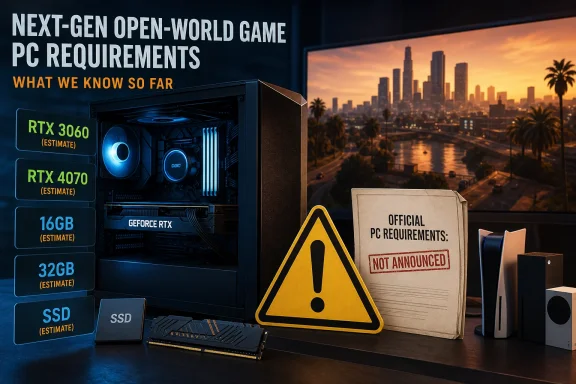
As of July 10, 2026, Rockstar has announced GTA 6 only for PlayStation 5 and Xbox Series X/S, not Windows. Every PC requirement currently circulating—including the RTX 3060 minimum and RTX 4070 recommendation published by PowerUp Gaming—is therefore an estimate rather than an official specification. PowerUp Gaming’s proposed configurations offer a useful inventory and planning reference, but they cannot certify whether any PC will run an unannounced Windows version.
The starting point for every GTA 6 hardware discussion is simple: there is no announced PC version. Rockstar’s announced platform list names PlayStation 5 and Xbox Series X/S. PC plans, a Windows release date, system requirements, supported Windows versions, graphics options, and performance targets remain undisclosed.
PowerUp Gaming identifies its figures as predictions, but numbers can lose that context when repeated in search results, social posts, shopping guides, and component discussions. An “expected minimum” can quickly be shortened to “minimum,” making an estimate resemble an official requirement.
That distinction matters because an official specification normally refers to a particular version of a game tested under defined conditions. The developer may identify an operating system, processor, memory capacity, graphics card, storage requirement, resolution, preset, and performance target. A third-party estimate cannot supply those missing test conditions.
PowerUp Gaming instead builds a planning range from the announced console platforms, contemporary PC hardware tiers, and earlier Rockstar games. GTA V and Red Dead Redemption 2 are cited as examples of prior games receiving additional PC graphics settings. Those points can inform an estimate, but they do not reveal how a GTA 6 PC version would be built, optimized, or configured.
The evidence-bounded position is therefore narrow: GTA 6 is announced for current-generation consoles, PowerUp Gaming has estimated what a future PC configuration might look like, and Rockstar has not confirmed that estimate.
The display goals are the least precise portion of the estimate. “Decent FPS” is subjective, while “possibly 1440p” does not identify a frame-rate target, graphics preset, native rendering resolution, resolution-scaling setting, or reconstruction method.
That does not make the table worthless. It makes the table better suited to capacity planning than purchasing. The lower tier represents the general class of hardware PowerUp Gaming believes could be relevant, while the higher tier adds processing power, system memory, graphics memory, and storage capacity.
The table also discourages a GPU-only reading. PowerUp Gaming’s higher tier changes nearly every major component category: processor, RAM, GPU, VRAM, and storage allocation. Its estimate therefore describes a balanced platform rather than a single required graphics card.
The publication proposes an Intel Core i7-8700K or AMD Ryzen 7 3700X for its lower tier, rising to an Intel Core i7-13700K or AMD Ryzen 7 7700X for its higher tier. The distance between those generations indicates that the estimate is broad rather than a precisely tested cutoff.
As a general consideration, open-world games can place work on both the CPU and GPU. Characters, traffic, physics, animation, world updates, audio, and preparation of graphics work may contribute to CPU demand, but Rockstar has not disclosed how GTA 6 would distribute those tasks on Windows.
A processor’s model name also cannot describe the condition of the complete PC. Cooling, memory configuration, power settings, background applications, and storage can influence how a system behaves during sustained gaming. These are general diagnostic considerations, not evidence of GTA 6 requirements.
The estimated Core i7-8700K tier should therefore not be interpreted as a pass/fail boundary. A processor below it has not officially failed a GTA 6 test, and a processor above it has not officially passed one. No such PC test has been announced.
For buyers, the practical lesson is to avoid upgrading by model number alone. For administrators responsible for gaming labs, review machines, demonstration systems, or creator workstations, the better approach is to document complete configurations and wait for a release build that can be tested.
System RAM is used by Windows, the game, device software, launchers, browsers, voice applications, capture tools, overlays, and other active processes. The amount available to a game therefore depends partly on what else is running. The exact consequences of memory pressure vary by application and system, so an installed-memory figure alone cannot predict GTA 6 performance.
Within PowerUp Gaming’s model, 16GB represents a possible entry capacity and 32GB provides additional margin. That margin may be useful for people who regularly keep browsers, recording tools, communications software, or creator applications open while gaming. It should not be presented as proof that GTA 6 will require 32GB.
An existing 16GB system does not need an immediate GTA-specific memory upgrade. RAM is easy to inventory, and many desktop systems can be expanded later if official requirements or real testing justify it.
An 8GB system should also not be labeled a confirmed GTA 6 failure. PowerUp Gaming says 8GB can constrain demanding games, but Rockstar has not announced a PC version against which that machine can be evaluated. An upgrade from 8GB may still make sense if current games, multitasking, or productivity applications are already running short of memory.
That distinction keeps the decision grounded in measurable benefit: upgrade RAM because the current PC needs more capacity, not because an unofficial GTA 6 table appears to demand it.
Separating the GPU model from VRAM capacity is useful. They are related specifications, but they are not interchangeable measures. As a general matter, graphics performance can be influenced by the GPU architecture, processing resources, memory capacity, memory bandwidth, drivers, resolution, and selected quality options.
A larger VRAM figure does not automatically make one card faster than another. Likewise, a newer or faster GPU does not guarantee a particular game experience when the resolution, settings, frame-rate target, and PC implementation are unknown.
PowerUp Gaming’s 8GB-to-12GB split is best understood as estimated headroom for two quality levels. It is not a verified forecast of GTA 6’s graphics-memory use. Rockstar has not stated whether a PC version would include higher-quality assets, optional advanced effects, reconstruction technologies, or settings that significantly change VRAM demand.
GTA V and Red Dead Redemption 2 show that previous Rockstar games have received PC graphics-setting additions. That precedent supports the possibility of adjustable settings, but it does not identify the settings, features, or memory requirements of GTA 6.
Owners of otherwise satisfactory GPUs should therefore wait. Replacing a graphics card solely to reach the estimated 8GB or 12GB tier is one of the highest-risk early purchases because the missing official information includes the exact feature support, presets, resolutions, and performance targets that would make those numbers meaningful.
The immediately useful question is capacity. The free-space figure shown on a drive must account for Windows, applications, personal files, other games, and routine system activity. A user considering a game in the estimated 150GB-to-200GB range should inventory actual free space rather than relying on the drive’s advertised total capacity.
It is also sensible to avoid planning an installation that would leave almost no remaining space. The amount of additional room that may be needed for installation or updates is unknown, however, because Rockstar has not published a PC package size or update process.
PowerUp Gaming’s verified estimate specifies an SSD. It does not establish that GTA 6 will fail on an HDD, and it does not provide a verified recommendation that NVMe storage will be required or superior for this game. Claims about exact loading or asset-streaming results would require testing of an actual PC release.
Storage is nevertheless one of the easier areas in which to make a low-regret upgrade. Replacing an HDD with an SSD can be justified when it improves Windows startup, application responsiveness, file operations, and loading behavior in software already in use. That is a current-workload decision, not a GTA 6 compatibility determination.
If an existing SSD has adequate free space and performs well in current applications, there is no reason to replace it solely because one estimate reserves up to 200GB. Inventory first, clean up unnecessary files if appropriate, and wait for Rockstar’s official storage specification.
Operating-system support involves more than whether a program might technically launch. A developer chooses which platforms and versions it will test, document, update, and support. Driver availability, required software components, launchers, and other implementation details may also influence that decision. These are general software-support considerations; they are not confirmed GTA 6 issues.
The timing of any PC release would matter because Windows support conditions can change. A requirement estimate written before a PC announcement cannot guarantee which operating systems Rockstar will support when or if that version ships.
Home users should not install, retain, or replace an operating system solely because PowerUp Gaming lists it. Businesses, schools, and other managed environments have even less reason to change policy around an unofficial game estimate. Their operating-system choices must also account for security servicing, device management, application compatibility, and organizational requirements.
The appropriate GTA 6 decision point comes after Rockstar announces a PC version and names its supported Windows environment.
Consoles use fixed hardware and controlled software environments. Windows PCs combine many processors, graphics cards, memory configurations, storage devices, drivers, firmware versions, and background applications. Directly matching a console component to one retail PC part can therefore oversimplify the comparison.
Console and PC memory arrangements also differ, so the console specifications do not prove that a Windows version would need a particular combination of system RAM and VRAM. Any such PC figures remain estimates until Rockstar publishes requirements or independent testers can examine a release build.
The practical conclusion is limited but useful: the announced console versions provide context for PowerUp Gaming’s estimate, not confirmation of its selected CPU, GPU, RAM, VRAM, or storage tiers.
A future PC version could include adjustable settings that broaden the supported hardware range. It could also set a higher floor than some users expect. Neither outcome should be assumed before Rockstar provides details.
The precedent does not establish which settings would appear, how well they would scale, or what hardware would be needed. It also does not prove that GTA 6 would follow the same release, support, or feature pattern as either earlier game.
A possible range of settings further complicates the meaning of “recommended.” A developer might define that tier around a moderate preset rather than maximum settings. Optional settings could demand considerably more performance without changing the baseline needed to run the game.
This is why a component label such as “RTX 4070 recommended” is incomplete without a resolution, preset, frame-rate goal, and rendering configuration. PowerUp Gaming provides only broad targets, and Rockstar provides none for PC.
The previous games are therefore relevant as examples of PC graphics-setting additions—not as evidence for specific GTA 6 features, technical enhancements, storage behavior, or performance.
The greatest risk lies in replacing a satisfactory processor or graphics card solely to cross an estimated line. Rockstar may eventually publish lower, higher, or differently structured requirements. It may also identify specific performance targets that change how apparently similar components should be evaluated.
A complete rebuild is harder to justify because there is still no announced Windows release to plan around. Buying early means making the most expensive decisions while the most important information is missing.
Purchases can still make sense when they solve present needs. More RAM may help a user whose current applications already exhaust available memory. An SSD may improve a system that still relies on an HDD for Windows or frequently used software. A new CPU or GPU may be justified by current games, creative applications, streaming, development work, or other measurable workloads.
The distinction is motive and timing: buy for value you can use and verify now; wait before buying for GTA 6.
Its most defensible use is to prompt ordinary Windows users and administrators to ask better questions. What hardware is installed? Is Windows running from an SSD or HDD? How much storage is genuinely free? Does the machine have 8GB, 16GB, or 32GB of RAM? Is the present GPU already inadequate for current games? Would an upgrade deliver value today even if GTA 6 never reached PC?
The wait-versus-upgrade decision is straightforward. Upgrade storage or RAM when doing so improves current workloads. Replace a CPU or GPU when current software provides a measurable reason. Approve a complete rebuild when the existing system has broader performance, reliability, or support problems.
For GTA 6 specifically, wait. Rockstar has not announced a PC version, official PC requirements, supported Windows versions, or defined performance targets. Until it does, PowerUp Gaming’s RTX 3060 and RTX 4070 tiers remain estimates—not buying instructions, compatibility guarantees, or official Rockstar specifications.
WindowsForum verdict
No PC version or official PC system requirements have been announced for GTA 6. The component table below is PowerUp Gaming’s estimate only, not a Rockstar specification. Do not buy a processor, graphics card, or complete PC solely for GTA 6 yet. Inventory your current hardware, make upgrades that improve the software you use today, and wait for Rockstar to announce a PC release and publish official requirements before making GTA-specific purchases.
 The Most Important PC Specification Is the One Rockstar Has Not Published
The starting point for every GTA 6 hardware discussion is simple: there is no announced PC version. Rockstar’s announced platform list names PlayStation 5 and Xbox Series X/S. PC plans, a Windows release date, system requirements, supported Windows versions, graphics options, and performance targets remain undisclosed.PowerUp Gaming identifies its figures as predictions, but numbers can lose that context when repeated in search results, social posts, shopping guides, and component discussions. An “expected minimum” can quickly be shortened to “minimum,” making an estimate resemble an official requirement.
That distinction matters because an official specification normally refers to a particular version of a game tested under defined conditions. The developer may identify an operating system, processor, memory capacity, graphics card, storage requirement, resolution, preset, and performance target. A third-party estimate cannot supply those missing test conditions.
PowerUp Gaming instead builds a planning range from the announced console platforms, contemporary PC hardware tiers, and earlier Rockstar games. GTA V and Red Dead Redemption 2 are cited as examples of prior games receiving additional PC graphics settings. Those points can inform an estimate, but they do not reveal how a GTA 6 PC version would be built, optimized, or configured.
The evidence-bounded position is therefore narrow: GTA 6 is announced for current-generation consoles, PowerUp Gaming has estimated what a future PC configuration might look like, and Rockstar has not confirmed that estimate.
PowerUp Gaming’s Estimate Defines a Planning Range
PowerUp Gaming’s table describes a modern gaming PC with substantial processor, graphics, memory, and storage capacity. It should be read as one publication’s planning model—not as a compatibility sheet.| PowerUp Gaming estimate — component | PowerUp Gaming estimate — lower tier | PowerUp Gaming estimate — higher tier | PowerUp Gaming estimate — performance target |
|---|---|---|---|
| PowerUp Gaming estimate: Operating system | PowerUp Gaming estimate: Windows 10 or Windows 11 | PowerUp Gaming estimate: Windows 10 or Windows 11 | PowerUp Gaming estimate: No more specific target stated |
| PowerUp Gaming estimate: Processor | PowerUp Gaming estimate: Intel Core i7-8700K or AMD Ryzen 7 3700X | PowerUp Gaming estimate: Intel Core i7-13700K or AMD Ryzen 7 7700X | PowerUp Gaming estimate: Greater performance margin for simulation and frame-rate consistency |
| PowerUp Gaming estimate: System memory | PowerUp Gaming estimate: 16GB RAM | PowerUp Gaming estimate: 32GB RAM | PowerUp Gaming estimate: More capacity for the game, Windows, and background applications |
| PowerUp Gaming estimate: Graphics card | PowerUp Gaming estimate: NVIDIA RTX 3060 or AMD RX 6700 XT | PowerUp Gaming estimate: NVIDIA RTX 4070 or AMD RX 7800 XT | PowerUp Gaming estimate: Higher settings and frame rates |
| PowerUp Gaming estimate: Graphics memory | PowerUp Gaming estimate: 8GB VRAM | PowerUp Gaming estimate: 12GB VRAM | PowerUp Gaming estimate: More graphics-memory capacity |
| PowerUp Gaming estimate: Storage | PowerUp Gaming estimate: 150GB on an SSD | PowerUp Gaming estimate: 200GB on an SSD | PowerUp Gaming estimate: Capacity for the game on solid-state storage |
| PowerUp Gaming estimate: Display goal | PowerUp Gaming estimate: 1080p with what the publication calls “decent FPS” | PowerUp Gaming estimate: Higher frame rates and possibly 1440p | PowerUp Gaming estimate: No exact preset, frame rate, or rendering method stated |
That does not make the table worthless. It makes the table better suited to capacity planning than purchasing. The lower tier represents the general class of hardware PowerUp Gaming believes could be relevant, while the higher tier adds processing power, system memory, graphics memory, and storage capacity.
The table also discourages a GPU-only reading. PowerUp Gaming’s higher tier changes nearly every major component category: processor, RAM, GPU, VRAM, and storage allocation. Its estimate therefore describes a balanced platform rather than a single required graphics card.
The CPU Estimate Points to a Whole-System Question
Many speculative gaming builds begin with the GPU because graphics cards are easy to compare. PowerUp Gaming’s processor estimates show why a future GTA 6 PC discussion may need to consider the entire system.The publication proposes an Intel Core i7-8700K or AMD Ryzen 7 3700X for its lower tier, rising to an Intel Core i7-13700K or AMD Ryzen 7 7700X for its higher tier. The distance between those generations indicates that the estimate is broad rather than a precisely tested cutoff.
As a general consideration, open-world games can place work on both the CPU and GPU. Characters, traffic, physics, animation, world updates, audio, and preparation of graphics work may contribute to CPU demand, but Rockstar has not disclosed how GTA 6 would distribute those tasks on Windows.
A processor’s model name also cannot describe the condition of the complete PC. Cooling, memory configuration, power settings, background applications, and storage can influence how a system behaves during sustained gaming. These are general diagnostic considerations, not evidence of GTA 6 requirements.
The estimated Core i7-8700K tier should therefore not be interpreted as a pass/fail boundary. A processor below it has not officially failed a GTA 6 test, and a processor above it has not officially passed one. No such PC test has been announced.
For buyers, the practical lesson is to avoid upgrading by model number alone. For administrators responsible for gaming labs, review machines, demonstration systems, or creator workstations, the better approach is to document complete configurations and wait for a release build that can be tested.
Memory Numbers Separate Basic Capacity From Additional Margin
PowerUp Gaming places 16GB of RAM in its lower tier and 32GB in its higher tier. It also says that 8GB can constrain demanding games.System RAM is used by Windows, the game, device software, launchers, browsers, voice applications, capture tools, overlays, and other active processes. The amount available to a game therefore depends partly on what else is running. The exact consequences of memory pressure vary by application and system, so an installed-memory figure alone cannot predict GTA 6 performance.
Within PowerUp Gaming’s model, 16GB represents a possible entry capacity and 32GB provides additional margin. That margin may be useful for people who regularly keep browsers, recording tools, communications software, or creator applications open while gaming. It should not be presented as proof that GTA 6 will require 32GB.
An existing 16GB system does not need an immediate GTA-specific memory upgrade. RAM is easy to inventory, and many desktop systems can be expanded later if official requirements or real testing justify it.
An 8GB system should also not be labeled a confirmed GTA 6 failure. PowerUp Gaming says 8GB can constrain demanding games, but Rockstar has not announced a PC version against which that machine can be evaluated. An upgrade from 8GB may still make sense if current games, multitasking, or productivity applications are already running short of memory.
That distinction keeps the decision grounded in measurable benefit: upgrade RAM because the current PC needs more capacity, not because an unofficial GTA 6 table appears to demand it.
VRAM Is Only One Part of the Graphics Decision
PowerUp Gaming pairs an NVIDIA RTX 3060 or AMD RX 6700 XT with its lower tier and an NVIDIA RTX 4070 or AMD RX 7800 XT with its higher tier. It separately estimates 8GB of VRAM for the lower tier and 12GB for the higher tier.Separating the GPU model from VRAM capacity is useful. They are related specifications, but they are not interchangeable measures. As a general matter, graphics performance can be influenced by the GPU architecture, processing resources, memory capacity, memory bandwidth, drivers, resolution, and selected quality options.
A larger VRAM figure does not automatically make one card faster than another. Likewise, a newer or faster GPU does not guarantee a particular game experience when the resolution, settings, frame-rate target, and PC implementation are unknown.
PowerUp Gaming’s 8GB-to-12GB split is best understood as estimated headroom for two quality levels. It is not a verified forecast of GTA 6’s graphics-memory use. Rockstar has not stated whether a PC version would include higher-quality assets, optional advanced effects, reconstruction technologies, or settings that significantly change VRAM demand.
GTA V and Red Dead Redemption 2 show that previous Rockstar games have received PC graphics-setting additions. That precedent supports the possibility of adjustable settings, but it does not identify the settings, features, or memory requirements of GTA 6.
Owners of otherwise satisfactory GPUs should therefore wait. Replacing a graphics card solely to reach the estimated 8GB or 12GB tier is one of the highest-risk early purchases because the missing official information includes the exact feature support, presets, resolutions, and performance targets that would make those numbers meaningful.
The SSD Estimate Is Primarily a Capacity-Planning Figure
PowerUp Gaming estimates 150GB of SSD storage for its lower tier and 200GB for its higher tier. Its table assumes solid-state storage rather than an HDD.The immediately useful question is capacity. The free-space figure shown on a drive must account for Windows, applications, personal files, other games, and routine system activity. A user considering a game in the estimated 150GB-to-200GB range should inventory actual free space rather than relying on the drive’s advertised total capacity.
It is also sensible to avoid planning an installation that would leave almost no remaining space. The amount of additional room that may be needed for installation or updates is unknown, however, because Rockstar has not published a PC package size or update process.
PowerUp Gaming’s verified estimate specifies an SSD. It does not establish that GTA 6 will fail on an HDD, and it does not provide a verified recommendation that NVMe storage will be required or superior for this game. Claims about exact loading or asset-streaming results would require testing of an actual PC release.
Storage is nevertheless one of the easier areas in which to make a low-regret upgrade. Replacing an HDD with an SSD can be justified when it improves Windows startup, application responsiveness, file operations, and loading behavior in software already in use. That is a current-workload decision, not a GTA 6 compatibility determination.
If an existing SSD has adequate free space and performs well in current applications, there is no reason to replace it solely because one estimate reserves up to 200GB. Inventory first, clean up unnecessary files if appropriate, and wait for Rockstar’s official storage specification.
Windows 10 and Windows 11 Support Remains Unknown
PowerUp Gaming lists Windows 10 or Windows 11 in both tiers. Rockstar has not confirmed either operating system for GTA 6.Operating-system support involves more than whether a program might technically launch. A developer chooses which platforms and versions it will test, document, update, and support. Driver availability, required software components, launchers, and other implementation details may also influence that decision. These are general software-support considerations; they are not confirmed GTA 6 issues.
The timing of any PC release would matter because Windows support conditions can change. A requirement estimate written before a PC announcement cannot guarantee which operating systems Rockstar will support when or if that version ships.
Home users should not install, retain, or replace an operating system solely because PowerUp Gaming lists it. Businesses, schools, and other managed environments have even less reason to change policy around an unofficial game estimate. Their operating-system choices must also account for security servicing, device management, application compatibility, and organizational requirements.
The appropriate GTA 6 decision point comes after Rockstar announces a PC version and names its supported Windows environment.
Current-Generation Consoles Do Not Create a Windows Baseline
GTA 6 has been announced for PlayStation 5 and Xbox Series X/S. That establishes the announced console platforms, but it does not provide a formula for calculating PC requirements.Consoles use fixed hardware and controlled software environments. Windows PCs combine many processors, graphics cards, memory configurations, storage devices, drivers, firmware versions, and background applications. Directly matching a console component to one retail PC part can therefore oversimplify the comparison.
Console and PC memory arrangements also differ, so the console specifications do not prove that a Windows version would need a particular combination of system RAM and VRAM. Any such PC figures remain estimates until Rockstar publishes requirements or independent testers can examine a release build.
The practical conclusion is limited but useful: the announced console versions provide context for PowerUp Gaming’s estimate, not confirmation of its selected CPU, GPU, RAM, VRAM, or storage tiers.
A future PC version could include adjustable settings that broaden the supported hardware range. It could also set a higher floor than some users expect. Neither outcome should be assumed before Rockstar provides details.
Prior PC Games Support Only a Limited Comparison
PowerUp Gaming cites GTA V and Red Dead Redemption 2 as prior Rockstar games that received PC graphics-setting additions. That supports one cautious observation: if GTA 6 reaches Windows, it may provide settings that are not presented in the same way on consoles.The precedent does not establish which settings would appear, how well they would scale, or what hardware would be needed. It also does not prove that GTA 6 would follow the same release, support, or feature pattern as either earlier game.
A possible range of settings further complicates the meaning of “recommended.” A developer might define that tier around a moderate preset rather than maximum settings. Optional settings could demand considerably more performance without changing the baseline needed to run the game.
This is why a component label such as “RTX 4070 recommended” is incomplete without a resolution, preset, frame-rate goal, and rendering configuration. PowerUp Gaming provides only broad targets, and Rockstar provides none for PC.
The previous games are therefore relevant as examples of PC graphics-setting additions—not as evidence for specific GTA 6 features, technical enhancements, storage behavior, or performance.
Buying a “GTA 6 PC” Today Is Premature
Turning PowerUp Gaming’s higher tier—Core i7-13700K or Ryzen 7 7700X, 32GB of RAM, RTX 4070 or RX 7800 XT, 12GB of VRAM, and 200GB of SSD capacity—into a shopping list would produce a capable gaming PC. It would not produce a certified GTA 6 PC.The greatest risk lies in replacing a satisfactory processor or graphics card solely to cross an estimated line. Rockstar may eventually publish lower, higher, or differently structured requirements. It may also identify specific performance targets that change how apparently similar components should be evaluated.
A complete rebuild is harder to justify because there is still no announced Windows release to plan around. Buying early means making the most expensive decisions while the most important information is missing.
Purchases can still make sense when they solve present needs. More RAM may help a user whose current applications already exhaust available memory. An SSD may improve a system that still relies on an HDD for Windows or frequently used software. A new CPU or GPU may be justified by current games, creative applications, streaming, development work, or other measurable workloads.
The distinction is motive and timing: buy for value you can use and verify now; wait before buying for GTA 6.
Buy now / wait decision matrix
| Decision | Buy now when… | Wait when… |
|---|---|---|
| Storage upgrade | An SSD would improve current Windows, application, or game use, or current free space is inadequate for existing needs | The only reason is PowerUp Gaming’s estimated 150GB-to-200GB GTA 6 allocation |
| RAM upgrade | Current workloads already show a practical need for more memory, especially on an 8GB system | The current system performs well and the only goal is reaching the estimated 16GB or 32GB tier |
| GPU upgrade | Current games or applications deliver inadequate performance at the settings and resolution you use today | The purchase is intended only to reach the estimated RTX 3060, RX 6700 XT, RTX 4070, or RX 7800 XT tier |
| CPU upgrade | Current workloads are measurably CPU-limited and the upgrade improves them now | The processor is being replaced only because its model falls below PowerUp Gaming’s estimate |
| Full PC rebuild | The existing PC no longer meets several current gaming, work, reliability, or support needs | GTA 6 is the primary reason for rebuilding; wait for a PC announcement and official requirements |
Actionable Windows readiness checklist
These steps create a hardware inventory. They are not GTA 6 compatibility tests.- Check the processor and installed RAM
- Open Settings > System > About.
- Record the processor model under Device specifications.
- Record the installed RAM.
- Note the Windows edition and version separately, but do not interpret either as confirmed GTA 6 support.
- Review the main hardware categories in Task Manager
- Press Ctrl+Shift+Esc to open Task Manager.
- Select Performance.
- Review and record the entries for CPU, Memory, Disk, and GPU.
- For disks, note whether Windows identifies the drive as an SSD or HDD.
- Use the live utilization figures only to understand current workloads; they do not predict performance in an unreleased game.
- Check actual free storage
- Open Settings > System > Storage.
- Record the available space on the drive where large games are normally installed.
- Treat PowerUp Gaming’s 150GB-to-200GB range as an early planning estimate only.
- Do not assume that reserving this amount establishes compatibility.
- Use DirectX Diagnostic Tool to confirm graphics details
- Press Windows key+R, type
dxdiag, and press Enter. - Open the Display tab or tabs.
- Record the GPU name and the displayed memory information.
- Be aware that laptops and systems with multiple graphics adapters may show more than one display device.
- Do not treat the reported GPU or VRAM as a pass/fail result against PowerUp Gaming’s table.
- Press Windows key+R, type
- Document the system rather than guessing from its age
- Record the CPU, GPU, RAM, storage type, free space, display resolution, and Windows version in one place.
- For managed systems, also document relevant drivers, firmware, launchers, overlays, capture tools, and security software so later testing can be reproduced.
- Identify upgrades that help today
- Consider more RAM if current applications already run poorly because the system has limited capacity.
- Consider an SSD if the PC still uses an HDD for Windows or frequently used applications.
- Address inadequate free space, cooling problems, or reliability issues as general maintenance needs.
- Do not label an 8GB-RAM or HDD-based computer a confirmed GTA 6 failure.
- Delay GTA-specific certification
- Do not approve CPU, GPU, or fleet-wide PC replacements solely against PowerUp Gaming’s estimates.
- Wait for Rockstar to announce a Windows version and publish official system requirements.
- If a PC release occurs, test the release build on representative systems before making broad purchasing decisions.
The Estimate Is Most Useful as a Risk Map
PowerUp Gaming’s table works best when it highlights areas worth inventorying: an older CPU platform, limited system memory, modest VRAM, insufficient free space, or storage that no longer serves the user’s current needs. It does not create hard boundaries between compatible and incompatible PCs.Its most defensible use is to prompt ordinary Windows users and administrators to ask better questions. What hardware is installed? Is Windows running from an SSD or HDD? How much storage is genuinely free? Does the machine have 8GB, 16GB, or 32GB of RAM? Is the present GPU already inadequate for current games? Would an upgrade deliver value today even if GTA 6 never reached PC?
The wait-versus-upgrade decision is straightforward. Upgrade storage or RAM when doing so improves current workloads. Replace a CPU or GPU when current software provides a measurable reason. Approve a complete rebuild when the existing system has broader performance, reliability, or support problems.
For GTA 6 specifically, wait. Rockstar has not announced a PC version, official PC requirements, supported Windows versions, or defined performance targets. Until it does, PowerUp Gaming’s RTX 3060 and RTX 4070 tiers remain estimates—not buying instructions, compatibility guarantees, or official Rockstar specifications.
References
- Primary source: powerupgaming.co.uk
Published: 2026-07-10T21:30:09.932329
GTA 6 PC System Requirements: Expected Minimum and Recommended Specs - Power Up Gaming
GTA 6 hasn’t been announced for the PC yet, but fans want to prepare, so here are the expected minimum and recommended specs for the game.powerupgaming.co.uk - Related coverage: gta6cheatcode.net
GTA 6 PC system requirements — minimum and recommended (predicted) · GTA6 CheatCode
A researched forecast of the minimum and recommended PC specs to run Grand Theft Auto VI — CPU, GPU, RAM, VRAM, and NVMe storage — based on console hardware, the RAGE 9 engine, and the GTA V Enhanced testbed. Predictions, not official specs.gta6cheatcode.net - Related coverage: viceheist.com
GTA 6 System Requirements — What You Need to Run It — Vice Heist
Rockstar has not published official PC system requirements yet — the game hasn't been officially announced for PC. Here's the realistic expectations based on GTA V's PC launch, RDR2's requirements, and Rockstar's current-gen console baseline.viceheist.com - Related coverage: gta6index.com
GTA 6 System Requirements (PC Predictions) | GTA6Index — The Ultimate GTA 6 Database & Analysis Platform
Predicted system requirements for GTA 6 on PC. Minimum and recommended specs, GPU, CPU, RAM, and storage requirements.gta6index.com
- Related coverage: gtalab.gg
GTA 6 PC Requirements & PC Release — What We Actually Know (2026) | GTALAB.GG
There are no official GTA 6 PC requirements, because there is no PC version. As of June 2026, Grand Theft Auto VI launches November 19, 2026 on PlayStation 5 and Xbox Series X|S only. Rockstar has not announced a PC release date, a PC window, or any official system requirements. Every "GTA...www.gtalab.gg - Related coverage: pcbuildhelper.com
- Related coverage: windowscentral.com
The updated Battlefield 6 PC system requirements have arrived | Windows Central
Can you run Battlefield 6 on your PC? Read the official updated spec requirements and find out.www.windowscentral.com
