

Google Chrome installations below 150.0.7871.46 should be updated, relaunched, and verified. That version boundary is the clearest practical conclusion from the supplied CVE record for CVE-2026-14393.Direct operational answer
- Affected: Google Chrome versions below 150.0.7871.46
- Remediation: Update Chrome, relaunch it, and verify the complete version is 150.0.7871.46 or later
- Severity: Chromium labels CVE-2026-14393 Medium; CISA-ADP assigned a CVSS 3.1 score of 8.8 High
- Exploitation status: The supplied CISA SSVC record lists exploitation as none
- Scope: The supplied description says crafted HTML could lead to arbitrary code execution inside Chrome’s sandbox; it does not establish a sandbox escape or full Windows compromise
The vulnerability is a use-after-free flaw in the V8 engine. According to the Chrome-originated description, a remote attacker could use a crafted HTML page to execute arbitrary code inside the browser sandbox. Chromium labels the issue Medium, while CISA-ADP assigned an 8.8 High CVSS 3.1 score. Those assessments should be retained separately rather than blended into an inaccurately attributed “NVD score.”
The supplied CISA Stakeholder-Specific Vulnerability Categorization record lists exploitation as none. That is a point-in-time assessment value, not proof that exploitation is impossible or will never appear. It also does not answer whether the vulnerability qualifies as a zero-day, so the CVE should not be described either as an actively exploited zero-day or as definitively not being a zero-day.
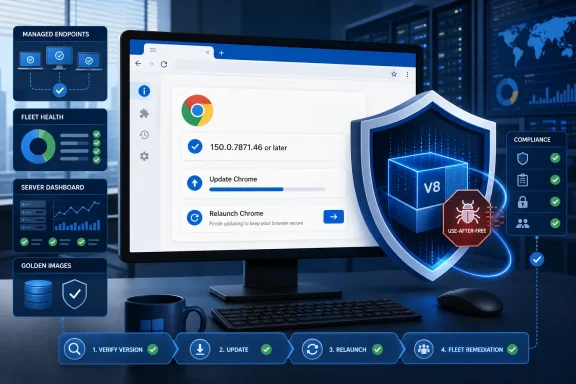 Chrome’s Medium Label Does Not Make the Bug Mild
The affected-version boundary is straightforward: Google Chrome versions before 150.0.7871.46 are vulnerable. Version 150.0.7871.46 itself, and numerically later versions, are outside that documented affected range.Administrators must compare the complete four-part version. A report that identifies an installation only as “Chrome 150” is insufficient because builds within the same major release can fall on opposite sides of the security boundary.
| Reported Google Chrome version | CVE-2026-14393 status | Required response |
|---|---|---|
| Earlier than 150.0.7871.46 | Within the documented affected range | Update, relaunch, and verify again |
| Exactly 150.0.7871.46 | Meets the documented remediation boundary | Record the verified version |
| Later than 150.0.7871.46 | Outside the documented affected range | Maintain normal browser-update compliance |
| “Chrome 150” without the remaining components | Insufficient evidence | Obtain the complete version |
| Missing, stale, or conflicting version information | Unknown | Keep the finding open until verified |
V8 is Chrome’s JavaScript and WebAssembly engine. It processes code supplied by websites, placing it on an important boundary between untrusted web content and native browser execution.
The vulnerability is categorized as CWE-416, Use After Free. This weakness occurs when software retains and later uses a reference to memory after the object occupying that memory has been released. If that memory is reused, the stale reference may interact with data or objects that were not intended to be accessed through it.
That general weakness description helps explain the type of defect, but it should not be treated as CVE-specific proof of a particular exploit technique. The restricted technical details available in the supplied material do not establish the exact object-lifetime sequence, memory-layout requirements, reliability, or exploit-development method for CVE-2026-14393.
The Chrome-originated description does establish a significant potential consequence: arbitrary code execution inside the sandbox through crafted HTML. It does not establish that this CVE independently escapes the sandbox, obtains administrative privileges, installs persistence, accesses every user file, or compromises Windows as a whole.
That distinction is enough. There is no need to build a speculative attack chain around it. Sandboxed code execution is a security problem that warrants remediation, while still being narrower than confirmed operating-system compromise.
One Vulnerability Produces Three Different Severity Stories
The Medium vendor label and CISA-ADP’s 8.8 High score are separate assessments produced through different systems. They should be displayed with precise attribution.| Assessment origin | Framework | Published result | Appropriate interpretation |
|---|---|---|---|
| Chromium | Vendor security severity | Medium | Chromium’s classification of the vulnerability |
| CISA-ADP | CVSS 3.1 | 8.8 High | Standardized technical assessment based on the contributed vector |
| NVD | CVSS 4.0, 3.x, and 2.0 | No NVD assessment supplied | NVD had not provided its own score in the supplied record |
CISA-ADP’s CVSS 3.1 vector records a network attack vector, low attack complexity, no required privileges, required user interaction, unchanged scope, and high confidentiality, integrity, and availability impacts. Those metrics produce the contributed 8.8 High base score.
Required user interaction means the assessment does not describe an attack that compromises a machine solely because Chrome is installed. The Chrome-originated description instead identifies crafted HTML as the delivery mechanism. The record does not specify every user action, navigation path, or webpage condition needed to trigger the flaw.
The unchanged-scope metric and Chrome’s reference to code execution inside the sandbox should not be expanded into claims that CVSS independently proves a particular browser-process architecture. CVSS is a scoring framework. The Chrome description supplies the sandboxed-execution statement.
Likewise, the high confidentiality, integrity, and availability selections are modeled CVSS impacts. They are not forensic evidence that attackers have stolen files, modified Windows, disabled systems, or carried out a campaign against affected users.
The supplied CISA SSVC contribution lists:
- Exploitation: None
- Automatable: No
- Technical impact: Total
For administrators, the practical lesson is that severity context and exposure status are different questions. The ratings help describe risk, but the complete Chrome version determines whether an installation falls inside the documented affected range.
The Sandbox Defines the Documented Outcome
The strongest CVE-specific statement supported by the supplied description is that crafted HTML could allow arbitrary code execution inside Chrome’s sandbox.The phrase “arbitrary code execution” should not be minimized to a browser crash. At the same time, “inside the sandbox” should not be omitted when communicating the potential outcome. The supplied record does not identify CVE-2026-14393 as an independent sandbox escape.
General browser-security analysis recognizes that one vulnerability may sometimes be used with other vulnerabilities or techniques. For this CVE, however, the public record does not establish a companion flaw, a complete exploit chain, or a demonstrated path from sandboxed execution to broader Windows control. Those possibilities are general security considerations, not proven characteristics of CVE-2026-14393.
The restricted Chromium issue reference also means the supplied material does not provide enough technical information to reconstruct a reliable proof of concept or produce a CVE-specific behavioral signature. That limitation should be stated narrowly. It should not be attributed to unsupported claims about Chrome’s disclosure wording, update propagation, third-party projects, or Google’s reasons for restricting access.
Version-based remediation is therefore the dependable operational control available from the supplied information. A Chrome installation below 150.0.7871.46 falls within the affected range. An installation that reports 150.0.7871.46 or later after the update-and-relaunch workflow has crossed the documented boundary.
The SSVC exploitation value of none provides useful context but does not replace remediation. Administrators can patch promptly without claiming that exposed systems have already been compromised.
Windows Users Should Update, Relaunch, and Verify
Windows users can perform the remediation directly through Chrome:- Save any important work open in browser tabs or web applications.
- Open Google Chrome.
- Select the three-dot menu ⋮ in the upper-right corner.
- Select Help.
- Select About Google Chrome.
- Wait for Chrome to complete its update check and download any available update.
- Click Relaunch when Chrome presents that option.
- After Chrome reopens, return to ⋮ > Help > About Google Chrome.
- Confirm that the complete displayed version is 150.0.7871.46 or later.
chrome://settings/help in Chrome’s address bar to open the same About page.The exact update interface can vary slightly when Chrome is governed by organizational policy. On a managed computer, a user who cannot complete the update should contact the responsible help desk or administrator rather than bypassing management controls or installing an unapproved package.
The final post-relaunch check matters. Seeing an available update, beginning a download, or receiving a deployment notification does not provide the same evidence as reopening Chrome and observing the corrected version. If the About page still reports a version below 150.0.7871.46, the installation remains within the documented affected range.
This check is separate from Windows Update. A current Windows patch status does not establish the version of an independently installed Google Chrome browser.
Enterprise Remediation Requires a Repeatable Verification Procedure
Enterprise teams should treat remediation as a measured sequence rather than merely a package-deployment task.1. Identify Chrome installations and versions
Use the organization’s approved endpoint-management, software-inventory, or vulnerability-management system to locate Google Chrome installations on applicable Windows devices.Collect the complete four-part Chrome version for every identified installation. Flag versions below 150.0.7871.46. Keep missing, incomplete, stale, or conflicting results in an unknown category rather than counting them as compliant.
Where management data is unclear, verify representative endpoints through Chrome menu ⋮ > Help > About Google Chrome.
2. Deploy the approved current Stable package
Deploy the organization’s currently approved and supported Chrome Stable package, provided that it is version 150.0.7871.46 or later.The fixed threshold is the minimum boundary for this CVE, not a recommendation to remain indefinitely on that exact build. If a later approved Stable release is available, administrators should normally deploy that later release rather than intentionally targeting an older package merely because it meets the minimum.
3. Enforce or request relaunch
Use the organization’s established process to require, schedule, or request a Chrome relaunch after the update. Communicate the requirement to affected users and account for business applications or active sessions under normal change-management procedures.This is operational guidance, not a claim that the supplied CVE record defines a particular Chrome policy or management product. Organizations should use the controls supported by their own environment.
4. Re-inventory the affected population
After the remediation window and relaunch requirement, repeat the original inventory process.Collect fresh version information rather than relying only on the earlier affected-device list or the status of the deployment job. Identify every applicable installation that still reports a version below 150.0.7871.46.
5. Confirm closure
The acceptance criterion is that every applicable, verified Google Chrome installation reports version 150.0.7871.46 or later.Systems that are offline, stale, missing from current inventory, or otherwise unverified should remain unresolved until current evidence is available. If a management platform cannot verify the running process version, administrators should acknowledge that limitation rather than describing process-level verification as completed.
A defensible enterprise result consists of:
- An identified population of applicable Google Chrome installations
- The complete version recorded for each installation
- Deployment of an approved current Stable release
- A completed or requested browser relaunch
- Fresh post-remediation inventory
- Confirmation that every verified installation is at or above 150.0.7871.46
- Assigned ownership for every unresolved exception
Enterprise verification table
| Fleet state | Definition | Next action |
|---|---|---|
| Affected | Current evidence reports Chrome below 150.0.7871.46 | Update, relaunch, and verify again |
| Compliant | Fresh post-remediation evidence reports 150.0.7871.46 or later | Close the CVE-specific finding |
| Unknown | Complete current version cannot be confirmed | Investigate and keep the finding open |
| Not installed | Trustworthy inventory confirms Google Chrome is absent | Record product absence separately |
| Exception | Remediation cannot be completed within the required window | Assign an owner, reason, and follow-up action |
Image and Template Hygiene Prevents the Vulnerable Build from Returning
Updating currently active endpoints is only one part of durable remediation. Windows environments that create or restore systems from reference material should also inspect the sources used for future deployment.That includes applicable:
- Golden images
- Virtual-desktop templates
- Provisioning packages
- Application repositories
- Software-distribution baselines
- Recovery or rebuild procedures
- Test-lab images scheduled to return to production use
Administrators should identify Chrome executables and versions within those sources, replace packages below 150.0.7871.46 with the approved current Stable release, rebuild or republish the source as required, and verify the resulting Chrome version on a newly provisioned test system.
A template should not be considered corrected merely because the current live endpoint population was patched. Conversely, updating a template does not by itself prove that already deployed endpoints have crossed the CVE’s fixed-version boundary. The active population and its provisioning sources require separate evidence.
Chrome and Edge Applicability Must Remain Separate
The supplied affected-product information identifies Google Chrome. It does not establish the applicability of CVE-2026-14393 to Microsoft Edge or another Chromium-derived browser.Shared Chromium or V8 ancestry can be relevant when reviewing a vulnerability, but it does not prove that every derived browser contains the affected code under the same conditions. It also does not make Chrome’s version number a valid compliance threshold for another product.
Windows administrators should therefore:
- Apply the 150.0.7871.46 threshold to applicable Google Chrome installations.
- Check Microsoft’s own security information before assigning the CVE to Microsoft Edge.
- Use each browser vendor’s affected-version and fixed-version guidance.
- Track multiple installed browsers separately.
- Avoid assuming that updating the default browser remediates another installed browser.
This precision prevents both false positives and missed remediation. It avoids copying a Chrome build number into an Edge compliance rule while ensuring that secondary Chrome installations are not ignored merely because another browser is preferred.
The Disclosure Record Contains Distinct Contributions
The supplied CVE material reflects contributions from several organizations. Preserving those origins is more useful than attaching unsupported dates to each stage.Timeline
Chrome-originated disclosure — The core record identifies CVE-2026-14393 as a use-after-free issue in V8, categorizes the vendor severity as Medium, describes crafted-HTML delivery and arbitrary code execution inside the sandbox, and supplies the affected-version boundary.CISA-ADP assessment — CISA-ADP contributes the CVSS 3.1 vector and assigns an 8.8 High score. CISA-ADP also supplies the SSVC selections listing exploitation as none, automatable as no, and technical impact as total.
NVD and NIST presentation — The vulnerability database presents the contributed information and affected-product configuration. In the supplied record, NVD had not provided its own CVSS 4.0, CVSS 3.x, or CVSS 2.0 assessment.
Operational remediation boundary — Google Chrome versions below 150.0.7871.46 are within the affected range. Version 150.0.7871.46 and numerically later versions meet the CVE-specific version threshold.
This staged structure explains why different security products may show different headline labels. One platform may emphasize Chromium’s Medium rating, while another may prioritize CISA-ADP’s 8.8 High CVSS score. That does not mean there are two separate vulnerabilities.
Internal vulnerability records should preserve the provenance:
- Record Medium as Chromium’s vendor severity.
- Record 8.8 High as CISA-ADP’s CVSS 3.1 assessment.
- Record exploitation: none as the supplied CISA SSVC selection.
- Record that NVD had not supplied its own CVSS 4.0, 3.x, or 2.0 score.
- Use the complete Chrome version to determine exposure and remediation.
Exposure Is Not Evidence of Compromise
A device running Chrome below 150.0.7871.46 is exposed according to the affected-version definition. That fact alone does not prove that the vulnerability was triggered or exploited.The crafted-HTML description establishes a web-content delivery path, but it does not identify a particular website, campaign, exploit kit, advertisement, message, or threat actor. Ordinary browser crashes or rendering failures should not be labeled as CVE-2026-14393 exploitation without corroborating technical evidence.
Security teams may still investigate suspicious browser-related activity under their normal incident-response criteria. The CVE record simply should not be used to convert generic browser events into vulnerability-specific indicators that the supplied material does not establish.
Likewise, the absence of visible browser problems does not make an outdated installation compliant. Version verification and compromise investigation answer different questions:
- Version verification: Is the installation inside or outside the documented affected range?
- Incident investigation: Is there separate evidence that malicious activity occurred?
Action Checklist for Administrators
- Inventory applicable Google Chrome installations on managed Windows systems.
- Collect the complete four-part version for each identified installation.
- Flag every version below 150.0.7871.46.
- Treat missing, stale, truncated, or conflicting results as unknown.
- Deploy the approved current Chrome Stable package at or above 150.0.7871.46.
- Enforce or request a Chrome relaunch through the organization’s supported process.
- Repeat the inventory after the remediation window.
- Confirm every applicable verified installation reports 150.0.7871.46 or later.
- Directly check representative endpoints through ⋮ > Help > About Google Chrome when management data is ambiguous.
- Update golden images, templates, repositories, and provisioning sources that contain Chrome.
- Validate a newly created or rebuilt system from each corrected image or template.
- Keep Chrome applicability separate from Edge and other Chromium-derived browsers.
- Preserve Chromium’s Medium rating and CISA-ADP’s 8.8 High assessment as separately attributed values.
- Do not describe the 8.8 score as an NVD-authored assessment.
- Record the supplied SSVC exploitation status as none without turning it into a zero-day conclusion or permanent guarantee.
- Assign an owner and next action to every offline, failed, excepted, or otherwise unresolved endpoint.
CVE-2026-14393 is therefore best handled without either sensationalism or complacency. The supplied record supports a specific browser vulnerability, a specific potential outcome inside Chrome’s sandbox, two separately sourced severity assessments, and a clear affected-version boundary. It does not establish a sandbox escape, an active campaign, a full Windows compromise, or applicability to every Chromium-based browser.
For Windows users, the answer is immediate: open ⋮ > Help > About Google Chrome, complete the update, click Relaunch, return to the same page, and verify 150.0.7871.46 or later. For administrators, the standard is equally concrete: identify applicable Chrome installations, deploy the approved current Stable release, obtain the relaunch, re-inventory the fleet, correct images and templates, and keep every unverified system open until the complete version proves remediation.
References
- Primary source: NVD / Chromium
Published: 2026-07-11T15:37:37-07:00
NVD - CVE-2026-14393
 nvd.nist.gov
- Security advisory: MSRC
Published: 2026-07-11T15:37:37-07:00
Original feed URL
Security Update Guide - Microsoft Security Response Center
 msrc.microsoft.com
- Related coverage: security.snyk.io
Use After Free in chromium | CVE-2026-14393 | Snyk
Use After Free in chromium | CVE-2026-14393security.snyk.io