

Microsoft has begun emailing Windows 10 users already enrolled in the consumer Extended Security Updates program to confirm that protection now runs through October 12, 2027. The message, first reported by Windows Latest, says the additional year will be applied automatically and requires no action from existing participants.
The email carries the unusually restrained subject line “Stay secure for another year.” It does not turn the extension into another Windows 11 sales pitch, instead acknowledging that moving to a new PC can take time and directing recipients to Microsoft’s ESU information page.
That matters because the original consumer program was scheduled to end in October 2026. Microsoft quietly added a second year in late June 2026, updating a Windows Experience Blog post and parts of its support site rather than making the change through a major Windows announcement.
For people who have already enrolled a personal Windows 10 PC, the practical instruction is simple: do nothing. According to the email seen by Windows Latest, the enrollment now covers the additional year without another purchase, another Microsoft Rewards redemption, or a repeat trip through the enrollment wizard.
Microsoft’s main Windows 10 end-of-support page confirms that consumer ESU can protect eligible devices until October 12, 2027. The company says the extension gives customers more time to move to Windows 11 while continuing to receive critical security updates.
ESU remains a security-only arrangement. It does not restore Windows 10 to full support, add new features, provide general reliability improvements, or include technical assistance. Windows 10’s standard support ended on October 14, 2025, and the consumer ESU program primarily keeps critical and important security fixes flowing through Windows Update.
The extension also does not change Windows 11 eligibility. A Windows 10 computer does not need to satisfy Windows 11’s hardware requirements to receive consumer ESU, which is one of the program’s central purposes. Machines excluded from Windows 11 by processor, TPM, or other requirements can remain patched while their owners decide whether to replace the hardware.
That older page also continues to describe the original three enrollment routes:
Still, the mismatched pages are more than a cosmetic problem. A user following the dedicated enrollment documentation could reasonably conclude that coverage ends in 2026, while another Microsoft support page now promises protection through 2027. Microsoft needs to update the enrollment deadline, coverage language, regional conditions, and related support articles as one coordinated documentation change.
The rollout of the email is at least an attempt to close that information gap directly. Amusingly, Windows Latest reports that the message landed in Outlook’s “Other” inbox rather than the Focused view, potentially hiding an important support notice from the users who most need to see it.
But ESU does not turn Windows 10 into a peer of Windows 11. Administrators supporting family systems, home offices, or very small organizations should treat the extension as a migration window rather than permission to freeze their environment indefinitely. Application vendors can still withdraw Windows 10 support on their own schedules, and compatibility problems will not necessarily qualify for fixes from Microsoft.
Microsoft 365 illustrates that distinction. Microsoft says its applications are no longer formally supported on Windows 10 following the operating system’s October 2025 retirement, although the company plans to provide Microsoft 365 security updates on Windows 10 through October 10, 2028. Security patch availability and a fully supported application configuration are not the same promise.
Consumer ESU is also separate from Microsoft’s commercial program. Domain-joined, Microsoft Entra-joined, MDM-managed, and other organizational devices generally follow commercial licensing and deployment rules rather than the consumer enrollment process. IT departments should not interpret the consumer email as an automatic extension of their enterprise ESU contracts.
For unmanaged personal devices, enrollment is available through Settings under Update & Security and Windows Update. Eligible PCs must run Windows 10 version 22H2 and be current enough to expose the “Enroll now” option. The consumer license can cover up to 10 qualifying devices associated with the enrolling Microsoft account.
That restraint reflects the awkward position Microsoft faces. Windows 11 has been available since October 2021, yet a substantial population remains on Windows 10 because of hardware restrictions, workflow preferences, application dependencies, or dissatisfaction with changes to the interface. Extending consumer ESU gives Microsoft more time to improve Windows 11 and lets customers postpone hardware decisions without running an unpatched operating system.
It also keeps those users tied to Microsoft’s update and account infrastructure. The consumer enrollment model encourages or requires a Microsoft account depending on the region and selected route, while the free option outside regional exceptions is closely connected to Windows Backup and settings synchronization.
For users, however, the immediate consequence is favorable: another year of critical patches without another enrollment step. Anyone already registered should verify that Windows Update still reports the device as enrolled, then continue installing monthly security releases normally.
Those who have not enrolled should check Windows Update rather than wait for this email, because Microsoft is reportedly sending it only to existing participants. The important date is now October 12, 2027—even if several of Microsoft’s own ESU pages have yet to get the memo.
The email carries the unusually restrained subject line “Stay secure for another year.” It does not turn the extension into another Windows 11 sales pitch, instead acknowledging that moving to a new PC can take time and directing recipients to Microsoft’s ESU information page.
That matters because the original consumer program was scheduled to end in October 2026. Microsoft quietly added a second year in late June 2026, updating a Windows Experience Blog post and parts of its support site rather than making the change through a major Windows announcement.
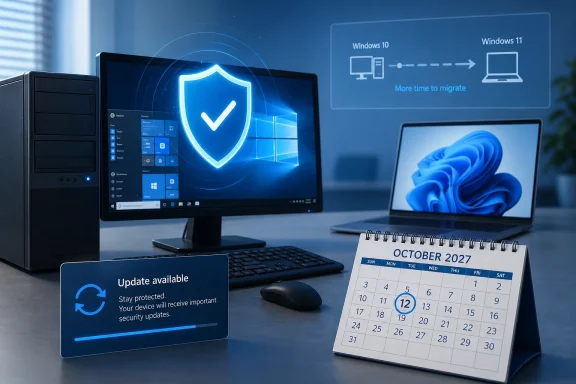 Existing ESU Enrollments Carry Forward Automatically
For people who have already enrolled a personal Windows 10 PC, the practical instruction is simple: do nothing. According to the email seen by Windows Latest, the enrollment now covers the additional year without another purchase, another Microsoft Rewards redemption, or a repeat trip through the enrollment wizard.Microsoft’s main Windows 10 end-of-support page confirms that consumer ESU can protect eligible devices until October 12, 2027. The company says the extension gives customers more time to move to Windows 11 while continuing to receive critical security updates.
ESU remains a security-only arrangement. It does not restore Windows 10 to full support, add new features, provide general reliability improvements, or include technical assistance. Windows 10’s standard support ended on October 14, 2025, and the consumer ESU program primarily keeps critical and important security fixes flowing through Windows Update.
The extension also does not change Windows 11 eligibility. A Windows 10 computer does not need to satisfy Windows 11’s hardware requirements to receive consumer ESU, which is one of the program’s central purposes. Machines excluded from Windows 11 by processor, TPM, or other requirements can remain patched while their owners decide whether to replace the hardware.
Microsoft’s Documentation Has Not Fully Caught Up
The email may be clear, but Microsoft’s public documentation is not yet consistent. Its Windows 10 end-of-support page lists October 12, 2027, while the dedicated US consumer ESU page still contains multiple references to the previous October 13, 2026 deadline.That older page also continues to describe the original three enrollment routes:
- Users can enroll at no additional cost by signing in with a Microsoft account and syncing their PC settings.
- They can redeem 1,000 Microsoft Rewards points.
- They can make a one-time payment of $30, plus any applicable tax.
Still, the mismatched pages are more than a cosmetic problem. A user following the dedicated enrollment documentation could reasonably conclude that coverage ends in 2026, while another Microsoft support page now promises protection through 2027. Microsoft needs to update the enrollment deadline, coverage language, regional conditions, and related support articles as one coordinated documentation change.
The rollout of the email is at least an attempt to close that information gap directly. Amusingly, Windows Latest reports that the message landed in Outlook’s “Other” inbox rather than the Focused view, potentially hiding an important support notice from the users who most need to see it.
The Extension Buys Time, Not a Supported Windows 10 Revival
An additional year of patches gives home users breathing room, particularly those running otherwise serviceable PCs that cannot officially upgrade to Windows 11. It also reduces pressure to replace hardware solely because the operating system’s security clock expired.But ESU does not turn Windows 10 into a peer of Windows 11. Administrators supporting family systems, home offices, or very small organizations should treat the extension as a migration window rather than permission to freeze their environment indefinitely. Application vendors can still withdraw Windows 10 support on their own schedules, and compatibility problems will not necessarily qualify for fixes from Microsoft.
Microsoft 365 illustrates that distinction. Microsoft says its applications are no longer formally supported on Windows 10 following the operating system’s October 2025 retirement, although the company plans to provide Microsoft 365 security updates on Windows 10 through October 10, 2028. Security patch availability and a fully supported application configuration are not the same promise.
Consumer ESU is also separate from Microsoft’s commercial program. Domain-joined, Microsoft Entra-joined, MDM-managed, and other organizational devices generally follow commercial licensing and deployment rules rather than the consumer enrollment process. IT departments should not interpret the consumer email as an automatic extension of their enterprise ESU contracts.
For unmanaged personal devices, enrollment is available through Settings under Update & Security and Windows Update. Eligible PCs must run Windows 10 version 22H2 and be current enough to expose the “Enroll now” option. The consumer license can cover up to 10 qualifying devices associated with the enrolling Microsoft account.
A Quiet Concession to a Slow Migration
The most notable part of Microsoft’s email is what it leaves out. The company is not using this communication to advertise Copilot+ PCs, promote Windows 11 features, or warn that users must replace their computers immediately. It is simply confirming that enrolled PCs will remain patched for another year.That restraint reflects the awkward position Microsoft faces. Windows 11 has been available since October 2021, yet a substantial population remains on Windows 10 because of hardware restrictions, workflow preferences, application dependencies, or dissatisfaction with changes to the interface. Extending consumer ESU gives Microsoft more time to improve Windows 11 and lets customers postpone hardware decisions without running an unpatched operating system.
It also keeps those users tied to Microsoft’s update and account infrastructure. The consumer enrollment model encourages or requires a Microsoft account depending on the region and selected route, while the free option outside regional exceptions is closely connected to Windows Backup and settings synchronization.
For users, however, the immediate consequence is favorable: another year of critical patches without another enrollment step. Anyone already registered should verify that Windows Update still reports the device as enrolled, then continue installing monthly security releases normally.
Those who have not enrolled should check Windows Update rather than wait for this email, because Microsoft is reportedly sending it only to existing participants. The important date is now October 12, 2027—even if several of Microsoft’s own ESU pages have yet to get the memo.
References
- Primary source: Windows Latest
Published: 2026-07-13T03:44:30+00:00
Microsoft's new Windows 10 ESU email doesn't push Windows 11, just reminds users of the year extension
Microsoft emailed Windows 10 users about the ESU extension to October 2027, but the note landed in Outlook's Other tab, not Focused inbox. www.windowslatest.com
- Official source: support.microsoft.com
Windows 10 support has ended on October 14, 2025 | Microsoft Support
Windows 10 support ends on October 14, 2025. Upgrade to Windows 11 now to ensure continued security and feature updates. Learn more about the transition.support.microsoft.com - Official source: microsoft.com
Windows 10 Extended Security Updates | Microsoft Windows
Use Windows 10 securely with the Extended Security Updates program. See how it helps protect your PC and find out how to get it.www.microsoft.com - Related coverage: bleepingcomputer.com
Microsoft quietly extends free Windows 10 ESU support to October 2027
Microsoft has quietly extended its free Windows 10 Extended Security Updates (ESU) program for consumers by an additional year, allowing enrolled devices to continue receiving security updates until October 12, 2027.www.bleepingcomputer.com
- Official source: news.microsoft.com
- Related coverage: windowscentral.com
Microsoft quietly extends Windows 10's extra security updates program for free: Users can now stay on Windows 10 until October 2027 securely | Windows Central
Windows 10's ESU program has been quietly extended by an extra year, now ending on October 12, 2027 instead of October 2026.www.windowscentral.com
