

Microsoft’s Surface Laptop for Business, 13.8- and 15-inch (8th Edition), and Surface Pro for Business, 13-inch (12th Edition), are now available with Qualcomm Snapdragon X2 processors. Starting at $1,649.99 in the United States, the new configurations give commercial buyers an Arm-based alternative to the Intel Core Ultra Series 3 models that arrived earlier in 2026.
The commercial release follows the June 16 debut of Microsoft’s consumer Snapdragon X2 Surface range and a promised July 14 business rollout. As reported by Windows Central and confirmed by Microsoft’s store listings, buyers can configure both business machines with a 10-core Snapdragon X2 Plus or 12-core Snapdragon X2 Elite, up to 64GB of LPDDR5x memory, and removable PCIe Gen 4 storage.
Despite Microsoft’s increasingly difficult naming scheme, this is not a 12-inch Surface Pro. The new machine is officially the Surface Pro for Business, 13-inch (12th Edition), while its clamshell counterpart is the Surface Laptop for Business, 13.8- and 15-inch (8th Edition).
Microsoft initially kept its modern Surface portfolio divided along a relatively simple line: consumers received Snapdragon X systems, while organizations that prioritized established x86 compatibility could choose Intel-powered Surface for Business models. The arrival of Snapdragon X2 commercial configurations removes that distinction.
Businesses can now select an architecture according to workload rather than product tier. Snapdragon promises strong battery efficiency, quiet operation and an 80-TOPS Qualcomm Hexagon NPU, while Intel remains the more conservative choice for fleets dependent on older Windows applications, specialized drivers, security agents, VPN clients or hardware peripherals.
That choice matters more in an enterprise deployment than it does during a consumer purchase. Windows 11 on Arm can translate many x86 and x64 applications, but translation cannot solve every compatibility problem, particularly where software depends on kernel-level drivers, browser extensions, legacy authentication components or vendor utilities that have not been compiled for Arm64.
IT departments considering Snapdragon X2 should therefore test their production image rather than relying solely on an application inventory. Microsoft 365, Edge and other native Arm64 applications are the easy part; line-of-business software, device-management extensions and endpoint security tools are where a pilot deployment can uncover expensive surprises.
Microsoft is also not offering 5G connectivity on the new Snapdragon X2 Surface Pro for Business. Optional 5G belongs to the Intel version of the 13-inch 12th Edition, an unusual reversal given Qualcomm’s mobile heritage. Field workers who require an integrated cellular modem will consequently have to choose Intel or consider an older Snapdragon-equipped Surface Pro configuration.
Unlike an adhesive privacy filter, the feature is built into the PixelSense Flow touchscreen and can be enabled when needed. Windows Central notes that Microsoft’s implementation is designed to obstruct viewing from several angles rather than only from the left and right, addressing the familiar problem of sensitive information being visible in aircraft cabins, trains, reception areas and shared offices.
The privacy mode has clear value for people handling customer records, financial data, internal communications or administrative consoles away from a controlled desk. It does not replace sensible positioning, screen locking or data-loss prevention policies, but it is a useful physical safeguard that does not require users to carry, install and remove a separate filter.
Microsoft has limited the option to Surface Laptop for Business, despite its obvious appeal outside enterprise purchasing. Consumers can buy a commercial Surface directly, but doing so means paying for Windows 11 Pro and business-oriented services that may provide little value in a personal environment.
The Laptop also gains a larger customizable haptic touchpad. Microsoft has been expanding haptic feedback in Windows 11 so compatible devices can respond to actions such as snapping or resizing windows and aligning objects in supported applications. The effects can be managed under Settings > Bluetooth & devices through the Haptic signals controls.
That integration makes the touchpad more than a mechanical-click substitute. When applications support it, tactile feedback can indicate that an object has reached an alignment point or that a window has entered a snap position, adding a physical cue to an otherwise visual interaction. Hardware support remains limited, however, so this is still an emerging Windows feature rather than a standard experience across business laptops.
Microsoft offers 16GB, 32GB and 64GB memory configurations with removable 256GB, 512GB or 1TB SSDs. The company claims up to 15.5 hours of local video playback, although administrators should treat that figure as a controlled-test result rather than an expectation for a workday involving Teams meetings, multiple displays, virtual private networks and web applications.
The Snapdragon X2 generation’s principal improvement is graphics and AI performance. Microsoft says the Qualcomm Hexagon NPU can deliver up to 80 TOPS, compared with 45 TOPS in the previous Snapdragon X generation. That gives the machine substantially more headroom for Copilot+ PC features and third-party workloads capable of using the NPU, although raw TOPS figures do not guarantee that an organization’s existing software will take advantage of it.
The detachable keyboard remains a separate consideration when calculating the practical cost of a Surface Pro deployment. Organizations also need to account for docks, pens, power supplies and protective hardware, especially when the tablet will be issued to mobile staff rather than used primarily at a desk.
That includes Windows Autopilot pre-registration, Microsoft Intune management, Device Firmware Configuration Interface controls and access to the Surface Management Portal. The systems are also Secured-core PCs with Microsoft Pluton enabled, while removable SSDs and replaceable components provide organizations with more options for servicing devices and controlling data during repair or retirement.
These tools are meaningful when hundreds or thousands of machines must be provisioned without visiting an IT desk. Autopilot can associate a device with an organization before the employee opens the box, while DFCI allows administrators to control firmware settings through cloud policy rather than manually entering a traditional BIOS interface.
For an individual buyer, many of those capabilities will go unused. The integrated privacy screen may still justify choosing the business Laptop, but shoppers should compare the complete configuration carefully instead of assuming the higher price automatically delivers faster hardware.
The July release ultimately gives Surface administrators something they have not consistently had: a current-generation choice between Intel and Qualcomm within the same commercial device family. The next decision belongs to IT departments, which must determine whether Snapdragon X2’s battery, graphics and NPU gains outweigh the remaining compatibility and connectivity advantages of Intel.
The commercial release follows the June 16 debut of Microsoft’s consumer Snapdragon X2 Surface range and a promised July 14 business rollout. As reported by Windows Central and confirmed by Microsoft’s store listings, buyers can configure both business machines with a 10-core Snapdragon X2 Plus or 12-core Snapdragon X2 Elite, up to 64GB of LPDDR5x memory, and removable PCIe Gen 4 storage.
Despite Microsoft’s increasingly difficult naming scheme, this is not a 12-inch Surface Pro. The new machine is officially the Surface Pro for Business, 13-inch (12th Edition), while its clamshell counterpart is the Surface Laptop for Business, 13.8- and 15-inch (8th Edition).
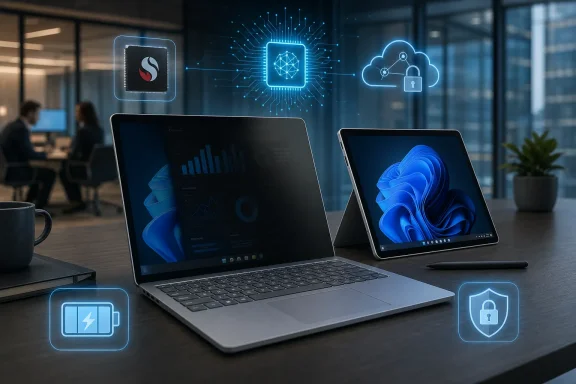 Snapdragon No Longer Means Consumer Surface
Microsoft initially kept its modern Surface portfolio divided along a relatively simple line: consumers received Snapdragon X systems, while organizations that prioritized established x86 compatibility could choose Intel-powered Surface for Business models. The arrival of Snapdragon X2 commercial configurations removes that distinction.Businesses can now select an architecture according to workload rather than product tier. Snapdragon promises strong battery efficiency, quiet operation and an 80-TOPS Qualcomm Hexagon NPU, while Intel remains the more conservative choice for fleets dependent on older Windows applications, specialized drivers, security agents, VPN clients or hardware peripherals.
That choice matters more in an enterprise deployment than it does during a consumer purchase. Windows 11 on Arm can translate many x86 and x64 applications, but translation cannot solve every compatibility problem, particularly where software depends on kernel-level drivers, browser extensions, legacy authentication components or vendor utilities that have not been compiled for Arm64.
IT departments considering Snapdragon X2 should therefore test their production image rather than relying solely on an application inventory. Microsoft 365, Edge and other native Arm64 applications are the easy part; line-of-business software, device-management extensions and endpoint security tools are where a pilot deployment can uncover expensive surprises.
Microsoft is also not offering 5G connectivity on the new Snapdragon X2 Surface Pro for Business. Optional 5G belongs to the Intel version of the 13-inch 12th Edition, an unusual reversal given Qualcomm’s mobile heritage. Field workers who require an integrated cellular modem will consequently have to choose Intel or consider an older Snapdragon-equipped Surface Pro configuration.
The Laptop’s Privacy Screen Is the Real Hardware Story
The Snapdragon X2 processor is the headline specification, but the Surface Laptop’s most distinctive addition is an optional integrated privacy display. Available on select 13.8-inch configurations, it narrows the usable viewing angle to make screen content harder to read from beside or behind the user.Unlike an adhesive privacy filter, the feature is built into the PixelSense Flow touchscreen and can be enabled when needed. Windows Central notes that Microsoft’s implementation is designed to obstruct viewing from several angles rather than only from the left and right, addressing the familiar problem of sensitive information being visible in aircraft cabins, trains, reception areas and shared offices.
The privacy mode has clear value for people handling customer records, financial data, internal communications or administrative consoles away from a controlled desk. It does not replace sensible positioning, screen locking or data-loss prevention policies, but it is a useful physical safeguard that does not require users to carry, install and remove a separate filter.
Microsoft has limited the option to Surface Laptop for Business, despite its obvious appeal outside enterprise purchasing. Consumers can buy a commercial Surface directly, but doing so means paying for Windows 11 Pro and business-oriented services that may provide little value in a personal environment.
The Laptop also gains a larger customizable haptic touchpad. Microsoft has been expanding haptic feedback in Windows 11 so compatible devices can respond to actions such as snapping or resizing windows and aligning objects in supported applications. The effects can be managed under Settings > Bluetooth & devices through the Haptic signals controls.
That integration makes the touchpad more than a mechanical-click substitute. When applications support it, tactile feedback can indicate that an object has reached an alignment point or that a window has entered a snap position, adding a physical cue to an otherwise visual interaction. Hardware support remains limited, however, so this is still an emerging Windows feature rather than a standard experience across business laptops.
Surface Pro Gets More Power Without Changing the Formula
The Surface Pro for Business receives a more conventional generational update. Its 13-inch PixelSense Flow display retains the familiar 2880-by-1920 resolution and 3:2 aspect ratio, with LCD and optional OLED configurations, an anti-reflective treatment and a dynamic refresh rate of up to 120Hz.Microsoft offers 16GB, 32GB and 64GB memory configurations with removable 256GB, 512GB or 1TB SSDs. The company claims up to 15.5 hours of local video playback, although administrators should treat that figure as a controlled-test result rather than an expectation for a workday involving Teams meetings, multiple displays, virtual private networks and web applications.
The Snapdragon X2 generation’s principal improvement is graphics and AI performance. Microsoft says the Qualcomm Hexagon NPU can deliver up to 80 TOPS, compared with 45 TOPS in the previous Snapdragon X generation. That gives the machine substantially more headroom for Copilot+ PC features and third-party workloads capable of using the NPU, although raw TOPS figures do not guarantee that an organization’s existing software will take advantage of it.
The detachable keyboard remains a separate consideration when calculating the practical cost of a Surface Pro deployment. Organizations also need to account for docks, pens, power supplies and protective hardware, especially when the tablet will be issued to mobile staff rather than used primarily at a desk.
Business Pricing Buys a Management Stack
The $1,649.99 entry price places both Snapdragon X2 models above Microsoft’s corresponding consumer systems, but the difference is not just a licensing surcharge. Surface for Business devices ship with Windows 11 Pro and support Microsoft’s commercial deployment, firmware-management and service infrastructure.That includes Windows Autopilot pre-registration, Microsoft Intune management, Device Firmware Configuration Interface controls and access to the Surface Management Portal. The systems are also Secured-core PCs with Microsoft Pluton enabled, while removable SSDs and replaceable components provide organizations with more options for servicing devices and controlling data during repair or retirement.
These tools are meaningful when hundreds or thousands of machines must be provisioned without visiting an IT desk. Autopilot can associate a device with an organization before the employee opens the box, while DFCI allows administrators to control firmware settings through cloud policy rather than manually entering a traditional BIOS interface.
For an individual buyer, many of those capabilities will go unused. The integrated privacy screen may still justify choosing the business Laptop, but shoppers should compare the complete configuration carefully instead of assuming the higher price automatically delivers faster hardware.
The July release ultimately gives Surface administrators something they have not consistently had: a current-generation choice between Intel and Qualcomm within the same commercial device family. The next decision belongs to IT departments, which must determine whether Snapdragon X2’s battery, graphics and NPU gains outweigh the remaining compatibility and connectivity advantages of Intel.
References
- Primary source: Windows Central
Published: 2026-07-15T12:54:09+00:00
Microsoft's Snapdragon X2 Surface Laptop 8 and Pro 12 for Business are now available | Windows Central
You can now buy Microsoft’s latest Surface for Business PCs with Snapdragon X2 chips inside.www.windowscentral.com - Related coverage: itpro.com
Microsoft Surface Laptop 8 (13.8in) review | IT Pro
The business model of the Surface Laptop 8 is a Panther Lake beast with long battery life and a privacy displaywww.itpro.com - Official source: blogs.windows.com
Introducing the next Surface Pro and Surface Laptop, built for performance and flexibility
For more than 13 years, Surface has been shaped by the people who use it. Architects sketch buildings, developers train models, students build startups and field engineers solve problems that rarely make headlines. We didn't intend to design for onblogs.windows.com - Official source: microsoft.com
- Related coverage: neowin.net
Microsoft's Snapdragon X2-powered Surface devices are now available for businesses - Neowin
Aimed directly at corporate environments, Microsoft is announcing the availability of the Snapdragon X2-powered Surface Pro for Business (12th Edition) and Surface Laptop for Business (8th Edition). www.neowin.net
- Related coverage: thewincentral.com
Surface Pro & Laptop 2026: Specs, Price, Release Date, Pre-order deals - WinCentral
Microsoft unveils the new Surface Pro and Surface Laptop powered by Snapdragon X2 chips. Get details on the 50%+ graphics boost, OLED display, and pricing. - Read in Surface News on WinCentral thewincentral.com
