

Microsoft has opened a new chapter for retro gaming on Windows 11: XBOX Backward Compatibility on PC is now available in an early release, bringing a first group of original Xbox titles to modern PCs and supported Windows handhelds as locally installed games rather than cloud-streamed sessions. For the first time, players can download and run selected original Xbox games directly through the Xbox PC app, including on the ROG Xbox Ally and ROG Xbox Ally X.
The launch begins with just four games—Blinx: The Time Sweeper, Conker: Live and Reloaded, Crimson Skies: High Road to Revenge, and Fuzion Frenzy—but its importance extends well beyond that small initial catalog. Microsoft is positioning the feature as the foundation of a longer-term preservation effort, one that could finally make substantial parts of the Xbox console back catalog accessible on the Windows hardware many players already own.
For Windows enthusiasts, Xbox fans, and handheld PC owners, this is one of the more consequential Xbox-on-PC announcements in years. It moves backward compatibility from a console-specific convenience toward a cross-device platform capability—and, crucially, it recognizes that streaming access and native access are not the same thing.
Xbox backward compatibility is not a new idea. Microsoft has spent years expanding the feature across Xbox One, Xbox Series X, and Xbox Series S, allowing selected Xbox 360 and original Xbox games to run on newer console hardware. That work established a reputation for surprisingly polished results, including higher rendering resolutions, smoother performance in some supported games, improved loading behavior, Auto HDR in applicable titles, and cloud save synchronization.
What changes now is the destination.
Instead of stopping at the Xbox console family, Microsoft is bringing a portion of that compatibility work to Windows 11 PCs and Windows handheld gaming devices. The result is not a browser-based cloud gaming shortcut or a remote-play function that depends on another machine. The compatible games are installed locally through the Xbox on PC app.
That distinction matters because local installation delivers several practical benefits:
For players who have been frustrated by the difference between seeing an old favorite in their library and actually being able to download it, this is a meaningful evolution.
The game has long carried cult-classic status. It was ambitious, colorful, and technically expressive for its time, even if its difficult design and uneven pacing prevented it from becoming a defining commercial hit. Its arrival on PC is significant because it gives a new audience a straightforward, officially supported way to experience one of Microsoft’s more unusual early console exclusives.
For many players, Conker is one of the most recognizable examples of Rare’s eccentric creative identity. Bringing it to Windows 11 through Xbox Backward Compatibility on PC makes sense not only as a nostalgic release but also as a preservation move. This is a game with a complicated history, a mature rating, and a personality that remains singular decades after its original debut.
Its availability could be especially welcome for players who owned the digital console version but never had a practical, official PC route to play it locally.
The game is not a strict simulation. It favors accessible aerial combat, cinematic missions, explosive dogfights, and arcade-like control over the complexity of traditional flight simulators. That approach makes it a natural fit for modern handheld play, especially on devices with built-in game controls.
For Windows gaming fans, Crimson Skies also represents a particularly interesting bridge between Xbox and PC history. The broader Crimson Skies franchise has roots in PC gaming, while High Road to Revenge became a console-focused favorite. Its return to Windows 11 in this form feels like a long-overdue homecoming.
Its inclusion makes clear that Xbox Backward Compatibility on PC is not limited to blockbuster action games or single-player nostalgia. Microsoft is also testing the program with a title whose appeal depends heavily on controller support, shared-screen play, and quick pick-up-and-play sessions.
That makes it particularly suitable for living-room PCs, docked handhelds, and gaming laptops connected to a television. A Windows handheld can now serve not only as a personal game machine but potentially as a compact retro Xbox party-game device.
Cloud gaming has been useful for widening access to Xbox titles that otherwise would have remained console-only. It can make a large catalog available across laptops, tablets, smartphones, browsers, and supported TVs. But cloud gaming also comes with limitations that are difficult to ignore, particularly for games where timing, image clarity, or portability matter.
A locally installed backward-compatible title solves several of those issues.
That distinction affects expectations.
A traditional PC port might include broad support for ultrawide monitors, uncapped frame rates, extensive mouse-and-keyboard customization, deep graphics menus, mod support, Steam Deck support, multiple storefront availability, and configurable advanced rendering technologies. The early Xbox Backward Compatibility on PC releases are better understood as modernized access to historical console versions, delivered inside the Xbox ecosystem.
That is still valuable. In fact, it may be the most realistic way to make a larger number of legacy console games available without requiring every title to undergo an expensive remastering project.
However, players should approach the launch with the right expectations. Backward compatibility is preservation and accessibility first; it is not automatically the same as a full PC remake or a definitive remaster.
Classic console games are often difficult to re-release because the original code was tightly built around specific hardware, operating-system behavior, memory assumptions, rendering paths, controller inputs, and media formats. Some titles also face legal barriers involving music rights, brand licensing, vehicles, actors, publishers, developers, or defunct studios.
A compatibility framework gives Microsoft a more scalable way to tackle those challenges. Rather than rebuilding every game as a conventional PC product, the company can potentially adapt select existing Xbox compatibility work for Windows 11 devices.
That does not eliminate licensing complications. It does, however, create a path where technical compatibility is no longer the only obstacle.
The mechanism is tied to Xbox Play Anywhere, Microsoft’s cross-device ownership initiative. In practical terms, qualifying purchases are intended to work across Xbox console, Windows PC, and supported handhelds without forcing the customer to buy the same game again for each platform.
For the first launch titles, this means that eligible digital owners should not need to repurchase the game merely because it now supports local installation on Windows 11.
That said, there are important boundaries to understand:
Still, the principle is strong: a compatible digital Xbox purchase should become more useful over time, not less useful. That is the sort of platform promise Microsoft needs to keep reinforcing as Xbox increasingly spans consoles, PCs, cloud services, and handhelds.
The subscription inclusion has several advantages:
There is a strategic benefit for Microsoft as well. Game Pass is frequently judged by the latest blockbuster additions, day-one releases, and high-profile removals. A growing legacy catalog gives the service another form of value—one less dependent on the constant churn of new releases.
The potential downside is that subscription access is never identical to permanent ownership. Players who care about long-term availability should consider outright purchase where possible, particularly for games they expect to revisit years from now.
Higher internal resolution can improve:
Windowed mode is also useful for multitasking, troubleshooting, streaming setups, and handheld desktop use. It may not be glamorous, but it helps make these games feel less isolated from the rest of a modern Windows 11 environment.
The listed minimum requirements are relatively modest by current gaming standards:
The requirements also reinforce an important reality: this is not simply an old Xbox executable running untouched on Windows. There is meaningful technical work happening beneath the surface.
The ROG Xbox Ally family sits at the intersection of several trends:
Cloud gaming can work well on a strong home connection or reliable public Wi-Fi, but the portable use case is inconsistent by definition. Hotel networks, trains, airports, mobile hotspots, and travel conditions can all introduce latency, data limits, compression, or total service loss.
Locally installed Xbox backward-compatible games avoid much of that uncertainty. A player can download a title before a trip and run it without turning the experience into a network-quality test.
That makes the ROG Xbox Ally support more than a marketing footnote. It demonstrates how Windows handhelds can benefit from Xbox’s historic console catalog in a way that neither a traditional gaming laptop nor a cloud-only device can fully replicate.
The newer Xbox mode experience is designed to provide a full-screen, console-inspired interface on Windows 11 PCs, laptops, tablets, and handhelds. It emphasizes controller navigation, quick access to a game library, and a reduced-distraction environment compared with the traditional Windows desktop.
Xbox mode also supports an aggregated library approach, bringing together Game Pass titles and installed games from supported PC storefronts. That broader library vision matters because it reduces the friction of moving among different game ecosystems.
In that context, Xbox Backward Compatibility on PC helps fill a missing category. Xbox mode and the Xbox PC app can now potentially surface:
The strongest version of this strategy would let a player move from a desktop PC to a living-room handheld to an Xbox console while maintaining purchases, saves, progress, preferences, and a consistent library view. Microsoft has made progress toward that goal, although the new backward compatibility feature also shows how much work remains.
Microsoft’s announcement clearly frames the release as the beginning of a wider effort, but it does not provide a concrete public roadmap for the next group of games, a release cadence, a target catalog size, or a list of third-party publishers committed to participation.
That uncertainty is the biggest risk.
Some franchises have changed hands repeatedly. Some studios no longer exist. Some music licenses were negotiated only for the original release window. Some games contain technology or middleware that may be difficult to support or certify today.
As a result, players should not assume that every original Xbox favorite is likely to return.
A successful program may still grow meaningfully, but it will probably do so selectively.
Likewise, Achievements are planned for select original Xbox games later in the year, with the first four preview titles expected to receive them in the coming months. That is welcome, but it is not present-day feature parity.
The fact that achievements are being added after launch also illustrates the experimental nature of the program. Microsoft is building features around the compatibility layer over time, rather than presenting every aspect as finished on day one.
The decision also reinforces a broader Microsoft pattern: new gaming experiences increasingly become incentives to move deeper into the Windows 11 ecosystem. That may help standardize support and reduce fragmentation, but it can feel restrictive to users who prefer to remain on an older Windows version.
Microsoft is effectively saying that the Xbox platform is not confined to one hardware box, one storefront model, or one generation of games. A digital Xbox library can increasingly travel across consoles, Windows 11 PCs, cloud gaming, and handheld hardware.
That idea is powerful because gaming history is often fragmented. Players may own titles across multiple consoles, PCs, storefronts, subscriptions, discs, and account systems. Many older purchases become difficult to access as hardware ages, services close, and operating systems change.
A compatibility initiative that brings original Xbox games to Windows is a way to reduce that fragmentation. It makes the Windows PC not merely an alternative place to buy new Xbox games but a legitimate destination for parts of the historic Xbox catalog.
There is also a practical business case. Microsoft owns Windows, Xbox, Game Pass, the Xbox PC app, cloud infrastructure, and an expanding set of gaming services. Bringing legacy Xbox content into that combined ecosystem gives users another reason to stay within it.
The danger is that the program could become a promising but underdeveloped feature if the catalog remains tiny. Players have seen preservation initiatives stall before, particularly when licensing complexity, shifting corporate priorities, or technical investment gets in the way.
For this launch to become genuinely transformative, Microsoft will need to do more than add occasional nostalgic releases. It needs a reliable cadence, transparent compatibility information, clear ownership rules, strong quality control, and an expanding mix of first-party and third-party games.
For years, original Xbox backward compatibility has largely meant playing a selected older game on a newer Xbox console. Now, it can mean installing that game on a Windows 11 desktop, a laptop, or a supported handheld such as the ROG Xbox Ally.
The local-install model is the key. It gives the program a purpose beyond cloud convenience, offering more dependable portability, modern display options, better offline use, and a path toward giving legacy Xbox games a durable place within the PC gaming ecosystem.
The early release label should temper expectations. The catalog is limited, the future cadence is unknown, achievements are still forthcoming, and the full behavior of the new graphics options will need broader real-world testing. But the foundation is compelling.
If Microsoft follows through, Xbox Backward Compatibility on PC could become one of the most important Windows 11 gaming features—not because it replaces modern PC releases, but because it helps ensure that the Xbox games people bought, played, and remembered do not remain trapped on aging hardware.
The launch begins with just four games—Blinx: The Time Sweeper, Conker: Live and Reloaded, Crimson Skies: High Road to Revenge, and Fuzion Frenzy—but its importance extends well beyond that small initial catalog. Microsoft is positioning the feature as the foundation of a longer-term preservation effort, one that could finally make substantial parts of the Xbox console back catalog accessible on the Windows hardware many players already own.
For Windows enthusiasts, Xbox fans, and handheld PC owners, this is one of the more consequential Xbox-on-PC announcements in years. It moves backward compatibility from a console-specific convenience toward a cross-device platform capability—and, crucially, it recognizes that streaming access and native access are not the same thing.
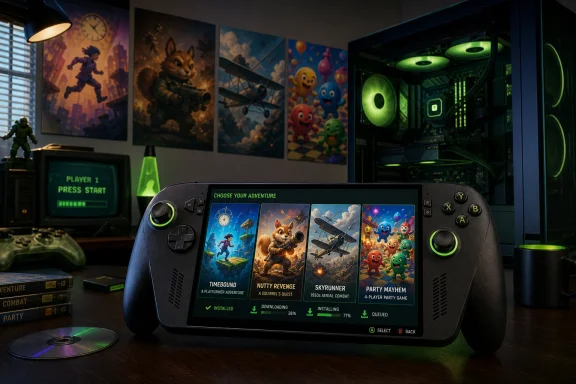 A New Kind of Xbox Backward Compatibility on Windows 11
Xbox backward compatibility is not a new idea. Microsoft has spent years expanding the feature across Xbox One, Xbox Series X, and Xbox Series S, allowing selected Xbox 360 and original Xbox games to run on newer console hardware. That work established a reputation for surprisingly polished results, including higher rendering resolutions, smoother performance in some supported games, improved loading behavior, Auto HDR in applicable titles, and cloud save synchronization.What changes now is the destination.
Instead of stopping at the Xbox console family, Microsoft is bringing a portion of that compatibility work to Windows 11 PCs and Windows handheld gaming devices. The result is not a browser-based cloud gaming shortcut or a remote-play function that depends on another machine. The compatible games are installed locally through the Xbox on PC app.
That distinction matters because local installation delivers several practical benefits:
- No dependence on a stable, low-latency internet connection during play
- No cloud-streaming image compression or input-latency penalty
- A more predictable experience while traveling
- Better support for offline or limited-connectivity environments
- Access to PC-focused graphics and display options
- A clearer path for handheld gaming without relying on Wi-Fi quality
For players who have been frustrated by the difference between seeing an old favorite in their library and actually being able to download it, this is a meaningful evolution.
The Four Original Xbox Games Available at Launch
The early release begins with four original Xbox titles. They are not random picks; together, they represent several genres and also demonstrate why the Xbox catalog from the early 2000s remains worth preserving.Blinx: The Time Sweeper
Blinx: The Time Sweeper was one of the original Xbox era’s most distinctive platform games. Its central mechanic revolves around time manipulation, allowing players to rewind, fast-forward, pause, record, and slow down events using the title character’s vacuum-like time sweeper.The game has long carried cult-classic status. It was ambitious, colorful, and technically expressive for its time, even if its difficult design and uneven pacing prevented it from becoming a defining commercial hit. Its arrival on PC is significant because it gives a new audience a straightforward, officially supported way to experience one of Microsoft’s more unusual early console exclusives.
Conker: Live and Reloaded
Conker: Live and Reloaded is the original Xbox remake of Rare’s notorious Nintendo 64 game, Conker’s Bad Fur Day. It combines platforming, third-person action, absurd comedy, and a deliberately irreverent tone that remains far outside the usual family-friendly mascot-game formula.For many players, Conker is one of the most recognizable examples of Rare’s eccentric creative identity. Bringing it to Windows 11 through Xbox Backward Compatibility on PC makes sense not only as a nostalgic release but also as a preservation move. This is a game with a complicated history, a mature rating, and a personality that remains singular decades after its original debut.
Its availability could be especially welcome for players who owned the digital console version but never had a practical, official PC route to play it locally.
Crimson Skies: High Road to Revenge
Crimson Skies: High Road to Revenge may be the standout release in the first wave. Set in an alternate-history 1930s filled with airborne pirates, fantastical aircraft, and pulp-adventure energy, the game remains one of the original Xbox’s most fondly remembered action titles.The game is not a strict simulation. It favors accessible aerial combat, cinematic missions, explosive dogfights, and arcade-like control over the complexity of traditional flight simulators. That approach makes it a natural fit for modern handheld play, especially on devices with built-in game controls.
For Windows gaming fans, Crimson Skies also represents a particularly interesting bridge between Xbox and PC history. The broader Crimson Skies franchise has roots in PC gaming, while High Road to Revenge became a console-focused favorite. Its return to Windows 11 in this form feels like a long-overdue homecoming.
Fuzion Frenzy
Fuzion Frenzy is a multiplayer party game built around a large selection of competitive minigames. It was designed for local social play during an era when four controllers around one television were central to the console experience.Its inclusion makes clear that Xbox Backward Compatibility on PC is not limited to blockbuster action games or single-player nostalgia. Microsoft is also testing the program with a title whose appeal depends heavily on controller support, shared-screen play, and quick pick-up-and-play sessions.
That makes it particularly suitable for living-room PCs, docked handhelds, and gaming laptops connected to a television. A Windows handheld can now serve not only as a personal game machine but potentially as a compact retro Xbox party-game device.
Local Installation Changes the Conversation
The biggest news is not simply that these four original Xbox games can appear in a Windows library. It is that Microsoft is treating them as installable PC experiences.Cloud gaming has been useful for widening access to Xbox titles that otherwise would have remained console-only. It can make a large catalog available across laptops, tablets, smartphones, browsers, and supported TVs. But cloud gaming also comes with limitations that are difficult to ignore, particularly for games where timing, image clarity, or portability matter.
A locally installed backward-compatible title solves several of those issues.
Native Access Is Not the Same as a Native PC Port
There is an important technical nuance here. Microsoft’s announcement should not be interpreted as proof that each original Xbox game has been completely rebuilt as a traditional Windows PC port. The company is presenting these as backward-compatible Xbox games on PC, not as modern remasters designed from the ground up for Windows.That distinction affects expectations.
A traditional PC port might include broad support for ultrawide monitors, uncapped frame rates, extensive mouse-and-keyboard customization, deep graphics menus, mod support, Steam Deck support, multiple storefront availability, and configurable advanced rendering technologies. The early Xbox Backward Compatibility on PC releases are better understood as modernized access to historical console versions, delivered inside the Xbox ecosystem.
That is still valuable. In fact, it may be the most realistic way to make a larger number of legacy console games available without requiring every title to undergo an expensive remastering project.
However, players should approach the launch with the right expectations. Backward compatibility is preservation and accessibility first; it is not automatically the same as a full PC remake or a definitive remaster.
Why the Local Model Matters for Preservation
The move could become a major preservation tool if Microsoft expands it steadily.Classic console games are often difficult to re-release because the original code was tightly built around specific hardware, operating-system behavior, memory assumptions, rendering paths, controller inputs, and media formats. Some titles also face legal barriers involving music rights, brand licensing, vehicles, actors, publishers, developers, or defunct studios.
A compatibility framework gives Microsoft a more scalable way to tackle those challenges. Rather than rebuilding every game as a conventional PC product, the company can potentially adapt select existing Xbox compatibility work for Windows 11 devices.
That does not eliminate licensing complications. It does, however, create a path where technical compatibility is no longer the only obstacle.
Xbox Play Anywhere Becomes More Important
Microsoft says that players who already own a digital license for any of the first four supported games on Xbox console will see that license carry over to PC or a compatible handheld. That is one of the most consumer-friendly aspects of the announcement.The mechanism is tied to Xbox Play Anywhere, Microsoft’s cross-device ownership initiative. In practical terms, qualifying purchases are intended to work across Xbox console, Windows PC, and supported handhelds without forcing the customer to buy the same game again for each platform.
For the first launch titles, this means that eligible digital owners should not need to repurchase the game merely because it now supports local installation on Windows 11.
That said, there are important boundaries to understand:
- The benefit applies to eligible digital licenses, not necessarily physical discs.
- Backward compatibility support remains title-specific.
- Regional availability may vary.
- A game’s presence in a past Xbox library does not automatically mean it is available for local PC installation.
- Subscription access can change over time if catalog arrangements change.
- Xbox Play Anywhere should not be confused with every Xbox game being universally playable across all devices.
Still, the principle is strong: a compatible digital Xbox purchase should become more useful over time, not less useful. That is the sort of platform promise Microsoft needs to keep reinforcing as Xbox increasingly spans consoles, PCs, cloud services, and handhelds.
Game Pass Access Lowers the Barrier to Entry
All four launch games are included with all Xbox Game Pass plans, according to Microsoft. That makes the early release easy to sample for existing subscribers.The subscription inclusion has several advantages:
- It removes the upfront cost for players who already have Game Pass.
- It encourages testing of the backward compatibility system on varied PC hardware.
- It gives Microsoft a broad pool of users who can identify bugs, compatibility issues, controller quirks, and UI problems.
- It makes the launch catalog feel more like a usable feature than a storefront experiment.
- It allows players to revisit games they may have missed without making a separate purchasing decision.
There is a strategic benefit for Microsoft as well. Game Pass is frequently judged by the latest blockbuster additions, day-one releases, and high-profile removals. A growing legacy catalog gives the service another form of value—one less dependent on the constant churn of new releases.
The potential downside is that subscription access is never identical to permanent ownership. Players who care about long-term availability should consider outright purchase where possible, particularly for games they expect to revisit years from now.
PC Graphics Features Are Promising, but Expectations Need Restraint
Microsoft says that the new PC versions include graphics and display controls not available in the original Xbox releases. The announced options include:- Up to 4x resolution upscaling
- VSync support
- Fullscreen mode
- Windowed mode
- Anisotropic filtering
- Enhanced anti-aliasing
- Customizable language settings
- Customizable audio settings
Resolution Upscaling Could Be the Most Visible Upgrade
The promise of up to 4x resolution upscaling is especially noteworthy. Original Xbox games were designed for the display technology and rendering targets of their era. Even titles that looked impressive on a CRT or early HDTV can appear soft on a modern high-resolution monitor.Higher internal resolution can improve:
- Edge clarity
- Environmental detail
- Texture readability
- UI legibility
- Long-distance visibility
- Overall presentation on 1440p and 4K displays
VSync and Display Modes Are Basic—but Necessary
Support for VSync, fullscreen, and windowed play may sound routine in the modern PC gaming world. For legacy console software, however, those options are meaningful. They allow players to better match the game to their display setup and reduce distracting screen tearing where VSync is appropriate.Windowed mode is also useful for multitasking, troubleshooting, streaming setups, and handheld desktop use. It may not be glamorous, but it helps make these games feel less isolated from the rest of a modern Windows 11 environment.
The Missing Details Matter
Microsoft has not yet provided a complete feature matrix for every game. As a result, several important technical questions remain open:- Will all four titles support the same resolution options?
- Are frame-rate caps inherited from the original releases?
- Is variable refresh rate supported?
- Will ultrawide monitors be supported?
- How does the system behave on high-DPI displays?
- Are there display scaling or aspect-ratio options?
- Does mouse and keyboard input work in any meaningful way?
- What controller remapping options are available?
- How does suspend-and-resume behavior work on handheld devices?
- Will save files be fully synchronized across console, PC, cloud, and handheld play?
Windows 11 Is a Firm Requirement
The new backward-compatible titles require Windows 11. That is a notable limitation, especially for users who still game on Windows 10 desktops or older handheld-compatible systems.The listed minimum requirements are relatively modest by current gaming standards:
- Operating system: Windows 11
- Memory: 8GB RAM
- Processor: A four-core CPU, including examples such as an Intel Core i3-8100, AMD Ryzen 3 1200, or AMD Ryzen Z2 A
- Graphics: NVIDIA GeForce GTX 950, AMD Radeon RX 550, Intel UHD 770, or Intel Arc A310-class hardware
- Drivers: Current versions identified by Microsoft’s compatibility baseline
- Processor: Six-core, twelve-thread hardware such as an Intel Core i5-10400, AMD Ryzen 5 3600, or AMD Ryzen AI Z2 Extreme
- Graphics: NVIDIA GeForce GTX 1070 Ti, AMD Radeon RX 6800, or Intel Arc A770-class hardware
- Graphics memory: 8GB VRAM
- Graphics API: DirectX 12 with Hardware Feature Level 11 support
- Operating system: Windows 11
The requirements also reinforce an important reality: this is not simply an old Xbox executable running untouched on Windows. There is meaningful technical work happening beneath the surface.
ROG Xbox Ally Support Gives the Launch Strategic Weight
Microsoft specifically identifies the ROG Xbox Ally and ROG Xbox Ally X as supported handhelds for Xbox Backward Compatibility on PC. That gives the announcement extra significance because it connects Xbox’s legacy catalog to the company’s broader handheld strategy.The ROG Xbox Ally family sits at the intersection of several trends:
- Windows 11 gaming handhelds
- Controller-first PC interfaces
- Xbox Game Pass integration
- Cross-device cloud saves
- Portable access to large game libraries
- The gradual convergence of console and PC gaming experiences
A Better Use Case Than Cloud-Only Retro Gaming
A handheld is one of the clearest examples of why local backward compatibility matters.Cloud gaming can work well on a strong home connection or reliable public Wi-Fi, but the portable use case is inconsistent by definition. Hotel networks, trains, airports, mobile hotspots, and travel conditions can all introduce latency, data limits, compression, or total service loss.
Locally installed Xbox backward-compatible games avoid much of that uncertainty. A player can download a title before a trip and run it without turning the experience into a network-quality test.
That makes the ROG Xbox Ally support more than a marketing footnote. It demonstrates how Windows handhelds can benefit from Xbox’s historic console catalog in a way that neither a traditional gaming laptop nor a cloud-only device can fully replicate.
Xbox Mode and the Broader Windows 11 Gaming Push
The backward compatibility initiative does not exist in isolation. It fits into Microsoft’s larger effort to make Windows 11 feel more coherent for controller-first gaming.The newer Xbox mode experience is designed to provide a full-screen, console-inspired interface on Windows 11 PCs, laptops, tablets, and handhelds. It emphasizes controller navigation, quick access to a game library, and a reduced-distraction environment compared with the traditional Windows desktop.
Xbox mode also supports an aggregated library approach, bringing together Game Pass titles and installed games from supported PC storefronts. That broader library vision matters because it reduces the friction of moving among different game ecosystems.
In that context, Xbox Backward Compatibility on PC helps fill a missing category. Xbox mode and the Xbox PC app can now potentially surface:
- Modern native Windows games
- Xbox Play Anywhere titles
- Game Pass releases
- Cloud-playable console games
- Installed games from participating PC storefronts
- Select original Xbox backward-compatible games
The strongest version of this strategy would let a player move from a desktop PC to a living-room handheld to an Xbox console while maintaining purchases, saves, progress, preferences, and a consistent library view. Microsoft has made progress toward that goal, although the new backward compatibility feature also shows how much work remains.
The Major Risks: Catalog Scale, Licensing, and Feature Consistency
The launch is exciting, but it should not be oversold. Four games are a proof of concept, not yet a comprehensive platform.Microsoft’s announcement clearly frames the release as the beginning of a wider effort, but it does not provide a concrete public roadmap for the next group of games, a release cadence, a target catalog size, or a list of third-party publishers committed to participation.
That uncertainty is the biggest risk.
The Catalog Could Grow Slowly
Original Xbox games present difficult licensing and technical problems. First-party games owned by Microsoft are likely to be the easiest candidates. Third-party titles may require negotiations with publishers, developers, soundtrack rights holders, vehicle manufacturers, sports leagues, actors, or brand owners.Some franchises have changed hands repeatedly. Some studios no longer exist. Some music licenses were negotiated only for the original release window. Some games contain technology or middleware that may be difficult to support or certify today.
As a result, players should not assume that every original Xbox favorite is likely to return.
A successful program may still grow meaningfully, but it will probably do so selectively.
Feature Parity May Vary by Game
The early release advertises a strong list of PC enhancements, but not every title necessarily has the same technical needs or limitations. One game may scale beautifully at higher resolutions, while another may expose old UI constraints, aspect-ratio issues, video playback artifacts, or performance quirks.Likewise, Achievements are planned for select original Xbox games later in the year, with the first four preview titles expected to receive them in the coming months. That is welcome, but it is not present-day feature parity.
The fact that achievements are being added after launch also illustrates the experimental nature of the program. Microsoft is building features around the compatibility layer over time, rather than presenting every aspect as finished on day one.
Windows 11 Exclusivity Limits Reach
Requiring Windows 11 is understandable from an engineering and platform-support perspective, but it narrows access. Many capable gaming PCs still run Windows 10, particularly machines that are otherwise more than powerful enough for these games.The decision also reinforces a broader Microsoft pattern: new gaming experiences increasingly become incentives to move deeper into the Windows 11 ecosystem. That may help standardize support and reduce fragmentation, but it can feel restrictive to users who prefer to remain on an older Windows version.
What This Means for the Future of Xbox on PC
Xbox Backward Compatibility on PC is strategically larger than its opening lineup.Microsoft is effectively saying that the Xbox platform is not confined to one hardware box, one storefront model, or one generation of games. A digital Xbox library can increasingly travel across consoles, Windows 11 PCs, cloud gaming, and handheld hardware.
That idea is powerful because gaming history is often fragmented. Players may own titles across multiple consoles, PCs, storefronts, subscriptions, discs, and account systems. Many older purchases become difficult to access as hardware ages, services close, and operating systems change.
A compatibility initiative that brings original Xbox games to Windows is a way to reduce that fragmentation. It makes the Windows PC not merely an alternative place to buy new Xbox games but a legitimate destination for parts of the historic Xbox catalog.
There is also a practical business case. Microsoft owns Windows, Xbox, Game Pass, the Xbox PC app, cloud infrastructure, and an expanding set of gaming services. Bringing legacy Xbox content into that combined ecosystem gives users another reason to stay within it.
The danger is that the program could become a promising but underdeveloped feature if the catalog remains tiny. Players have seen preservation initiatives stall before, particularly when licensing complexity, shifting corporate priorities, or technical investment gets in the way.
For this launch to become genuinely transformative, Microsoft will need to do more than add occasional nostalgic releases. It needs a reliable cadence, transparent compatibility information, clear ownership rules, strong quality control, and an expanding mix of first-party and third-party games.
A Small Opening Wave With Big Implications
The arrival of Blinx: The Time Sweeper, Conker: Live and Reloaded, Crimson Skies: High Road to Revenge, and Fuzion Frenzy on Windows 11 is a modest launch in raw numbers, but it is a major shift in direction.For years, original Xbox backward compatibility has largely meant playing a selected older game on a newer Xbox console. Now, it can mean installing that game on a Windows 11 desktop, a laptop, or a supported handheld such as the ROG Xbox Ally.
The local-install model is the key. It gives the program a purpose beyond cloud convenience, offering more dependable portability, modern display options, better offline use, and a path toward giving legacy Xbox games a durable place within the PC gaming ecosystem.
The early release label should temper expectations. The catalog is limited, the future cadence is unknown, achievements are still forthcoming, and the full behavior of the new graphics options will need broader real-world testing. But the foundation is compelling.
If Microsoft follows through, Xbox Backward Compatibility on PC could become one of the most important Windows 11 gaming features—not because it replaces modern PC releases, but because it helps ensure that the Xbox games people bought, played, and remembered do not remain trapped on aging hardware.
References
- Primary source: tbreak.com
Published: 2026-07-22T17:00:18+00:00
Xbox Backward Compatibility Lands on PC and ROG Ally
Microsoft has launched Xbox Backward Compatibility on PC, letting Windows 11 players run four original Xbox games on PC and the ROG Xbox Ally today.tbreak.com - Independent coverage: PCMag
Published: 2026-07-22T16:53:35+00:00
2000s-Era Xbox Games Are Coming to Windows 11: Here Are the First 4 | PCMag
The Xbox Backward Compatibility on PC program is starting with titles originally released between 2001 and 2005. They will also work on gaming handhelds.www.pcmag.com - Related coverage: windowscentral.com
Halo: Campaign Evolved is the star of Xbox Game Pass' 2nd July wave of new games, alongside an original RPG by Game Freak and a classic id Software FPS | Windows Central
Halo: Campaign Evolved, Beast of Reincarnation, id Software's Heretic + Hexen games, and more will make their Xbox Game Pass debuts later this monthwww.windowscentral.com - Related coverage: gamesradar.com
Making sense of Xbox's messy return to console exclusivity | GamesRadar+
Matt Booty, Matthew Ball, and the devs behind Halo, Fable, and Gears help us understand what Xbox is doing – "There has to be a reason for people to buy an Xbox"www.gamesradar.com - Related coverage: xbox.com
XBOX Backward Compatible Games | XBOX
Discover the library of XBOX backward compatible games. Experience game franchises from past generations and enjoy the games you love at no additional cost.www.xbox.com - Related coverage: news.xbox.com
Play More of the Games You Love, Wherever You Play with XBOX Backward Compatibility on PC - XBOX Wire
Today, we’re introducing XBOX Backward Compatibility on PC, making it easier to play classic XBOX games from the past across PC and handhelds, including the ROG XBOX Ally and XBOX Ally X.news.xbox.com