

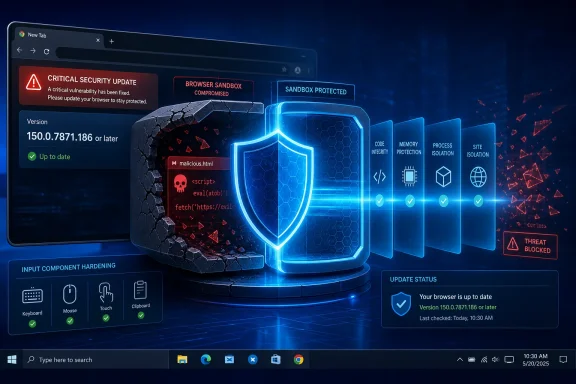
Google has issued a high-severity Chrome security update that closes CVE-2026-16804, a use-after-free vulnerability in the browser’s Input component that could help an attacker escape Chrome’s renderer sandbox after compromising the renderer process. For Windows users, the practical message is direct: ensure Google Chrome is updated to version 150.0.7871.186 or later as soon as the update reaches the device.
The flaw is not described as a simple one-click browser takeover. Its stated exploitation path requires an attacker to first gain code execution in Chrome’s renderer process, then use the Input vulnerability to potentially break out of the sandbox through a crafted HTML page. That condition matters, but it should not invite complacency. Renderer compromise and sandbox escape are often complementary stages in sophisticated browser exploitation chains, particularly against high-value targets and managed enterprise endpoints.
Chrome’s stable-channel release also resolves three other high-severity security issues, making the update a broader security maintenance priority rather than a single-CVE response.
CVE-2026-16804 is classified as CWE-416: Use After Free. This is a memory-safety weakness that occurs when software continues using a memory object after that object has already been released. In a complex application such as Chromium, the result can range from a browser crash to corrupted program state and, under the right conditions, code execution or privilege-boundary bypasses.
The vulnerability affects versions of Google Chrome prior to 150.0.7871.186. Google categorized the issue as High severity and described it as a use-after-free defect in Input.
The initial disclosure provides a deliberately narrow technical description:
If an attacker exploits a bug in web content handling, Chrome’s sandbox is intended to reduce the impact. The attacker may gain control of a renderer, but should remain boxed into a highly restricted environment.
A sandbox escape changes that equation.
Instead of stopping at the renderer, an attacker attempts to exploit a second vulnerability in a more privileged browser component. Successful chaining can potentially move malicious code outside the sandbox’s intended restrictions. That is why CVE-2026-16804 deserves close attention even though the published description includes an important precondition.
A conceptual chain may look like this:
For Windows users, this is especially relevant because Chrome often sits at the center of daily activity: cloud productivity services, email, documents, internal portals, downloads, password managers, development dashboards, and administrative consoles.
The component label Input should not be interpreted as evidence that ordinary typing alone is dangerous. Chrome’s public advisory does not identify the exact trigger, affected object, or vulnerable code path. “Input” may describe an internal subsystem spanning several kinds of event routing and state management.
That lack of detail is important. It would be inaccurate to claim that a specific keystroke sequence, form field, touchscreen gesture, or mouse action triggers CVE-2026-16804. The available information confirms the vulnerability category and its potential role in a sandbox-escape chain, but not the exact exploit mechanics.
The problem is also rooted in the realities of large C++ codebases. C++ can provide high performance and fine-grained systems control, but it requires developers to manage object lifetimes carefully. A large browser engine has countless interactions among independently evolving subsystems, which makes rare lifecycle errors difficult to detect through conventional testing alone.
For most Windows users, the operational target is simple:
The browser can often download the update automatically, but installing the files is not the same as activating the patched browser. A relaunch is essential when Chrome indicates that one is required.
That behavior creates a familiar patching gap: the update may already exist on disk, while the running browser processes still use the vulnerable code. Security teams should treat browser relaunch status as a meaningful compliance signal, not a cosmetic notification.
That is why the safest practical response is prompt deployment. Waiting for public exploitation reports is a poor browser-patching strategy. By the time an exploit becomes widely visible, the period of lowest-risk remediation may already have passed.
The vector associated with that rating is:
However, “requires renderer compromise” is not equivalent to “low risk.” Sophisticated attackers commonly combine vulnerabilities, and browser sandbox escapes are prized precisely because they can extend the impact of an initial renderer-level foothold.
The right interpretation is balanced:
For managed environments, administrators should consider allowlisting approved extensions and blocking unnecessary categories. Browser hardening is not only about CVE response; it is also about reducing the number of powerful components present in every employee’s web session.
A short validation window for line-of-business web applications is reasonable. A lengthy approval cycle is not. Chrome’s stable releases are frequent, and holding back a high-severity browser patch can leave systems exposed while the rest of the internet moves to the fixed version.
If a browser can delay a security-required restart forever, the organization has effectively turned a short patch lag into a persistent vulnerability. A controlled relaunch schedule, user warnings, and enforced deadlines are preferable to silent deferral.
That lack of detail creates an unavoidable tension. Users want a precise answer to how they might be attacked, while responsible disclosure requires vendors to avoid publishing a roadmap for exploitation before patches are broadly deployed.
That centrality makes browser patching one of the highest-value routine security practices available to Windows users and IT teams.
This release offers a useful reminder that automatic updates only protect users when they are allowed to install and activate. Devices need network access to retrieve updates, policies must permit deployment, and users or administrators must relaunch the browser when necessary.
The most resilient Windows environment combines:
Windows users should update Chrome to 150.0.7871.186 or later and relaunch the browser. IT administrators should accelerate deployment, confirm that devices are running the patched process rather than merely holding downloaded update files, and treat this release as a priority because it resolves four high-severity Chrome flaws at once.
The strongest response is also the simplest: keep Chrome current, restart when prompted, and ensure browser update policies do not leave critical security fixes waiting indefinitely.
The flaw is not described as a simple one-click browser takeover. Its stated exploitation path requires an attacker to first gain code execution in Chrome’s renderer process, then use the Input vulnerability to potentially break out of the sandbox through a crafted HTML page. That condition matters, but it should not invite complacency. Renderer compromise and sandbox escape are often complementary stages in sophisticated browser exploitation chains, particularly against high-value targets and managed enterprise endpoints.
Chrome’s stable-channel release also resolves three other high-severity security issues, making the update a broader security maintenance priority rather than a single-CVE response.
 Overview: What CVE-2026-16804 Means
CVE-2026-16804 is classified as CWE-416: Use After Free. This is a memory-safety weakness that occurs when software continues using a memory object after that object has already been released. In a complex application such as Chromium, the result can range from a browser crash to corrupted program state and, under the right conditions, code execution or privilege-boundary bypasses.The vulnerability affects versions of Google Chrome prior to 150.0.7871.186. Google categorized the issue as High severity and described it as a use-after-free defect in Input.
The initial disclosure provides a deliberately narrow technical description:
- The vulnerable area is identified as Input.
- The issue is a use-after-free memory error.
- A malicious HTML page is involved in the attack scenario.
- The attacker must have already compromised the renderer process.
- The potential result is a Chrome sandbox escape.
- Google has not publicly released exploit details at this stage.
Why a Renderer Sandbox Escape Is Serious
Chrome is designed around a multi-process security architecture. A website normally runs in a restricted renderer process, separated from the rest of the browser and from the underlying operating system. That process isolation is one of the browser’s most important security controls.The renderer is not supposed to be the final destination
A renderer process is deliberately constrained. It handles web content, scripts, document rendering, media-related tasks, and page interaction, but it should not have unrestricted access to files, devices, Windows system functions, or other protected resources.If an attacker exploits a bug in web content handling, Chrome’s sandbox is intended to reduce the impact. The attacker may gain control of a renderer, but should remain boxed into a highly restricted environment.
A sandbox escape changes that equation.
Instead of stopping at the renderer, an attacker attempts to exploit a second vulnerability in a more privileged browser component. Successful chaining can potentially move malicious code outside the sandbox’s intended restrictions. That is why CVE-2026-16804 deserves close attention even though the published description includes an important precondition.
Exploit chains are the central concern
The disclosed wording says that a remote attacker must already have compromised Chrome’s renderer process. In practical terms, CVE-2026-16804 is most concerning as part of a multi-stage exploit chain.A conceptual chain may look like this:
- A browser visits or renders attacker-controlled content.
- A separate flaw compromises the renderer process.
- CVE-2026-16804 is used to target the Input component.
- The attacker attempts to cross Chrome’s sandbox boundary.
- A further operating-system or browser flaw may be used for higher privileges or persistence.
For Windows users, this is especially relevant because Chrome often sits at the center of daily activity: cloud productivity services, email, documents, internal portals, downloads, password managers, development dashboards, and administrative consoles.
The Technical Issue: Understanding Use-After-Free
A use-after-free bug appears when a program releases memory but retains a reference that later gets used as though the underlying object still exists. Modern software manages enormous numbers of objects continuously, and a browser’s process architecture makes object lifetime especially difficult to reason about safely.How the bug class works
At a high level, the pattern is straightforward:- Software allocates memory for an object.
- A component releases that memory when it believes the object is no longer needed.
- Another code path retains a stale pointer or reference.
- The stale reference is accessed later.
- Memory that once belonged to the original object may now be unavailable, reused, or controlled indirectly by another operation.
Why browser code is vulnerable to lifecycle complexity
Browsers are not simply document viewers. Chrome processes dynamic pages with JavaScript execution, input events, focus transitions, drag-and-drop behavior, accessibility integrations, embedded frames, form controls, asynchronous callbacks, rendering updates, device events, and inter-process messages.The component label Input should not be interpreted as evidence that ordinary typing alone is dangerous. Chrome’s public advisory does not identify the exact trigger, affected object, or vulnerable code path. “Input” may describe an internal subsystem spanning several kinds of event routing and state management.
That lack of detail is important. It would be inaccurate to claim that a specific keystroke sequence, form field, touchscreen gesture, or mouse action triggers CVE-2026-16804. The available information confirms the vulnerability category and its potential role in a sandbox-escape chain, but not the exact exploit mechanics.
Why use-after-free defects remain difficult to eliminate
Chromium has invested heavily in hardening tools, fuzzing, sanitizers, control-flow defenses, and safer development practices. Yet use-after-free vulnerabilities remain challenging because they are often tied to timing, object ownership, asynchronous work, or unusual state transitions.The problem is also rooted in the realities of large C++ codebases. C++ can provide high performance and fine-grained systems control, but it requires developers to manage object lifetimes carefully. A large browser engine has countless interactions among independently evolving subsystems, which makes rare lifecycle errors difficult to detect through conventional testing alone.
Affected Chrome Versions and the Fixed Builds
The advisory identifies Google Chrome versions earlier than 150.0.7871.186 as affected. Google’s stable desktop-channel update distributed version 150.0.7871.186/.187 for Windows and macOS, while Linux received 150.0.7871.186.For most Windows users, the operational target is simple:
Chrome updates roll out over time rather than reaching every device at the same moment. A device can therefore remain on an older build for a short period after a security update is announced, particularly where updates are paused, blocked by policy, delayed by a pending restart, or controlled by enterprise management.Run Chrome 150.0.7871.186 or a newer stable version.
How to check the Chrome version on Windows
To verify that a Windows PC has received the security fix:- Open Google Chrome.
- Select the three-dot menu in the upper-right corner.
- Choose Help.
- Select About Google Chrome.
- Allow Chrome to check for and download available updates.
- Confirm the version is 150.0.7871.186 or later.
- Select Relaunch if Chrome requests a restart.
chrome://settings/helpThe browser can often download the update automatically, but installing the files is not the same as activating the patched browser. A relaunch is essential when Chrome indicates that one is required.
Do not mistake an open Chrome window for a patched Chrome process
On Windows, Chrome may remain open for days or weeks across work sessions. Background processes, startup behavior, session restore, and a large set of tabs can make users postpone relaunching the browser indefinitely.That behavior creates a familiar patching gap: the update may already exist on disk, while the running browser processes still use the vulnerable code. Security teams should treat browser relaunch status as a meaningful compliance signal, not a cosmetic notification.
Four High-Severity Fixes in One Release
CVE-2026-16804 was not the only important issue resolved in the Chrome 150.0.7871.186/.187 stable update. Google also listed three additional high-severity vulnerabilities:- CVE-2026-16807 — Out-of-bounds write in Codecs
- CVE-2026-16806 — Use after free in WebMCP
- CVE-2026-16805 — Use after free in Blink
- CVE-2026-16804 — Use after free in Input
The broader risk of patch lag
Attackers do not necessarily need to weaponize the most publicly discussed CVE. Once a Chrome update is released, researchers and adversaries can compare patched and unpatched code to identify the underlying defect. Even when issue-tracker details remain restricted, release-level changes can focus attention on affected subsystems.That is why the safest practical response is prompt deployment. Waiting for public exploitation reports is a poor browser-patching strategy. By the time an exploit becomes widely visible, the period of lowest-risk remediation may already have passed.
Severity, CVSS, and What the Score Does Not Say
The CVE record is still undergoing enrichment, which means some vulnerability metadata remains incomplete. The record includes a CVSS v3.1 score of 8.3 High from a coordinating authority, while the NVD’s own assessment was not yet available at publication time.The vector associated with that rating is:
CVSS:3.1/AV:N/AC:H/PR:N/UI:R/S:C/C:H/I:H/A:HReading the vector in plain English
Several parts of this vector align with the published Chrome description:- AV:N — Network: The attack can involve remote content rather than local-only access.
- AC:H — High complexity: Exploitation is not expected to be trivial or reliable without additional conditions.
- PR:N — No privileges: The victim does not need to give the attacker an account on the device.
- UI:R — User interaction required: A user must interact with the malicious content in some way, such as loading an attacker-controlled page.
- S:C — Scope changed: The flaw may affect components beyond the initially compromised security authority.
- C:H/I:H/A:H: Confidentiality, integrity, and availability may all be seriously affected in a successful attack chain.
The precondition should be read accurately
The high attack complexity reflects the fact that CVE-2026-16804 appears to require more than merely persuading someone to open a webpage. The renderer must already be compromised. That means this CVE is not publicly described as a standalone renderer exploit.However, “requires renderer compromise” is not equivalent to “low risk.” Sophisticated attackers commonly combine vulnerabilities, and browser sandbox escapes are prized precisely because they can extend the impact of an initial renderer-level foothold.
The right interpretation is balanced:
- Individual home users should update promptly, but avoid panic.
- Organizations should prioritize rollout because browsers are universal attack surfaces.
- High-risk users and sensitive environments should treat the issue as urgent, particularly when Chrome is used for privileged web access.
- Security teams should watch for later disclosure changes, including exploit availability, confirmed in-the-wild use, or refined technical assessments.
Implications for Windows Security
Chrome’s sandbox operates alongside Windows’ own security boundaries, not instead of them. The browser attempts to constrain web content before it can reach the operating system. If a sandbox boundary is crossed, Windows defenses still matter, but the attacker may have more room to maneuver.A browser compromise can expose valuable sessions
Many organizations have moved sensitive workflows into the browser:- Single sign-on portals
- Cloud administration consoles
- Remote access gateways
- Customer relationship management platforms
- Financial and procurement systems
- Email and collaboration suites
- Software development services
- Enterprise password vaults
- Internal documentation platforms
Windows mitigations still provide value
A patched Chrome version is the primary fix, but the Windows security stack remains important. Organizations should maintain layered defenses including:- Microsoft Defender Antivirus or a comparable endpoint protection platform
- SmartScreen and reputation-based protection
- Attack surface reduction rules where appropriate
- Controlled Folder Access for ransomware resilience
- Least-privilege user accounts
- Strong endpoint detection and response coverage
- Timely Windows security updates
- Restricted use of local administrator rights
- Application-control policies for high-security environments
Chrome extensions deserve renewed scrutiny
Extensions run with access that can be significant depending on their permissions. A browser security incident is a good reason to review installed extensions, remove abandoned tools, and limit access to extensions that genuinely need it.For managed environments, administrators should consider allowlisting approved extensions and blocking unnecessary categories. Browser hardening is not only about CVE response; it is also about reducing the number of powerful components present in every employee’s web session.
What IT Administrators Should Do Now
The response to Chrome CVE-2026-16804 should be routine but decisive. The update should move through standard change controls quickly, with attention to the possibility that some devices will need a forced relaunch or manual intervention.Recommended enterprise response plan
- Identify installed Chrome versions across Windows endpoints.
- Deploy Chrome 150.0.7871.186 or later through the organization’s software-management platform.
- Validate successful installation and relaunch status, not merely update download status.
- Prioritize exposed and high-value endpoints, including administrators, developers, finance teams, executives, support personnel, and users of privileged web portals.
- Review browser update policies for unintended deferrals, disabled updates, or extended restart windows.
- Confirm that Chrome’s update service is functioning on managed Windows devices.
- Monitor security telemetry for unusual Chrome child processes, suspicious downloads, abnormal browser crashes, and unexpected endpoint behavior.
- Communicate clearly to users that a browser restart may be required to complete a security update.
Managing update rings without creating unnecessary exposure
Enterprises often deploy updates in rings to identify compatibility problems before broad rollout. That approach remains sensible, but security updates involving potential sandbox escapes deserve accelerated handling.A short validation window for line-of-business web applications is reasonable. A lengthy approval cycle is not. Chrome’s stable releases are frequent, and holding back a high-severity browser patch can leave systems exposed while the rest of the internet moves to the fixed version.
Verify that policies are not suppressing restarts indefinitely
Chrome supports enterprise policies that control updates and restart behavior. These policies can be useful, especially on shared terminals, kiosks, and workflow-sensitive devices. But they must be configured with security reality in mind.If a browser can delay a security-required restart forever, the organization has effectively turned a short patch lag into a persistent vulnerability. A controlled relaunch schedule, user warnings, and enforced deadlines are preferable to silent deferral.
What Home Users Should Do
Home users do not need special tools or complex mitigations. The most effective step is to update Chrome and relaunch it.Immediate actions
- Open
chrome://settings/help. - Let Chrome complete its version check.
- Confirm the browser is at 150.0.7871.186 or later.
- Relaunch Chrome when prompted.
- Install pending Windows updates.
- Remove extensions that are unused, suspicious, or no longer supported.
- Avoid downloading unexpected browser “updates” from websites, ads, pop-ups, or email attachments.
Restarting is a small inconvenience with a real payoff
Many users keep dozens of tabs open and hesitate to restart. Chrome’s tab restoration makes this much less disruptive than it once was. Saving important work, updating, and restarting is a much better trade-off than leaving a browser on an old build because the update prompt feels inconvenient.The Transparency Challenge: Limited Details, Clear Action
The public record for CVE-2026-16804 is sparse because it is new and still undergoing enrichment. There is no public technical write-up showing the vulnerable code, no approved proof of concept, no detailed explanation of the precise Input path, and no confirmed report of active exploitation.That lack of detail creates an unavoidable tension. Users want a precise answer to how they might be attacked, while responsible disclosure requires vendors to avoid publishing a roadmap for exploitation before patches are broadly deployed.
What can be said with confidence
The following conclusions are well supported by the release information:- Chrome versions earlier than 150.0.7871.186 are affected.
- The flaw is a use-after-free issue.
- It is associated with Chrome’s Input component.
- It is rated High severity by Chromium.
- It may enable a sandbox escape after a renderer compromise.
- A crafted HTML page is part of the attack scenario.
- Updating Chrome is the vendor-provided remediation.
What should not be assumed
The following claims would go beyond the available evidence:- That the bug is being actively exploited in the wild.
- That merely typing into a website triggers the vulnerability.
- That the flaw independently provides full remote code execution.
- That it affects other Chromium-based browsers automatically.
- That every version of Chrome on every platform has the same fixed build number.
- That antivirus software can reliably detect an exploit attempt.
The Larger Lesson for Browser Security
CVE-2026-16804 highlights why browsers must be treated as core security infrastructure. A modern browser is a document viewer, application runtime, media client, scripting engine, credential gateway, communication platform, and often the primary interface to business systems.That centrality makes browser patching one of the highest-value routine security practices available to Windows users and IT teams.
Fast updates are part of Chrome’s defensive model
Chrome’s frequent update cycle is sometimes viewed as an inconvenience, especially in organizations with tightly controlled desktop environments. In reality, that cadence is fundamental to browser defense. Security vulnerabilities are inevitable in software of Chrome’s complexity; the decisive factor is how quickly a fixed version reaches devices and replaces vulnerable running processes.This release offers a useful reminder that automatic updates only protect users when they are allowed to install and activate. Devices need network access to retrieve updates, policies must permit deployment, and users or administrators must relaunch the browser when necessary.
Defense in depth remains essential
No browser sandbox should be viewed as an invulnerable wall. Chrome’s architecture significantly raises the difficulty of exploitation, but high-value attackers look for ways to cross every boundary available to them.The most resilient Windows environment combines:
- A fully updated browser
- Current operating-system patches
- Strong endpoint protection
- Account protection and multifactor authentication
- Minimal local privileges
- Managed extensions
- Secure DNS and web filtering where appropriate
- Monitoring for anomalous behavior
- Users who recognize malicious download and update prompts
Bottom Line
CVE-2026-16804 is a high-severity use-after-free vulnerability in Chrome’s Input component that can potentially support a sandbox escape after renderer compromise. The publicly documented attack path is complex and requires user interaction, but it is exactly the kind of vulnerability that can become valuable in a sophisticated exploit chain.Windows users should update Chrome to 150.0.7871.186 or later and relaunch the browser. IT administrators should accelerate deployment, confirm that devices are running the patched process rather than merely holding downloaded update files, and treat this release as a priority because it resolves four high-severity Chrome flaws at once.
The strongest response is also the simplest: keep Chrome current, restart when prompted, and ensure browser update policies do not leave critical security fixes waiting indefinitely.
References
- Primary source: NVD / Chromium
Published: 2026-07-25T00:29:49-07:00
NVD - CVE-2026-16804
 nvd.nist.gov
- Security advisory: MSRC
Published: 2026-07-25T00:29:49-07:00
Original feed URL
Security Update Guide - Microsoft Security Response Center
 msrc.microsoft.com