

Read AI’s new product, Ada, is a bold bet: an email‑first “digital twin” that purports to act on your behalf—scheduling meetings, drafting replies, and pulling answers from company knowledge bases and the web—by simply being cc:ed into threads. The company says Ada can autonomously offer availability, negotiate new slots, synthesize context from past meetings and internal documents, and even stand in for you while you’re out of office. Those promises place Ada squarely at the junction of two big trends in workplace software: agentic automation (software that acts, not only advises) and the migration of productivity interfaces into email.
Read AI (sometimes styled Read.ai) built its reputation on meeting transcription, summaries, and behavior‑driven productivity insights. The company says it now serves roughly five million monthly active users and has been threading AI functionality into meeting workflows for several years. That existing footprint is central to Read AI’s pitch: because the company already sits in millions of meetings and indexes meeting content, it claims unique contextual signal to make an email agent behave more like you and less like a generic assistant.
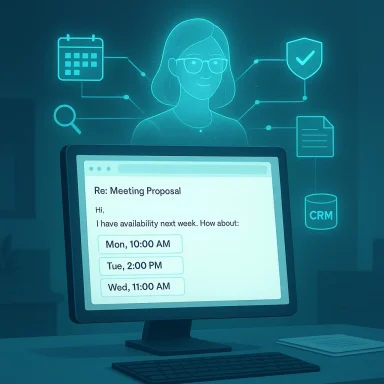
Ada launches as a free, broadly available capability for Read AI users. Activation is designed to be friction‑light: cc ada@read.ai on an email thread and instruct Ada to act (for example, “Ada — find a time for the three of us”). The agent will propose times drawn from your connected calendar, maintain rules about conflicts and preferences, and engage with other participants in the thread until a suitable slot is confirmed—or until it needs your approval for non‑routine actions. Read AI frames that behavior as more than an assistant: a digital twin that learns and acts for you.
Still, usability questions remain. How will Ada surface its reasoning for a suggested time? How will it present conflicts or hidden constraints (for example, recurring meeting patterns or travel blocks)? How intuitive will it be to correct Ada’s mistakes and teach it new preferences? Good digital assistants make correction fast and durable; if Ada requires heavy manual tuning, its adoption curve could stall. Read AI emphasizes rapid ramp time and learning from behavior, but field experience will show how forgiving the product is in noisy, real‑world inboxes.
From a GTM perspective Read AI has two advantages:
That delegation will be acceptable in low‑risk, rote tasks. It becomes thornier when the assistant speaks for you in negotiations, raises commitments, or summarizes complex project status. The solution is a prudent blend of:
But the promise comes with responsibilities. For Ada to move beyond early adopters and into enterprise production, Read AI must deliver robust governance, transparent data controls, and auditable behavior. The company must also prove that its knowledge graph and retrieval approach materially reduce the kinds of hallucinations and data‑handling mistakes that have tripped up larger vendors. Until then, Ada is a powerful productivity experiment—one that could reshape how inboxes are managed, if the safety, privacy, and governance pieces are solved in parallel with product polish.
In short: Ada may soon free tens of millions of hours previously lost to scheduling and routine email, but organizations should treat this technology as they would any delegated authority—require oversight, measure outcomes, and be ready to intervene when necessary.
Source: The Tech Buzz https://www.techbuzz.ai/articles/read-ai-launches-ada-email-based-digital-twin-for-scheduling/
 Background / Overview
Read AI (sometimes styled Read.ai) built its reputation on meeting transcription, summaries, and behavior‑driven productivity insights. The company says it now serves roughly five million monthly active users and has been threading AI functionality into meeting workflows for several years. That existing footprint is central to Read AI’s pitch: because the company already sits in millions of meetings and indexes meeting content, it claims unique contextual signal to make an email agent behave more like you and less like a generic assistant.Ada launches as a free, broadly available capability for Read AI users. Activation is designed to be friction‑light: cc ada@read.ai on an email thread and instruct Ada to act (for example, “Ada — find a time for the three of us”). The agent will propose times drawn from your connected calendar, maintain rules about conflicts and preferences, and engage with other participants in the thread until a suitable slot is confirmed—or until it needs your approval for non‑routine actions. Read AI frames that behavior as more than an assistant: a digital twin that learns and acts for you.
How Ada works: the email‑first digital twin
Email as the control plane
Ada’s most visible operational choice is to live inside email. Rather than require users to open a dedicated app or dashboard, Read AI asks you to include Ada in the conversation where work already happens. That design serves two purposes: it lowers activation friction (email is ubiquitous), and it makes actions transparent to all parties in a single thread. According to Read AI, Ada requires you to be copied on email strings where it intervenes, and it will “sidebar” with you—drafting replies and waiting for approval—when the stakes are higher than routine scheduling.Scheduling, negotiation, and calendar logic
Scheduling is the clearest, earliest use case. Ada reads available slots from calendars you connect to Read AI, understands time zones and conflicts, and posts human‑style replies with several candidate times. If invitees push back, Ada proposes alternatives and iterates until the meeting is scheduled. Read AI positions this as freeing knowledge workers from hours of back‑and‑forth each week. The company claims that the average knowledge worker can reclaim substantial time previously spent coordinating meetings—an economic and productivity argument it will use to sell adoption.Sourcing answers: knowledge graphs, meeting context, and web search
Beyond scheduling, Ada is designed to answer substantive questions by combining three sources of truth: a company’s knowledge base, the corpus of your past meetings and summaries, and public web information. Read AI says it constructs a private knowledge graph from connectors—CRM, documents, meeting transcripts and notes—and uses that graph to ground answers in your organization’s context. For non‑routine replies, Ada will typically show a draft to you first; for routine scheduling requests it can act without an explicit approval step.Onboarding and “training” the twin
Read AI invites an onboarding metaphor that treats Ada like a new hire: the more sources you connect (calendars, drives, CRMs, meeting history), the faster it “ramps up.” That ramp time is a key product claim: Read AI argues that the data it already holds—summaries, action items and behavioral signals—lets Ada form an accurate model of your voice and priorities within minutes rather than days or weeks. The company also notes enterprise options—custom naming, company domains, and admin controls—for managed workspaces.Technical architecture and product guardrails
A knowledge graph, not just an LLM prompt
Read AI says Ada doesn’t rely solely on ephemeral prompts to a large language model; instead, the company builds a knowledge graph that connects meeting-derived signals with external systems and documents. Their product team describes the approach as blending retrieval (structured context) with generative synthesis, aiming to reduce hallucinations and improve relevance by giving the model richer, linking context beyond a single prompt. That design choice mirrors wider industry moves toward retrieval‑augmented generation and domain‑specific graph indexes.Human‑in‑the‑loop defaults
Read AI emphasizes conservative defaults: Ada must be cc’d to take action, and it sidebars with users before sending anything beyond routine scheduling. This human‑in‑the‑loop model is a safety valve for sensitive communications. For enterprise deployments, Read AI describes additional admin controls and branding options, which suggests a governance surface for IT teams. In practice, though, safety and trust hinge on the exact scopes Ada requires when connecting to calendars, mailboxes, and document stores—a detail Read AI outlines at a high level but does not fully enumerate publicly.Data residency, training, and model access questions
Read AI claims privacy and security are core design principles, but some claims require scrutiny. When agents pull from internal knowledge bases or meeting transcripts, customers will want explicit contractual guarantees about how that data is stored, whether it may be used to further train models, and where it is hosted. Read AI’s launch materials assert privacy‑first intent but stop short of a public, granular data processing and training policy that enterprise security teams typically demand. That lack of detailed, machine‑readable guarantees will be a key negotiation point for security‑conscious buyers.Market context: competition, similarities, and differences
Ada enters a crowded, fast‑moving market. The biggest incumbents—Google and Microsoft—are embedding AI into Gmail, Calendar and Outlook to ease scheduling and triage, while startups from Superhuman to Perplexity and others are racing to own the inbox with agentic features. Read AI’s differentiator is contextual depth: the company claims superior performance for work‑specific use because it already processes meeting audio, summaries, and action items at scale.- Google has added Gemini integrations to Gmail, including a one‑click “Add to calendar” experience and scheduling aids that propose meeting times from email content and your Google Calendar. Those features are rolling out to Workspace and premium AI subscribers. Read AI must compete with a vendor that already embeds intelligence directly into the inbox experience.
- Microsoft has extended Copilot into Outlook and across Microsoft 365, offering inbox prioritization, summaries and contextual assistance inside Office apps. The scale and enterprise presence of Microsoft offer an attractive bundled path for teams that already standardize on Microsoft 365.
- Superhuman, now aggressively marketing AI‑native calendar and scheduling features, positions its product as a premium, productivity‑first email client with rapid scheduling, availability sharing and “ask AI” features that can draft replies and find time. Startups like Superhuman and Perplexity emphasize speed and workflow ergonomics, while established platform vendors emphasize cross‑product integration and enterprise governance.
Privacy, security, and governance: where the risk lives
Ada’s power comes from its access to private signals—calendars, meeting transcripts, CRMs, and document stores—which is also its largest risk vector. There are three acute areas enterprises should evaluate.- Scope and least‑privilege: Any connector that grants broad read/write access to mailboxes or drives creates potential for overreach. Security teams will insist on granular scopes and audit trails. Read AI’s public materials promise conservative defaults (e.g., requiring Ada to be cc’d), but customers will need contractual and technical proofs of least‑privilege enforcement.
- Data leakage and hallucinations: An email agent that drafts replies based on synthesized content can inadvertently disclose sensitive facts or hallucinate details. Recent incidents in comparable systems show the danger: Microsoft acknowledged a Copilot bug that allowed the assistant to process content marked as confidential, exposing the fragility of handling labeled data correctly. That episode is a reminder that even major vendors can slip up when connecting generative models to live corporate data, and it underlines the need for rigorous testing and rapid patching processes.
- Training and reuse of corporate data: Customers will demand clarity on whether content used to train models is retained, shared, or used in subsequent model updates. Read AI states a privacy‑first posture, but enterprises should insist on explicit DPA terms, data residency commitments (for regulated industries), and contractual language that forbids reuse of their proprietary content for public model training.
User experience and human‑in‑the‑loop design
Ada’s design strikes a pragmatic balance: act autonomously for low‑risk scheduling, but require human approval for substantive communications. That hybrid model is sensible—automation where confidence is high, human oversight where risk is material. Users who delegate scheduling will appreciate the time savings; those worried about tone, nuance, or policy will value the sidebar and approval step.Still, usability questions remain. How will Ada surface its reasoning for a suggested time? How will it present conflicts or hidden constraints (for example, recurring meeting patterns or travel blocks)? How intuitive will it be to correct Ada’s mistakes and teach it new preferences? Good digital assistants make correction fast and durable; if Ada requires heavy manual tuning, its adoption curve could stall. Read AI emphasizes rapid ramp time and learning from behavior, but field experience will show how forgiving the product is in noisy, real‑world inboxes.
Enterprise adoption, ROI and the sales play
Read AI’s pitch is simple: reclaim calendar coordination time, reduce out‑of‑office friction, and preserve continuity when people are away. For organizations that run many meetings and have a culture of heavy email scheduling, an autonomous scheduler can produce measurable time savings and reduce meeting chaos. Read AI quantifies this potential in its marketing, but real ROI will depend on the organization’s meeting density, the complexity of scheduling scenarios, and the legal/regulatory overhead of connecting internal systems to a third‑party service.From a GTM perspective Read AI has two advantages:
- Existing user base: Five million MAUs and an installed base of meeting transcripts provide a beachhead for adoption and a source of context that the company claims will make Ada more useful, faster.
- Email‑first simplicity: Activating via cc: ada@read.ai is lower friction than installing a new client or a browser extension, which aids viral adoption inside organizations.
Ethics, trust, and the long game
Ada raises larger questions about how much delegation is appropriate. The shift from copilot (which suggests) to agent (which acts) moves the trust boundary. When an assistant schedules on your behalf or answers a customer question, you are effectively outsourcing judgment.That delegation will be acceptable in low‑risk, rote tasks. It becomes thornier when the assistant speaks for you in negotiations, raises commitments, or summarizes complex project status. The solution is a prudent blend of:
- Clear affordances that show when the agent is acting autonomously versus when it requires approval;
- Audit logs that record what the agent did and why; and
- Revoke / rollback controls that let a human quickly correct an agent’s misstep.
What to watch next
- Enterprise contracts and data guarantees: Will Read AI publish a clear set of enterprise legal and technical assurances—SOC 2, data residency, DPA clauses, and model‑training prohibitions? Those documents will determine whether large orgs let Ada access highly confidential repositories.
- Operational experience at scale: How will Ada handle complex scheduling workflows—multi‑participant cross‑timezone meetings, invitees with multiple calendars, and external partners with different booking systems? Real world usage will reveal limitations.
- Interoperability with Slack and Teams: Read AI says Ada will arrive in chat platforms like Slack and Microsoft Teams after email; that expansion matters because many enterprise conversations now occur outside email. The timeline and fidelity of those integrations will affect Ada’s utility.
- Regulatory scrutiny and safety incidents: The industry has already seen mistakes from large vendors; a high‑profile mishap from a scheduling or reply gone wrong could prompt rapid regulatory and customer reaction. Organizations should monitor incidents and demand rapid notification if any sensitive data is accessed or misused.
Practical guidance for IT and product leaders
If you are evaluating Ada for your team, take a checklist approach:- Confirm the exact OAuth scopes Ada requests for calendar and mailbox connectors. Demand least‑privilege and time‑bounded tokens.
- Ask for contractual guarantees about training data: will your content be used to train public models? Get explicit refusals when needed.
- Test the agent in a staged pilot with realistic scheduling edge cases and security scenarios.
- Verify audit logging, revocation controls, and the admin ability to require human approval for all outbound messages.
- Compare the total cost of ownership and integration complexity versus built‑in alternatives from platform vendors (Google Workspace, Microsoft 365) already present in many organizations.
Conclusion
Ada is a striking example of the industry’s next wave: agents that live in your primary workflows and act autonomously on routine tasks. Read AI’s advantage—deep meeting context and a large installed base—gives Ada a compelling starting point. The product’s email‑first design reduces friction and could meaningfully cut the time people spend coordinating calendars and handling low‑value replies.But the promise comes with responsibilities. For Ada to move beyond early adopters and into enterprise production, Read AI must deliver robust governance, transparent data controls, and auditable behavior. The company must also prove that its knowledge graph and retrieval approach materially reduce the kinds of hallucinations and data‑handling mistakes that have tripped up larger vendors. Until then, Ada is a powerful productivity experiment—one that could reshape how inboxes are managed, if the safety, privacy, and governance pieces are solved in parallel with product polish.
In short: Ada may soon free tens of millions of hours previously lost to scheduling and routine email, but organizations should treat this technology as they would any delegated authority—require oversight, measure outcomes, and be ready to intervene when necessary.
Source: The Tech Buzz https://www.techbuzz.ai/articles/read-ai-launches-ada-email-based-digital-twin-for-scheduling/
