

AFFiNE arrives as a quietly ambitious open‑source alternative to the usual productivity stack — a local‑first, block‑based workspace that merges documents, whiteboards, databases and an AI copilot into a single edgeless canvas, with self‑hosting and cross‑platform clients that make it a realistic replacement for Notion, Miro and several cloud tools at once.
AFFiNE began as a public, community‑driven project with a clear thesis: combine the structured power of database documents with the freeform spatial thinking of whiteboards, but keep the ownership and privacy advantages of open source and local‑first storage. The project’s code and roadmap are visible on GitHub, where the Community Edition is published under permissive terms and the team explicitly documents self‑hosting and local storage options. That positioning matters today. Many teams tolerate vendor lock‑in, subscription shocks, and opaque data handling simply because the mainstream tools bundle multiple workflows into one polished experience. AFFiNE’s bet — that openness + local ownership + a hyper‑fused UI — can meet those same needs without the strings attached is what makes it worth examining for power users and IT teams alike. This trend toward open, local‑first apps is well reflected in recent community advice and editorial roundups that favor self‑hostable, privacy‑conscious alternatives for Windows power users.
AFFiNE’s promise — replace many single‑purpose tools with one open, auditable platform that keeps your data where you want it — is no longer just an aspirational pitch. The project has tangible code, clients, self‑host guides and a growing community backing it. The practical next step for power users and IT teams is a short pilot: import representative content, test collaboration and AI with non‑sensitive data, and validate the operational model that meets your security and governance requirements.
Source: MakeUseOf This open-source app is the productivity upgrade you didn't know you needed
 Background
AFFiNE began as a public, community‑driven project with a clear thesis: combine the structured power of database documents with the freeform spatial thinking of whiteboards, but keep the ownership and privacy advantages of open source and local‑first storage. The project’s code and roadmap are visible on GitHub, where the Community Edition is published under permissive terms and the team explicitly documents self‑hosting and local storage options. That positioning matters today. Many teams tolerate vendor lock‑in, subscription shocks, and opaque data handling simply because the mainstream tools bundle multiple workflows into one polished experience. AFFiNE’s bet — that openness + local ownership + a hyper‑fused UI — can meet those same needs without the strings attached is what makes it worth examining for power users and IT teams alike. This trend toward open, local‑first apps is well reflected in recent community advice and editorial roundups that favor self‑hostable, privacy‑conscious alternatives for Windows power users.Overview: what AFFiNE actually is
One workspace, many modes
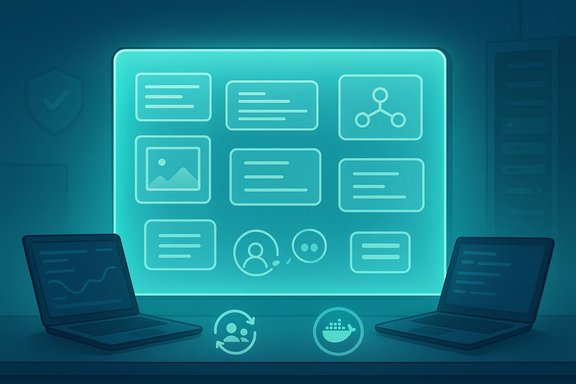
At its core, AFFiNE is a block‑based editor built around an edgeless canvas. Blocks — text, images, embedded web content, shapes, sticky notes, mind‑map nodes, database views — are first‑class citizens and can live anywhere on an infinite canvas or inside documents. That lets users switch fluidly between linear notes and spatial thinking without copying or exporting content between separate tools. The design intentionally echoes block philosophies pioneered by other products but extends them to truly hybrid, spatial workflows.Local‑first and real‑time sync
AFFiNE adopts a local‑first architecture: workspaces are stored on the device first and can sync across clients when you choose cloud sync. The app also uses CRDT‑style syncing (via well‑known building blocks such as y‑js in the upstream stack) so multiple collaborators edit in real time without classic locking conflicts. This hybrid pattern gives users offline reliability while enabling collaborative, cloud‑backed workflows when needed.Open source with commercial options
AFFiNE publishes its Community Edition (CE) sources publicly and advertises self‑hostable deployment using Docker and documented builds, while reserving features and services for paid cloud/enterprise offerings. The team has separated CE and Enterprise editions conceptually: you can self‑host a fully functional CE or subscribe to AFFiNE Cloud/AI and additional services if you prefer hosted convenience. The Community Edition is distributed under permissive licensing terms on the project repository.Deep dive: standout features and workflows
Edgeless canvas and block fusion
- The canvas accepts any block type and treats visual layout as the primary organization mechanism: drag content, cluster items, and visually link ideas without losing editability.
- Blocks remain interactive — text is editable, database rows remain queryable, and embedded content stays live.
- Mind maps can auto‑generate from text lists; boards and calendar views are different lenses on the same underlying database.
Multi‑view databases and “one source” content model
AFFiNE supports multi‑view database records — table, kanban, calendar — that are native objects on the canvas. That allows the same item to exist in multiple representations without duplication, a familiar but powerful pattern for anyone who relies on multi‑facet views of project data. Because the record is a first‑class block, you can pin it on the canvas next to a design sketch or meeting notes and keep the relationship intact.AI companion and content transforms
AFFiNE ships an AI suite marketed as an inline copilot that can:- Summarize long documents and create mind maps from notes.
- Convert outlines into presentations and polish prose.
- Generate images or assist with visual conversions (outlines → slides, sticky notes → mind maps).
Platforms, releases and self‑hosting
Cross‑platform clients
AFFiNE publishes native clients (Electron‑based desktop) and mobile apps; recent updates state the project has released iOS and Android clients while desktop builds run on Windows, macOS and Linux. Release notes and blog posts show active client development and mobile storefront listings.Self‑host with Docker and local deployments
For organizations that require full control, AFFiNE documents self‑hosting via Docker and provides a build guide in the repository. This path keeps workspace data entirely under your control and avoids cloud vendor lock‑in, albeit at the cost of operational overhead (TLS, backups, scaling). The GitHub repository and documentation are the canonical starting points for self‑host deployments.Cloud tiers and storage limits
Third‑party SaaS directories and AFFiNE’s own pages describe a freemium cloud plan with limited storage and pro tiers that add cloud storage, longer version history and team features. Pricing pages vary across aggregators but confirm the overall model: a free personal tier, a low‑cost pro tier, and paid team/enterprise plans. Always confirm the current storage limits and feature gating on AFFiNE’s official pricing page before planning a migration.Collaboration, governance and enterprise posture
Real‑time collaboration and role management
AFFiNE supports real‑time editing across clients and offers team workspaces with role management. The product emphasizes unlimited team members in some workspace types and granular permissions in team/enterprise features. Practical adoption for businesses will need to map those permission tiers against an organization’s governance needs.Data ownership and auditability
Because AFFiNE is local‑first and open source, you can self‑host to achieve data residency and retention policies that map to regulation (GDPR, HIPAA, etc.. That said, the hosted AFFiNE Cloud will be subject to the vendor’s data handling and subprocessors; enterprises should negotiate data processing terms and ask for a Data Processing Addendum or equivalent if legal compliance requires it. Public vendor pages emphasize privacy but—again—detail matters when you handle regulated data.Security considerations for self‑hosted vs managed SaaS
Self‑hosting delivers ultimate control but requires operational discipline (TLS certificates, secure backups, patching, access control). Hosted AFFiNE Cloud reduces operational burden but pushes trust into the vendor and the AI subprocessors used for AFFiNE AI. Both paths are valid; pick the one that matches your team’s capabilities and compliance posture. Community advice for Windows and enterprise admins consistently recommends pilot deployments and testing before wide rollouts.Migrating to AFFiNE: practical steps and expectations
What to expect from migration
- Block‑based content maps reasonably well from Notion — AFFiNE uses a similar block model — but expect imperfect parity for advanced Notion formulas, automation, or highly customized templates.
- Whiteboards and spatial layouts will require manual re‑creation if you have Miro artifacts; AFFiNE’s edgeless canvas will offer more freedom but not automated, lossless conversion in most cases.
- Imported data should be validated in place (database views, filters, relationships) after import to ensure queries and rollups behave as intended.
A basic migration checklist
- Inventory your content — pages, databases, embedded files, automations.
- Export from the source platform in supported formats (Markdown/CSV/HTML) and import into AFFiNE.
- Recreate key workflows (filters, board columns, calendar rules) and validate outputs.
- Pilot with a small team, collect feedback, and iterate on templates.
- Decide self‑host vs cloud and finalize retention/backups.
Comparing AFFiNE to Notion, Miro and Obsidian
AFFiNE vs Notion
- Similarities: block paradigm, databases+views, templates and collaborative editing.
- Differences: AFFiNE adds an edgeless canvas and emphasizes local‑first and self‑hosting; Notion is cloud‑first and proprietary.
- Practical implication: If you prioritize self‑hosting, privacy and spatial workflows, AFFiNE is a closer fit. If you rely upon deep ecosystem integrations, extensive marketplace apps, or enterprise connectors Notion sells, those remain a strength for Notion.
AFFiNE vs Miro
- AFFiNE provides whiteboard capabilities embedded in a document system where items remain editable and linked to structured data.
- Miro focuses purely on collaborative visual whiteboarding and integrates with other systems rather than becoming a full docs/database platform.
- Practical implication: If you use whiteboards as a brainstorming complement within a broader knowledge base, AFFiNE consolidates tools; if your team uses Miro as a high‑fidelity design/UX board with extensive plugins, Miro can still be preferable for specialized visual workflows.
AFFiNE vs Obsidian
- Obsidian prioritizes local Markdown vaults, graph linking, and heavy customization through plugins; collaboration relies on third‑party sync or Obsidian Sync.
- AFFiNE aims at collaborative, real‑time editing with native multi‑view databases and an edgeless canvas, plus an offensive AI story.
- Practical implication: Choose Obsidian when absolute local‑Markdown fidelity and plugin freedom matter; choose AFFiNE when you want integrated, interactive team editing with visual canvases.
Strengths: why AFFiNE deserves attention
- Local‑first ownership: Your workspace exists on disk first, reducing disruption if the hosted service changes pricing or availability.
- Unified canvas: Combining whiteboard flexibility with editable structured data reduces context switching and repeated copy/paste.
- Open source and self‑hostable: Auditable codebase and Docker deployment let privacy‑minded teams retain control.
- Active development and growing ecosystem: The project maintains public release notes, frequent feature updates and community channels — indicators of momentum for rapidly evolving productivity tools.
- AI helper: Integrated multimodal AI reduces friction for summarization, slide generation and idea structuring when you opt into the paid model.
Risks, caveats and where to be cautious
- Youth of the product: AFFiNE is younger than incumbents; certain edge workflows, enterprise integrations and automation features are still maturing. Expect iterative improvements rather than one‑to‑one parity with a decade‑old platform.
- Operational cost of self‑hosting: Running Docker, patching, backup and scaling remains nontrivial — choose self‑host only if your organization can maintain it.
- AI and data residency: Using AFFiNE AI sends content to model providers under the vendor’s data handling flows. Enterprises with regulated data should validate contractual protections and subprocessors. AFFiNE’s promotional materials discuss privacy but also advertise cloud AI features, so governance is essential.
- Changing freemium details: Storage, AI free requests, and collaboration limits on free tiers are marketing variables that can change. Verify current quotas before basing a migration or cost model on them. Multiple SaaS directories list similar but slightly different numbers for free vs pro plans; treat those as indicative, not contractual.
- Community support model: Core support and SLAs for mission‑critical operations will come only with paid plans; community channels are great for troubleshooting but not appropriate for enterprise incident SLAs.
A practical how‑to: try AFFiNE (3 routes)
1) Fast test — Cloud demo
- Create an AFFiNE Cloud account and experiment with the edgeless canvas.
- Test importing a small Notion export or Markdown file and convert it into a mind map or board.
- Try the free AI credits (if available) and test summaries responsibly with non‑sensitive data.
2) Local trial — Desktop client
- Download the desktop client for Windows/macOS/Linux and create a local workspace.
- Work offline for a day to validate the local‑first flow, then enable sync to test conflict resolution and time‑machine restores.
- Confirm where the local workspace is stored (community threads and docs can help locate workspace folders).
3) Self‑host pilot — Docker
- Use the GitHub repo and Docker guide to stand up a staging instance behind TLS.
- Import an anonymized dataset and test export, backup, and restore procedures.
- Run a small team pilot and evaluate role management, performance, and logging.
Final assessment
AFFiNE is one of the most interesting open‑source productivity plays of the moment: it offers a genuinely different ergonomics by putting an edgeless, block‑native canvas at the center of knowledge work, couples that with a workable local‑first model, and provides both self‑host and hosted paths for teams that need flexibility. The project’s public repository, documented self‑hosting, cross‑platform clients and an optional AI copilot combine to create a compelling package for creators, small teams and privacy‑aware organizations. That said, the decision to adopt AFFiNE should be pragmatic: pilot it, verify migrations (especially for complex databases and automations), and treat any value claims about free AI quotas or exact storage limits as subject to change until confirmed on the vendor’s pricing page. If your top priorities are data ownership, a single fused workspace, and a path to avoid subscription lock‑ins, AFFiNE deserves a place on your short list. If you need enterprise connectors, a decade of ecosystem integrations, or guaranteed SLA‑backed support today, include AFFiNE in a measured pilot rather than a wholesale replacement immediately.AFFiNE’s promise — replace many single‑purpose tools with one open, auditable platform that keeps your data where you want it — is no longer just an aspirational pitch. The project has tangible code, clients, self‑host guides and a growing community backing it. The practical next step for power users and IT teams is a short pilot: import representative content, test collaboration and AI with non‑sensitive data, and validate the operational model that meets your security and governance requirements.
Source: MakeUseOf This open-source app is the productivity upgrade you didn't know you needed
