

Microsoft’s preview of agentic features in Windows 11 — where Copilot-style assistants move from “suggest” to “act” — is a technical milestone with meaningful productivity upside and a suite of novel security and governance challenges that administrators and power users must treat as deliberate risk decisions, not convenience toggles.
Microsoft has begun rolling out experimental agentic primitives in Windows 11 that let AI agents run as distinct OS principals, perform multi-step workflows, open files, automate UI interactions, and call cloud connectors. These capabilities are surfaced today through features such as Copilot Actions, the Agent Workspace, per-agent local Agent Accounts, and a developer-facing protocol called the Model Context Protocol (MCP). The preview is intentionally gated: the master toggle for Experimental agentic features is off by default and requires an administrator to enable on a device-wide basis.
Microsoft’s public documentation is unusually candid about operational hazards: the company explicitly warns that agentic AI “may hallucinate and produce unexpected outputs” and introduces a distinct class of adversarial manipulation called cross‑prompt injection (XPIA) — where content embedded in documents, UI elements, or images could be interpreted by an agent as executable instructions. That language and the opt‑in preview model make clear this is a structural change in the Windows threat model.
However, the preview also exposes new, non‑trivial attack surfaces where content becomes the attack vector and where existing endpoint tooling and DLP models may be insufficient. Cross‑prompt injection, hallucination-driven automation errors, supply‑chain signing risks, and the governance overhead of agent principals are real and practical concerns that will shape adoption. Independent reporting and Microsoft’s own documentation converge on the same set of risks, making the case that careful operational discipline is required before agentic features are widely enabled.
Enterprises and cautious users should treat agentic features as an operational capability that must be earned through pilots, risk assessments, and governance work. For enthusiasts and pilot teams, the productivity returns can be substantial; for defenders and compliance teams, the feature is an urgent call to expand identity, logging, and least‑privilege controls to encompass autonomous agents.
Source: Analytics Insight Windows 11 AI Agents – Powerful but Risky?
 Background
Microsoft has begun rolling out experimental agentic primitives in Windows 11 that let AI agents run as distinct OS principals, perform multi-step workflows, open files, automate UI interactions, and call cloud connectors. These capabilities are surfaced today through features such as Copilot Actions, the Agent Workspace, per-agent local Agent Accounts, and a developer-facing protocol called the Model Context Protocol (MCP). The preview is intentionally gated: the master toggle for Experimental agentic features is off by default and requires an administrator to enable on a device-wide basis.Microsoft’s public documentation is unusually candid about operational hazards: the company explicitly warns that agentic AI “may hallucinate and produce unexpected outputs” and introduces a distinct class of adversarial manipulation called cross‑prompt injection (XPIA) — where content embedded in documents, UI elements, or images could be interpreted by an agent as executable instructions. That language and the opt‑in preview model make clear this is a structural change in the Windows threat model.
What “agentic” Windows actually does
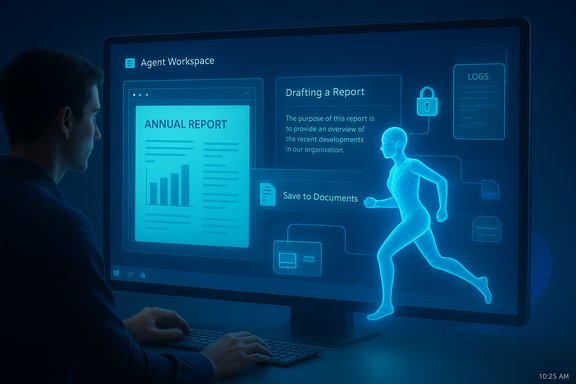
Agent Workspace and Agent Accounts
- Agent Workspace: A lightweight, contained Windows session where an agent runs in parallel to the human user. It is intended to be stronger than in‑process automation but lighter-weight than a full virtual machine, providing a visible, interruptible surface for automated actions.
- Agent Accounts: Each agent is represented by a low‑privilege, non‑interactive local Windows account. This makes agent actions attributable and manageable through standard OS controls such as ACLs and audit logs.
- Read and write files in scoped, consented folders (known folders such as Documents, Desktop, Downloads, Pictures, Music, Videos during preview).
- Interact with GUI elements using vision/OCR and UI automation to click, type, and navigate dialogs when apps lack formal APIs.
- Invoke connectors to cloud services and other tools via MCP.
Model Context Protocol (MCP) and Connectors
MCP is the plumbing intended to standardize how agents discover and call app-provided capabilities (App Actions) and external connectors. The goal is to move agents away from brittle UI-scraping toward explicit capability invocation — an important architectural step for scale and security — but the protocol and its governance are still maturing.The productivity case: where agents help
Agents promise to reduce repetitive work and save context-switching time for knowledge workers and IT teams alike. Expected productivity scenarios include:- Batch-processing documents (summaries, redaction, report assembly).
- Photo and media workflows (organize, enhance, tag).
- Help-desk automation and routine admin tasks orchestrated via Windows 365 for Agents and Copilot Studio.
- Local “one-click” triage for files and meeting notes surfaced directly in File Explorer.
Why this is different: the new threat model
Agentic features change a foundational assumption of endpoint security: the human user is no longer always the final arbiter. A trusted OS-level component that can act introduces new incentive structures for attackers and alters what surfaces are valuable.Cross‑Prompt Injection (XPIA)
- What it is: XPIA is a class of attacks where adversarial content embedded in ordinary files, rendered previews, or UI elements contains instructions that the agent misinterprets as authoritative prompts. Because agents act, a successful XPIA may cause data exfiltration, unintended uploads to connectors, or even software installation.
- Why it matters: Traditional malware defenses focus on code and binaries; XPIA weaponizes content and UI surfaces, which are typically trusted and less scrutinized by endpoint protection.
Hallucinations and Procedural Errors
Large language models can be confidently wrong. When an LLM-derived plan becomes an automated action, hallucinations cause operational harms: wrong attachments, unintended deletions, misdirected messages, or malformed configuration changes. Microsoft explicitly flags hallucination as a first-order security and reliability risk.Supply‑chain and Signing Concerns
Microsoft mandates digital signing for agents and connectors and proposes revocation paths, but signatures are not a panacea. Compromised signing keys, publisher identity abuse, or logical flaws in agent code can still lead to widespread harm. Real supply-chain safety requires certificate lifecycle management, rapid revocation propagation, and integration with enterprise enforcement tools.Privacy and telemetry questions
Microsoft’s preview emphasizes opt‑in defaults and scoped access, but several privacy questions remain open in practice:- Will any data an agent reads be sent to cloud models for reasoning, and under what conditions? Preview behavior suggests heavier reasoning may offload to cloud models on non‑Copilot+ hardware.
- How will telemetry, retention, and model-improvement pipelines handle the content agents ingest? Documentation addresses privacy commitments in general terms, but operational details and enterprise-level opt‑outs require clarification.
Enterprise readiness: governance, logging, and controls
Windows’ agent model introduces new operational responsibilities for IT teams. Key governance dimensions include:- Policy gating: keep Experimental agentic features disabled on production images; enable only for vetted pilot groups. The preview toggle is device-wide and admin-controlled.
- Signing and supply‑chain controls: require enterprise signing for any production agents, and ensure revocation mechanisms are integrated with endpoint tooling.
- Auditing and SIEM integration: agents must emit tamper‑evident logs and step traces; enterprises should push these logs into SIEM/EDR pipelines for correlation and detective controls.
- Data governance: define clear DLP/conditional access rules for connectors and limit agents’ cloud access for sensitive datasets.
- Keep agentic features disabled by default in production images and pilot only in isolated environments.
- Require documented risk assessments and approvals before enabling on any device.
- Integrate agent logs with existing SIEM and DLP for real‑time monitoring.
- Enforce least‑privilege for agents and adopt strict certificate/Signing governance.
Technical mitigations Microsoft provides (and gaps to watch)
Microsoft has baked a sensible defensive stack into the preview, including:- Opt‑in by default; admin enablement that applies device‑wide.
- Agent accounts and runtime isolation via Agent Workspace.
- Scoped initial file access to known folders and explicit user consent for additional permissions.
- Cryptographic signing for agents and planned revocation mechanisms.
- Tamper‑evident logs and visible, interruptible progress UI for agent actions.
- Proven tamper resistance of logs and reliable retention/forwarding into enterprise SIEMs remain areas for independent verification.
- Defenses against sophisticated XPIA variants — especially those that chain multiple content types (PDF, rendered HTML, OCR’d images) — are being developed but are not yet a solved problem.
- UI automation is inherently brittle. Agents that rely on heuristic GUI targeting can mis‑click or mis‑type if apps change, producing real damage even without malicious input.
Developer and ISV implications
Independent software vendors and developers should prepare for a world where agents are first‑class integrators:- Design agent capabilities with least privilege: declare exactly which MCP capabilities the agent needs and for how long.
- Produce human‑readable preflight plans and machine‑readable logs for every action. Transparency is essential to maintain trust.
- Sign tool manifests and support secure registration and attestation flows to avoid being an unvetted attack surface.
- Test for adversarial inputs: include prompt‑injection and tool‑poisoning scenarios in CI to catch edge cases early.
Practical, actionable guidance for users and admins
For home users:- Leave Experimental agentic features off unless you have a clear, isolated purpose and an understanding of what an agent will access.
- When granting folder access, limit it to the minimal set necessary and revoke when the task completes.
- Use pause/stop/takeover controls in Agent Workspace to supervise any automation.
- Pilot in lab/sandboxed environments only; do not enable preview features fleetwide without policy and telemetry in place.
- Ensure agent logs are forwarded to SIEM/EDR and that DLP policies cover connector flows.
- Treat agent signing keys and revocation lists as critical assets — manage their lifecycle like any enterprise PKI.
Broader risks and systemic considerations
- Attack incentive shift: Rather than focusing solely on executable malware, attackers will increasingly weaponize documents, metadata, and UI content to influence agent behavior. This requires defenders to add content‑integrity checks and provenance metadata to existing controls.
- Operational complexity: Agents are new principals that must be inventoried, patched, and revoked; organizations need new playbooks and roles to manage them.
- Hardware-driven fragmentation: The Copilot+ split incentivizes Copilot+ hardware (NPU-equipped devices) for lower-latency, privacy-leaning local inference. That raises procurement, environmental, and equity questions; hardware TOPS claims require independent benchmarking and procurement validation.
- Regulatory and compliance pressure: For regulated sectors, non-repudiable audit trails, data residency guarantees, and demonstrable tamper-evidence will be prerequisites before agents can be allowed broad access to regulated data.
Final analysis — balancing power and risk
Windows 11’s move from assistant to agent is a credible and coherent architectural pivot: on‑device runtimes, identity for agents, and MCP for capability discovery are sensible primitives for scaling agentic workflows. Microsoft paired these with conservative rollout mechanics — opt‑in, admin control, signing, logging — which are the right initial posture for such a disruptive change.However, the preview also exposes new, non‑trivial attack surfaces where content becomes the attack vector and where existing endpoint tooling and DLP models may be insufficient. Cross‑prompt injection, hallucination-driven automation errors, supply‑chain signing risks, and the governance overhead of agent principals are real and practical concerns that will shape adoption. Independent reporting and Microsoft’s own documentation converge on the same set of risks, making the case that careful operational discipline is required before agentic features are widely enabled.
Enterprises and cautious users should treat agentic features as an operational capability that must be earned through pilots, risk assessments, and governance work. For enthusiasts and pilot teams, the productivity returns can be substantial; for defenders and compliance teams, the feature is an urgent call to expand identity, logging, and least‑privilege controls to encompass autonomous agents.
Conclusion
The arrival of agentic AI in Windows 11 marks a turning point: the operating system is being reshaped to treat software assistants as actors, not just advisors. That opens meaningful productivity pathways but simultaneously creates a new class of security and privacy challenges. Microsoft’s preview shows responsible planning — opt‑in defaults, agent accounts, and signing — but those controls reduce risk rather than eliminate it. Organizations and users must therefore adopt a cautious, evidence-driven approach: pilot narrowly, insist on auditable logs and revocation capabilities, validate hardware claims independently, and update detection and DLP regimes to cover agent-driven flows. Handled well, agentic Windows can be a powerful productivity layer; handled badly, it risks adding systemic, content-driven attack surfaces to the modern desktop.Source: Analytics Insight Windows 11 AI Agents – Powerful but Risky?
