

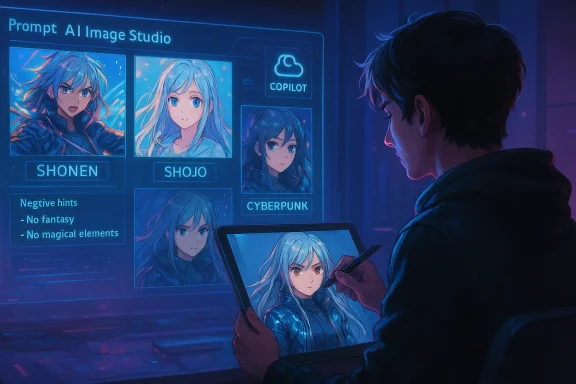
AI anime generators have turned character design from a specialized skill into a conversation: describe a personality, mood, or outfit and the system returns one—or a dozen—anime‑style visuals you can iterate on, animate, and build stories around. Microsoft’s Copilot and Designer now include built‑in image creation features tuned for styles like shōnen, shōjo, and cyberpunk, and they make the process conversational—so you can refine a character in back‑and‑forth prompts instead of rebuilding every detail from scratch.
AI anime generators are text‑to‑image systems or toolchains that convert written prompts and reference images into anime‑style artwork. Under the hood most of these tools use diffusion‑based image models (Stable Diffusion and its variants are the most common), or proprietary engines that build on similar principles. Those base models are often fine‑tuned on anime datasets or combined with “LoRA”/embedding files that bias outputs toward 2D anime aesthetics. The result: fast concept art, avatars, and visual prototypes without needing to draw frames by hand.
Microsoft positions Copilot and Designer as integrated ways to do this in a conversational workspace—enter a prompt, choose Anime as a style, add a reference image if you like, and refine. Microsoft’s support docs explicitly explain the Create → Describe flow and show that you can choose style (Photorealistic, Anime, etc.), composition (Square, Portrait, Wide), and bring in a reference image for guided results.
Across the wider ecosystem you’ll find two practical classes of approaches:
Fine‑tuning and auxiliary techniques commonly used in the anime space:
If you need full stylistic control or own the workflow end‑to‑end, invest time in a local pipeline (AUTOMATIC1111, ComfyUI) and anime‑fine‑tuned checkpoints (Waifu Diffusion). Learn the basics of prompt engineering—style token, subject, clothing, mood, camera, negative prompts—and iterate.
Above all, be mindful of provenance, respect creators’ rights, and document the human choices that make your character uniquely yours. AI anime is a powerful creative accelerator—but the best work will always pair technical tools with thoughtful storytelling and ethical practice.
Source: Microsoft How to Create Characters with AI Anime Generators | Microsoft Copilot
 Background / Overview
AI anime generators are text‑to‑image systems or toolchains that convert written prompts and reference images into anime‑style artwork. Under the hood most of these tools use diffusion‑based image models (Stable Diffusion and its variants are the most common), or proprietary engines that build on similar principles. Those base models are often fine‑tuned on anime datasets or combined with “LoRA”/embedding files that bias outputs toward 2D anime aesthetics. The result: fast concept art, avatars, and visual prototypes without needing to draw frames by hand. Microsoft positions Copilot and Designer as integrated ways to do this in a conversational workspace—enter a prompt, choose Anime as a style, add a reference image if you like, and refine. Microsoft’s support docs explicitly explain the Create → Describe flow and show that you can choose style (Photorealistic, Anime, etc.), composition (Square, Portrait, Wide), and bring in a reference image for guided results.
Across the wider ecosystem you’ll find two practical classes of approaches:
- Cloud/hosted tools: Copilot/Designer, Midjourney, DALL·E (via OpenAI) and various web UIs that provide one‑click generation and content‑policy moderation. These are easiest for most users.
- Local/custom workflows: Stable Diffusion with WebUIs (AUTOMATIC1111, ComfyUI), plus anime‑specific checkpoints such as Waifu Diffusion, for users who want fine control, local privacy, and custom models.
How AI anime generators actually work
Diffusion models and fine‑tuning (the technical brief)
Diffusion models generate images by progressively denoising a random pattern until it matches the semantic signal in your prompt. Stable Diffusion is the most widely used open‑source family, and many anime models are fine‑tuned checkpoints of Stable Diffusion that have been conditioned on anime image libraries and annotated tags. Waifu Diffusion, for example, was fine‑tuned from Stable Diffusion and trained on hundreds of thousands of anime images to produce stronger 2D aesthetics and character‑style outputs.Fine‑tuning and auxiliary techniques commonly used in the anime space:
- LoRA / embeddings: small, sharable parameter files that bias a base model toward a style or subject.
- ControlNet / pose guides: give the model structural constraints (pose, depth, or edge maps).
- Inpainting and outpainting: edit parts of an image or extend canvases while retaining style coherence.
- Upscalers / face restorers: post‑processing for higher resolution and improved facial detail.
What Copilot adds (integration, conversation, assets)
What sets Copilot and Microsoft Designer apart is the workflow integration: prompting, referencing, editing, and content management inside a single interface. Copilot provides example prompts and templates for anime styles and explicitly recommends story‑style prompting (describe a scene rather than a laundry list of attributes) to get richer compositions. Microsoft’s documentation endorses iterative editing—choose a template, swap details, add a reference image, then refine.Why use Copilot (and when to choose other tools)
- Conversational iteration: Copilot treats character design as a dialogue—great for brainstorming personalities and backstory while you refine visual traits.
- Built‑in templates: Designer and Copilot include styles and templates to lower the barrier for first images.
- Fast prototyping: Cloud tools generate multiple variations quickly without local GPU requirements.
- When to use local tools: If you want absolute control over style, use anime‑specific checkpoints (Waifu Diffusion), local WebUIs (AUTOMATIC1111), or node‑based pipelines (ComfyUI). Local setups let you run custom LoRAs, tweak CLIP/VAE settings, and preserve assets offline.
How to create an AI anime character — step‑by‑step
- Describe your character (the seed)
- Start with the essentials: age range, silhouette, hair color, facial features, clothing, and one line of personality. For example: “Teenage street‑mage with silver asymmetrical hair, neon blue eyes, reflective cyberpunk jacket, calm and observant expression.” Keep it vivid but not cluttered.
- If you’re using Copilot or Designer, choose Anime style and a composition (Portrait is common for character busts).
- Generate and review variations
- Ask for 4–8 variations to see different interpretations of the same prompt. Don’t expect perfection on the first pass—character identity often emerges through iteration.
- Use Copilot’s conversational follow‑ups: “Make her expression more determined” or “Try pastel color scheme and add star‑shaped hair clips.”
- Add references and technical direction
- Upload a reference image (a photo, existing art, or a silhouette) if you want the model to match a pose or color palette. Microsoft’s Create flow supports a reference image and explicit style selection.
- Provide camera and lighting cues: “3/4 view, soft rim light, shallow depth of field.”
- Use negative prompts and safety tags
- If your tool supports negative prompts (many Stable Diffusion UIs do), add terms like “bad anatomy, extra fingers, deformed” to avoid common artifacts in hands and eyes. Local anime checkpoints often append curated negative prompts that improve composition.
- Polish with inpainting and upscaling
- Fix small errors (hands, accessories) using inpainting. Then upscale or apply face restoration if you need print‑quality output or close‑ups. Tools like AUTOMATIC1111 and WebUI extensions offer quick upscaling options; cloud tools usually provide direct export at a chosen resolution.
- Export and iterate into other media
- Save different poses and facial expressions if you plan to animate the character or turn it into a VTuber avatar (PNG series, layered PSD for Live2D, or a VRM file for 3D VTubers). See the “VTuber and animation” section below for export paths.
Crafting better prompts for anime characters
The anatomy of an effective anime prompt
A high‑quality prompt balances specificity and creative room:- Start with a style token: “Shōnen, studio lighting, high detail”
- Add the core subject: “young swordswoman, white fox motif”
- Add appearance tokens: “long white hair, braided on one side, amber eyes”
- Add clothing/props: “tattered kimono jacket, leather gauntlets, katana with rusted guard”
- Add mood/camera: “determined expression, three‑quarter view, cinematic backlight”
- Use negative terms: “no text, avoid watermark, no extra fingers”
Quick tips
- Reference a specific anime subgenre to steer composition and palette.
- For anime‑specific pipelines, Danbooru tags (like “masterpiece”, “best quality”, plus character traits) often translate well in local WebUIs and specialized checkpoints.
- Keep prompts concise at first; add nuance in iterative replies.
From static image to VTuber or animated character
Turning a generated portrait into an animated avatar has three pragmatic options, each with trade‑offs:- PNG Tuber (quick, low‑tech): export multiple emotion PNGs (closed mouth, open mouth, blink, angry, smile) and switch them live via OBS plugins or lightweight apps. This is the fastest route for beginners.
- Live2D (2D rigged model): separate layers (eyes, mouth, hair, limbs), rig in Live2D Cubism for smooth motion, and stream with VTube Studio or PrprLive. Live2D is the professional 2D standard but requires layered PSD assets and rigging skills. Live2D provides official tutorials for rigging and export.
- VRM / 3D avatars: use VRoid Studio or convert assets to VRM for 3D motion capture and full 3D head/body tracking. VSeeFace and other viewers accept VRM models and provide webcam‑based face tracking for livestreams.
Advanced workflows: local models, LoRAs, and custom pipelines
For creators who outgrow cloud convenience, local toolchains let you control every variable.- AUTOMATIC1111 WebUI: widely used local interface for Stable Diffusion; supports models, LoRAs, embeddings, fine‑grained sampling, and many community extensions. It’s the go‑to for hobbyists running models on a GPU.
- ComfyUI: node‑based, visual workflow builder for complex pipelines, useful when combining ControlNet poses, multiple models, and batch workflows. ComfyUI is built for modular experimentation.
- Waifu Diffusion and similar anime checkpoints: these are fine‑tuned models (Waifu Diffusion v1.3 reports training on ~680k anime images) that produce markedly better anime faces and linework than vanilla Stable Diffusion. Use them where stylistic fidelity is critical. Note: the provenance of training data and licensing may vary—see the licensing and legal section.
Ownership, licensing, and legal risks (what every creator must know)
The legal landscape for AI‑generated art is complex and evolving. Key points to keep in mind:- Microsoft’s terms for Copilot and Designer state that Microsoft does not claim ownership of content you create with their services, but you must ensure you control rights to any inputs and respect the Acceptable Use Policy. Microsoft also supports content credentials and provenance mechanisms. This gives users broad practical rights but doesn’t eliminate downstream IP risk.
- Copyrightability of purely AI‑generated works remains unsettled in many jurisdictions. The U.S. Copyright Office and courts have emphasized human authorship as a threshold for copyright protection; outputs that are fully machine‑generated without significant human creative contribution may not be eligible for copyright. That affects exclusivity and commercial licensing prospects.
- Training data and artist claims are active legal battlegrounds. High‑profile lawsuits (Getty vs. Stability AI, artists’ suits against model creators) demonstrate both the legal and reputational risks of using models trained on scraped copyrighted art. Courts have delivered mixed rulings; outcomes vary by jurisdiction and the particulars of each case—meaning commercial use carries legal uncertainty.
- If you intend to sell or license images derived from AI generators, carefully review the platform’s terms and keep evidence of your creative contribution (prompt development, edits, compositing) to support claims of human authorship where needed.
- Avoid direct imitation of a living artist’s identifiable style if you plan to monetize widely; that remains legally and ethically risky.
- Never generate or distribute sexualized images of minors or non‑consensual explicit imagery—platform policies and criminal laws apply and enforcement is strict. Platforms and regulators continue to tighten controls on NSFW and deepfake content.
Ethics, provenance, and creator responsibility
Beyond legality, responsible creators follow three practical habits:- Transparency: disclose when art is AI‑assisted. Platforms and communities increasingly expect disclosure to avoid misleading audiences.
- Attribution and consent: if a character or likeness is based on a real person, obtain permission before public release or monetization.
- Respect for original creators: if you use specific community assets (LoRAs, embeddings, artists’ public datasets), read and respect the author’s license and attribution requests.
Practical checklist before publishing or monetizing AI anime art
- Confirm platform terms: do your outputs have commercial restrictions? Is attribution requested?
- Verify prompt provenance: save prompts, reference images, and iterations to document human creative input.
- Run a safety check: ensure no minors are depicted sexually, no private individuals are portrayed without consent, and no trademarked logos are present.
- Prepare deliverables: export PSDs for rigging, high‑res PNGs for prints, or layered files for Live2D as needed.
- Consider licensing: if you sell assets, include terms that account for the underlying AI provenance and any third‑party components used.
Troubleshooting common problems
- “Hands look wrong” — use negative prompts and targeted inpainting, or try an upscaling/face‑fixer pipeline in your local WebUI.
- “Style is inconsistent” — lock the style with a known LoRA, or add explicit studio/artist‑style tokens (avoid naming living artists without permission). Fine‑tuned anime checkpoints like Waifu Diffusion help.
- “I need animation” — export multiple frames or use Deforum/animation extensions for automated frame generation, or rig to Live2D/VRM for real‑time tracking.
The creative upside: stories, worldbuilding, and community
AI anime generators accelerate idea exploration. A single session can yield multiple character silhouettes, color palettes, accessory ideas, and emotional beats—then Copilot or a local workflow can help you turn those visuals into backstories, dialogue, and episode outlines. For independent creators this lowers the friction to iterate and test concepts quickly: redesign an outfit, flip genre from fantasy to cyberpunk, or generate alternate expressions for an emotional sequence—all in minutes.Final thoughts — how to get started safely and creatively
If you’re new to AI anime generation, start with a hosted, moderated tool like Microsoft Copilot or Designer: the built‑in templates, conversational prompts, and content moderation make experimentation safe and straightforward. Save each prompt and export multiple variations; use those assets as the basis for rigging or commissioning polish.If you need full stylistic control or own the workflow end‑to‑end, invest time in a local pipeline (AUTOMATIC1111, ComfyUI) and anime‑fine‑tuned checkpoints (Waifu Diffusion). Learn the basics of prompt engineering—style token, subject, clothing, mood, camera, negative prompts—and iterate.
Above all, be mindful of provenance, respect creators’ rights, and document the human choices that make your character uniquely yours. AI anime is a powerful creative accelerator—but the best work will always pair technical tools with thoughtful storytelling and ethical practice.
Source: Microsoft How to Create Characters with AI Anime Generators | Microsoft Copilot
