

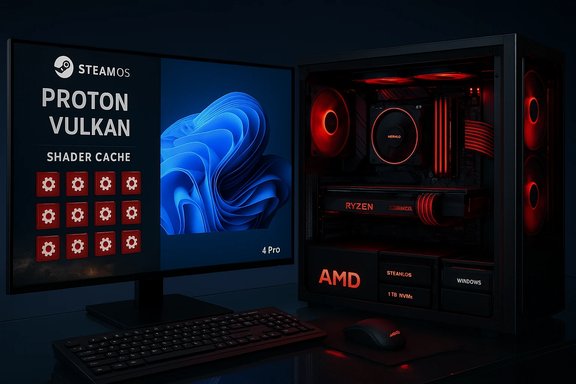
An all‑AMD dual‑boot powerhouse built by ETA Prime — pairing an AMD Ryzen 7 9800X3D with an AMD Radeon RX 7900 XTX and running SteamOS on one NVMe and Windows 11 Pro on the other — shows that the long‑standing assumption “Windows always wins at native 4K AAA” no longer holds as an absolute. In a hands‑on comparison of several modern triple‑A titles at 4K, some games favored SteamOS, others favored Windows, and the deltas were often driven by driver behavior, shader‑caching and publisher/engine tuning rather than raw silicon alone. Those results point to a practical reality for builders: a dual‑boot AMD rig can legitimately be tuned to extract the best of both worlds — a lean, game‑first SteamOS stack and the broad compatibility and tooling of Windows 11 Pro.
The test rig at the heart of the comparison is straightforward and deliberately vendor‑homogenous: an AMD Ryzen 7 9800X3D CPU, Radeon RX 7900 XTX GPU, 32 GB of DDR5 memory, and two 1 TB NVMe SSDs — one for SteamOS, one for Windows 11 Pro. This configuration minimizes cross‑vendor driver variables and highlights how driver stacks and OS runtime behavior affect real‑world gaming performance. The full test methodology, as carried out by ETA Prime and reported by outlets that summarized his video, kept graphics settings, resolution and BIOS tuning consistent across OSes to isolate platform differences. Why an all‑AMD machine? AMD’s open driver investments and the Mesa/RADV stack for Linux have matured, and Valve’s Proton and VKD3D translation layers have narrowed the translation tax that once hampered Linux gaming. When tests use RDNA‑based AMD GPUs and modern Mesa/Proton builds, the practical performance gap with Windows can shrink or even invert in certain titles. Still, those outcomes are snapshot‑sensitive: driver revisions, Proton updates, and small BIOS changes can materially shift results.
That flexibility comes with trade‑offs: ongoing maintenance (driver/kernel/proton upgrades), careful per‑title validation, and an acceptance that anti‑cheat and certain utilities will tether you to Windows for some experiences. For builders who want the best practical gaming platform rather than a single ideological choice, the all‑AMD dual‑boot model is a highly compelling path: it delivers high‑end 4K performance, the benefits of a lean gaming OS, and the safety net of Windows when ecosystem constraints demand it.
Source: Geeky Gadgets All AMD Dual Boot PC SteamOS & Windows : Which Runs AAA Games Faster at 4K?
 Background / Overview
The test rig at the heart of the comparison is straightforward and deliberately vendor‑homogenous: an AMD Ryzen 7 9800X3D CPU, Radeon RX 7900 XTX GPU, 32 GB of DDR5 memory, and two 1 TB NVMe SSDs — one for SteamOS, one for Windows 11 Pro. This configuration minimizes cross‑vendor driver variables and highlights how driver stacks and OS runtime behavior affect real‑world gaming performance. The full test methodology, as carried out by ETA Prime and reported by outlets that summarized his video, kept graphics settings, resolution and BIOS tuning consistent across OSes to isolate platform differences. Why an all‑AMD machine? AMD’s open driver investments and the Mesa/RADV stack for Linux have matured, and Valve’s Proton and VKD3D translation layers have narrowed the translation tax that once hampered Linux gaming. When tests use RDNA‑based AMD GPUs and modern Mesa/Proton builds, the practical performance gap with Windows can shrink or even invert in certain titles. Still, those outcomes are snapshot‑sensitive: driver revisions, Proton updates, and small BIOS changes can materially shift results.Key system specifications — verified
Before assessing results, it’s essential to verify the hardware claims against manufacturer specifications and mainstream reviews.- CPU — AMD Ryzen 7 9800X3D: AMD documents the Ryzen 7 9800X3D as an 8‑core, 16‑thread Zen 5 desktop part with up to 5.2 GHz boost, a 4.7 GHz base clock, a 120 W TDP, and large L3/3D V‑Cache that improves cache‑sensitive gaming workloads. This processor is marketed as an X3D part purpose‑built for gaming uplift.
- GPU — AMD Radeon RX 7900 XTX: The RX 7900 XTX is a high‑end RDNA 3 card with 24 GB GDDR6, a wide 384‑bit bus, and feature support for FidelityFX Super Resolution (FSR) and modern Vulkan/DX12 workloads. Vendor pages confirm the 24 GB VRAM spec and the card’s targeting for 4K class gaming.
- Memory & Storage: The test used 32 GB DDR5 (reported up to 7000 MT/s in the build notes) and dual 1 TB M.2 NVMe drives to cleanly separate OS installations. Fast DDR5 and NVMe storage are sensible for consistent 4K texture streaming and to avoid I/O bottlenecks during benchmarks. Independent coverage of the video confirms these figures.
- Motherboard & PSU: The platform was built on an ASRock B850 Challenger (AM5) board with an 850 W Gold‑rated PSU. The ASRock B850 product family supports modern Zen 5 processors and DDR5 memory profiles considered in the testing. The combination provides adequate power headroom for sustained 4K loads.
The benchmarks — what ETA Prime measured
ETA Prime ran a selection of contemporary AAA titles at native 4K (with FSR toggled on for certain titles where indicated) and reported average FPS figures on both SteamOS and Windows 11 Pro. Notebookcheck and other outlets summarized the headline results, which are representative and, importantly, title dependent rather than showing a consistent OS winner. Key averages reported include:- Cyberpunk 2077 (4K Ultra, no FSR): SteamOS 85 FPS vs Windows 84 FPS — effectively tied.
- Forza Horizon 5 (4K Extreme, no FSR): SteamOS 157 FPS vs Windows 191 FPS — substantial Windows lead.
- Marvel’s Spider‑Man 2 (4K Very High, FSR Quality): SteamOS 111 FPS vs Windows 103 FPS — SteamOS edge.
- Red Dead Redemption 2 (4K Ultra, no FSR): SteamOS 88 FPS vs Windows 96 FPS — Windows advantage.
- Borderlands 4 (4K Ultra, FSR Quality): SteamOS 69 FPS vs Windows 74 FPS — small Windows advantage.
Why the deltas happen — technical analysis
The observed per‑title differences are driven by a handful of reproducible technical levers. Understanding these clarifies why dual‑booting makes practical sense for many builders.1. Driver and runtime differences
- On Windows, vendors ship proprietary drivers and optimizations tuned to DirectX and Microsoft’s platforms. Games that are heavily optimized for DirectX (or publisher collaboration with Microsoft) can extract extra performance on Windows. For example, Forza Horizon 5’s tight integration with Microsoft ecosystems often favors Windows driver paths and in‑engine optimizations.
- On SteamOS/Linux, the stack includes Mesa (RADV for Vulkan), Proton, and VKD3D translation for D3D12. Those layers have matured enormously; in some cases their shader compilation, caching, and runtime scheduling reduces frame‑time hitches and produces higher 1% lows or even slightly higher averages in shader‑heavy scenes. Valve’s investment in Proton and shader cache mechanisms has been central to these gains.
2. Shader compilation and caching
Modern engines compile many shader permutations at runtime. Differences in how and when shaders are compiled or cached can produce large perceived differences in smoothness even if the average FPS is similar. In several test traces, SteamOS’s runtime behavior reduced blocking shader compiles that on Windows would produce micro‑stutters; this explains why some titles felt smoother under SteamOS despite running through Proton.3. OS overhead and background services
SteamOS is designed as a lean, gaming‑first environment; it runs fewer background services and has a simplified compositor by default. That lower overhead reduces scheduler noise and CPU wakeups, which can matter even on desktop silicon when tight frame timing is important. Conversely, a fully provisioned Windows 11 installation with background telemetry and utility software can introduce scheduling and latency noise that nudges results in tightly contested scenes.4. Publisher/engine tuning and anti‑cheat
Games closely tied to Microsoft's toolchain or requiring kernel‑level anti‑cheat are still Windows‑centric. Anti‑cheat concerns remain the ecosystem blocker for a full SteamOS‑only transition for competitive multiplayer titles; many studios require Windows kernel support and will not permit Proton environments on their official servers unless they explicitly opt in. That ecosystem reality preserves a practical reason to keep Windows available.Strengths of the dual‑boot, all‑AMD approach
- Flexibility: Boot into SteamOS for single‑player, shader‑heavy, or thermal‑sensitive sessions to potentially benefit from better frame‑time behavior. Switch to Windows for titles with vendor‑specific optimizations or anti‑cheat requirements.
- Performance parity in many cases: The experiment shows parity or near‑parity in several AAA titles at native 4K when the hardware and driver stacks are aligned — a substantial shift from the historical Windows dominance narrative.
- Hardware synergy: AMD’s openness and contributions to Mesa/RADV and Valve’s Proton improvements deliver meaningful performance and compatibility on Linux. In practical terms, an AMD‑centric build reduces variance and increases the probability of SteamOS parity.
- Lower maintenance attack surface for gaming: SteamOS’s lean profile can reduce background noise and result in more consistent sustained clocks for some workloads, which is useful during long 4K sessions where thermal and power dynamics matter.
Risks, caveats and reproducibility concerns
The dual‑boot approach is compelling but not without real trade‑offs and risks.- Snapshot sensitivity: The numbers reported are accurate for their software and driver snapshot. Mesa, Proton, AMD drivers, and even Windows driver updates frequently shift performance, so reproduction requires freezing driver versions and noting Proton/Mesa releases. Any single creator video must be treated as directional rather than definitive without lab‑grade replication.
- Anti‑cheat and multiplayer: Competitive or anti‑cheat‑protected multiplayer titles may not work reliably on SteamOS despite improvements. This is an ecosystem policy and implementation issue as much as a technical one, and it remains the primary practical blocker for many gamers.
- Driver regressions and kernel volatility: Linux driver updates can introduce regressions as readily as fixes. Users who prioritize absolute stability should be prepared to roll back kernels, Mesa, or Proton versions when required. Distribution image snapshots (or freezing to a SteamOS stable channel) mitigate but do not eliminate this risk.
- Per‑title variability: Titles optimized for DirectX or Microsoft SDKs may continue to favor Windows until translation layers and vendor driver feature parity fully converge. Expect testing and tuning per game; do not assume results will generalize across an entire library.
- Peripheral and utility gaps: Vendor utilities (overclocking, RGB, advanced capture suites) and certain proprietary tools remain Windows‑first. Builders who rely on these should plan for a Windows partition for management and configuration tasks.
Practical recommendations for builders and enthusiasts
- Identify must‑play titles. Check ProtonDB and community notes for the specific games you rely on. If critical multiplayer titles require Windows‑only anti‑cheat, plan a Windows partition.
- Use identical BIOS and power tuning across OSes. ETA Prime’s test tuned via BIOS rather than per‑OS utilities to maintain parity; follow the same approach to get comparable results.
- Freeze driver stacks for benchmarking. Record Mesa, Proton and driver versions when testing to enable reproducibility; store images or use an image‑based distro snapshot if you plan to iterate.
- Prefer AMD hardware if your goal is SteamOS parity today. AMD’s open driver model and collaboration with Valve make it the safest path to consistent Linux performance. Intel and NVIDIA can behave differently; test on your intended hardware.
- Use FSR or other upscalers where available. Allowing FidelityFX Super Resolution in supported titles (as ETA Prime did in several tests) often maintains visual fidelity while improving FPS in demanding scenarios. That’s a practical lever to hit smoother 4K experiences on both OSes.
What to watch next — the short roadmap
- Proton and Mesa releases: Major Proton and Mesa updates can flip performance deltas; follow release notes and test new builds in a controlled way.
- Anti‑cheat adoption: Look for publisher opt‑ins and explicit vendor announcements about Easy Anti‑Cheat and BattlEye support on Proton/SteamOS environments; broader adoption would materially expand SteamOS viability for multiplayer.
- Vendor driver parity: AMD, NVIDIA and Intel will keep iterating on Linux drivers; any sizeable vendor‑level optimization for Vulkan or VKD3D will shift the balance in specific titles. Keep an eye on vendor roadmaps and driver changelogs.
- Large‑scale lab replications: Independent lab tests that lock driver stacks and instrument power/thermal telemetry will be the next step for turning these promising creator snapshots into broadly validated claims. The community has called for that replication repeatedly.
Conclusion — a pragmatic verdict for builders
ETA Prime’s all‑AMD dual‑boot experiment is a clear and actionable demonstration that, in 2026, SteamOS can match or outperform Windows 11 Pro in several native 4K AAA scenarios on carefully chosen hardware — and that Windows will still win in others. The lesson for enthusiasts is pragmatic: a dual‑boot strategy on an AMD‑centric rig gives you choice and performance flexibility, letting you pick the best software stack for each title.That flexibility comes with trade‑offs: ongoing maintenance (driver/kernel/proton upgrades), careful per‑title validation, and an acceptance that anti‑cheat and certain utilities will tether you to Windows for some experiences. For builders who want the best practical gaming platform rather than a single ideological choice, the all‑AMD dual‑boot model is a highly compelling path: it delivers high‑end 4K performance, the benefits of a lean gaming OS, and the safety net of Windows when ecosystem constraints demand it.
Source: Geeky Gadgets All AMD Dual Boot PC SteamOS & Windows : Which Runs AAA Games Faster at 4K?
