

AMD’s brief documentation slip over Adrenalin Edition 25.10.2 touched off an outsized panic — but the facts are clearer and more nuanced: AMD’s Adrenalin driver packaging and installer continue to support Windows 10 in practice, even as AMD shifts its public documentation and engineering focus to Windows 11 after Microsoft’s October 14, 2025 end-of-support milestone.
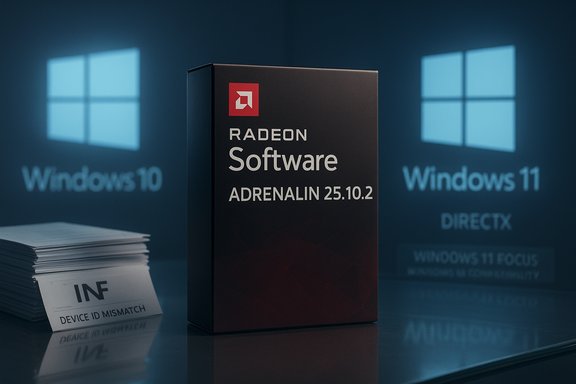
Windows 10 reached its formal end of support on October 14, 2025, a calendar milestone that stopped routine feature updates, non-security quality fixes, and standard Microsoft technical assistance for the consumer editions unless a device is enrolled in Extended Security Updates (ESU). Microsoft published migration guidance and an ESU bridge that runs through October 13, 2026 for eligible consumer devices. In that context, AMD released Adrenalin Edition 25.10.2 on October 29, 2025. The release notes and the short compatibility banner that accompanied the download emphasized “Windows 11 version 21H2 and later,” and in some public-facing copies the explicit “Windows 10” call-out was absent. That omission — a documentation change tied to Microsoft’s EOL calendar — prompted widespread concern, social-media chatter, and multiple headlines implying AMD had “dropped” Windows 10 support. Subsequent clarification from AMD and hands-on community testing revealed a more pragmatic reality: the installer and driver binaries continue to support Windows 10 in most cases, even while AMD consolidates release-note messaging around Windows 11.
But it is not an invitation to complacency. The broader transition away from Windows 10 will create compatibility drift, longer fix windows for older OSes, and an eventual legacy support posture for antiquated GPUs. For anyone who needs stability and security, the sensible course combines conservative driver-change management with a concrete migration timetable to Windows 11 (or a documented, ESU-backed mitigation plan where migration is temporarily impossible).
The immediate takeaways are straightforward and actionable: verify installer metadata before upgrading, pilot changes, keep last-known-good drivers at hand, and treat AMD’s clarification as a short- to medium-term compatibility assurance rather than an indefinite promise. The Windows 10 era is entering its managed decline — and driver continuity solves one problem but does not erase the underlying OS lifecycle realities that organizations and power users must plan around.
Source: Пепелац Ньюс https://pepelac.news/en/posts/id8699-amd-adrenalin-drivers-keep-windows-10-support-alive/
 Background / Overview
Windows 10 reached its formal end of support on October 14, 2025, a calendar milestone that stopped routine feature updates, non-security quality fixes, and standard Microsoft technical assistance for the consumer editions unless a device is enrolled in Extended Security Updates (ESU). Microsoft published migration guidance and an ESU bridge that runs through October 13, 2026 for eligible consumer devices. In that context, AMD released Adrenalin Edition 25.10.2 on October 29, 2025. The release notes and the short compatibility banner that accompanied the download emphasized “Windows 11 version 21H2 and later,” and in some public-facing copies the explicit “Windows 10” call-out was absent. That omission — a documentation change tied to Microsoft’s EOL calendar — prompted widespread concern, social-media chatter, and multiple headlines implying AMD had “dropped” Windows 10 support. Subsequent clarification from AMD and hands-on community testing revealed a more pragmatic reality: the installer and driver binaries continue to support Windows 10 in most cases, even while AMD consolidates release-note messaging around Windows 11. What changed in Adrenalin Edition 25.10.2
Release highlights (what AMD published)
- Release date: October 29, 2025 — listed as Adrenalin Edition 25.10.2 (WHQL Recommended).
- Driver version and payload: a modern Adrenalin bundle that adds per-title tuning (notably Battlefield 6 and Vampire: The Masquerade — Bloodlines 2), expanded Vulkan extensions, and initial Work Graphs support targeted to newer RDNA architectures.
- Compatibility banner: many pages and localized copies showed “Windows 11 version 21H2 and later” as the compatibility summary; some did not explicitly name Windows 10.
The subtle technical reality
The single-line OS compatibility banner is a high-level communication artifact; it is not the definitive technical claim about installer or driver behavior. The authoritative indicators of whether a driver will install on a given Windows build are:- Installer manifest and package metadata.
- The INF files included in the driver payload (which enumerate device IDs and supported OS GUIDs/version markers).
- WHQL/Driver Store metadata recorded when the package is extracted or installed.
AMD’s clarification and what it actually promises
When press and community concern spiked, AMD issued a clarification: the absence of an explicit “Windows 10” mention in some release-note copies was a documentation change, not an engineering cut-off. AMD stated the Adrenalin package continues to support Windows 10, and Windows 10 users can obtain Adrenalin components using the same installer that AMD now calls out against Windows 11. AMD also noted that older RDNA (RDNA 1/2) product families are being moved into a maintenance mode where feature work is deprioritized in favor of security and critical fixes “as required by market needs.” Put plainly: AMD is consolidating how it labels and markets the driver installer while keeping functional compatibility in many cases. That preserves a near-term safety net for Windows 10 users but also signals a pivot in engineering investment toward Windows 11 as the active development baseline.Why the documentation change mattered
Three simple dynamics made this small wording change feel large:- Trust and expectation: Historically, GPU vendors list supported operating systems explicitly in release notes. When that line disappears, users reasonably conclude the vendor has changed policy.
- Timing: Microsoft’s Windows 10 EOL on October 14, 2025 created a natural news hook; any vendor that shifted wording near that date risked being read as pulling the plug.
- Practical impact: GPU drivers are not cosmetic. They are the primary compatibility layer between games, APIs (DirectX, Vulkan), hardware, and the OS. A loss of driver support can break new titles, degrade performance, or introduce subtle, hard-to-debug regressions.
The verifiable facts — cross-checked
- Microsoft’s official lifecycle page states Windows 10 support ended on October 14, 2025, and documents consumer ESU through October 13, 2026. This is the hard external anchor driving vendor behavior.
- AMD published Adrenalin Edition 25.10.2 on October 29, 2025; the release notes and package metadata identify it as a WHQL-recommended bundle with new game support and Vulkan extension work targeted at modern RDNA GPUs.
- Multiple independent outlets reported the omission and then AMD’s follow-up clarification — for example Tom’s Hardware and Windows Latest covered the same facts and AMD’s public statement. These independent reports corroborate AMD’s position that the omission was documentation-focused rather than a hard cessation of driver deliveries for Windows 10.
What “maintenance mode” for older GPUs likely means
AMD’s note that RDNA 1 and RDNA 2 product families are moving into a maintenance branch is consistent with industry practice when an OS reaches EOL. Practically, that tends to mean:- New platform-first features and API extensions will target RDNA 3/4 and Windows 11 first.
- Critical security fixes, stability patches, and selective compatibility updates will continue for RDNA 1/2 but at a lower cadence.
- Day‑one game optimizations and aggressive per-title tuning will favor newer architectures and the actively supported OS.
Practical impact on gamers, creators, and IT admins
Gamers
- Short-term (0–12 months): Most modern Radeon GPUs on Windows 10 will continue to get driver packages that install and operate. You likely won’t see immediate day‑one breakage simply because the documentation banner changed.
- Medium-term (6–18 months): Expect fewer Windows‑10-centric day‑one patches and longer turnaround times for fixes that only affect Windows 10. Anti‑cheat and DRM updates — which often depend on OS-level security primitives — are the most likely source of Windows‑10-only compatibility issues.
- If you run an older RDNA 1/2 card and want the smoothest experience with new releases, plan either an OS upgrade (where possible) or factor in hardware replacement timelines.
Creators and professionals
- Studio-grade or encoding features may remain available on Windows 10 in the short term, but new performance or encoder improvements will be Windows‑11-first. Test major driver upgrades in a non-production environment before rolling them out to machines you use for deadlines.
IT administrators and enterprises
- Treat AMD’s clarification as a breathing room signal, not a green light to postpone migration. Windows 10’s EOL remains a calendar-driven security event. Inventory, plan, and pilot migrations now; ESU can be a stopgap but it adds management overhead and cost. Microsoft’s lifecycle guidance remains definitive on the dates and options.
How to verify a driver will work on your Windows 10 machine (technical checklist)
- Download the exact Adrenalin package for the release you plan to install.
- Extract the self-extracting archive to a local folder (most Adrenalin installers unpack to a temporary folder).
- Inspect the .INF files located under the Display.Driver subfolder:
- Confirm your GPU’s device ID is listed.
- Look for OS version GUIDs or version labels that indicate Windows 10 support.
- Check the driver’s installer manifest for targeted OS version ranges.
- If the installer refuses: check Device Manager’s error messages (e.g., “device ID not found” or code 182) — these usually indicate a packaging/INF mismatch.
- If you manage fleets: pilot on a small set (1–3 systems) and validate daily workflows and capture/stream functionality for at least a week before a wider roll-out.
Deployment best practices and rollback strategy (step-by-step)
- Create a full system image or a reliable system restore point before any major driver installation.
- Archive the working driver installer you currently use.
- Pilot the new Adrenalin build on a spare machine or VM that mirrors your production environment.
- Validate critical workflows: gaming titles, capture/streaming, GPU-accelerated encode/decode, and any third-party overlays or recording tools.
- If you encounter issues, use a driver-clean utility to remove remnants and perform a clean reinstallation of the archived driver. (Use community tools cautiously and test first.
- For fleets: roll out in waves with a 7‑day validation period per wave; maintain a documented rollback runbook.
How other vendors are handling Windows 10 EOL (comparison)
- NVIDIA: publicly signaled a staged approach for older architectures, with a path that included final Game Ready drivers followed by a period of quarterly security-only updates for legacy cards. This gives older hardware a measured runway but removes day‑one performance engineering.
- Intel: continues DCH driver support for many integrated parts, but also documents legacy cadences for certain older iGPU families and recommends Windows 11 for future-facing features.
Risks and caveats — what to watch for
- Packaging regressions can masquerade as abandoned support. INF omissions, localization errors, or mis-published manifests can create install failures even when vendor policy is supportive. These issues are usually fixable but can produce real short-term disruption for some users.
- Anti‑cheat and DRM: publishers and middleware vendors are increasingly validating on modern Windows security primitives present in Windows 11 (for example TPM/virtualization-based protections). These are outside AMD’s direct control and can produce compatibility drift.
- Security posture: drivers are only one part of a secure endpoint. Running an OS past its support date elevates overall platform risk; ESU is a time‑boxed mitigation, not a permanent substitute for migration.
Clear, practical recommendations
- If stability matters (competitive gaming, professional workloads): freeze a known-good driver and test any new Adrenalin release in a controlled pilot before fully rolling out.
- If you can upgrade to Windows 11 safely and your hardware supports it: prioritize migration. That’s the only way to remain on the actively supported OS baseline vendors will increasingly optimize for.
- If you must stay on Windows 10 for legacy apps: consider enrolling eligible devices in the consumer ESU program through October 13, 2026 and adopt strict isolation and endpoint-hardening measures. ESU reduces exposure but does not offer feature updates or indefinite protection.
- Keep backups, maintain an archival driver library, and document rollback procedures so a single packaging regression does not become a prolonged outage.
Final assessment — measured optimism, prudent planning
AMD’s clarification that Adrenalin packages remain usable on Windows 10 takes the worst-case headline off the table and gives many users and admins critical breathing room. The vendor’s documentation choice aligns with Microsoft’s lifecycle cutoff and communicates that Windows 11 is the forward-looking baseline. That dual message — continuity under a Windows‑11-first roadmap — is sensible from an engineering-resource perspective.But it is not an invitation to complacency. The broader transition away from Windows 10 will create compatibility drift, longer fix windows for older OSes, and an eventual legacy support posture for antiquated GPUs. For anyone who needs stability and security, the sensible course combines conservative driver-change management with a concrete migration timetable to Windows 11 (or a documented, ESU-backed mitigation plan where migration is temporarily impossible).
The immediate takeaways are straightforward and actionable: verify installer metadata before upgrading, pilot changes, keep last-known-good drivers at hand, and treat AMD’s clarification as a short- to medium-term compatibility assurance rather than an indefinite promise. The Windows 10 era is entering its managed decline — and driver continuity solves one problem but does not erase the underlying OS lifecycle realities that organizations and power users must plan around.
Source: Пепелац Ньюс https://pepelac.news/en/posts/id8699-amd-adrenalin-drivers-keep-windows-10-support-alive/
