

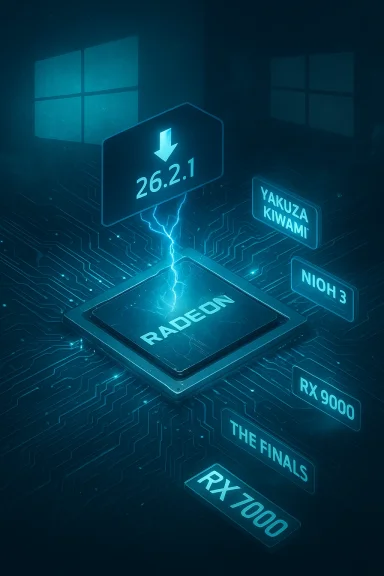
AMD’s optional Adrenalin driver labeled 26.2.1 arrives as a compact but consequential update: it brings day‑one optimizations for several new releases, patches title‑specific rendering and crash problems on targeted Radeon families, and — perhaps most importantly for many users — renews the debate about how AMD documents Windows 10 support and how gamers should approach optional driver installs going forward.
AMD has continued its pattern of shipping optional (preview) Adrenalin driver builds that specifically target new game releases and acute bug fixes while leaving broader feature or security rollouts to the WHQL/stable channels. The 26.2.1 notes (reported in recent coverage) list three headline game items — Yakuza Kiwami 3 & Dark Ties, Nioh 3, and optimizations that address rendering or stability issues in titles such as ARC Raiders and The Finals — alongside a set of known issues that remain unresolved for some game/feature combinations. Community and vendor reporting around recent Adrenalin previews shows this is consistent with AMD’s current cadence: targeted, fast updates for new game compatibility, but also a non‑trivial set of lingering, title‑specific regressions that can affect early adopters.
This article summarizes the material reported about 26.2.1, verifies the most consequential claims against the available technical summary material, and provides practical, risk‑aware guidance for gamers, content creators, and IT managers who must decide whether to install an optional Adrenalin build now or wait for the recommended/stable packaging.
Strengths:
AMD’s 26.2.1 is useful, narrowly scoped, and timely — exactly the kind of driver you want when specific titles exhibit visible bugs on particular hardware. At the same time, recent history shows these preview packages can leave a handful of high‑impact known issues unresolved and raise packaging or documentation questions that matter in real deployments. If you choose to install 26.2.1, do so with conservative safeguards: backup, test, and keep a rollback plan. If stability is paramount, patience for the recommended WHQL build remains the safest path.
Source: Neowin AMD's new driver 26.2.1 fixes color corruption, adds Nioh 3 support and more
 Background / Overview
AMD has continued its pattern of shipping optional (preview) Adrenalin driver builds that specifically target new game releases and acute bug fixes while leaving broader feature or security rollouts to the WHQL/stable channels. The 26.2.1 notes (reported in recent coverage) list three headline game items — Yakuza Kiwami 3 & Dark Ties, Nioh 3, and optimizations that address rendering or stability issues in titles such as ARC Raiders and The Finals — alongside a set of known issues that remain unresolved for some game/feature combinations. Community and vendor reporting around recent Adrenalin previews shows this is consistent with AMD’s current cadence: targeted, fast updates for new game compatibility, but also a non‑trivial set of lingering, title‑specific regressions that can affect early adopters.This article summarizes the material reported about 26.2.1, verifies the most consequential claims against the available technical summary material, and provides practical, risk‑aware guidance for gamers, content creators, and IT managers who must decide whether to install an optional Adrenalin build now or wait for the recommended/stable packaging.
What’s in 26.2.1 — quick summary
- New game support (reported): Yakuza Kiwami 3 & Dark Ties and Nioh 3 are explicitly called out as newly supported games in the release notes for this optional driver.
- Fixed issues (reported): Rendering corruption (notably corrupted clouds in Yakuza Kiwami 3 & Dark Ties on Radeon RX 9000 series) and intermittent crashes (for example, The Finals on RX 7000 systems when ray tracing is enabled) are included among the fixes.
- Known issues (reported): Several high‑impact, title‑specific problems remain. Notable entries are crashes/timeouts when running Cyberpunk 2077 with Path Tracing enabled, instability in Battlefield 6 on some Ryzen AI HX mobile platforms, flickering or corruption when using AMD Record and Stream in some contexts, and some users seeing AMD FSR and FSR Frame Generation render as inactive under certain settings on RX 9000 hardware when playing particular titles.
- Supported platform notes (reported): The driver package is distributed for 64‑bit Windows, with AMD listing compatibility broadly across Radeon 5000 Series and newer discrete cards and AMD Ryzen processors with integrated Radeon graphics. That said, recent driver release notes from AMD have shown a tendency to center Windows 11 in their documentation — a point that has generated confusion and community scrutiny.
Background: why AMD ships optional drivers like 26.2.1
The preview vs. stable tradeoff
AMD (like other GPU vendors) separates rapid, game‑focused preview/optional drivers from the fully validated WHQL/recommended releases. The preview channel is used to:- Deliver day‑one optimizations and compatibility fixes for newly launched titles.
- Roll out narrow, targeted fixes for regressions affecting a subset of GPUs or system configurations.
- Provide experimental support for emerging API or driver features before broad rollout.
Selective feature gating by GPU family
Recent Adrenalin drivers have shown AMD’s preference for gating new API or feature-level work to modern RDNA architectures (for example, RX 7000 / RX 9000). This keeps the bulk of the universal driver package simple, while enabling advanced features only where hardware and firmware can fully support them. Expect per‑SKU feature differences: a function listed in the release notes may be implemented only for RX 7000 or RX 9000, while older RDNA 1/2 cards remain on maintenance mode for those capabilities. This is important because gamers may see the same driver binary installed across multiple card generations but find that new game‑specific enhancements are only active on the latest silicon.Changelog deep dive: what AMD reports (and what that means)
New game support: Nioh 3 and Yakuza Kiwami 3 & Dark Ties
AMD lists support for Nioh 3 and Yakuza Kiwami 3 & Dark Ties as part of the 26.2.1 update. These are classic examples of drivers shipping to coincide with new AAA releases that depend on vendor optimizations or require special handling for upscalers, frame‑generation, or ray‑tracing paths.- Nioh 3 has been presented by its developer as a Windows 11‑targeted title with explicit notes about frame generation and upscaling support, and the broader industry trend shows that many recent AAA games are centering Windows 11 and NVMe storage as minimal expectations. For players, this means driver support matters: modern driver hooks (for frame generation or FSR-style upscalers) materially affect achievable framerates and artifact profiles.
- Yakuza Kiwami 3 & Dark Ties are also listed as newly supported. AMD explicitly addresses a rendering artifact in the Yakuza title (corrupted clouds on certain RX 9000 products), which is the kind of narrow but highly visible bug that justifies an optional driver release. Community reports around driver release windows show that these targeted fixes reduce immediate visual glitches for affected hardware — assuming the driver installs cleanly and doesn’t introduce other regressions.
Fixed issues of note
The release notes (as summarized by coverage) include the following fixes:- Corrupted clouds in Yakuza Kiwami 3 & Dark Ties observed on Radeon RX 9000 series cards.
- Intermittent application crashes while playing The Finals with ray tracing enabled on Radeon RX 7000 series products.
Known issues you need to know about
The driver’s Known Issues section (the part users often skip) contains several items that materially influence whether you should install 26.2.1 now:- Cyberpunk 2077 with Path Tracing: intermittent crashes or driver timeouts while loading saved games. AMD is reported to be working with the developer on a resolution.
- Battlefield 6 on certain AMD Ryzen AI 9 HX 370 platforms: intermittent crashes or driver timeouts when playing.
- Roblox Player (Car Zone Racing & Drifting) on Radeon RX 7000 devices: crashes when task switching between media.
- Texture flickering or corruption in Battlefield 6 when using AMD Record and Stream on some graphics products.
- AMD FSR Upscaling and FSR Frame Generation may appear inactive in AMD Software: Adrenalin Edition for Yakuza Kiwami 3 & Dark Ties and Call of Duty: Black Ops 7 when enabled on Radeon RX 9000 series products.
- An installation problem: AMD Install Manager sometimes cannot install Optional Drivers; users are recommended to use the direct installer link available on AMD’s release page instead.
The Windows 10 compatibility question — what’s verified
One of the most visible pieces of drama from recent AMD releases is confusion about whether AMD is documenting Windows 11 as the baseline and therefore omitting Windows 10 from the compatibility tables — and whether that omission equates to a hard, functional drop of Windows 10 support.- Community and technical summaries of recent Adrenalin packages show localized release notes that list Windows 11 version 21H2 or later as the supported OS for certain packages, with the “Windows 10” line omitted from the public-facing compatibility table. That change in wording produced concern and headlines suggesting AMD had dropped Windows 10.
- AMD’s installer architecture and packaging make this ambiguous in practice. Multiple community checks indicate the Adrenalin installer continues to contain the driver binaries that will install on many Windows 10 systems; omission in the release notes appears for many users to be a documentation change that signals Windows 11 as the forward‑looking baseline rather than an abrupt binary cutoff. Community discussion and vendor clarifications around previous releases emphasize that drivers can often still be applied to Windows 10 where appropriate, but some new features will be available only on Windows 11 or on modern GPU families.
Who should install 26.2.1 now — a practical decision matrix
Use this guide to decide whether to install the optional driver:- If you own impacted hardware and are blocked by a specific bug that 26.2.1 claims to fix (for example, corrupted clouds in Yakuza on RX 9000 or The Finals raytracing crash on RX 7000), consider installing the driver on a test system first. Keep the previous working driver handy in case you need to roll back.
- If you are a content creator or streamer who relies on AMD Record & Stream, be cautious: known texture flicker or capture regressions have been reported in similar preview releases. Wait for confirmation from AMD or the community that capture workflows are stable on your SKU.
- If you run Windows 10 on production or tournament systems where reliability matters most, delay installation until AMD publishes a WHQL/recommended package that explicitly lists Windows 10 compatibility or until community testing confirms no regressions.
- If you maintain lab/test rigs, or enjoy early access optimizations and are prepared to troubleshoot, then 26.2.1 is the right candidate for early adoption — but follow safe installation practices (below) and log any regressions for AMD support.
Installation and rollback: safe steps for WindowsForum readers
Upgrading a kernel‑level component like a GPU driver deserves a conservative workflow.- Backup first: Create a Windows System Restore point, and if possible take a quick disk image. That lets you recover rapidly if the new driver destabilizes the system.
- Archive your current driver: Keep the last known‑good Adrenalin installer in a safe folder for immediate rollback.
- Clean installs for troubleshooting: If you’re switching between major versions or chasing persistent problems, perform a clean uninstall with DDU (Display Driver Uninstaller) in Safe Mode, then install the new package. Community experience with optional builds shows INF mismatches or residues can cause strange errors; DDU reduces that risk.
- Verify the installer: If AMD provides checksums or digital signatures, confirm them. Use the vendor’s direct driver page or the official installer link (community reports show AMD Install Manager can sometimes fail to install Optional Drivers — using the direct package is a reliable fallback).
- Test target workloads: After install, run short test cycles of your key applications (a 10–20 minute gameplay session, a capture run, or an HDR playback sequence). If you see crashes or visual regressions, rollback immediately and collect DxDiag/system logs for reporting.
Risks, regression patterns, and what to watch for
- Per‑SKU surprises: Optional drivers occasionally disable or modify per‑device behaviors (for instance, earlier releases had community‑reported per‑SKU changes such as USB‑C power delivery differences on certain RX 7900 cards). If you rely on any unusual device‑level behavior (docking station power, laptop battery modes), check the release notes and vendor forum threads before proceeding.
- Capture and streaming regressions: Record/Stream and overlay features are frequent culprits in regressions; if you stream or record, test that pipeline carefully after upgrading. Many community posts highlight recording failures and overlay problems in early optional builds.
- Anti‑cheat and platform gating: Multiplayer and anti‑cheat systems sometimes react to driver and platform changes in unexpected ways. For titles with strict anti‑cheat requirements (or titles that recently tightened platform attestation rules), ensure your platform still meets vendor requirements (TPM, Secure Boot, VBS/HVCI) before upgrading drivers that may alter low‑level interactions.
Security and enterprise considerations
While optional drivers are mainly focused on game fixes, they sometimes include security CVE fixes in the build. The decision to deploy an optional driver across enterprise or managed fleets should weigh:- The severity and exploitability of any CVEs addressed by the build.
- The operational cost of possible regressions in production workflows (render farms, capture rigs, kiosks).
- The ability to test in a staging environment and roll back quickly.
What to expect next: AMD’s likely follow‑ups
Given the pattern of recent Adrenalin releases, expect:- A hotfix or incremental driver addressing the higher‑impact known issues if they reproduce widely (particularly the Cyberpunk 2077 path‑tracing timeout and Battlefield 6 crashes on specific Ryzen AI HX mobile parts).
- Clarifying documentation from AMD about Windows 10/Windows 11 packaging and compatibility to reduce community confusion. Prior releases have prompted AMD to publish clarifications after initial documentation caused headlines.
- A WHQL/recommended channel release that folds the popular fixes into a fully validated package for gamers who prefer stable builds.
Final assessment — strengths, caveats, and recommended action
26.2.1 appears to be a concise, targeted optional driver that addresses visible game‑specific problems and adds optimization profiles for the newest releases. For the right audience — players on affected Radeon families who are comfortable with optional drivers and who need the fixes — it’s a worthwhile update.Strengths:
- Timely game support that reduces visual or stability issues in newly released titles.
- Targeted fixes for high‑visibility rendering problems on modern Radeon hardware.
- Known, unresolved issues in major titles (Path Tracing timeouts in Cyberpunk 2077, Battlefield 6 stability on certain mobile SKUs) remain and may affect gameplay for some users.
- Documentation‑level changes around Windows 10/Windows 11 have generated ambiguity about supported platforms; don’t assume Windows 10 is unsupported until AMD’s release notes or installer metadata confirm that fact for your specific build. Test before mass deployment.
- Optional drivers can produce per‑setup regressions in capture, overlays, or recording; content creators should proceed cautiously.
- If you’re experiencing one of the bugs explicitly fixed in 26.2.1, install the update on a test rig after creating a restore point and archiving your prior driver. Use DDU in Safe Mode if you encounter INF or install residue issues.
- If you run Windows 10 on production machines or rely on stable capture/streaming workflows, wait for the WHQL/recommended driver or for community confirmation that 26.2.1 does not introduce regressions for your scenario.
- Keep an eye on AMD’s official release notes and the installer’s INF metadata for final confirmation of compatible operating systems and per‑SKU capabilities; documentation is the authoritative source.
AMD’s 26.2.1 is useful, narrowly scoped, and timely — exactly the kind of driver you want when specific titles exhibit visible bugs on particular hardware. At the same time, recent history shows these preview packages can leave a handful of high‑impact known issues unresolved and raise packaging or documentation questions that matter in real deployments. If you choose to install 26.2.1, do so with conservative safeguards: backup, test, and keep a rollback plan. If stability is paramount, patience for the recommended WHQL build remains the safest path.
Source: Neowin AMD's new driver 26.2.1 fixes color corruption, adds Nioh 3 support and more
