

The two Born2Invest pieces repackaging driver listings and upgrade complaints for AMD hardware — one pushing a “Shop driver AMD radeon hd 7340 windows 7” listing, the other highlighting an “AmdAS4 device driver windows 10 hp” Windows 10 upgrade headache — are symptomatic of a larger, persistent problem: legacy GPU and chipset drivers remain in heavy demand but are often distributed and discussed in channels that mix accurate technical guidance with marketing language, repackaged archives, and incomplete upgrade advice. A measured approach is required: verify hardware IDs, prefer signed and OEM‑supplied packages, and treat any “free shipping,” bundle or third‑party driver site as an untrusted convenience unless validated.
The bottom line is straightforward: the hardware and driver symptoms described in the two Born2Invest posts are real, but the appropriate response is conservative and provenance‑aware. Confirm exact hardware IDs, prefer OEM or Microsoft‑signed drivers, and restore from a verified backup before attempting archival or repackaged drivers. When an ACPI\ASD0001 unknown device appears after an upgrade, the practical, low‑risk fix is the OEM/AMD ASD package installed through Device Manager; when the HD 7340 needs special features, make informed tradeoffs and accept the maintenance burden of legacy binaries. Protect stability over novelty — especially when driver downloads and shopping headlines are designed to drive clicks rather than ensure system integrity.
Source: Born2Invest https://born2invest.com/?b=style-231601012/
Source: Born2Invest https://born2invest.com/?b=style-233161212/
 Background
Why these driver stories keep resurfacing
AMD’s HD 7000 family (and related late‑2011/2012 APUs) sits in a long tail of still‑active hardware. Many systems in the field run older integrated GPUs like the AMD Radeon HD 7340 paired with low‑power APUs; they were designed for Windows 7/8-era drivers and have only limited modern feature support. That mismatch — popular legacy hardware versus modern OS kernels and driver policies — is exactlyings and “driver packs” remain common.The two issues at a glance
- Born2Invest #1 effectively markets a driver/retail listing for AMD Radeon HD 7340 drivers and accessories, referencing packages such as DriverMax and generic display adapter entries. The piec an e‑commerce listing than a technical guide, which raises questions about provenance and safety.
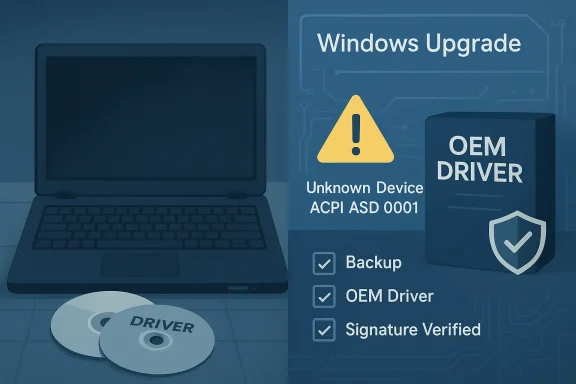
- Born2Invest #2 highlights a recurring Windows 10 upgrade symptom: an “Unknown device” entry with hardware ID ACPI\VEN_ASD&DEV_0001 and the related AmdAS4 (AmdAS4.sys / AmdAS4 Device) driver. That device often appears after major Windows upgrades on HP systems with AMD chipsets and typically requires a matched OEM or AMD chipset driver to resolve. Community threads and vendor support posts show repeated solutions involving OEM‑provided archives or AMD chipset driver bundles.
Overview: What the Born2Invest posts actually say — and what they leave out
Born2Invest: Shop listing tone, not technical guidance
Born2Invest’s Radeon piece reads like a product page: “Shop driver amd radeon hd 7340 windows 7 Free Shipping” and mentions DriverMax and memory references. That packaging is useful if you want a quick download link, but it omits critiiver provenance, cryptographic signing, driver version mapping to exact hardware IDs (VID/PID), and whether the package was validated against the target OS kernel. In short, convenience over correctness.Born2Invest: Upgrade pain turned into a headline
The second item describes users seeing driver‑related failures after attempting Windows 10 upgrades, naming an “amdas4 device driver” and referencing HP support community threads where users solved the issue by manually installing an AMD ASD driver package. That’s a correct summary of a common symptom, but again it skips crucial cautions: which dr where the legitimate binaries come from, and step‑by‑step recovery measures if the device disappears or Windows Update shows an “Advanced Micro Devices, Inc – System” update error.Technical verification: HD 7340 and the AmdAS4/ASD device
Hardware snapshot — AMD Radeon HD 7340
Independent hardware databases confirm the HD 7340 is an entry mobile IGP built on a TeraScale 2 (Loveland) core with the following typical characteristics:- Shading units: 80
- TMUs / ROPs: 8 TMUs, 4 ROPs
- GPU clock: ~523 MHz (varies by APU model)
- Memory: system‑shared (IGP uses system RAM)
- TDP: very low (APU implementations report ≈18 W)
These specs are listed in GPU databases used by professionals and hobbyists and align with community threads that recommend treating the HD 7340 as legacy silicon with limited modern codec support.
The ACPI\ASD0001 / AmdAS4 device
The hardware ID ACPI\VEN_ASD&DEV_0001 (reported as ACPI\ASD0001 in some manager outputs) commonly maps to an AmdAS4 Device or AmdAS4.sys entry. HP’s own support community and multiple driver repositories have long published a matched “AMD ASD” or “AmdAS4” INF/driver that resolves the unknown device after Windows upgrades. Community troubleshooting and HP moderator attachments show users installing an AMD ASD package (commonly labeled AMD ASD W10 or AMD ASD WB64A) to restore the missing device. Third‑party driver archives (DriverPack, Driver Fusion derivatives) list the same device IDs and versions (for example v1.2.0.46 and earlier). These independent confirmations make the mapping between ACPI\ASD0001 and AmdAS4 reliable — but they also highlight an important caveat: the correct driver is typically found in OEM or AMD chipset bundles, not from random download pages.Practical, safe driver strategy — recommended workflow for Windows 7/10 users
This is a prescriptive, step‑by‑step approach to installing or recovering drivers for legacy AMD hardware while minimizing risk.- Inventory and record identifiers
- Open Device Manager → Properties → Details → Hardware Ids. Copy the full string (for GPUs: PCI\VEN_1002&DEV_xxxx; for ACPI ASD: ACPI\ASD0001). This exact identifier determines the correct INF entry.
- Backup
- Create a System Restore point and, if possible, a full disk image. Driver changes that touch the display stack or ACPI can render a system hard to use without recovery media.
- Try Windows Update first
- For legacy GPUs such as HD 7340, Windows Update frequently offers a Microsoft‑signed “legacy” driver that favors stability and kernel compatibility over feature parity. Installing the Windows Update driver is the lowest‑risk first step. Community guidance and archival threads repeatedly recommend this conservative route.
- Check OEM downloads (preferred for laptops)
- If on an HP, Dell or Lenovo branded laptop, find the exact model page and download the chipset or display driver bundle offered for Windows 10 (or Windows 7 for legacy installs). OEM packages are tuned for power management and hybrid graphics. If the OEM lists an ASD/AS4 or ch usually the correct artifact to resolve ACPI\ASD0001.
- Clean driver state before manual installs (advanced)
- If you must install a legacy Catalyst or AMD chipset package manually:
- Boot to Safe Mode.
- Use a reputable display‑driver cleanup utility to remove driver remnants.
- Manually point Device Manager → Update Driver → Browse to the folder containing the unzipped INF (ensure “Include subfolders” is checked).
- Only perform these steps if you understand the rollback path (restore point, recovery USB).
- Validate functionality and watch Windows Update
- After manual install, watch Windows Update for driver replacements. Windows Update may propose a different, Microsoft‑signed driver; verify whether that update improves or degrades your needed functionality before accepting it.
- If an unknown ACPI device appears post‑upgrade (ACPI\ASD0001)
- Download the AMD ASD package from the OEM community thread or from AMD’s official chipset package rather than random third‑party bundles. HP community responders commonly attach a working AMD ASD “Update driver → Browse my computer → Include subfolders.”
Risks and red flags the Born2Invest Unsigned and repackaged installers. Many “driver shop” listings or driver aggregators rewrap legacy Catalyst/INF files; these may be unsigned or altered. Unsigned, unofficial packages can break Secure Boot, trigger driver signature enforcement errors, or carry malicious payloads.
- Marketing language hides danger. Phrases like “Free Shipping Amd radeon hd 7340 memory water route” indicate the content may be SEO-optimized copy rather than technical guidance; treat such posts as convenience links, not authoritative instructions.
- Windows Update interaction. Manual installs of archival Catalyst drivers can be reverted by Windows Update or cause version conflicts with newer kernel‑level changes. Community archives emphasize clean‑state installs and backups before attempting this route.
- ACPI/Chipset drivers are sensitive. The ACPI\ASD0001 issue shows how kernel‑level driver omissions produce unknown devices. Installing the wrong INF or mismatched chipset drivers can degrade power management, disable thermal controls, or break suspend/resume. Always prefer OEM packages for ACPI/ASD fixes.
- Search and download provenance. DriverPack/driver archives list AmdAS4 packages, but these are third‑party mirrors — useful for identifying the right package and INF name, but not a replacement for OEM or AMD official packages when security matters.
Special considerations by OS
Windows 7 (HD 7340 in legacy installs)
If you are still running Windows 7 and looking for HD 7340 support, the traditional AMD Catalyst 13‑series era installers were the mainstream option. However:- Catalyst packages from 2012–2014 were never validated for modern Windows 10/11 kernels.
- For pure Windows 7 installs, archived Catalyst releases (for example, 13.3 / 13.4 era drivers) will often install if the INF lists your hardware, but these are old packages lacking modern codec/driver security features. Proceed only when you can verify checksums and have offline recovery media.
Windows 10 / 11 upgrades and ACPI\ASD0001
Windows 10 upgrades sometimes drop device drivers or change driver catalog behavior, producing an “Unknown device” ACPI\ASD0001 entry. Community and OEM moderators repeatedly resolved this by:- Installing the AMD ASD W10 package provided on HP community threads, or
- Installing the chipset drivers from AMD’s official support page if OEM bundles are missing.
These approaches fix the ACPI device string and reattach the correct service driver (AmdAS4). The recurrence of this issue on HP models suggests OEM driver packaging is the safe first stop.
How to validate a driver before you install it — a checklist
- Confirm the driver package lists the exact hardware ID (VID/PID or ACPI ID) in its INF.
- Prefer WHQL/Microsoft‑signed binaries or the OEM download for your model.
- Verify publisher metadata in the driver file properties and compare the file size/version to trusted archives.
- Run an on‑demand malware scan on any downloaded archive before executing it.
- Keep a tested rollback plan (restore point, recovery USB, or image).
Why forum and community attachments matter — but can’t be the only source
HP support community threads demonstrate two practical realities: first, OEMs often respond with working driver attachments (e.g., AMD ASD ZIPs) and second, users rarely have a simple single‑click answer. Community attachments are valuable when they come from OEM moderators or well‑liked volunteers who provide exact INF contents and usage instructions. They are not, however, a substitute for device vendor or AMD official packages when organizational security or compliance is required. Treat community‑attached zips as an emergency recovery path, not a long‑term solution.Case study: a safe recovery for ACPI\ASD0001 on an HP notebook (practical example)
- Situation: Unknown device ACPI\ASD0001 after Windows 10 feature update.
- Action steps:
- Collect the hardware ID from Device Manager (ACPI\ASD0001).
- Search the OEM support community; identify an OEM‑provided attachment labeled “AMD ASD W10” or “AMD ASD WB64A.”
- Download and unzip the archive to a local folder.
- In Device Manager, right‑click the unknown device → Update driver → Browse my computer → point to the unzipped folder and check “Include subfolders.” The correct INF entry is usually AmdAS4.inf and will map the ACPI entry to the AmdAS4 service.
- Reboot and confirm the device is no longer unknown; verify power manager and thermal functions operate normally.
- Outcome: Device is restored with the matched INF; system stability returns. Note: This workflow is exactly what HP community responders recommend and the community ZIP attachments commonly implement.
Final assessment — strengths, risks, and recommendations
Strengths
- The Born2Invest items surface legitimate, persistent user problems: legacy driver availability for AMD Radeon HD 7340 and real upgrade friction with AmdAS4 / ACPI\ASD0001. Those are real support pain points that deserve direct technical solutions rather than thin product listings.
- Community threads and GPU databases give consistent, verifiable data on hardware IDs and driver packages; they enable a conservative recovery route for end users when used correctly.
Risks
- The Born2Invest delivery is not a technical guide and downplays the hazards of third‑party driver bundles; installing a repackaged Catalyst or ASD archive without provenance can introduce security and stability problems.
- Upgrading Windows without a pre‑planned driver strategy risks producing unknown devices that affect ACPI, power management, or the display stack. The community fixes are practical but not institutional solutions.
Clear recommendations (summary)
- For legacy GPUs such as Radeon HD 7340, prefer Microsoft’s Windows Update signed driver or the OEM download for your system model. Use archival Catalyst packages only as an advanced, well‑backed approach.
- For the ACPI\ASD0001 / AmdAS4 unknown device after Windows 10 upgrades, retrieve the AMD ASD package from OEM channels or the official chipset driver bundle; install via Device Manager → Update driver → Browse → Include subfolders. Back up first.
- Avoid random “driver shop” downloads and unverified third‑party repackagers. When a Born2Invest type listing or driver aggregator appears, treat it as a pointer, not the authoritative source.
The bottom line is straightforward: the hardware and driver symptoms described in the two Born2Invest posts are real, but the appropriate response is conservative and provenance‑aware. Confirm exact hardware IDs, prefer OEM or Microsoft‑signed drivers, and restore from a verified backup before attempting archival or repackaged drivers. When an ACPI\ASD0001 unknown device appears after an upgrade, the practical, low‑risk fix is the OEM/AMD ASD package installed through Device Manager; when the HD 7340 needs special features, make informed tradeoffs and accept the maintenance burden of legacy binaries. Protect stability over novelty — especially when driver downloads and shopping headlines are designed to drive clicks rather than ensure system integrity.
Source: Born2Invest https://born2invest.com/?b=style-231601012/
Source: Born2Invest https://born2invest.com/?b=style-233161212/
