

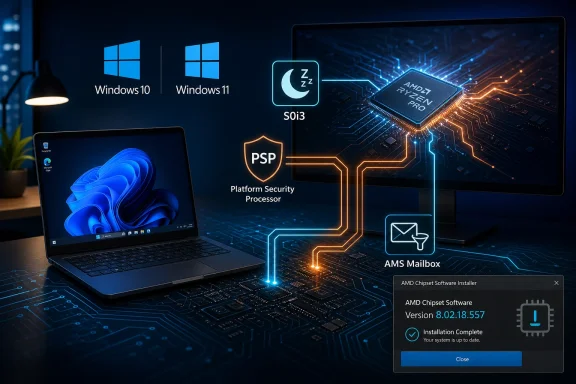
AMD has released Ryzen Chipset Driver 8.02.18.557 for 64-bit Windows 10 and Windows 11 systems, bringing bug fixes plus AMS Mailbox and S0i3 filter driver support for supported Ryzen, Threadripper, and older AMD desktop and mobile platforms. The release is not glamorous, but chipset drivers rarely are. This is the plumbing layer of the modern Windows PC, and AMD’s latest package is another reminder that performance, sleep behavior, security processors, and platform telemetry increasingly live below the level most users ever see.
The headline version number, 8.02.18.557, does not tell a dramatic story on its own. AMD’s own release notes are sparse, with “bug fixes” doing a lot of work across the package. But that sparseness is exactly why chipset drivers deserve more scrutiny than they usually get.
Graphics drivers announce themselves with game support, benchmark deltas, anti-lag toggles, and occasionally embarrassing regressions. Chipset drivers are different. They shape how Windows talks to the motherboard, the processor, the security co-processor, sensor hubs, power-management firmware, and the increasingly complicated sleep states that determine whether a laptop wakes cleanly or a desktop behaves like a desktop.
That makes this release less a feature update than a maintenance marker. AMD is keeping the Windows 10 and Windows 11 support stack synchronized across a sprawling portfolio: AM4 holdouts, AM5 systems, Threadripper workstations, mobile Ryzen machines, and newer AI-branded silicon. For enthusiasts, it is another installer to download. For IT admins, it is another reminder that the Windows driver stack has become a moving target even when the OS build number stays still.
The AMD PSP driver moves to version 5.43.0.0. The PSP, or Platform Security Processor, is AMD’s embedded security subsystem, and while end users rarely interact with it directly, it underpins a range of trust and platform-security functions. A PSP driver update with “bug fixes” attached is the kind of change that may never show up in a benchmark but can matter to secure boot flows, device initialization, and compatibility with Windows security features.
The package also updates AMD’s Sensor Fusion Hub driver, with separate Windows 10 and Windows 11 versions. That driver matters more on mobile systems, where sensors, orientation, input behavior, and platform-aware state changes intersect with Windows power management. AMD’s Ryzen laptop story is now tied as much to responsiveness and idle efficiency as it is to Cinebench scores.
Then there are the PMF drivers: AMD Platform Management Framework components for newer Ryzen families, including Ryzen AI 300 and related mobile parts. PMF is one of those vendor-specific layers that sits between firmware capabilities and Windows policy. It is where thermal, power, performance, and platform-behavior tuning can become specific to a device class rather than generic to the OS.
AMD’s addition of S0i3 filter support does not magically solve that history. But it does show that the platform vendor still needs to participate actively in how Windows handles low-power idle states. The OS cannot paper over every firmware quirk, board implementation, or silicon-generation difference on its own.
This is particularly important as AMD pushes harder into premium mobile systems and AI PC designs. A Ryzen laptop is judged not only by peak CPU and GPU performance but also by whether it sleeps reliably, wakes instantly, stays cool in a backpack, and preserves battery during idle periods. Those are driver problems as much as they are hardware problems.
For desktop users, S0i3 may sound remote, but the same logic applies. Power-management components influence boost behavior, idle states, device enumeration, and the general choreography between Windows and the platform. A chipset driver update is often the closest thing users get to a firmware-adjacent maintenance release without flashing the BIOS.
But the driver table itself makes clear that Windows 11 is increasingly the primary optimization target. Some components have separate Windows 11 versions. Some newer platform-management pieces are more relevant to current Ryzen mobile and AI-branded hardware. The package may support both operating systems, but the future-facing parts of the stack are plainly aligned with Windows 11-era platform behavior.
That distinction matters as Windows 10 approaches the end of mainstream consumer support. Driver availability does not equal long-term platform parity. Users may still be able to install the latest AMD chipset package on Windows 10, but the richest validation and newest device behavior will increasingly be shaped around Windows 11.
For businesses, the message is blunt: keeping Windows 10 alive is no longer just an OS support decision. It is a driver lifecycle decision, a firmware validation decision, and a hardware procurement decision. AMD may still ship the package, but the surrounding ecosystem is already moving.
Driver rollback is supposed to be a safety valve. When a new package breaks something, administrators want to revert cleanly. AMD’s workaround suggests that the installer architecture itself carries state that can block older packages unless cleaned up manually.
That may not matter for most home users, who will install the latest driver and never look back. It matters a great deal for anyone managing test rings, golden images, or lab systems where driver packages are promoted only after validation. A manual folder-deletion step is not catastrophic, but it is inelegant and easy to miss.
The other known issues are less dramatic but still revealing. Some driver names may appear in English on non-English operating systems, and Ryzen PPKG may occasionally fail to install or upgrade. Neither reads like a showstopper, but both reinforce the reality that AMD’s chipset package is a bundle of many moving parts rather than a single monolithic driver.
The motherboard vendor package may be the safer bet for a specific board, especially on systems with unusual controllers, vendor utilities, or carefully validated firmware combinations. AMD’s package may be the better bet for users who want the newest platform fixes, especially on mainstream Ryzen desktops and laptops where the board vendor’s support page is stale.
This is not a uniquely AMD problem. Intel systems have lived with the same split between OEM-tuned drivers and generic vendor releases for years. But AMD’s rapid expansion across desktop, mobile, workstation, and AI PC categories makes the issue more visible. The more platform-specific the driver stack becomes, the harder it is to pretend there is one universally correct source.
For WindowsForum readers, the practical advice is conservative: if the system is stable and mission-critical, do not treat every chipset driver as urgent. If the machine is new, misbehaving, waking poorly, showing device-manager oddities, or running a very old chipset package, AMD’s latest release becomes more compelling.
That does not make it unimportant. Stability fixes are often more valuable than benchmark gains, particularly on systems that already perform well. A system that wakes reliably, idles properly, avoids obscure driver conflicts, and reports platform devices correctly is a better PC even if its frame rate does not change.
The Ryzen desktop crowd has learned this lesson repeatedly. The platform experience is not just the CPU, the BIOS, or the graphics driver; it is the composite of AGESA firmware, Windows builds, chipset drivers, motherboard utilities, and sometimes vendor-specific services layered on top. When one piece is stale, the whole system can feel less polished than the silicon deserves.
That is especially true for X3D processors, where scheduling, power behavior, and platform hints can matter more than raw clocks. AMD has spent years improving how Windows understands heterogeneous cache layouts and performance preferences. Chipset drivers are one of the places where those lessons continue to be operationalized.
AMD’s chipset package embodies that split. It includes processor power management, PCI and I2C components, GPIO drivers, PSP support, sensor hub drivers, platform management framework components, and more. Calling it “the chipset driver” undersells how much of the system it touches.
This is why driver packages have become harder to evaluate from release notes alone. A short changelog may hide fixes for rare resume failures, device initialization timing, localization bugs, or platform-management edge cases that only appear on certain boards or laptops. Conversely, a new package can introduce regressions that never appeared in AMD’s validation matrix.
Windows Update complicates the picture further. Some drivers arrive through Microsoft’s channels, some through AMD, some through OEM update utilities, and some through motherboard support pages. The result is a layered driver environment where version numbers may not line up neatly across components. A user can install the latest AMD chipset package and still see older component dates in Device Manager because not every sub-driver changed.
For enthusiasts, the release is another data point in the never-ending tuning loop. They will compare installed component versions, check whether PSP or PMF drivers changed, and watch forums for signs of regressions. That crowd is more likely to notice installer oddities, rollback friction, or mismatches between AMD’s package and a board vendor’s download page.
For administrators, the update belongs in a validation pipeline rather than a reflexive rollout. Chipset drivers can affect sleep states, security components, device behavior, and remote manageability assumptions. Even when a release advertises only bug fixes, the blast radius is wider than a simple peripheral driver.
That split audience is one reason AMD’s bare-bones release notes feel insufficient. A gamer wants to know whether it fixes stutter. A laptop user wants to know whether it improves standby drain. An admin wants to know whether it changes security-device behavior or breaks rollback. “Bug fixes included” is technically true, but it leaves too much interpretive work to the people deploying the software.
Still, there is a gap between documentation that is accurate and documentation that is useful. “Bug fixes” is not a change description; it is a category. It tells users that something improved but not whether the improvement matters to their device, workload, or risk tolerance.
This is not merely a complaint from people who enjoy reading release notes. Better specificity helps administrators decide whether to deploy quickly, defer, or skip. It helps users recognize when a driver may address a problem they have already encountered. It also builds confidence when the package touches sensitive components like PSP, platform management, and sleep-state support.
AMD is not alone here. The PC industry has normalized vague driver changelogs, especially for low-level platform components. But as these components become more central to security, power efficiency, and device identity, the old style of release note looks increasingly out of date.
The OS can define expectations for secure hardware, fast resume, efficient idle, and intelligent performance scaling. But AMD has to expose the right hooks, ship the right drivers, and keep compatibility intact across old and new silicon. OEMs then have to validate the result on actual shipping machines, where firmware and board design can change the equation again.
This is why Windows reliability often feels uneven even among systems with similar specifications. Two Ryzen laptops can have the same processor family and very different sleep behavior. Two AM5 desktops can share a chipset and differ in USB stability, firmware maturity, and driver update cadence. The brand on the CPU is only one part of the platform.
The latest AMD package will not erase that variability. But it is part of the slow accumulation of fixes that makes the ecosystem less jagged over time. Most users will never know which driver update fixed a wake bug or prevented a device from misreporting itself. They will only notice that the machine feels less troublesome.
Users on recently built Ryzen 7000, Ryzen 8000, Ryzen 9000, Threadripper, or Ryzen AI systems have the strongest case for staying current. Those platforms are where AMD’s newest power-management and platform-framework work is most relevant. Older Ryzen systems may still benefit, but the urgency is lower unless a known issue is present.
Laptop users should pay closer attention than desktop users. Anything involving S0i3, PMF, sensors, and platform-management behavior can influence the daily experience of a mobile PC. If a Ryzen notebook has been inconsistent about sleep, wake, or idle behavior, this package is worth testing.
Admins should avoid treating the installer as a simple checkbox in a generic patch cycle. Chipset drivers belong with BIOS updates, firmware, storage drivers, and security-agent compatibility in the validation plan. They may be routine, but they are not trivial.
 AMD’s Quiet Driver Drop Is Really About Platform Control
The headline version number, 8.02.18.557, does not tell a dramatic story on its own. AMD’s own release notes are sparse, with “bug fixes” doing a lot of work across the package. But that sparseness is exactly why chipset drivers deserve more scrutiny than they usually get.Graphics drivers announce themselves with game support, benchmark deltas, anti-lag toggles, and occasionally embarrassing regressions. Chipset drivers are different. They shape how Windows talks to the motherboard, the processor, the security co-processor, sensor hubs, power-management firmware, and the increasingly complicated sleep states that determine whether a laptop wakes cleanly or a desktop behaves like a desktop.
That makes this release less a feature update than a maintenance marker. AMD is keeping the Windows 10 and Windows 11 support stack synchronized across a sprawling portfolio: AM4 holdouts, AM5 systems, Threadripper workstations, mobile Ryzen machines, and newer AI-branded silicon. For enthusiasts, it is another installer to download. For IT admins, it is another reminder that the Windows driver stack has become a moving target even when the OS build number stays still.
The Changelog Says “Bug Fixes,” But the Package Says More
AMD’s published highlights are concise: bug fixes are included, and the package adds support for the AMS Mailbox driver and S0i3 filter driver. That is not the sort of release note that sends anyone sprinting to reboot. But it does point toward the areas where AMD is still tuning its Windows platform behavior.The AMD PSP driver moves to version 5.43.0.0. The PSP, or Platform Security Processor, is AMD’s embedded security subsystem, and while end users rarely interact with it directly, it underpins a range of trust and platform-security functions. A PSP driver update with “bug fixes” attached is the kind of change that may never show up in a benchmark but can matter to secure boot flows, device initialization, and compatibility with Windows security features.
The package also updates AMD’s Sensor Fusion Hub driver, with separate Windows 10 and Windows 11 versions. That driver matters more on mobile systems, where sensors, orientation, input behavior, and platform-aware state changes intersect with Windows power management. AMD’s Ryzen laptop story is now tied as much to responsiveness and idle efficiency as it is to Cinebench scores.
Then there are the PMF drivers: AMD Platform Management Framework components for newer Ryzen families, including Ryzen AI 300 and related mobile parts. PMF is one of those vendor-specific layers that sits between firmware capabilities and Windows policy. It is where thermal, power, performance, and platform-behavior tuning can become specific to a device class rather than generic to the OS.
The New Drivers Point Toward Modern Standby’s Messy Reality
The S0i3 filter driver support is the small line item that says the most about where Windows PCs are headed. Modern Standby has been one of the most contentious features in the Windows hardware ecosystem because it tries to make PCs behave more like phones: always ready, low-power, network-aware, and quick to resume. In practice, it has also produced years of complaints about warm bags, battery drain, systems waking unexpectedly, and inconsistent behavior across vendors.AMD’s addition of S0i3 filter support does not magically solve that history. But it does show that the platform vendor still needs to participate actively in how Windows handles low-power idle states. The OS cannot paper over every firmware quirk, board implementation, or silicon-generation difference on its own.
This is particularly important as AMD pushes harder into premium mobile systems and AI PC designs. A Ryzen laptop is judged not only by peak CPU and GPU performance but also by whether it sleeps reliably, wakes instantly, stays cool in a backpack, and preserves battery during idle periods. Those are driver problems as much as they are hardware problems.
For desktop users, S0i3 may sound remote, but the same logic applies. Power-management components influence boost behavior, idle states, device enumeration, and the general choreography between Windows and the platform. A chipset driver update is often the closest thing users get to a firmware-adjacent maintenance release without flashing the BIOS.
Windows 10 Support Is Still Here, But the Center of Gravity Has Moved
AMD is still offering this chipset package for 64-bit Windows 10 and Windows 11, which matters for a large installed base that has not moved on. Many Ryzen 3000, 5000, and even newer systems continue to run Windows 10 because the hardware is stable, the workflows are familiar, or the organization has not finished its migration planning. AMD’s support posture keeps those systems in the driver stream, at least for now.But the driver table itself makes clear that Windows 11 is increasingly the primary optimization target. Some components have separate Windows 11 versions. Some newer platform-management pieces are more relevant to current Ryzen mobile and AI-branded hardware. The package may support both operating systems, but the future-facing parts of the stack are plainly aligned with Windows 11-era platform behavior.
That distinction matters as Windows 10 approaches the end of mainstream consumer support. Driver availability does not equal long-term platform parity. Users may still be able to install the latest AMD chipset package on Windows 10, but the richest validation and newest device behavior will increasingly be shaped around Windows 11.
For businesses, the message is blunt: keeping Windows 10 alive is no longer just an OS support decision. It is a driver lifecycle decision, a firmware validation decision, and a hardware procurement decision. AMD may still ship the package, but the surrounding ecosystem is already moving.
The Known Issues Are Small, But They Reveal Installer Debt
The most concrete warning in AMD’s release notes concerns downgrade behavior. After installing AMD Chipset Installer version 7.xx.xx.xx or later, users cannot install version 6.xx.xx.xx or earlier unless they uninstall the newer package, delete the Qt_Dependencies folder under AMD’s chipset software directory, and then install the older package. That is a narrow issue, but it is exactly the kind of narrow issue that trips up power users and support desks.Driver rollback is supposed to be a safety valve. When a new package breaks something, administrators want to revert cleanly. AMD’s workaround suggests that the installer architecture itself carries state that can block older packages unless cleaned up manually.
That may not matter for most home users, who will install the latest driver and never look back. It matters a great deal for anyone managing test rings, golden images, or lab systems where driver packages are promoted only after validation. A manual folder-deletion step is not catastrophic, but it is inelegant and easy to miss.
The other known issues are less dramatic but still revealing. Some driver names may appear in English on non-English operating systems, and Ryzen PPKG may occasionally fail to install or upgrade. Neither reads like a showstopper, but both reinforce the reality that AMD’s chipset package is a bundle of many moving parts rather than a single monolithic driver.
Motherboard Vendors Are No Longer the Only Gatekeepers
One quiet tension in every AMD chipset driver release is where users should get the driver. Motherboard vendors often host their own validated packages, sometimes lagging AMD’s site by weeks or months. AMD’s direct download is usually newer, broader, and more convenient. The gap between those two channels creates a familiar enthusiast dilemma.The motherboard vendor package may be the safer bet for a specific board, especially on systems with unusual controllers, vendor utilities, or carefully validated firmware combinations. AMD’s package may be the better bet for users who want the newest platform fixes, especially on mainstream Ryzen desktops and laptops where the board vendor’s support page is stale.
This is not a uniquely AMD problem. Intel systems have lived with the same split between OEM-tuned drivers and generic vendor releases for years. But AMD’s rapid expansion across desktop, mobile, workstation, and AI PC categories makes the issue more visible. The more platform-specific the driver stack becomes, the harder it is to pretend there is one universally correct source.
For WindowsForum readers, the practical advice is conservative: if the system is stable and mission-critical, do not treat every chipset driver as urgent. If the machine is new, misbehaving, waking poorly, showing device-manager oddities, or running a very old chipset package, AMD’s latest release becomes more compelling.
Enthusiasts Will Hunt for Performance; Most Will Find Stability Instead
Every AMD platform update invites the same question: will it make the PC faster? Usually, the honest answer is no, not in a way a normal user can measure. Chipset drivers can affect performance indirectly, especially through power plans, processor management, CPPC behavior, device scheduling, and firmware interfaces, but this release is not pitched as a performance uplift.That does not make it unimportant. Stability fixes are often more valuable than benchmark gains, particularly on systems that already perform well. A system that wakes reliably, idles properly, avoids obscure driver conflicts, and reports platform devices correctly is a better PC even if its frame rate does not change.
The Ryzen desktop crowd has learned this lesson repeatedly. The platform experience is not just the CPU, the BIOS, or the graphics driver; it is the composite of AGESA firmware, Windows builds, chipset drivers, motherboard utilities, and sometimes vendor-specific services layered on top. When one piece is stale, the whole system can feel less polished than the silicon deserves.
That is especially true for X3D processors, where scheduling, power behavior, and platform hints can matter more than raw clocks. AMD has spent years improving how Windows understands heterogeneous cache layouts and performance preferences. Chipset drivers are one of the places where those lessons continue to be operationalized.
The Windows Driver Model Keeps Getting More Vendor-Specific
The irony of modern Windows hardware is that the OS is more standardized than ever while the best user experience is more vendor-specific than ever. Windows provides the common driver model, update plumbing, security architecture, and power framework. AMD, Intel, Qualcomm, Nvidia, and the OEMs provide the increasingly specialized layers that make their hardware behave well inside that framework.AMD’s chipset package embodies that split. It includes processor power management, PCI and I2C components, GPIO drivers, PSP support, sensor hub drivers, platform management framework components, and more. Calling it “the chipset driver” undersells how much of the system it touches.
This is why driver packages have become harder to evaluate from release notes alone. A short changelog may hide fixes for rare resume failures, device initialization timing, localization bugs, or platform-management edge cases that only appear on certain boards or laptops. Conversely, a new package can introduce regressions that never appeared in AMD’s validation matrix.
Windows Update complicates the picture further. Some drivers arrive through Microsoft’s channels, some through AMD, some through OEM update utilities, and some through motherboard support pages. The result is a layered driver environment where version numbers may not line up neatly across components. A user can install the latest AMD chipset package and still see older component dates in Device Manager because not every sub-driver changed.
The Real Audience Is Split Three Ways
For home users, this release is a routine maintenance update. If the system is working well, there is little reason to rush unless the machine is newly built, recently upgraded, or showing symptoms that align with platform-driver fixes. The installer should be straightforward for most supported systems, but a restore point is still a sensible precaution.For enthusiasts, the release is another data point in the never-ending tuning loop. They will compare installed component versions, check whether PSP or PMF drivers changed, and watch forums for signs of regressions. That crowd is more likely to notice installer oddities, rollback friction, or mismatches between AMD’s package and a board vendor’s download page.
For administrators, the update belongs in a validation pipeline rather than a reflexive rollout. Chipset drivers can affect sleep states, security components, device behavior, and remote manageability assumptions. Even when a release advertises only bug fixes, the blast radius is wider than a simple peripheral driver.
That split audience is one reason AMD’s bare-bones release notes feel insufficient. A gamer wants to know whether it fixes stutter. A laptop user wants to know whether it improves standby drain. An admin wants to know whether it changes security-device behavior or breaks rollback. “Bug fixes included” is technically true, but it leaves too much interpretive work to the people deploying the software.
AMD’s Documentation Is Accurate, But Not Satisfying
AMD deserves credit for publishing the package contents and known issues clearly enough that users can see what changed. The release notes list component versions across Windows 10 and Windows 11, and they identify the installer downgrade problem rather than burying it. In the driver world, that already puts AMD ahead of vendors that treat release notes as decorative wallpaper.Still, there is a gap between documentation that is accurate and documentation that is useful. “Bug fixes” is not a change description; it is a category. It tells users that something improved but not whether the improvement matters to their device, workload, or risk tolerance.
This is not merely a complaint from people who enjoy reading release notes. Better specificity helps administrators decide whether to deploy quickly, defer, or skip. It helps users recognize when a driver may address a problem they have already encountered. It also builds confidence when the package touches sensitive components like PSP, platform management, and sleep-state support.
AMD is not alone here. The PC industry has normalized vague driver changelogs, especially for low-level platform components. But as these components become more central to security, power efficiency, and device identity, the old style of release note looks increasingly out of date.
Windows 11’s Hardware Story Depends on These Boring Updates
Microsoft’s Windows 11 pitch has often centered on security baselines, modern hardware, hybrid work, gaming features, and now AI PCs. None of that works cleanly without the platform vendors doing constant maintenance underneath. AMD’s chipset release is one of the less flashy examples of that bargain.The OS can define expectations for secure hardware, fast resume, efficient idle, and intelligent performance scaling. But AMD has to expose the right hooks, ship the right drivers, and keep compatibility intact across old and new silicon. OEMs then have to validate the result on actual shipping machines, where firmware and board design can change the equation again.
This is why Windows reliability often feels uneven even among systems with similar specifications. Two Ryzen laptops can have the same processor family and very different sleep behavior. Two AM5 desktops can share a chipset and differ in USB stability, firmware maturity, and driver update cadence. The brand on the CPU is only one part of the platform.
The latest AMD package will not erase that variability. But it is part of the slow accumulation of fixes that makes the ecosystem less jagged over time. Most users will never know which driver update fixed a wake bug or prevented a device from misreporting itself. They will only notice that the machine feels less troublesome.
The Sensible Upgrade Path Is Cautious, Not Fearful
There is no reason to panic-install AMD Ryzen Chipset Driver 8.02.18.557. There is also no reason to treat it as dangerous simply because it operates below the visible surface of Windows. The right posture is boring and professional: understand what system you have, check whether the driver applies, back up important work, and install when the maintenance window makes sense.Users on recently built Ryzen 7000, Ryzen 8000, Ryzen 9000, Threadripper, or Ryzen AI systems have the strongest case for staying current. Those platforms are where AMD’s newest power-management and platform-framework work is most relevant. Older Ryzen systems may still benefit, but the urgency is lower unless a known issue is present.
Laptop users should pay closer attention than desktop users. Anything involving S0i3, PMF, sensors, and platform-management behavior can influence the daily experience of a mobile PC. If a Ryzen notebook has been inconsistent about sleep, wake, or idle behavior, this package is worth testing.
Admins should avoid treating the installer as a simple checkbox in a generic patch cycle. Chipset drivers belong with BIOS updates, firmware, storage drivers, and security-agent compatibility in the validation plan. They may be routine, but they are not trivial.
The Version Number Is the Least Interesting Part
The immediate facts are simple enough, but the lesson is broader: AMD’s chipset update is another piece of the quiet infrastructure that determines whether Windows PCs feel modern or merely powerful.- AMD Ryzen Chipset Driver 8.02.18.557 is available for supported 64-bit Windows 10 and Windows 11 systems.
- The release adds AMS Mailbox and S0i3 filter driver support while updating several component drivers with bug fixes.
- The most notable known issue is a downgrade problem that can require uninstalling the newer package and manually deleting AMD’s Qt_Dependencies folder before installing much older chipset installers.
- Windows 11 is increasingly where the newest platform-management work matters most, even though Windows 10 remains supported by this package.
- Users with stable desktops can treat the release as routine maintenance, while laptop users and administrators have stronger reasons to test it carefully.
- AMD’s terse “bug fixes” language is accurate but not detailed enough for the people who must decide whether and when to deploy low-level platform software.
References
- Primary source: Neowin
Published: Tue, 19 May 2026 14:14:00 GMT
AMD releases new Windows 11 and 10 chipset drivers with various improvements
AMD has released a new chipset driver for supported motherboards. Version 8.02.18.557 is now available for download on Windows 11 and 10 PCs. www.neowin.net
- Related coverage: amd.com
- Related coverage: techspot.com
AMD Ryzen Chipset Drivers 8.05.04.516 Download | TechSpot
Download AMD Ryzen Chipset Drivers 8.05.04.516. OS support: Windows 10/11. Category: System Updateswww.techspot.com - Related coverage: windowsreport.com
AMD rolls out new Windows 11/10 chipset drivers for Ryzen 9000 and older series
AMD releases Ryzen Chipset Driver 8.02.18.557 for Windows 10 and Windows 11 with bug fixes, updated drivers, and broad support for Ryzen platforms. windowsreport.com
- Related coverage: cybermania.ws
AMD Ryzen Chipset Drivers 8.05.04.516 | CyberMania
 www.cybermania.ws
- Related coverage: techenclave.com
AMD Ryzen™ Chipset Driver 8.02.18.557 - Software & Tools - TechEnclave
https://www.neowin.net/news/amd-releases-new-windows-1110-chipset-driver-for-ryzen-9000-7000-5000-3000-and-more/ https://www.amd.com/en/resources/support-articles/release-notes/RN-RYZEN-CHIPSET-8-02-18-557.html Release… techenclave.com
- Related coverage: drivers.amd.com
