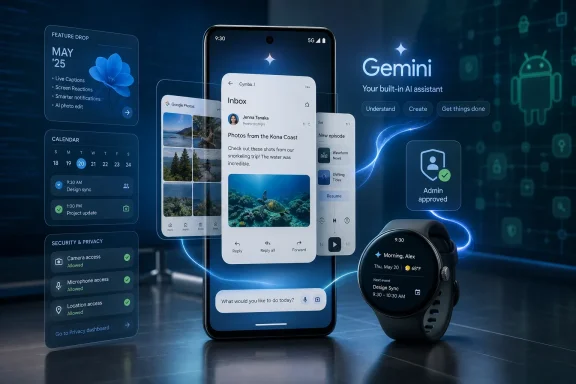
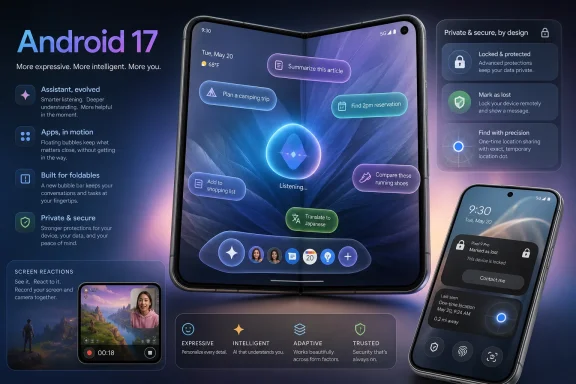
Android 17 began rolling out to supported Google Pixel devices on June 16, 2026, bringing floating app bubbles, screen-reaction recording, stronger theft protections, privacy controls, foldable gaming upgrades, and groundwork for Gemini Intelligence features that will arrive later in waves. The release is less a single Android moment than a staged platform campaign. Google has shipped the operating system first, while holding back the most ambitious AI pieces for newer, higher-end hardware. That split tells us where Android is heading: toward a phone OS that behaves less like a launcher and more like a personal computing environment with an assistant embedded in the plumbing.
The headline feature Google would like everyone to remember is Gemini Intelligence, a more proactive AI layer meant to understand context, fill complex forms, summarize, browse, dictate, and act across apps. But the version landing on Pixel devices now is more practical than spectacular. Android 17’s first wave is about windows, permissions, recording, device recovery, gaming, and large-screen behavior.
That matters because Android releases have often been judged by visible interface changes: a new notification shade, a redesigned settings page, a changed lock screen, or a fresh design language. Android 17 is different. Its most important updates are about loosening the old phone-app model and tightening the security model around it.
The result is a release with two personalities. One is a sensible operating-system upgrade that improves how people juggle apps, record content, share data, and protect devices. The other is a deferred AI pitch that asks users to believe the assistant will eventually become trustworthy enough to handle more personal tasks.
For Pixel owners, the former is real today. The latter is still a promise, and not everyone will get the full version at the same time.
This is not revolutionary in the abstract. Windows users have lived with overlapping windows for decades, and Samsung DeX, ChromeOS, iPadOS Stage Manager, and Android desktop-mode experiments have all explored similar territory. What is new is Google pushing this model into mainstream Android behavior instead of leaving it to vendor skins or developer previews.
On a standard phone, bubbles are about convenience: keep a map, message thread, note, calculator, delivery tracker, or score app nearby without constantly switching contexts. On a foldable or tablet, the feature becomes more consequential. A bubble bar docked near the taskbar turns Android into something that looks less like a blown-up phone and more like a small-screen workstation.
That is why this is bigger than a multitasking shortcut. Google is quietly admitting that the one-app-at-a-time phone metaphor is reaching its limits. Phones are now used for work, editing, banking, navigation, commerce, messaging, entertainment, and AI interaction, often within the same few minutes. Android 17’s answer is to stop pretending that every task deserves the whole screen.
The gaming changes fit the same pattern. Android 17’s foldable gaming mode can split the screen into a game area and an on-screen controller, turning the lower half of the device into a built-in gamepad. Native controller remapping also gives players a system-level way to adjust buttons and triggers instead of relying on each game or accessory to get it right.
That sounds like a niche gamer feature until you look at the bigger signal. Google is treating foldables as devices with unique ergonomics rather than merely larger phones. A foldable can be a console, a small laptop, a reading device, a dashboard, or a split-screen workstation depending on posture and context.
The challenge, as ever, will be app support. Android 17 can force or encourage better full-screen behavior, but the quality of the experience still depends on whether developers design for flexible layouts instead of tolerating them. Platform pressure helps. It does not instantly create polished tablet-class software.
This is where Google’s messaging gets delicate. Users are accustomed to some features being device-specific because of cameras, chips, sensors, or radios. AI makes that boundary more politically charged. If an Android phone is still inside its promised update window but misses the most advertised intelligence layer, the owner may reasonably ask whether they received the real upgrade or only the shell around it.
There are technical reasons for caution. On-device AI features need memory, neural processing capacity, secure execution, battery discipline, and latency low enough to feel invisible. A flaky assistant that mishandles sensitive data or stalls halfway through a task would do more damage than a delayed launch.
Still, the direction is unmistakable. Android updates are becoming less uniform. The version number may be shared, but the experience will increasingly depend on chipset class, RAM, model support, region, app integration, and vendor policy. That is familiar territory for Android veterans, but AI makes the fragmentation more visible.
Google’s pitch is that Gemini can understand more complex forms and complete them with a tap, including information that traditional autofill systems do not handle gracefully. That sounds small compared with “agentic AI,” but it is exactly the kind of wedge that could make users comfortable with deeper automation. Let the assistant save time on something annoying, prove it can do so accurately, then expand its authority.
The risk is proportional to the convenience. Autofill touches sensitive identity data. A smarter autofill system must be more transparent, not less, because the difference between helpful completion and dangerous overreach can be one misread field. If Android is going to move from storing credentials to interpreting intent, Google needs to make confirmation, visibility, and rollback part of the design.
That is the broader tension in Android 17’s AI story. The more Gemini can do, the less Android feels like a neutral platform and the more it feels like a broker making decisions between the user, apps, websites, and Google’s own services. That can be powerful. It can also become uncomfortable very quickly.
For WindowsForum readers, the comparison to desktop agents is hard to miss. Microsoft has been trying to pull Copilot deeper into Windows, Edge, Office, and enterprise workflows. Google’s advantage is that Android is already the device people carry into shops, hospitals, airports, cars, kitchens, and meetings. If an assistant can operate reliably there, the phone becomes the most valuable agentic surface in personal computing.
But Chrome Auto Browse will also test user trust. Browsing is messy. Websites change, forms break, prices shift, dark patterns appear, and login sessions contain sensitive data. A useful agent must know when to act and when to stop.
Google’s staged rollout may reflect that reality. It is safer to ship multitasking and recording tools broadly while letting the assistant mature in controlled waves. The company is selling the future, but it is not yet handing every Android user the keys.
These are not cosmetic privacy toggles. They address real abuse patterns: stolen phones with observed PINs, malicious apps requesting too much access, scam workflows, SMS-code interception, and apps using broad permissions for narrow tasks. Android’s old permission bargain often asked users to choose between functionality and surrendering too much data. Android 17 pushes that bargain toward narrower grants.
One-time precise location is a good example. Many apps need to know where you are once, not forever. A delivery app, store locator, photo tag, or travel service may need a single precise fix. Giving that app ongoing precision is convenient for the developer, not necessarily for the user.
The contact picker matters for the same reason. Address books are social graphs, not just convenience databases. Allowing a user to share selected contacts instead of the whole list is a small interface change with large privacy implications.
Requiring biometric verification for stronger lost-device actions is part of that shift. So are limits on failed passcode attempts and longer delays after repeated guesses. The point is not merely to find the phone later, but to make the stolen phone less useful in the critical minutes after it is taken.
This is also where Google’s security work intersects with everyday usability. If protections are too intrusive, users disable them. If they are too weak, they become theater. The best anti-theft features are the ones that quietly raise the cost of attack without turning the owner’s normal day into a maze of prompts.
Android 17 appears to be moving in that direction. It does not eliminate the risk of theft, phishing, or malware. It does make several common attack paths more difficult, which is what platform security usually looks like when it is working.
This is a smart feature because it follows user behavior rather than trying to invent it. Reaction videos already exist. Screen recordings already exist. Front-camera commentary already exists. Android 17 simply collapses the steps.
Google’s Instagram work follows the same logic. Ultra HDR support, stabilization, night-mode integration, large-screen optimization, and Android-exclusive editing features are attempts to close the long-standing perception gap between iPhone and Android social capture. For years, the complaint has not merely been that Android cameras are worse; it has been that social apps often process Android camera output less gracefully.
If Google and Meta can improve the capture-to-upload pipeline, Android gains more than a feature bullet. It chips away at one of the most stubborn cultural advantages of the iPhone among creators and younger buyers. The best camera is not just the one in your pocket. It is the one whose output survives the app you actually post from.
This is the kind of AI improvement that can become invisible in a good way. Nobody wants to “use AI” to dictate a message. They want the message to come out correctly. If the keyboard understands revisions, formatting requests, and context, the assistant fades into the act of writing.
That is a more credible path for AI on phones than asking users to hand over complex tasks immediately. Trust is built through small wins. A keyboard that cleans up spoken thought without making a mess of it can earn more confidence than a flashy demo that books an appointment under ideal conditions.
The same is true of Create My Widget. Asking Gemini to generate a home-screen widget from a prompt sounds whimsical, but the underlying idea is practical: personalized, glanceable information that is not trapped inside an app. If Android can surface changing information without making users repeatedly ask for it, the home screen becomes more useful and less static.
Google’s design challenge is therefore functional. Users need to know when Gemini is listening, thinking, acting, or waiting. They need to understand when an app has temporary location access, when a recording is active, when a bubble is live, and when a security mode has intervened. In that environment, animation and visual emphasis are not merely aesthetic.
The danger is that “expressive” becomes an excuse for clutter. Android already varies wildly across manufacturers, launchers, skins, and regional builds. A more animated design system must survive that fragmentation while remaining legible on cheap phones, foldables, tablets, car displays, watches, and XR devices.
If Google gets it right, Material Expressive gives Android a more coherent personality across screens. If it gets it wrong, it becomes another layer OEMs reinterpret until the original intent is hard to recognize.
That gives Google a useful talking point: Android is moving faster, at least on Pixel. But the Android ecosystem is not Pixel. Samsung, Xiaomi, OnePlus, OPPO, Vivo, Honor, Motorola, and others must still adapt Android 17 into their own releases, skins, testing programs, carrier approvals, and regional schedules.
The real comparison is therefore not Google versus Apple in June. It is Pixel versus iPhone on day-one delivery, and Android ecosystem versus iOS ecosystem over the following year. Pixel owners get the cleanest version of the Android 17 story. Everyone else gets a negotiated version.
That has always been Android’s tradeoff. The platform supports a vast range of devices and experiments, from budget phones to foldables to gaming hardware. The cost is uneven rollout, uneven feature support, and uneven expectations.
But enterprise interest in Android 17 will be tempered by the AI rollout. Gemini Intelligence sounds useful for productivity, but companies will ask familiar questions: what data is processed on-device, what leaves the device, what is retained, how actions are logged, which policies can disable features, and how administrators can separate personal convenience from corporate risk.
The same applies to intelligent autofill. In a consumer context, pulling identity details into a form may be a time-saver. In a regulated workplace, it could be a data-handling event. The more capable the assistant becomes, the more it needs administrative controls that are plain, enforceable, and auditable.
Google appears aware of that direction, particularly with Advanced Protection and enterprise policy hooks. But IT adoption will depend less on keynote language and more on documentation, management controls, and predictable behavior across vendors. Android 17’s security model is promising; its AI management story will need to prove itself.
That is a reasonable bet. App switching is one of the hidden taxes of modern phone use. Users bounce between a browser, email, calendar, map, password manager, messaging app, camera, notes app, and payment flow just to complete ordinary tasks. A system that can reduce those transitions will feel faster even if the hardware is unchanged.
But there is a thin line between assistance and mediation. If Gemini becomes the layer through which users browse, fill forms, create widgets, and act across apps, Google gains enormous influence over user intent. It can make Android feel magical, but it can also make the platform feel more dependent on Google’s interpretation of what the user meant.
That is the central bargain of Android 17. The operating system is becoming more capable because it is becoming more opinionated. Users will accept that only if the results are reliable, reversible, and respectful of boundaries.
 Google Ships the Platform Before the Magic Trick
The headline feature Google would like everyone to remember is Gemini Intelligence, a more proactive AI layer meant to understand context, fill complex forms, summarize, browse, dictate, and act across apps. But the version landing on Pixel devices now is more practical than spectacular. Android 17’s first wave is about windows, permissions, recording, device recovery, gaming, and large-screen behavior.That matters because Android releases have often been judged by visible interface changes: a new notification shade, a redesigned settings page, a changed lock screen, or a fresh design language. Android 17 is different. Its most important updates are about loosening the old phone-app model and tightening the security model around it.
The result is a release with two personalities. One is a sensible operating-system upgrade that improves how people juggle apps, record content, share data, and protect devices. The other is a deferred AI pitch that asks users to believe the assistant will eventually become trustworthy enough to handle more personal tasks.
For Pixel owners, the former is real today. The latter is still a promise, and not everyone will get the full version at the same time.
Android Learns a Very Old Desktop Lesson
The most revealing Android 17 feature may be app bubbles, because it points to a future where phones no longer treat every app as a full-screen destination. Google has allowed chat bubbles before, but Android 17 expands the idea to ordinary apps. Long-press an app, turn it into a floating bubble, and it becomes something closer to a compact window that can hover above whatever else you are doing.This is not revolutionary in the abstract. Windows users have lived with overlapping windows for decades, and Samsung DeX, ChromeOS, iPadOS Stage Manager, and Android desktop-mode experiments have all explored similar territory. What is new is Google pushing this model into mainstream Android behavior instead of leaving it to vendor skins or developer previews.
On a standard phone, bubbles are about convenience: keep a map, message thread, note, calculator, delivery tracker, or score app nearby without constantly switching contexts. On a foldable or tablet, the feature becomes more consequential. A bubble bar docked near the taskbar turns Android into something that looks less like a blown-up phone and more like a small-screen workstation.
That is why this is bigger than a multitasking shortcut. Google is quietly admitting that the one-app-at-a-time phone metaphor is reaching its limits. Phones are now used for work, editing, banking, navigation, commerce, messaging, entertainment, and AI interaction, often within the same few minutes. Android 17’s answer is to stop pretending that every task deserves the whole screen.
Foldables Finally Get Treated as First-Class Machines
Foldables have spent years being marketed as the future while too often behaving like awkward Android tablets folded in half. Android 17 does not solve every problem, but it moves the platform toward a more serious large-screen contract. Apps are expected to use the full display more reliably, split-screen resizing is more flexible, and the bubble bar gives larger devices a persistent multitasking surface.The gaming changes fit the same pattern. Android 17’s foldable gaming mode can split the screen into a game area and an on-screen controller, turning the lower half of the device into a built-in gamepad. Native controller remapping also gives players a system-level way to adjust buttons and triggers instead of relying on each game or accessory to get it right.
That sounds like a niche gamer feature until you look at the bigger signal. Google is treating foldables as devices with unique ergonomics rather than merely larger phones. A foldable can be a console, a small laptop, a reading device, a dashboard, or a split-screen workstation depending on posture and context.
The challenge, as ever, will be app support. Android 17 can force or encourage better full-screen behavior, but the quality of the experience still depends on whether developers design for flexible layouts instead of tolerating them. Platform pressure helps. It does not instantly create polished tablet-class software.
The AI Release Is Really a Hardware Sorting Hat
Gemini Intelligence is the feature Google wants to define Android 17, but its rollout is intentionally uneven. The most advanced capabilities are expected to arrive first on newer Pixel and Samsung Galaxy flagship devices, with broader availability later. That means Android 17 is not just an operating-system update; it is also a line-drawing exercise between devices that can run the new AI experience well and devices that cannot.This is where Google’s messaging gets delicate. Users are accustomed to some features being device-specific because of cameras, chips, sensors, or radios. AI makes that boundary more politically charged. If an Android phone is still inside its promised update window but misses the most advertised intelligence layer, the owner may reasonably ask whether they received the real upgrade or only the shell around it.
There are technical reasons for caution. On-device AI features need memory, neural processing capacity, secure execution, battery discipline, and latency low enough to feel invisible. A flaky assistant that mishandles sensitive data or stalls halfway through a task would do more damage than a delayed launch.
Still, the direction is unmistakable. Android updates are becoming less uniform. The version number may be shared, but the experience will increasingly depend on chipset class, RAM, model support, region, app integration, and vendor policy. That is familiar territory for Android veterans, but AI makes the fragmentation more visible.
Autofill Becomes the Front Door to Agentic Computing
Intelligent Autofill may end up being one of the most important Gemini Intelligence features because it begins with a boring problem everyone understands. Filling forms is tedious. Filling forms that require passports, driver’s licenses, license plates, addresses, payment details, and app-specific context is worse.Google’s pitch is that Gemini can understand more complex forms and complete them with a tap, including information that traditional autofill systems do not handle gracefully. That sounds small compared with “agentic AI,” but it is exactly the kind of wedge that could make users comfortable with deeper automation. Let the assistant save time on something annoying, prove it can do so accurately, then expand its authority.
The risk is proportional to the convenience. Autofill touches sensitive identity data. A smarter autofill system must be more transparent, not less, because the difference between helpful completion and dangerous overreach can be one misread field. If Android is going to move from storing credentials to interpreting intent, Google needs to make confirmation, visibility, and rollback part of the design.
That is the broader tension in Android 17’s AI story. The more Gemini can do, the less Android feels like a neutral platform and the more it feels like a broker making decisions between the user, apps, websites, and Google’s own services. That can be powerful. It can also become uncomfortable very quickly.
Chrome Auto Browse Pushes the Assistant Past the App Boundary
Chrome Auto Browse, expected after the initial OS rollout, extends the same idea to the web. Ask Gemini to research, compare, locate items, book appointments, or plan a task, and the browser becomes a workspace for delegated action rather than a passive page viewer. That is a direct shot at the next phase of search, shopping, and everyday productivity.For WindowsForum readers, the comparison to desktop agents is hard to miss. Microsoft has been trying to pull Copilot deeper into Windows, Edge, Office, and enterprise workflows. Google’s advantage is that Android is already the device people carry into shops, hospitals, airports, cars, kitchens, and meetings. If an assistant can operate reliably there, the phone becomes the most valuable agentic surface in personal computing.
But Chrome Auto Browse will also test user trust. Browsing is messy. Websites change, forms break, prices shift, dark patterns appear, and login sessions contain sensitive data. A useful agent must know when to act and when to stop.
Google’s staged rollout may reflect that reality. It is safer to ship multitasking and recording tools broadly while letting the assistant mature in controlled waves. The company is selling the future, but it is not yet handing every Android user the keys.
Android 17’s Security Story Is Less Flashy and More Important
The least glamorous Android 17 changes may be the ones users should care about most. The update expands theft protections, strengthens “Mark as lost,” limits passcode guessing, improves Live Threat Detection, and tightens Advanced Protection mode. It also gives users more granular control over precise location and contact sharing.These are not cosmetic privacy toggles. They address real abuse patterns: stolen phones with observed PINs, malicious apps requesting too much access, scam workflows, SMS-code interception, and apps using broad permissions for narrow tasks. Android’s old permission bargain often asked users to choose between functionality and surrendering too much data. Android 17 pushes that bargain toward narrower grants.
One-time precise location is a good example. Many apps need to know where you are once, not forever. A delivery app, store locator, photo tag, or travel service may need a single precise fix. Giving that app ongoing precision is convenient for the developer, not necessarily for the user.
The contact picker matters for the same reason. Address books are social graphs, not just convenience databases. Allowing a user to share selected contacts instead of the whole list is a small interface change with large privacy implications.
Theft Protection Moves From Recovery to Resistance
Smartphone theft protection used to focus on what happened after a device disappeared: track it, ring it, erase it, or mark it lost. Android 17’s approach is more aggressive. It assumes the thief may already have seen the passcode or may try to disable connectivity and tracking before the owner can react.Requiring biometric verification for stronger lost-device actions is part of that shift. So are limits on failed passcode attempts and longer delays after repeated guesses. The point is not merely to find the phone later, but to make the stolen phone less useful in the critical minutes after it is taken.
This is also where Google’s security work intersects with everyday usability. If protections are too intrusive, users disable them. If they are too weak, they become theater. The best anti-theft features are the ones that quietly raise the cost of attack without turning the owner’s normal day into a maze of prompts.
Android 17 appears to be moving in that direction. It does not eliminate the risk of theft, phishing, or malware. It does make several common attack paths more difficult, which is what platform security usually looks like when it is working.
Creators Get a Shortcut, Not a Studio
Screen Reactions is the kind of feature that will look trivial to people who do not make social video and obvious to people who do. Android 17 can record the screen and selfie camera together, lowering the friction for reaction clips, walkthroughs, commentary, gaming responses, and quick tutorials. What used to require a separate editing workflow can now start at the system level.This is a smart feature because it follows user behavior rather than trying to invent it. Reaction videos already exist. Screen recordings already exist. Front-camera commentary already exists. Android 17 simply collapses the steps.
Google’s Instagram work follows the same logic. Ultra HDR support, stabilization, night-mode integration, large-screen optimization, and Android-exclusive editing features are attempts to close the long-standing perception gap between iPhone and Android social capture. For years, the complaint has not merely been that Android cameras are worse; it has been that social apps often process Android camera output less gracefully.
If Google and Meta can improve the capture-to-upload pipeline, Android gains more than a feature bullet. It chips away at one of the most stubborn cultural advantages of the iPhone among creators and younger buyers. The best camera is not just the one in your pocket. It is the one whose output survives the app you actually post from.
Rambler Shows AI at Its Most Useful When It Disappears
Rambler, Google’s smarter Gboard dictation feature, may be the clearest example of AI that does not need a grand stage. Instead of transcribing every hesitation, correction, and backtrack literally, it can infer the intended text. If a user dictates a grocery list and then says they do not need bananas after all, the keyboard can omit bananas rather than faithfully recording the confusion.This is the kind of AI improvement that can become invisible in a good way. Nobody wants to “use AI” to dictate a message. They want the message to come out correctly. If the keyboard understands revisions, formatting requests, and context, the assistant fades into the act of writing.
That is a more credible path for AI on phones than asking users to hand over complex tasks immediately. Trust is built through small wins. A keyboard that cleans up spoken thought without making a mess of it can earn more confidence than a flashy demo that books an appointment under ideal conditions.
The same is true of Create My Widget. Asking Gemini to generate a home-screen widget from a prompt sounds whimsical, but the underlying idea is practical: personalized, glanceable information that is not trapped inside an app. If Android can surface changing information without making users repeatedly ask for it, the home screen becomes more useful and less static.
Material Expressive Is the Design Layer for a Busier OS
Android 17 continues Google’s move toward Material 3 Expressive, with richer motion, blur, depth, and visual cues. That could easily become decoration for decoration’s sake, but the better interpretation is that Android needs a clearer visual language for an operating system doing more things at once. When apps float, assistants listen, widgets update, and background tasks act, the system must show state without becoming noisy.Google’s design challenge is therefore functional. Users need to know when Gemini is listening, thinking, acting, or waiting. They need to understand when an app has temporary location access, when a recording is active, when a bubble is live, and when a security mode has intervened. In that environment, animation and visual emphasis are not merely aesthetic.
The danger is that “expressive” becomes an excuse for clutter. Android already varies wildly across manufacturers, launchers, skins, and regional builds. A more animated design system must survive that fragmentation while remaining legible on cheap phones, foldables, tablets, car displays, watches, and XR devices.
If Google gets it right, Material Expressive gives Android a more coherent personality across screens. If it gets it wrong, it becomes another layer OEMs reinterpret until the original intent is hard to recognize.
The iPhone Comparison Is About Timing, Not Just Features
Several Android 17 reports have framed Google’s release timing against Apple’s annual iOS cycle, and the comparison is fair up to a point. Google previewed many of these features recently and is already pushing the base OS to Pixel devices. Apple typically announces major iOS features at WWDC and ships them broadly in the fall alongside new iPhones.That gives Google a useful talking point: Android is moving faster, at least on Pixel. But the Android ecosystem is not Pixel. Samsung, Xiaomi, OnePlus, OPPO, Vivo, Honor, Motorola, and others must still adapt Android 17 into their own releases, skins, testing programs, carrier approvals, and regional schedules.
The real comparison is therefore not Google versus Apple in June. It is Pixel versus iPhone on day-one delivery, and Android ecosystem versus iOS ecosystem over the following year. Pixel owners get the cleanest version of the Android 17 story. Everyone else gets a negotiated version.
That has always been Android’s tradeoff. The platform supports a vast range of devices and experiments, from budget phones to foldables to gaming hardware. The cost is uneven rollout, uneven feature support, and uneven expectations.
Enterprise IT Should Watch the Permissions, Not the Emoji
For business users and administrators, Android 17’s redesigned emoji set is trivia. The meaningful changes are in permissions, device protection, app behavior, and AI boundaries. A platform that can selectively share contacts, grant precise location once, strengthen device recovery, and integrate Advanced Protection more deeply is a platform that better reflects how phones are actually attacked and managed.But enterprise interest in Android 17 will be tempered by the AI rollout. Gemini Intelligence sounds useful for productivity, but companies will ask familiar questions: what data is processed on-device, what leaves the device, what is retained, how actions are logged, which policies can disable features, and how administrators can separate personal convenience from corporate risk.
The same applies to intelligent autofill. In a consumer context, pulling identity details into a form may be a time-saver. In a regulated workplace, it could be a data-handling event. The more capable the assistant becomes, the more it needs administrative controls that are plain, enforceable, and auditable.
Google appears aware of that direction, particularly with Advanced Protection and enterprise policy hooks. But IT adoption will depend less on keynote language and more on documentation, management controls, and predictable behavior across vendors. Android 17’s security model is promising; its AI management story will need to prove itself.
Google’s Biggest Android Bet Is That Users Want Less App Switching
Step back from the feature list and Android 17’s thesis becomes clear. Google believes the next mobile interface is not another grid of icons. It is a mix of floating app surfaces, glanceable generated widgets, smarter dictation, contextual autofill, delegated browsing, and tighter permissions around all of it.That is a reasonable bet. App switching is one of the hidden taxes of modern phone use. Users bounce between a browser, email, calendar, map, password manager, messaging app, camera, notes app, and payment flow just to complete ordinary tasks. A system that can reduce those transitions will feel faster even if the hardware is unchanged.
But there is a thin line between assistance and mediation. If Gemini becomes the layer through which users browse, fill forms, create widgets, and act across apps, Google gains enormous influence over user intent. It can make Android feel magical, but it can also make the platform feel more dependent on Google’s interpretation of what the user meant.
That is the central bargain of Android 17. The operating system is becoming more capable because it is becoming more opinionated. Users will accept that only if the results are reliable, reversible, and respectful of boundaries.
The Android 17 Upgrade That Actually Lands This Week
Android 17 is not one feature, and it is not one rollout. The update arriving now is best understood as a platform foundation with several immediate benefits and a larger AI layer still approaching. That makes the practical reading simpler than the marketing.- Pixel devices are first in line for Android 17, while other Android manufacturers will deliver their own versions on separate schedules through 2026.
- App bubbles are the clearest sign that Google wants Android to behave more like a flexible multitasking environment, especially on foldables and tablets.
- Gemini Intelligence is central to Google’s Android strategy, but its most advanced features are arriving later and will favor newer flagship hardware first.
- Android 17’s privacy and theft-protection changes are among the most important upgrades because they reduce unnecessary data access and make stolen devices harder to exploit.
- Creator features such as Screen Reactions and improved Instagram support show Google trying to fix Android’s social-media workflow at the system and app-partner level.
- The release makes Android more powerful, but also more fragmented, because version number, device class, AI capability, and manufacturer rollout will not mean the same thing for every user.
References
- Primary source: CNET
Published: 2026-06-17T03:02:09.773074
Android 17 Is Rolling Out, and Here's What's New and What Else Is to Come
The latest from Android is upon us. Here's what to expect and a glimpse of what's down the road.www.cnet.com - Independent coverage: nokiapoweruser.com
Published: 2026-06-17T00:10:09.777547
Android 17 Full Massive Changelog: Every New Feature, Change & Improvement - NPowerUser
Android 17 stable is live now. Complete massive changelog with every new feature, change & improvement: UI change, Gemini Intelligence upgrade, privacy improvement, app bubbles, gaming tools, videos, and images. - Read in News on NPowerUser nokiapoweruser.com
- Independent coverage: Tech Times
Published: Tue, 16 Jun 2026 19:57:03 GMT
Android 17 Update Lands on Pixel Today: Gemini Intelligence Skips Most Owners
Android 17 update is rolling out today to Pixel 6 through Pixel 10a devices, bringing App Bubbles, stronger privacy controls, and a redesigned location permission system. But Gemini Intelligence —www.techtimes.com - Independent coverage: smartprix.com
Published: 2026-06-16T19:10:09.783455
Android 17 Release: 9 New Features You Should Know About - Smartprix
Android 17 is rolling out now. From Bubbles multitasking to foldable gaming mode and tighter security, here are the 9 features that matter most. www.smartprix.com
- Independent coverage: 9to5Google
Published: Tue, 16 Jun 2026 18:00:00 GMT
Google launches Android 17, rolling out now to Pixel
Google is ready to launch Android 17 for Pixel devices today. Today's release also coincides with the June 2026 Pixel (Feature) Drop.9to5google.com - Independent coverage: Tom's Guide
Published: Tue, 16 Jun 2026 18:00:00 GMT
Android 17 officially rolls out to Pixel devices with new features — screen reactions, bubbles, gaming mode, and more | Tom's Guide
Google's massive June 2026 software drop delivers Android 17's productivity and security overhauls to Pixel devices, alongside new Wear OS 7 features.www.tomsguide.com
- Independent coverage: TechCabal
Published: Tue, 16 Jun 2026 09:48:54 GMT
Every Android 17 feature coming to your phone in 2026
Here are all the Android 17 features coming to your phone in 2026, from Gemini Intelligence to the new frosted-glass design.techcabal.com - Related coverage: androidcentral.com
Google's AI browsing assistant, Gemini in Chrome, is headed to even more users and places | Android Central
Gemini wants to expand its reach, and it's doing so in a bunch of countries.www.androidcentral.com - Related coverage: techradar.com
A new Android 17 beta has landed — and it brings an exciting Screen Reactions feature for social media creators | TechRadar
Record yourself and your screenwww.techradar.com - Related coverage: techcrunch.com
Android 17 launches with new multitasking tools as Google expands Gemini features | TechCrunch
Google has released Android 17 and Wear OS 7, introducing new multitasking features, parental controls, security tools, and smartwatch upgrades. The launch is also accompanied by a Pixel Drop that brings Google’s latest AI models to its devices.techcrunch.com - Related coverage: phonearena.com
Google unveils Android 17: Gemini Intelligence, "Rambler," and the end of doom-scrolling - PhoneArena
No longer an operating system, Android is transitioning to an Intelligence System.www.phonearena.com - Related coverage: blog.google
Gemini Intelligence brings proactive AI to Android
At the Android Show 2026, we introduced Gemini Intelligence, proactive new AI features on Android.blog.google - Related coverage: megamobilecontent.com
- Related coverage: techadvisor.com
Android 17 QPR1 Beta 4 Released with Screen Reactions – Tech Advisor
Google has released a new Screen Reactions feature with the latest Android 17 QPR1 betawww.techadvisor.com
- Related coverage: android.gadgethacks.com

Android 17 Beta 3 Desktop Multitasking: Bubbles and iPiP Arrive << Android :: Gadget Hacks
Android 17 Beta 3 Desktop Multitasking: Bubbles and iPiP Arrive Google released Android 17 Beta 3 on Thursday, and the headline feature is one the company...
android.gadgethacks.com
- Related coverage: macrumors.com
Google Previews Android 17 With 'Gemini Intelligence' a Month Before Apple's iOS 27 Reveal
Google today previewed Android 17, the next version of Android that it is bringing to smartphones and other devices. Android 17 includes multiple new AI features, and it comes about a month ahead of when Apple plans to unveil iOS 27 with new AI capabilities. Google is now calling the AI features...www.macrumors.com