

Microsoft’s April 2026 servicing wave is doing more than just patching Windows 11. It is also quietly improving one of the most important deployment tools in the Windows ecosystem: the Media Creation Tool. According to Microsoft’s own April client image documentation and the KB5083769 servicing notes, installation media created this month can now start from updated Windows 11 25H2 and 24H2 builds with the latest April cumulative updates already integrated. That is a practical win for anyone who still values clean installs, recovery media, or offline deployment workflows.
The timing matters because Microsoft is increasingly pushing a model where Windows setup is expected to be faster, safer, and more current from first boot. A fresh install that already includes KB5083769 means less post-install patching, fewer reboot cycles, and a lower chance of hitting update friction immediately after setup. At the same time, Microsoft’s April rollout is not entirely clean: the company is also dealing with reports of installation trouble on Windows Server 2025, plus separate enterprise-facing stability concerns.
The Media Creation Tool has always occupied a special place in Windows administration. It is not just a convenience utility for consumers; it is also a fast path for IT teams, technicians, and enthusiasts who want control over installation media without depending on third-party image builders. When Microsoft updates that tool, it can change the shape of how people install Windows for weeks or months afterward. That is why a quiet update can matter almost as much as a headline feature release.
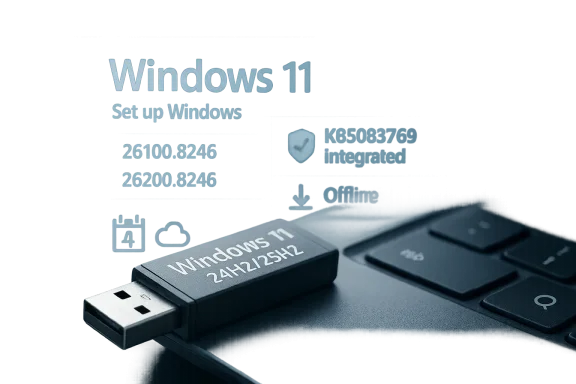
In April 2026, Microsoft paired its standard Patch Tuesday servicing with refreshed client images for Windows 11 25H2 and 24H2. Those images show build numbers 26200.8246 and 26100.8246, each tied to KB5083769. In practical terms, Microsoft is distributing installation media that reflects the current monthly baseline rather than a stale out-of-box state that immediately needs a long update cycle.
That distinction may sound minor, but it is central to how Windows is deployed at scale. For administrators, the difference between a media image that is one or two cumulative updates behind and one that is current can mean less bandwidth consumption, fewer update dependencies, and a more predictable provisioning process. For home users, it means a clean install is less likely to be followed by a lengthy wait while Windows downloads the same patch train it should already have shipped with.
This is also consistent with Microsoft’s broader servicing philosophy. The company has been leaning into a more unified monthly rhythm for Windows quality updates, with client images, cumulative updates, and deployment baselines increasingly aligned around the same monthly state. That alignment is convenient, but it also raises the bar for how quickly Microsoft must resolve servicing regressions when they appear.
That predictability is especially important in enterprise environments where a broken or outdated image can cascade into support tickets, delayed rollouts, or failed remediation processes. A freshly updated installation medium reduces one of the oldest headaches in Windows deployment: the “install now, patch later” tax. In 2026, with more organizations juggling hybrid support models and remote recovery needs, shaving that tax down is more than a cosmetic improvement.
The practical effect is that media created through Microsoft’s official path should be closer to current than older installation sources. That means the system you install is less likely to boot into a lengthy queue of quality updates immediately after setup. It also reduces the odds that you will spend your first hour with a new PC watching Windows Update do work that, in spirit, should already be behind you.
The KB page for KB5083769 also confirms that it delivers the latest security fixes and improvements, plus non-security content from the previous month’s optional preview release. That matters because Microsoft’s cumulative model typically folds multiple layers of servicing into one monthly checkpoint. The result is a more complete baseline, not just a fresh security patch.
This is one of the reasons deployment teams care so much about Microsoft’s official images. A clean install that already lands near the month’s current baseline is simpler to support than one that must immediately consume several delta packages. The latter can work, of course, but it is less elegant and often more error-prone.
That is especially useful for air-gapped or bandwidth-constrained environments. In those cases, every package that ships inside the image is one less dependency to retrieve later. For remote field technicians, that can cut total recovery time. For home users, it can turn a frustrating multi-hour setup into something much more manageable.
The biggest benefit is time. Modern Windows servicing can be efficient, but it still involves downloads, installation phases, and reboots that add up quickly on a fresh machine. When Microsoft ships installation media that already includes the month’s baseline, it short-circuits a good portion of that delay. That is not glamorous, but it is exactly the kind of detail that determines whether a setup feels polished or painful.
It also reduces one of the more annoying Windows rituals: the feeling that your brand-new install is old the second you finish it. That psychological friction matters because it affects user confidence. If the first experience is a barrage of downloads, it can make the platform feel heavier than it should.
That matters in enterprise support too. A technician using current media is less likely to introduce an outdated baseline into an already-complicated recovery situation. In critical remediation scenarios, every avoided variable helps.
Organizations that standardize on Microsoft-provided media can benefit immediately. It becomes easier to build a fresh device image that does not need to be immediately remediated by the management stack. That can simplify Autopilot-like provisioning workflows, help desk rebuild procedures, and even lab system refreshes where repeatability matters.
This also intersects with compliance, especially in organizations where patch state is tracked tightly. A more current initial image means systems are less likely to spend their first day in a noncompliant or partially patched condition. In a world where audits are increasingly automated, that early baseline matters more than many users realize.
That said, enterprise administrators should not treat this as a substitute for proper image governance. A current Microsoft image is helpful, but it is not a full endpoint management strategy. The image still needs to be tested against drivers, security baselines, and application requirements in the organization’s own environment. Convenience is not the same as validation.
The most visible benefit is a smaller post-install burden. Users who reinstall to fix performance issues, malware concerns, or driver chaos often want a reset that actually feels like a reset. If the installation media is already near current, the machine gets there faster.
This is especially useful for people reinstalling on older hardware or on a machine that has been offline for a while. In those scenarios, the time between the initial boot and the first update sync can leave a device under-protected if the installation source is stale. Preloaded definitions help narrow that gap.
That can be a bigger quality-of-life improvement than a flashy feature because it touches a moment users actually remember. A smoother install is one of those small gains that can reshape perception of the platform. The experience feels more curated and less improvised.
That matters because it creates a familiar contrast: the client experience is being polished while enterprise servicing still has rough edges. In practice, that means administrators can simultaneously appreciate better installation media for Windows 11 and still worry about whether server patches will behave predictably in production.
That is why error codes like 0x800F0983 get attention well beyond the machines they affect. They are often treated as symptoms of broader servicing instability, whether the cause is component store corruption, package dependency issues, or something more specific to the update sequence. In enterprise operations, a patch that “mostly works” is still a patch that needs scrutiny.
The contrast is stark: Windows 11 installation media is getting cleaner and more useful, while server servicing reminds administrators that the monthly patch cycle still carries risk. That duality is not new, but it is worth emphasizing because it shapes how IT teams schedule deployments. A polished client image does not offset a fragile server update.
The client image updates suggest Microsoft is trying to make clean installs less of a disconnected experience. Instead of a setup process that starts at a months-old snapshot, users begin closer to the actual operating state Microsoft expects them to be in. That is a subtle but important shift.
That model is efficient when things go right. But it also means that when something goes wrong, a problem can spread faster because more systems are being encouraged onto the same path. A good baseline is powerful; a bad baseline is disruptive. That is the trade-off inherent in modern cumulative servicing.
That is why reporting around install failures and boot loops matters in the same news cycle as better Windows 11 media. The operational story is not just “Microsoft improved something.” It is also “Microsoft is still balancing convenience with correctness.” Those two goals are often aligned, but they are never identical.
It also gives Microsoft a chance to reinforce confidence in official tools at a time when many users still default to third-party image sources or ad hoc scripts. If the official path is the easiest and most reliable path, it becomes the obvious one. That helps both Microsoft and the support ecosystem around Windows.
There is also the risk that users overestimate how “fully updated” their installation media really is. Even when the image includes the latest cumulative update, post-install updates may still appear because servicing is dynamic. The tool reduces work; it does not eliminate the update model altogether. That distinction matters.
The second thing to watch is whether Microsoft resolves the server-side servicing concerns with the same urgency. Client polish is valuable, but enterprise confidence often turns on the least forgiving products in the portfolio. If KB5082063 continues to create friction, the broader April update story will stay mixed no matter how good the Windows 11 media becomes.
The third is the ongoing balance between ease and control. Microsoft wants official media to be fast, current, and trustworthy, but the more those properties depend on monthly update quality, the more scrutiny each servicing cycle will attract. That pressure is not going away; if anything, it is becoming the default state of Windows administration.
Source: Windows Report https://windowsreport.com/microsoft...l-with-windows-11-kb5083769-april-2026-build/
The timing matters because Microsoft is increasingly pushing a model where Windows setup is expected to be faster, safer, and more current from first boot. A fresh install that already includes KB5083769 means less post-install patching, fewer reboot cycles, and a lower chance of hitting update friction immediately after setup. At the same time, Microsoft’s April rollout is not entirely clean: the company is also dealing with reports of installation trouble on Windows Server 2025, plus separate enterprise-facing stability concerns.
 Overview
The Media Creation Tool has always occupied a special place in Windows administration. It is not just a convenience utility for consumers; it is also a fast path for IT teams, technicians, and enthusiasts who want control over installation media without depending on third-party image builders. When Microsoft updates that tool, it can change the shape of how people install Windows for weeks or months afterward. That is why a quiet update can matter almost as much as a headline feature release.In April 2026, Microsoft paired its standard Patch Tuesday servicing with refreshed client images for Windows 11 25H2 and 24H2. Those images show build numbers 26200.8246 and 26100.8246, each tied to KB5083769. In practical terms, Microsoft is distributing installation media that reflects the current monthly baseline rather than a stale out-of-box state that immediately needs a long update cycle.
That distinction may sound minor, but it is central to how Windows is deployed at scale. For administrators, the difference between a media image that is one or two cumulative updates behind and one that is current can mean less bandwidth consumption, fewer update dependencies, and a more predictable provisioning process. For home users, it means a clean install is less likely to be followed by a lengthy wait while Windows downloads the same patch train it should already have shipped with.
This is also consistent with Microsoft’s broader servicing philosophy. The company has been leaning into a more unified monthly rhythm for Windows quality updates, with client images, cumulative updates, and deployment baselines increasingly aligned around the same monthly state. That alignment is convenient, but it also raises the bar for how quickly Microsoft must resolve servicing regressions when they appear.
Why the tool matters beyond consumers
The Media Creation Tool is often discussed as if it were a consumer download utility, but that undersells its role. In real-world IT work, it is one of the simplest ways to create recovery sticks, perform clean installs, and build reference systems for troubleshooting or refresh cycles. Its value comes from predictability: administrators know what they are getting, and they can trust that image to behave similarly across hardware.That predictability is especially important in enterprise environments where a broken or outdated image can cascade into support tickets, delayed rollouts, or failed remediation processes. A freshly updated installation medium reduces one of the oldest headaches in Windows deployment: the “install now, patch later” tax. In 2026, with more organizations juggling hybrid support models and remote recovery needs, shaving that tax down is more than a cosmetic improvement.
What Microsoft Changed
The headline claim is straightforward: Microsoft has updated the installation media ecosystem so that Windows 11 25H2 and 24H2 installation images now include the April 2026 cumulative update baseline. Microsoft’s client image page lists those builds explicitly, and the KB5083769 support page identifies the update as applicable to both Windows 11 versions.The practical effect is that media created through Microsoft’s official path should be closer to current than older installation sources. That means the system you install is less likely to boot into a lengthy queue of quality updates immediately after setup. It also reduces the odds that you will spend your first hour with a new PC watching Windows Update do work that, in spirit, should already be behind you.
Build numbers and servicing state
Microsoft’s April client image documentation shows Windows 11 version 25H2 Pro at 26200.8246.260413-0654 and Windows 11 version 24H2 Pro at 26100.8246.260413-0651, each associated with KB5083769. Those build identifiers are valuable because they let admins verify exactly what kind of baseline they are deploying. In the Windows world, the build number is often the difference between a guessed state and a known one.The KB page for KB5083769 also confirms that it delivers the latest security fixes and improvements, plus non-security content from the previous month’s optional preview release. That matters because Microsoft’s cumulative model typically folds multiple layers of servicing into one monthly checkpoint. The result is a more complete baseline, not just a fresh security patch.
This is one of the reasons deployment teams care so much about Microsoft’s official images. A clean install that already lands near the month’s current baseline is simpler to support than one that must immediately consume several delta packages. The latter can work, of course, but it is less elegant and often more error-prone.
The unspoken improvement
Microsoft has not framed this as a major feature launch, which is why it is easy to miss. Yet the operational improvement is real: the tool’s output is more useful the moment it is created. The addition of current patches and Microsoft Defender definitions means the media is not just recent in name, but also better aligned with the security posture Microsoft wants from day one.That is especially useful for air-gapped or bandwidth-constrained environments. In those cases, every package that ships inside the image is one less dependency to retrieve later. For remote field technicians, that can cut total recovery time. For home users, it can turn a frustrating multi-hour setup into something much more manageable.
- Less post-install patching
- Fewer reboot cycles
- Better offline readiness
- More predictable clean installs
- Improved initial security posture
Why This Matters for Clean Installs
Clean installs have become a niche topic only in the sense that average users do them less often. For the people who still do care, they remain a critical tool for resolving stubborn software issues, wiping bloatware, or rebuilding a machine that has accumulated too many layers of cruft. A more current installation image makes that process noticeably smoother.The biggest benefit is time. Modern Windows servicing can be efficient, but it still involves downloads, installation phases, and reboots that add up quickly on a fresh machine. When Microsoft ships installation media that already includes the month’s baseline, it short-circuits a good portion of that delay. That is not glamorous, but it is exactly the kind of detail that determines whether a setup feels polished or painful.
Faster path to first usable desktop
A current image usually means the first login lands closer to a stable working state. That is particularly important for users who need a machine to be productive immediately after setup, such as consultants, contractors, and IT staff staging systems for deployment. The less time spent waiting on updates, the sooner the device is actually useful.It also reduces one of the more annoying Windows rituals: the feeling that your brand-new install is old the second you finish it. That psychological friction matters because it affects user confidence. If the first experience is a barrage of downloads, it can make the platform feel heavier than it should.
Better offline recovery media
Recovery sticks and installation USB drives are not just for emergency reinstallation. They often serve as the first line of defense when a system fails to boot, corrupts its update cache, or needs a clean OS reimage after hardware service. The more current the recovery media, the less work is needed after the device comes back online.That matters in enterprise support too. A technician using current media is less likely to introduce an outdated baseline into an already-complicated recovery situation. In critical remediation scenarios, every avoided variable helps.
- Reduced setup time
- Lower update traffic after first boot
- Cleaner disaster recovery workflows
- Less chance of stale media causing extra work
- Better support consistency across devices
Enterprise Impact
For enterprise IT, the significance of this update is less about novelty and more about operational hygiene. Microsoft is effectively making its official deployment path more aligned with the month’s current patch baseline, which helps reduce variation across endpoints. That matters because endpoint variation is one of the hidden costs of Windows support.Organizations that standardize on Microsoft-provided media can benefit immediately. It becomes easier to build a fresh device image that does not need to be immediately remediated by the management stack. That can simplify Autopilot-like provisioning workflows, help desk rebuild procedures, and even lab system refreshes where repeatability matters.
Deployment consistency
One of the biggest enterprise advantages is consistency across imaging runs. When a media source already includes the monthly cumulative update, the resulting fleet begins life from a more uniform baseline. That reduces the number of “special cases” administrators must explain later.This also intersects with compliance, especially in organizations where patch state is tracked tightly. A more current initial image means systems are less likely to spend their first day in a noncompliant or partially patched condition. In a world where audits are increasingly automated, that early baseline matters more than many users realize.
Reduced update friction
Patch friction is not always about the patch itself. Sometimes it is about the stack of dependencies needed to arrive at the patch. Starting closer to the current state reduces the size of that stack. It also lowers the chance that an endpoint will fail while trying to catch up from a much older image.That said, enterprise administrators should not treat this as a substitute for proper image governance. A current Microsoft image is helpful, but it is not a full endpoint management strategy. The image still needs to be tested against drivers, security baselines, and application requirements in the organization’s own environment. Convenience is not the same as validation.
- More consistent provisioning
- Lower chance of first-boot drift
- Simpler lab refresh cycles
- Better compliance posture at day zero
- Less dependency on immediate patch runs
Consumer Impact
For consumers, the update is mostly about convenience and confidence. A person building a bootable USB drive to reinstall Windows 11 wants the process to feel straightforward, not like the first step in another update marathon. Microsoft’s refreshed media makes that experience more sensible, especially for less technical users who may not want to manage cumulative updates manually after a clean install.The most visible benefit is a smaller post-install burden. Users who reinstall to fix performance issues, malware concerns, or driver chaos often want a reset that actually feels like a reset. If the installation media is already near current, the machine gets there faster.
Security from the first boot
Microsoft also says the refreshed media includes the latest Microsoft Defender definitions, which means the security story starts earlier in the lifecycle. That is not a cure-all, but it is a meaningful reduction in exposure during the vulnerable first phase after installation. Users often overlook that window, but it is one of the most important.This is especially useful for people reinstalling on older hardware or on a machine that has been offline for a while. In those scenarios, the time between the initial boot and the first update sync can leave a device under-protected if the installation source is stale. Preloaded definitions help narrow that gap.
Less waiting, less uncertainty
Windows users have long accepted that “new” often still means “unfinished” when it comes to setup. Microsoft’s updated media chips away at that annoyance. It will not eliminate every update after installation, but it should reduce the amount of work the system needs before it feels complete.That can be a bigger quality-of-life improvement than a flashy feature because it touches a moment users actually remember. A smoother install is one of those small gains that can reshape perception of the platform. The experience feels more curated and less improvised.
- Shorter setup sessions
- More secure initial state
- Less manual updating after reinstall
- Better first impression for new PCs
- Improved recovery usability
The Server Side of the Story
The other side of Microsoft’s April 2026 update cycle is less comfortable. While the client story is about streamlined installation media, Microsoft is also contending with reports of problems on the server side. The most visible concern in the materials reviewed is that KB5082063 has been associated with installation failures on some Windows Server 2025 systems, including reports of error 0x800F0983.That matters because it creates a familiar contrast: the client experience is being polished while enterprise servicing still has rough edges. In practice, that means administrators can simultaneously appreciate better installation media for Windows 11 and still worry about whether server patches will behave predictably in production.
Reliability is the real product
For Windows Server, reliability is more important than feature velocity. A failed cumulative update can trigger maintenance windows, rollback procedures, and service confidence issues that are expensive to repair. Even a relatively narrow installation problem can consume disproportionate time in enterprise environments.That is why error codes like 0x800F0983 get attention well beyond the machines they affect. They are often treated as symptoms of broader servicing instability, whether the cause is component store corruption, package dependency issues, or something more specific to the update sequence. In enterprise operations, a patch that “mostly works” is still a patch that needs scrutiny.
Domain controller concerns raise the stakes
Microsoft’s warning about possible boot loop issues on certain Server domain controllers heightens the concern further. Domain controllers sit at the center of identity and access flows, so any instability there can ripple across authentication, policy enforcement, and application access. That is why such warnings often prompt more caution than ordinary update advisories.The contrast is stark: Windows 11 installation media is getting cleaner and more useful, while server servicing reminds administrators that the monthly patch cycle still carries risk. That duality is not new, but it is worth emphasizing because it shapes how IT teams schedule deployments. A polished client image does not offset a fragile server update.
- Client imaging is improving
- Server patch confidence remains mixed
- 0x800F0983 remains a familiar pain point
- Domain controller issues raise operational risk
- Patch validation still matters more than ever
Microsoft’s Servicing Strategy
The April 2026 update set reinforces a pattern Microsoft has been building for years: move more of the monthly servicing burden into integrated, cumulative, and baseline-oriented workflows. In theory, that simplifies life for everyone. In practice, it demands very careful coordination between Windows Update, installation media, cumulative packages, and enterprise deployment tooling.The client image updates suggest Microsoft is trying to make clean installs less of a disconnected experience. Instead of a setup process that starts at a months-old snapshot, users begin closer to the actual operating state Microsoft expects them to be in. That is a subtle but important shift.
Baselines are becoming the new normal
The presence of an April 2026 baseline for Windows 11 25H2 and 24H2 shows how much emphasis Microsoft places on monthly statefulness. A baseline is not just a technical reference point; it is a support strategy. It defines what “current” means and helps Microsoft and customers speak the same servicing language.That model is efficient when things go right. But it also means that when something goes wrong, a problem can spread faster because more systems are being encouraged onto the same path. A good baseline is powerful; a bad baseline is disruptive. That is the trade-off inherent in modern cumulative servicing.
The hidden cost of modern convenience
The more Microsoft bundles into monthly servicing, the more trust it has to earn from administrators. Integrated media, Defender definitions, and cumulative fixes all reduce friction, but they also create a single point of dependence on Microsoft’s update quality. If one part is flawed, the whole promise loses value.That is why reporting around install failures and boot loops matters in the same news cycle as better Windows 11 media. The operational story is not just “Microsoft improved something.” It is also “Microsoft is still balancing convenience with correctness.” Those two goals are often aligned, but they are never identical.
- Monthly baselines simplify support
- Cumulative servicing reduces image drift
- Integrated media improves deployment flow
- Single-bundle models raise trust requirements
- Update quality remains the decisive factor
Strengths and Opportunities
The strongest part of this April 2026 change is that it improves something people actually use, without requiring a new feature pitch or a new learning curve. Microsoft is not asking users to alter their behavior; it is simply making the existing path cleaner and more current. That makes the gain easy to appreciate and easy to deploy at scale.It also gives Microsoft a chance to reinforce confidence in official tools at a time when many users still default to third-party image sources or ad hoc scripts. If the official path is the easiest and most reliable path, it becomes the obvious one. That helps both Microsoft and the support ecosystem around Windows.
- Better day-one installation state
- Lower support burden for clean installs
- Improved recovery workflows
- Stronger case for Microsoft’s official media
- Reduced post-install update churn
- More secure initial deployment posture
- Cleaner baseline for IT imaging
Risks and Concerns
The main risk is complacency. A fresher Media Creation Tool can make the installation side of Windows feel more polished than the update side actually is, and that can create the illusion that servicing is uniformly healthy. It is not. The server-side reports around KB5082063 and 0x800F0983 are a reminder that update quality remains uneven across product lines.There is also the risk that users overestimate how “fully updated” their installation media really is. Even when the image includes the latest cumulative update, post-install updates may still appear because servicing is dynamic. The tool reduces work; it does not eliminate the update model altogether. That distinction matters.
- Potential overconfidence in “fully updated” media
- Server servicing instability still unresolved
- Patch quality can vary by platform
- Enterprise environments still need validation
- Boot loop warnings increase operational caution
- Recovery media can still age quickly
- Users may misunderstand the limits of preintegration
Looking Ahead
What to watch next is whether Microsoft keeps treating installation media as a monthly first-class artifact rather than a stale downloadable utility. If the company continues aligning the Media Creation Tool with each Patch Tuesday baseline, administrators and consumers alike will benefit from a more consistent setup story. That would be a meaningful, if understated, improvement to the Windows lifecycle.The second thing to watch is whether Microsoft resolves the server-side servicing concerns with the same urgency. Client polish is valuable, but enterprise confidence often turns on the least forgiving products in the portfolio. If KB5082063 continues to create friction, the broader April update story will stay mixed no matter how good the Windows 11 media becomes.
The third is the ongoing balance between ease and control. Microsoft wants official media to be fast, current, and trustworthy, but the more those properties depend on monthly update quality, the more scrutiny each servicing cycle will attract. That pressure is not going away; if anything, it is becoming the default state of Windows administration.
- Will Microsoft keep refreshing installation media monthly?
- Can server update reliability match the client-side polish?
- Will enterprises adopt the refreshed media as a standard baseline?
- How quickly will future cumulative updates be folded into imaging workflows?
- Will the Media Creation Tool remain the simplest official path for clean installs?
Source: Windows Report https://windowsreport.com/microsoft...l-with-windows-11-kb5083769-april-2026-build/
Last edited:
