

Microsoft’s April 2026 Windows security update adds the third-party
The uncomfortable part of this story is that both sides are right. Microsoft is right to block a vulnerable signed driver that can be abused for privilege escalation or arbitrary code execution. Backup vendors and their customers are also right to be furious when the machinery used to browse, mount, and restore images suddenly stops working after a routine security update.
The affected driver,
The April update changes that trust relationship. Once the vulnerable driver blocklist is updated and enforced, Windows Code Integrity refuses to load
That distinction matters. This is not simply “backup software fails,” although that is how it will feel to the person trying to recover a file at 2 a.m. The better description is more precise and more damning: Microsoft’s security hardening leaves some organizations with backups they may have created successfully but cannot conveniently inspect or restore using the affected tooling.
That is a profound shift in the Windows ecosystem. For decades, signed kernel drivers have been a kind of privileged passport. Backup tools, endpoint security products, anticheat systems, hardware utilities, encryption software, and storage agents all used that passport to reach parts of the operating system that normal applications could not touch.
Attackers learned the same lesson. Bring-your-own-vulnerable-driver attacks have become a durable technique because they exploit the gap between “signed” and “safe.” A driver may be signed by a legitimate vendor and still contain a bug that allows an attacker to tamper with kernel memory, disable protections, or elevate privileges. The signature proves origin; it does not prove that the code should remain trusted forever.
Microsoft’s answer has been to move from static trust toward revocable trust. The blocklist is the mechanism. It can say, in effect: this driver may have been acceptable yesterday, but it is no longer acceptable today. That is the right security model for a world where old kernel drivers become reusable exploit kits.
The price is that revocation looks like breakage when customers discover a dependency only after Microsoft enforces the new rule. In this case, the block is tied to CVE-2023-43896, a high-severity buffer overflow vulnerability associated with
That is why the failure is so awkward. Users think of backup programs as applications. Administrators know they are closer to mini storage stacks, with services, drivers, snapshot coordination, boot media, schedulers, retention engines, and restore workflows. If one low-level piece is blocked, the user-facing failure may appear several layers away from the cause.
The error messages do not necessarily make that obvious. Some affected systems may report that “The backup has failed because Microsoft VSS has timed out during the snapshot creation.” Others may show
The more useful clue lives in Event Viewer, under the Code Integrity Operational log. Event ID 3077 showing
This is also why the issue will be unevenly visible. A home user who only creates images and never mounts them may not notice immediately. An MSP restoring individual customer files from mounted images may notice on the first restore ticket. A server administrator validating a disaster recovery plan may discover that the backup job succeeded but the recovery workflow no longer behaves as expected.
That is the operational risk here. If image creation still succeeds on some affected systems, administrators may assume they are protected. They may not mount images during routine checks. They may not test bare-metal recovery. They may not notice the blocked driver until a real restore is needed.
That makes this incident a textbook argument for restore testing, not merely backup monitoring. Backup health dashboards tend to count completed jobs. They do not always prove that an image can be mounted, searched, restored, or used to bring a service back online. In modern Windows environments, that distinction is no longer academic.
The obvious short-term response is to update affected backup software to a version that no longer depends on the blocked driver. Microsoft’s recommendation is not to uninstall or pause the April security update, because the block exists to mitigate a real kernel-level vulnerability. That advice will frustrate anyone caught mid-incident, but it is also the only defensible security position. Re-enabling a vulnerable driver to make restores easier may solve today’s outage by reopening tomorrow’s intrusion path.
The harder lesson belongs to vendors. Backup software cannot treat driver replacement as a minor maintenance matter. If a kernel component is vulnerable, the vendor’s remediation campaign needs to be loud, persistent, and measurable. Customers who skip application updates are common; vendors who ship kernel drivers must plan for that reality rather than hoping a release note will carry the day.
This does not mean every April problem shares the same root cause. It does mean administrators experienced them as part of the same monthly event: Patch Tuesday took systems that were working and introduced risk that had to be triaged. That is the recurring bargain of Windows servicing. The platform becomes safer by changing, and those changes sometimes collide with configurations that enterprises have accumulated over years.
Microsoft’s security direction is clear. Legacy behaviors are being narrowed. Risky defaults are being replaced. Cryptographic assumptions are being hardened. Drivers are being revoked. Deployment conveniences are being constrained. The company is trying to make Windows less permissive at the exact layers attackers prefer.
The problem is that Windows owes much of its enterprise dominance to permissiveness. It runs old software. It supports strange hardware. It preserves workflows that should probably have died two procurement cycles ago. Every time Microsoft tightens the platform, it is tugging on that long tail.
For administrators, the practical question is not whether Microsoft should harden Windows. It must. The practical question is how much warning, telemetry, vendor coordination, and rollback planning should accompany a change that can break recovery software. In the case of backup tooling, the standard should be higher than “the vendor has a fixed version available somewhere.”
The relevant path is Event Viewer, then Applications and Services Logs, then Microsoft, then Windows, then CodeIntegrity, then Operational. Event ID 3077 is the key event to inspect. If it references
That diagnosis changes the remediation plan. You are not dealing with a corrupted backup catalog, a flaky snapshot writer, or a random timeout. You are dealing with a prohibited kernel driver. The fix is therefore not to coerce VSS into trying harder; it is to replace the software component that asks Windows to load the blocked driver.
For managed fleets, this should become a detection query. Administrators should inventory endpoints and servers for affected backup software versions, search Code Integrity logs centrally where possible, and confirm whether vendors have shipped updated builds. The failure may not appear until a mount or restore operation is attempted, so relying on user reports is the worst possible discovery mechanism.
There is a broader monitoring lesson here as well. Code Integrity events are no longer niche security telemetry. They are operational telemetry. If Microsoft’s driver policy blocks a component your business depends on, the first authoritative signal may be in a log many help desks rarely open.
Still, vendors own the deeper responsibility. A backup vendor shipping a kernel driver is asking customers to trust it at the most privileged layer of Windows. That trust comes with obligations that go beyond ordinary application patching. Vulnerable drivers must be replaced quickly, old versions must be aggressively retired, and management consoles should make driver exposure impossible to miss.
The strongest vendors will respond to this incident by making the dependency visible. They will tell customers exactly which versions used
Customers should also press vendors about architecture. Does the product still require a kernel-mode driver for mounting images? Is the driver shared across product lines? How is it updated? Can it be serviced independently of the whole backup suite? What telemetry proves that the old driver is gone? Those are not procurement trivia. They are recovery-risk questions.
The MSP angle is especially sensitive. Managed backup providers may have thousands of endpoints and servers running backup agents under varied update cadences. A blocked driver can become a support storm if the provider has not already mapped which tenants, agents, and restore workflows are exposed.
Instead, treat this as a restore-path validation event. Pick representative systems. Confirm whether images can be mounted. Confirm whether file-level restore works. Confirm whether recovery media and bare-metal workflows still behave as expected. Then update the backup application and repeat the test.
That repetition is not bureaucracy. It is the only way to know whether the driver dependency has actually been removed from the path you care about. A vendor installer may update the management console while leaving an old component behind. A server may have multiple backup tools installed. A stale driver may remain on disk even if it is no longer used. The restore test cuts through assumptions.
Home users and small offices should take a simpler version of the same approach. Update the backup tool. Reboot. Create a fresh image. Mount it. Restore a noncritical file to a temporary location. If the software offers rescue media, rebuild it after updating. A backup strategy that has never been restored is a superstition with a progress bar.
Source: gHacks April 2026 Windows Update Breaks Third-Party Backup Software by Blocking Vulnerable Driver - gHacks Tech News
psmounterex.sys kernel driver to the Microsoft Vulnerable Driver Blocklist, causing backup-image mounting and some VSS snapshot workflows to fail on affected Windows 10, Windows 11, and Windows Server systems. The breakage is not an accident so much as a security policy arriving at the worst possible layer of the stack. Microsoft is choosing to stop a vulnerable driver from loading, even when that driver sits underneath software many administrators trust for recovery. The result is a blunt reminder that backup tools are only as reliable as their kernel dependencies.
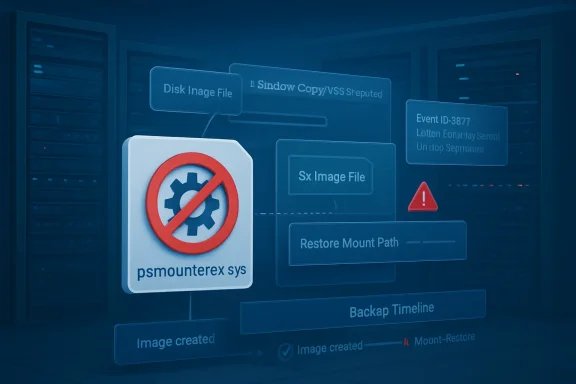 Microsoft Breaks the Recovery Path to Protect the Kernel
The uncomfortable part of this story is that both sides are right. Microsoft is right to block a vulnerable signed driver that can be abused for privilege escalation or arbitrary code execution. Backup vendors and their customers are also right to be furious when the machinery used to browse, mount, and restore images suddenly stops working after a routine security update.The affected driver,
psmounterex.sys, is not some random unsigned artifact dragged in from a malware forum. It is a kernel-mode component used by legitimate backup software to mount disk images and support operations around Volume Shadow Copy Service snapshots. That legitimacy is exactly what makes vulnerable drivers so attractive to attackers: Windows trusts them deeply, and security products often treat them as part of the normal ecosystem.The April update changes that trust relationship. Once the vulnerable driver blocklist is updated and enforced, Windows Code Integrity refuses to load
psmounterex.sys. The backup application may still open, scheduled jobs may still run, and in some cases full image backups may still be created. But the moment the workflow requires that blocked driver — mounting an image, browsing its contents, or restoring through a path that depends on the driver — the chain breaks.That distinction matters. This is not simply “backup software fails,” although that is how it will feel to the person trying to recover a file at 2 a.m. The better description is more precise and more damning: Microsoft’s security hardening leaves some organizations with backups they may have created successfully but cannot conveniently inspect or restore using the affected tooling.
The Vulnerable Driver Blocklist Has Become a Compatibility Boundary
The Microsoft Vulnerable Driver Blocklist used to feel like a security feature aimed mostly at malware authors and high-risk enterprise environments. In 2026, it is increasingly a compatibility boundary for ordinary Windows software. If your product ships a kernel driver, your product is no longer judged only by whether that driver is signed, stable, and useful. It is judged by whether Microsoft is still willing to let it load.That is a profound shift in the Windows ecosystem. For decades, signed kernel drivers have been a kind of privileged passport. Backup tools, endpoint security products, anticheat systems, hardware utilities, encryption software, and storage agents all used that passport to reach parts of the operating system that normal applications could not touch.
Attackers learned the same lesson. Bring-your-own-vulnerable-driver attacks have become a durable technique because they exploit the gap between “signed” and “safe.” A driver may be signed by a legitimate vendor and still contain a bug that allows an attacker to tamper with kernel memory, disable protections, or elevate privileges. The signature proves origin; it does not prove that the code should remain trusted forever.
Microsoft’s answer has been to move from static trust toward revocable trust. The blocklist is the mechanism. It can say, in effect: this driver may have been acceptable yesterday, but it is no longer acceptable today. That is the right security model for a world where old kernel drivers become reusable exploit kits.
The price is that revocation looks like breakage when customers discover a dependency only after Microsoft enforces the new rule. In this case, the block is tied to CVE-2023-43896, a high-severity buffer overflow vulnerability associated with
psmounterex.sys. The vulnerability is old enough that vendors should have had time to move customers to fixed components. But “should have” is cold comfort in environments where backup infrastructure is installed once, touched rarely, and only noticed when something goes wrong.Backup Software Is Infrastructure Wearing an Application Costume
The affected products named in reports include Macrium Reflect, Acronis Cyber Protect Cloud, UrBackup Server, and NinjaOne Backup. Those brands occupy different parts of the market, from enthusiast imaging to managed service provider platforms, but they share a common design reality: serious backup software often needs to act like infrastructure, not like a normal desktop app.That is why the failure is so awkward. Users think of backup programs as applications. Administrators know they are closer to mini storage stacks, with services, drivers, snapshot coordination, boot media, schedulers, retention engines, and restore workflows. If one low-level piece is blocked, the user-facing failure may appear several layers away from the cause.
The error messages do not necessarily make that obvious. Some affected systems may report that “The backup has failed because Microsoft VSS has timed out during the snapshot creation.” Others may show
VSS_E_BAD_STATE. Those messages sound like classic VSS trouble: a stuck writer, a bad provider, insufficient shadow storage, an overloaded host, or one of the many other gremlins that have haunted Windows backup operations for years.The more useful clue lives in Event Viewer, under the Code Integrity Operational log. Event ID 3077 showing
psmounterex.sys blocked in enforcement mode, with the Microsoft Windows Driver Policy ID, is the breadcrumb that separates this issue from generic VSS failure. That is the difference between chasing ghosts in VSS and recognizing that Windows has deliberately refused to load a driver.This is also why the issue will be unevenly visible. A home user who only creates images and never mounts them may not notice immediately. An MSP restoring individual customer files from mounted images may notice on the first restore ticket. A server administrator validating a disaster recovery plan may discover that the backup job succeeded but the recovery workflow no longer behaves as expected.
The Most Dangerous Backup Failure Is the One That Looks Partial
The ugliest failure mode in backup is not a loud, total collapse. It is a partial failure that preserves the comforting ritual of success while quietly undermining recovery. A green check mark on backup creation is useful only if the restore path remains tested and intact.That is the operational risk here. If image creation still succeeds on some affected systems, administrators may assume they are protected. They may not mount images during routine checks. They may not test bare-metal recovery. They may not notice the blocked driver until a real restore is needed.
That makes this incident a textbook argument for restore testing, not merely backup monitoring. Backup health dashboards tend to count completed jobs. They do not always prove that an image can be mounted, searched, restored, or used to bring a service back online. In modern Windows environments, that distinction is no longer academic.
The obvious short-term response is to update affected backup software to a version that no longer depends on the blocked driver. Microsoft’s recommendation is not to uninstall or pause the April security update, because the block exists to mitigate a real kernel-level vulnerability. That advice will frustrate anyone caught mid-incident, but it is also the only defensible security position. Re-enabling a vulnerable driver to make restores easier may solve today’s outage by reopening tomorrow’s intrusion path.
The harder lesson belongs to vendors. Backup software cannot treat driver replacement as a minor maintenance matter. If a kernel component is vulnerable, the vendor’s remediation campaign needs to be loud, persistent, and measurable. Customers who skip application updates are common; vendors who ship kernel drivers must plan for that reality rather than hoping a release note will carry the day.
April’s Patch Cycle Shows the Cost of Secure-by-Default Windows
Thepsmounterex.sys block did not land in isolation. Microsoft’s April 2026 update cycle has already been messy for administrators, especially on the server side. Windows Server 2025 devices have reportedly hit BitLocker recovery prompts after installing KB5082063 under specific policy conditions. Microsoft also released out-of-band updates to address Windows Server update failures and restart loops on domain controllers triggered by the April security updates.This does not mean every April problem shares the same root cause. It does mean administrators experienced them as part of the same monthly event: Patch Tuesday took systems that were working and introduced risk that had to be triaged. That is the recurring bargain of Windows servicing. The platform becomes safer by changing, and those changes sometimes collide with configurations that enterprises have accumulated over years.
Microsoft’s security direction is clear. Legacy behaviors are being narrowed. Risky defaults are being replaced. Cryptographic assumptions are being hardened. Drivers are being revoked. Deployment conveniences are being constrained. The company is trying to make Windows less permissive at the exact layers attackers prefer.
The problem is that Windows owes much of its enterprise dominance to permissiveness. It runs old software. It supports strange hardware. It preserves workflows that should probably have died two procurement cycles ago. Every time Microsoft tightens the platform, it is tugging on that long tail.
For administrators, the practical question is not whether Microsoft should harden Windows. It must. The practical question is how much warning, telemetry, vendor coordination, and rollback planning should accompany a change that can break recovery software. In the case of backup tooling, the standard should be higher than “the vendor has a fixed version available somewhere.”
The Code Integrity Log Becomes the New First Stop
The immediate troubleshooting path is mercifully concrete. If a backup product begins failing after the April 2026 update, administrators should not start by rebuilding VSS or ripping out storage providers. They should first check whether Code Integrity blockedpsmounterex.sys.The relevant path is Event Viewer, then Applications and Services Logs, then Microsoft, then Windows, then CodeIntegrity, then Operational. Event ID 3077 is the key event to inspect. If it references
psmounterex.sys and indicates enforcement, Windows is doing exactly what the updated policy tells it to do.That diagnosis changes the remediation plan. You are not dealing with a corrupted backup catalog, a flaky snapshot writer, or a random timeout. You are dealing with a prohibited kernel driver. The fix is therefore not to coerce VSS into trying harder; it is to replace the software component that asks Windows to load the blocked driver.
For managed fleets, this should become a detection query. Administrators should inventory endpoints and servers for affected backup software versions, search Code Integrity logs centrally where possible, and confirm whether vendors have shipped updated builds. The failure may not appear until a mount or restore operation is attempted, so relying on user reports is the worst possible discovery mechanism.
There is a broader monitoring lesson here as well. Code Integrity events are no longer niche security telemetry. They are operational telemetry. If Microsoft’s driver policy blocks a component your business depends on, the first authoritative signal may be in a log many help desks rarely open.
Vendors Own the Driver, Customers Own the Dependency
It is tempting to frame this as Microsoft versus backup vendors, but that lets customers off too easily. Enterprises choose software that installs kernel drivers, and that choice creates a maintenance obligation. If the product is important enough to protect your servers, it is important enough to keep current.Still, vendors own the deeper responsibility. A backup vendor shipping a kernel driver is asking customers to trust it at the most privileged layer of Windows. That trust comes with obligations that go beyond ordinary application patching. Vulnerable drivers must be replaced quickly, old versions must be aggressively retired, and management consoles should make driver exposure impossible to miss.
The strongest vendors will respond to this incident by making the dependency visible. They will tell customers exactly which versions used
psmounterex.sys, which builds replaced it, how to verify the active driver, and which restore workflows require retesting. The weakest response would be to bury the fix in a routine release and leave administrators to infer the rest from Microsoft’s blocklist.Customers should also press vendors about architecture. Does the product still require a kernel-mode driver for mounting images? Is the driver shared across product lines? How is it updated? Can it be serviced independently of the whole backup suite? What telemetry proves that the old driver is gone? Those are not procurement trivia. They are recovery-risk questions.
The MSP angle is especially sensitive. Managed backup providers may have thousands of endpoints and servers running backup agents under varied update cadences. A blocked driver can become a support storm if the provider has not already mapped which tenants, agents, and restore workflows are exposed.
The April Patch Is a Fire Drill for Restore Discipline
The practical response should be disciplined rather than dramatic. Do not uninstall the April security update as a first move. Do not disable Microsoft’s vulnerable driver protections unless you have made a conscious, documented risk decision and understand the exposure. Do not assume successful image creation means successful recovery.Instead, treat this as a restore-path validation event. Pick representative systems. Confirm whether images can be mounted. Confirm whether file-level restore works. Confirm whether recovery media and bare-metal workflows still behave as expected. Then update the backup application and repeat the test.
That repetition is not bureaucracy. It is the only way to know whether the driver dependency has actually been removed from the path you care about. A vendor installer may update the management console while leaving an old component behind. A server may have multiple backup tools installed. A stale driver may remain on disk even if it is no longer used. The restore test cuts through assumptions.
Home users and small offices should take a simpler version of the same approach. Update the backup tool. Reboot. Create a fresh image. Mount it. Restore a noncritical file to a temporary location. If the software offers rescue media, rebuild it after updating. A backup strategy that has never been restored is a superstition with a progress bar.
The Real Checklist Is Shorter Than the Panic
The April 2026 driver block is a narrow technical change with wide operational consequences. The useful response is not to treat every VSS message as evidence of this issue, but to confirm the driver block and then move quickly to supported software.- Administrators should check the Code Integrity Operational log for Event ID 3077 referencing
psmounterex.sysbefore spending hours on generic VSS troubleshooting. - Affected users should update Macrium Reflect, Acronis Cyber Protect Cloud, UrBackup Server, NinjaOne Backup, or any other implicated backup product to a build that no longer relies on the blocked driver.
- Backup creation may still succeed on some systems, so restore testing is necessary to determine whether image mounting and recovery workflows are actually healthy.
- Pausing or removing the April 2026 security update should be treated as a last-resort risk exception, not as a normal workaround.
- MSPs and enterprise administrators should inventory backup-agent versions and driver exposure across fleets rather than waiting for restore failures to surface through tickets.
- Vendors that ship kernel drivers should provide explicit driver-version guidance, not merely generic application update advice.
Source: gHacks April 2026 Windows Update Breaks Third-Party Backup Software by Blocking Vulnerable Driver - gHacks Tech News
