

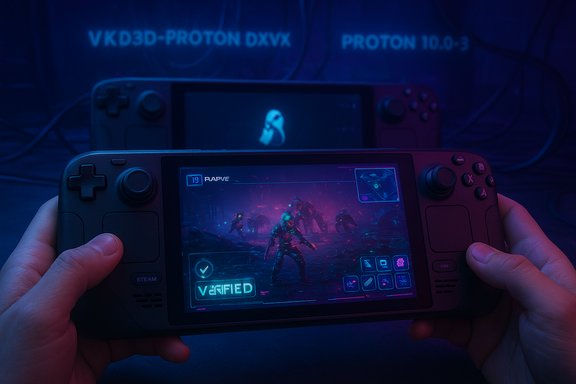
ARC Raiders is officially playable on the Steam Deck: Valve’s Proton 10.0-3 update has cleared the compatibility roadblocks that forced Deck owners to rely on community Proton forks, and the extraction shooter that dominated 2025’s launch conversation is now carrying its momentum into portable play.
ARC Raiders launched October 30, 2025, as a high‑profile PvPvE extraction shooter from Embark Studios (the team behind The Finals). The title quickly became one of the year’s commercial breakout hits, sustaining top positions on Steam’s Top Sellers list and drawing enormous concurrent audiences across consoles and PC. Publisher Nexon reported the game has sold more than four million copies and hit peak concurrent audiences north of 700,000 across platforms — milestone figures Embark and Nexon used to frame ARC Raiders as one of the most successful premium multiplayer debuts of the year. That early success intensified interest from handheld gamers: many Steam Deck owners had been testing community workarounds to run ARC Raiders and were waiting for an official path. The good news for them arrived with Proton 10.0‑3: the official compatibility layer update contains fixes and translation improvements that make ARC Raiders run cleanly under SteamOS / Steam Deck, and the game has since been awarded the Steam Deck Verified status in Valve’s compatibility program. For readers who saw the Windows Central coverage of this development, the recognition that Proton — not an in‑game patch — is the enabler of Deck verification is important: Valve’s translation stack is now doing the heavy lifting to bring a major multiplayer live service to a Linux‑based handheld.
Conclusion
ARC Raiders on the Steam Deck is real and officially validated — a direct consequence of Proton 10.0‑3’s maturation. The experience is playable and portable, but not identical to desktop performance; players should balance convenience against competitive needs. More broadly, Proton’s steady progress and high‑profile successes like this keep pushing SteamOS from “interesting alternative” toward a practical platform for a growing share of the PC catalogue. Keep an eye on Proton changelogs and developer communications: as more big titles follow ARC Raiders into verified status, the handheld and SteamOS story will keep accelerating.
Source: Windows Central https://www.windowscentral.com/gami...am-deck-verified-after-the-proton-10-release/
 Background / Overview
ARC Raiders launched October 30, 2025, as a high‑profile PvPvE extraction shooter from Embark Studios (the team behind The Finals). The title quickly became one of the year’s commercial breakout hits, sustaining top positions on Steam’s Top Sellers list and drawing enormous concurrent audiences across consoles and PC. Publisher Nexon reported the game has sold more than four million copies and hit peak concurrent audiences north of 700,000 across platforms — milestone figures Embark and Nexon used to frame ARC Raiders as one of the most successful premium multiplayer debuts of the year. That early success intensified interest from handheld gamers: many Steam Deck owners had been testing community workarounds to run ARC Raiders and were waiting for an official path. The good news for them arrived with Proton 10.0‑3: the official compatibility layer update contains fixes and translation improvements that make ARC Raiders run cleanly under SteamOS / Steam Deck, and the game has since been awarded the Steam Deck Verified status in Valve’s compatibility program. For readers who saw the Windows Central coverage of this development, the recognition that Proton — not an in‑game patch — is the enabler of Deck verification is important: Valve’s translation stack is now doing the heavy lifting to bring a major multiplayer live service to a Linux‑based handheld.Why Proton 10 matters: the technical lift behind the verified badge
What Proton does (briefly)
Proton is Valve’s Wine‑based compatibility layer that translates Windows graphics and system calls to Vulkan and Linux equivalents (DXVK for DX11, VKD3D‑Proton for DX12). It is the glue that allows Windows games to run on SteamOS without a native port. Over successive releases Proton has added game‑specific workarounds, API improvements and anti‑cheat support hooks that shift more of the Windows library into “works on Deck” territory.What changed in Proton 10.0‑3
Proton 10.0‑3 is a stability and compatibility release that pulled in new versions of the key translation components and several targeted fixes. The changelog and reporting around the release list a number of titles that moved from “problematic” to “playable,” as well as fixes for hardware/driver regressions on Deck models and controller issues that affected certain games. Those improvements are what unlocked ARC Raiders’ verified status: the translation path that previously required Proton GE (the community fork) now exists in the official Proton build. Key takeaways from the Proton 10.0‑3 work:- Upgraded VKD3D‑Proton/DXVK stacks for DirectX 12 → Vulkan translation, which fixes previously broken rendering paths.
- Multiple game‑specific workarounds and fixes that reduce launch crashes and runtime regressions on Steam Deck hardware.
- Broader Deck OLED and controller fixes that improved stability in edge cases that had previously blocked verification.
From Proton GE to Proton 10: what changed for players
The old path (community workaround)
Before Proton 10.0‑3 was widely rolled out, Deck users who wanted ARC Raiders running reliably often installed Proton GE (GloriousEggroll’s community build). Proton GE bundles bleeding‑edge fixes and experimental patches earlier than mainline Proton, which is why it was the practical workaround for early adopters. That route worked but came with downsides: it put users on an unsupported compatibility layer, required manual installation/management and sometimes led to regressions when either Steam or the game updated.The new path (official Proton)
Now, with Proton 10.0‑3 in the stable channel, the majority of Deck owners can:- Enable Steam Play / Proton for all titles in Steam settings.
- Let the client use the official Proton 10 compatibility option for ARC Raiders (or Proton Experimental if they prefer).
- Launch the game without the manual Proton GE install steps.
How ARC Raiders runs on the Steam Deck right now: practical notes
Performance profile and recommended settings
Real‑world community testing suggests the Steam Deck experience is playable but not identical to a full PC. Typical takes from users who tried the game on OLED Decks and LCD models:- Expect framerates in the 30–50 FPS range on low settings with FSR/XeSS set to aggressive performance modes.
- Use low graphical preset, reduced crowd and particle density, and enable the in‑game upscalers for acceptable performance.
- Gyro aim helps significantly in PvP scenarios; many Deck players report far better results with gyro enabled.
- Render resolution / Window mode: Borderless or Fullscreen with lower internal resolution.
- Upscaler: FSR/XeSS set to Performance or Ultra Performance.
- Graphics: All low; shadows and post effects off.
- Frame limit: 40–45 FPS cap to reduce frame‑time variance and heat on longer sessions.
Known quirks and stability issues
- Some users reported launch problems tied to a transient AMD driver pop‑up during initialization on Deck modes; workaround advice circulated to press “No” to driver install via the touchscreen (not controller buttons). This sort of UI‑interaction quirk has been flagged multiple times in community threads.
- Occasional crashes and stuttering have been reported; these appear to be a mix of server‑side congestion, client rendering hiccups and the residual edge cases Proton 10 patches are still smoothing out. Community reports vary: some players see a steady, playable session while others report frequent quits to desktop.
The Deck is playable — but with caveats
Playing ARC Raiders on the Deck is viable for casual raids, questing and loot runs, but competitive PvP encounters remain challenging due to control and performance constraints. The handheld’s ergonomics and the game’s fast, third‑person confrontations mean mouse/keyboard (or a TV/docked setup) still offers the advantage for high‑skill play. Community voices and coverage echo that caveat repeatedly.Step‑by‑step: get ARC Raiders running on your Steam Deck (concise guide)
- Update your Steam Deck to the latest SteamOS stable build and ensure Proton 10 is installed/available in Compatibility tools.
- In Steam Settings → Steam Play: enable Steam Play for all titles and select Proton 10 (or use Proton Experimental if you want the absolute latest fixes).
- In your Library, right‑click ARC Raiders → Properties → Compatibility: force the use of Proton 10.
- Launch the game from Gaming Mode. If a driver/permission pop‑up appears, use the touchscreen to choose the correct option (community reports specifically recommend selecting “No” in one particular driver prompt — use the cursor/touch, not controller buttons, if a controller selection causes a crash).
- Apply conservative graphics settings: all low, FSR/XeSS to performance, 40–45 FPS cap, enable gyro for aiming.
- If you experience crashes, try Proton Experimental or, as a fallback, Proton GE (community build) temporarily until fixes land in mainline Proton.
Broader context and implications
What this says about Proton and SteamOS momentum
Proton 10.0‑3 and the verified ARC Raiders outcome are a practical demonstration that Valve’s compatibility stack continues to narrow the gap between Windows and SteamOS for mainstream multiplayer titles. Each major match — when a prominent live‑service or multiplayer powerhouse becomes Deck‑compatible — lowers the friction for handheld uptake and signals to studios that a verified SteamOS path is possible without a native port. That commercial incentive matters: Embark’s headline success makes it more attractive for Valve to prioritize fixes that unlock the title on Deck and SteamOS.Anti‑cheat, Secure Boot and the unresolved limits
A consistent, structural caveat remains: anti‑cheat and OS attestation policies. Proton can’t emulate Windows kernel drivers, and games that rely on kernel‑level anti‑cheat drivers or boot‑chain attestation will stay Windows‑tethered unless vendors ship Proton‑friendly modules or developers opt into supported Linux variants. ARC Raiders’ success here does not change that standing, and players of anti‑cheat heavy competitive titles should still check compatibility flags on a title‑by‑title basis.Commercial incentives for developers
When a premium multiplayer title sells millions of copies and quickly becomes one of a year’s top sellers, there is a stronger business case for developers and publishers to care about Deck compatibility. For Embark and Nexon, the upside is obvious: whatever increases the accessible install base (including handhelds and future SteamOS boxes) is in their revenue interest. Players’ willingness to buy, coupled with platform signals like Verified badges, nudges more studios to test and optimize for Proton.Risks, limitations and what to watch next
- Playability vs parity: “Playable” does not mean “parity.” Expect lower fidelity, control compromises and occasional instability. Players should view Deck play as a portable convenience, not the definitive competitive experience.
- Proton regressions: As Proton evolves, regressions can appear — some Deck users reported behavior differences across Proton 10.0‑2 → 10.0‑3, prompting temporary switches between builds; community threads remain active and solutions can be transient. Keep Proton Experimental or community Proton GE in your toolbox if you rely on immediate fixes.
- Server issues and matchmaking: A massive concurrent user base increases server load risk. Embark has already been proactive with refunds and matchmaking adjustments in response to launch complaints, but live‑service volatility can affect player experience uniformly across platforms (Deck included).
- Anti‑cheat policy changes: If anti‑cheat vendors or publishers change their stance (requiring Secure Boot, TPM checks, or kernel drivers), that can reverse Deck viability for some titles. Monitor developer announcements and Valve anti‑cheat compatibility notes before relying on SteamOS as your primary multiplayer platform.
Closing analysis — why this matters for WindowsForum readers
ARC Raiders’ verification on Steam Deck is not just a feel‑good compatibility story; it’s a concrete data point in a larger platform shift. Proton 10.0‑3’s ability to lift a major multiplayer title onto Valve’s handheld shows that the translation stack now resolves many of the thorny rendering and runtime issues that previously blocked verification. For Windows power users, the lesson is twofold:- For devs and publishers: the business case for formally supporting Proton/SteamOS is growing. High selling, cross‑platform titles create incentives for Valve and vendors to prioritize compatibility fixes that benefit a broad user base.
- For players and buyers: the Deck continues to be a viable secondary platform for many modern PC releases — but Windows remains the gold standard for competitive parity, guaranteed performance and anti‑cheat coverage.
Conclusion
ARC Raiders on the Steam Deck is real and officially validated — a direct consequence of Proton 10.0‑3’s maturation. The experience is playable and portable, but not identical to desktop performance; players should balance convenience against competitive needs. More broadly, Proton’s steady progress and high‑profile successes like this keep pushing SteamOS from “interesting alternative” toward a practical platform for a growing share of the PC catalogue. Keep an eye on Proton changelogs and developer communications: as more big titles follow ARC Raiders into verified status, the handheld and SteamOS story will keep accelerating.
Source: Windows Central https://www.windowscentral.com/gami...am-deck-verified-after-the-proton-10-release/
