

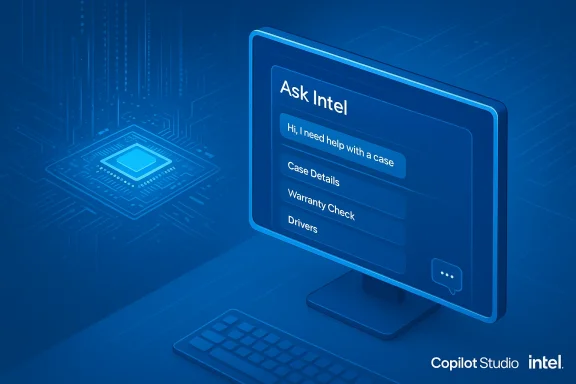
Intel’s new support strategy lands where a lot of modern customer service is going: an AI that doesn’t just answer questions but takes action on your behalf — built on Microsoft’s Copilot Studio and branded as Ask Intel. Designed to open support cases, check warranty eligibility, flag driver updates and, when necessary, hand problems to real humans, Ask Intel is Intel’s bid to make support faster, cheaper, and more consistent — but it also exposes familiar and new risks around accuracy, privacy, escalation and platform dependence that consumers and partners should know about before they type “my CPU is unstable” into a chat window.
Intel’s launch also comes after the company removed or scaled back inbound public phone and social-media support in many regions, directing customers to its online case system and self-service resources. That context matters: the chatbot does not appear in a vacuum but as the primary intake path for many users who previously might have called a human agent.
The industry precedent is instructive: Intel’s recent history with complex firmware and microcode problems — especially the widely-reported Raptor Lake instability that required coordinated microcode and BIOS updates from Intel and motherboard vendors — shows central support issues can be subtle and require coordinated vendor action to fix. A bot that regurgitates generic advice without surfaced nuance risks sending users down the wrong path for complex hardware problems.
Intel has built Ask Intel to escalate to humans for out-of-scope issues and to route Premier Support customers to existing channels. The company also claims early partner metrics show improved satisfaction and resolution rates for routine inquiries — though those claims are Intel’s internal performance claims at this stage and should be independently validated by third-party audits.
But hardware support is a tricky domain. Unlike common consumer questions, motherboard firmware, microcode updates and platform power behavior have physical safety, warranty and long-term reliability implications. Intel’s Raptor Lake microcode and BIOS saga is a reminder that diagnosing and remedying hardware instability is often an iterative engineering problem, requiring firmware patches, vendor coordination and, sometimes, hardware replacement. Automating intake is sensible; automating nuanced diagnostic decision-making without adequate human oversight is risky.
Intel and Microsoft have shipped important tooling — governance primitives, human-in-the-loop actions, and audit capabilities — but the burden now shifts to operations: how Intel versions and tests its knowledge base, how it constrains high-risk actions, how clearly it communicates retention and escalation policies, and whether it publishes independent metrics that prove the assistant helps rather than hurts. Until those operational details are public and independently validated, users should treat Ask Intel as a convenient intake and diagnostic aid — not as a final arbiter of technician-grade advice. Proceed with caution, capture transcripts, ask for human confirmation on risky steps, and keep Premier or dedicated channels for mission-critical or sensitive support needs.
Source: Wccftech Intel’s Fix for PC Problems Is… “Agentic AI”; a Microsoft Copilot Bot That Promises Solutions While You Cross Your Fingers
 Background
Why Intel built Ask Intel — and why now
Intel has publicly framed Ask Intel as the next step in a multiyear evolution of its support channel: a digital-first experience that centralizes routine intake, automates repetitive tasks, and reserves humans for complex, high-value troubleshooting. The company’s move follows an internal reorganization of its sales and support organization and a broader push to adopt AI-driven tooling across sales, marketing and operations. Early messaging from Intel’s support leadership emphasizes reduced friction — less time “navigating support, more time doing what you do best.”Intel’s launch also comes after the company removed or scaled back inbound public phone and social-media support in many regions, directing customers to its online case system and self-service resources. That context matters: the chatbot does not appear in a vacuum but as the primary intake path for many users who previously might have called a human agent.
Copilot Studio: the engine under the hood
Ask Intel is built on Microsoft Copilot Studio, Microsoft’s enterprise platform for creating conversational agents that can do more than answer questions: agents can be configured to take actions (open tickets, call APIs, run workflows), run multistep orchestrations, link to other data sources, and embed human-in-the-loop checkpoints. Microsoft explicitly markets Copilot Studio for scenarios like IT support, warranty intake, and automated ticket triage — precisely the types of tasks Intel wants to automate. Copilot Studio also provides enterprise features such as data-policy enforcement, audit logging via Microsoft Purview, and capacity-based billing.What Ask Intel can (and can’t) do
The advertised capabilities
According to Intel and reporting from trade press, Ask Intel’s initial capabilities include:- Opening support cases on a user’s behalf and filling required metadata.
- Checking warranty coverage and RMA eligibility instantly.
- Finding and recommending official Intel documentation, drivers, and known fixes.
- Escalating to human agents when the agent identifies an issue outside its scope, or when a user requests human help.
Real-world behavior reported so far
Early hands-on reporting from journalists and field testers shows a mixed picture. The assistant draws on Intel’s internal support knowledge base and official guidance, and in many routine cases it returns standard troubleshooting steps or checks (BIOS updates, driver updates, warranty status). When it cannot resolve a ticket, it will escalate to a human. However, testers observed instances where the assistant suggested plausible-sounding but potentially risky steps — for example, recommending a CPU stress test even when the user had already reported overheating — and it displays a clear accuracy disclaimer warning that “answers may be inaccurate.” Those real-world interactions underscore a central truth about agentic support bots: they can be extremely helpful for low-risk, repetitive tasks, but they are not a one-size-fits-all replacement for skilled human technicians.The upside: efficiency, scale, and consistent answers
Faster triage and case creation
By directly extracting device details, serial numbers and error logs from user input (and potentially from uploaded files), an agent can populate structured support cases more quickly than a human agent typing details into a ticket form. That reduces friction for customers and speeds first-response SLAs for support organizations. For large partners and volume-driven channels — distributors, system integrators and OEMs — this automation can materially reduce time spent on routine queries. Microsoft’s Copilot Studio is explicitly designed for these workflows.Consistency of guidance and knowledge centralization
A single AI agent connected to Intel’s canonical knowledge sources gives many users the same baseline guidance, reducing inconsistent or outdated advice that sometimes arises between different human agents. When an enterprise keeps the knowledge base curated and versioned, agents can ensure that basic procedures (warranty checks, RMA steps, links to driver downloads) are consistent across geographies and time. Copilot Studio offers ways to upload and organize knowledge sources and track “unanswered queries” so organizations can iterate on missing content.24/7 availability and tiered escalation
For problems that are straightforward — warranty eligibility, instructions for obtaining an RMA, guidance to apply a recommended BIOS or driver update — a bot that works round-the-clock can be a substantial convenience. The goal Intel and Microsoft describe is to contain routine work inside the agent and escalate high-complexity or risky tasks to humans, improving overall throughput and reducing wait times for customers who genuinely need a human expert.The risks — technical, operational, legal and reputational
1) Accuracy, hallucination and risky instructions
Agentic AI can hallucinate or repeat stale or incomplete guidance. In the context of hardware troubleshooting, bad advice is not merely inconvenient — it can be damaging. Test reports show Ask Intel sometimes recommended stress tests and suggested driver changes that may be irrelevant or counterproductive given the symptoms reported by the user. In the worst-case scenario, an incorrect troubleshooting step could hasten hardware failure, lose data, or void warranty conditions if users act on the wrong instructions. Intel’s own interface warns that answers may be inaccurate. That built-in disclaimer is prudent but does not remove the downstream risk.The industry precedent is instructive: Intel’s recent history with complex firmware and microcode problems — especially the widely-reported Raptor Lake instability that required coordinated microcode and BIOS updates from Intel and motherboard vendors — shows central support issues can be subtle and require coordinated vendor action to fix. A bot that regurgitates generic advice without surfaced nuance risks sending users down the wrong path for complex hardware problems.
2) Data privacy, retention and third-party processors
Ask Intel’s chatbox explicitly informs users that the dialog may be recorded and handled according to Intel’s privacy policy — which implies that transcripts could be retained and processed by third-party service providers (Microsoft and other vendors involved in the Copilot Studio stack). For partners who handle regulated or embargoed data, this raises immediate compliance questions: are the transcripts stored, where are they stored, who can access them, and for how long? Intel’s support KB already acknowledges potential bugs and that content may be saved for future reference, and Microsoft’s enterprise tooling integrates with Purview for audit logs and governance — but the contractual and technical controls required to safely handle sensitive partner data must be explicit.3) Platform dependence and business continuity
Relying on a cloud platform to intake support cases concentrates risk. If Microsoft’s Copilot Studio experiences an outage, or if a particular connector to Intel’s backend fails, the primary intake funnel could be disrupted. That’s not hypothetical: many modern systems experience regional or service-class outages. Intel has stated that Premier Support customers and other exceptions will retain dedicated channels, but smaller partners and DIY consumers may find their only path to support disrupted during an incident unless robust redundancy is in place.4) Workforce impacts and knowledge drain
Intel’s internal restructuring and managed-service partnerships tied to efficiency goals have been publicly discussed in other reporting. When companies reduce headcount and centralize knowledge inside a few teams, there’s a real risk of institutional knowledge being lost — the sort of tribal troubleshooting expertise that human agents develop over years. Outsourcing or automating the “easy” work can improve metrics, but it can also erode deep diagnostic capability that’s required for long-tail, high-complexity incidents. CRN’s coverage of Intel’s support reorganization highlights those structural changes and the associated risk tradeoffs.5) Vendor lock-in and auditability
Deep integration with a single vendor’s agent platform creates dependency. If Intel’s support processes, connectors, or knowledge ingestion pipelines are tightly coupled to Microsoft’s Copilot Studio features, switching platforms or adopting polyglot agent strategies becomes more expensive. From an auditability standpoint, customers and auditors will demand clear, immutable logs of what actions the agent took and why — yet achieving that level of explainability across multiple closed-source components can be technically challenging. Microsoft provides governance features, but they must be operationalized and made available to the right stakeholders.What Intel and Microsoft have built to mitigate risks — and where gaps remain
Built-in safeguards
Microsoft’s Copilot Studio includes features designed to reduce harm: data policy enforcement, default (soft) data policies, Purview audit logging, human-in-the-loop actions (e.g., “request for information” to pause an agent flow), analytics for unanswered queries, and the ability to define topics, entities and containment settings. These are useful primitives for a responsible deployment: they help implement guardrails around sensitive actions, provide observability into agent performance, and allow administrators to require human review for certain workflows.Intel has built Ask Intel to escalate to humans for out-of-scope issues and to route Premier Support customers to existing channels. The company also claims early partner metrics show improved satisfaction and resolution rates for routine inquiries — though those claims are Intel’s internal performance claims at this stage and should be independently validated by third-party audits.
Where practical gaps remain
Policy and product features only matter if they are operationalized well. Key real-world questions that remain unanswered or under-documented include:- How does Intel version and test its knowledge ingestion pipeline to avoid shipping out-of-date or unsafe guidance?
- What are the exact retention windows for conversational transcripts, and which entities (Intel, Microsoft, other processors) hold those copies?
- How are escalation SLAs defined and enforced when the agent decides to hand off to a human (especially during global off-hours or platform outages)?
- What liability language governs advice that results in hardware damage when a user follows an AI-provided instruction?
- How are high-risk actions (e.g., instructing a user to open a case that triggers a return, or directing a user to run a stress test on a hot CPU) constrained or annotated to prevent harm?
Practical guidance for users and partners
Best practices for customers interacting with Ask Intel
- Be cautious with destructive or high-risk actions. If the bot recommends a stress test, firmware flash, or an overclocking-related BIOS change and you’ve reported overheating or instability, pause and request human confirmation. Stress tests can accelerate failure if hardware is already compromised.
- Preserve evidence. If you plan to request a warranty RMA, save logs, screenshots and timestamps. If Ask Intel opens a case for you, capture the case number and transcript for your records. Intel’s KB warns that dialogs may be recorded and stored; keep a copy of your own interaction as well.
- Don’t send sensitive or embargoed data through the chat. If you’re a partner handling regulated or confidential profiles, use Premier Support or designated secure channels that Intel confirms are excluded from general transcript retention.
- Ask for a human early. If you see inconsistent or evasive responses, explicitly request escalation. That creates a documented path from agent to human and helps establish a paper trail should you need warranty or legal recourse.
For partners and resellers
- Demand contractual clarity on data processing, transcript retention, and the use of third-party processors. Ensure any agreement with Intel or its service providers defines strict handling controls for PII and controlled technical information.
- Test outage scenarios. Ask for documented continuity plans that cover Copilot Studio downtime, Microsoft service disruptions, and connector failures, and understand how escalation pathways behave during an outage.
- Maintain local knowledge and escalation capability. Don’t treat the agent as an irreversible replacement for trained support engineers; invest in retaining key support expertise for long-tail and high-stakes issues.
Recommendations for Intel (and for Microsoft) — what would make Ask Intel defensible at scale
- Publish retention and processor details for conversational transcripts, including a clear data flow diagram and retention windows. That transparency is essential for regulated partners and for independent audit.
- Implement risk-tiered responses. Actions that might materially affect device health (BIOS flashes, stress testing, persistent undervolting/overvolting suggestions) should either be disabled in the agent or require an explicit, recorded human confirmation workflow. Microsoft’s request for information action in Copilot Studio is one tool to realize this control.
- Provide explainability for automated actions. If the agent files an RMA, identify exactly which knowledge-base sources and signals triggered that decision. Versioned, auditable KB entries reduce the chance of repeating an erroneous recommendation.
- Offer an opt-out and hybrid channel set. Customers who require human-only interaction should have an easy path to opt out of AI intake and retain voice or person-to-person escalation where legally required. Intel’s Premier Support exceptions are a start; make them more visible.
- Third-party verification. Intel should engage independent auditors to validate the agent’s containment, accuracy metrics, and the efficacy of human handoffs — and publish aggregate performance metrics (escalation rate, false-positive destructive recommendations, average time to human response). Public, third-party verified metrics would increase trust.
Bigger picture: agentic AI and the future of hardware support
Ask Intel is far from unique: enterprises across retail, finance and technology are deploying agentic assistants to scale support and reduce costs. Copilot Studio, with its agent flows, action primitives and governance features, is becoming the default platform choice for large vendors that want both conversational answers and the ability for agents to act — not merely respond. That hybrid capability is powerful and will move the needle for routine efficiency.But hardware support is a tricky domain. Unlike common consumer questions, motherboard firmware, microcode updates and platform power behavior have physical safety, warranty and long-term reliability implications. Intel’s Raptor Lake microcode and BIOS saga is a reminder that diagnosing and remedying hardware instability is often an iterative engineering problem, requiring firmware patches, vendor coordination and, sometimes, hardware replacement. Automating intake is sensible; automating nuanced diagnostic decision-making without adequate human oversight is risky.
Conclusion
Ask Intel represents a logical — even inevitable — step in the digitization of technical support: a Copilot Studio agent that opens cases, checks warranties, surfaces relevant documents and escalates when needed. For routine, low-risk queries this will save time and deliver a more consistent experience. Yet the deployment sits atop a stack of nontrivial risks: inaccurate or outdated advice that can damage hardware, unclear data retention and third-party processing policies, single-platform dependence, and the real possibility that institutional troubleshooting expertise will erode as human roles are narrowed.Intel and Microsoft have shipped important tooling — governance primitives, human-in-the-loop actions, and audit capabilities — but the burden now shifts to operations: how Intel versions and tests its knowledge base, how it constrains high-risk actions, how clearly it communicates retention and escalation policies, and whether it publishes independent metrics that prove the assistant helps rather than hurts. Until those operational details are public and independently validated, users should treat Ask Intel as a convenient intake and diagnostic aid — not as a final arbiter of technician-grade advice. Proceed with caution, capture transcripts, ask for human confirmation on risky steps, and keep Premier or dedicated channels for mission-critical or sensitive support needs.
Source: Wccftech Intel’s Fix for PC Problems Is… “Agentic AI”; a Microsoft Copilot Bot That Promises Solutions While You Cross Your Fingers
