

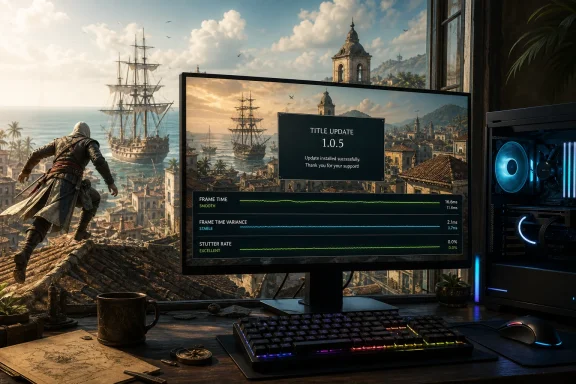
Ubisoft has deployed Title Update 1.0.5 for Assassin’s Creed Black Flag Resynced, delivering a focused PC-only hotfix aimed at reducing the stuttering reported by a portion of the game’s player base. The update began reaching PC storefronts on July 22, just under two weeks after the remake’s July 9 launch, and arrives as a deliberately narrow intervention rather than a broad overhaul of performance, gameplay, or content.
The key promise is simple: smoother gameplay on affected Windows PCs. That matters because the reported problem was not merely a matter of average frame rate. Players described intermittent hitching and severe frame-time spikes, particularly while moving through dense settlements, traversing rooftops, and entering more demanding areas such as Havana. In a game built around fluid free-running, swordplay, crowd navigation, and naval exploration, brief pauses can undermine the rhythm of nearly every major activity.
Patch 1.0.5 is reportedly a relatively small download for many Steam users, in the region of 183 MB, though update sizes can differ significantly between storefronts and installed versions because of compression, language packs, and file replacement behavior. Ubisoft has not published a detailed public changelog listing technical alterations, and the available description limits the scope to alleviating stuttering affecting some PC players.
That lack of a granular breakdown leaves an important question unanswered: what exactly changed under the hood? For players, the immediate result is more important than the methodology. But for a technically ambitious remake running across an unusually wide range of PC hardware, the absence of specifics makes it harder to identify whether the update addresses CPU scheduling, asset streaming, shader behavior, frame generation interactions, background I/O, or another system-level bottleneck.
Assassin’s Creed Black Flag Resynced is not a modest remaster of the 2013 original. Ubisoft has positioned it as a ground-up remake built with a newer iteration of the Anvil engine, complete with substantially upgraded environments, revised systems, modernized combat, new content, enhanced water rendering, and ray-traced visual features.
That technological step forward brings clear benefits. Caribbean locations can support denser detail, richer foliage, more elaborate lighting, busier urban spaces, and water effects that better suit a game whose identity is inseparable from the sea. Yet modern rendering techniques also increase the risk of uneven performance when a game has to rapidly stream assets, manage large worlds, and balance CPU and GPU workloads in real time.
A stutter fix is therefore not a cosmetic concern. It is an essential maintenance patch for a release whose central appeal depends on momentum. Edward Kenway should be able to sprint across rooftops, transition into a leap, climb a ledge, and sail away from a hostile port without the sensation that the game is hesitating to catch up.
Frame rate measures how many images the system produces per second. Frame pacing measures how consistently those images arrive. A game running at 100 frames per second can still feel rough if one frame takes far longer to render than the others. The user experiences that inconsistency as a hitch, micro-stutter, pause, or sudden jolt.
For an action-adventure title, bad frame pacing is particularly disruptive during:
That variability does not automatically point to one defective component, graphics setting, or Windows configuration. PC gaming combines a complicated set of variables:
In practical terms, lowering the resolution or switching from Ultra to High settings may not resolve a CPU-side or engine-side hitch. It might raise the average frame rate while leaving the disruptive pauses untouched. This is why many players can find themselves frustrated by performance metrics that look impressive on paper but fail to translate into a smooth experience during play.
The most encouraging early takeaway from Patch 1.0.5 is that some affected users have reported smoother traversal and improved performance in demanding city areas after installing it. Those reports should be treated as promising rather than conclusive. A hotfix that improves one system configuration does not necessarily eliminate every cause of stutter across the entire PC ecosystem.
It is difficult to establish a single universal cause without detailed engineering notes, reproducible benchmark data, and a complete list of affected configurations. However, the timing makes the new PC-only hotfix significant. Ubisoft appears to have identified enough of a performance concern to prioritize a targeted fix rather than waiting for a larger multi-platform title update.
That responsiveness is a strength. It suggests that performance telemetry, bug reports, player feedback, or internal testing identified a problem serious enough to justify an expedited release.
At the same time, it exposes a familiar risk in modern game patching: one update can repair a visible problem while unintentionally introducing a less obvious regression. Complex games are never static. Changes to rendering behavior, lighting, animation handling, streaming rules, input, or graphics presets can have side effects that only emerge across the enormous variety of consumer hardware.
There is also a practical reason for this approach. Console patches are commonly subject to additional packaging, certification, and deployment processes. If Ubisoft can isolate a stutter issue to the PC version, shipping a quick hotfix through Steam, Ubisoft Connect, and the Epic Games Store is preferable to delaying the remedy for every platform.
The limited scope also avoids misleading console players into expecting a broad set of improvements that this patch does not claim to provide. Title Update 1.0.5 is not a general bug-fix package. It does not appear to add new missions, features, graphics options, accessibility tools, balancing changes, or meaningful revisions to movement systems.
Several concerns remain separate from frame-time consistency:
A beautifully reconstructed Havana cannot fully compensate for parkour that feels inconsistent. Likewise, an impressive ray-tracing implementation cannot replace the satisfaction of cleanly chaining a sprint, vault, climb, leap, and landing with minimal resistance.
The remake’s modern combat and environmental upgrades may make it feel more contemporary, but movement is an area where modernization must be handled carefully. If a revised system becomes more restrictive, less readable, or more prone to awkward interruptions, it can create the impression that a newer version has lost some of the immediacy players remember.
Ubisoft will need to keep refining those interactions if it wants the remake to sustain a reputation not simply for looking modern, but for playing modern as well.
Players who continue to see stutter after the update should avoid immediately assuming the hotfix has failed universally. A disciplined approach is more useful than changing every graphics option at once.
A concise hotfix announcement is understandable when a team needs to get a correction out quickly. But even a short technical note would help users understand what changed and what remains under investigation. If the patch targets a specific condition, such as a traversal-related frame-time spike, an asset-streaming bottleneck, or a rendering regression, identifying that category can prevent unnecessary troubleshooting.
Clearer notes would also help distinguish confirmed fixes from unresolved reports. That is particularly valuable for players who are deciding whether to resume a stalled playthrough, wait for another update, or request a refund because their experience remains inconsistent.
A stronger communication model for future Assassin’s Creed Black Flag Resynced patches would include:
On the positive side, Black Flag Resynced has a strong technical foundation to build upon. Its visual presentation, dense environments, modernized systems, and commitment to a fully reworked version of the Caribbean give Ubisoft a platform with real long-term potential. The decision to ship a focused PC stutter fix quickly is a practical sign that the studio is prepared to address issues that emerge after launch.
But a remake carries less tolerance for rough edges than an entirely new game. Players do not evaluate it only on its own terms. They compare it with the 2013 original, with other modern Assassin’s Creed releases, and with the idealized memory of what Black Flag represented at its best.
That makes polish crucial. Reliable movement, stable progression, consistent frame pacing, responsive controls, and predictable interactions are not secondary details. They are the connective tissue that turns an impressive technical package into an adventure players will want to revisit for dozens of hours.
The patch should not be mistaken for a comprehensive repair pass. It does not appear to address the full range of reported bugs, parkour frustrations, animation quirks, mission issues, or broader quality-of-life requests. It also leaves unanswered technical questions about the exact cause of the stuttering and the mechanisms used to reduce it.
Still, the update is a necessary step in the right direction. Black Flag Resynced needs smooth frame pacing as much as it needs impressive lighting, refined water, and upgraded combat. If Ubisoft follows this hotfix with clearer patch documentation and continued attention to traversal reliability, the remake will be better positioned to deliver the polished pirate adventure its setting, legacy, and modern technology promise.
The key promise is simple: smoother gameplay on affected Windows PCs. That matters because the reported problem was not merely a matter of average frame rate. Players described intermittent hitching and severe frame-time spikes, particularly while moving through dense settlements, traversing rooftops, and entering more demanding areas such as Havana. In a game built around fluid free-running, swordplay, crowd navigation, and naval exploration, brief pauses can undermine the rhythm of nearly every major activity.
Patch 1.0.5 is reportedly a relatively small download for many Steam users, in the region of 183 MB, though update sizes can differ significantly between storefronts and installed versions because of compression, language packs, and file replacement behavior. Ubisoft has not published a detailed public changelog listing technical alterations, and the available description limits the scope to alleviating stuttering affecting some PC players.
That lack of a granular breakdown leaves an important question unanswered: what exactly changed under the hood? For players, the immediate result is more important than the methodology. But for a technically ambitious remake running across an unusually wide range of PC hardware, the absence of specifics makes it harder to identify whether the update addresses CPU scheduling, asset streaming, shader behavior, frame generation interactions, background I/O, or another system-level bottleneck.
 A Small Patch With a Large Quality-of-Life Goal
Assassin’s Creed Black Flag Resynced is not a modest remaster of the 2013 original. Ubisoft has positioned it as a ground-up remake built with a newer iteration of the Anvil engine, complete with substantially upgraded environments, revised systems, modernized combat, new content, enhanced water rendering, and ray-traced visual features.That technological step forward brings clear benefits. Caribbean locations can support denser detail, richer foliage, more elaborate lighting, busier urban spaces, and water effects that better suit a game whose identity is inseparable from the sea. Yet modern rendering techniques also increase the risk of uneven performance when a game has to rapidly stream assets, manage large worlds, and balance CPU and GPU workloads in real time.
A stutter fix is therefore not a cosmetic concern. It is an essential maintenance patch for a release whose central appeal depends on momentum. Edward Kenway should be able to sprint across rooftops, transition into a leap, climb a ledge, and sail away from a hostile port without the sensation that the game is hesitating to catch up.
Frame Rate Is Not Frame Pacing
A PC can show a high average frame rate and still feel poor in motion. This distinction is vital when assessing the complaints Patch 1.0.5 is intended to address.Frame rate measures how many images the system produces per second. Frame pacing measures how consistently those images arrive. A game running at 100 frames per second can still feel rough if one frame takes far longer to render than the others. The user experiences that inconsistency as a hitch, micro-stutter, pause, or sudden jolt.
For an action-adventure title, bad frame pacing is particularly disruptive during:
- Fast parkour sequences through crowded city districts
- Camera movement around complex geometry
- Sudden transitions between indoor and outdoor areas
- Rapid changes in level of detail while sailing or approaching islands
- Combat encounters with multiple characters and effects on screen
- Loading of dialogue, animations, textures, and world events
Why the Problem Appeared Inconsistent
One unusual aspect of the stuttering reports is that they did not appear to affect every PC in the same way. Some players reported a smooth experience before and after the preceding update, while others encountered major hitching on systems that should have had ample horsepower for the game.That variability does not automatically point to one defective component, graphics setting, or Windows configuration. PC gaming combines a complicated set of variables:
- Processor architecture and core layout
- Graphics card model and driver version
- System memory capacity, speed, and stability
- SSD performance and free storage space
- Windows background activity
- Display refresh rate and variable refresh support
- Frame generation settings
- Upscaling mode
- Power management settings
- Overlay software and capture tools
- Storefront-specific installation and authentication behavior
High-End Hardware Is Not Immunity
The reports surrounding the issue include systems equipped with current-generation graphics hardware and high-performance processors. That is an important signal. When stuttering appears even on machines capable of delivering very high average frame rates, the problem may be related less to raw rendering power and more to the consistency of frame delivery.In practical terms, lowering the resolution or switching from Ultra to High settings may not resolve a CPU-side or engine-side hitch. It might raise the average frame rate while leaving the disruptive pauses untouched. This is why many players can find themselves frustrated by performance metrics that look impressive on paper but fail to translate into a smooth experience during play.
The most encouraging early takeaway from Patch 1.0.5 is that some affected users have reported smoother traversal and improved performance in demanding city areas after installing it. Those reports should be treated as promising rather than conclusive. A hotfix that improves one system configuration does not necessarily eliminate every cause of stutter across the entire PC ecosystem.
The Shadow of the Previous Update
The rapid arrival of 1.0.5 also gives the patch a particular context. Community reports suggested that some players experienced worsened performance after the earlier 1.0.4 update, including more noticeable frame-time spikes during movement and traversal.It is difficult to establish a single universal cause without detailed engineering notes, reproducible benchmark data, and a complete list of affected configurations. However, the timing makes the new PC-only hotfix significant. Ubisoft appears to have identified enough of a performance concern to prioritize a targeted fix rather than waiting for a larger multi-platform title update.
That responsiveness is a strength. It suggests that performance telemetry, bug reports, player feedback, or internal testing identified a problem serious enough to justify an expedited release.
At the same time, it exposes a familiar risk in modern game patching: one update can repair a visible problem while unintentionally introducing a less obvious regression. Complex games are never static. Changes to rendering behavior, lighting, animation handling, streaming rules, input, or graphics presets can have side effects that only emerge across the enormous variety of consumer hardware.
Why a PC-Only Release Makes Sense
A PC-only update may initially appear uneven, but it is appropriate when the affected issue is platform-specific. Windows PCs operate across countless hardware combinations and driver stacks, while console hardware is fixed and comparatively predictable.There is also a practical reason for this approach. Console patches are commonly subject to additional packaging, certification, and deployment processes. If Ubisoft can isolate a stutter issue to the PC version, shipping a quick hotfix through Steam, Ubisoft Connect, and the Epic Games Store is preferable to delaying the remedy for every platform.
The limited scope also avoids misleading console players into expecting a broad set of improvements that this patch does not claim to provide. Title Update 1.0.5 is not a general bug-fix package. It does not appear to add new missions, features, graphics options, accessibility tools, balancing changes, or meaningful revisions to movement systems.
What the Patch Does Not Address
The 1.0.5 update is welcome, but players should keep expectations proportionate to its stated purpose. The patch is intended to alleviate stuttering, not to solve every launch-period complaint associated with Black Flag Resynced.Several concerns remain separate from frame-time consistency:
- Parkour pathing that can feel less reliable than expected
- Situations where Edward can become caught on geometry or suspended awkwardly
- Climbing interactions that do not always interpret player intent correctly
- Animation transitions that may feel less natural than the original game’s looser traversal style
- Quest progression and mission-specific bugs reported by some players
- Audio, interface, and visual anomalies that require their own fixes
- Potential differences in behavior between PC storefront versions
Parkour Is More Than a Visual Feature
The stakes for traversal are especially high because Black Flag Resynced has inherited a beloved setting and a protagonist with a strong fan following. Edward Kenway’s journey through ports, plantations, forts, jungles, shipwrecks, and cities depends heavily on the freedom of movement that defines the series.A beautifully reconstructed Havana cannot fully compensate for parkour that feels inconsistent. Likewise, an impressive ray-tracing implementation cannot replace the satisfaction of cleanly chaining a sprint, vault, climb, leap, and landing with minimal resistance.
The remake’s modern combat and environmental upgrades may make it feel more contemporary, but movement is an area where modernization must be handled carefully. If a revised system becomes more restrictive, less readable, or more prone to awkward interruptions, it can create the impression that a newer version has lost some of the immediacy players remember.
Ubisoft will need to keep refining those interactions if it wants the remake to sustain a reputation not simply for looking modern, but for playing modern as well.
Windows PC Considerations After Installing 1.0.5
The first step for PC players is straightforward: ensure the update has been installed and verify that the game is running version 1.0.5. Steam normally applies the patch automatically when the client launches, subject to each user’s download settings. Ubisoft Connect and the Epic Games Store follow similar automatic-update patterns, though timing can vary.Players who continue to see stutter after the update should avoid immediately assuming the hotfix has failed universally. A disciplined approach is more useful than changing every graphics option at once.
A Sensible Post-Patch Troubleshooting Sequence
- Confirm the installed version.
Check the in-game version number or storefront update history before testing performance. A queued or paused download can leave the game on an earlier build. - Restart the game and the storefront client.
This clears an obvious variable and ensures the updated executable and related files are active. - Verify game files.
Corrupted or mismatched files can create behavior that resembles a performance problem, especially following a patch. - Test one demanding location repeatedly.
Use the same dense city route, rooftop sequence, or port area before and after changing a setting. This gives more useful results than judging performance from unrelated gameplay segments. - Temporarily disable overlays and capture tools.
Discord overlays, performance monitors, screen recorders, RGB utilities, browser windows, and other background applications can complicate troubleshooting. - Update GPU drivers carefully.
A clean, current driver can help, but chasing every newly released driver without recording changes can make diagnosis harder. Use a stable release intended for the installed graphics card. - Evaluate frame generation separately.
Frame generation can make displayed frame rates much higher, but it does not automatically resolve underlying CPU or streaming hitches. Test with it both enabled and disabled. - Check SSD capacity and background disk activity.
Open-world games rely heavily on asset streaming. Limited free space, system maintenance, cloud synchronization, or antivirus scanning can all affect storage behavior. - Reset experimental operating-system tweaks.
Players should be cautious about disabling processor features, changing BIOS settings, or applying unofficial affinity workarounds solely for one game. Such steps can have side effects outside the title and may become unnecessary after a proper patch.
A Better Patch Strategy Would Include Transparency
The largest weakness of the 1.0.5 rollout is not the narrow scope. It is the sparse documentation.A concise hotfix announcement is understandable when a team needs to get a correction out quickly. But even a short technical note would help users understand what changed and what remains under investigation. If the patch targets a specific condition, such as a traversal-related frame-time spike, an asset-streaming bottleneck, or a rendering regression, identifying that category can prevent unnecessary troubleshooting.
Clearer notes would also help distinguish confirmed fixes from unresolved reports. That is particularly valuable for players who are deciding whether to resume a stalled playthrough, wait for another update, or request a refund because their experience remains inconsistent.
A stronger communication model for future Assassin’s Creed Black Flag Resynced patches would include:
- The exact platforms receiving the update
- Approximate patch size by storefront where available
- A short list of confirmed fixes
- Any known issues that remain under investigation
- A note on whether existing workarounds are still recommended
- Guidance for submitting useful bug reports, including system details and reproducible steps
The Bigger Picture for Black Flag Resynced
The remake’s early patch cadence demonstrates both the promise and the burden of revisiting a classic. Assassin’s Creed IV: Black Flag was already celebrated for its pirate fantasy, naval combat, open-water exploration, and charismatic lead character. Rebuilding that experience for current hardware invites heightened expectations in every area: visuals, controls, performance, animation, accessibility, and stability.On the positive side, Black Flag Resynced has a strong technical foundation to build upon. Its visual presentation, dense environments, modernized systems, and commitment to a fully reworked version of the Caribbean give Ubisoft a platform with real long-term potential. The decision to ship a focused PC stutter fix quickly is a practical sign that the studio is prepared to address issues that emerge after launch.
But a remake carries less tolerance for rough edges than an entirely new game. Players do not evaluate it only on its own terms. They compare it with the 2013 original, with other modern Assassin’s Creed releases, and with the idealized memory of what Black Flag represented at its best.
That makes polish crucial. Reliable movement, stable progression, consistent frame pacing, responsive controls, and predictable interactions are not secondary details. They are the connective tissue that turns an impressive technical package into an adventure players will want to revisit for dozens of hours.
The Bottom Line
Assassin’s Creed Black Flag Resynced Patch 1.0.5 is a small but meaningful update for Windows PC players affected by stuttering. Its PC-only focus is appropriate, its rapid deployment is encouraging, and early player feedback indicates that it may have improved performance in some of the game’s most problematic scenarios.The patch should not be mistaken for a comprehensive repair pass. It does not appear to address the full range of reported bugs, parkour frustrations, animation quirks, mission issues, or broader quality-of-life requests. It also leaves unanswered technical questions about the exact cause of the stuttering and the mechanisms used to reduce it.
Still, the update is a necessary step in the right direction. Black Flag Resynced needs smooth frame pacing as much as it needs impressive lighting, refined water, and upgraded combat. If Ubisoft follows this hotfix with clearer patch documentation and continued attention to traversal reliability, the remake will be better positioned to deliver the polished pirate adventure its setting, legacy, and modern technology promise.
References
- Primary source: DSOGaming
Published: 2026-07-23T00:15:00+00:00
Assassin’s Creed Black Flag Resynced Patch 1.0.5 Released to Address Stutters
Ubisoft has just released Patch 1.0.5 for Assassin’s Creed Black Flag Resynced to address some stuttering issues.www.dsogaming.com - Related coverage: gamesradar.com
Ubisoft quietly removes one of Assassin's Creed Black Flag Resynced's "best features," and fans want it back | GamesRadar+
Leaps of faith could look so much coolerwww.gamesradar.com - Related coverage: techradar.com
I'm rediscovering Assassin's Creed Black Flag in Resynced — here's what I love, and what I'd change | TechRadar
Three things I love — and one I’d changewww.techradar.com - Related coverage: ubisoft.com
Assassin's Creed Black Flag Resynced | Ubisoft (CA)
Official site. Sail the Caribbean as Edward Kenway during the Golden Age of Piracy in this faithfully enhanced remake! Available now on PlayStation®5 and Xbox Series X|S, as well as on PC on Ubisoft Store, Steam, Steam Deck and Epic Games Store.www.ubisoft.com
- Related coverage: news.ubisoft.com
Assassin's Creed Black Flag Resynced Out July 9: Everything You Need to Know
Get all the details on Resynced including release date, PC specs, new content, the different editions available, and more.news.ubisoft.com - Related coverage: dtgre.com
Assassin's Creed Black Flag Resynced Problems & Fixes (2026): Common Bugs, Crashes, Stuttering & Progression Issues
Fix Black Flag Resynced bugs, crashes, stuttering, save issues, Jackdaw problems, progression blockers, and common launch issues.www.dtgre.com
