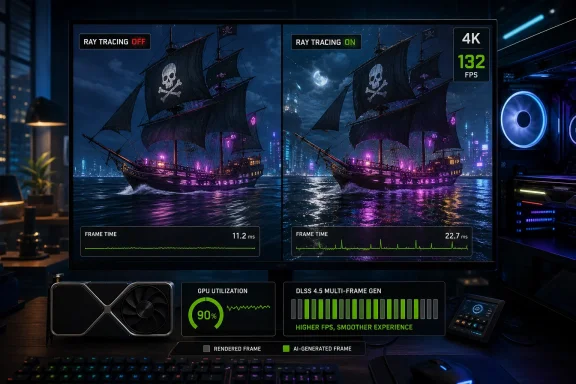
Ubisoft has given Overclock3D early access to Assassin’s Creed Black Flag Resynced, a from-the-ground-up remake of 2013’s Assassin’s Creed 4: Black Flag that uses the latest Anvil Engine foundation and, according to the outlet’s PC performance review, largely avoids major stutters. That matters because the modern PC version of a beloved open-world game lives or dies not just on sharper assets, but on whether it can sail through traversal, shader compilation, and GPU scaling without the familiar hitching that has dogged too many recent releases. The early verdict is cautiously encouraging: Resynced appears to be a technological rebuild rather than a superficial remaster, and its first PC performance signals are stronger than the remake-skeptical market might have expected.
The most important detail in Overclock3D’s report is not that Assassin’s Creed Black Flag Resynced looks better, or that combat has been refined, or that new content is available. It is that Ubisoft is describing this as a from-the-ground-up remake with almost no code inherited from the game’s original incarnation. In PC performance terms, that is the difference between renovating an old engine room and replacing the vessel beneath the player entirely.
The original point of comparison is 2013’s Assassin’s Creed 4: Black Flag, a game from a very different PC era. That was the age of slower storage assumptions, lower-resolution asset targets, less aggressive temporal reconstruction, and a multiplatform pipeline built around hardware constraints that no longer define the current Windows gaming market. A straightforward remaster could have preserved many of those assumptions while improving textures and lighting around them; Resynced, according to the supplied review material, instead moves the experience onto Ubisoft’s latest incarnation of its Anvil Engine.
That engine detail is not cosmetic. Overclock3D notes that Resynced shares technological underpinnings with Assassin’s Creed Shadows, meaning Ubisoft is not simply modernizing Black Flag in isolation. It is placing the remake within the company’s current rendering, streaming, and asset-management stack — the same broad family of technology used for its newest Assassin’s Creed work.
The practical consequence is twofold. First, Resynced should be judged less like a texture-pack update and more like a new PC release wearing a familiar narrative coat. Second, its performance behavior tells us something about Ubisoft’s current PC engineering priorities, especially around shader handling, traversal stability, and how much work the company is willing to do before the player ever reaches the main menu.
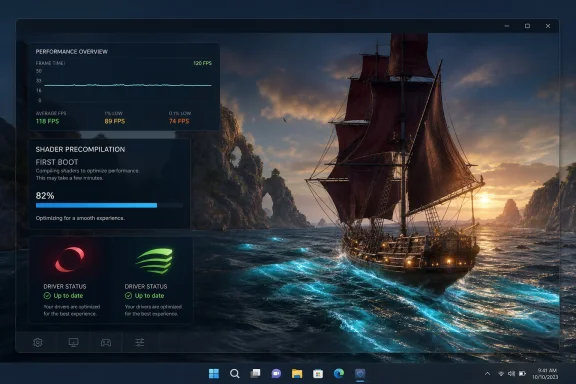
The review’s answer is unusually positive. According to Overclock3D, Assassin’s Creed Black Flag Resynced runs without major stutters, and the shader precompilation step completes quickly when the game first boots. During gameplay, the outlet says PC gamers can expect an almost stutter-free experience, provided they choose appropriate graphical settings.
That last condition is doing real work. “Almost stutter-free” is not the same as universally flawless, and “with the right graphical settings” implies that the game still needs to be matched intelligently to hardware. But in the current PC market, where high-profile releases have trained players to dread the first thirty minutes of shader hitching, a quick precompilation step and stable traversal behavior are not minor amenities. They are the foundation of trust.
The reason shader behavior matters so much is that modern PC games must handle a huge matrix of GPUs, drivers, resolutions, and graphics options. When compilation happens lazily during gameplay, the player pays for it as a visible hitch. When compilation is performed up front, the game asks for patience once rather than stealing smoothness repeatedly during play.
Overclock3D’s report suggests Ubisoft has chosen the latter path effectively here. If that holds across broader public hardware configurations, Resynced could become a useful example of the right compromise: do the technical housekeeping early, make it quick enough that players do not revolt, and then keep the open world moving.
Overclock3D says its review tests a wide range of GPUs and examines VRAM usage, graphical settings, and supported upscalers in depth. The excerpted source material does not provide the numerical results of those pages, so the important point for now is the review’s scope rather than any claimed ranking. This was not presented as a vibes-based hands-on; it was framed as a PC performance review built around the areas that actually break modern releases.
That scope is appropriate because Resynced sits in a tricky category. It is a remake of a game many players remember as expansive and atmospheric, but it is also a new PC product using a current engine. Players with older systems may assume that a remake of a 2013 game should be easy to run, while players with newer systems may expect it to behave like a contemporary prestige release.
Both assumptions can be wrong. A from-the-ground-up remake can demand modern GPU resources even when its source material is old, because the remake is not rendering the old game. It is rendering new assets, new lighting, new effects, and a new engine interpretation of the same world.
That is why the “almost no code” claim matters so much. It indicates that performance should not be understood through the lens of the old game’s requirements or quirks. Resynced is not necessarily constrained by the original’s bottlenecks, but it also does not inherit the original’s lightness.
The table tells the strategic story. Ubisoft is selling continuity of theme, setting, and identity, but the PC performance question belongs to the new technology stack. That is where Resynced will either justify its existence or become another case study in remake excess.
For WindowsForum readers, the Windows 10/11 driver framing is especially relevant. Resynced is being discussed as a Windows PC release in a market where many players are split between mature Windows 10 installations and newer Windows 11 gaming rigs. Driver maturity, scheduling behavior, security defaults, and background services can all influence the subjective experience even when the same GPU is installed.
The source material does not claim that one operating system performs better than the other, and it would be irresponsible to invent that conclusion. What it does show is that the review’s GPU driver baseline explicitly covered current Windows 10/11 driver packages from AMD and Nvidia at the time of testing. That makes the stutter claims more meaningful than if they were based on an outdated driver stack.
Still, early-access driver testing has natural limits. GPU vendors often ship game-ready updates closer to public release windows, and developers may make last-mile patches after media testing begins. The version numbers in Overclock3D’s review are a snapshot, not a permanent map of the game’s future performance profile.
That caveat cuts both ways. Public builds can improve after early reviews, especially when vendor profiles are updated. They can also regress if a launch patch changes streaming, anti-tamper behavior, graphics defaults, or asset packaging. The encouraging news is that the core symptom Overclock3D highlights — the lack of major stutters — is usually not produced by accident.
This is where many performance discussions become dishonest. Players want a binary answer — optimized or not optimized — but modern games exist on a curve. Texture quality can become a VRAM problem before it becomes a shader problem. Resolution scaling can rescue frame rate while leaving CPU-bound traversal untouched. Upscalers can make an ambitious preset viable, but they cannot always fix poor frame pacing.
Overclock3D’s review reportedly tests VRAM usage, graphical settings, and supported upscalers in depth, which is exactly where a serious PC assessment should go after stutter. A wide range of GPU testing tells readers whether the game scales. VRAM testing tells them where visual ambition starts to collide with memory reality. Upscaler testing tells them whether the game has modern escape hatches for higher resolutions or weaker hardware.
The provided source excerpt does not list specific supported upscalers, so any attempt to name them would overstate the record. But the mere inclusion of upscaler testing in the review scope is telling. Ubisoft and PC outlets alike understand that reconstruction technologies are no longer bonus features for enthusiasts; they are part of the default performance conversation.
The “right settings” caveat should also temper expectations around remake comparisons. If Resynced looks substantially better than the original, it may also require more disciplined configuration. The fair question is not whether a new remake runs like a 2013 game. The fair question is whether it runs predictably, exposes enough settings to match different systems, and avoids pathological behavior such as unavoidable shader hitches.
On that front, Overclock3D’s early-access impression is more promising than the genre average. A game that asks users to tune settings is normal. A game that stutters regardless of settings is the real offender.
That is why Overclock3D’s emphasis on shader compilation and traversal stutter is so important. The review explicitly places Resynced in the context of modern PC releases plagued by shader compilation stutter and traversal stutters. It even notes that this has been especially true of some Unreal Engine 5 games, before saying Ubisoft has done a great job here.
The engine comparison should not be misread as a blanket condemnation of another engine or a guarantee about Anvil. The more useful lesson is that engine defaults, developer discipline, and platform-specific QA all matter. A powerful engine can still produce a bad PC release if shader handling and asset streaming are not managed carefully.
Resynced’s reported smoothness suggests Ubisoft has paid attention to those failure modes. If shader precompilation completes quickly at first boot and gameplay is almost stutter-free, then the player’s experience is being protected at two critical points: startup and movement. That is precisely where open-world games most often reveal whether their PC version was treated as a first-class platform or a late porting target.
The maritime setting associated with Black Flag also makes this more important, even without relying on details beyond the source. A remake of this particular Assassin’s Creed entry has to preserve a sense of movement and continuity. Few things puncture atmosphere faster than a hitch at the moment the world is supposed to feel expansive.
That is the hidden cost of a from-the-ground-up remake. The developer is not merely increasing resolution and calling it a day. It is re-authoring or reimplementing enough of the experience that old assumptions about where the demanding scenes are may no longer apply. A quiet area in the original could become heavier in the remake; a once-simple encounter could include new effects, geometry, or animation logic.
Overclock3D’s claim that the game runs without major stutters is therefore more valuable than a narrow benchmark would be. Frame-rate averages taken from a single repeatable run can miss the messiness of a rebuilt open world. Stutter observations, while more subjective if not supported by frame-time graphs, capture the kind of interruption players actually notice.
The limitation is that we do not yet have the detailed pages of the review in the provided material. We know the outlet planned or conducted testing across a wide range of GPUs and examined VRAM usage, settings, and upscalers, but the excerpt does not give the full spread of results. That means the responsible reading is confidence in the general smoothness claim, not certainty about how every GPU tier will behave.
For buyers, this distinction matters. A game can be broadly smooth and still require compromises on midrange or older hardware. A game can avoid shader stutter and still exceed a GPU’s memory comfort zone at high settings. A game can support upscalers and still need careful tuning to avoid a soft or unstable image.
Resynced, on the evidence available, appears to have cleared the most visible PC performance hazard. The remaining question is how gracefully it scales once ordinary players bring ordinary Windows systems into the equation.
This matters especially for Ubisoft because the Assassin’s Creed franchise is built around movement through dense, visually rich spaces. If the engine cannot keep up with that fantasy, the brand’s promise collapses. A pirate-era remake can improve graphics and story all it wants, but the PC version still has to make motion feel continuous.
The Resynced report also complicates the easy cynicism around remakes. Players often suspect that remakes exist to monetize nostalgia with limited technical ambition. A from-the-ground-up rebuild with almost no original code is a more serious proposition, even if it also raises the bar for scrutiny.
That does not mean every remake needs to discard its old codebase. Preservation, compatibility, and performance can sometimes argue for restraint. But Ubisoft’s chosen route makes sense if the goal is to bring Black Flag into the same broad technical era as newer Assassin’s Creed work rather than merely polish the old executable.
The risk is that such ambition can alienate players whose expectations are anchored to the original. Someone who remembers running the 2013 game on modest hardware may not intuitively understand why Resynced demands careful settings choices. Ubisoft’s communication challenge will be to make clear that this is not the old PC version with nicer water; it is a modern PC game built around modern rendering assumptions.
That has practical consequences for enthusiasts and IT-adjacent users who maintain shared gaming PCs, living-room systems, test benches, or review rigs. If shader precompilation is quick and happens at first boot, the game is less likely to create confusing reports of “random” hitching after every new area. If the experience is almost stutter-free during gameplay, performance tuning can focus on normal variables such as resolution, preset choice, VRAM headroom, and upscaler behavior.
This does not eliminate the usual Windows gaming checklist. Driver versions still matter. Background overlays can still interfere. Storage speed, thermal behavior, and memory pressure can still affect the experience. But when a game’s own shader pipeline is not the obvious culprit, troubleshooting becomes less of a guessing game.
The explicit driver baseline — AMD Software 26.6.4 and Nvidia’s GeForce 610.74 driver for Windows 10/11 — is also useful for anyone comparing early results. If a player sees radically different behavior on another driver branch, that difference becomes part of the diagnostic trail. If launch-day drivers supersede those versions, the public performance conversation may shift again.
PC launches often change shape after the first wave of users arrives. Edge cases appear. Laptop GPUs complicate the picture. Older Windows installations expose driver leftovers and background conflicts. Players discover settings combinations no reviewer had time to exhaust.
That does not invalidate Overclock3D’s findings. In fact, early access performance testing is most useful when it identifies whether the fundamentals are sound. Stutter behavior is one of those fundamentals, and the report’s answer is clearly positive. The game runs without major stutters, shader precompilation completes quickly, and the expected gameplay experience is almost stutter-free when settings are appropriate.
The unresolved questions are narrower but still important. How does Resynced behave on low-VRAM GPUs? Which upscalers are supported, and how do they compare visually? Where do CPU limits appear? Which graphical settings deliver the best quality-to-performance tradeoff? The source material says those areas are tested in depth in the review, but the excerpt provided here does not include the actual data.
That absence should not be filled with speculation. A responsible performance article separates what has been reported from what remains to be measured. The reported result is a strong first impression on stutter and baseline smoothness. The remaining work is the hardware-by-hardware map that tells each player how close they can get to the remake’s visual ceiling.
That is why Overclock3D’s report, while based on a limited excerpt here, is more meaningful than a typical pre-release compliment about graphics. Improved visuals are expected in a remake. Refined combat and story are part of the sales pitch. An almost stutter-free PC experience is the part that suggests engineering discipline.
The shader precompilation detail is especially encouraging because it shows a willingness to spend time before gameplay to protect time during gameplay. Players may grumble about precompilation screens, but most would rather wait briefly at startup than hit invisible potholes during exploration. The best implementation is quick enough to feel like routine initialization and thorough enough to prevent shader work from spilling into play.
The source material says Resynced’s shader precompilation completes quickly when the game first boots. That is close to the ideal compromise. It acknowledges the technical reality of modern rendering pipelines without making the user feel punished for owning a PC.
There is a larger industry lesson here. Stutter is not inevitable. It is a product of choices, priorities, and testing coverage. When developers design for the PC’s variability instead of treating it as an afterthought, the platform’s complexity becomes manageable rather than catastrophic.
Whether that satisfies every fan is a different matter. Some players value the feel and historical texture of the original precisely because it belongs to 2013. Others want the setting and premise rebuilt with modern fidelity and smoother systems. A remake cannot fully serve both instincts at once.
PC performance is where that debate becomes concrete. If the remake runs poorly, nostalgia wins by default because the old game becomes the better practical experience. If the remake runs smoothly, then Ubisoft earns the right to argue that the rebuild offers more than sentiment.
Overclock3D’s early report gives Resynced that opening. The outlet’s assessment is not that the game merely looks better, but that Ubisoft has done a great job avoiding the stutter patterns associated with many modern PC releases. That is the kind of execution that can justify revisiting a classic.
Still, the remake’s success will depend on more than first impressions. The public PC audience will judge it across driver updates, hardware tiers, monitor resolutions, and personal tolerance for image reconstruction. The more ambitious the rebuild, the more important scalability becomes.
For players, that shifts the buying and tuning calculus. The main fear is not, based on this report, that the game is doomed by unavoidable shader hitching. The more realistic concern is whether a given GPU and settings mix can maintain the smoothness the review describes.
 Ubisoft Rebuilds the Ship Instead of Repainting the Hull
The most important detail in Overclock3D’s report is not that Assassin’s Creed Black Flag Resynced looks better, or that combat has been refined, or that new content is available. It is that Ubisoft is describing this as a from-the-ground-up remake with almost no code inherited from the game’s original incarnation. In PC performance terms, that is the difference between renovating an old engine room and replacing the vessel beneath the player entirely.The original point of comparison is 2013’s Assassin’s Creed 4: Black Flag, a game from a very different PC era. That was the age of slower storage assumptions, lower-resolution asset targets, less aggressive temporal reconstruction, and a multiplatform pipeline built around hardware constraints that no longer define the current Windows gaming market. A straightforward remaster could have preserved many of those assumptions while improving textures and lighting around them; Resynced, according to the supplied review material, instead moves the experience onto Ubisoft’s latest incarnation of its Anvil Engine.
That engine detail is not cosmetic. Overclock3D notes that Resynced shares technological underpinnings with Assassin’s Creed Shadows, meaning Ubisoft is not simply modernizing Black Flag in isolation. It is placing the remake within the company’s current rendering, streaming, and asset-management stack — the same broad family of technology used for its newest Assassin’s Creed work.
The practical consequence is twofold. First, Resynced should be judged less like a texture-pack update and more like a new PC release wearing a familiar narrative coat. Second, its performance behavior tells us something about Ubisoft’s current PC engineering priorities, especially around shader handling, traversal stability, and how much work the company is willing to do before the player ever reaches the main menu.
The Stutter Story Is the Real Review
Overclock3D frames the central question bluntly: does it stutter? That is the correct question for a 2020s PC performance review, because average frame rate has become a misleading comfort metric. A game can benchmark well and still feel broken if shader compilation, asset streaming, or traversal events interrupt motion at the wrong moments.The review’s answer is unusually positive. According to Overclock3D, Assassin’s Creed Black Flag Resynced runs without major stutters, and the shader precompilation step completes quickly when the game first boots. During gameplay, the outlet says PC gamers can expect an almost stutter-free experience, provided they choose appropriate graphical settings.
That last condition is doing real work. “Almost stutter-free” is not the same as universally flawless, and “with the right graphical settings” implies that the game still needs to be matched intelligently to hardware. But in the current PC market, where high-profile releases have trained players to dread the first thirty minutes of shader hitching, a quick precompilation step and stable traversal behavior are not minor amenities. They are the foundation of trust.
The reason shader behavior matters so much is that modern PC games must handle a huge matrix of GPUs, drivers, resolutions, and graphics options. When compilation happens lazily during gameplay, the player pays for it as a visible hitch. When compilation is performed up front, the game asks for patience once rather than stealing smoothness repeatedly during play.
Overclock3D’s report suggests Ubisoft has chosen the latter path effectively here. If that holds across broader public hardware configurations, Resynced could become a useful example of the right compromise: do the technical housekeeping early, make it quick enough that players do not revolt, and then keep the open world moving.
A Remake With Shadows-Era Expectations
The connection to Assassin’s Creed Shadows raises expectations as much as it explains them. A remake built on the same technological underpinnings as a modern mainline Assassin’s Creed game cannot hide behind nostalgia when it comes to PC behavior. Players will expect current-generation rendering features, flexible settings, competent upscaler support, and sane VRAM scaling.Overclock3D says its review tests a wide range of GPUs and examines VRAM usage, graphical settings, and supported upscalers in depth. The excerpted source material does not provide the numerical results of those pages, so the important point for now is the review’s scope rather than any claimed ranking. This was not presented as a vibes-based hands-on; it was framed as a PC performance review built around the areas that actually break modern releases.
That scope is appropriate because Resynced sits in a tricky category. It is a remake of a game many players remember as expansive and atmospheric, but it is also a new PC product using a current engine. Players with older systems may assume that a remake of a 2013 game should be easy to run, while players with newer systems may expect it to behave like a contemporary prestige release.
Both assumptions can be wrong. A from-the-ground-up remake can demand modern GPU resources even when its source material is old, because the remake is not rendering the old game. It is rendering new assets, new lighting, new effects, and a new engine interpretation of the same world.
That is why the “almost no code” claim matters so much. It indicates that performance should not be understood through the lens of the old game’s requirements or quirks. Resynced is not necessarily constrained by the original’s bottlenecks, but it also does not inherit the original’s lightness.
| Area | 2013’s Assassin’s Creed 4: Black Flag | Assassin’s Creed Black Flag Resynced |
|---|---|---|
| Release identity | Original game referenced by the review | From-the-ground-up remake |
| Codebase relationship | Original incarnation | Almost no code carried over, according to the source material |
| Engine basis | Older-era Assassin’s Creed technology implied by the original release | Ubisoft’s latest incarnation of the Anvil Engine |
| Technology comparison | Not tied to Assassin’s Creed Shadows in the source material | Shares technological underpinnings with Assassin’s Creed Shadows |
| Content and gameplay | Baseline for the remake | Refined combat, improved graphics, refined story, and new content |
| PC performance framing | Legacy reference point | Early-access PC testing across GPUs, VRAM usage, settings, and upscalers |
The Driver Baseline Is Narrow but Useful
Overclock3D’s test environment used AMD Software 26.6.4 and Nvidia’s GeForce 610.74 driver for Windows 10/11. Those driver names are more than housekeeping details. They set the boundary for the outlet’s early claims and remind readers that PC performance is always a three-way negotiation between the game, the operating system, and the GPU driver.For WindowsForum readers, the Windows 10/11 driver framing is especially relevant. Resynced is being discussed as a Windows PC release in a market where many players are split between mature Windows 10 installations and newer Windows 11 gaming rigs. Driver maturity, scheduling behavior, security defaults, and background services can all influence the subjective experience even when the same GPU is installed.
The source material does not claim that one operating system performs better than the other, and it would be irresponsible to invent that conclusion. What it does show is that the review’s GPU driver baseline explicitly covered current Windows 10/11 driver packages from AMD and Nvidia at the time of testing. That makes the stutter claims more meaningful than if they were based on an outdated driver stack.
Still, early-access driver testing has natural limits. GPU vendors often ship game-ready updates closer to public release windows, and developers may make last-mile patches after media testing begins. The version numbers in Overclock3D’s review are a snapshot, not a permanent map of the game’s future performance profile.
That caveat cuts both ways. Public builds can improve after early reviews, especially when vendor profiles are updated. They can also regress if a launch patch changes streaming, anti-tamper behavior, graphics defaults, or asset packaging. The encouraging news is that the core symptom Overclock3D highlights — the lack of major stutters — is usually not produced by accident.
“Right Settings” Is Doing More Work Than Marketing Admits
The sentence that deserves the most attention is the least glamorous one: if you play the game with the right graphical settings, you should have a smooth experience. That is a reasonable statement, but it is also the modern PC gaming contract in miniature. The game will behave if the player, the hardware, and the settings menu reach a truce.This is where many performance discussions become dishonest. Players want a binary answer — optimized or not optimized — but modern games exist on a curve. Texture quality can become a VRAM problem before it becomes a shader problem. Resolution scaling can rescue frame rate while leaving CPU-bound traversal untouched. Upscalers can make an ambitious preset viable, but they cannot always fix poor frame pacing.
Overclock3D’s review reportedly tests VRAM usage, graphical settings, and supported upscalers in depth, which is exactly where a serious PC assessment should go after stutter. A wide range of GPU testing tells readers whether the game scales. VRAM testing tells them where visual ambition starts to collide with memory reality. Upscaler testing tells them whether the game has modern escape hatches for higher resolutions or weaker hardware.
The provided source excerpt does not list specific supported upscalers, so any attempt to name them would overstate the record. But the mere inclusion of upscaler testing in the review scope is telling. Ubisoft and PC outlets alike understand that reconstruction technologies are no longer bonus features for enthusiasts; they are part of the default performance conversation.
The “right settings” caveat should also temper expectations around remake comparisons. If Resynced looks substantially better than the original, it may also require more disciplined configuration. The fair question is not whether a new remake runs like a 2013 game. The fair question is whether it runs predictably, exposes enough settings to match different systems, and avoids pathological behavior such as unavoidable shader hitches.
On that front, Overclock3D’s early-access impression is more promising than the genre average. A game that asks users to tune settings is normal. A game that stutters regardless of settings is the real offender.
The Open-World Stress Test Is Traversal, Not Combat
Combat refinements matter to the player experience, and the source material says combat has been refined. But for PC performance, combat is rarely the only or even the primary danger zone in an open-world Assassin’s Creed game. Traversal is where the engine has to stream assets, maintain animation continuity, manage visibility changes, and keep simulation moving while the player crosses dense environments.That is why Overclock3D’s emphasis on shader compilation and traversal stutter is so important. The review explicitly places Resynced in the context of modern PC releases plagued by shader compilation stutter and traversal stutters. It even notes that this has been especially true of some Unreal Engine 5 games, before saying Ubisoft has done a great job here.
The engine comparison should not be misread as a blanket condemnation of another engine or a guarantee about Anvil. The more useful lesson is that engine defaults, developer discipline, and platform-specific QA all matter. A powerful engine can still produce a bad PC release if shader handling and asset streaming are not managed carefully.
Resynced’s reported smoothness suggests Ubisoft has paid attention to those failure modes. If shader precompilation completes quickly at first boot and gameplay is almost stutter-free, then the player’s experience is being protected at two critical points: startup and movement. That is precisely where open-world games most often reveal whether their PC version was treated as a first-class platform or a late porting target.
The maritime setting associated with Black Flag also makes this more important, even without relying on details beyond the source. A remake of this particular Assassin’s Creed entry has to preserve a sense of movement and continuity. Few things puncture atmosphere faster than a hitch at the moment the world is supposed to feel expansive.
New Content Raises the Performance Burden
The source material says new content is now available, the story has been refined, graphics have been improved, and combat has been refined. Those are the familiar bullet points of a remake pitch, but they also expand the test surface. Every new mission, asset set, animation path, and environment variant is another opportunity for uneven performance.That is the hidden cost of a from-the-ground-up remake. The developer is not merely increasing resolution and calling it a day. It is re-authoring or reimplementing enough of the experience that old assumptions about where the demanding scenes are may no longer apply. A quiet area in the original could become heavier in the remake; a once-simple encounter could include new effects, geometry, or animation logic.
Overclock3D’s claim that the game runs without major stutters is therefore more valuable than a narrow benchmark would be. Frame-rate averages taken from a single repeatable run can miss the messiness of a rebuilt open world. Stutter observations, while more subjective if not supported by frame-time graphs, capture the kind of interruption players actually notice.
The limitation is that we do not yet have the detailed pages of the review in the provided material. We know the outlet planned or conducted testing across a wide range of GPUs and examined VRAM usage, settings, and upscalers, but the excerpt does not give the full spread of results. That means the responsible reading is confidence in the general smoothness claim, not certainty about how every GPU tier will behave.
For buyers, this distinction matters. A game can be broadly smooth and still require compromises on midrange or older hardware. A game can avoid shader stutter and still exceed a GPU’s memory comfort zone at high settings. A game can support upscalers and still need careful tuning to avoid a soft or unstable image.
Resynced, on the evidence available, appears to have cleared the most visible PC performance hazard. The remaining question is how gracefully it scales once ordinary players bring ordinary Windows systems into the equation.
Why This Matters Beyond One Remake
The PC market has become less forgiving of technically sloppy launches, and rightly so. Players have absorbed years of releases that arrived with day-one patches, shader compilation pauses, inconsistent frame pacing, and settings menus that offered dozens of toggles without explaining the real bottlenecks. In that environment, a remake that reportedly front-loads shader work and avoids major stutter is not just doing well; it is refusing to repeat the industry’s most annoying mistake.This matters especially for Ubisoft because the Assassin’s Creed franchise is built around movement through dense, visually rich spaces. If the engine cannot keep up with that fantasy, the brand’s promise collapses. A pirate-era remake can improve graphics and story all it wants, but the PC version still has to make motion feel continuous.
The Resynced report also complicates the easy cynicism around remakes. Players often suspect that remakes exist to monetize nostalgia with limited technical ambition. A from-the-ground-up rebuild with almost no original code is a more serious proposition, even if it also raises the bar for scrutiny.
That does not mean every remake needs to discard its old codebase. Preservation, compatibility, and performance can sometimes argue for restraint. But Ubisoft’s chosen route makes sense if the goal is to bring Black Flag into the same broad technical era as newer Assassin’s Creed work rather than merely polish the old executable.
The risk is that such ambition can alienate players whose expectations are anchored to the original. Someone who remembers running the 2013 game on modest hardware may not intuitively understand why Resynced demands careful settings choices. Ubisoft’s communication challenge will be to make clear that this is not the old PC version with nicer water; it is a modern PC game built around modern rendering assumptions.
The Windows Angle Is Stability Before Spectacle
For Windows users, the most useful part of Overclock3D’s early report is not a promise of maximum settings glory. It is the stability claim. A game that runs without major stutters is easier to recommend, easier to troubleshoot, and easier to tune than one that lurches unpredictably regardless of hardware.That has practical consequences for enthusiasts and IT-adjacent users who maintain shared gaming PCs, living-room systems, test benches, or review rigs. If shader precompilation is quick and happens at first boot, the game is less likely to create confusing reports of “random” hitching after every new area. If the experience is almost stutter-free during gameplay, performance tuning can focus on normal variables such as resolution, preset choice, VRAM headroom, and upscaler behavior.
This does not eliminate the usual Windows gaming checklist. Driver versions still matter. Background overlays can still interfere. Storage speed, thermal behavior, and memory pressure can still affect the experience. But when a game’s own shader pipeline is not the obvious culprit, troubleshooting becomes less of a guessing game.
The explicit driver baseline — AMD Software 26.6.4 and Nvidia’s GeForce 610.74 driver for Windows 10/11 — is also useful for anyone comparing early results. If a player sees radically different behavior on another driver branch, that difference becomes part of the diagnostic trail. If launch-day drivers supersede those versions, the public performance conversation may shift again.
Action checklist for admins
- Treat Resynced as a modern Anvil Engine title, not as a lightweight 2013-era PC game.
- Start testing with current AMD or Nvidia drivers appropriate to the Windows 10/11 system in use.
- Let the first-boot shader precompilation step complete before judging gameplay smoothness.
- Tune graphical settings before assuming the game is defective; the review’s smoothness claim is tied to using the right settings.
- Watch VRAM behavior when moving between presets, since Overclock3D identified VRAM usage as a core testing area.
- If benchmarking, separate shader-precompilation time, traversal smoothness, and average frame rate rather than collapsing them into one score.
Early Access Means Promising, Not Proven Forever
The phrase “early access” in the source material should keep everyone honest. Ubisoft gave Overclock3D early access for testing, and the outlet’s findings describe that testing window. They are valuable, but they are not the same thing as a long-tail public launch across thousands of hardware combinations.PC launches often change shape after the first wave of users arrives. Edge cases appear. Laptop GPUs complicate the picture. Older Windows installations expose driver leftovers and background conflicts. Players discover settings combinations no reviewer had time to exhaust.
That does not invalidate Overclock3D’s findings. In fact, early access performance testing is most useful when it identifies whether the fundamentals are sound. Stutter behavior is one of those fundamentals, and the report’s answer is clearly positive. The game runs without major stutters, shader precompilation completes quickly, and the expected gameplay experience is almost stutter-free when settings are appropriate.
The unresolved questions are narrower but still important. How does Resynced behave on low-VRAM GPUs? Which upscalers are supported, and how do they compare visually? Where do CPU limits appear? Which graphical settings deliver the best quality-to-performance tradeoff? The source material says those areas are tested in depth in the review, but the excerpt provided here does not include the actual data.
That absence should not be filled with speculation. A responsible performance article separates what has been reported from what remains to be measured. The reported result is a strong first impression on stutter and baseline smoothness. The remaining work is the hardware-by-hardware map that tells each player how close they can get to the remake’s visual ceiling.
Ubisoft’s Best PC Optimization Is Invisible
The funny thing about good PC performance work is that players rarely notice it directly. They notice the absence of irritation. They notice that the game does not freeze when a new effect appears, that camera movement stays fluid, that the first boot asks for a brief wait rather than turning the first hour into a compilation lottery.That is why Overclock3D’s report, while based on a limited excerpt here, is more meaningful than a typical pre-release compliment about graphics. Improved visuals are expected in a remake. Refined combat and story are part of the sales pitch. An almost stutter-free PC experience is the part that suggests engineering discipline.
The shader precompilation detail is especially encouraging because it shows a willingness to spend time before gameplay to protect time during gameplay. Players may grumble about precompilation screens, but most would rather wait briefly at startup than hit invisible potholes during exploration. The best implementation is quick enough to feel like routine initialization and thorough enough to prevent shader work from spilling into play.
The source material says Resynced’s shader precompilation completes quickly when the game first boots. That is close to the ideal compromise. It acknowledges the technical reality of modern rendering pipelines without making the user feel punished for owning a PC.
There is a larger industry lesson here. Stutter is not inevitable. It is a product of choices, priorities, and testing coverage. When developers design for the PC’s variability instead of treating it as an afterthought, the platform’s complexity becomes manageable rather than catastrophic.
The Remake Debate Should Move From Nostalgia to Execution
Every major remake invites the same argument: did this need to exist? For Assassin’s Creed Black Flag Resynced, the technical answer is sharper than the cultural one. If Ubisoft truly rebuilt the game with almost no original code, moved it onto the latest Anvil Engine foundation, refined combat and story, improved graphics, and added new content, then this is a substantial production rather than a packaging exercise.Whether that satisfies every fan is a different matter. Some players value the feel and historical texture of the original precisely because it belongs to 2013. Others want the setting and premise rebuilt with modern fidelity and smoother systems. A remake cannot fully serve both instincts at once.
PC performance is where that debate becomes concrete. If the remake runs poorly, nostalgia wins by default because the old game becomes the better practical experience. If the remake runs smoothly, then Ubisoft earns the right to argue that the rebuild offers more than sentiment.
Overclock3D’s early report gives Resynced that opening. The outlet’s assessment is not that the game merely looks better, but that Ubisoft has done a great job avoiding the stutter patterns associated with many modern PC releases. That is the kind of execution that can justify revisiting a classic.
Still, the remake’s success will depend on more than first impressions. The public PC audience will judge it across driver updates, hardware tiers, monitor resolutions, and personal tolerance for image reconstruction. The more ambitious the rebuild, the more important scalability becomes.
The Concrete Read for Windows Players
The clearest message from the early performance material is that Assassin’s Creed Black Flag Resynced should be approached as a modern PC release with encouraging stutter behavior, not as an old game that happens to have been visually refreshed. Overclock3D’s testing points to a remake that has been rebuilt deeply, uses current Ubisoft engine technology, and benefits from a fast first-boot shader precompilation step.For players, that shifts the buying and tuning calculus. The main fear is not, based on this report, that the game is doomed by unavoidable shader hitching. The more realistic concern is whether a given GPU and settings mix can maintain the smoothness the review describes.
- Ubisoft’s remake is described as from-the-ground-up, with almost no original code carried forward.
- Resynced uses the latest incarnation of Ubisoft’s Anvil Engine and shares technological underpinnings with Assassin’s Creed Shadows.
- Overclock3D reports that the game runs without major stutters and offers an almost stutter-free gameplay experience.
- Shader precompilation reportedly completes quickly on first boot, which is a strong sign for day-to-day PC smoothness.
- The review’s smoothness claim is conditional on using appropriate graphical settings.
- Early testing used AMD Software 26.6.4 and Nvidia’s GeForce 610.74 driver for Windows 10/11.
References
- Primary source: OC3D
Published: 2026-07-08T15:16:08.374980
Assassin's Creed Black Flag Resynced PC Performance Review - OC3D
We've tested Assassin's Creed Black Flag Resynced. Does it run well on PC. Is ray tracing worth it? Let's find out!overclock3d.net