

Ubisoft has just released Assassin’s Creed Black Flag Resynced on PC with Anvil Engine rendering, Ray Tracing, and DLSS 4.5 Multi-Frame Gen, and DSOGaming’s first 4K benchmark shows a remake that is fast without Ray Tracing but much less settled once RT is enabled. The headline is not that an NVIDIA GeForce RTX 5090 can brute-force a modern Ubisoft game at 4K; it is that even the fastest consumer-class GPU in the test still runs into stutter, utilization, and frame-pacing behavior that raw averages hide. Black Flag Resynced looks like a better-behaved PC release than Assassin’s Creed: Shadows in this first pass, but it also reinforces the new rule of premium PC gaming: upscaling is no longer a rescue tool, it is part of the design budget.
Assassin’s Creed Black Flag Resynced arrives with exactly the kind of PC feature list that now separates a modern remake from a higher-resolution reissue. Ubisoft is using the Anvil Engine, and the PC version supports Ray Tracing, DLSS 4.5, and Multi-Frame Gen. Official Ubisoft material has framed Resynced as a modernized rebuilding of Black Flag rather than a simple touch-up, and that matters because the game is now being judged less like a nostalgia product and more like a contemporary PC showcase.
DSOGaming’s early technical testing is useful because it gets past the trailer language quickly. The site tested the game on an AMD Ryzen 9 7950X3D, 32GB of DDR5 at 6000Mhz, an NVIDIA GeForce RTX 5090, Windows 10 64-bit, and the GeForce 610.74 driver. That is not a midrange configuration struggling under ambition; it is a top-end test bed asking whether Ubisoft’s renderer, driver path, and frame-generation stack behave properly when hardware limits should be unusually distant.
The answer is mixed. At Native 4K on Ultra High without Ray Tracing, DSOGaming reports a minimum of 66FPS and an average of 78FPS. That is a strong baseline for a modern 4K release and suggests that Resynced, at least in rasterized rendering, is not the kind of port that immediately forces even high-end users into compromise.
The complication is that this baseline is not the experience Ubisoft is implicitly selling when it advertises Ray Tracing and DLSS 4.5 with Multi-Frame Gen. Those features are not decorative anymore. They are the difference between “this runs well” and “this feels like a 2026 PC release,” especially for players on high-refresh 4K displays.
But the preset scaling is less impressive. DSOGaming says switching from Ultra High to Very High gave only a small performance boost, while High and Medium delivered much bigger gains. Low reportedly performed almost the same as Medium, and the Very Low and Ultra Low presets finally produced significant performance improvements.
That pattern matters because PC players often use presets as a quick diagnostic ladder. If a game is not smooth, the expected move is to step down one or two levels and recover a meaningful amount of headroom. In Black Flag Resynced, the early evidence suggests the top end of the preset stack is compressed: Very High may not buy much, and the more meaningful gains arrive only when the player moves far enough down the ladder to make more visible compromises likely.
This is where the comparison to Assassin’s Creed: Shadows becomes important. DSOGaming’s view is that Black Flag Resynced runs noticeably better than Shadows, but also that it follows a similar pattern: graphics presets do not provide huge performance improvements at the high end. In other words, Ubisoft may have improved the floor but not fully solved the tuning problem.
For Windows users, the practical takeaway is simple: do not assume the preset menu is the primary performance lever. On high-end NVIDIA hardware, the early benchmark says the more decisive switch is not Ultra High versus Very High; it is Ray Tracing versus no Ray Tracing, and native rendering versus DLSS.
In DSOGaming’s test, Standard Ray Tracing drops the minimum framerate just below 60FPS. Extended Ray Tracing lowers it further. The surprising part is that Max RT and Extended RT reportedly showed no performance differences at all.
That last point can be read two ways, and neither is fully satisfying. The charitable interpretation is that the relevant scene in the built-in benchmark does not meaningfully stress the difference between Extended and Max RT. The less charitable interpretation is that the setting is not translating into a measurable workload increase, either because of an engine cap, a driver path, or a scene-dependent bottleneck elsewhere.
The benchmark does include a built-in tool, and DSOGaming describes it as representative of in-game performance. That is important because built-in benchmarks can sometimes be misleading marketing loops, but in this case the site treats the sequence as useful and repeatable. The repeated nature of the Ray Tracing behavior therefore deserves attention.
The more serious issue is not just the framerate drop. DSOGaming reports two consistent stutters at the end of the benchmark scene when Ray Tracing is enabled, and says those stutters are absent without Ray Tracing. That is the kind of finding that average FPS can bury and players can feel immediately.
A minimum just below 60FPS is survivable. A repeatable frametime spike is harder to ignore. It breaks motion, it undermines the point of paying for a premium display, and it can make a game feel worse than its average suggests.
DSOGaming notes that this could indicate a CPU or RAM bottleneck, but also says none of the CPU cores were maxed out. That distinction is important. A CPU bottleneck does not always present as one obvious core pinned at 100%, especially in engines with complex scheduling behavior, but the absence of maxed cores weakens the simplest explanation.
The more useful reading is that Black Flag Resynced may have a pipeline problem under certain conditions on NVIDIA hardware. That could involve driver overhead, render-thread behavior, memory management, shader compilation, BVH updates, or scene traversal work that fails to keep the GPU fed. The benchmark does not prove which layer is responsible, and DSOGaming properly avoids certainty, but the symptom is familiar to anyone who has profiled high-end PC games: the GPU is expensive, available, and waiting.
This is where the Windows angle becomes more than operating-system trivia. The test was conducted on Windows 10 64-bit with the GeForce 610.74 driver. That combination matters because performance behavior in a modern DX-era title is not just “the game”; it is the game, the OS graphics stack, the display path, the driver branch, the shader cache, and sometimes the overlay ecosystem. One benchmark cannot isolate all of those variables.
Still, if an RTX 5090 drops to 90% utilization repeatedly in a built-in benchmark while CPU cores are not visibly saturated, Windows players should treat early performance claims with caution. The game may be fast, but it may not yet be clean. That difference matters more at the high end than anywhere else, because high-end users notice the missing 10%.
That is a dramatic result, but it needs careful interpretation. DLSS Quality Mode is doing the foundational work by reducing the cost of the rendered frame while trying to preserve a 4K-class image. Multi-Frame Gen then increases displayed framerate by inserting generated frames between traditionally rendered ones. The result can be transformative on a high-refresh monitor, but it is not the same as the engine natively rendering every frame at that rate.
This distinction is not pedantry. DSOGaming calls the DLSS 4.5 Multi-Frame Generation implementation “decent” but “not among the best,” and reports visible artifacts during very fast camera movements. The site also says most players will not notice those artifacts in normal gameplay. That is a fair middle ground: the technology is good enough to recommend in many situations, but not so invisible that it should be treated as free performance.
The recommendation from DSOGaming is also properly conditional. The site suggests using DLSS 4.5 MFG to hit higher framerates, provided the base framerate is above 50FPS. That caveat is critical because frame generation works best when the underlying game is already responsive and stable. If the base frame stream is uneven, frame generation can make the counter look better while the control feel remains compromised.
For Black Flag Resynced, DLSS 4.5 appears less like an optional enhancement and more like the intended route to premium RT. Without Ray Tracing, the RTX 5090 can run the game at Native 4K. With Ray Tracing, DSOGaming’s conclusion is that players will need an upscaler.
That should shape expectations for everyone below the RTX 5090 tier. If the top tested NVIDIA card benefits from DLSS Quality and Multi-Frame Gen when Max Ray Tracing is enabled, then more modest GPUs should not treat native 4K RT as a realistic target. The sensible PC tuning path is to establish a stable non-generated base framerate first, then add frame generation once the game is already smooth enough to support it.
But built-in benchmarks are not magic. They can tell you whether a change improves a repeatable scene, not whether the entire open world behaves identically. They can reveal repeatable stutter, as this one apparently did, but they cannot guarantee that traversal, streaming, combat, weather, or dense settlements will behave the same way.
That is why the two Ray Tracing stutters at the end of the benchmark are so important. A benchmark that only reported average FPS would have made the RT result sound like a routine tradeoff: enable RT, lose some performance, use DLSS if needed. The frametime graph changes the story. It says there may be a repeatable hitch in the RT path.
For players, the best test is not whether the average looks good after one run. It is whether the frametime graph stays consistent over repeated runs with the shader cache warmed and the same settings applied. If the stutter repeats in the same location only with RT enabled, that is a strong sign that the issue is tied to the RT workload or the engine state it triggers.
For WindowsForum readers, this is also a reminder not to over-index on screenshots of counters. An on-screen 120FPS number with MFG X2 can coexist with traversal hitches, input variance, or camera-motion artifacts. The counter is an entry point, not a verdict.
But DSOGaming also says Shadows looked better, with more advanced lighting and richer environments, including forests that stood out visually. That is the tradeoff hiding inside the benchmark. Black Flag Resynced can run better, but part of that advantage may come from a presentation that is not quite as ambitious.
That does not make the remake visually weak. It makes it more strategically conservative. Ubisoft is reviving a beloved pirate game and modernizing it for current PC expectations, but the benchmark suggests the company has not fully escaped the engine-level tensions that defined its more demanding releases: expensive lighting, uneven scaling, and reliance on upscaling to turn a premium feature set into a premium experience.
The result is a PC version that seems easier to recommend than a disaster launch, but harder to call polished. It can run well. It supports modern rendering features. It includes a built-in benchmark. It can achieve very high displayed framerates with DLSS 4.5 Multi-Frame Gen. And yet the first technical report still finds RT stutter and unexplained NVIDIA GPU utilization drops.
That combination is increasingly common. The modern PC port does not fail by refusing to launch; it fails by making every user become a graphics engineer for an evening. Black Flag Resynced looks better than that worst case, but not immune to it.
The second mistake is enabling every RT option and then trying to fix the result with frame generation alone. If Standard Ray Tracing already pulls the minimum just below 60FPS on the tested system, and Extended lowers it further, then the correct order is: choose the RT mode, verify base smoothness, enable DLSS Quality if needed, then consider MFG. Frame generation should be the last multiplier, not the first bandage.
The third mistake is trusting a single run. Since DSOGaming observed consistent stutters at the end of the benchmark with Ray Tracing enabled, users should run the benchmark more than once after changing RT settings. If stutters repeat, the problem is not a random background process; it is probably tied to the rendering path, shader state, or scene behavior.
The fourth mistake is assuming a high-end GPU guarantees full utilization. The reported RTX 5090 dips to 90% utilization are a reminder that the fastest hardware can still be underfed. If utilization is dropping while framerate is under target, lowering GPU-heavy settings may not fix the underlying issue. In that case, DLSS may help by shifting the workload profile, but it may not address every frametime hitch.
This is not a condemnation of DLSS. DLSS 4.5 is one of the reasons modern 4K RT gaming is viable at all, and the numbers here show why NVIDIA has leaned so hard into reconstruction and frame generation. Over 70FPS at all times with DLSS 4.5 Quality Mode and Max Ray Tracing is a strong result. Above 120FPS at all times with MFG X2 is exactly the kind of experience high-refresh PC players are chasing.
But the danger is that frame generation can turn performance discourse into scoreboard watching. A generated 120FPS experience can be excellent, but it depends on the quality of the base frames, the latency path, the artifact profile, and the consistency of frame pacing. DSOGaming’s “decent, but not among the best” assessment is therefore more important than the headline number.
In a slower third-person game, occasional artifacts during very fast camera movement may be acceptable. In normal gameplay, DSOGaming says most players will not notice them. Still, that caveat tells competitive-minded or latency-sensitive players what to test first: camera pans, rapid traversal, foliage-heavy scenes, and any area where the engine streams or updates lighting aggressively.
The better way to think about Black Flag Resynced is as a game with two viable identities. One is a relatively clean Native 4K rasterized remake that clears 60FPS on extreme hardware. The other is an RT-enhanced, DLSS-assisted modern showcase that can display very high framerates but currently carries more caveats.
Ubisoft is not alone in this. The industry has moved toward reconstruction-first rendering because native high-resolution, high-refresh, RT-heavy workloads are punishing even on elite hardware. NVIDIA’s DLSS ecosystem exists because brute force is no longer the whole answer. The question is whether developers are using these tools to enhance a stable renderer or to compensate for an unstable one.
DSOGaming’s first benchmark suggests Black Flag Resynced is closer to the former than the latter, but with visible cracks. Without Ray Tracing, it runs well at Native 4K on the RTX 5090. With DLSS 4.5 and MFG, it can deliver high displayed framerates even with Max Ray Tracing. The cracks are the RT stutters, the unexplained NVIDIA utilization drops, and the imperfect Multi-Frame Gen artifact behavior.
That makes the forthcoming broader PC Performance Analysis more important than usual. DSOGaming says its deeper article will benchmark numerous GPUs from both AMD and NVIDIA. That is the piece that should tell us whether the RTX 5090 behavior is an NVIDIA-specific quirk, a high-end CPU scheduling issue, a driver branch issue, or simply how this Anvil workload behaves across vendors.
Until then, the responsible read is cautious optimism. Ubisoft appears to have delivered a remake that runs better than Shadows in this first test, but not one that makes technical scrutiny unnecessary. The best PC releases are no longer judged only by whether they can hit 60FPS; they are judged by whether they can do so consistently, repeatably, and without asking the player to solve the render path manually.
Black Flag Resynced looks like a capable PC release with a familiar modern flaw: its best experience depends on technologies that can multiply frames faster than the engine can always deliver them cleanly. If Ubisoft and NVIDIA can address the utilization drops and Ray Tracing stutters, this could become one of the stronger Anvil showpieces on Windows; if not, it will stand as another reminder that in 2026, PC performance is no longer measured by averages alone.
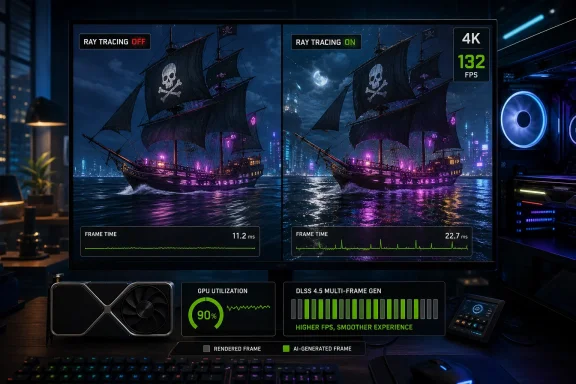 Ubisoft’s Pirate Remake Lands in the Upscaler Era
Assassin’s Creed Black Flag Resynced arrives with exactly the kind of PC feature list that now separates a modern remake from a higher-resolution reissue. Ubisoft is using the Anvil Engine, and the PC version supports Ray Tracing, DLSS 4.5, and Multi-Frame Gen. Official Ubisoft material has framed Resynced as a modernized rebuilding of Black Flag rather than a simple touch-up, and that matters because the game is now being judged less like a nostalgia product and more like a contemporary PC showcase.DSOGaming’s early technical testing is useful because it gets past the trailer language quickly. The site tested the game on an AMD Ryzen 9 7950X3D, 32GB of DDR5 at 6000Mhz, an NVIDIA GeForce RTX 5090, Windows 10 64-bit, and the GeForce 610.74 driver. That is not a midrange configuration struggling under ambition; it is a top-end test bed asking whether Ubisoft’s renderer, driver path, and frame-generation stack behave properly when hardware limits should be unusually distant.
The answer is mixed. At Native 4K on Ultra High without Ray Tracing, DSOGaming reports a minimum of 66FPS and an average of 78FPS. That is a strong baseline for a modern 4K release and suggests that Resynced, at least in rasterized rendering, is not the kind of port that immediately forces even high-end users into compromise.
The complication is that this baseline is not the experience Ubisoft is implicitly selling when it advertises Ray Tracing and DLSS 4.5 with Multi-Frame Gen. Those features are not decorative anymore. They are the difference between “this runs well” and “this feels like a 2026 PC release,” especially for players on high-refresh 4K displays.
Native 4K Is Strong, but the Presets Do Less Than PC Players Expect
The most reassuring number in DSOGaming’s benchmark is the Native 4K Ultra High result without Ray Tracing: 66FPS minimum, 78FPS average. On the tested RTX 5090 system, that means Black Flag Resynced can clear the traditional 60FPS bar at 4K without relying on DLSS or frame generation, provided Ray Tracing stays off. For players who prioritize clean native presentation over every lighting feature, that is the best news in the first report.But the preset scaling is less impressive. DSOGaming says switching from Ultra High to Very High gave only a small performance boost, while High and Medium delivered much bigger gains. Low reportedly performed almost the same as Medium, and the Very Low and Ultra Low presets finally produced significant performance improvements.
That pattern matters because PC players often use presets as a quick diagnostic ladder. If a game is not smooth, the expected move is to step down one or two levels and recover a meaningful amount of headroom. In Black Flag Resynced, the early evidence suggests the top end of the preset stack is compressed: Very High may not buy much, and the more meaningful gains arrive only when the player moves far enough down the ladder to make more visible compromises likely.
This is where the comparison to Assassin’s Creed: Shadows becomes important. DSOGaming’s view is that Black Flag Resynced runs noticeably better than Shadows, but also that it follows a similar pattern: graphics presets do not provide huge performance improvements at the high end. In other words, Ubisoft may have improved the floor but not fully solved the tuning problem.
For Windows users, the practical takeaway is simple: do not assume the preset menu is the primary performance lever. On high-end NVIDIA hardware, the early benchmark says the more decisive switch is not Ultra High versus Very High; it is Ray Tracing versus no Ray Tracing, and native rendering versus DLSS.
Ray Tracing Is the Feature That Turns a Smooth Run into a Diagnosis
Black Flag Resynced includes two Ray Tracing modes, Standard and Extended, and also allows PC players to push Ray Tracing and BVH Quality to Ultra High manually. Extended mode uses Ray Tracing and BVH Quality at Very High, while the manual maximum goes beyond that. On paper, this is exactly what PC players ask for: named modes for sane defaults, plus deeper controls for people who want to push expensive settings.In DSOGaming’s test, Standard Ray Tracing drops the minimum framerate just below 60FPS. Extended Ray Tracing lowers it further. The surprising part is that Max RT and Extended RT reportedly showed no performance differences at all.
| Ray Tracing configuration | Ray Tracing setting | BVH Quality setting | Reported performance behavior | Practical read |
|---|---|---|---|---|
| Standard RT | Standard mode | Standard mode | Minimum drops just below 60FPS | First RT step already crosses the 60FPS line |
| Extended RT | Very High | Very High | Minimum falls further | Higher RT mode costs more headroom |
| Manual Max RT | Ultra High | Ultra High | No performance difference versus Extended RT | Top manual settings may not scale as expected |
The benchmark does include a built-in tool, and DSOGaming describes it as representative of in-game performance. That is important because built-in benchmarks can sometimes be misleading marketing loops, but in this case the site treats the sequence as useful and repeatable. The repeated nature of the Ray Tracing behavior therefore deserves attention.
The more serious issue is not just the framerate drop. DSOGaming reports two consistent stutters at the end of the benchmark scene when Ray Tracing is enabled, and says those stutters are absent without Ray Tracing. That is the kind of finding that average FPS can bury and players can feel immediately.
A minimum just below 60FPS is survivable. A repeatable frametime spike is harder to ignore. It breaks motion, it undermines the point of paying for a premium display, and it can make a game feel worse than its average suggests.
The RTX 5090 Utilization Drop Is the Real Warning Sign
The oddest data point in DSOGaming’s report is not the Ray Tracing cost; RT is supposed to cost performance. The oddity is that GPU utilization on NVIDIA GPUs reportedly drops to 90% at numerous times, including a cited example where the NVIDIA RTX 5090 is running at 90% “for no apparent reason.” On a system built around a Ryzen 9 7950X3D, 32GB of DDR5 at 6000Mhz, and an RTX 5090, that is exactly the kind of underutilization that suggests software rather than silicon is holding the line.DSOGaming notes that this could indicate a CPU or RAM bottleneck, but also says none of the CPU cores were maxed out. That distinction is important. A CPU bottleneck does not always present as one obvious core pinned at 100%, especially in engines with complex scheduling behavior, but the absence of maxed cores weakens the simplest explanation.
The more useful reading is that Black Flag Resynced may have a pipeline problem under certain conditions on NVIDIA hardware. That could involve driver overhead, render-thread behavior, memory management, shader compilation, BVH updates, or scene traversal work that fails to keep the GPU fed. The benchmark does not prove which layer is responsible, and DSOGaming properly avoids certainty, but the symptom is familiar to anyone who has profiled high-end PC games: the GPU is expensive, available, and waiting.
This is where the Windows angle becomes more than operating-system trivia. The test was conducted on Windows 10 64-bit with the GeForce 610.74 driver. That combination matters because performance behavior in a modern DX-era title is not just “the game”; it is the game, the OS graphics stack, the display path, the driver branch, the shader cache, and sometimes the overlay ecosystem. One benchmark cannot isolate all of those variables.
Still, if an RTX 5090 drops to 90% utilization repeatedly in a built-in benchmark while CPU cores are not visibly saturated, Windows players should treat early performance claims with caution. The game may be fast, but it may not yet be clean. That difference matters more at the high end than anywhere else, because high-end users notice the missing 10%.
DLSS 4.5 Fixes the Framerate Problem, Not Every Presentation Problem
DLSS 4.5 with Multi-Frame Gen is the escape hatch in DSOGaming’s test, and a powerful one. At 4K on Ultra High with Max Ray Tracing and DLSS 4.5 Quality Mode, the benchmark stayed over 70FPS at all times. With MFG X2, it stayed above 120FPS at all times. The article also references MFG 3X-6X modes, which reportedly made the experience even smoother.That is a dramatic result, but it needs careful interpretation. DLSS Quality Mode is doing the foundational work by reducing the cost of the rendered frame while trying to preserve a 4K-class image. Multi-Frame Gen then increases displayed framerate by inserting generated frames between traditionally rendered ones. The result can be transformative on a high-refresh monitor, but it is not the same as the engine natively rendering every frame at that rate.
This distinction is not pedantry. DSOGaming calls the DLSS 4.5 Multi-Frame Generation implementation “decent” but “not among the best,” and reports visible artifacts during very fast camera movements. The site also says most players will not notice those artifacts in normal gameplay. That is a fair middle ground: the technology is good enough to recommend in many situations, but not so invisible that it should be treated as free performance.
The recommendation from DSOGaming is also properly conditional. The site suggests using DLSS 4.5 MFG to hit higher framerates, provided the base framerate is above 50FPS. That caveat is critical because frame generation works best when the underlying game is already responsive and stable. If the base frame stream is uneven, frame generation can make the counter look better while the control feel remains compromised.
For Black Flag Resynced, DLSS 4.5 appears less like an optional enhancement and more like the intended route to premium RT. Without Ray Tracing, the RTX 5090 can run the game at Native 4K. With Ray Tracing, DSOGaming’s conclusion is that players will need an upscaler.
That should shape expectations for everyone below the RTX 5090 tier. If the top tested NVIDIA card benefits from DLSS Quality and Multi-Frame Gen when Max Ray Tracing is enabled, then more modest GPUs should not treat native 4K RT as a realistic target. The sensible PC tuning path is to establish a stable non-generated base framerate first, then add frame generation once the game is already smooth enough to support it.
Built-In Benchmarks Are Useful, but Stutter Is the Metric That Matters
The presence of a built-in benchmark tool is a welcome PC feature. It gives reviewers, players, and IT teams a repeatable loop, and it reduces the noise that comes from trying to compare two manual runs through an open-world game. DSOGaming used that tool precisely because it can provide a better benchmark loop sequence.But built-in benchmarks are not magic. They can tell you whether a change improves a repeatable scene, not whether the entire open world behaves identically. They can reveal repeatable stutter, as this one apparently did, but they cannot guarantee that traversal, streaming, combat, weather, or dense settlements will behave the same way.
That is why the two Ray Tracing stutters at the end of the benchmark are so important. A benchmark that only reported average FPS would have made the RT result sound like a routine tradeoff: enable RT, lose some performance, use DLSS if needed. The frametime graph changes the story. It says there may be a repeatable hitch in the RT path.
For players, the best test is not whether the average looks good after one run. It is whether the frametime graph stays consistent over repeated runs with the shader cache warmed and the same settings applied. If the stutter repeats in the same location only with RT enabled, that is a strong sign that the issue is tied to the RT workload or the engine state it triggers.
For WindowsForum readers, this is also a reminder not to over-index on screenshots of counters. An on-screen 120FPS number with MFG X2 can coexist with traversal hitches, input variance, or camera-motion artifacts. The counter is an entry point, not a verdict.
Ubisoft Has a Better PC Baseline Than Shadows, but Not a Cleaner One
DSOGaming’s broader comparison to Assassin’s Creed: Shadows is revealing. Black Flag Resynced reportedly runs noticeably better, which is the kind of improvement Ubisoft needed. Shadows has been the natural comparison point because it represents the recent Anvil-powered Assassin’s Creed technical target, and Resynced appears to be less punishing.But DSOGaming also says Shadows looked better, with more advanced lighting and richer environments, including forests that stood out visually. That is the tradeoff hiding inside the benchmark. Black Flag Resynced can run better, but part of that advantage may come from a presentation that is not quite as ambitious.
That does not make the remake visually weak. It makes it more strategically conservative. Ubisoft is reviving a beloved pirate game and modernizing it for current PC expectations, but the benchmark suggests the company has not fully escaped the engine-level tensions that defined its more demanding releases: expensive lighting, uneven scaling, and reliance on upscaling to turn a premium feature set into a premium experience.
The result is a PC version that seems easier to recommend than a disaster launch, but harder to call polished. It can run well. It supports modern rendering features. It includes a built-in benchmark. It can achieve very high displayed framerates with DLSS 4.5 Multi-Frame Gen. And yet the first technical report still finds RT stutter and unexplained NVIDIA GPU utilization drops.
That combination is increasingly common. The modern PC port does not fail by refusing to launch; it fails by making every user become a graphics engineer for an evening. Black Flag Resynced looks better than that worst case, but not immune to it.
What Windows Gamers Should Actually Change First
The first mistake many players will make is chasing presets. DSOGaming’s results suggest that moving from Ultra High to Very High is not the lever that transforms performance. High and Medium matter more, Very Low and Ultra Low matter a lot, and Low being close to Medium implies that some parts of the preset stack may not be efficiently spaced.The second mistake is enabling every RT option and then trying to fix the result with frame generation alone. If Standard Ray Tracing already pulls the minimum just below 60FPS on the tested system, and Extended lowers it further, then the correct order is: choose the RT mode, verify base smoothness, enable DLSS Quality if needed, then consider MFG. Frame generation should be the last multiplier, not the first bandage.
The third mistake is trusting a single run. Since DSOGaming observed consistent stutters at the end of the benchmark with Ray Tracing enabled, users should run the benchmark more than once after changing RT settings. If stutters repeat, the problem is not a random background process; it is probably tied to the rendering path, shader state, or scene behavior.
The fourth mistake is assuming a high-end GPU guarantees full utilization. The reported RTX 5090 dips to 90% utilization are a reminder that the fastest hardware can still be underfed. If utilization is dropping while framerate is under target, lowering GPU-heavy settings may not fix the underlying issue. In that case, DLSS may help by shifting the workload profile, but it may not address every frametime hitch.
Action checklist for admins
- Validate the game with the built-in benchmark before approving a shared lab, demo, or high-end gaming-room image.
- Test with Ray Tracing off, Standard Ray Tracing, and Extended Ray Tracing before touching lower presets.
- Use DLSS 4.5 Quality Mode as the first upscaling baseline for 4K Ray Tracing tests.
- Enable Multi-Frame Gen only after the non-generated base framerate is stable and preferably above 50FPS.
- Watch frametime graphs, not just average FPS, and repeat the benchmark to confirm stutter patterns.
- Record the Windows version, GPU driver, preset, RT mode, DLSS mode, and MFG multiplier with every result.
The RTX 5090 Result Is a Ceiling, Not a Promise
The benchmark system matters because it defines the ceiling of this first report. A Ryzen 9 7950X3D, 32GB of DDR5 at 6000Mhz, and an NVIDIA GeForce RTX 5090 are not representative of the average Windows gaming PC. If that system needs an upscaler for Ray Tracing at 4K, then most users should assume they will need one too.This is not a condemnation of DLSS. DLSS 4.5 is one of the reasons modern 4K RT gaming is viable at all, and the numbers here show why NVIDIA has leaned so hard into reconstruction and frame generation. Over 70FPS at all times with DLSS 4.5 Quality Mode and Max Ray Tracing is a strong result. Above 120FPS at all times with MFG X2 is exactly the kind of experience high-refresh PC players are chasing.
But the danger is that frame generation can turn performance discourse into scoreboard watching. A generated 120FPS experience can be excellent, but it depends on the quality of the base frames, the latency path, the artifact profile, and the consistency of frame pacing. DSOGaming’s “decent, but not among the best” assessment is therefore more important than the headline number.
In a slower third-person game, occasional artifacts during very fast camera movement may be acceptable. In normal gameplay, DSOGaming says most players will not notice them. Still, that caveat tells competitive-minded or latency-sensitive players what to test first: camera pans, rapid traversal, foliage-heavy scenes, and any area where the engine streams or updates lighting aggressively.
The better way to think about Black Flag Resynced is as a game with two viable identities. One is a relatively clean Native 4K rasterized remake that clears 60FPS on extreme hardware. The other is an RT-enhanced, DLSS-assisted modern showcase that can display very high framerates but currently carries more caveats.
Why This Launch Matters Beyond One Pirate Game
Black Flag Resynced is arriving at a moment when PC players are increasingly skeptical of “optimized for PC” claims. The feature stack has become richer, but the path to a stable experience has become more complicated. Ray Tracing, DLSS, Multi-Frame Gen, driver profiles, shader caches, and built-in benchmark loops now form a second game inside the game.Ubisoft is not alone in this. The industry has moved toward reconstruction-first rendering because native high-resolution, high-refresh, RT-heavy workloads are punishing even on elite hardware. NVIDIA’s DLSS ecosystem exists because brute force is no longer the whole answer. The question is whether developers are using these tools to enhance a stable renderer or to compensate for an unstable one.
DSOGaming’s first benchmark suggests Black Flag Resynced is closer to the former than the latter, but with visible cracks. Without Ray Tracing, it runs well at Native 4K on the RTX 5090. With DLSS 4.5 and MFG, it can deliver high displayed framerates even with Max Ray Tracing. The cracks are the RT stutters, the unexplained NVIDIA utilization drops, and the imperfect Multi-Frame Gen artifact behavior.
That makes the forthcoming broader PC Performance Analysis more important than usual. DSOGaming says its deeper article will benchmark numerous GPUs from both AMD and NVIDIA. That is the piece that should tell us whether the RTX 5090 behavior is an NVIDIA-specific quirk, a high-end CPU scheduling issue, a driver branch issue, or simply how this Anvil workload behaves across vendors.
Until then, the responsible read is cautious optimism. Ubisoft appears to have delivered a remake that runs better than Shadows in this first test, but not one that makes technical scrutiny unnecessary. The best PC releases are no longer judged only by whether they can hit 60FPS; they are judged by whether they can do so consistently, repeatably, and without asking the player to solve the render path manually.
The Settings That Matter Most at Launch
Black Flag Resynced’s first benchmark gives Windows players enough information to avoid the worst launch-day tuning traps. The game is not an obvious performance catastrophe, but it is also not a set-and-forget showcase for every high-end feature. The settings that matter are the ones that change the rendering path, not the ones that merely shuffle the preset label.- Native 4K Ultra High without Ray Tracing is viable on the tested RTX 5090 system, with 66FPS minimum and 78FPS average.
- Standard Ray Tracing drops the minimum just below 60FPS, while Extended Ray Tracing lowers it further.
- Max RT and Extended RT showed no performance difference in DSOGaming’s run, so manual Ultra High RT/BVH settings may not be worth chasing immediately.
- Ray Tracing introduced two repeatable stutters at the end of the benchmark scene; disabling Ray Tracing removed them.
- DLSS 4.5 Quality Mode pushed Max Ray Tracing above 70FPS at all times, and MFG X2 pushed displayed framerate above 120FPS at all times.
- Multi-Frame Gen is useful but imperfect here, with reported artifacts during very fast camera movement.
Black Flag Resynced looks like a capable PC release with a familiar modern flaw: its best experience depends on technologies that can multiply frames faster than the engine can always deliver them cleanly. If Ubisoft and NVIDIA can address the utilization drops and Ray Tracing stutters, this could become one of the stronger Anvil showpieces on Windows; if not, it will stand as another reminder that in 2026, PC performance is no longer measured by averages alone.
References
- Primary source: DSOGaming
Published: 2026-07-09T16:20:09.380114
Assassin's Creed Black Flag Resynced - 4K, Ray Tracing & DLSS 4.5 Benchmarks
Powered by the Anvil Engine, Assassin's Creed Black Flag Resynced supports Ray Tracing and DLSS 4.5 with Multi-Frame Gen on PC. So, time to test them.www.dsogaming.com - Related coverage: pcgamer.com
Assassin's Creed Black Flag Resynced review | PC Gamer
The latest Review,,,reviews, breaking news, comment, reviews and features from the experts at PC Gamerwww.pcgamer.com - Related coverage: techradar.com
Assassin's Creed Black Flag Resynced review: a robust and beautiful remake of one of the best — but not without flaws | TechRadar
Retracing Edward Kenway’s steps in Assassin’s Creed Black Flag Resynced is an absolute joy, and the modernizations and advancements mean it's a wonderful remake of a classic.www.techradar.com - Related coverage: creativebloq.com
Assassin's Creed Black Flag Resynced review: prettier, smoother, but still feels like it's 2013 at heart | Creative Bloq
A remake that brings back the swashbuckling charm, but is it the reset the series needs?www.creativebloq.com - Related coverage: windowscentral.com
Assassin's Creed Black Flag Resynced review | Windows Central
Black Flag reclaims the title as the best single-player pirate experience in a remake that's better than you ever expected it to be.www.windowscentral.com - Related coverage: gamesradar.com
Assassin's Creed Black Flag Resynced "is on track to be a much-needed hit for Ubisoft," says analyst, selling 5 times the Steam copies Assassin's Creed Shadows did pre-release | GamesRadar+
The remake is a "timely strategy for a struggling Ubisoft"www.gamesradar.com
- Related coverage: news.ubisoft.com
Assassin's Creed Black Flag Resynced Deep Dive - Expanding on the Original
Discover the new missions, content, updates, and more that went into expanding on the original Black Flag.news.ubisoft.com - Related coverage: ubisoft.com
Assassin's Creed Black Flag Resynced | Ubisoft (US)
Official site. Sail the Caribbean as Edward Kenway during the Golden Age of Piracy in this faithfully enhanced remake! Available now on PlayStation®5 and Xbox Series X|S, as well as on PC on Ubisoft Store, Steam, Steam Deck and Epic Games Store.www.ubisoft.com
- Related coverage: news.xbox.com
Welcome Back, Captain – Here’s What’s New in Assassins Creed Black Flag Resynced - XBOX Wire
Assassin’s Creed Black Flag Resynced revitalizes a fan-favorite adventure with state-of-the-art visuals, gameplay upgrades, and new content. Set sail July 9.news.xbox.com - Related coverage: ubistatic-a.ubisoft.com
- Related coverage: tomsguide.com
I played 3 hours of Assassin's Creed Black Flag Resynced — and it’s better than I expected | Tom's Guide
We went hands-on with Assassin's Creed: Black Flag Resynced, and it's shaping up to be an excellent remake thanks to its enhanced graphics and gameplay.www.tomsguide.com - Related coverage: nvidia.com
DLSS 4.5 Dynamic Multi Frame Generation & Multi Frame Generation 6X Available Now
Full DLSS 4.5 feature set now available as part of a new NVIDIA app update, enabling you to enhance DLSS Super Resolution, Frame Generation, and Multi Frame Generation with new features, optimizations and improvements.www.nvidia.com - Related coverage: nvidia.custhelp.com
- Related coverage: developer.nvidia.com
- Related coverage: developer.download.nvidia.com
- Related coverage: tomshardware.com
Nvidia introduces DLSS 4.5 and Multi Frame Generation 6X at CES 2026 — updated models can generate higher-quality upscaled frames and more of them, dynamically | Tom's Hardware
No new gaming GPUs, but real image quality improvementswww.tomshardware.com