

ASUS’s new ExpertBook Ultra family promises to bring on-device AI, enterprise-grade security, and premium hardware into reach for small and medium-sized businesses — and the move could meaningfully change how SMBs equip hybrid teams for collaboration and productivity.
ASUS announced the ExpertBook Ultra as part of a broader 2026 commercial refresh that foregrounds local AI inference, Microsoft Copilot+ experiences, and a unified business software layer called ASUS MyExpert. The product positioning is explicit: make AI-first productivity features — meeting transcription, real-time translation, summarization, search, and privacy-friendly local inference — available on lightweight, durable hardware that IT teams can manage at scale. ASUS’s press materials list options up to an Intel Core Ultra X9 Series 3 processor and cite up to 50 TOPS of NPU performance for on-device AI workloads, a bright 3K tandem OLED touchscreen option, a six-speaker Dolby Atmos audio system, and a sub‑1 kg starting weight for some SKUs.
These claims fit a wider OEM trend: vendors are re-bundling silicon (Intel Core Ultra / AMD Ryzen AI), Windows Copilot integrations, and their own AI toolkits into “Copilot+” certified devices aimed at knowledge workers and SMEs. The result is a new device class that blends thin-and-light portability with explicit AI acceleration and enhanced meeting intelligence. But marketing momentum isn’t the same as operational readiness — SMBs should evaluate the hardware’s real-world AI throughput, manageability, update cadence, and TCO before standardizing on a new fleet.
However, security is a process, not just a spec sheet. Key operational questions SMBs must answer:
Community-sourced operational notes and IT-focused writeups raise additional caveats — particularly around update logistics, model governance, and the practical interpretation of TOPS metrics — which mirror the procurement checklist above and are worth a read for technical buyers.
But there are real operational caveats. Vendor TOPS numbers are directional; battery and thermal trade-offs under sustained AI use will reduce untethered run time; SKU variability complicates procurement; and model/update governance must be contractually nailed down to satisfy compliance requirements. These risks are solvable, but they require pilots, written SLAs, and a realistic operational plan — not a blind trust in press slides.
If your SMB is:
ASUS has assembled a compelling box of tools for SMBs — a premium chassis, credible on-device AI, and a business-grade software and management story — but the real win for small businesses will come from careful validation, negotiated update guarantees, and deployment discipline that turns marketing claims into reliable daily workflows.
Conclusion: the ExpertBook Ultra can level the playing field, but only for teams that prepare to pilot, measure, and manage the transition to on-device AI; for those who do, the payoff can be faster meetings, smoother collaboration, and simpler IT operations — all on hardware that looks and feels like a step up from ordinary corporate laptops.
Source: TechPowerUp ASUS ExpertBook Ultra AI PC's Level the Playing Field for SMBs | TechPowerUp}
 Background / Overview
ASUS announced the ExpertBook Ultra as part of a broader 2026 commercial refresh that foregrounds local AI inference, Microsoft Copilot+ experiences, and a unified business software layer called ASUS MyExpert. The product positioning is explicit: make AI-first productivity features — meeting transcription, real-time translation, summarization, search, and privacy-friendly local inference — available on lightweight, durable hardware that IT teams can manage at scale. ASUS’s press materials list options up to an Intel Core Ultra X9 Series 3 processor and cite up to 50 TOPS of NPU performance for on-device AI workloads, a bright 3K tandem OLED touchscreen option, a six-speaker Dolby Atmos audio system, and a sub‑1 kg starting weight for some SKUs. These claims fit a wider OEM trend: vendors are re-bundling silicon (Intel Core Ultra / AMD Ryzen AI), Windows Copilot integrations, and their own AI toolkits into “Copilot+” certified devices aimed at knowledge workers and SMEs. The result is a new device class that blends thin-and-light portability with explicit AI acceleration and enhanced meeting intelligence. But marketing momentum isn’t the same as operational readiness — SMBs should evaluate the hardware’s real-world AI throughput, manageability, update cadence, and TCO before standardizing on a new fleet.
What the ExpertBook Ultra actually brings to SMBs
On-device AI capabilities: practical, not merely promotional
- Dedicated NPU horsepower: ASUS specifies up to 50 TOPS of NPU performance on high-end Core Ultra X9 configurations — a headline metric useful for cross-model comparison. In practice, TOPS measure raw arithmetic throughput and don’t map directly to user-visible latency or summarization speed; model architecture, quantization, memory bandwidth, and driver maturity matter for real workloads. Use vendor TOPS as a directional indicator, not a guaranteed SLA.
- ASUS MyExpert suite: The device ships with a unified AI productivity layer (MyExpert) that integrates meeting transcription, translation, local and cloud document search, and writing assistance. For SMBs, that means commonly useful capabilities — meeting minutes, follow-up tasks, and on-device noise cancellation — can be available without bespoke server-side tooling. ASUS emphasizes local inference to reduce data egress and latency, although practical deployment details (where models are updated from, telemetry defaults, and retention policies) require contractual clarification.
- Copilot+ / Windows integration: The ExpertBook Ultra is built to participate in the Microsoft Copilot+ ecosystem, so SMBs already invested in Microsoft 365 will find synergies in having Copilot features accelerated by local NPUs. Expect faster local commands and lower reliance on constant cloud round-trips for common productivity tasks, provided the workload fits the local model footprint.
Hardware credentials that matter to businesses
- Display and media: ASUS offers a 14-inch 3K tandem OLED option with impressive HDR specs (marketing lists up to 1400 nits peak HDR), Gorilla Glass Victus protection, and 100% DCI‑P3 coverage on higher-end SKUs — an unusually premium panel for a business laptop and a real advantage for knowledge workers who rely on visual clarity. Independent hands-on coverage confirms the quality of the OLED option and praises its brightness and color fidelity.
- Port selection and docking: Business-minded I/O (Thunderbolt 4, HDMI 2.1, USB-A, and the option for multi-band Wi‑Fi 7) means the ExpertBook Ultra can be deployed both as a mobile device and as a docked workstation with minimal dongle friction — an important practical detail for SMBs trying to minimize accessory costs and support overhead.
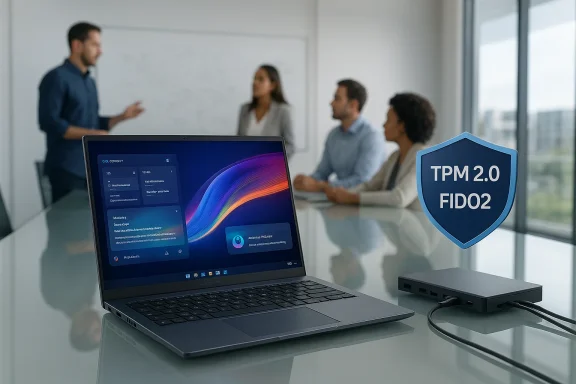
- Security and firmware protections: ASUS is pitching ExpertGuardian and firmware protections aligned to NIST SP 800-193 guidelines, plus TPM 2.0, FIDO2 options, and a BIOS update/driver support window that ASUS markets as multi‑year. These are meaningful for SMB IT managers who must protect client data and maintain compliance without a huge security ops team. But verify the exact SLA and update cadence for your region before procurement.
- Portability and build: Marketing claims a starting weight of 0.99 kg for the Ultra, with an ultralight magnesium-aluminum chassis and MIL‑STD-inspired durability testing. Independent coverage corroborates the device’s svelte feel and premium finish, making it attractive for traveling executives and field staff. However, thermal and battery trade-offs remain real when NPUs and bright OLED panels are active.
How ExpertBook Ultra “levels the playing field” — and where that claim is realistic
Lowering the feature gap between large enterprises and SMBs
- AI features without bespoke backends: SMBs rarely have the budget for custom ML ops. The ExpertBook Ultra’s on-device transcription, summarization, and translation give smaller teams capabilities once available only via cloud services or costly vendor integrations. That reduces friction for hybrid and remote teams needing accurate meeting notes and multilingual captions.
- Integrated manageability: ASUS bundles commercial-focused management tooling (ASUS Control Center and options like AEMS/APDS) and advertises enterprise BIOS features. For SMBs with small IT staffs, tight device management and pre-deployment services cut hours from imaging and enrollment tasks.
- Premium user experience at competitive price points: ASUS positions some ExpertBook variants at price bands competitive with mid-range corporate laptops — giving SMBs access to higher-quality screens, audio, and AI features without premium enterprise procurement deals. The combination of performance and cost can be compelling for SMB budgets.
The realistic limitations and where SMBs should temper expectations
- TOPS vs. real throughput: TOPS are useful for comparison, but two devices with ve very differently on a specific model or task because of memory, driver maturity, and model optimization. SMBs should pilot the features they intend to use (e.g., multilingual live transcription for hourly meetings) rather than accept TOPS as a performan.
- Battery life under AI load: High-brightness OLEDs, always-on camera/audio processing for meetings, and sustained NPU activity will reduce runtime. If your workers expect all‑day untethered use with continuous transcription, plan for power breaks or docked workflows. Field testing with ads is essential.
- SKU fragmentation and regional delivery differences: ASUS offers many SKUs; RAM, NPU capability, and even security chip configuration can vary by region. Procurement must verify part numbers, firmware features (e.g.,, and exact warranty/service inclusions. Don’t assume a sample at a trade show equals the SKU you’ll receive.
Deployment checklist for SMB Ig a fleet of ExpertBook Ultra machines, validate these items with contracts, pilots, and test plans:
- Confirm the exact SKU and hardware configuration by part number (CPU, NPU, RAM, SSD).
- Pilot key AI workflows (meeting transcription, translation, summaries) under real network conditions and with your standard conferencing stack to measure latency, accuracy, and battery impact.
- Obtain written firmware/driver update cadence and support SLAs; confirm whether BIOS and firmware fixes are covered for the multi-year window claimed in marketing.
- Verify model update and data governance: where models are hosted, how frequently they are updated, what telemetry is sent by default, and where meeting transcripts are stored. Get contractual clarity if data residency is a concern.
- Test power and thermal behavior during continuous AI workloads to ensure acceptable noise and sustained performance in your office environment.
Security and privacy: vendor promises vs. operational reality
ASUS highlights **ExpertGuatections aligned to NIST SP 800-193), TPM 2.0, and other industry-standard hardware security building blocks. For SMBs, these features reduce the attack surface compared with unmanaged consumer laptops and are valuable when handling customer data or regulated info.However, security is a process, not just a spec sheet. Key operational questions SMBs must answer:
- Who owns model updates and how are Are meeting transcripts stored locally by default, or are they uploaded to cloud services for features like cross-device search?
- What is the rollback plan if a firmware update introduces regressions?
Competitive landscape and buyer’s comparison
ASUS isn’t alone. Lenovo, HP, Dell, and other OEMs have rolled Copilot+-ready devices and AI-first laptops aimed at enterprises and SMBs. The differentiators for ASUS’s ExpertBook Ultra are:- A premium OLED option with very high HDR luminance and wide color gamut on a business chassis.
- A broad lineup across price points (from cost-conscious P-series machines to the Ultra flagship), which helps SMBs standardize device classes by role.
- Explicit marketing around firmware protections and manageability aimed at commercial IT buyers.
- Real-world inference latency for the models you plan to run.
- The vendor’s update cadence and enterprise support terms.
- Docking and peripheral compatibility to avoid unnecessary accessory costs.
- The total cost of ownership, including potential trade-in, warranty, and power costs under AI workloads.
Hands-on impressions and third-party validation
Early hands-on reviews and press coverage align with ASUS’s marketing for build quality and screen performance, and they confirm that on-device AI features are usable and meaningful for everyday tasks like meeting notes and noise cancellation. Independent reviewers also caution that thermal headroom and battery life are the key trade-offs for such a thin chasght OLEDs are used intensively. These independent views reinforce the need for representative pilot testing before an enterprise-wide roll-out. ([techradar.com](https://www.techradar.com/computing/asus-expertbook-ultra-2026-business-laptop-revieCommunity-sourced operational notes and IT-focused writeups raise additional caveats — particularly around update logistics, model governance, and the practical interpretation of TOPS metrics — which mirror the procurement checklist above and are worth a read for technical buyers.
Practical recommendations for SMB decision-makers
- If you need immediate improvements to meeting efficiency (accurate transcripts, local summarization, real-time captions) and want those features without building backend services, the ExpertBook Ultra series is a reasonable candidate to pilot. Focus on the SKU that matches your usage profile (OLED vs. POLED vs. IPS; NPU-enabled CPU choice).
- Insist on a 30–60 day pilot with representative users, measuring accuracy, latency, battery life, and thermal/user comfort during continuous conferencing scenarios. Use the pilot to collect metrics for procurement justification and TCO modeling.
- Negotiate firm contractual commitments around firmware/update cadence, driver bundles for corporate management tools, and explicit data governance for meeting transcripts. These are levers that protect SMBs more than marketing promises.
- Consider mixed fleets where power users (executives, frequent travelers) receivanel SKU, while knowledge workers receive lower‑cost ExpertBook P-series or ExpertBook B-series machines to keep unit cost and support overhead balanced. ASUS’s family segmentation supports this approach.
Final analysis: strengths, risks, and who should buy
The ASUS ExpertBook Ultra brings together an unusually strong set of features for SMB buyers: top-tier displays, a light premium chassis, explicit AI-first software, and enterprise‑grade manageability claims. For small businesses that rely on collaboration, multilingual work, and remote meetings — and that need those capabilities without hiring ML engineers or building cloud pipelines — the ExpertBook Ultra family is a practical way to access Copilot+ experiences on premise.But there are real operational caveats. Vendor TOPS numbers are directional; battery and thermal trade-offs under sustained AI use will reduce untethered run time; SKU variability complicates procurement; and model/update governance must be contractually nailed down to satisfy compliance requirements. These risks are solvable, but they require pilots, written SLAs, and a realistic operational plan — not a blind trust in press slides.
If your SMB is:
- An early adopter seeking to upgrade meeting productivity and willing to pilot new Copilot+ workflows: run a focused pilot with ExpertBook Ultra.
- A cost-sensitive buyer seeking maximum battery runtime and discrete-GPU rendering for heavy workloads: consider larger chassis or desktop-class options where thermal and power budgets are more generous.
- An organization with strict data-residency or regulatory needs: insist on documented model governance and on-device defaults before purchasing at scale.
ASUS has assembled a compelling box of tools for SMBs — a premium chassis, credible on-device AI, and a business-grade software and management story — but the real win for small businesses will come from careful validation, negotiated update guarantees, and deployment discipline that turns marketing claims into reliable daily workflows.
Conclusion: the ExpertBook Ultra can level the playing field, but only for teams that prepare to pilot, measure, and manage the transition to on-device AI; for those who do, the payoff can be faster meetings, smoother collaboration, and simpler IT operations — all on hardware that looks and feels like a step up from ordinary corporate laptops.
Source: TechPowerUp ASUS ExpertBook Ultra AI PC's Level the Playing Field for SMBs | TechPowerUp}
