

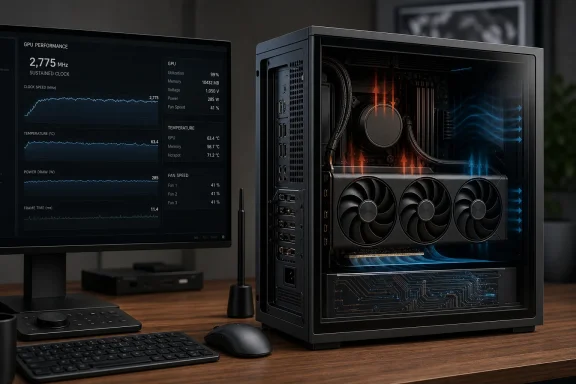
ASUS’s ProArt GeForce RTX 5080 OC takes one of Nvidia’s fastest Blackwell gaming GPUs and packages it in a restrained, 2.5-slot design that is unusually practical for workstations and compact enthusiast PCs. Guru3D’s extended thermal testing shows the card sustaining roughly 2,775 MHz after a 15-minute warm-up, an important result because it demonstrates that ASUS has preserved stable boost behavior without resorting to the enormous three-and-a-half-slot and four-slot coolers common among premium RTX 5080 models.
The ProArt GeForce RTX 5080 OC is built around Nvidia’s GB203 GPU, a 5 nm-class Blackwell processor containing 45.6 billion transistors. It provides 10,752 CUDA cores, 336 texture units, 112 render output units, fourth-generation ray-tracing hardware, and fifth-generation Tensor cores.
ASUS pairs that silicon with 16 GB of Samsung GDDR7 memory operating across a 256-bit interface. At 30 Gbps, the memory subsystem supplies 960 GB/s of theoretical bandwidth, giving the card substantially more bandwidth than its GDDR6X-equipped predecessor despite retaining the same memory capacity and bus width.
That makes it considerably easier to integrate than many heavily overbuilt partner cards. It can fit into cases that would reject thicker RTX 5080 models, while also leaving more breathing room for capture cards, high-speed networking adapters, storage controllers, and other PCI Express devices.
That distinction matters. The number printed on the box is not necessarily the clock that the GPU will maintain in a real game, and a brief cold-start benchmark can exaggerate performance if the cooler has not reached thermal equilibrium.
The RTX 5080 succeeded the RTX 4080 and RTX 4080 Super rather than delivering a direct replacement for the RTX 4090. Its architectural upgrades concentrated on newer ray-tracing hardware, improved AI processing, faster GDDR7 memory, and DLSS 4 features rather than a dramatic expansion in traditional raster hardware.
Blackwell’s value becomes more apparent in workloads that exploit its newer Tensor cores, ray-tracing capabilities, neural rendering pipeline, and Multi Frame Generation. In conventional games without these features, the improvement over a fast RTX 4080-class card may appear less transformative.
As a result, a massive cooler does not automatically produce meaningfully higher frame rates. Once a competent 2.5-slot design can keep the GB203 processor away from its thermal ceiling, adding more metal may primarily reduce fan speed and noise rather than improve gaming performance.
That positioning is partly aesthetic, but it also affects the physical design. A creator workstation may need free PCI Express slots, predictable acoustics, and compatibility with professional cases more urgently than it needs oversized RGB lighting or a record-setting factory overclock.
This is more representative than recording the first benchmark pass immediately after starting a cold PC. Heat accumulates in the heatsink, memory modules, voltage-regulation circuitry, backplate, motherboard area, and case air, meaning the first few seconds rarely represent long-duration behavior.
Guru3D therefore warms the graphics card for at least 15 minutes before evaluation. This procedure reduces run-to-run variation and makes comparisons among coolers more meaningful.
The more portable measurement is the temperature delta above ambient. Even then, differences in test benches, cases, fan placement, workloads, firmware, monitoring intervals, and acoustics prevent temperatures from different publications being treated as perfectly interchangeable.
A low core temperature achieved through loud fans is not inherently superior to a moderately higher temperature produced quietly. The best design is the one that balances safe component temperatures, stable performance, acceptable acoustics, and sensible physical dimensions.
The cooler cannot rely on the sheer mass available to larger ROG Astral or Noctua Edition cards. It must transfer heat efficiently from the silicon to the vapor chamber, distribute that energy across the fin stack, and move enough air through the assembly without creating excessive noise.
This process helps avoid concentrating the entire thermal load in a small section of the heatsink. It is particularly valuable in compact coolers, where inefficient distribution would leave some fin area underused while another section became saturated.
The intended benefits include consistent contact, resistance to pump-out over repeated heating cycles, and improved long-term thermal stability. Those advantages are especially relevant to a graphics card expected to spend hours rendering, encoding, training AI models, or running demanding games.
Fan quality, blade geometry, spacing, shroud design, and firmware tuning determine whether the result sounds smooth or intrusive. A single decibel figure cannot completely describe tonal characteristics, bearing noise, air turbulence, or rapid changes in speed.
The result indicates that the cooler is not forcing an obvious collapse in operating frequency once heat has accumulated. More importantly, the card appears able to maintain its natural GPU Boost behavior in a form factor smaller than many competing high-end designs.
A card falling from a short-lived 2,850 MHz peak to a sustained 2,775 MHz is not necessarily malfunctioning. It may simply be transitioning from cold-start behavior to its normal balance of voltage, power, temperature, and workload limits.
Buyers should therefore avoid treating the OC badge as the primary reason to choose this card. The ProArt’s compact dimensions, port selection, cooler construction, restrained design, and workstation compatibility are more consequential than its nominal clock premium.
Its 10,752 CUDA cores and 960 GB/s of memory bandwidth provide formidable throughput, but its perceived performance depends heavily on whether a title supports Blackwell’s newer features. Native rasterization, ray tracing, DLSS Super Resolution, Frame Generation, and Multi Frame Generation represent materially different performance scenarios.
A system producing a healthy base frame rate can use frame generation effectively for visually demanding single-player games. Conversely, esports players generally prioritize native frame delivery, consistent frame times, and low latency over the highest displayed frame counter.
These technologies give the RTX 5080 a strategic advantage in games optimized around Nvidia’s ecosystem. They also make software support more important: hardware potential does not automatically translate into benefits in applications that lack compatible code paths.
Faster GDDR7 does not solve a capacity limit. Bandwidth determines how quickly data can move, while capacity determines how much data can remain resident before the application must reduce quality, stream more aggressively, or spill into slower system memory.
The card supports CUDA, OpenCL, DirectCompute, DirectML, Vulkan, OpenGL 4.6, and hardware-accelerated ray tracing. Users can choose between Nvidia’s Game Ready and Studio driver branches depending on whether day-one game support or validated creative-application stability is the greater priority.
That benefit is easy to overlook when comparing frame-rate charts. For a working system, however, losing an expansion slot can require replacing other hardware, moving to a larger motherboard, or adopting external peripherals.
USB Type-C is useful for creator-oriented displays that accept video through the connector. It should not automatically be interpreted as a complete Thunderbolt-style docking solution, and buyers should verify monitor compatibility and power-delivery expectations before planning a one-cable workspace.
Guru3D’s preheated result is encouraging in this context. The approximate 2,775 MHz sustained clock suggests the ProArt cooler is capable of supporting prolonged GB203 activity without surrendering the performance expected from an RTX 5080.
The compactness also broadens case compatibility, but 304 mm is not universally small. Builders still need to check front radiators, reservoir placement, cable-routing space, side-panel clearance, and the exact thickness allowed by the chassis.
DLSS can improve performance at 4K by rendering internally at a lower resolution and reconstructing the final image. Frame Generation can then raise displayed smoothness further, although users should distinguish between rendered and generated frames when evaluating responsiveness.
Windows users should also enable Hardware-Accelerated GPU Scheduling where appropriate, maintain current chipset and graphics drivers, and verify that games are using the intended performance profile. These settings will not transform an improperly cooled system, but they can prevent configuration issues from masking the card’s capabilities.
A graphics card tested on an open bench may run warmer once installed beside a side panel or against a perforated surface. Conversely, a well-designed compact case with direct GPU intake can perform surprisingly well because the fans receive outside air rather than recirculated heat.
Builders should pay particular attention to:
Excessive lateral force near the connector should be avoided. A native power-supply cable with appropriate routing is generally cleaner than an adapter, but either approach depends on complete insertion, secure retention, and a bend radius that does not disturb the connection.
The diagnostic data in Guru3D’s test excerpt shows the interface temporarily operating at PCIe 2.0 x8, which is normal when a card reduces link speed at idle. Under load, monitoring software should report the appropriate active link state supported by the motherboard, processor, BIOS configuration, and riser.
ASUS recommends an 850-watt PSU, but wattage alone does not determine suitability. Build quality, connector implementation, transient response, age, cable condition, rail design, and the power demands of the rest of the system all matter.
This means a mild power limit or carefully tested undervolt may reduce heat and fan speed while sacrificing little performance. The compact ProArt cooler could benefit more visibly from such tuning than a massive four-slot model because every watt removed reduces the thermal load inside its smaller fin stack.
Validation should include several demanding applications, ray-traced games, long sessions, video playback transitions, sleep and resume, and repeated changes between idle and load. Visual corruption, driver resets, application crashes, or unexplained performance drops indicate that the setting is too aggressive.
A better cooler does not reduce the total heat produced unless it enables lower power consumption. It merely transfers heat from the GPU into the surrounding air more effectively.
ASUS positions the ProArt family as suitable for creative environments, where intrusive fan behavior can be distracting during editing, mixing, or recording. The cooler therefore needs to demonstrate not only adequate temperature control but balanced acoustic tuning.
Repeatedly crossing that threshold can produce noticeable start-stop cycling in a warm case. Users bothered by this behavior may prefer a custom curve that keeps the fans running continuously at an inaudible minimum speed.
The best setting depends on the system. A closed case beneath a desk may favor quiet operation, while a compact workstation rendering around the clock may benefit from a more assertive fan profile and lower component temperatures.
Limiting extreme menu frame rates, enabling synchronization, undervolting, or changing the power supply can sometimes alter the sound. None of those steps guarantees a cure, because sample variation is a significant factor.
Other manufacturers offer slim, dual-slot, and SFF-oriented RTX 5080 variants, so the ProArt is not alone. Its combination of a 2.5-slot body, creator-oriented styling, USB Type-C display output, vapor-chamber cooling, and ASUS ecosystem support is what differentiates it.
The decision is likely to depend more on price and availability than frame rate. Two healthy RTX 5080 cards operating within their normal boost ranges will generally be much closer in gaming performance than their visual designs imply.
The ProArt’s sustained 2,775 MHz behavior supports the argument that a well-engineered 2.5-slot cooler is sufficient for GB203. Larger cards may run quieter or cooler, but they should not be assumed to deliver proportionally higher frame rates.
The correct comparison therefore extends beyond average gaming frames. Rendering engines, AI tools, video software, monitor features, game libraries, electricity costs, and street pricing can all change the conclusion.
Driver evolution will be equally important. Blackwell’s value depends in part on Nvidia continuing to expand neural rendering, improve frame-generation quality, stabilize creative applications, and optimize performance in new games.
Buyers should compare the actual checkout price rather than recommended pricing. The difference could fund a larger SSD, more system memory, a better monitor, a higher-quality power supply, or a processor upgrade that produces a greater improvement in day-to-day use.
Once installed, the card should be tested after the entire system has warmed. Logging GPU frequency, temperature, fan speed, power, CPU temperature, and frame times over a 20- to 30-minute gaming session will reveal more than a single peak-temperature screenshot.
That makes the ProArt’s physical and acoustic qualities particularly important. Clock differences among RTX 5080 models are small, but case compatibility, blocked slots, cable pressure, and fan character affect the system every day.
The ASUS ProArt GeForce RTX 5080 OC demonstrates that high-end Blackwell performance does not require a graphics card the size of a small appliance. Its approximately 2,775 MHz sustained warm clock, 2.5-slot construction, vapor-chamber cooling, 960 GB/s memory subsystem, and creator-friendly connectivity make it one of the more practical RTX 5080 interpretations—provided its selling price remains close enough to less elaborate models. The card’s greatest achievement is not setting a headline temperature or factory-overclock record, but delivering stable GB203 performance in a package that respects expansion slots, compact cases, professional aesthetics, and the realities of building a powerful Windows workstation.
 Overview
The ProArt GeForce RTX 5080 OC is built around Nvidia’s GB203 GPU, a 5 nm-class Blackwell processor containing 45.6 billion transistors. It provides 10,752 CUDA cores, 336 texture units, 112 render output units, fourth-generation ray-tracing hardware, and fifth-generation Tensor cores.ASUS pairs that silicon with 16 GB of Samsung GDDR7 memory operating across a 256-bit interface. At 30 Gbps, the memory subsystem supplies 960 GB/s of theoretical bandwidth, giving the card substantially more bandwidth than its GDDR6X-equipped predecessor despite retaining the same memory capacity and bus width.
A compact interpretation of a high-end GPU
The defining feature is not merely speed. At 304 mm long, 126 mm tall, and 50 mm thick, the ProArt occupies 2.5 expansion slots and falls within Nvidia’s SFF-Ready Enthusiast GeForce Card guidelines.That makes it considerably easier to integrate than many heavily overbuilt partner cards. It can fit into cases that would reject thicker RTX 5080 models, while also leaving more breathing room for capture cards, high-speed networking adapters, storage controllers, and other PCI Express devices.
Factory clocks and observed behavior
ASUS specifies a 2,700 MHz default boost clock, with its optional software OC mode increasing the target to 2,730 MHz. Guru3D observed a warmed-up dynamic clock of approximately 2,775 MHz during repeated gaming stress, illustrating how Nvidia’s boost algorithm can exceed the advertised value when power, voltage, temperature, and workload conditions permit.That distinction matters. The number printed on the box is not necessarily the clock that the GPU will maintain in a real game, and a brief cold-start benchmark can exaggerate performance if the cooler has not reached thermal equilibrium.
Background
Nvidia launched the GeForce RTX 5080 in January 2025 as the second-fastest consumer Blackwell card, positioned below the substantially larger RTX 5090. Its recommended starting price was $999, although premium partner designs frequently reached far beyond that level.The RTX 5080 succeeded the RTX 4080 and RTX 4080 Super rather than delivering a direct replacement for the RTX 4090. Its architectural upgrades concentrated on newer ray-tracing hardware, improved AI processing, faster GDDR7 memory, and DLSS 4 features rather than a dramatic expansion in traditional raster hardware.
From Ada Lovelace to Blackwell
The RTX 4080 used the AD103 processor with 9,728 CUDA cores, while the RTX 5080’s GB203 implementation increases that count to 10,752. The generational uplift is therefore more nuanced than the leap suggested by the model number alone.Blackwell’s value becomes more apparent in workloads that exploit its newer Tensor cores, ray-tracing capabilities, neural rendering pipeline, and Multi Frame Generation. In conventional games without these features, the improvement over a fast RTX 4080-class card may appear less transformative.
Why partner-card cooling matters
Modern Nvidia GPUs continually adjust frequency rather than running at one fixed boost clock. A cooler graphics card generally has more opportunity to hold higher frequencies, but only until another constraint—usually voltage or board power—becomes dominant.As a result, a massive cooler does not automatically produce meaningfully higher frame rates. Once a competent 2.5-slot design can keep the GB203 processor away from its thermal ceiling, adding more metal may primarily reduce fan speed and noise rather than improve gaming performance.
ProArt’s place in the ASUS range
ASUS uses the ProArt brand for products aimed at creators, designers, editors, and buyers who prefer a subdued industrial appearance. The graphics cards sit apart from the aggressive styling of the ROG Astral family and the military-influenced visual language of TUF Gaming models.That positioning is partly aesthetic, but it also affects the physical design. A creator workstation may need free PCI Express slots, predictable acoustics, and compatibility with professional cases more urgently than it needs oversized RGB lighting or a record-setting factory overclock.
The Thermal Test Methodology
Guru3D conducts thermal testing in a controlled room maintained at approximately 20 to 21 degrees Celsius. The card is subjected to a prolonged GPU gaming stress loop, and the temperature reported by the onboard sensor is monitored after the cooler has had enough time to warm fully.This is more representative than recording the first benchmark pass immediately after starting a cold PC. Heat accumulates in the heatsink, memory modules, voltage-regulation circuitry, backplate, motherboard area, and case air, meaning the first few seconds rarely represent long-duration behavior.
Why preheating changes the result
A cold heatsink can absorb a considerable amount of energy before its temperature stabilizes. During that interval, the GPU may boost slightly higher because the thermal portion of Nvidia’s control algorithm sees unusually favorable conditions.Guru3D therefore warms the graphics card for at least 15 minutes before evaluation. This procedure reduces run-to-run variation and makes comparisons among coolers more meaningful.
Ambient temperature must be considered
A recorded core temperature has limited value without an ambient figure. A GPU reaching a given temperature in a 20-degree room is operating under easier conditions than one producing the same reading in a 28-degree room.The more portable measurement is the temperature delta above ambient. Even then, differences in test benches, cases, fan placement, workloads, firmware, monitoring intervals, and acoustics prevent temperatures from different publications being treated as perfectly interchangeable.
Sensor readings are only part of the picture
The conventional GPU temperature represents a primary sensor value, not every component on the board. Memory temperature, voltage-regulator temperature, localized hotspot behavior, fan speed, noise character, and sustained frequency all contribute to the overall thermal assessment.A low core temperature achieved through loud fans is not inherently superior to a moderately higher temperature produced quietly. The best design is the one that balances safe component temperatures, stable performance, acceptable acoustics, and sensible physical dimensions.
Cooling Hardware in a 2.5-Slot Frame
ASUS equips the ProArt RTX 5080 with three Axial-tech fans, a vapor chamber, a dense fin array, and a phase-change thermal interface material for the GPU. These components are engineered around the difficult task of cooling a high-power graphics processor within a 50 mm-thick enclosure.The cooler cannot rely on the sheer mass available to larger ROG Astral or Noctua Edition cards. It must transfer heat efficiently from the silicon to the vapor chamber, distribute that energy across the fin stack, and move enough air through the assembly without creating excessive noise.
Vapor-chamber heat distribution
A vapor chamber spreads concentrated heat across a wider surface. Fluid inside the chamber evaporates near the hot GPU contact area, moves toward cooler regions, condenses, and returns through an internal wick structure.This process helps avoid concentrating the entire thermal load in a small section of the heatsink. It is particularly valuable in compact coolers, where inefficient distribution would leave some fin area underused while another section became saturated.
Phase-change thermal material
ASUS uses a phase-change thermal pad rather than relying solely on conventional thermal paste. Once heated, the material softens and fills microscopic gaps between the GPU package and cooler contact surface.The intended benefits include consistent contact, resistance to pump-out over repeated heating cycles, and improved long-term thermal stability. Those advantages are especially relevant to a graphics card expected to spend hours rendering, encoding, training AI models, or running demanding games.
Three-fan airflow
Three smaller axial fans allow ASUS to distribute airflow across most of the heatsink’s length. This arrangement can reduce dead zones, although the fans may need to rotate faster than those on a much thicker card with more fin area.Fan quality, blade geometry, spacing, shroud design, and firmware tuning determine whether the result sounds smooth or intrusive. A single decibel figure cannot completely describe tonal characteristics, bearing noise, air turbulence, or rapid changes in speed.
Sustained Clock Performance
Guru3D reports that the warmed ProArt card settles at approximately 2,775 MHz during repeated gaming stress. That is around 75 MHz above ASUS’s nominal 2,700 MHz default boost specification and 45 MHz above the optional 2,730 MHz software OC setting.The result indicates that the cooler is not forcing an obvious collapse in operating frequency once heat has accumulated. More importantly, the card appears able to maintain its natural GPU Boost behavior in a form factor smaller than many competing high-end designs.
What “throttling clock” means here
The term can be misleading because it may suggest a severe thermal problem. In contemporary GPU testing, it often refers to the stable frequency reached after the initial, cooler-assisted boost period has ended.A card falling from a short-lived 2,850 MHz peak to a sustained 2,775 MHz is not necessarily malfunctioning. It may simply be transitioning from cold-start behavior to its normal balance of voltage, power, temperature, and workload limits.
Temperature is not the only limiter
Nvidia’s boost algorithm considers several variables simultaneously:- Board power can prevent higher clocks even when the core remains cool.
- Voltage-frequency limits can become dominant before the thermal ceiling is reached.
- Different games exercise shaders, ray-tracing units, memory, and geometry hardware in different proportions.
- Driver and firmware behavior can alter clocks without any change to the physical cooler.
- Background applications and CPU bottlenecks can affect GPU utilization during real gameplay.
Factory overclocking offers modest gains
An extra 30 MHz on a GPU already operating near 2.7 GHz represents a very small percentage increase. Dynamic boost behavior can also blur the distinction between stock and factory-overclocked models.Buyers should therefore avoid treating the OC badge as the primary reason to choose this card. The ProArt’s compact dimensions, port selection, cooler construction, restrained design, and workstation compatibility are more consequential than its nominal clock premium.
Blackwell Performance Context
The RTX 5080 is fundamentally a high-refresh 1440p and premium 4K graphics card. It is designed to run modern games with high image-quality settings, advanced ray tracing, and AI-assisted rendering technologies.Its 10,752 CUDA cores and 960 GB/s of memory bandwidth provide formidable throughput, but its perceived performance depends heavily on whether a title supports Blackwell’s newer features. Native rasterization, ray tracing, DLSS Super Resolution, Frame Generation, and Multi Frame Generation represent materially different performance scenarios.
Native rendering versus generated frames
Native frame rate remains important because it determines the base responsiveness and provides the input from which generated frames are constructed. Multi Frame Generation can make animation appear dramatically smoother, but it cannot turn a low-latency problem into a perfect competitive experience.A system producing a healthy base frame rate can use frame generation effectively for visually demanding single-player games. Conversely, esports players generally prioritize native frame delivery, consistent frame times, and low latency over the highest displayed frame counter.
Ray tracing and neural rendering
Blackwell’s fourth-generation RT cores are designed to accelerate increasingly complex lighting, reflection, and geometry workloads. The fifth-generation Tensor cores support the neural components of Nvidia’s rendering stack, including upscaling, Ray Reconstruction, and generated frames.These technologies give the RTX 5080 a strategic advantage in games optimized around Nvidia’s ecosystem. They also make software support more important: hardware potential does not automatically translate into benefits in applications that lack compatible code paths.
The 16 GB question
Sixteen gigabytes remains a substantial allocation for most games, but it is also the RTX 5080’s most debated specification. Buyers spending premium-card money may reasonably expect more headroom for future ultra-resolution textures, professional scenes, local AI workloads, and heavily modified games.Faster GDDR7 does not solve a capacity limit. Bandwidth determines how quickly data can move, while capacity determines how much data can remain resident before the application must reduce quality, stream more aggressively, or spill into slower system memory.
Creator and Workstation Impact
The ProArt branding makes the most sense in a system that mixes gaming with rendering, editing, 3D design, visualization, or AI-assisted content production. Nvidia’s CUDA ecosystem and broad application support remain influential advantages in many professional workflows.The card supports CUDA, OpenCL, DirectCompute, DirectML, Vulkan, OpenGL 4.6, and hardware-accelerated ray tracing. Users can choose between Nvidia’s Game Ready and Studio driver branches depending on whether day-one game support or validated creative-application stability is the greater priority.
Physical access to expansion slots
A 2.5-slot card can preserve access that a four-slot model would block. This may allow a workstation to retain a video-capture card, professional audio interface, 10 Gigabit Ethernet adapter, additional NVMe controller, or specialized accelerator.That benefit is easy to overlook when comparing frame-rate charts. For a working system, however, losing an expansion slot can require replacing other hardware, moving to a larger motherboard, or adopting external peripherals.
USB Type-C display connectivity
ASUS includes one native USB Type-C display output alongside HDMI 2.1b and two DisplayPort 2.1b connections. The card can drive up to four displays simultaneously, although the exact arrangement will depend on the monitor interfaces in use.USB Type-C is useful for creator-oriented displays that accept video through the connector. It should not automatically be interpreted as a complete Thunderbolt-style docking solution, and buyers should verify monitor compatibility and power-delivery expectations before planning a one-cable workspace.
Rendering consistency matters more than burst speed
Professional workloads may keep a GPU busy for hours rather than minutes. A cooler that sustains its clock after warming is therefore more valuable than one producing an impressive short benchmark before settling at a lower frequency.Guru3D’s preheated result is encouraging in this context. The approximate 2,775 MHz sustained clock suggests the ProArt cooler is capable of supporting prolonged GB203 activity without surrendering the performance expected from an RTX 5080.
Consumer Gaming Impact
For gamers, the ProArt offers an alternative to graphics cards covered in angular plastic, bright lighting, and oversized branding. Its dark exterior and understated detailing suit systems intended for offices, living rooms, studios, and minimalist desk setups.The compactness also broadens case compatibility, but 304 mm is not universally small. Builders still need to check front radiators, reservoir placement, cable-routing space, side-panel clearance, and the exact thickness allowed by the chassis.
High-end 4K gaming
The RTX 5080 is best matched with a high-refresh 4K display or an exceptionally fast 1440p monitor. At lower resolutions, many games can become CPU-limited before the GPU reaches full utilization, particularly when ray tracing is disabled.DLSS can improve performance at 4K by rendering internally at a lower resolution and reconstructing the final image. Frame Generation can then raise displayed smoothness further, although users should distinguish between rendered and generated frames when evaluating responsiveness.
Windows features and driver behavior
Resizable BAR is enabled on the tested card, allowing the processor to access larger portions of GPU memory rather than working through smaller fixed windows. A compatible motherboard, firmware configuration, operating system, and driver are required for the feature to work correctly.Windows users should also enable Hardware-Accelerated GPU Scheduling where appropriate, maintain current chipset and graphics drivers, and verify that games are using the intended performance profile. These settings will not transform an improperly cooled system, but they can prevent configuration issues from masking the card’s capabilities.
Sensible setup sequence
A reliable installation should follow a deliberate process:- Confirm that the case supports a 304 mm-long, 50 mm-thick card with enough room for airflow.
- Verify that the power supply is of suitable quality and capacity; ASUS recommends an 850-watt unit for a fully overclocked configuration.
- Connect the 16-pin power cable fully and avoid a sharp bend immediately beside the plug.
- Use the supplied support bracket if the card shows visible sag.
- Update the motherboard firmware, chipset package, and Nvidia driver before diagnosing performance.
- Run a sustained gaming test rather than judging temperatures from a short benchmark.
- Monitor temperature, fan speed, frequency, power, and frame-time consistency together.
Compact-PC Considerations
The SFF-Ready label is useful, but it does not guarantee ideal behavior in every compact enclosure. Small cases differ dramatically in ventilation, chamber layout, riser-cable placement, panel restriction, and access to cool intake air.A graphics card tested on an open bench may run warmer once installed beside a side panel or against a perforated surface. Conversely, a well-designed compact case with direct GPU intake can perform surprisingly well because the fans receive outside air rather than recirculated heat.
Airflow is more important than empty volume
A large case with weak intake can produce worse GPU temperatures than a smaller enclosure with deliberate airflow. The ProArt’s fans need a clear path to fresh air, while heated exhaust must be able to leave the system instead of returning to the cooler.Builders should pay particular attention to:
- The distance between the GPU fans and the case panel or power-supply shroud.
- Whether front-mounted radiators feed warmed air into the graphics card.
- Whether bottom intake fans improve supply or create turbulence.
- Whether the CPU cooler and GPU compete for the same air.
- Whether dust filters become restrictive when loaded over time.
Power-cable clearance
The 16-pin connector needs more space than the card’s listed dimensions alone suggest. A case may officially support a 126 mm-tall graphics card yet still press its side panel against the cable.Excessive lateral force near the connector should be avoided. A native power-supply cable with appropriate routing is generally cleaner than an adapter, but either approach depends on complete insertion, secure retention, and a bend radius that does not disturb the connection.
Riser cables and PCI Express negotiation
Vertically mounted or sandwich-layout systems may use a PCI Express riser. Because the RTX 5080 supports PCI Express 5.0, the quality and rating of that riser can affect stability.The diagnostic data in Guru3D’s test excerpt shows the interface temporarily operating at PCIe 2.0 x8, which is normal when a card reduces link speed at idle. Under load, monitoring software should report the appropriate active link state supported by the motherboard, processor, BIOS configuration, and riser.
Power, Efficiency, and Undervolting
The RTX 5080 is not a low-power component, even if the ProArt cooler makes it easier to package. A complete system can place substantial transient and sustained demands on the power supply, particularly when paired with a flagship desktop processor.ASUS recommends an 850-watt PSU, but wattage alone does not determine suitability. Build quality, connector implementation, transient response, age, cable condition, rail design, and the power demands of the rest of the system all matter.
Performance per watt
Blackwell’s most compelling efficiency gains often emerge when the GPU is prevented from chasing the final few percentage points of frequency. Near the top of a voltage-frequency curve, small clock increases can require disproportionate increases in voltage and power.This means a mild power limit or carefully tested undervolt may reduce heat and fan speed while sacrificing little performance. The compact ProArt cooler could benefit more visibly from such tuning than a massive four-slot model because every watt removed reduces the thermal load inside its smaller fin stack.
Undervolting should be validated properly
A configuration that survives one synthetic benchmark is not necessarily stable. Different games stress different sections of the processor and can expose instability that a repetitive test misses.Validation should include several demanding applications, ray-traced games, long sessions, video playback transitions, sleep and resume, and repeated changes between idle and load. Visual corruption, driver resets, application crashes, or unexplained performance drops indicate that the setting is too aggressive.
Electricity and room heat
Nearly all electrical power consumed by a PC eventually becomes heat in the room. During extended gaming or rendering, a high-end GPU can noticeably warm a small office even when its own sensor readings remain excellent.A better cooler does not reduce the total heat produced unless it enables lower power consumption. It merely transfers heat from the GPU into the surrounding air more effectively.
Acoustics and Firmware Tuning
Temperature charts can reward aggressive fan curves, but users hear the consequences. A graphics card that runs several degrees cooler while producing a sharp, fluctuating tone may be less pleasant than one operating warmer with smooth, stable airflow noise.ASUS positions the ProArt family as suitable for creative environments, where intrusive fan behavior can be distracting during editing, mixing, or recording. The cooler therefore needs to demonstrate not only adequate temperature control but balanced acoustic tuning.
Zero-RPM idle behavior
Many modern ASUS cards stop their fans during light desktop operation. Passive idle mode eliminates fan noise and bearing wear, although the GPU temperature naturally rises until the fan-start threshold is reached.Repeatedly crossing that threshold can produce noticeable start-stop cycling in a warm case. Users bothered by this behavior may prefer a custom curve that keeps the fans running continuously at an inaudible minimum speed.
Performance and quiet priorities
Where multiple BIOS or control profiles are provided, the quieter option usually permits a higher operating temperature in exchange for lower fan speed. Performance differences are typically small if both modes remain below the GPU’s thermal ceiling.The best setting depends on the system. A closed case beneath a desk may favor quiet operation, while a compact workstation rendering around the clock may benefit from a more assertive fan profile and lower component temperatures.
Coil noise remains sample-dependent
Electrical noise from inductors can vary among individual cards, power supplies, workloads, and frame rates. It is not captured by a thermal sensor and may remain audible even when the cooling fans are quiet.Limiting extreme menu frame rates, enabling synchronization, undervolting, or changing the power supply can sometimes alter the sound. None of those steps guarantees a cure, because sample variation is a significant factor.
Competitive Position
The ProArt RTX 5080 competes on packaging and design discipline rather than maximum cooler size. ASUS’s own ROG Astral and Noctua Edition models devote more space to acoustic and thermal headroom, while TUF Gaming targets a more conventional enthusiast audience.Other manufacturers offer slim, dual-slot, and SFF-oriented RTX 5080 variants, so the ProArt is not alone. Its combination of a 2.5-slot body, creator-oriented styling, USB Type-C display output, vapor-chamber cooling, and ASUS ecosystem support is what differentiates it.
Against the Founders Edition
Nvidia’s Founders Edition is thinner at two slots and establishes the $999 reference point, making it the obvious value benchmark when available near its intended price. The ProArt adds a partner-designed cooler, different display connectivity, a modest factory overclock, and styling intended to match professional systems.The decision is likely to depend more on price and availability than frame rate. Two healthy RTX 5080 cards operating within their normal boost ranges will generally be much closer in gaming performance than their visual designs imply.
Against oversized partner cards
A four-slot cooler can lower fan speed and create more thermal reserve, but it may block expansion slots and complicate compact builds. Paying for that extra material makes sense only when acoustics, overclocking headroom, or a particular aesthetic justifies the sacrifice.The ProArt’s sustained 2,775 MHz behavior supports the argument that a well-engineered 2.5-slot cooler is sufficient for GB203. Larger cards may run quieter or cooler, but they should not be assumed to deliver proportionally higher frame rates.
Against AMD alternatives
AMD’s high-end Radeon products can offer strong raster performance and competitive memory configurations, depending on the exact generation and market price. Nvidia retains particular appeal for buyers who prioritize CUDA applications, DLSS, broad ray-tracing support, and software that has been optimized around its ecosystem.The correct comparison therefore extends beyond average gaming frames. Rendering engines, AI tools, video software, monitor features, game libraries, electricity costs, and street pricing can all change the conclusion.
Strengths and Opportunities
The ASUS ProArt GeForce RTX 5080 OC succeeds because it treats size as a constraint to engineer around rather than an excuse for weak performance. Guru3D’s warmed-up clock observation suggests that the card preserves expected RTX 5080 boost behavior after reaching a steady thermal state.- The 2.5-slot design preserves more expansion flexibility than many premium RTX 5080 cards.
- The 304 mm length qualifies for Nvidia’s SFF-Ready program and expands compact-case options.
- A sustained clock of around 2,775 MHz indicates that the cooler can support normal high-end boost behavior after warm-up.
- The vapor chamber and phase-change thermal material provide a technically credible foundation for long-duration cooling.
- Sixteen gigabytes of 30 Gbps GDDR7 supplies 960 GB/s of bandwidth for high-resolution gaming and creator workloads.
- USB Type-C display connectivity is a welcome addition for compatible professional monitors.
- The understated appearance suits workstations and mixed-use PCs better than heavily illuminated gaming designs.
- Undervolting presents an opportunity to improve acoustics and efficiency while retaining most of the available performance.
Risks and Concerns
The ProArt’s engineering does not remove the broader compromises of the RTX 5080 platform. Buyers must still weigh memory capacity, price premiums, power consumption, connector routing, and the difference between native and AI-generated performance.- Sixteen gigabytes may become restrictive sooner in professional or heavily modified workloads than buyers expect from a premium GPU.
- A ProArt price far above the least expensive RTX 5080 can be difficult to justify through performance alone.
- The 2.5-slot cooler has less acoustic reserve than extremely large partner designs.
- SFF-Ready certification does not guarantee low temperatures in a poorly ventilated compact case.
- The 16-pin connector requires careful insertion and enough side-panel clearance for safe cable routing.
- Factory overclocking adds little value because dynamic GPU Boost already exceeds the listed clock under favorable conditions.
- Multi Frame Generation can inflate displayed frame rates without producing an equivalent improvement in input responsiveness.
- Temperature comparisons can mislead when ambient conditions, fan noise, workloads, and case airflow differ.
What to Watch Next
The long-term question is how the phase-change thermal interface, fan bearings, and compact heatsink perform after months of dust accumulation and repeated heat cycling. Initial temperatures are useful, but workstation buyers also need consistent operation over years of daily use.Driver evolution will be equally important. Blackwell’s value depends in part on Nvidia continuing to expand neural rendering, improve frame-generation quality, stabilize creative applications, and optimize performance in new games.
Pricing will determine the verdict
At a modest premium over an entry-level RTX 5080, the ProArt’s dimensions, build, cooler, USB Type-C output, and appearance create a coherent package. At a several-hundred-dollar premium, it begins competing with more capable GPUs or complete system upgrades.Buyers should compare the actual checkout price rather than recommended pricing. The difference could fund a larger SSD, more system memory, a better monitor, a higher-quality power supply, or a processor upgrade that produces a greater improvement in day-to-day use.
Case testing remains essential
Open-bench results establish cooler capability but cannot predict every installation. Prospective owners should look for tests in cases resembling their intended build, especially when using sandwich layouts, vertical mounts, front radiators, or restrictive side panels.Once installed, the card should be tested after the entire system has warmed. Logging GPU frequency, temperature, fan speed, power, CPU temperature, and frame times over a 20- to 30-minute gaming session will reveal more than a single peak-temperature screenshot.
Software features may outlast the factory overclock
The nominal OC is unlikely to define the card’s useful lifespan. Future value will come from driver support, DLSS improvements, application compatibility, and whether 16 GB remains sufficient for the owner’s workloads.That makes the ProArt’s physical and acoustic qualities particularly important. Clock differences among RTX 5080 models are small, but case compatibility, blocked slots, cable pressure, and fan character affect the system every day.
The ASUS ProArt GeForce RTX 5080 OC demonstrates that high-end Blackwell performance does not require a graphics card the size of a small appliance. Its approximately 2,775 MHz sustained warm clock, 2.5-slot construction, vapor-chamber cooling, 960 GB/s memory subsystem, and creator-friendly connectivity make it one of the more practical RTX 5080 interpretations—provided its selling price remains close enough to less elaborate models. The card’s greatest achievement is not setting a headline temperature or factory-overclock record, but delivering stable GB203 performance in a package that respects expansion slots, compact cases, professional aesthetics, and the realities of building a powerful Windows workstation.
References
- Primary source: www.guru3d.com
Published: 2026-07-21T07:10:00+00:00
ASUS ProArt GeForce RTX 5080 OC Review: Compact Blackwell Power (Page 6)
Our ASUS ProArt GeForce RTX 5080 OC review examines gaming performance, 4K benchmarks, DLSS 4, ray tracing, temperatures, acoustics, power consumption, overclocking, build quality and value. Discover whether ASUS' compact 2.5-slot Blackwell graphics card is the ideal RTX 5080 for gaming and...www.guru3d.com - Related coverage: gamesradar.com
PNY's Slimline RTX 5080 might be the best version of this graphics card for versatile PC building, and making good on those FE promises | GamesRadar+
The PNY GeForce RTX 5080 provides some of the best case compatibility of any of the GPU's various board partner models. It's perhaps the best variant out there.www.gamesradar.com - Related coverage: asus.com

ProArt GeForce RTX™ 5080 16GB GDDR7 OC Edition - Tech Specs
ASUS ProArt GeForce RTX 5080 16GB GDDR7 OC Edition Graphics Card, PCIe 5.0, DLSS 4, USB-C, 2.5-slot Vapor-Chamber Cooling for Creation Workflows
www.asus.com
- Related coverage: alktech.co
Review: ASUS ProArt GeForce RTX 5080 16GB GDDR7 OC Edition Graphics Card
The ASUS ProArt GeForce RTX 5080 16GB GDDR7 OC Edition comes with a display-capable USB Type-C port and a unique wood-patterned aesthetic. www.alktech.co
- Related coverage: techradar.com
Nvidia GeForce RTX 5080 review: bringing near-RTX 4090 performance closer to the masses | TechRadar
The Nvidia GeForce RTX 5080 doesn't get a substantial gen-on-gen uplift, but it does bring RTX 4090 performance within reach for many, especially gamers.www.techradar.com - Related coverage: pcguide.com
ASUS RTX 5080 Noctua OC Edition review: a behemoth in size, thermals, and acoustics - PC Guide
Two giants collaborate for peak performance in cooling and power - we put the ASUS RTX 5080 Noctua OC Edition to the test to see how it fares.www.pcguide.com